


The October 14 deadlines have passed. Fix them in this order.
Your mail, documents and desktops still open this morning. What changed is the security work behind them. Exchange Server 2016 and 2019 received their final updates on October 13, 2026, Office 2021 support ended the same day with no extension, and Windows 10 commercial ESU moved into Year 2 at $122 per device. ABT works through them in that order, and the migration is free when your Microsoft licensing comes through ABT.
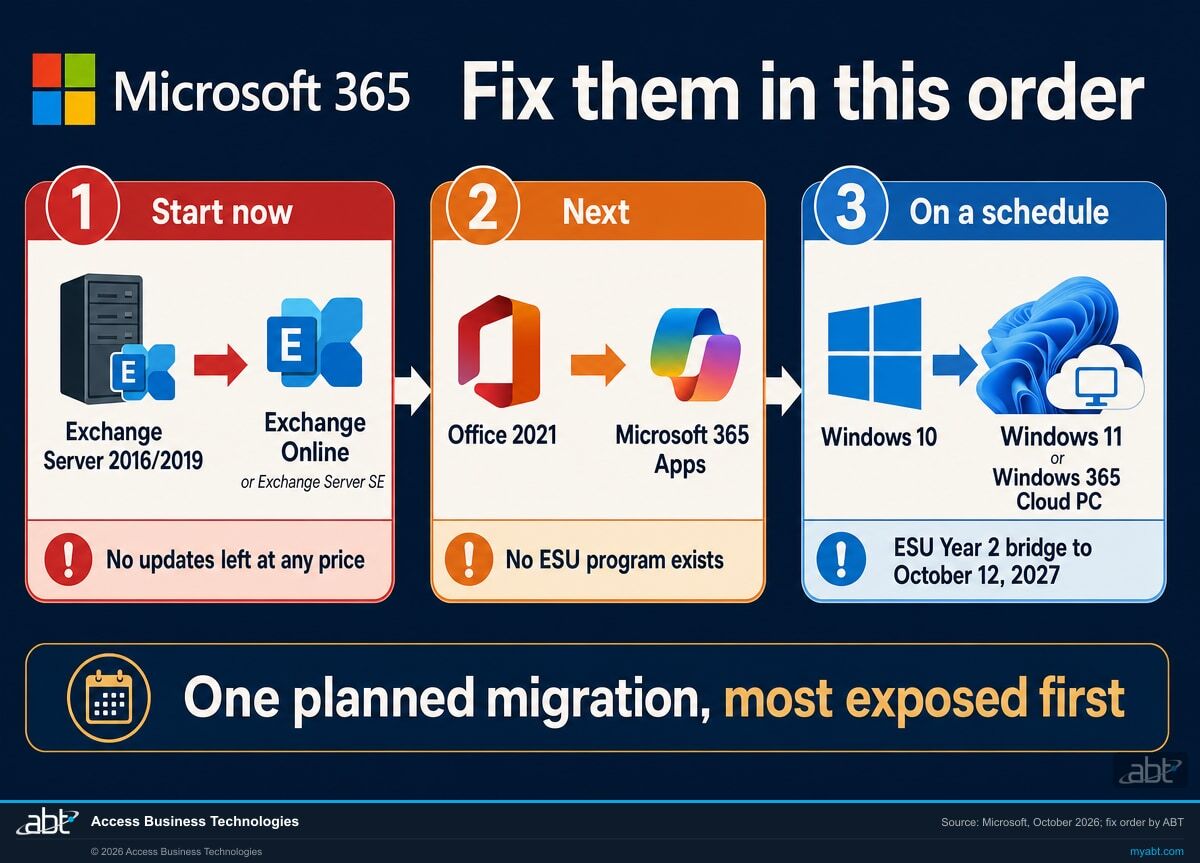
- Exchange first: Microsoft released the last Exchange 2016/2019 updates on October 13 and says it will stop testing those versions
- Office 2021 next: no extension and no ESU, and Microsoft's support for its connection to Microsoft 365 services ended the same day
- Windows 10 last: ESU Year 2 or a Windows 365 entitlement keeps devices patched while they move
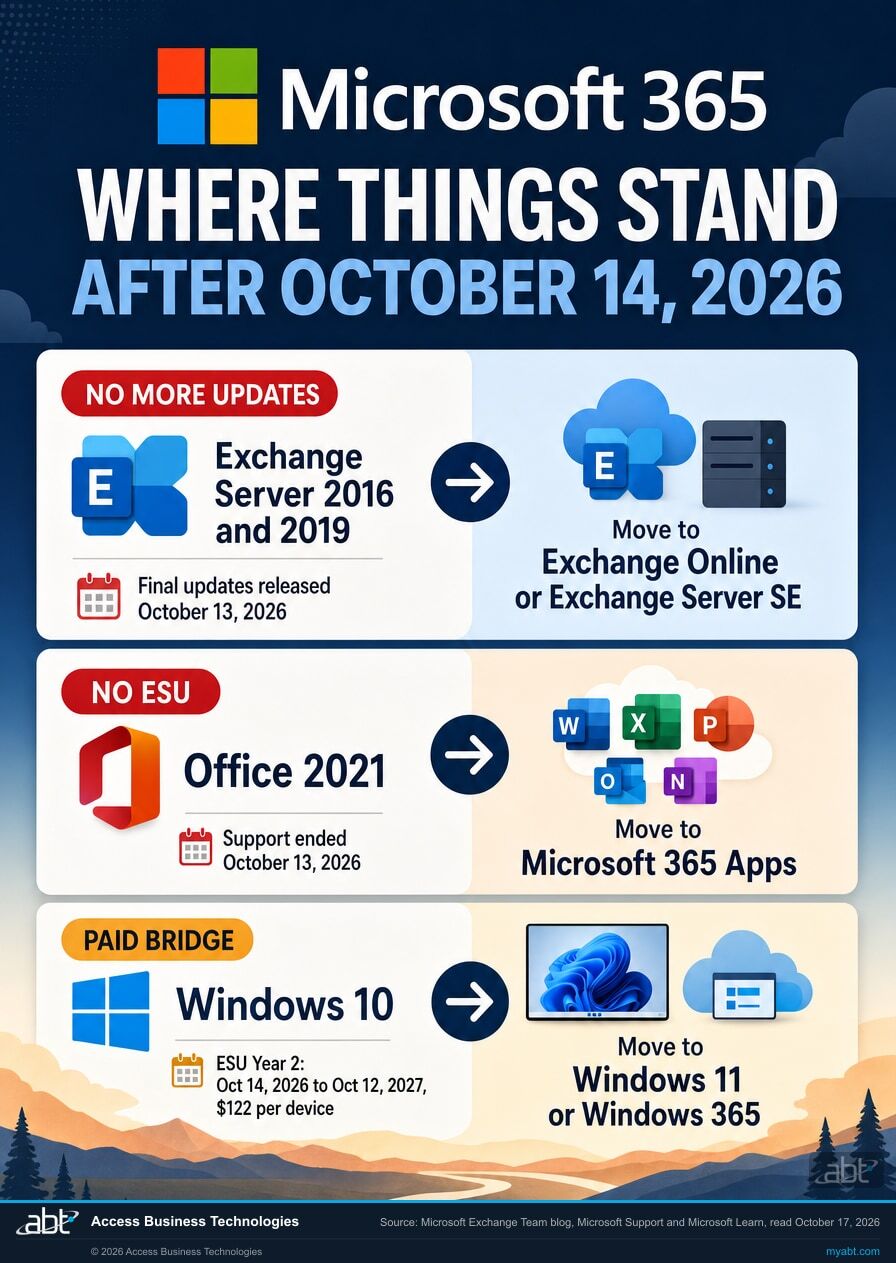
- Exchange 2016/2019: final updates released October 13
- Office 2021: support ended October 13, with no ESU program
- Windows 10: ESU Year 2 runs to October 12, 2027 at $122 per device
What changed on October 14, 2026?
October 14, 2026 was the first day all three products were past their dates together: Exchange Server 2016 and 2019 had received their last security updates, Office 2021 was out of support with no extension, and Windows 10 commercial devices needed ESU Year 2 to keep receiving security updates. The software keeps running. For Exchange and Office 2021 the security fixes have stopped; for Windows 10 they continue on the devices covered by a Year 2 purchase or a Windows 365 entitlement.
The Exchange news is the firmest. Exchange 2016 and 2019 left support on October 14, 2025, and October 2026 is the last month of their paid Extended Security Update program. On October 13, Microsoft's Exchange team added an update to its ESU announcement: "We have released the final set of updates under the Exchange 2016/2019 ESU program. There will be no more updates released for Exchange 2016/2019." The same note says Microsoft will stop testing those versions for vulnerabilities, and that its update announcements and CVEs will stop mentioning them. A future Exchange CVE can apply to a 2016 or 2019 server without naming it.
Office 2021 ended on schedule. Microsoft's support page now reads: "Support for Office 2021 ended on October 13, 2026 and there will be no extension and no extended security updates." Microsoft's support for connecting Office LTSC 2021 to Exchange Online, SharePoint and OneDrive ended the same day. Windows 10 moved onto its second paid year: commercial ESU Year 2 covers October 14, 2026 through October 12, 2027 at $122 per device, and because ESU is cumulative, a device joining now pays for Year 1 as well. Microsoft's consumer ESU program for personal PCs also runs through October 12, 2027.
Exchange Server 2016/2019
Microsoft says there will be no more updates. Buying Period 2 ESU now brings a server current only through the October 2026 release. Exchange Online will also raise the oldest version it accepts from hybrid servers. The paths: Exchange Online, or Exchange Server SE, an in-place upgrade from Exchange 2019 CU14 or CU15.
Office 2021
No security updates, no bug fixes, no extension, and no ESU program. Microsoft says the apps may continue to function, and it ships no fixes for vulnerabilities found in them from here. The move is Microsoft 365 Apps; Office LTSC 2024 covers the devices that need a perpetual version.
Windows 10
Commercial Year 2 costs $122 per device, cumulative with Year 1's $61, and Year 3 doubles again to $244. The exits: Windows 11 on capable hardware, or a Windows 365 Cloud PC, which entitles the Windows 10 device that connects to it to ESU once IT turns that on.
Which should you fix first?
Fix Exchange first, Office 2021 second and Windows 10 last. The order follows two questions: how exposed is the system, and does any paid bridge still exist? Exchange is an internet-facing mail server with no bridge left. Office 2021 has no bridge either, so it comes next. Windows 10 still has a paid bridge through October 12, 2027, so it can move on a schedule. Treat this as the default sequence: if a Windows 10 device that handles customer data has no Year 2 coverage today, close that gap in parallel.
-
1
Exchange Server 2016 and 2019
Start nowMicrosoft released the last updates on October 13 and says it will stop testing these versions for vulnerabilities. If a server sends mail to Exchange Online through an OnPremises inbound connector, Microsoft's next baseline change, which it estimated in September as several months away, will throttle or block servers that are not on ESU or Exchange SE builds.
- Move mailboxes to Exchange Online and retire the server, or upgrade to Exchange Server SE. From Exchange 2019 CU14 or CU15 that is an in-place upgrade; from Exchange 2016 it means new servers and mailbox moves.
- Until the server is gone, keep it on the newest Exchange update you are entitled to and limit what reaches it from the internet.
Before you patch an Exchange host: Microsoft is tracking Exchange servers (2016, 2019 and SE) that became unstable after the October 2026 Windows Server updates KB5126646, KB5126655, KB5126651 and KB5126868. Its October 16 guidance is to keep those updates installed and apply the registry change in Microsoft's post.
-
2
Office 2021
NextSupport ended October 13 with no extension and no extended security updates. Microsoft's support for connecting Office LTSC 2021 to Exchange Online, SharePoint and OneDrive ended the same day; Microsoft says older versions might still connect, but that connectivity isn't supported.
- Inventory every Office 2021 and Office LTSC 2021 install, including Project 2021 and Visio 2021, which ended on the same date.
- Move users to Microsoft 365 Apps under per-user licensing. Where a device needs a perpetual version, Office LTSC 2024 is supported for connecting to Microsoft 365 services until October 9, 2029.
-
3
Windows 10
On a schedule, inside Year 2Windows 10 still has a paid bridge. Commercial ESU Year 2 runs October 14, 2026 through October 12, 2027 at $122 per device, and a device enrolling for the first time pays for Year 1 as well. Microsoft 365 Apps on Windows 10 stays on Version 2608 and receives security updates until October 10, 2028.
- Upgrade capable hardware to Windows 11.
- Move hardware that cannot run Windows 11 to a Windows 365 Cloud PC. Microsoft entitles the Windows 10 device that connects to it to ESU for up to three years when the user has a Windows 365 Enterprise or Flex license with an assigned Cloud PC, signs in to the device with the same Microsoft Entra ID account at least once every 22 days, and IT turns ESU on through Intune or the registry.
- Buy Year 2 only for the devices that cannot move soon, and record which route covers each device. Microsoft says no central admin list exists for devices entitled through Windows 365.
What does staying where you are cost now?
Each product now has its own price for standing still. For two of the three, Microsoft offers no further security updates to buy.
| Stay where you are | Move once with ABT | |
|---|---|---|
| Exchange 2016/2019 | Microsoft says the October 13, 2026 release was the last, and a Period 2 purchase reaches only that release. Exchange Online's next baseline change will throttle or block hybrid servers that are not on ESU or Exchange SE builds. | Migrate to Exchange Online inside Microsoft 365. Microsoft runs and updates the service, including its built-in spam filtering, and ABT manages your tenant's configuration. |
| Office 2021 | No ESU program exists. Word, Excel and Outlook keep opening files with no security fixes, and Microsoft's support for Office LTSC 2021 connecting to Microsoft 365 services ended October 13. | Microsoft 365 Apps, kept current through Microsoft's update channels, licensed per user, and covered by the same plan that carries your email. |
| Windows 10 | ESU Year 2 at $122 per device, cumulative with Year 1. Year 3 doubles again to $244. All three years cost $427 per device ($61 + $122 + $244), and coverage ends October 10, 2028. | Windows 11 where hardware allows; Windows 365 Cloud PCs where it does not, with ESU for the connecting Windows 10 device during the transition. |
| Budget shape | Three problems on three different clocks, each ending in a migration anyway. | One planned project, one licensing relationship, and ABT's migration work is free with a licensing commitment. |
| Security posture | Vulnerabilities found from here in Exchange 2016/2019 and Office 2021 stay open, and Microsoft's CVEs will stop naming Exchange 2016/2019. | A supported stack that receives fixes as Microsoft ships them, hardened by ABT during onboarding. |
Get your post-October exposure list
Tell ABT what you run and we will map which of the three are still in your environment, what each path costs, and the order to fix them on your calendar. An ABT specialist replies within one business day, and the written plan follows.
What else reached its date on October 13, 2026?
Microsoft's Ending Support in 2026 list puts more products on the same date. ABT keeps a page on each one that reaches financial institutions.
| Product | What happened on October 13, 2026 | Read more |
|---|---|---|
| Office LTSC 2021, Project 2021, Visio 2021 | End of support with Office 2021, no extended security updates | Office LTSC 2021 end of support |
| Publisher 2021 | End of support with the rest of Office 2021 | Microsoft Publisher end of support |
| Windows 11 Home and Pro, version 24H2 | End of servicing | Windows 11 24H2 end of support |
| Windows Server 2022 | Mainstream support ended; extended support runs to October 14, 2031 | Windows Server 2022 after mainstream support |
| Windows 10 2016 LTSB | End of support | Windows 10 LTSC end of support dates |
| Windows Server 2012 and 2012 R2 | Year 3, the last year of Extended Security Updates, ended | Microsoft's ESU FAQ |
For the Windows 10 bridge itself, see Windows 10 ESU Year 2. For the Exchange Online version gate, see Exchange Online throttling of out-of-date Exchange servers.
What does the one move look like now?
The one move is a coordinated migration to the current Microsoft stack: mail to Exchange Online, desktop apps to Microsoft 365 Apps, and endpoints to Windows 11 or Windows 365. Each piece replaces a product that is past its date with a cloud service Microsoft updates continuously.
ABT sequences it in the fix order above. Mail moves first, because Exchange 2016/2019 has no updates left and Exchange Online is raising the version it accepts. Microsoft 365 Apps roll out alongside, replacing Office 2021 seat by seat under per-user licensing. Endpoints move last and most flexibly: hardware that supports Windows 11 gets upgraded in place, and hardware that does not gets a Windows 365 Cloud PC, which keeps the old device useful and entitles it to ESU while the rollout finishes. Year 2 ESU shrinks to a short list of named devices.
For credit unions, banks, and mortgage companies, the move also produces records: an inventory of what ran where, the coverage route for each remaining device, and the date each product was retired. ABT serves 750+ financial institutions as a Tier 1 Microsoft Cloud Solution Provider, and when a workload must stay on a server, ABT hosts Azure environments for exactly that case. Watch the short on the right for why network controls decide whether a migration runs clean, then bring us your inventory.
Migration on us. Licensing with us.
The migration work is free when your Microsoft licensing comes through ABT. One project clears all three, and the licensing that follows is the licensing you were going to need anyway.
ABT plans and runs the migration. You commit to your Microsoft licensing through ABT.
- The exposure map first. A written inventory of where the three still live in your environment: every Exchange server, every Office 2021 install, every Windows 10 device, with the recommended path and fix order for each.
- Mail migration to Exchange Online, sequenced first, with mail flow, spam filtering and mobile access verified before anything is retired.
- Microsoft 365 Apps rollout replacing Office 2021, plus the Windows 11 upgrade wave and Windows 365 Cloud PCs for hardware that cannot make the jump, with ESU Year 2 kept to the named devices that need it.
- A managed tenant afterward. ABT manages your Microsoft 365 tenant as a Tier 1 Cloud Solution Provider: licensing right-sized yearly, security baseline maintained, and a named team on the phone.
The free part is ABT's migration work, from the exposure map through the rollout. Microsoft licensing, including Microsoft 365 Apps and any Windows 365 Cloud PCs, is billed through ABT under the commitment.
The commitment covers your Microsoft licensing through ABT; scope and term are set in your written plan before you sign anything. Server workloads that must stay on-premises are scoped in the same plan, including the Exchange Server SE path where it fits.
ABT also operates M365 Guardian, its managed security service for credit unions, banks, and mortgage companies.
Related reading
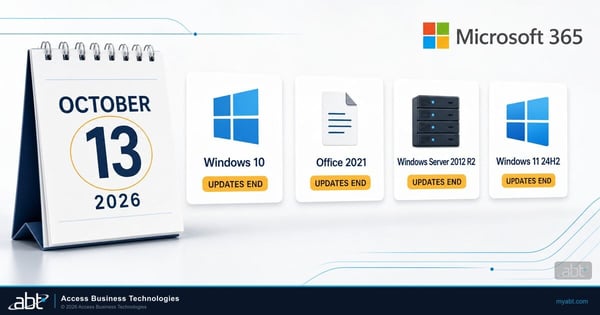
Microsoft End of Support October 2026: Windows 10 and Office
What the October 2026 dates mean for banks, credit unions, and lenders, product by product.
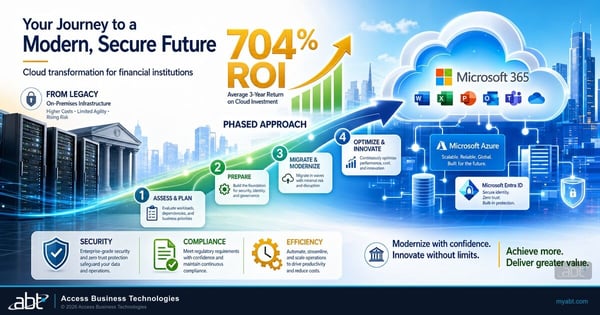
Cloud Migration Without the Headaches
The phased approach ABT uses to move financial institutions to Microsoft 365 without breaking daily operations.
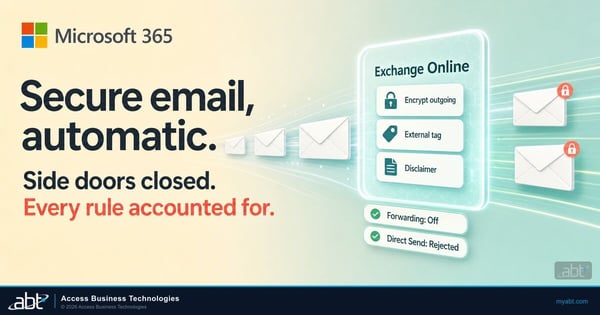
Exchange Online Mail Flow Rules for Financial Institutions
The rules that encrypt and tag email once mail lives in Exchange Online, and the forwarding gaps to close.
After the October deadline, answered
Where the facts on this page come from
Every date, published price and quotation above was read from a Microsoft source on October 17, 2026. The $122, $244 and $427 figures are ABT's arithmetic from Microsoft's published $61 Year One price and its doubling rule. The fix order, the recommendations and the offer are ABT's.
- Microsoft Exchange Team, Announcing Period 2 Exchange 2016/2019 Extended Security Update (ESU) program, with its October 13, 2026 update. Source for the final set of ESU updates, no more updates for Exchange 2016/2019, the end of vulnerability testing and CVE mentions, and Period 2 purchases reaching only the October 2026 release.
- Microsoft Exchange Team, Released: October 2026 Exchange Server Security Updates. Source for the October 13 release for Exchange SE RTM and, for Period 2 ESU enrollees, Exchange 2019 CU14/CU15 and Exchange 2016 CU23, and for October 2026 being the last month of Period 2.
- Microsoft Exchange Team, Exchange 2016/2019: Throttling and Blocking up to the Final Public Update Baseline, September 2, 2026. Source for the OnPremises inbound connector version gate and the next adjustment requiring ESU or Exchange SE builds.
- Microsoft Exchange Team, Exchange servers may become unstable after installation of October 2026 Windows updates, October 16, 2026. Source for the four Windows Server updates named and Microsoft's guidance to keep them installed and apply its registry change.
- Microsoft Learn, Upgrading to Exchange Server Subscription Edition (SE). Source for the in-place upgrade from Exchange 2019 CU14 or CU15 and the legacy upgrade path from Exchange 2016.
- Microsoft Support, End of support for Office 2021. Source for support ending October 13, 2026 with no extension and no extended security updates, and for the apps continuing to function.
- Microsoft Learn, Office versions and connectivity to Microsoft 365 services. Source for Office LTSC 2021 being supported for connecting until October 13, 2026, Office LTSC 2024 until October 9, 2029, and older versions connecting without support.
- Microsoft Lifecycle, Ending Support in 2026. Source for every row in the same-week table: Office 2021, Project 2021, Publisher 2021, Visio 2021 and Office LTSC 2021; Windows 10 2016 LTSB; Windows Server 2012 and 2012 R2 ESU Year 3; Windows 11 Home and Pro version 24H2; Windows Server 2022 moving to extended support.
- Microsoft Lifecycle, Windows Server 2022. Source for the extended support end date shown in the same-week table.
- Microsoft Partner Center, Extended Security Updates. Source for the Windows 10 ESU coverage years: Year 1 to October 13, 2026, Year 2 October 14, 2026 to October 12, 2027, Year 3 to October 10, 2028.
- Microsoft Learn, Extended Security Updates (ESU) program for Windows 10. Source for $61 per device in Year One, the price doubling each year for up to three years, the cumulative purchase rule, and the Windows 365 entitlement for connecting endpoints. The $122, $244 and $427 figures follow from that rule.
- Microsoft Learn, Windows 365 ESU deployment scenarios. Source for the Enterprise or Flex license with an assigned Cloud PC, the same Entra ID sign-in at least once every 22 days, ESU enablement through Intune or the registry, and the absence of a central admin list.
- Microsoft, Windows 10 Consumer Extended Security Updates. Source for the consumer program running through October 12, 2027.
- Microsoft Learn, Windows 10 end of support and Microsoft 365 Apps. Source for Version 2608 and security updates until October 10, 2028.
Past the date,
fix it in order.
Tell us what you still run on Exchange 2016/2019, Office 2021, and Windows 10. An ABT specialist replies within one business day, then maps your exposure and sends back the fix order and the one-move plan, free, in writing.
