In This Article
- What Exchange Online mail flow rules do for every message
- Three rules that make secure email automatic
- Close the side doors: forwarding, Direct Send, and allow rules
- Audit the rules already in your tenant
- The evidence behind your email controls
- How ABT helps with mail flow rules
- Frequently Asked Questions
The average worker receives 117 emails a day and skims most of them in under a minute, according to Microsoft's Work Trend Index research. At a bank, credit union, or mortgage company, some of those messages carry account numbers, closing packages, and wire instructions. Exchange Online mail flow rules let the institution make the security call once, in the tenant, so every matching message gets the same treatment whether the person handling it is rushed or careful.
Built well, the rules ask nothing of staff. A processor sends a closing package to a title company, and the rule encrypts it on the way out. A teller sees an External tag on a message that claims to come from the CEO. A privacy notice lands on every outbound message without anyone pasting it in.
The same rules also decide what can leave the tenant automatically, which is why attackers look for them too.
Microsoft has shifted the ground under these rules since 2021: a new forwarding default, content detection moved to Purview Data Loss Prevention (DLP), and a new Reject Direct Send setting. A rule set written even a few years ago deserves a fresh read. ABT, a Tier-1 Microsoft Cloud Solution Provider serving more than 750 financial institutions, manages Microsoft 365 tenants for credit unions, banks, and mortgage companies. This guide is written for the IT director or CISO at each of them.
What Exchange Online mail flow rules do for every message
Mail flow rules, which Microsoft also calls transport rules, inspect messages as they move through Exchange Online and act on the ones that match. Each rule has conditions that identify the messages, optional exceptions, and actions that say what happens next: encrypt it, add a disclaimer, redirect it, quarantine it, or stamp a header on it (Microsoft Learn, mail flow rules in Exchange Online). By default a rule applies to incoming and outgoing mail alike, so scoping it, for example to recipients outside the organization, is part of writing it well.
Rules run in priority order, and priority 0 runs first. A rule can also stop the rules below it from touching a message, which matters when two rules want to act on the same email. Microsoft says a new or changed rule might take 30 minutes or more to apply. Every rule has three modes: Enforce, Test with Policy Tips, and Test without Policy Tips, where only the incident report action runs (Microsoft Learn, manage mail flow rules).
The tenant also has a budget. Exchange Online allows 300 mail flow rules, 8 KB per rule, 20 KB of pattern and keyword text across all of them, and 100 recipients added to a message by all rules combined (Microsoft Learn, Exchange Online limits). A rule set that grew through years of vendor changes spends that budget faster, which is one more reason to retire the rules that have stopped earning their place.
Mail flow rules are one of several email controls in Microsoft 365, and each job has a best home. Putting a job in the right place is most of the work:
| The job | Where it belongs | Why there |
|---|---|---|
| Encrypt mail to outside recipients by recipient, domain, or keyword | Mail flow rule with Microsoft Purview Message Encryption | Acts on every matching outgoing message |
| Find account or Social Security numbers in content, then protect the message | Microsoft Purview DLP | Mail flow rules stopped evaluating the sensitive-information condition in mid-November 2023 |
| Mark mail that comes from outside the institution | Native External tag in Outlook | Works in Outlook for Windows, Mac, the web, iOS, and Android |
| Stop automatic forwarding to outside addresses | Outbound spam filter policy set to Off | Covers Inbox rule forwarding and mailbox forwarding |
| Refuse unauthenticated mail that uses your own domain | Reject Direct Send organization setting | Rejects anonymous mail from your accepted domains unless a connector vouches for it |
| Let a filtered sender through | Tenant Allow/Block List first | Microsoft's first choice for allow entries |
Encryption has more layers than the mail flow rule alone; our guide to Microsoft 365 encryption for financial institutions covers the rest of them.
Three rules that make secure email automatic
The best email controls replace a step a person used to remember. Two mail flow rules and the native External tag in Outlook do that for three everyday email jobs.
Encrypt what leaves
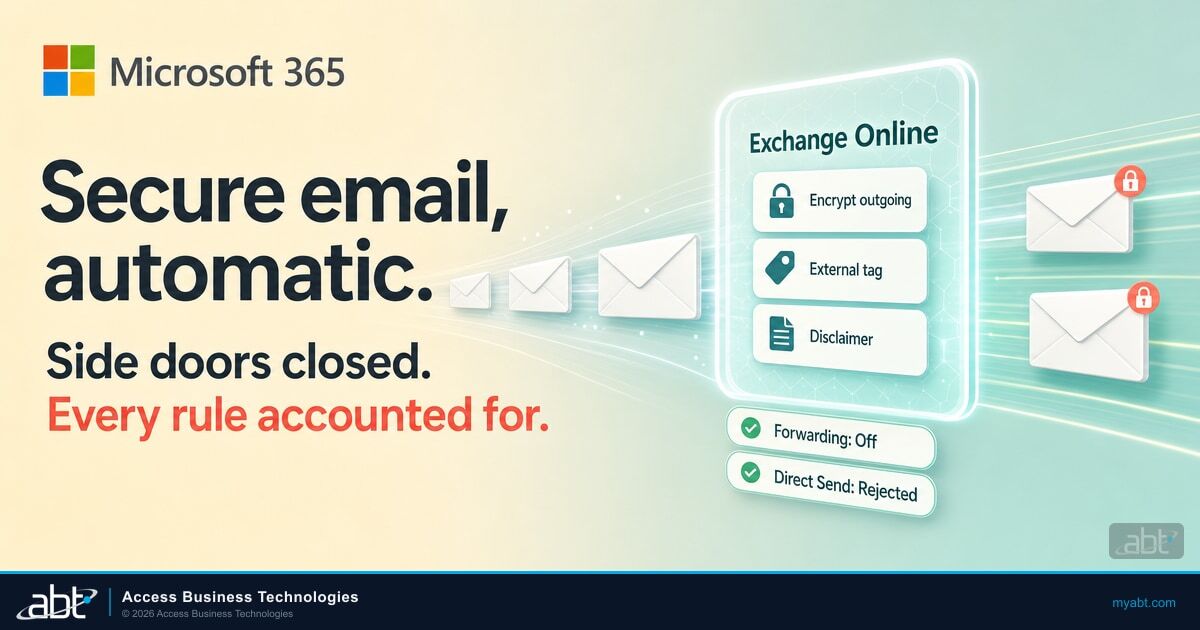
A mail flow rule can encrypt outgoing messages with Microsoft Purview Message Encryption. Pair a condition such as "the recipient is outside the organization" with a narrower one, like a list of partner domains or a keyword in the subject. Then choose the action "Apply Office 365 Message Encryption and rights protection" (Microsoft Learn, mail flow rules to encrypt email).
The loan processor sends the closing package the same way as any other email, and when the recipient matches the rule, it leaves protected. The rule works on the mail your institution sends; Microsoft notes that a rule can't encrypt inbound mail from outside senders.
Check the licenses before building it. Message Encryption is included in Microsoft 365 Business Premium and in the Microsoft 365 and Office 365 E3 and E5 plans. Business Basic and Business Standard need Azure Information Protection Plan 1 added, and each person who benefits from encryption needs a license (Microsoft Learn, Message Encryption FAQ).
ABT's free Microsoft 365 licensing assessment shows the plan mix across your seats, which answers the question before the first rule goes in. When your Microsoft licensing runs through ABT, Guardian Foundation, a hardened Microsoft 365 tenant plus Guardian Security Insights, is included.
One job has moved. If the rule should fire on content, such as a Social Security number inside an attachment, build it in Microsoft Purview DLP. Starting in mid-November 2023, Microsoft stopped evaluating mail flow rules that use the "message contains sensitive information" condition, treating them as if they were disabled (Microsoft Exchange Team, October 2023).
Purview DLP policies for Exchange can detect that content and encrypt the message themselves (Microsoft Learn, DLP conditions and actions for Exchange). Our Microsoft 365 DLP configuration guide walks through the policies a financial institution typically needs.
Tag what arrives from outside
Microsoft's native external sender identification puts an External tag on outside mail in Outlook for Windows, Mac, the web, iOS, and Android. One PowerShell line turns it on, Set-ExternalInOutlook -Enabled $true, and an allow list exempts specific partner addresses from the tag (Microsoft Learn, Set-ExternalInOutlook). If your tenant still runs an older rule that writes [EXTERNAL] into subject lines, Microsoft says to disable it before turning on the native tag so each message carries one marker.
Add the disclaimer once
A mail flow rule can append or prepend an HTML or plain-text disclaimer, disclosure, or privacy notice to messages (Microsoft Learn, organization-wide disclaimers). Scope it to recipients outside the organization, add an exception for a unique phrase in the disclaimer so replies don't stack copies, and choose a fallback action for messages the rule can't modify, such as an encrypted message. Staff stop pasting notices, and every message the rule covers carries the same approved wording.

Close the side doors: forwarding, Direct Send, and allow rules
Three more controls decide what leaves the tenant automatically and what arrives unchecked. Each one closes a path attackers use.
The stakes show up in the FBI's numbers. Its Internet Crime Complaint Center recorded 24,768 business email compromise complaints and $3.05 billion in reported losses across all victims in 2025, up from $2.77 billion in 2024. Only investment fraud cost victims more (FBI IC3 2025 Internet Crime Report). Our look at email security for banks and wire fraud covers how those attacks reach a teller's inbox.
Turn off automatic external forwarding, explicitly
The outbound spam filter policy controls automatic forwarding to outside addresses, covering both the Inbox rules users create and the mailbox forwarding admins set (Microsoft Learn, control external email forwarding). Its default, "Automatic - System-controlled," changed meaning in 2021: it means Off for new organizations and for those that weren't actively using it, and it can still mean On for older tenants that were. Microsoft's advice is to choose On or Off explicitly. Off returns a 5.7.520 bounce to the sender, disables every Inbox rule and mailbox forwarding setting that sends mail outside, and leaves forwarding between internal colleagues alone.
Where a business process needs an exception, Microsoft describes allowing forwarding in the policy and using remote domains to limit the outside domains it can reach. Record who approved each exception. A mail flow rule that copies or redirects mail to an outside address is a separate path, which is why the audit in the next section reads every rule's actions.
Reject Direct Send once every sender authenticates
Direct Send lets a device or application deliver mail straight to your tenant using your own domain, with no authentication (Microsoft Exchange Team, April 2025). Scanners and older line-of-business applications use it, and a message sent that way can look like it came from inside the institution. Microsoft's guidance is direct: "Most customers don't need to use Direct Send" (Microsoft Learn, sending email from devices and applications).
In April 2025 Microsoft introduced Reject Direct Send as an opt-in organization setting, released as a public preview. With it on, Exchange Online rejects anonymous messages whose envelope sender uses one of your accepted domains unless they arrive through an inbound connector that matches the sender's certificate or IP address (Microsoft Learn, Set-OrganizationConfig). Read your tenant's current value with Get-OrganizationConfig before planning the change.
Microsoft's path to controlling Direct Send
Report mail received without a connector, then narrow it to messages that use your own domains. The report can show all inbound mail when your MX record, the DNS entry that tells senders where to deliver your mail, points to Exchange Online. Historical Message Trace covers the last 90 days.
Give each legitimate scanner, application, or vendor a partner connector that matches its certificate, Microsoft's recommended option, or its IP addresses.
When every sender can authenticate, use the Reject Direct Send setting. For a vendor with no fixed IP address or certificate, Microsoft's Exchange Team suggests a mail flow rule in place of the setting that quarantines or redirects Direct Send mail, with an exception for that vendor.
Run Set-OrganizationConfig -RejectDirectSend $true, or enable the rule, and watch the first days of mail for anything the report missed.
Retire allow rules that trust a domain name
Allow rules are the quietest gap. A rule that bypasses spam filtering whenever the sender's domain matches a vendor looks harmless. Microsoft calls it out by name: "Never configure mail flow rules with only the sender domain as the condition to skip spam filtering." Attackers can spoof that domain, skip filtering, and skip sender authentication checks (Microsoft Learn, create safe sender lists).
Condition: the sender's domain matches your title company. Action: bypass spam filtering. Anyone who spoofs that domain inherits the bypass, and the message skips sender authentication checks on its way to the inbox.
First choice: an allow entry in the Tenant Allow/Block List. If a rule is unavoidable, it also requires the Authentication-Results header to show dmarc=pass or dmarc=bestguesspass, and it stamps a header naming the exception so every bypass is traceable.
The dmarc=pass condition only helps when the sending domain publishes its email authentication records, which is why SPF, DKIM, and DMARC enforcement belongs in the same project. Microsoft 365's secure by default protections, which quarantine malware and high confidence phishing regardless of mail flow rule overrides, apply only when your MX record points to Microsoft 365 (Microsoft Learn, secure by default).
If your MX record points to a third-party filtering service, Microsoft's guidance is Enhanced Filtering for Connectors, which preserves the original sender's IP address for Microsoft's filters. Once it's on, Microsoft says to disable the mail flow rules that bypass spam filtering for mail arriving through that connector (Microsoft Learn, Enhanced Filtering for Connectors). Our Defender for Office 365 anti-phishing guide covers the filtering those rules would otherwise skip.
Audit the rules already in your tenant
A tenant's rules outlive the people who wrote them. Start with an export: Export-TransportRuleCollection writes every mail flow rule to an XML file, which becomes the dated baseline for the rest of the review (Microsoft Learn, manage mail flow rules). Then read each rule for six things:
- Copies or redirects to outside addresses. A single rule can forward an entire organization's mail, which is why MITRE ATT&CK lists transport rules under its email forwarding technique.
- Deletes or hides mail. MITRE notes that a transport rule can modify or delete every message on a topic, including internal security incident notifications (MITRE ATT&CK T1564.008).
- Stopped running. A rule built on the retired sensitive-information condition has been treated as disabled since mid-November 2023, so a control your information security program still lists may have been off for years. It shows as unsupported in the
IsRuleConfigurationSupportedandRuleConfigurationUnsupportedReasonproperties ofGet-TransportRule. Rebuild the job in Purview DLP, then delete the rule. - Bypasses filtering by domain alone, or bypasses it for one of your own domains.
- Wraps incoming external mail. A disclaimer rule's default fallback, Wrap, re-packages the original as an attachment. Microsoft says to use Reject on rules that touch incoming external mail because Wrap interferes with Safe Attachments scanning, and it gives the query to find them:
Get-TransportRule | where {$_.ApplyHTMLDisclaimerFallbackAction -eq 'Wrap' -and $_.FromScope -eq 'NotInOrganization'}. - Can't be measured. The Exchange Transport Rule report counts how often each rule matches, and a rule set to the Not audit severity is left out of it (Microsoft Learn). Give every rule a Low, Medium, or High severity so you can see whether it fires.
LAPSUS$ "set an Office 365 tenant level mail transport rule to send all mail in and out of the targeted organization to the newly created account." MITRE's listed mitigations name Get-InboxRule and Get-TransportRule for finding these rules and Remove-InboxRule and Remove-TransportRule for removing them, and they advise considering disabling external email forwarding.
Then check who changed what. Exchange administrator audit logging is on by default and records rule changes made in the Exchange admin center or in PowerShell; search it with Search-UnifiedAuditLog -RecordType ExchangeAdmin (Microsoft Learn, audit log activities). Audit (Standard) keeps 180 days of records (Microsoft Learn, auditing solutions), so under that plan a rule created longer ago than that has no creation record left in the log. Write its owner and purpose into the rule's comments now, while someone still remembers.
Forwarding rules also survive a password reset, as MITRE notes, which puts them on the same list as the device registrations covered in our write-up on persistence past a password reset. An unexpected forwarding rule belongs in an incident review, with the evidence kept before anything is removed.
The XML export covers the rules administrators write. Inbox rules live inside each mailbox, where a user, or an attacker who has compromised the account, can set one to forward mail outside. MITRE lists both kinds under the same technique. Reading them means opening every licensed mailbox, which is where a rule export stops and a tenant review begins.
ABT's Microsoft 365 tenant review reads both layers, from every mail flow rule, connector, and remote domain forwarding setting down to the Inbox rules and forwarding on each licensed mailbox.

The evidence behind your email controls
Two sets of rules shape the evidence, and they apply to different institutions. For mortgage companies and other non-bank financial institutions under the FTC's Safeguards Rule, encryption in transit is written into the rule itself:
Protect by encryption all customer information held or transmitted by you both in transit over external networks and at rest. To the extent you determine that encryption of customer information, either in transit over external networks or at rest, is infeasible, you may instead secure such customer information using effective alternative compensating controls reviewed and approved by your Qualified Individual;
Banks and credit unions work from the Interagency Guidelines Establishing Information Security Standards. The OCC (12 CFR Part 30, Appendix B), Federal Reserve (12 CFR Part 208, Appendix D-2), and the FDIC each adopted them with matching text, and NCUA mirrors them for credit unions.
Section III.C.1 lists measures each institution must consider and adopt where appropriate. Two of them are encryption of customer information in transit and "procedures designed to ensure that customer information system modifications are consistent with the institution's information security program" (12 CFR Part 364, Appendix B; 12 CFR Part 748, Appendix A). Both describe outcomes, and a documented rule set is a direct way to show them for email.
We recommend a four-step cycle, run each quarter and after any change:
A dated XML export of every mail flow rule, plus the forwarding and Reject Direct Send settings
Each rule's owner, purpose, and approval written into its comments
New and changed rules run in a test mode before Enforce
Admin audit log entries matched to each approved change
How ABT helps with mail flow rules
Mail flow rules sit where three jobs meet: the licensing that decides what a rule can do, the hardened tenant around it, and the review that reads it. ABT, a Tier-1 Microsoft Cloud Solution Provider primarily dedicated to financial services, brings all three into one relationship. The licensing assessment shows where Message Encryption is already included in your plan mix, and the tenant review reads the rule set down to each licensed mailbox.
M365 Guardian covers the tenant around the rules. Guardian Foundation is included when Microsoft licensing runs through ABT, and Guardian Contain adds round-the-clock detection and automated containment on Microsoft Defender XDR signals (M365 Guardian).
A finished rule set gives the institution three things:
- Encryption, external tagging, and disclaimers that run automatically for every employee
- Forwarding, Direct Send, and allow rules set deliberately and written down
- A rule set with an owner, a purpose, and an audit trail for every change
Get a rule-by-rule read of your Microsoft 365 mail flow before your next exam
An ABT Microsoft 365 tenant review reads:
- Every mail flow rule, including the ones that copy or redirect mail
- Every inbound and outbound connector and each remote domain's forwarding setting
- Whether Direct Send is rejected in your tenant
- Inbox rules and forwarding on every licensed mailbox
Frequently Asked Questions
Mail flow rules and transport rules are the same feature. Microsoft uses both names, and the PowerShell cmdlets are New-TransportRule and Get-TransportRule. Each rule combines conditions, optional exceptions, and actions, and Exchange Online applies it to messages as they move through the service, both incoming and outgoing by default, in priority order with 0 first.
Exchange Online allows 300 mail flow rules per organization. Each rule can be up to 8 KB, and all rules together can hold 20 KB of regular expression and keyword text. All rules combined can add at most 100 recipients to a message. Retiring unused rules and moving content detection into Purview DLP keeps a tenant inside those limits.
Use Microsoft Purview DLP for email that contains Social Security numbers. Microsoft stopped evaluating mail flow rules that use the sensitive-information condition in mid-November 2023, treating them as disabled, and Purview DLP policies can detect the content and encrypt the message. Mail flow rules still encrypt outgoing mail by recipient, domain, or keyword through Microsoft Purview Message Encryption.
Set external auto-forwarding to Off unless a documented business process needs it, and set that value explicitly, because Microsoft says the system-controlled default behaves differently by tenant. Off bounces automatically forwarded mail with a 5.7.520 error and disables Inbox rules and mailbox forwarding to outside addresses. Approved exceptions can be limited to specific domains with remote domain settings.
Direct Send lets a device or application deliver unauthenticated mail to your tenant using your own domain. Microsoft says most customers do not need it. Find the traffic first with a report of mail received without a connector, give legitimate senders a partner connector, then turn on Reject Direct Send with Set-OrganizationConfig -RejectDirectSend $true.
Keep a dated export of every mail flow rule from Export-TransportRuleCollection, record each rule's owner and purpose in its comments, and match admin audit log entries to each approved change. Add exports of the forwarding policy and the Reject Direct Send setting, and repeat the export each quarter so the record stays current.