


Microsoft, fully managed.
AI, ready to deploy.
ABT is the Tier-1 Microsoft Cloud Solutions Provider trusted by 750+ credit unions, community banks, and mortgage companies to license, run, secure, and govern Microsoft 365 and Azure, from Copilot readiness through custom agent deployment.
- Microsoft 365 & Azure
- Managed Services
- Security & Governance
- AI Foundation
From Copilot to custom agents.
Governed from day one.
ABT's Agent 365 framework and Copilot Studio playbooks give 750+ financial institutions the governance foundation to deploy AI safely, from first Copilot prompt to production-grade custom agents, all running on a Tier-1 Microsoft CSP stack.
- AI Readiness Assessment
- Copilot Business
- AI Governance
- Custom Agents
Trusted by 750+ of the Nation's Leading Lenders, Banks & Credit Unions.
Microsoft 365 is powerful. Out of the box, it is not secure. And now AI makes that urgent.
80% of employees are already using AI tools at work. If your tenant (your organization's Microsoft 365 environment) is not hardened, Copilot and AI agents will surface data they should never see. Financial institutions face four gaps that generic IT providers miss.
Your tenant is running on defaults
Microsoft 365 has hundreds of security controls. Most are off by default. Without deliberate configuration, your Secure Score sits in the 40-60% range and Copilot surfaces data it should not see.
Explore the Hardened Tenant ProtocolYour IT provider is not specializing in this
Most MSPs handle tickets and patching. They are not monitoring Entra ID drift, DLP gaps, or Copilot data flows. Financial services compliance needs a provider that lives inside M365 security every day.
Watch Guardian block threats liveCompliance requires proof, not just tools
NCUA examiners and cyber insurers want evidence: documented policies, continuous monitoring, and incident response plans. Having E5 licenses does not satisfy an auditor. Proving you use them does.
Run your audit readiness checkYour AI has no guardrails
Copilot and AI agents inherit every permission in your tenant. Without governance controls, they surface executive compensation, board documents, and HR records to anyone who asks the right question.
See the governance simulationFour foundations. One partner.
Licensing, security, data intelligence, and custom tools for credit unions, community banks, and mortgage companies on Microsoft 365.
Security and AI Governance
Guardian monitors your Microsoft 365 tenant around the clock. From Entra ID to Copilot DLP, we surface what matters before it becomes a problem.
Explore SecurityMicrosoft 365 and Azure
Licensing, migration, and tenant optimization for financial institutions. Copilot Business bundled at $32 per user.
See LicensingBusiness Intelligence and Data
Your loan data, deposit trends, and operational metrics in dashboards your team actually uses. Power BI built for financial services workflows.
See BI in ActionCustom Interfaces
MortgageExchange, Virtual Desktops, DocumentGuardian. Purpose-built tools for how credit unions, community banks, and mortgage companies actually work.
View SolutionsFour steps. Continuous improvement.
Guardian is not a one-time project. It is an ongoing operating model that hardens your tenant, monitors for drift, and proves compliance every month. Microsoft's Work Trend Index calls this the foundation organizations need before AI scales safely. Guardian builds it.
Assess
Baseline your Secure Score, map policy gaps, and identify oversharing risks before any changes.
Harden
Activate conditional access, DLP, sensitivity labels, and identity controls in a 90-day hardening sprint. See the hardening playbook →
Monitor
Guardian watches your tenant 24/7 for configuration drift, policy changes, and anomalous sign-ins. This is IT Sovereignty in action.
Improve
Monthly Security Insights reports show what changed, what improved, and what needs attention next. See the governance framework →
From Copilot to custom AI agents. Governed from day one.
80% of employees already bring their own AI tools to work. Copilot Business brings AI inside the governed Microsoft 365 environment where DLP, sensitivity labels, and audit logs apply. Start at $32 per user. Guardian governance makes it safe to deploy.
Under 300 seats
Copilot can now do the work, not just draft it. Microsoft made Microsoft 365 Copilot Cowork generally available on June 16, 2026. It is the agentic layer that carries out multi step jobs on your behalf, drafting and sending email, posting in Teams, and running scheduled jobs, with a person approving each sensitive action. It runs on Anthropic's Claude models, and it is usage billed, so ABT configures it, governs it under Microsoft Purview, sets the spend limits, and writes your custom skills before agents start acting. Ask ABT about Cowork →
"We were overwhelmed by manual checks and hidden vulnerabilities. Guardian Security Insights gave us automated assessments, deep MFA analysis, and executive-friendly reporting that transformed how we manage security."
What we're writing about
Practical guidance for credit unions, community banks, and mortgage companies managing Microsoft 365.
 Compliance
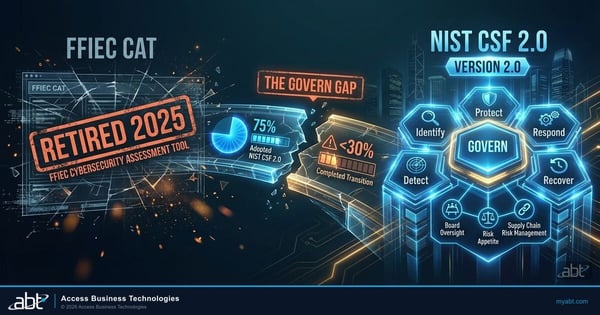
FFIEC CAT Is Dead: Your 2026 Examiner Expects NIST CSF 2.0
The FFIEC sunsetted its Cybersecurity Assessment Tool. Most financial institutions have not closed the gaps in the transition to NIST CSF 2.0.
Read more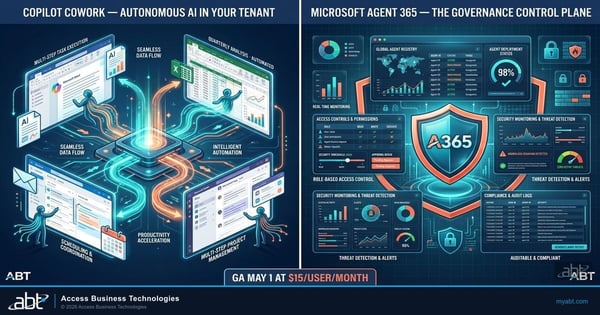 AI Governance
Agent 365 Goes Live May 1: What You Must Govern First
Autonomous AI agents are entering Microsoft 365 tenants. Agent 365 gives your IT team the governance controls before they arrive.
Read more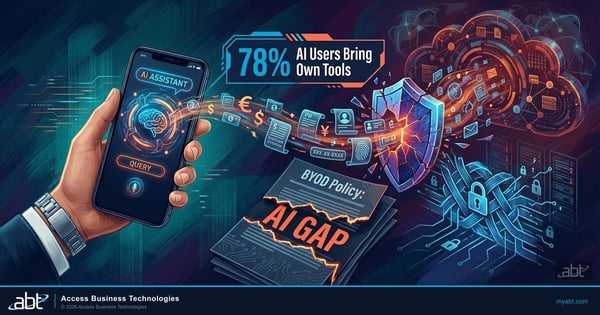 Security
BYOD + AI: The Security Hole Your Mobile Policy Doesn't Cover
Staff are pasting loan data and member records into AI tools from personal devices. Your 2019 BYOD policy has no answer for this.
Read moreFrequently asked questions
Where Does Your Institution Stand?
Mid-market Secure Scores often fall in the 40-60% range before focused hardening, even with E5 licenses. Pick the assessment that matches your priority.
Request a security baseline hardening evaluation.
Quantify ROI from integrations and automation.
Identify oversharing risk before deploying Copilot.
Prepare for FFIEC, NCUA, GSE, SOC, and cyber insurance audits.
An ABT specialist will reach out within one business day to discuss your assessment.
