


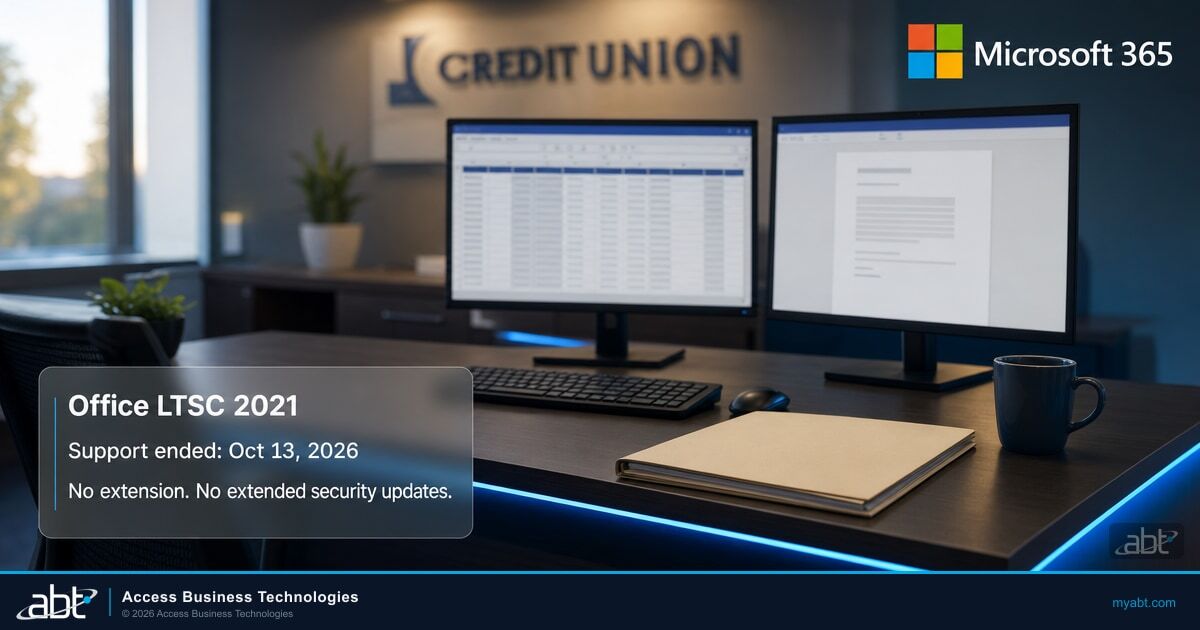
Office 2021 reached end of support on October 13, 2026. Copilot was never coming to it.
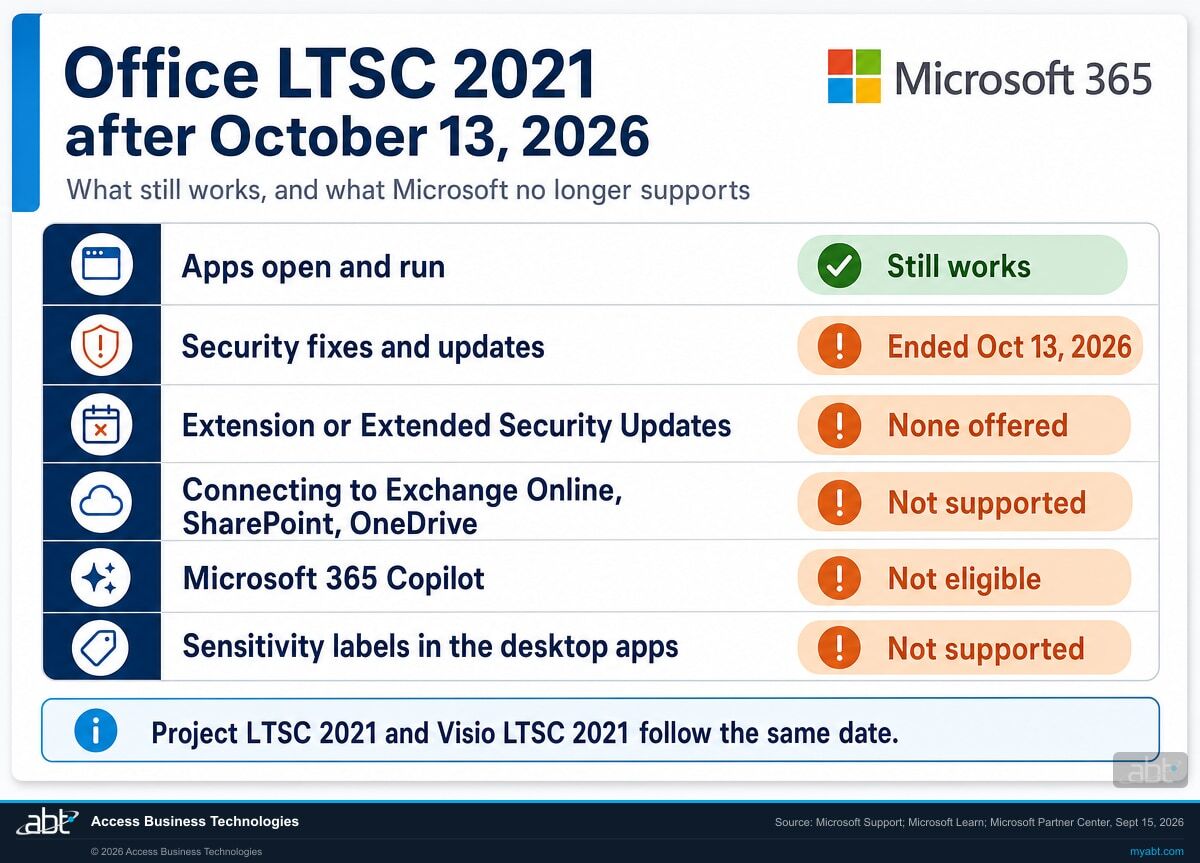
Office LTSC 2021, Project LTSC 2021 and Visio LTSC 2021 left Microsoft support on October 13, 2026, and Microsoft now states there will be no extension and no extended security updates. The date has passed. What it leaves behind is the part that lasts: Microsoft 365 Copilot is available only in the cloud-backed apps of a Microsoft 365 suite, sensitivity labeling in the perpetual Office desktop apps has no supported client, and connecting these versions to Exchange Online, SharePoint and OneDrive is now outside Microsoft's supported configurations.
- Copilot belongs to the Microsoft 365 subscription. Microsoft states that on-premises versions of Office are not eligible
- The apps still open. Microsoft provides no security fixes for vulnerabilities found from here on, and no paid extension
- Supported connectivity to Microsoft 365 services ended the same day, and labeling in the perpetual desktop apps has no supported client
Why can't Microsoft 365 Copilot run on Office 2021?
Because Microsoft draws the eligibility line around the Microsoft 365 subscription rather than around the Office version. Microsoft states that Copilot is supported only on the cloud-backed apps included in Microsoft 365 suites, and that on-premises versions of Office are not eligible. That statement was true before October 13 and it stays true now.
The end of support date was the news. The eligibility rule is the decision, and it is the reason this page leads with it.
"Partners should note that Microsoft 365 Copilot is supported only on cloud-backed apps included in Microsoft 365 suites, and on-premises versions of Office aren't eligible."
Microsoft Partner Center announcements, September 15, 2026The word doing the work there is "eligible." It describes a boundary, and a perpetual install sits outside it. Copilot does not wait on a newer build of Office 2021 or on a future update. What it needs is the subscription relationship itself, and that is the one thing a perpetual license is built to avoid.
Microsoft's admin requirements say the same thing from the other side. They state that users need a Copilot license and a qualifying prerequisite license, and they tell administrators to deploy Microsoft 365 Apps to the users who need Copilot in the desktop apps. They also rule out one nearby case by name: Copilot is unavailable with device-based licensing for Microsoft 365 Apps for enterprise. The line follows the licensed user and the subscription apps, which is exactly what an Office LTSC install lacks.
One naming note, so the sources line up when you check them. Microsoft's requirements page now calls the product Microsoft Copilot, formerly Microsoft 365 Copilot. The Partner Center statements quoted on this page use the earlier name.
What the December 1 purchasing change moves
Microsoft has announced that from December 1, 2026, new Microsoft 365 Copilot and Microsoft 365 Copilot Business offers can be purchased without a qualifying Microsoft 365 base subscription. Microsoft frames it in one line: "This purchasing change affects how customers purchase Copilot, not the underlying Copilot capabilities." The same announcement adds that "Copilot experiences continue to depend on the Microsoft 365 apps and services a customer is licensed for." The Copilot experience in desktop Word, Excel and PowerPoint comes from Microsoft 365 Apps, so the September statement about on-premises Office stays where it was.
Why this reframes the decision
An end-of-support date, on its own, reads as a cost to absorb, which is why it gets deferred one cycle at a time, and how an estate ends up on a 2021 product after the date has passed.
The eligibility rule changes the arithmetic. The choice in front of the institution is between Microsoft 365 Apps, where Copilot in Word, Excel and PowerPoint can be licensed, and a perpetual install where it structurally cannot. For as long as a desk stays perpetual, the loan officer, processor or analyst at it sits outside Copilot in the desktop apps, and spending more on the current license leaves them there. Eligibility is the first step; the data access and permissions work described in the related reading below comes before any rollout.
A question worth asking before the next budget meeting
If your institution has an AI strategy on paper, check whether it assumes Copilot inside the Office apps, and if so, which desks it actually reaches. Desks still on Office 2021 sit outside Copilot in the desktop apps.
Plenty of strategies survive that check. One that expects assistance in Word and Excel across the whole organization needs a Microsoft 365 subscription on those desks, and that is better found in a planning session than in the meeting where someone asks why the pilot group is half the department.
Find out how many Office 2021 installs are still in service.
A free licensing assessment finds the Office, Project and Visio installs we can reach across your estate, reads them against your licensing records, flags the ones still connecting to Microsoft 365 services, and prices Microsoft's supported paths side by side.
Book the assessmentWhat ended on October 13, 2026?
Support ended. The software keeps running. Getting that distinction right in both directions saves money: panic buys what was not needed, and complacency leaves an unpatched estate in place.
Microsoft's announcement named three products and one date. Support for Office Long Term Servicing Channel 2021, Project LTSC 2021 and Visio LTSC 2021 ended on October 13, 2026, and from that date these products receive no updates, security fixes or technical support.
"Support for Office 2021 ended on October 13, 2026 and there will be no extension and no extended security updates. All of your Office 2021 apps may continue to function."
Microsoft Support, End of support for Office 2021That sentence settles a question planning before the date could only hedge. Windows and Windows Server have paid Extended Security Updates programs. Office 2021 has none, and Microsoft has now said so in writing. The same page puts it plainly for these installs: "You'll no longer receive Office 2021 software updates."
The apps still open, and that is the risk
Word opens, the file saves, the spreadsheet calculates. What changed is that Microsoft provides no security fix for the next vulnerability found in any of these products, and no technical support the next time something breaks.
Microsoft states the consequence in its lifecycle announcement: running the product past the date "may increase your organization's exposure to security risks and could impact compliance requirements." For a bank, a credit union or a mortgage company, the second clause carries the weight. An examiner can write a finding about software that still works perfectly well.
The line about regulated environments describes you
The September announcement contains a line that reads like throat-clearing and carries real information. Microsoft writes that these products "have served organizations for many years, particularly in specialized or regulated environments."
That is the profile. Perpetual Office survives longest where a cloud move was deferred for a defensible reason: an examination cycle that was never a good time, an air-gapped branch, a core system integration that needed a specific Office build, a policy written before the institution had a cloud position. Those reasons were often correct when they were made. The date arrived anyway.
Which editions this covers
Microsoft's lifecycle records list Office LTSC 2021 in Standard and Standard for Mac editions, and Visio LTSC 2021 in Professional and Standard. All of them follow the Fixed Lifecycle Policy, which produces a single published end date with no rolling extension behind it. Microsoft's upgrade guidance applies the same October 13, 2026 date to volume licensed versions of Office LTSC 2021, so every volume-licensed Office LTSC 2021 install, whatever its edition, is on the same date.
Consumer Office 2021 shares the same October 13, 2026 date. If your institution ever reimbursed a remote employee for an Office Home & Business 2021 license, that copy is on the same clock as the volume-licensed ones, and it is usually the copy nobody has a record of.
One product that sounds identical and is different
Windows 10 Enterprise LTSC 2021 is an operating system with its own lifecycle. It shares the year and the channel name with Office LTSC 2021, which makes the two easy to confuse in a planning conversation, and we have seen the confusion run in both directions.
If your question is about the operating system rather than the Office apps, the relevant page is Windows 10 LTSC end of support. If you are running both, they are two separate decisions on two separate calendars.
Can Office 2021 still connect to Exchange Online, SharePoint and OneDrive?
It may well connect today. Microsoft's support for that connection ended on October 13, 2026, and that matters most to the institutions that moved mail to the cloud and kept perpetual Office on the desktop.
This is the fact most coverage of the date skipped. Microsoft publishes a separate table of Office versions it supports for connecting to Microsoft 365 services, and Office LTSC 2021 dropped off it on the same day it left support.
| Office version | Supported for connecting to Microsoft 365 services until |
|---|---|
| Microsoft 365 Apps | Supported as long as you are using a supported version |
| Office LTSC 2024 | October 9, 2029 |
| Office LTSC 2021 | October 13, 2026 |
| Project 2021 and Visio LTSC 2021 | October 2026 |
| Office 2019 and Office 2016 | Ended October 10, 2023 |
"Older Office versions might still be able to connect to Microsoft 365 services, but that connectivity isn't supported."
Microsoft Learn, Office versions and connectivity to Microsoft 365 servicesRead that precisely. Microsoft describes a supported configuration, and it does not say the connection is switched off. Its own explanation of the risk is gradual: older versions "might not be able to use all the latest functionality and features of Microsoft 365 services," and "over time, these older versions might encounter other unexpected performance or reliability issues," because service improvements are not tested against them.
Microsoft's configuration matrix states the rule behind the table: Office apps connecting to Microsoft 365 services "must be in mainstream support to be considered a supported connection." Office 2019 and Office 2016 lost that status in October 2023, two years before they left support. Office LTSC 2021 lost both on the same day.
Why this lands hardest on a hybrid estate
A common shape at community institutions is cloud mail with perpetual desktops: mailboxes moved to Exchange Online, files moving to SharePoint and OneDrive, and the Office apps left on a volume license because they still worked. That shape was a supported configuration until October 13. It is now two supported services joined by an unsupported client, and the client is the part that opens every external attachment.
That is the strongest reason to put the mail-handling desks at the front of the queue. They combine the two exposures on this page: an Office build that receives no more security fixes, and a connection to Microsoft 365 that Microsoft no longer tests against.
What happened to sensitivity labels on perpetual Office?
The add-in that provided them is retired, and the built-in replacement requires a subscription edition of Office. Both halves of that sentence come from Microsoft, and together they describe a control with no supported client left on a perpetual desktop.
The September 15 announcement mentions it in a single clause, immediately after the Copilot sentence: "the Azure Information Protection (AIP) labeling client for perpetual Office has been retired."
Microsoft's documentation for that client confirms the retirement and names the successor. The AIP unified labeling client is replaced with the Microsoft Purview Information Protection client, and the Office add-in for labeling in Word, Excel, PowerPoint and Outlook is retired.
So far this reads like an ordinary product succession. The second half is where it changes.
"To use sensitivity labels in Office apps, you must use a subscription edition of Office. Use the licensing link at the top of this page to identify eligible plans. Sensitivity labels aren't supported for standalone editions of Office, sometimes called 'Office Perpetual'."
Microsoft Purview documentation, Manage sensitivity labels in Office appsPut the two statements next to each other. The add-in that let perpetual Office apply sensitivity labels is retired. The built-in labeling that replaced it requires a subscription edition. An institution running standalone Office therefore has no supported client-side path to sensitivity labeling in Word, Excel, PowerPoint or Outlook. October 13 did not create that gap, and the end of support makes it harder to defer.
What this means for a documented classification control
A written information security program can name data classification as a control. The policy document can be current, approved and produced on request. The label taxonomy can exist in the Purview portal and look perfectly healthy there.
A person working in Word or Excel on a perpetual install still needs a supported client to apply a label to the loan file in front of them. The policy exists and the taxonomy exists; on that desktop the supported client is missing. The portal hides the gap, because it shows the labels you published rather than the endpoints that can consume them.
Keep the size of the gap exact. What Microsoft rules out is sensitivity labeling in the Office apps on a standalone edition. Other routes to a label are untouched: service-side automatic labeling in Microsoft Purview still evaluates content at rest, and a user signed in to Office on the web is working in a cloud-backed app. What goes missing is the labeling your people do themselves, at the moment they create or handle the document.
That is usually the part of the control the policy describes. Microsoft's word is "supported," and an unsupported path is one an institution cannot rely on or expect Microsoft to stand behind if it changes, whatever a given machine does today. The practical question is which routes to a label your environment supports, and whether the people relying on the control know which those are.
Worth checking now, whatever you decide about the move
If your institution has told an examiner, an auditor, a carrier or a customer that it applies sensitivity labels to documents containing nonpublic personal information, confirm which endpoints can do that today.
The answer comes from a version inventory, and it is a short piece of work. The better version of this conversation is the one your institution starts itself.
Which upgrade path is actually yours?
Microsoft published named recommendations for each kind of customer. They split on organization size first, and then on whether a cloud move is possible. The middle column is Microsoft's own routing; the right-hand column is ABT's read of what each path means for a regulated institution.
| If you are | Microsoft's recommended path | ABT: what to weigh before committing |
|---|---|---|
| An enterprise customer | Microsoft 365 E3 as the primary path, with Office 365 E3 or Microsoft 365 Apps for enterprise as fallback options | The three differ. The Microsoft 365 suites carry the bundled security and device management capabilities; the fallbacks are narrower, so check them against the controls your own program requires |
| A business with fewer than 300 users | Microsoft 365 Business Premium, Microsoft 365 Business Standard, or Microsoft 365 Apps for business | Business Premium is the one of the three that carries the security stack, which makes it the fair comparison for most community institutions |
| Running Project LTSC 2021 | Planner and Project Plan 3, layered on top of a Microsoft 365 suite | A separate line item that is routinely missed in the Office count, and it lands on a small number of named users |
| Running Visio LTSC 2021 | Visio Plan 2, layered on top of a Microsoft 365 suite | Same pattern. Usually a handful of seats, usually the people who produce diagrams for audits and examinations |
| Constrained from moving to cloud | Office LTSC 2024, Project LTSC 2024 and Visio LTSC 2024 | Supported and legitimate, with connection support to Microsoft 365 services until October 9, 2029. It carries forward the Copilot and labeling limits described on this page |
| Carrying more than 150 licenses | Consider engaging Microsoft FastTrack for support with the move | Microsoft names this threshold itself in its lifecycle announcement. Worth knowing before scoping the project |
The fallback options deserve a second look
Microsoft lists Office 365 E3 and Microsoft 365 Apps for enterprise as appropriate fallbacks "based on customer needs." For a financial institution, the needs that decide between them are usually the security and device management capabilities, which is precisely where the suites differ from the apps-only plans.
An organization that routes to an apps-only plan purely on price often rediscovers the difference during its next examination, and buys the capability again at that point.
What if regulation requires on-premises Office?
Then Office LTSC 2024 is a supported, legitimate answer, and Microsoft says so plainly. It is worth being equally plain about what that choice carries forward.
Microsoft treats the on-premises path as a recognized route. Its announcement says that where regulatory, connectivity or technological constraints prevent the use of cloud solutions, customers might consider the latest supported on-premises alternatives, naming Office LTSC 2024, Project LTSC 2024 and Visio LTSC 2024. The lifecycle announcement repeats it: for organizations not yet ready to move to the cloud, the recommended path is the most recent supported on-premises version for commercial customers, Office LTSC 2024.
Microsoft's upgrade guidance describes who that product is for: Office LTSC 2024 "is designed for specific scenarios. These include regulated devices that can't accept feature updates, process control devices on manufacturing floors, and specialty systems that can't connect to the internet." Its lifecycle record shows availability from September 2024 under the same Fixed Lifecycle Policy, in Embedded, Professional Plus and Standard editions, and Microsoft's connectivity table supports it for connecting to Microsoft 365 services until October 9, 2029. That is a real runway.
What moving to the 2024 generation leaves in place
Both of the limits described earlier on this page are properties of perpetual licensing rather than of the 2021 vintage, so they travel with you.
- Microsoft 365 Copilot stays out of reach. Microsoft's eligibility statement covers on-premises versions of Office generally, and a 2024 perpetual install is still an on-premises version.
- Sensitivity labels in the apps stay unsupported. Microsoft's wording is "standalone editions of Office, sometimes called Office Perpetual." Office LTSC 2024 is a standalone edition.
- The same conversation returns in 2029. A Fixed Lifecycle Policy product has a published end date from the day it ships. Choosing the 2024 generation sets the next deadline and keeps the category of deadline.
An institution with an air-gap requirement, a specific integration dependency, or a connectivity constraint at a branch is making a defensible engineering decision, and Microsoft supports it. The recommendation worth making is narrower: decide it deliberately, for the part of the estate that has the constraint, and keep the rest of the organization off the last renewal's default.
Mixed estates are normal and usually correct
The most common good answer we see is a subscription estate for the people whose work benefits from the security stack and the assistant, plus a small, documented perpetual footprint for the specific machines with a specific constraint.
That shape is harder to describe in a budget line, and it is the one you can explain, because every exception has a stated reason attached to it. Documenting an exception makes the decision reviewable. The exposure stays, and the register is how it gets managed.
What should happen now, in order?
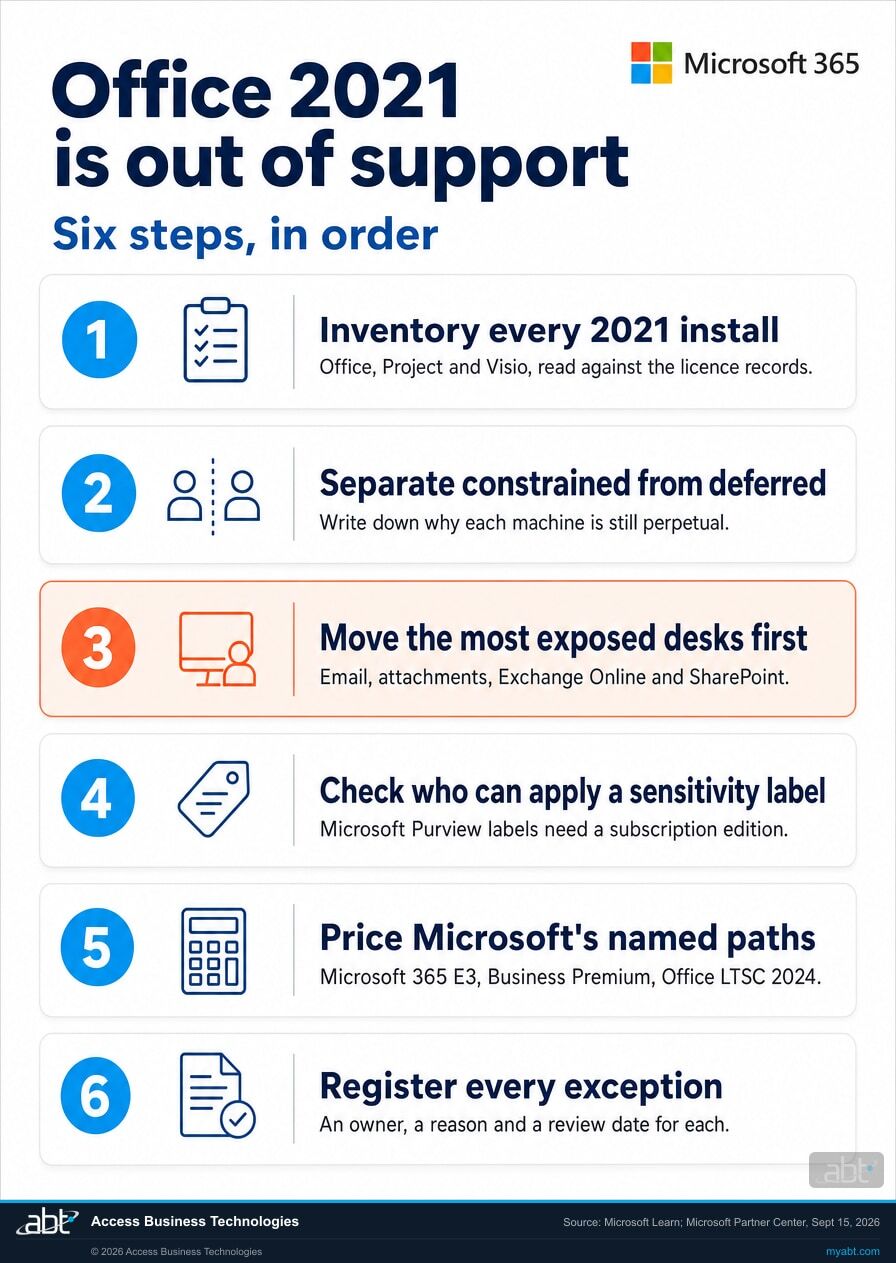
Six steps. The first two are discovery and need no purchase. The order matters, because each one narrows the decision the next one has to make.
Inventory every 2021 install, and read it against the license records
License records tell you what was bought. What is running can differ, and the gap between the two is where perpetual installs hide. Include Project and Visio, home-use and reimbursed copies, machines that came in through an acquisition, and any device that has not been reimaged in five years.
Separate the constrained machines from the deferred ones
For each perpetual install, write down the reason it is perpetual. Some will have a constraint that still holds. Others will have a reason that was true in 2021 and is worth re-testing now, because connectivity, integrations and policy all move. That list is the whole decision, and writing it down makes the next steps obvious.
Put the most exposed desks at the front of the queue
Rank the machines that open external email and attachments and connect to Exchange Online, SharePoint or OneDrive. They carry both exposures on this page at once: an Office build with no more security fixes and a Microsoft 365 connection Microsoft no longer supports from that client. When the move starts, they go first.
Check which endpoints can apply a sensitivity label today
Do this even for the machines that stay perpetual, and do it before anyone asks. If the institution has represented that it labels documents containing nonpublic personal information, the set of endpoints that can do so is a fact worth holding before an examiner, an auditor or a carrier asks for it.
Price the paths against each other, with Copilot in the comparison
The comparison that misleads is perpetual against subscription on license cost alone, because it leaves out what the subscription carries. Compare Microsoft's named recommendation for your size against the capability the current estate lacks, including the assistant it is not eligible for, and set a dated plan for the move around your examination calendar.
Register every exception with an owner, a reason and a review date
Start this list during discovery and keep it current. Whatever stays on Office 2021 is unsupported software, and it belongs on a short, named list with a reason and a date attached to each entry, held where the board reporting can reach it. That register is how the risk stays managed and visible. It records the exposure and shows the decision was made deliberately.
A free licensing assessment for the Office 2021 installs still in service
Find out what is still running Office 2021, and what each supported path costs you.
Access Business Technologies is a Tier 1 Microsoft Cloud Solution Provider working with credit unions, banks and mortgage companies. We manage Microsoft 365 tenants and we host Azure environments, which means an Office estate spread across subscription and perpetual licensing is the kind of thing we untangle regularly.
- An install inventory across the machines and licensing records you can give us access to, covering Office, Project and Visio, so the exposure becomes a named list of machines.
- A connectivity read, naming the Office 2021 installs that still connect to Exchange Online, SharePoint and OneDrive, so the most exposed desks move first.
- A constrained versus deferred split, with the stated reason for each perpetual install, so the real exceptions are separated from the habitual ones.
- A labeling capability read, naming which endpoints can apply a sensitivity label today, mapped to what the institution has represented externally.
- Microsoft's recommended paths priced against each other for your seat count, including the Project and Visio lines that usually get missed, plus a dated sequencing plan and the exception register for whatever stays perpetual.
ABT also operates M365 Guardian, its managed security service for credit unions, banks, and mortgage companies.
Where the facts on this page come from
Every date, quotation and Microsoft recommendation on this page comes from the Microsoft sources below, re-checked on October 15, 2026, after the end of support date. The prioritization, the six steps and the assessment are ABT's advice.
- Microsoft Partner Center announcements, September 2026, item dated September 15, 2026. The end of support date, the three products, what stops after the date, the regulated environments wording, the Copilot eligibility statement, the retired labeling client, and every recommended upgrade path quoted on this page. Read the Microsoft announcement.
- Microsoft Support, End of support for Office 2021. The statement that support ended on October 13, 2026 with no extension and no extended security updates, and that the apps may continue to function. Read the Microsoft support page.
- Microsoft Learn, Office versions and connectivity to Microsoft 365 services. The connection support dates for Office LTSC 2021, Office LTSC 2024, Project, Visio, Office 2019 and Office 2016, and the statement that older versions might still connect without that connectivity being supported. Read the connectivity table.
- Microsoft Lifecycle, Office and Windows configuration support matrix. The rule that Office apps connecting to Microsoft 365 services must be in mainstream support to be a supported connection. Read the support matrix.
- Microsoft Lifecycle announcement, Office LTSC 2021 reaching end of support on October 13, 2026. The security and compliance wording, the Office LTSC 2024 fallback, and the FastTrack threshold for organizations with more than 150 licenses. Read the lifecycle announcement.
- Microsoft Partner Center announcements, October 2026. The December 1, 2026 change that lets new Microsoft 365 Copilot offers be purchased without a qualifying base subscription, and the statement that Copilot experiences continue to depend on the apps and services a customer is licensed for. Read the October announcements.
- Microsoft Learn, Microsoft Copilot requirements. The license prerequisite, the instruction to deploy Microsoft 365 Apps for Copilot in desktop apps, the device-based licensing exclusion, and the product's new name. Read the Copilot requirements.
- Microsoft Purview documentation, Manage sensitivity labels in Office apps. The statement that sensitivity labels require a subscription edition of Office and are unsupported for standalone editions. Read the Microsoft Purview documentation.
- Microsoft Learn, Azure Information Protection unified labeling client. The retirement of the Office labeling add-in and the succession to the Microsoft Purview Information Protection client. Read the Microsoft client status page.
- Microsoft Learn, Plan an upgrade from older versions of Office to Microsoft 365 Apps. The scenarios Office LTSC 2024 is designed for. Read the upgrade guidance.
- Microsoft Lifecycle product records. The editions and policy for Office LTSC 2021, Visio LTSC 2021, and Office LTSC 2024.
Microsoft changes product guidance. If you are planning around these dates, confirm the current wording against the Microsoft sources above before relying on any statement, including the ones on this page.
Related reading
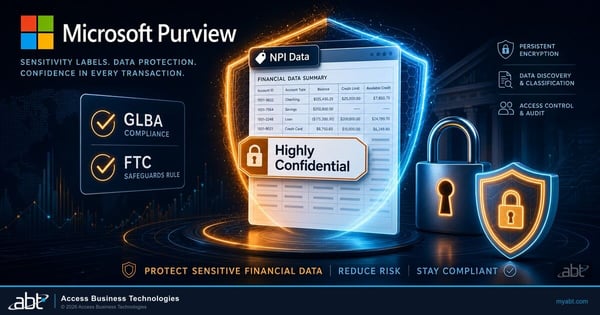
Microsoft Purview Sensitivity Labels for Financial Institutions
What labeling is supposed to do for nonpublic personal information, and what a working taxonomy looks like on endpoints that can apply one.
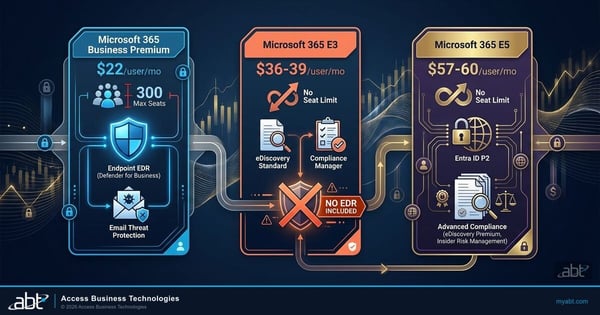
Microsoft 365 E3 vs. E5 vs. Business Premium
Once the perpetual estate is leaving, this is the next question. Where the suites differ, and which differences a financial institution feels.
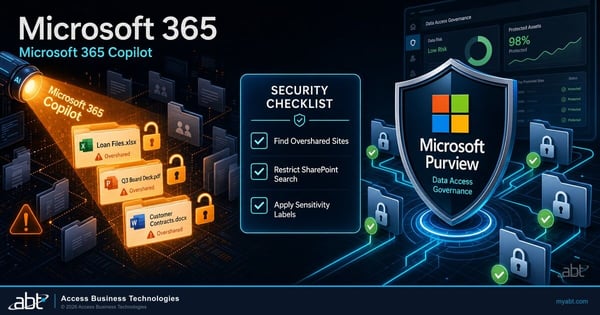
Microsoft 365 Copilot Oversharing: Fix Data Access Before Rollout
The work that has to happen between becoming eligible for Copilot and switching it on for the institution.
Neighboring pages: what happens to Microsoft Publisher files, the October 2026 Microsoft support deadlines, and Windows 11 24H2 end of support.
What the estate on the other side of this decision can do
The capability in this short is the one the Copilot eligibility rule puts out of reach for a perpetual install. Sixty seconds on what it looks like in practice.
Work that crosses Outlook, Word and Excel in one instruction. It runs in the Microsoft 365 Apps, the version of Office a Copilot license works with.
Office LTSC 2021 after end of support, answered from Microsoft's documentation
October 13, 2026. Microsoft states that support for Office Long Term Servicing Channel 2021, Project LTSC 2021 and Visio LTSC 2021 ended on that date, and that these products no longer receive updates, security fixes or technical support. Microsoft publishes the same date in its lifecycle announcement for the product and on its End of support for Office 2021 page.
Yes. The apps keep opening and running after the date, and Microsoft's support page says "All of your Office 2021 apps may continue to function." What ended is Microsoft's provision of updates, security fixes and technical support, so any vulnerability discovered after that date stays unpatched on your installation. Microsoft's lifecycle announcement notes that running the product past the date may increase an organization's exposure to security risks and could impact compliance requirements.
No. Microsoft's End of support for Office 2021 page states that support ended on October 13, 2026 "and there will be no extension and no extended security updates." Windows and Windows Server have paid Extended Security Updates programs; Office 2021 has none. The continuation paths Microsoft names are a Microsoft 365 subscription or the 2024 generation of the perpetual products.
It may still connect, and Microsoft no longer supports that connection. Microsoft's table of Office versions supported for connecting to Microsoft 365 services lists Office LTSC 2021 until October 13, 2026, and states that "Older Office versions might still be able to connect to Microsoft 365 services, but that connectivity isn't supported." Microsoft warns that such versions might be unable to use the latest service features and, over time, might encounter unexpected performance or reliability issues. Office LTSC 2024 is supported for connecting until October 9, 2029, and Microsoft 365 Apps for as long as you run a supported version.
No, and a newer perpetual release leaves that unchanged. Microsoft states that Microsoft 365 Copilot is supported only on cloud-backed apps included in Microsoft 365 suites, and that on-premises versions of Office are not eligible. Microsoft's Copilot requirements say users need a Copilot license and a qualifying prerequisite license, and tell administrators to deploy Microsoft 365 Apps to users who need Copilot in desktop apps. A perpetual install sits outside both conditions. Microsoft's requirements page now calls the product Microsoft Copilot, formerly Microsoft 365 Copilot.
Microsoft describes it as a purchasing change. From December 1, 2026, new Microsoft 365 Copilot and Microsoft 365 Copilot Business offers can be purchased without a qualifying Microsoft 365 base subscription, and Microsoft states that "This purchasing change affects how customers purchase Copilot, not the underlying Copilot capabilities." The same announcement says that "Copilot experiences continue to depend on the Microsoft 365 apps and services a customer is licensed for." Copilot in desktop Word, Excel and PowerPoint runs in Microsoft 365 Apps, and Microsoft's September statement that on-premises versions of Office are not eligible still stands.
Not in the Office apps on a standalone edition. Microsoft's Purview documentation states that to use sensitivity labels in Office apps you must use a subscription edition of Office, and that sensitivity labels are not supported for standalone editions of Office, sometimes called Office Perpetual. The add-in that used to provide this is retired: Microsoft states that the Azure Information Protection labeling client for perpetual Office has been retired, and that the Office add-in for labeling in Word, Excel, PowerPoint and Outlook is retired in favor of the Microsoft Purview Information Protection client. The restriction is specific to the Office desktop apps on a standalone edition: service-side automatic labeling in Microsoft Purview still evaluates content at rest, and Office on the web is a cloud-backed app. What is unsupported is the labeling your people apply themselves as they work.
Yes. Microsoft names all three products in the same sentence and gives them the same October 13, 2026 date, and its connectivity table lists Project 2021 and Visio LTSC 2021 as supported for connecting to Microsoft 365 services until October 2026. Microsoft's recommended cloud replacements are Planner and Project Plan 3 for Project LTSC, and Visio Plan 2 for Visio LTSC, both of which can be layered on top of a Microsoft 365 suite. These seats are commonly missed in an Office count because they sit with a small number of named users.
It depends on organization size. Microsoft directs enterprise customers to Microsoft 365 E3 as the primary recommended path, with Office 365 E3 or Microsoft 365 Apps for enterprise as appropriate fallback options based on customer needs. Businesses with fewer than 300 users are directed to Microsoft 365 Business Premium, Microsoft 365 Business Standard, or Microsoft 365 Apps for business. Microsoft also suggests that companies with over 150 licenses consider engaging Microsoft FastTrack for support with the move.
Microsoft supports that case explicitly. Where regulatory, connectivity or technological constraints prevent the use of cloud solutions, Microsoft points to the latest supported on-premises alternatives: Office LTSC 2024, Project LTSC 2024 and Visio LTSC 2024. Microsoft's connectivity table supports Office LTSC 2024 for connecting to Microsoft 365 services until October 9, 2029. Both limits described on this page follow the perpetual licensing model rather than the 2021 release, so a 2024 install is still an on-premises version with no Copilot eligibility and still a standalone edition with no supported sensitivity labeling in the apps.
Find the Office 2021 installs
still in service.
Tell us roughly how many people you have and what you think you are running. Our engineers will inventory the Office, Project and Visio installs we can reach with the access and records you provide, flag the ones still connecting to Exchange Online, SharePoint and OneDrive, separate the machines with a real constraint from the ones that simply never moved, and price Microsoft's supported paths against each other for your seat count.
