

In This Article
- What a data backup brings back
- What a Microsoft 365 configuration backup has to include
- What Microsoft's built-in tools keep, and for how long
- Why each day should be its own locked version
- How a tenant rebuild drill becomes exam evidence
- How M365 Guardian Vault handles tenant settings
- Frequently Asked Questions
On a normal Monday, a loan officer opens her laptop at a branch and approves a sign-in on her phone. In under a minute she's in Outlook, Teams and the shared drive with the loan files. That minute rests on settings in your Microsoft 365 tenant.
Conditional Access policies decide who can sign in and from where. Intune policies mark her laptop as trusted. Groups decide which files she can open. Those settings are how a bank or credit union gets its work done every day.
Most Microsoft 365 backups bring back mail and files. IT teams at credit unions, banks, and mortgage companies are now asking a second question. If an attacker with an administrator account deletes the sign-in rules, or a change quietly weakens them, what brings the settings back?
A mailbox restore puts the messages back. It leaves the rules your tenant runs on exactly as the attacker left them.
This guide is for IT, security and compliance teams at banks, credit unions, and mortgage companies running on Microsoft 365. It lists what a settings backup has to include and what Microsoft's built-in tools keep, and for how long. It explains why each day should be stored as a separate locked version, and how a tested rebuild turns into evidence an examiner can read.
ABT wrote it from inside that work: as a Tier-1 Microsoft Cloud Solution Provider serving 750+ financial institutions, ABT manages Microsoft 365 tenants and hosts Azure environments for banks, credit unions, and mortgage companies.
What a data backup brings back
A Microsoft 365 data backup protects content: Exchange mailboxes, OneDrive accounts, and SharePoint sites. Our guide to Microsoft 365 backup for financial institutions covers that side, including what Microsoft's retention does and does not replace.
The tenant's settings are a separate set of objects. They include the Conditional Access policies that require multifactor authentication (MFA), the named locations those policies trust, and the authentication methods policy that decides whether a text message counts as a second factor. They also include the Intune policies that decide which laptops and phones are compliant, the app registrations that can read your data, and the group memberships that grant access to files.
Those objects are exactly what an attacker with administrator rights changes. Adding an exclusion to the MFA policy, turning SMS back on, registering a new application with mail access, or adding an account to a privileged group each takes a few clicks. The mail and files stay intact. The protections around them are gone, and rebuilding them by hand means reconstructing dozens of policies from screenshots and memory while the institution waits.
CISA treats configuration as something you keep, version and redeploy. Its ransomware guidance for cloud environments says it plainly.
Check for configuration drift routinely
IaC code should be version controlled and changes to the templates should be audited.
Microsoft 365 tenant settings fit that description. They are the template your institution runs on, and they need the same care as the data.
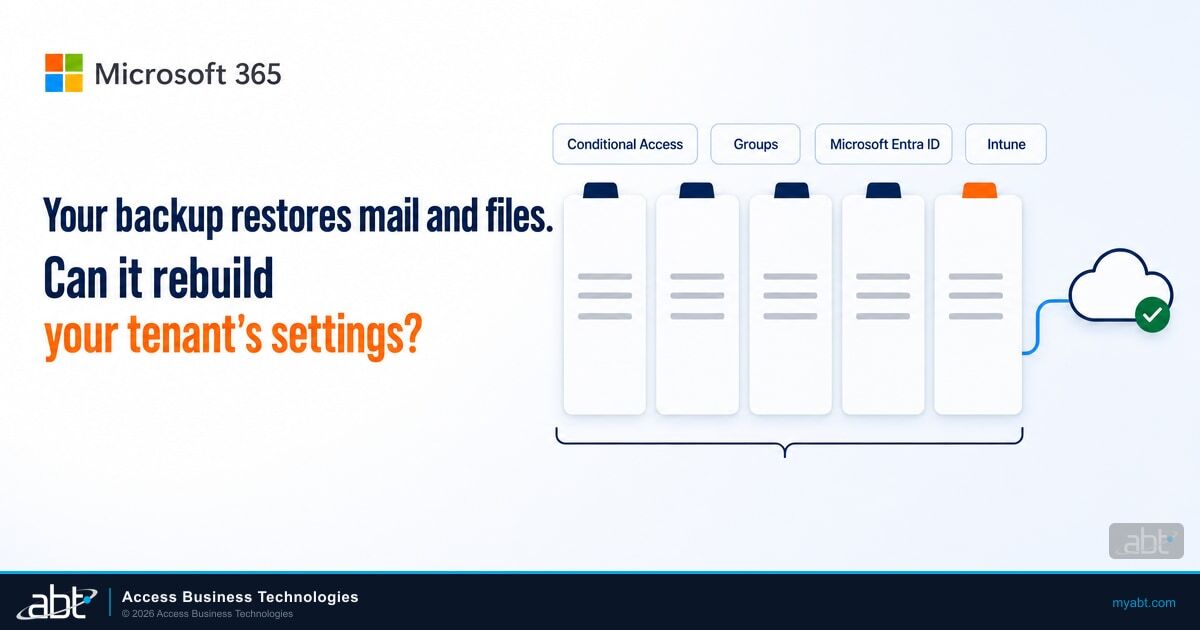
A Microsoft 365 configuration backup for a bank, credit union or mortgage company needs four things: coverage of sign-in, identity, application and device settings; copies stored outside the production tenant; a lock that keeps each day's copy as its own dated version, with history that reaches well past seven days; and a rebuild you have tested and written up for your examiner.
What a Microsoft 365 configuration backup has to include
Start with the settings that decide who gets in and what they can reach. These six items are the outline for a settings backup and for the questions to ask any provider that offers one.
Conditional Access policies, named locations, the authentication methods policy, and the tenant authorization policy. These decide who can sign in, from where, and with which second factor.
User accounts and their licenses, groups and their members, directory role assignments, and domains. Group membership is how most file and app access is granted.
App registrations and enterprise applications. A copy from before an incident shows which apps were there and which were added.
Intune device configuration, compliance, settings catalog, app protection, and enrollment policies. These decide which laptops and phones the sign-in rules will trust.
Held where an administrator of the production tenant has no rights, so one stolen account can't reach both the settings and their backup.
One copy per day, each kept as its own version under a lock that blocks changes and deletion until its retention date.
Items one through four are the settings themselves. Items five and six decide whether the copy is still good on the day you need it. For how the sign-in rules should be set up, see our guide to Conditional Access policies for financial institutions.

What Microsoft's built-in tools keep, and for how long
Microsoft has added configuration recovery to the platform, and every institution with the right licenses should use it. Microsoft Entra Backup and Recovery "lets you recover critical Microsoft Entra directory objects to a previously known good state after accidental changes or security compromises." Its Standard plan is included with Microsoft Entra ID P1 and P2 licenses. Microsoft's Entra licensing page lists P1 in Microsoft 365 Business Premium and E3, and P2 in Microsoft 365 E5.
Microsoft Graph's Tenant Configuration Management adds snapshots and drift monitors for settings across Microsoft 365 workloads. Here is what each keeps, in Microsoft's words.
| Microsoft tool | What it covers | History kept | Where recovery runs |
|---|---|---|---|
| Microsoft Entra Backup and Recovery, Standard (included with Entra ID P1 and P2) | "users, groups, apps, service principals, Conditional Access policies, named locations, authentication method policy, authentication strength policies, and authorization policy (selected properties)" | Backups "once a day" and "up to seven days of backup history"; a Premium plan in preview keeps up to 30 days | The same tenant; the recovery option "Recovers all supported objects in the tenant" |
| Tenant Configuration Management (Microsoft Graph) | Snapshots and monitors for the configuration resources you choose | "A snapshot is retained for a maximum of seven days, after which it is automatically deleted." Monitors run "at a fixed interval of six hours" | Drift is resolved "by using the relevant admin centers or other available methods" |
Both tools are useful for the everyday case: someone changes a policy by mistake on Tuesday and you want to see, or bring back, Monday's version. Microsoft also locks the Entra backups: "No signed-in user or application, even with the highest admin privileges, can turn off, delete, or modify Standard plan backups in the tenant." Two details matter for the attack case. Entra Backup and Recovery "doesn't support the recovery or re-creation of hard-deleted objects," and its object list covers Microsoft Entra ID, so Intune device and compliance policies need their own copy. And the Standard plan's seven days is a short window; the Premium plan, in preview, keeps up to 30.
An attacker who weakens a policy on a Friday and stays quiet for two weeks leaves a seven-day history holding weakened copies alone. Microsoft's Microsoft 365 Backup service protects "SharePoint sites, OneDrive accounts, Exchange mailboxes, and Entra directory objects," which covers the data and the directory; Intune policies sit outside that list. Use Microsoft's tools for fast, same-tenant recovery and drift checks, and keep a longer, locked copy somewhere else for the bad day. That second copy is the job M365 Guardian Vault does for banks, credit unions, and mortgage companies.
Find out where your sign-in rules stand today
ABT's free Security Assessment reads your Microsoft 365 tenant and gives you a written report covering:
- Your Conditional Access policies
- MFA coverage across your accounts
- Legacy authentication exposure and administrator account hygiene
- Device compliance and guest access settings
Why each day should be its own locked version
A backup that keeps one "latest" copy of your settings has a weakness: the day after a bad change, the latest copy is the bad one. Keeping each day as a separate dated version fixes that. A harmful change lands in a new day's copy, and the copy from the day before still holds the settings as they stood.
The versions also need a lock. CISA's #StopRansomware Guide warns that "many ransomware variants attempt to find and subsequently delete or encrypt accessible backups." It recommends you "Enable delete protection or object lock on storage resources often targeted in ransomware attacks" and "Consider enabling version control to keep multiple variants of objects in storage." Daily capture creates the versions, and a write-once lock, often called WORM storage, protects them: each version is written once and held unchanged until its retention date.
Regulators describe the same protection in their own words, each for the institutions it covers.
The backups shall be adequately protected from unauthorized alterations or destruction.
The same reasoning applies to where a settings copy is stored. If every settings backup lives in the production tenant, recovery runs inside the same tenant the attacker is working in, and Entra Backup and Recovery Standard keeps up to seven days. Our guide to Microsoft 365 backup in a tenant your institution owns explains how a separate tenant keeps production administrators away from the copies.
On Friday evening, an attacker using a stolen administrator account adds an exclusion to the MFA policy for an account they control and turns text-message sign-in back on. The change goes unnoticed for twelve days, longer than the seven days Entra Backup and Recovery Standard keeps.
Thursday's version still holds the MFA policy and the authentication methods policy as they stood before the change, locked against edits. Comparing the last successful capture before the change with the next successful capture after it shows which settings changed, and you can rebuild the sign-in rules from Thursday's copy.
Exclusions deserve a close look, because they read like routine exceptions. Our guide to Conditional Access exclusion drift shows how to review them, and our ransomware protection guide for financial institutions covers the attack paths that lead to a stolen administrator account.
How a tenant rebuild drill becomes exam evidence
A backup you have never restored is a claim. New York's cybersecurity regulation asks for testing of the "ability to restore its critical data and information systems from backups" under Section 500.16(d)(2). CISA says to "regularly test the availability and integrity of backups in a disaster recovery scenario." For tenant settings, that test is a rebuild drill: take a dated copy, rebuild the settings into a clean test tenant, and have your own staff sign in and use it.
A drill answers questions a restore of mail never asks. Do the sign-in rules apply to the right people, and does a compliant laptop pass while an unmanaged one fails? Do the groups hold the right members, and do the administrator roles sit with the right people? Each answer goes on the record.
Microsoft 365 Tenant Rebuild Drill
Choose a locked daily copy and record its date, so the report names exactly which version was tested.
Recreate the Microsoft Entra ID and Intune settings from that copy in a tenant with no connection to production.
Your own people check the sign-in rules, MFA prompts, device compliance, and group access against how production behaves.
Write down any setting that came back wrong, fix the process behind it, and note the fix for the next drill.
A signed report with the version date, the tests run, and the results goes into the file your examiner and your board review.
Credit union boards hear the same from the NCUA. Its letter on board engagement in cybersecurity oversight says, "Your board should ensure management regularly backs up all critical data and that these backups are securely stored." A drill report documents the restore test performed and what came back, which a storage receipt alone can't show.

How M365 Guardian Vault handles tenant settings
M365 Guardian Vault is ABT's Microsoft 365 backup for banks, credit unions, and mortgage companies. Every day the vault copies your Microsoft 365 tenant's settings into the same locked storage as your data, keeps each day as its own dated version, and ABT rebuilds those settings from the copy into your tenant or a new one. The daily settings copy is part of both Vault plans and covers four areas.
- Sign-in and access. Conditional Access policies, named locations, the authentication methods policy and the tenant authorization policy.
- Identity. User accounts and their licenses, groups and their members, directory role assignments and domains.
- Applications. App registrations and enterprise applications.
- Devices. Intune device configuration, compliance, settings catalog, app protection and enrollment policies.
What a bank, credit union or mortgage company gets is the combination. Settings and data sit together in a separate tenant your institution owns, under a write-once lock, with a dated version for every day. On M365 Guardian tenants, a change that weakens a sign-in rule also opens a security operations center ticket.
The vault tenant is created in your institution's name, under your own Microsoft Customer Agreement. ABT buys directly from Microsoft as a Tier-1 Cloud Solution Provider, so it creates the vault tenant and its Azure subscription in your name and hosts the vault's Azure environment. Each day's copy is held under a locked Azure retention policy, so no one, including ABT, can change or delete it before its retention date. ABT runs the vault through separate, approval-gated partner access, apart from the access that manages your production tenant.
Weakening alerts on M365 Guardian tenants
On M365 Guardian tenants, ABT's security operations center checks Conditional Access, named locations and the authentication methods policy every 15 minutes and opens a ticket when a change weakens one. On tenants with the vault, the dated copy holds the version from before the change.
Evidence comes with it. Vault Standard includes a signed Recovery Test Report each year, and Premium includes one each quarter. The quarterly tenant rebuild drill, an add-on, rebuilds your settings into a clean test tenant. Your team signs in and tests it, and you receive a signed report for your examiner.
Standard protects email, Premium adds OneDrive, SharePoint and Teams files, and both plans include the daily settings copy. Vault Standard is $8 and Premium is $10 per protected mailbox per month on annual terms, with Azure storage on its own line at Microsoft's price, and the drill is quoted for your tenant.
See what M365 Guardian Vault would hold for your institution
ABT will read your Microsoft 365 tenant, show you which settings and data the vault would copy each day, and price a vault in your institution's name, with a measured storage estimate in the quote.
Frequently Asked Questions
Yes, within limits. Microsoft Entra Backup and Recovery, included with Microsoft Entra ID P1 and P2, backs up Conditional Access policies and named locations once a day. Its Standard plan keeps up to seven days of history, and recovery runs in the same tenant. Institutions that need a longer history or a copy outside production add a separate settings backup.
A Microsoft 365 configuration backup should cover sign-in and access settings (Conditional Access, named locations, the authentication methods policy), identity (users, groups and members, role assignments), applications (app registrations and enterprise applications), and Intune device and compliance policies. It should store dated daily copies outside the production tenant under a lock that blocks changes and deletion.
A single latest copy picks up a harmful change the next day. Separate dated versions keep the good settings from before the change. Locking each version with write-once storage stops an attacker with administrator rights from editing or deleting the history. CISA recommends object lock and version control, and NYDFS 500.16(e) asks that backups be protected from alteration or destruction.
A tenant rebuild drill takes a dated copy of a Microsoft 365 tenant's settings and rebuilds them into a clean test tenant. The institution's own staff then sign in and test sign-in rules, device compliance and group access. A signed report documents the restore tests performed, the kind of testing New York's 23 NYCRR 500.16(d)(2) requires of covered entities.
Yes. M365 Guardian Vault copies Intune device configuration, compliance, settings catalog, app protection and enrollment policies every day, along with Conditional Access, named locations, the authentication methods policy, the tenant authorization policy, users and licenses, groups and members, directory role assignments, domains, app registrations and enterprise applications. Each day is locked as its own dated version.
The rules address backups of critical systems, and tenant settings are part of how those systems run. New York's 23 NYCRR 500.16 asks covered entities to protect backups and test restores. NCUA part 749, effective 16 July 2026, covers off-site processor agreements for federally insured credit unions. A signed drill report documents the restore tests performed.