

In This Article
A Microsoft 365 backup proves its worth on an ordinary bad morning. A loan officer deletes the wrong folder. A mailbox comes back corrupted after a migration. An examiner asks for a thread from fourteen months ago. On that morning your staff need a copy they can open today, and they need it to be there whether or not anyone else's platform is having a good week.
Most institutions never ask where that copy lives. For years the answer has usually been a backup service run by an IT provider: one platform, one set of credentials, and many customers' data behind it. That model was convenient. The incidents below show why it has also become the weak point.
The model is changing. ABT manages Microsoft 365 for more than 750 banks, credit unions and mortgage companies, and our view is that each institution's Microsoft 365 backup belongs in a backup tenant the institution owns: its own name, its own identity, its own locked storage, and files it can open without us. Institutions that hold their own backup tenant control their own recovery, and we're building our backup that way.
How MSP-driven backups pool data and risk
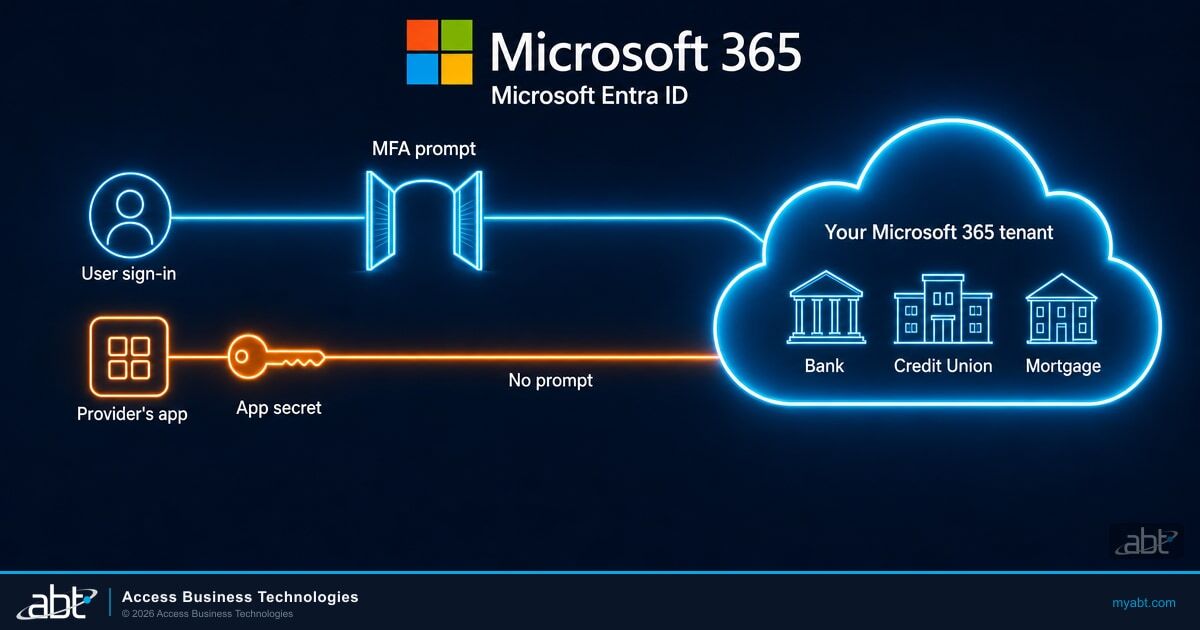
A cloud backup service has to sign in to your Microsoft 365 tenant to read mail and files. It does that with an application identity: an app your administrator consents to, which then authenticates with a credential. When a provider runs one application identity for all its customers, the secret behind it works as a key to every one of those tenants.
It has already happened. In October 2026, researchers reported that the API secret behind one MSP backup service had been compromised, and the same day they had confirmed unauthorized sign-ins in 162 tenants. The provider suspended the service to contain it, and scheduled backups stopped running for its customers while it was restored.
Every one of those organizations made its own decisions about passwords, MFA and Conditional Access. The shared credential sat outside all of those decisions. For an attacker, one credential that reaches many customers is worth more than any single break-in, and that's exactly what a pooled backup platform offers.
Shared platforms also fail together for reasons beyond a stolen credential. When many customers sit on one platform, an outage, a misconfiguration or ransomware on that platform reaches all of them at the same moment.
| Year | What happened on a shared platform | What it shows |
|---|---|---|
| 2021 | Ransomware delivered through a remote management platform used by IT providers reached "fewer than 1,500 downstream businesses" | One provider tool, many customers hit at once |
| 2023 | After a ransomware attack, a cloud hosting provider told customers "the majority of our customers have thus lost all data with us" | One provider's incident can take most of its customers' data at once |
| 2024 | "An inadvertent misconfiguration during provisioning" deleted a large pension fund's private cloud subscription; it recovered because it "had backups in place with an additional service provider" | A copy held somewhere separate is what brings you back |
| 2026 | One MSP backup service's compromised credential led to unauthorized sign-ins in 162 tenants, and the service was suspended while it was restored | A shared credential and a shared service stop for everyone together |
The 2024 case is the encouraging one. A misconfiguration removed an entire cloud subscription, and the fund came back because its copy sat with a separate provider. A backup tenant your institution owns builds that separation in from the first day.
Key Takeaway
Pooled backup pools the risk. When one application identity and one platform serve many customers, every customer pays for one stolen secret or one bad day. The answer is structural: give each institution its own backup tenant.

Where does your Microsoft 365 backup live today?
We can map your current backup in one call: which tenant holds it, which application reaches it, and who can delete it.
The new model: a Microsoft 365 backup tenant you own
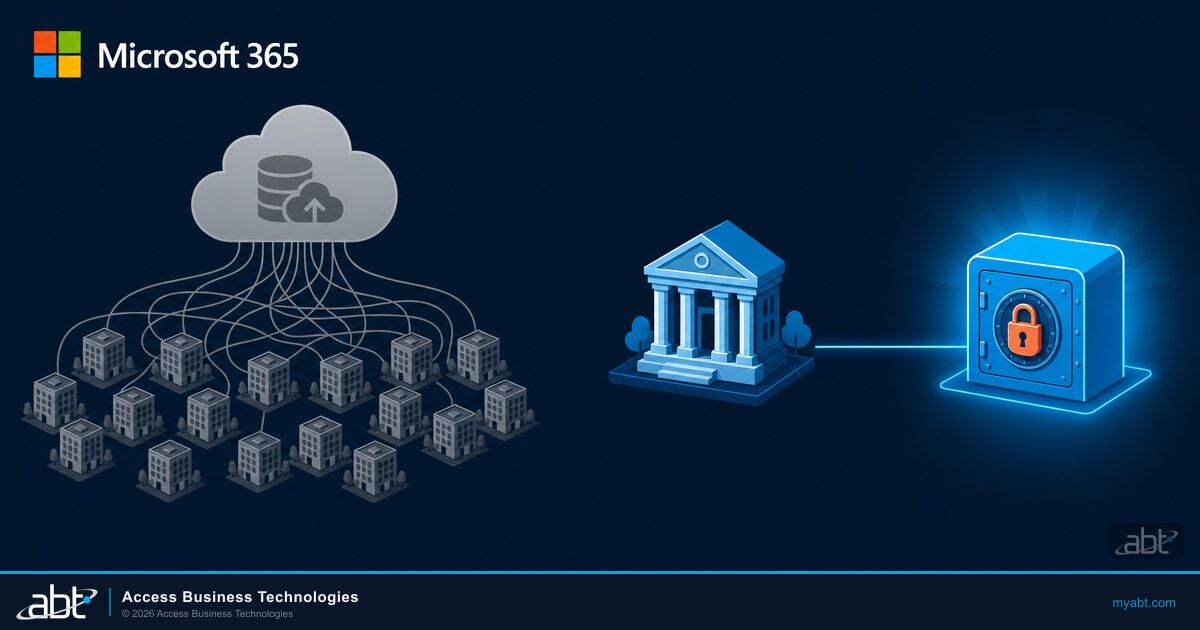
In the new model, a financial institution's Microsoft 365 backup sits in a separate Microsoft 365 tenant created for that institution alone and held in its name. It's apart from the production tenant your staff use every day and apart from every other customer. Five properties make it work.
Pooled MSP backup
- One application identity trusted by many customers' tenants
- A stored secret that signs in to all of them
- Your copy sits in the provider's environment, beside other customers' copies
- Restores run through the provider's platform, so its outage pauses yours
- Files in the provider's format, read through the provider's tools
Your own backup tenant
- A separate backup tenant for your institution, in your name
- An application identity trusted by your backup tenant alone
- Sign-in through a managed identity, with no stored secret to steal
- Locked storage that blocks deletion or change until the retention period ends
- Plain files any unzip tool opens, with no provider platform in the restore path
Your own tenant. The backup copy sits in a Microsoft 365 tenant created for your institution and held in your name. A problem in another customer's environment stays there. A compromised admin account in your production tenant stays on the production side too, because the backup tenant has separate accounts.
Your own application identity. Your backup tenant gets its own reader application, trusted by that tenant alone. A credential tied to your backup is designed to reach your data and no one else's.
No stored secret. The reader application signs in through an Azure managed identity, which Azure manages inside the backup environment. With no app secret on file, there's nothing of the kind stolen in October to steal. Alerts fire if anyone adds a secret or a new trusted identity to the application.
Locked storage. The copies land in Azure storage under an immutability lock, which blocks deletion or alteration of each copy until its retention period ends. The lock period can be extended and never shortened. That's the property ransomware protection depends on: an attacker who reaches the storage still can't erase the history.
Files any unzip tool opens. Mail is saved as standard .eml messages inside ZIP files, and every run writes a new file beside the last one. Common mail programs read the messages. Restores stay independent of any provider's platform: the files open with any unzip tool, from your institution's own tenant.
What owning your backup tenant gives you
The security case is the reason the model is changing. The day-to-day benefits are why institutions will want it.
Your recovery runs on your schedule
The copy sits in your tenant in readable files, so getting mail back depends on your own backup and your own timeline.
Your risk is your own
Another customer's incident, outage or misconfiguration stays in that customer's environment. Your backup's exposure is set by your controls.
Your history stays put
Locked storage keeps every copy through its retention period, so a compromised admin or ransomware can't wipe the record.
Your exit is a handover
The backup tenant is in your name. If you change providers in good standing, the tenant and its history stay with you, under a documented handover.
Your evidence is direct
When an examiner asks how backups are protected, you can point to a tenant in your name, its lock settings and its recovery tests.
Your format is open
Standard .eml files in ZIP archives open with ordinary tools today and will still open years from now.

What your examiner and your vendor file will ask
Regulators already describe the outcome. New York's cybersecurity regulation, which applies to companies licensed under the state's banking, insurance and financial services laws, including state-licensed banks and mortgage lenders, is specific about backups.
Backups "shall be adequately protected from unauthorized alterations or destruction."
"Unauthorized alterations or destruction" covers more than ransomware. It also covers a provider's credential in someone else's hands. When you review any backup provider, these six questions belong in your vendor due diligence file, beside the incident questions in your vendor risk program.
Ask for the tenant name and who owns it. The answer you want is your institution's name.
Ask whether the application that reads your tenant is shared with other customers.
Ask how it signs in, who can add a secret, and what alert fires when someone does.
Ask for the lock setting on the storage and whether the provider's own admins can remove it.
Ask what format the files are in and what tool opens them without the provider.
Ask which staff accounts span customers, and how that access is approved and time-limited.
The sixth question matters because people build and run every backup service, and those people have access. Ask that their access be narrow, approved by a second person, limited in time, and logged.
How ABT is building Microsoft 365 backup for financial institutions
As a Tier-1 Microsoft Cloud Solution Provider, ABT already manages each institution's Microsoft 365 tenant individually and hosts Azure environments for financial institutions. A separate backup tenant for each institution fits that way of working, so we're building our Microsoft 365 backup on the design above. It's designed to provide a customer-owned, off-tenant, locked copy of supported Microsoft 365 mail and files, with readable exports, documented handover and tested recovery evidence.
In the design, each institution gets its own backup tenant and its own Azure storage. The mapping between the institution, its production tenant and its backup tenant is confirmed by name before the first copy is written, and every backup run is designed to check its source and destination against that mapping and stop on a mismatch. Administrative roles that could change the reader application's credentials require time-limited activation and a second approver.
By default, Microsoft gives a CSP's administrators owner access to the Azure subscriptions the CSP creates for customers: "any user with the Admin agent role in the partner tenant has RBAC owner access to Azure subscriptions that you create through the CSP program." For a backup, that is too broad. ABT's design removes that default on each backup subscription and gives access through Azure Lighthouse to a small backup group, which Microsoft names as a way to "reduce the number of users who have the Admin agent role."
We started on ABT's own Microsoft 365 tenant, and customer backup tenants follow in stages once the recovery tests and an independent penetration test pass. For an institution, the result is a backup it controls: in its name, under its lock, in files it can open.
Put the questions to your backup provider
ABT manages Microsoft 365 for more than 750 banks, credit unions and mortgage companies. Bring your current backup setup and we will walk the six questions with you.
Frequently Asked Questions
A backup tenant is a separate Microsoft 365 tenant created for one institution and held in its name, apart from the production tenant its staff use every day. It holds the institution's backup copies in locked Azure storage, with its own accounts and its own application identity, so another customer's credentials and incidents stay outside it by design.
Many MSP-driven backup services run one platform and one application identity for all their customers. The secret behind that identity opens every tenant that trusts it, and an outage on the platform stops every customer at once. In October 2026, one such service's compromised credential led to confirmed unauthorized sign-ins in 162 tenants.
The institution's risk stays its own, because no shared credential or shared platform connects it to other customers. Locked storage keeps every copy through its retention period. Files in standard formats open without the provider. The tenant stays in the institution's name if it changes providers, and it gives examiners direct evidence of how backups are protected.
The backup tenant is held in the institution's name, so it stays with the institution. When the institution leaves in good standing, the departing provider hands over access under a documented handover, and the backup history remains in the institution's tenant. The backup files are standard .eml messages in ZIP archives, which the next provider can read with ordinary tools.
Section 500.16(e) of 23 NYCRR Part 500 says backups "shall be adequately protected from unauthorized alterations or destruction." A backup tenant in the institution's name, with locked storage and an application identity no other customer shares, gives the institution direct evidence of that protection for its examiner and its vendor due diligence file.
ABT is building a backup designed to provide a customer-owned, off-tenant, locked copy of supported Microsoft 365 mail and files, with readable exports, documented handover and tested recovery evidence. Each institution gets its own backup tenant and application identity, with no stored secret. ABT started on its own tenant, and customer tenants follow in stages.