In This Article
- Why Conditional Access Is the Foundation of Financial Institution Security
- Baseline Conditional Access Policies Every Financial Institution Needs
- Financial Services Conditional Access Scenarios
- Device Compliance Policies That Protect Customer Data
- Location-Based and Risk-Based Policies for Financial Operations
- Implementation Roadmap: From Default to Fully Configured in 30 Days
- Frequently Asked Questions
Financial institutions hold the keys to the most sensitive data in any regulated industry. Banks manage deposit account records, wire transfer authorizations, and commercial lending files. Credit unions hold member PII alongside ACH routing details and share draft records. Mortgage companies process tax returns, income verification documents, and closing disclosures. Every one of those data points flows through Microsoft 365. Conditional Access is the M365 feature that decides who gets access to what, from where, and under what conditions. Misconfigure it, and customer data walks out the door. Configure it correctly, and you build a defensible security posture that satisfies OCC examiners, NCUA auditors, CFPB supervisors, and state regulators alike.
This guide covers the specific conditional access configurations that banks, credit unions, and mortgage companies need in 2026. We start with baseline policies every institution should deploy, then move into sector-specific scenarios: branch teller access, remote lending operations, third-party fintech integrations, and the field loan officer on a personal device.
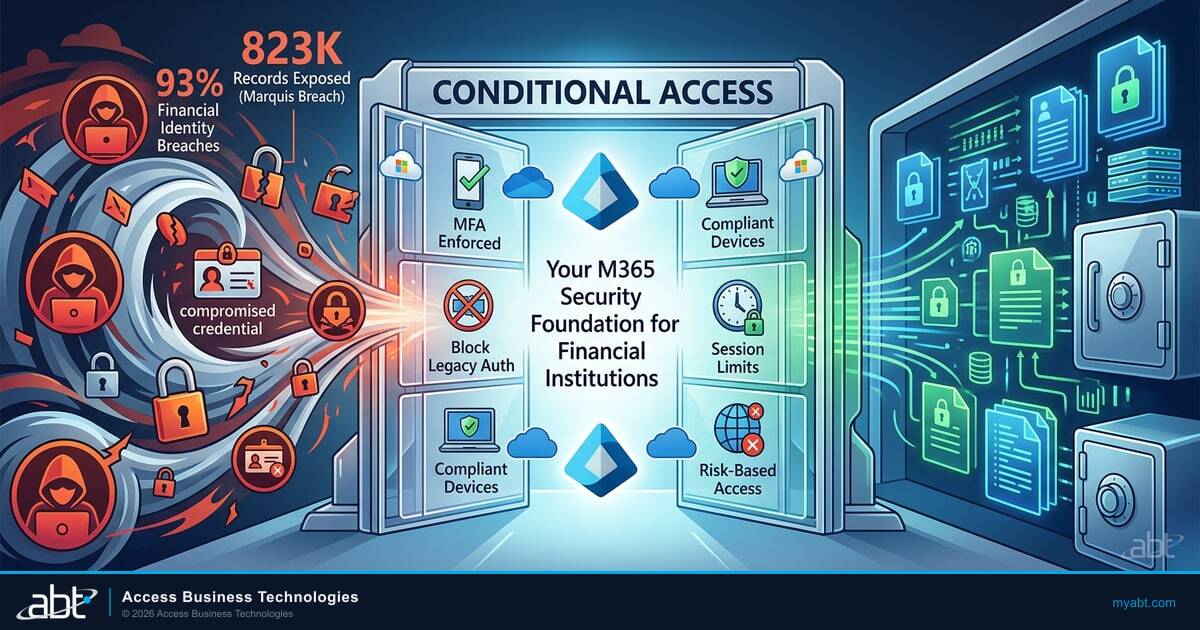
In August 2025, the Marquis Financial Group breach exposed 823,000 customer records across more than 80 community banks and credit unions. Attackers used compromised VPN credentials to bypass MFA, then pivoted laterally through shared service infrastructure. In December 2025, KnowBe4 Threat Labs uncovered an active OAuth device code phishing campaign targeting Microsoft 365 tenants. The OCC's Spring 2025 Risk Report elevated identity and access controls to a top operational risk for national banks. Conditional Access policies are the primary defense layer that determines whether stolen credentials can actually reach customer data, regardless of whether your institution is a $500M credit union or a $10B commercial bank.
Why Conditional Access Is the Foundation of Financial Institution Security
Most financial institutions spend heavily on endpoint protection and email filtering. Those controls matter, but they miss the architectural question: once someone authenticates to your Microsoft 365 tenant, what can they actually do? Conditional Access answers that question at the policy level, before any data is accessed.
Think of Conditional Access as a decision engine sitting between every user and every resource in your M365 environment. Each time a user, device, or application requests access, Conditional Access evaluates the request against your policies: Is this user who they claim to be? Is their device compliant with your security requirements? Are they connecting from a trusted location? Does their sign-in behavior look normal? Based on those answers, the policy either grants access, blocks access, or requires additional verification.
Microsoft Entra ID Conditional Access is the policy engine that ties five signals together into one access decision for every banker, loan officer, processor, underwriter, compliance officer, and member services representative on your workforce. First, sign-in risk: Entra ID Protection scores each authentication attempt for anomalous behavior, impossible travel, anonymous IP, leaked credentials, and password spray patterns, then routes the response from prompt MFA to outright block. Second, device compliance: the policy checks Microsoft Intune for a managed, encrypted, patched device before granting access to customer files. Third, location: named locations defined in Entra ID separate branch offices and hosting providers from coffee shops and overseas IPs, with country-level block lists removing the largest source of credential-stuffing attempts. Fourth, application: policies target the cloud app being accessed, so Exchange Online, SharePoint, Teams, and your core banking SSO integration each get a tailored rule rather than a single blunt setting. Fifth, MFA strength: the policy decides whether a phishing-resistant method (FIDO2 key, Windows Hello, certificate-based) is required for a high-risk session, or whether a standard authenticator app push is sufficient for a low-risk branch sign-in. Banks, credit unions, and mortgage companies that wire those five signals into a coherent baseline get a defensible access posture; the ones who deploy MFA alone and call it done are the ones whose stolen credentials reach the wire room.
For financial institutions, the stakes are uniquely high. A bank's M365 tenant contains wire transfer authorizations, commercial loan underwriting files, and board communications. A credit union's tenant holds member account data, ACH processing records, and BSA/AML documentation. A mortgage company's tenant stores borrower PII, closing documents, and wire instructions tied to settlements. A single compromised account without conditional access controls can reach all of it. With properly configured policies, that same compromised account hits a wall: wrong device, wrong location, wrong risk level.
"The Marquis breach affected 80+ banks and credit unions through a single compromised VPN. LoanDepot's 2024 attack exposed 16.6 million borrower records. Both started with credential compromise. Conditional Access policies introduce verification barriers at the point of access, before stolen credentials can reach customer data."
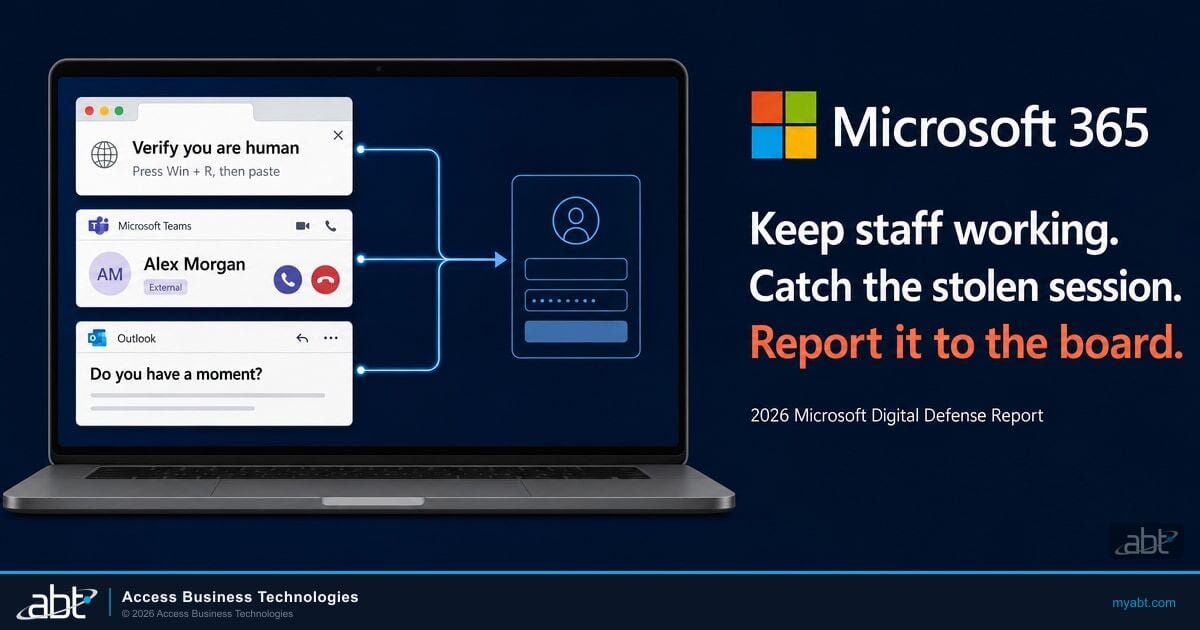
Financial Services Breach Analysis, 2025Credential compromise is only the first step. Attackers increasingly bypass multi-factor authentication entirely by stealing session and OAuth tokens, which is why the grant conditions on your policies matter as much as the fact that MFA is switched on. Our breakdown of the OAuth consent phishing toolkit that bypasses MFA walks through how that works, and device code phishing covers the variant hitting Microsoft 365 tenants at scale.
Would Your Conditional Access Policies Stop This?
The Marquis breach proved that MFA alone is not enough. Your tenant configuration, device compliance, location controls, risk detection, determines whether stolen credentials can actually reach customer data. Find out where your gaps are.
Baseline Conditional Access Policies Every Financial Institution Needs
These five policies form the minimum viable security layer for any bank, credit union, or mortgage company. If your institution has none of these in place, start here. Examiners from the OCC, NCUA, and state regulators expect to see at least these controls documented during IT examinations.
1. MFA for All Users, No Exceptions
Every user account needs multi-factor authentication enforced through Conditional Access. That includes tellers, loan officers, processors, underwriters, compliance staff, member services representatives, and every administrator. "We'll phase it in for the branches next quarter" is the exact language that precedes breaches. Use Conditional Access-based MFA (not legacy per-user MFA) for centralized policy management and better reporting. The FFIEC Authentication Guidance has required risk-based MFA for years, Conditional Access is how you implement it inside M365.
2. Block Legacy Authentication
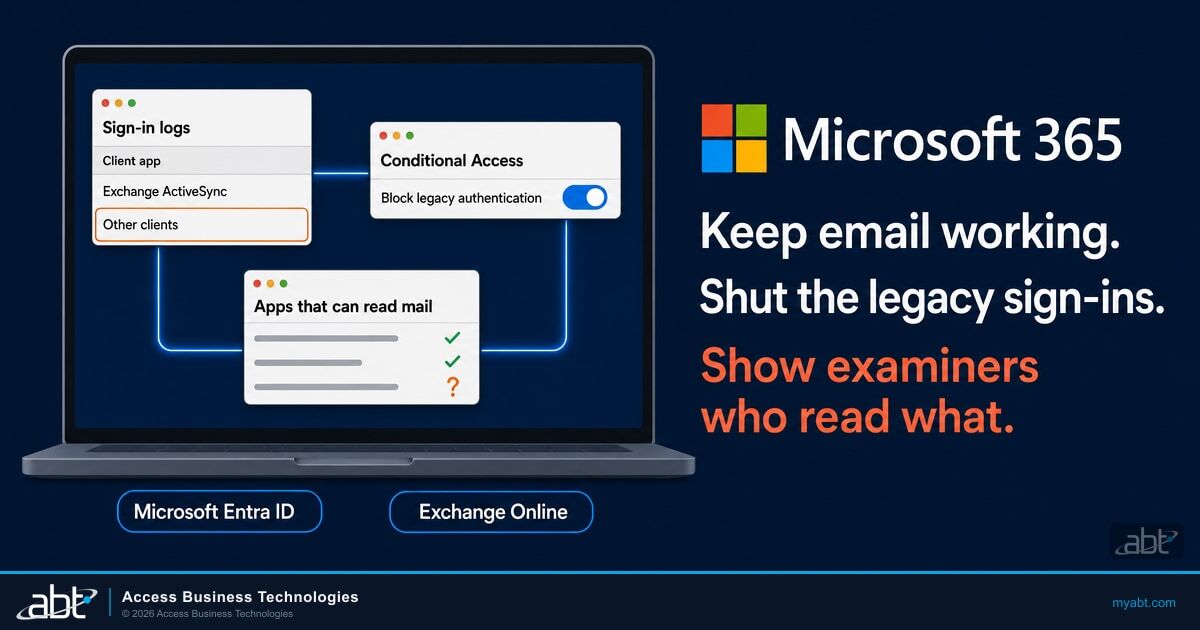
Legacy authentication protocols (POP3, IMAP, SMTP AUTH, ActiveSync basic auth) bypass MFA entirely. If any application in your environment still uses these protocols, it creates a backdoor past every other security control you have built. Create a Conditional Access policy that blocks legacy authentication for all users. Check sign-in logs first to identify legacy connections, some older core banking integrations or print-to-email systems may still rely on them.
3. Require Compliant Devices for Data Access
A Conditional Access policy should require device compliance (managed through Microsoft Intune) before granting access to Exchange Online, SharePoint, and Teams. This means the device must meet your organization's minimum security requirements: encrypted storage, current OS, active endpoint protection. Without this policy, a user can access customer documents from any device, including compromised personal machines that would fail any security baseline your examiner would accept.
4. Session Timeout for Inactive Connections
Configure sign-in frequency policies to require reauthentication after periods of inactivity. For financial institutions handling customer data, a 12-hour maximum session lifetime for standard users and 4-hour maximum for administrators is a reasonable baseline. Persistent browser sessions should be disabled for any role that accesses customer PII. For branch staff at shared workstations, consider an even shorter timeout, 30 minutes of inactivity, to prevent the next customer from seeing the previous session.
5. Block Sign-Ins from Impossible Travel Locations
Enable sign-in risk detection that flags impossible travel scenarios. If a loan officer signs in from Dallas at 2:00 PM and someone attempts to sign in with the same credentials from Eastern Europe at 2:15 PM, that is a compromised credential. The Conditional Access policy should block the suspicious sign-in and require password reset. For community banks and credit unions with purely domestic operations, this policy catches the majority of overseas credential-stuffing attempts immediately. If your M365 security audit has not checked these baseline configurations, start with a comprehensive M365 security audit.
Financial Services Conditional Access Scenarios
The baseline policies work for any organization. These next scenarios address situations specific to financial services operations, branch banking, remote lending, credit union member services, and vendor integrations that general guidance does not cover.
Branch Teller and Member Services Workstations
Community banks and credit unions operate shared workstations in branch lobbies and drive-through stations. Multiple employees sign in and out throughout the day, often under time pressure with members waiting. The conditional access approach: require MFA at every sign-in (no persistent sessions on shared devices), restrict access to only the core banking and M365 applications those roles need, and enforce a strict inactivity timeout of 15-30 minutes. Block access to SharePoint document libraries containing loan files or board materials from branch-floor devices entirely, those workstations handle transactions, not document management.
Field Loan Officers and Mobile Lending Teams
Loan officers at banks, credit unions, and mortgage companies visit customer homes, real estate offices, and branch locations. They need M365 access from locations outside the corporate network, often from personal mobile devices. Create a policy that allows mobile access to Outlook and Teams from personal devices but restricts access to SharePoint document libraries containing customer files. Personal devices get email and calendar. Customer documents, loan applications, tax returns, closing disclosures, require a company-managed device with Intune compliance.
Remote Processing and Underwriting Teams
Loan processors and underwriters working from home access sensitive documents all day: tax returns, bank statements, credit reports, appraisals, and closing disclosures. Their conditional access policies should be stricter than field staff: require a compliant, company-managed device with full Intune enrollment, restrict access to approved applications only (no browser-based access from personal machines), and enforce session timeouts that prevent documents from remaining accessible on an unattended home workstation.
Third-Party Vendor and Fintech Access
Financial institutions operate in a web of third-party relationships. Banks work with core processors, payment networks, and fintech partners. Credit unions integrate with CUSOs, card processors, and digital banking platforms. Mortgage companies coordinate with title companies, appraisers, and settlement agents. Conditional Access handles each through guest access policies: restrict guest users to specific SharePoint sites or Teams channels, require MFA from specific trusted domains only, block guests from downloading documents (view-only access), and set automatic guest expiration that aligns with the business relationship, 30 days for transaction-specific vendors, 90 days for ongoing service providers.
Branch Office vs. Home Office vs. Travel
Define named locations in your Conditional Access policies for each branch office IP range. Access from a recognized branch IP can proceed with standard MFA. Access from an unrecognized network (home, coffee shop, airport) triggers additional verification: device compliance check plus step-up authentication. For credit unions and community banks with employees who travel between branches, add all branch IPs to the trusted location list so staff moving between locations are not constantly re-challenged.
Core Banking and LOS Application Integration
Your core banking system (FIS, Fiserv, Jack Henry), loan origination system (Encompass, Byte, Calyx), and digital banking platform may integrate with M365 through APIs or service accounts. These service connections need their own Conditional Access policies: restrict the service principal to specific IP ranges (your hosting provider or SaaS vendor), limit the OAuth permissions to only what the integration requires, and monitor sign-in logs for any anomalous activity from these accounts. Service account compromise is a growing attack vector at financial institutions, the Marquis breach exploited exactly this kind of shared infrastructure connection.
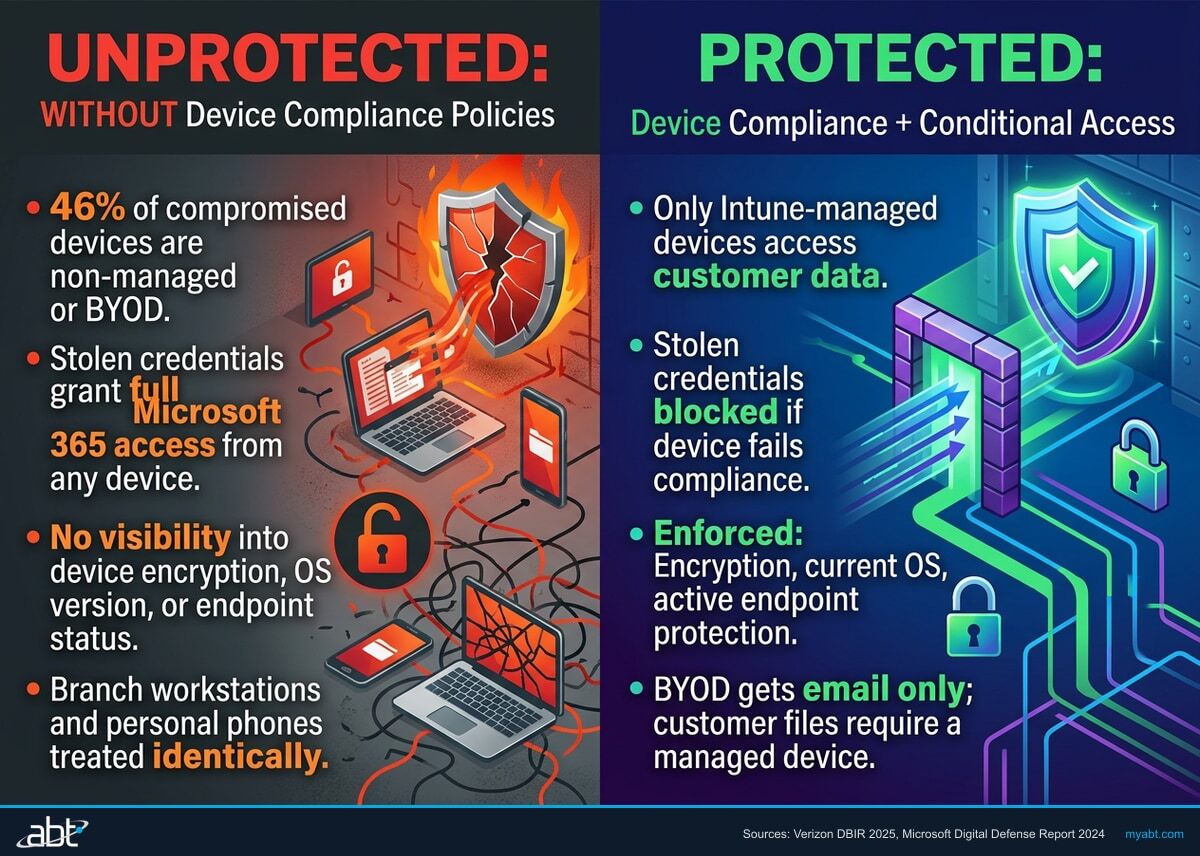
Without Device Compliance Policies
- 46% of compromised devices are non-managed/BYOD
- Stolen credentials grant full M365 access from any device
- No visibility into device encryption, OS version, or endpoint status
- Branch workstations and personal phones treated identically
With Device Compliance + Conditional Access
- Only Intune-managed devices access customer data
- Stolen credentials blocked if device fails compliance
- Enforced encryption, current OS, active endpoint protection
- BYOD gets email only; customer files require managed device
Source: Verizon 2025 Data Breach Investigations Report
Device Compliance Policies That Protect Customer Data
Conditional Access decides whether to grant access. Device compliance policies (managed through Microsoft Intune) define what "compliant" means for your institution's devices. These two systems work together: conditional access checks the compliance status, Intune determines the compliance requirements.
Minimum Device Compliance Requirements
For any device accessing customer data, whether at a bank, credit union, or mortgage company, your Intune compliance policy should require:
- Encrypted storage: BitLocker on Windows, FileVault on macOS, native encryption on iOS/Android. If the device is lost or stolen, customer data is protected at rest. Examiners will ask about encryption during every IT examination.
- Up-to-date operating system: Set a minimum OS version that excludes known-vulnerable releases. For Windows, require the latest feature update within 60 days of release. For mobile, require the latest major version. Patch management is a top-10 finding in FFIEC examinations.
- Active endpoint protection: Microsoft Defender for Endpoint or your approved endpoint protection platform must be running and reporting a clean status.
- Screen lock required: Maximum 5-minute inactivity timeout before the device locks. This prevents unauthorized physical access when a loan officer leaves a device at a borrower's kitchen table or a banker leaves a laptop open during a branch meeting.
- Jailbreak and root detection: Any device that has been jailbroken (iOS) or rooted (Android) fails compliance immediately. These modifications bypass the OS-level security controls that protect your M365 data.
How Device Compliance and Conditional Access Work Together
When a user attempts to access M365 from a device that fails any compliance check, the Conditional Access policy blocks access and displays a remediation message: "Your device does not meet your organization's security requirements." The user can see exactly which requirement failed and take action to fix it (update their OS, enable encryption, etc.) before trying again. Non-compliant device equals no access to customer data. No manual intervention from IT required, which matters when your IT team is managing three branches and 200 endpoints, not staffing a 24/7 SOC.
BYOD vs. Company-Owned Device Strategy
Most financial institutions have a mix of company-owned devices and personal devices. Banks and credit unions may issue laptops to commercial lenders while branch staff use shared workstations. Mortgage companies often have BYOD loan officers alongside company-equipped processors. Intune supports both through different enrollment types:
- Company-owned devices: Full Intune enrollment with complete device management. IT can enforce all compliance policies, deploy applications, and perform full device wipe if needed.
- Personal devices (BYOD): Intune Mobile Application Management (MAM) without full device enrollment. This creates a protected container for M365 apps on the personal device. Corporate data stays inside the container and can be selectively wiped without touching personal photos, apps, or data. When a loan officer leaves or a branch employee transitions, IT wipes the container, not the phone.
Location-Based and Risk-Based Policies for Financial Operations
Location and risk policies add intelligence to your conditional access framework. Instead of treating every access request the same, these policies evaluate context and adjust requirements accordingly. For regulated financial institutions, this context-aware approach aligns directly with FFIEC guidance on risk-based authentication.
Named Locations
Define your trusted network locations in Entra ID:
- Branch office IP ranges: Each branch location's public IP address or range, headquarters, retail branches, operations centers
- VPN exit points: If remote staff use a corporate VPN
- Hosting provider IPs: Where your core banking system, LOS, digital banking platform, and other cloud applications are hosted
- ATM and kiosk networks: If any self-service devices connect to M365 services
Named locations allow policies to differentiate between "employee at the branch" and "employee at a coffee shop." Both can access M365, but the coffee shop user gets additional verification requirements.
Blocking High-Risk Countries
If your institution operates exclusively in the United States, block sign-ins from countries where you have no employees or business operations. This immediately eliminates a large percentage of credential-stuffing and brute-force attempts. Nineteen percent of all SSO authentication attempts are credential stuffing attacks, according to the 2025 Verizon DBIR, country-level blocking removes the largest source of those attempts. Create exceptions for specific countries if employees travel internationally, but require step-up MFA from those locations.
Sign-In Risk Detection
Microsoft Entra ID Protection assigns a risk level (low, medium, high) to each sign-in based on behavioral analysis:
| Risk Signal | What It Detects | Policy Response |
|---|---|---|
| Impossible travel | Sign-in from two geographically distant locations within impossible timeframe | Step-up MFA |
| Anonymous IP | Sign-in from VPN, Tor exit node, or anonymizing service | Step-up MFA |
| Password spray | Multiple failed attempts across many accounts using common passwords | Block + alert |
| Leaked credentials | User's credentials found in a known data breach | Block + password reset |
Preventing Wire Fraud and BEC Attacks
Business email compromise is one of the most financially devastating attack vectors across all financial institution types. The FBI's 2024 IC3 report documented $2.77 billion in BEC losses. For mortgage companies, wire fraud during closings is the primary scenario. For banks, fraudulent ACH and wire transfer instructions target commercial accounts. For credit unions, member impersonation and fake share draft authorizations are increasing. Conditional Access policies help prevent all of these by ensuring that access to email from unfamiliar devices or locations requires additional verification, making it harder for an attacker with stolen credentials to send messages that appear legitimate. Combine this with mail flow rules that flag outbound messages containing wire transfer or ACH language for manual review.
"The OCC, FDIC, and NCUA all require financial institutions to implement access controls that limit access to customer information based on role and business need. The FTC Safeguards Rule adds the same requirement for non-bank mortgage lenders. Conditional Access policies in Microsoft 365 are a direct technical implementation of what every regulator expects to see."
Regulatory Access Control Requirements, OCC 2025-OC-2, NCUA Letter to CUs 25-CU-04, FTC 16 CFR Part 314Implementation Roadmap: From Default to Fully Configured in 30 Days
Conditional Access configurations should not be deployed all at once. Microsoft provides a "report-only" mode that logs what each policy would do without actually enforcing it. Use this mode to validate policies before turning them on. This staged approach also gives you clean documentation for your next IT examination.
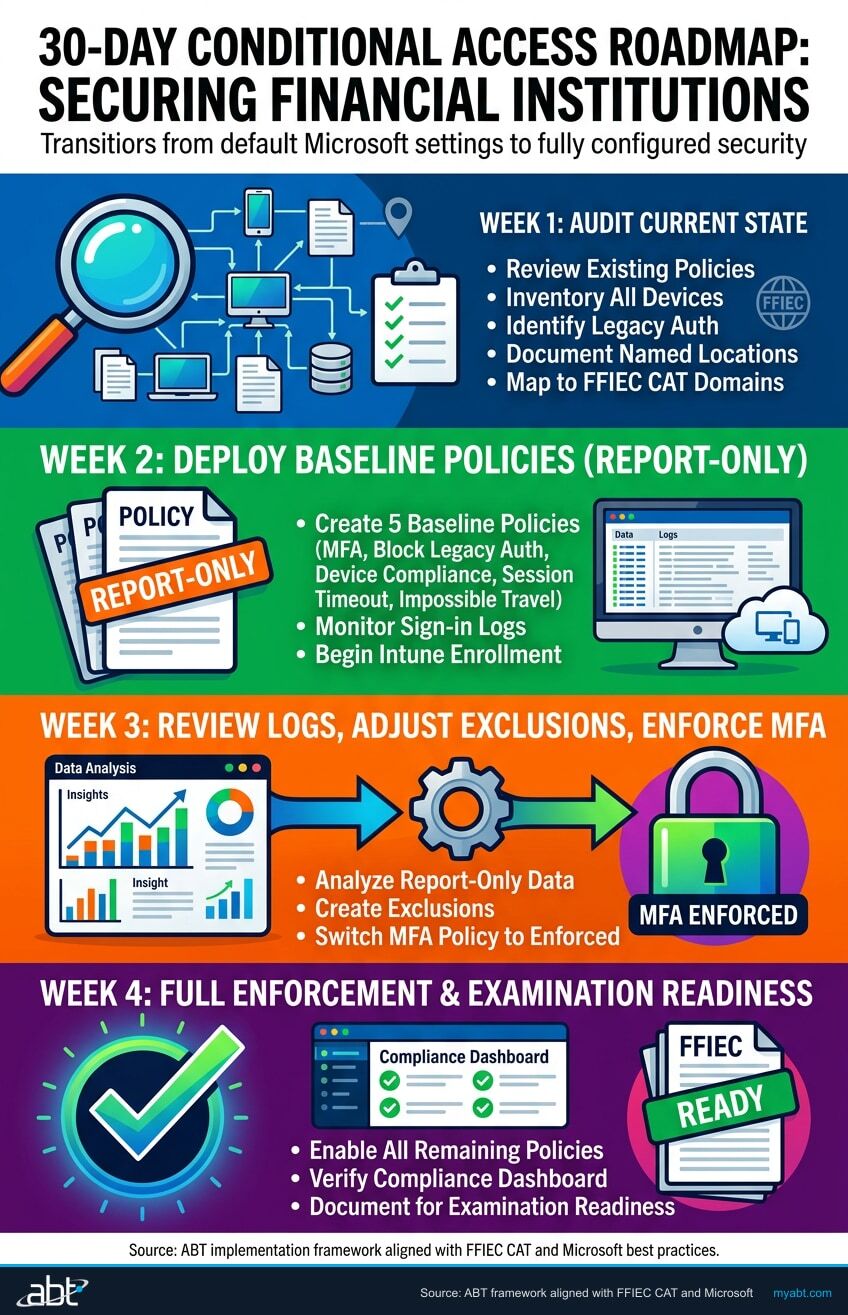
Week 1: Audit Current State and Enable Security Defaults
- Review existing Conditional Access policies (many community banks, credit unions, and mortgage companies have none or only default Microsoft settings)
- If no policies exist, enable Microsoft Security Defaults as a temporary baseline (MFA for all, block legacy auth)
- Inventory all devices accessing M365 (check sign-in logs for device types, OS versions, client apps)
- Identify all legacy authentication connections, core banking integrations, print-to-email, scanner-to-email systems
- Document named locations (branch IPs, operations center IPs, VPN ranges)
- Review FFIEC CAT domain mapping to identify which Conditional Access policies address which examination domains
Week 2: Deploy Baseline Policies in Report-Only Mode
- Create the five baseline policies (MFA, block legacy auth, device compliance, session timeout, impossible travel)
- Set all policies to "Report-only" mode
- Monitor the sign-in logs to identify any users or applications that would be blocked
- Begin Intune enrollment for company-owned devices (start with headquarters and largest branch)
- Communicate to staff: "New security policies are coming. Here is what to expect."
Week 3: Review Logs, Adjust Exclusions, Enforce MFA
- Review two weeks of report-only data
- Create exclusion groups for break-glass accounts and any legitimate service connections (core banking APIs, LOS integrations)
- Switch MFA and legacy auth blocking policies from report-only to enforced
- Deploy Intune MAM policies for BYOD devices (loan officers, mobile bankers, remote staff)
- Configure guest access policies for third-party vendors, fintech partners, and audit firms
Week 4: Enable Device Compliance and Location-Based Controls
Switch from report-only to enforced, non-compliant devices lose access to customer data
Named locations for branches, country blocking for overseas threats
Impossible travel, anonymous IP, password spray, leaked credential detection
OCC, NCUA, FDIC, and state examiners expect written policy documentation
Ongoing: Monthly Policy Review
Conditional Access is not a set-and-forget configuration. Review policies monthly to account for new employees, new branch locations, new vendor relationships, new fintech integrations, and new threat patterns. ABT's Guardian monitoring layer tracks conditional access policy changes and alerts on any modifications, ensuring your policies stay at your intended security level across every branch and every user.
M365 Guardian is the operating model ABT manages on top of Microsoft 365 for community banks, credit unions, and mortgage companies, and the Conditional Access baseline described in this article is what it productizes. Across the 750+ financial institutions ABT manages as a Tier-1 Microsoft Cloud Solution Provider, Guardian deploys the five baseline policies (MFA everywhere, legacy auth blocked, device compliance enforced, session timeouts, impossible travel detection) plus the financial-services scenario policies (branch teller workstations, field loan officers, remote processing, third-party vendor guest access, core banking integration) as the starting tenant configuration, then layers Microsoft Defender for Endpoint, Microsoft Defender for Office 365, Microsoft Defender for Identity, and Microsoft Sentinel telemetry into a 24x7 monitoring posture that catches drift, missed renewals, and new attack patterns before an examiner does. The reason an institution chooses to have ABT manage M365 Guardian rather than build all of this in-house is the same reason an institution chooses a Tier-1 CSP over its IT generalist: the pattern recognition of 750+ similar institutions, the regulatory fluency of 25+ years operating exclusively in financial services, and the operational scale to keep policies current as Microsoft adds features and FFIEC, NCUA, OCC, FDIC, and state regulators sharpen expectations.
For more on building a comprehensive identity and access management strategy, see our guides on Zero Trust Device Security Gaps and Risk-Based Intune Device Compliance.
Your Examiner Will Ask About Conditional Access
Two paths to identity security readiness, pick the one that fits where you are today.
Security Grade Assessment
Automated evaluation of your M365 tenant against 100+ benchmarks mapped to FFIEC CAT domains. See your conditional access gaps in 48 hours.
Get Your Security GradeExpert Consultation
30-minute session with an architect who has deployed conditional access policies at 750+ financial institutions since 1999.
Talk to an ABT financial services security architectFrequently Asked Questions
Conditional Access requires Microsoft Entra ID P1, which is included in Microsoft 365 Business Premium, E3, and E5 licenses. Advanced features like sign-in risk policies and user risk policies require Entra ID P2, available in M365 E5 or as a standalone add-on. Most community banks, credit unions, and mortgage companies on Business Premium have the baseline Conditional Access functionality they need. The P2 features add risk-based intelligence that regulators increasingly expect to see, particularly for institutions above $1 billion in assets.
Conditional Access policies address access control requirements across multiple regulatory frameworks. For banks, the OCC and FDIC expect access controls aligned with FFIEC guidance on authentication and access rights administration. For credit unions, the NCUA expects controls consistent with Part 748 Appendix A information security requirements. For non-bank mortgage lenders, the FTC Safeguards Rule requires access controls based on user role and business need, MFA for anyone accessing customer data, and monitoring for unauthorized access. Conditional Access policies directly implement all of these requirements within Microsoft 365 by controlling who can access what resources, from which devices, and under which conditions. Your Conditional Access policy documentation serves as compliance evidence during examinations regardless of your charter type.
Conditional Access policies reduce BEC risk by making it harder for attackers to access compromised email accounts. When an attacker obtains stolen credentials, Conditional Access policies block the sign-in if the device is not compliant, the location is suspicious, or the risk level is elevated. This forces the attacker through additional verification barriers. For mortgage companies, this protects against closing wire fraud. For banks, it protects against fraudulent ACH and wire transfer instructions. For credit unions, it protects against member impersonation schemes. Combined with mail flow rules that flag messages containing wire transfer or ACH language, Conditional Access significantly raises the difficulty of executing a BEC attack at any type of financial institution.
Use Microsoft Intune Mobile Application Management without full device enrollment. This creates a protected container on the personal device for M365 apps like Outlook and Teams. The Conditional Access policy allows access to email and calendar from MAM-protected apps but blocks access to SharePoint document libraries containing customer files unless the device is fully enrolled and compliant. This gives field staff, loan officers, mobile bankers, commercial relationship managers, access to communication tools while keeping sensitive documents restricted to company-managed devices. When an employee leaves, IT wipes the container without touching personal data on the phone.
Security Defaults is a one-size-fits-all toggle that enables basic MFA and blocks legacy authentication for all users. It cannot be customized. Conditional Access policies provide granular control: different requirements for different users, devices, locations, applications, and risk levels. Financial institutions should use Conditional Access policies instead of Security Defaults because banking, credit union, and mortgage operations require scenario-specific policies, branch teller workstations, field loan officers, third-party vendor access, core banking integrations, and different device types, that Security Defaults cannot accommodate. Examiners will ask why you are using Security Defaults instead of tailored policies.
The August 2025 Marquis Financial Group breach exposed 823,000 customer records across more than 80 community banks and credit unions. Attackers compromised VPN credentials and bypassed MFA to access shared service infrastructure. This breach illustrates three critical gaps that Conditional Access policies address: first, device compliance policies would have blocked access from unmanaged devices even with valid VPN credentials; second, location-based policies could have restricted access to known network ranges; third, risk-based sign-in detection would have flagged the anomalous access patterns. The breach also highlights the third-party vendor risk that financial institutions face through shared service providers, another scenario where guest access and service account Conditional Access policies provide a critical control layer.