In This Article
- What a Ransomware Attack Does to a Financial Institution
- How the Attack Actually Gets In
- The Controls That Stop Ransomware
- Your Backups Are the Real Target
- Detection and Response: the Part Most Institutions Skip
- What Examiners and Federal Guidance Expect
- A 90-Day Ransomware-Readiness Plan
- Frequently Asked Questions
Picture a Monday morning at a community bank. Tellers log in and every shared drive shows the same file: a ransom note. Loan documents, wire instructions, and the core banking exports are all encrypted. The bank cannot process transactions, cannot answer member questions with accurate balances, and cannot say for certain whether customer data left the building. That is the moment ransomware stops being an IT problem and becomes a business-continuity problem, a regulatory problem, and a trust problem, all at once.
Ransomware protection for financial institutions is really about keeping the doors open and the members served, even on the worst day. Banks, credit unions, and mortgage companies run on uptime and on the confidence that money and records are safe. A single successful attack threatens both. The good news is that the controls that stop these attacks are well understood, and for institutions already running Microsoft 365, most of them are already in the license. They just have to be turned on, tuned, and watched.
This guide walks through what a ransomware attack costs a financial institution, how attackers actually get in, the layered controls that stop them, and the detection and response work that separates a scare from a disaster. Along the way it maps each control to the specific Microsoft tools that deliver it, so you can see exactly where your existing investment already covers you and where it does not.
What a Ransomware Attack Does to a Financial Institution
The ransom demand is rarely the biggest number. The real damage is the recovery: rebuilding systems, validating data, paying incident-response firms and outside counsel, notifying customers and regulators, and absorbing the business you lost while the lights were off. Sophos put the average recovery cost for a financial services organization at $2.58 million in its 2024 study, up from the year before. That figure sits on top of any ransom, not in place of it.
For a regulated institution, the clock starts fast. A ransomware event that touches customer information can trigger notification duties under the Gramm-Leach-Bliley Act and the FTC Safeguards Rule, and credit unions face the NCUA's 72-hour cyber-incident reporting rule. Examiners will want to see your incident-response plan, your evidence that backups worked, and a timeline of what you knew and when. An attack is not just an outage. It is a documented event you will answer for.
Why This Matters for Financial Institutions
A manufacturer that goes dark for three days loses three days of production. A bank or credit union that goes dark for three days loses member trust that took years to build, and it does so under a regulator's eye. The cost of ransomware in financial services is measured in recovery dollars, examiner scrutiny, and the members who quietly move their accounts after they read about it. That is why the sector cannot treat ransomware as ordinary downtime.

How the Attack Actually Gets In
Modern ransomware is rarely a lone virus that lands by accident. It is the last step of a human-operated intrusion. Attackers get a foothold, look around, steal data, find the backups, and only then trigger encryption, often at 2 a.m. on a holiday weekend when nobody is watching. Understanding the path in is what lets you close it.
Three entry routes dominate. The first is a stolen or phished credential: an employee types their password into a convincing fake login page, and the attacker walks in as that user. The second is a tricked employee who runs an attachment or approves a malicious sign-in. The third, growing fast, is an unpatched software vulnerability. Verizon's 2026 Data Breach Investigations Report found that roughly 31% of breaches now begin with an exploited vulnerability, and its 2025 report found ransomware present in 44% of analyzed breaches, up from 32% the prior year. Those are cross-industry numbers, and financial institutions sit squarely in the target set because that is where the money and the data are.
A loan processor gets an email that looks like a shared document from a title company. She signs in on the linked page. It is fake. The attacker now has her password and, without multifactor authentication, her full mailbox and file access.
Over the next week the attacker reads email quietly, maps the network, copies borrower files for extortion, deletes what backups it can reach, and then encrypts the loan origination system on Saturday night. Monday, the institution cannot close loans.
One more shift matters for financial institutions: modern ransomware is usually double extortion. Before anything gets encrypted, the attacker copies sensitive data, borrower files, account records, employee information, and threatens to leak it unless you pay, even if your backups are perfect. That changes the math. A clean restore gets your systems back, but it does nothing about stolen customer data that now carries breach-notification duties. Stopping the intrusion early, before the copy, is the only real defense against the extortion half of the attack.
Notice how much has to go right for the attacker and how many places you could have stopped it: a blocked sign-in, a flagged download, a patched server, an alert on the unusual data copy, a backup it could not touch. Ransomware defense is not one wall. It is a series of them, and you only need one to hold.
The Controls That Stop Ransomware
The controls that actually stop ransomware are not exotic. They are the layered basics, done consistently and watched around the clock. For institutions running Microsoft 365, most of these map to tools already in your tenant. The work is turning them on in enforcement mode, configuring them for a regulated environment, and making sure someone is watching the alerts they produce.
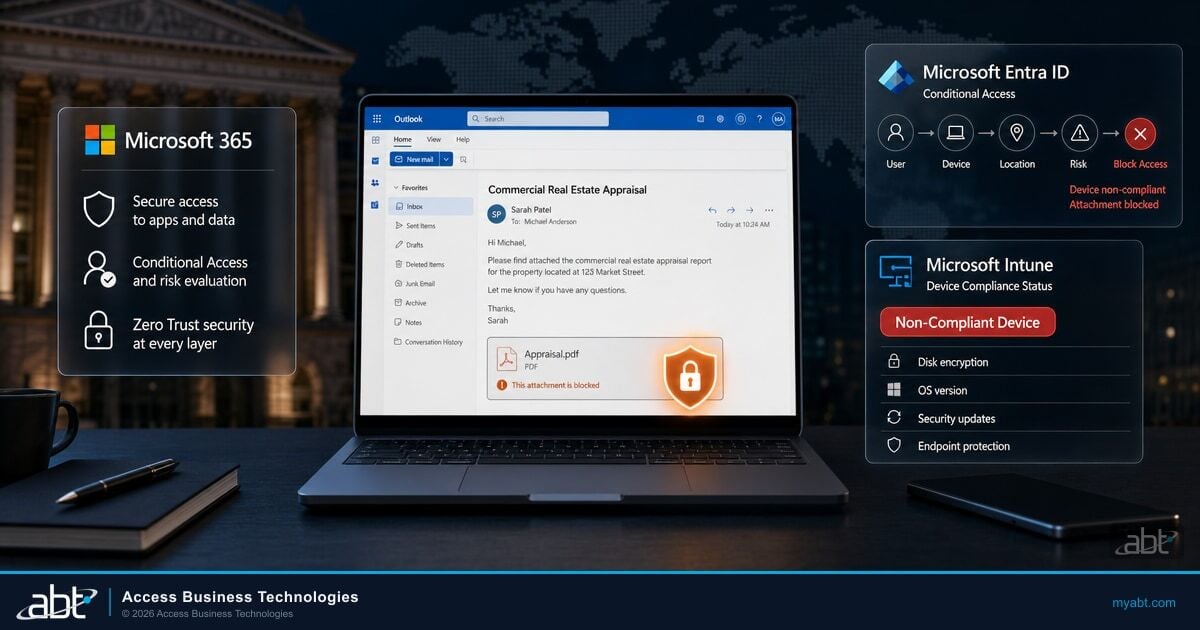
Stop stolen passwords from working. Microsoft Entra ID Conditional Access enforces MFA and blocks legacy authentication that skips it.
Catch the intrusion on the device before it spreads. Microsoft Defender for Endpoint watches for the behaviors that precede encryption.
Block the phishing lure at the door. Microsoft Defender for Office 365 filters malicious links and attachments across email and Teams.
Limit what a compromised account can reach and copy. Microsoft Purview classifies sensitive data and flags mass exfiltration.
Close the exploited-vulnerability route. A managed update discipline for servers, endpoints, and edge devices removes the fastest-growing entry path.
Make recovery possible without paying. Backups that attackers cannot alter or delete, running on Azure, are the control that decides the outcome.
Identity is the hinge. Most human-operated ransomware starts with a working credential, which is why turning on strong authentication is the single highest-value move most institutions can make. Our guide to phishing-resistant MFA for financial institutions covers how to roll it out without breaking daily work, and the email layer matters just as much, which is why Microsoft Defender for Office 365 belongs in front of every mailbox.
Microsoft's security research has found that multifactor authentication blocks more than 99% of account-compromise attacks. Because most ransomware in financial services begins with a working credential, that one control quietly removes the most common first step of an attack. It is also the control examiners ask about first, and the one that costs the least to turn on.
Your Backups Are the Real Target
Attackers know that a good backup is what lets you say no to the ransom, so they hunt your backups before they encrypt anything. In the Sophos financial-services study, 90% of institutions hit by ransomware said the attackers tried to compromise their backups, and just under half of those attempts, 48%, succeeded. When the backup falls with everything else, the ransom stops being optional.
The fix is backups the attacker cannot reach or rewrite. That means immutable copies that cannot be altered or deleted for a set retention window, storage isolated from the production identity so a compromised admin account cannot wipe it, and restores you have actually tested against your recovery-time objective. Many institutions discover the hard way that Microsoft 365 keeps your data available but does not, by default, protect you from your own data being maliciously encrypted or deleted and then aged out. We cover that gap in detail in the Microsoft 365 backup gap for banks and credit unions.
Key Takeaway
A backup you have never restored is a hope, not a plan. The institutions that walk away from a ransom are the ones whose backups are immutable, isolated from production identity, and tested on a schedule. Everything else in ransomware defense buys you time; the backup is what actually gets you your business back.
Detection and Response: the Part Most Institutions Skip
Prevention controls reduce the odds. Detection and response decide what happens when something slips through anyway. There is a striking signal in the data here: financial services reported the sharpest drop in the share of attacks that actually reached encryption, falling to under half from 81% the year before, according to the Sophos study. The sector that catches intrusions early is the sector that keeps them from becoming full-blown encryption events. Speed is the whole game.
Speed requires someone watching. Microsoft Defender generates the signals, and Microsoft Sentinel, the cloud security information and event management and automated-response service that runs in Azure, correlates them into a picture a human can act on. Sentinel is an Azure-native service with its own licensing, separate from your Microsoft 365 tenant, which is exactly why detection and response is where do-it-yourself security stalls. The tools exist. The 2 a.m. analyst usually does not.
Ransomware does not wait for business hours. If nobody is watching your alerts at 2 a.m. on a holiday weekend, that is precisely when the encryption starts.
This is the gap ABT's Guardian operating model is built to close. ABT manages your Microsoft 365 tenant and runs Microsoft Defender and Sentinel in your Azure environment as a managed detection and response service, so the alerts that matter reach a real analyst who can isolate a device, disable an account, and stop the spread before encryption begins. It is the difference between an alert nobody reads and an intrusion someone ends. Continuous coverage is the point, which is why continuous security monitoring for financial institutions is a control in its own right, not a nice-to-have.

What Examiners and Federal Guidance Expect
Ransomware readiness is not only good practice. It is increasingly what examiners look for. Regulatory and government guidance, from the FFIEC IT handbooks to NCUA and FDIC expectations and CISA's #StopRansomware program, commonly emphasizes the same short list: multifactor authentication, endpoint monitoring, tested and segregated or immutable backups, and a rehearsed incident-response plan. No single agency dictates one exact product stack, but the through-line is consistent, and an examiner who finds you missing one of these will note it.
The part institutions most often shortchange is the rehearsed response. A plan in a binder is not a plan. Examiners increasingly ask when you last ran a tabletop exercise, who has authority to disconnect systems, how you would notify members within your required window, and how you would keep operating in a prolonged outage. That last question overlaps with your broader continuity planning, which is why ransomware readiness and Azure disaster recovery for financial institutions belong in the same conversation.
A 90-Day Ransomware-Readiness Plan
You do not have to fix everything at once, and you should not try. Ransomware readiness is a sequence: shut the most common doors first, make recovery bulletproof, then add the eyes that catch what gets through. Here is a realistic 90-day path for an institution already on Microsoft 365.
Enforce multifactor authentication through Entra Conditional Access, block legacy authentication, and turn Microsoft Defender for Endpoint and Defender for Office 365 into enforcement mode across every user and device. This removes the two most common entry routes first.
Stand up immutable, isolated backups on Azure, confirm they cover your core systems and Microsoft 365 data, and run a real restore test against your recovery-time objective. Fix the patching backlog on servers and internet-facing devices.
Route Defender and Sentinel signals to a monitored detection-and-response capability with 24/7 coverage, and run a tabletop exercise of your incident-response plan so the team has practiced the day before it happens.
Find out where your ransomware defenses actually stand
ABT is a Tier-1 Microsoft Cloud Solution Provider dedicated to financial institutions. We will review your Microsoft 365 tenant, your identity and backup posture, and your detection coverage, then show you exactly which controls are on, which are missing, and what a monitored Guardian operating model would change.
Frequently Asked Questions
Not by itself. Microsoft 365 includes strong ransomware controls, such as Entra ID Conditional Access, Microsoft Defender for Endpoint, Defender for Office 365, and Purview, but they have to be turned on in enforcement mode, configured for a regulated environment, and monitored. Immutable backup and Microsoft Sentinel are Azure-based and separately licensed, not part of the Microsoft 365 subscription. A complete program is a layered operating model, not a single license.
Multifactor authentication is the highest-value single control, because most human-operated ransomware begins with a stolen or phished credential. Microsoft's security research has found that MFA blocks more than 99% of account-compromise attacks. Enforcing it through Entra ID Conditional Access and blocking legacy authentication removes the most common first step of an attack.
Attackers target backups because a working backup lets you refuse the ransom. In the Sophos financial-services study, 90% of institutions hit by ransomware said attackers tried to compromise their backups, and 48% of those attempts succeeded. Protect yours with immutable copies that cannot be altered or deleted for a set retention window, storage isolated from your production identity, and restores you test regularly against your recovery-time objective.
The recovery cost usually dwarfs the ransom. Sophos put the average recovery cost for a financial services organization at $2.58 million in its 2024 study, up from the year before, and that is separate from any ransom paid. The full cost also includes regulatory notification, examiner scrutiny, incident-response and legal fees, and lost business during the outage.
Regulatory and government guidance, including the FFIEC IT handbooks, NCUA and FDIC expectations, and CISA's #StopRansomware program, commonly emphasizes multifactor authentication, endpoint monitoring, tested and segregated or immutable backups, and a rehearsed incident-response plan. Examiners increasingly ask when you last ran a tabletop exercise and want evidence that your backups actually restore. Credit unions also face the NCUA's 72-hour cyber-incident reporting rule.
For most community banks and credit unions, yes. The tools to detect an intrusion exist in Microsoft Defender and Microsoft Sentinel, but ransomware strikes off-hours, and few institutions can staff a 24/7 security operation in-house. A managed detection and response service watches the alerts around the clock and can isolate a device or disable an account before encryption starts, which is the window that decides the outcome.