


Your Microsoft 365 backup belongs in a tenant you own, locked so nobody can change it.
M365 Guardian Vault keeps a locked copy of your Microsoft 365 email and files in a separate Microsoft tenant in your institution's name. You hold the Microsoft agreement for that tenant, and your data stays in it. ABT runs it through separate, approval-gated partner access, and the storage lock holds against every administrator, ours included.
- A vault tenant in your name, under your own Microsoft Customer Agreement
- Copies held under a locked Azure retention policy that can be extended and never shortened
- Its own application and its own lock for every institution
What is M365 Guardian Vault?
M365 Guardian Vault is ABT's Microsoft 365 backup that writes a locked copy of your email and files into a separate Microsoft tenant your institution owns, under its own Microsoft Customer Agreement.
Each copy is held under a locked Azure retention policy that every administrator, ABT's included, can extend and can never shorten, and the vault tenant holds no user accounts.
ABT, a Tier 1 Microsoft Cloud Solution Provider serving 750+ financial institutions since 1999, builds the vault tenant and its Azure subscription in your name and runs it for you through separate, approval-gated partner access.
A shared backup platform keeps your copy in its own storage and reaches your mail through an application that also reaches its other customers. The vault moves the copy into a tenant you own and gives it a lock that answers to a clock, so the questions a board and an examiner ask about backup have short, written answers: where the copy lives, who can change it, and how you get it back.
The vault sits beside the everyday recovery your Microsoft 365 tenant already provides. Deleted mail and files still come back from your own tenant through Microsoft's built-in recovery and your tenant's retention policies. The vault is the copy you reach for when everything else is gone.
Why should your Microsoft 365 backup live in a tenant you own?
In October 2026, attackers used one stolen credential from a widely used backup application to sign in to more than 160 Microsoft 365 tenants, and that provider paused its customers' scheduled backups. Shared backup platforms put many customers behind one key. The vault gives every institution its own tenant, its own application and its own lock, so a problem at one stays at one.
The pattern is older than October. In 2023, ransomware at a single technology provider left about 60 credit unions working through outages at the same time. When one provider holds many institutions' systems, one event reaches all of them, and the backup is the part that has to survive it.
| Question | A shared, multi-customer backup platform | M365 Guardian Vault |
|---|---|---|
| Where does the backup copy live? | In the platform's storage, run for many customers at once | In Azure storage inside a separate Microsoft tenant in your institution's name |
| Who holds the Microsoft agreement? | The platform provider holds its own agreements with its suppliers | Your institution, under its own Microsoft Customer Agreement for the vault tenant |
| What reaches your Microsoft 365 data? | A multitenant application consented in every customer's tenant, so one credential is shared across customers | An application created for your institution alone, so its credential reaches one institution |
| Who can shorten retention or delete a copy? | Whoever administers the platform, under the platform's own controls | Nobody: the locked Azure policy can be extended and never shortened, for ABT and for you |
| Who signs in to the place the backup lives? | The platform's operators and its customers' administrators | The vault tenant holds no user accounts; ABT works through separate partner access with just-in-time approval |
| What happens when you leave? | You export what the platform lets you take | The tenant is already yours; the Azure subscription moves to your next partner or into your own subscription |
Microsoft describes a multitenant application as one that is "available to users in both their home tenant and other tenants." The vault uses single-customer applications by design.
Ask where your backup lives today, and who holds its key
We'll read your Microsoft 365 tenant, list every application that can reach your mail and files, and show you what a vault in your institution's name would look like, priced with a measured storage estimate.
Ask about M365 Guardian VaultHow does the vault keep a copy nobody can change?
Your tenant, your data
Each vault is a separate Microsoft tenant created in your institution's name. Microsoft requires that "the customer must accept the Microsoft Customer Agreement" before a partner orders services for it, so your institution signs for the vault tenant itself. The data in it stays in a tenant you legally own.
Locked
Backup copies sit under a locked, time-based Azure retention policy applied to each version of each file. Microsoft states that data under such a policy "can't be modified or deleted by any user, not even by users with account administrative privileges," and that on a locked policy "You can extend the retention period, but you can't decrease it."
Apart
The vault tenant holds no user accounts. ABT reaches it through partner access groups kept separate from the ones that manage your production tenant, and every elevation needs just-in-time approval. Premium adds an emergency account your institution holds on a hardware key, limited to reading and retrieving copies.
Readable copies
Mail is written per person, per day, as a ZIP of standard .eml files plus Microsoft's own export format, then locked. A catalog kept in your own storage indexes every copy by person and date, so a restore starts from an index you own.
One application per institution
Every institution gets its own application identity, created for that institution alone. One stolen secret opens one vault, and every other institution's vault stays closed.
How does a backup get into the vault, and how do you get it back?
- Capture. Mail is captured every 15 minutes and written per person, per day, as standard .eml files plus Microsoft's own export format.
- Lock. Each copy is locked under an Azure retention policy that can be extended and never shortened.
- Catalog. A catalog in your own storage indexes every copy by person and date.
- Restore. ABT restores one mailbox, OneDrive or site per job, into your tenant or a new one.
- Prove. You receive a signed Recovery Test Report: yearly on Standard, quarterly on Premium.
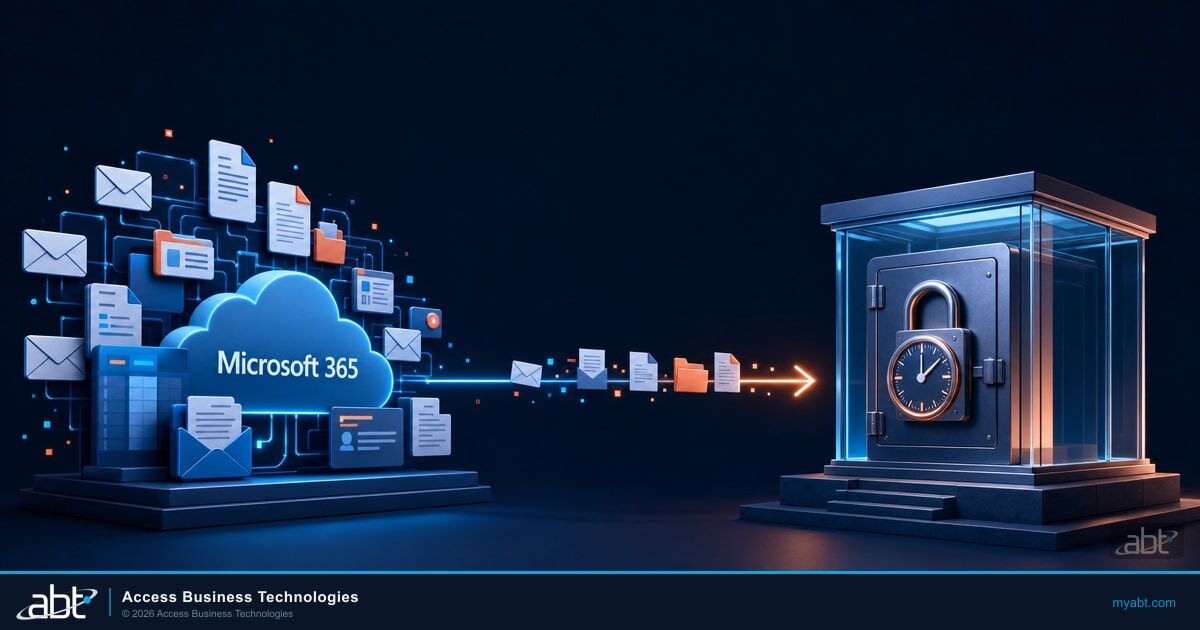
Deleted mail and files come back from your own Microsoft 365 tenant through Microsoft's built-in recovery and your tenant's retention policies. Use those for the everyday request. The vault is the copy you reach for after ransomware, a compromised administrator, or a loss nobody noticed until the retention clock ran out.
If ransomware hit this afternoon, could you get it all back?
Subscribe to ABT on YouTube for short explainers like this one.
Why can a Tier 1 Microsoft partner build backup this way?
ABT is a Tier 1 Microsoft Cloud Solution Provider. We buy directly from Microsoft and create the vault tenant and its Azure subscription in your name through Microsoft's partner platform, with no third-party backup service in the path.
Microsoft describes a direct-bill partner as one that purchases "Microsoft products and subscriptions directly from Microsoft" and must "sell to, bill, manage, and support their customers autonomously." The same program sets its bar at "at least USD one million in CSP trailing 12 months (TTM) transactional revenue."
That direct relationship is what lets ABT open a new Microsoft tenant in your institution's name, have your institution accept its own Microsoft Customer Agreement for it, attach an Azure subscription, and run the whole vault from Microsoft's own building blocks. ABT manages your Microsoft 365 tenant and hosts the vault's Azure environment, and the two stay in separate tenants with separate access.
What will your examiner see?
Your examiner sees a tested restore, a lock-status record and a letter that maps the vault to the rules you answer to: NYDFS 500.16, NCUA part 749, the interagency third-party guidance and the FTC Safeguards Rule.
The table below quotes what each rule asks for and shows the part of the vault that answers it; regulatory determinations stay with your institution and its examiner.
| Rule | What it asks for, quoted | The part of the vault that answers it |
|---|---|---|
| NYDFS 23 NYCRR 500.16(e) | "The backups shall be adequately protected from unauthorized alterations or destruction." | The locked Azure retention policy, with a lock-status record |
| NYDFS 23 NYCRR 500.16(d)(2) | Testing of the "ability to restore its critical data and information systems from backups" | The signed Recovery Test Report, yearly on Standard and quarterly on Premium |
| NCUA 12 CFR part 749, effective 16 July 2026 | "safeguards against the simultaneous destruction of production and back-up information" | A separate tenant with its own access, apart from production administration |
| Interagency Guidance on Third-Party Relationships | "Provide for the timely return or destruction of the banking organization's data, information, and other resources;" | The data already sits in your institution's tenant; leaving moves the Azure subscription |
| FTC Safeguards Rule, 16 CFR 314.4(h) | "Establish a written incident response plan designed to promptly respond to, and recover from, any security event" | A tested restore path and copies in standard, readable formats |
| NCUA letter to credit unions on board cybersecurity oversight | "Your board should ensure management regularly backs up all critical data and that these backups are securely stored." | A board-ready evidence pack: lock status, test results and restore history |
Each quotation links to its full text in the references at the bottom of this page.
What does M365 Guardian Vault cost?
| Plan | What is covered | Copies and testing | Price |
|---|---|---|---|
| Standard | One locked copy in your vault tenant, a 5-year lock by default, a yearly Recovery Test Report | $8 per user per month | |
| Premium | Email, OneDrive, SharePoint and Teams files | A second locked copy outside ABT's Microsoft billing, quarterly Recovery Test Reports and a customer-held emergency key | $10 per user per month |
Prices are on annual terms and exclude Azure storage, which is billed at Microsoft's price on its own line.
On every plan
- Azure storage at Microsoft's price, on its own line, with a measured monthly estimate in your quote.
- A 50-user monthly minimum: $400 a month on Standard, $500 a month on Premium.
- Terms: annual terms at list. 24- and 36-month terms lock the per-user price for the whole term. Month-to-month runs at list plus 20%, with 30 days' notice either way.
- One-time setup of $2,500, waived for current M365 Guardian customers.
- Restores from the vault bill Microsoft's retrieval price plus ABT's restore time.
Storage is a separate line because mailboxes at financial institutions vary widely, and mortgage mailboxes can run to hundreds of gigabytes. Billing storage at Microsoft's price means no fair-use cap: you see the measured estimate before you sign, and the line moves with what you actually keep.
The vault sits alongside the M365 Guardian security service and can be added to any Guardian plan.
Microsoft documentation and the rules quoted on this page
Backup, insurance and exams on Microsoft 365
Questions institutions ask about M365 Guardian Vault
M365 Guardian Vault is ABT's Microsoft 365 backup for banks, credit unions and mortgage companies. It writes a locked copy of your email, and on Premium your OneDrive, SharePoint and Teams files, into a separate Microsoft tenant created in your institution's name under its own Microsoft Customer Agreement. Each copy is held under a locked Azure retention policy that can be extended and never shortened, and ABT runs the vault through separate, approval-gated partner access.
Your institution does. The vault is a separate Microsoft tenant created in your institution's name, and your institution accepts the Microsoft Customer Agreement for it, which Microsoft requires before a partner can order services on a customer's behalf. Your backup copies and the catalog that indexes them stay in that tenant's Azure storage. ABT operates the vault for you through partner access.
Once a copy is under the vault's locked Azure retention policy, nobody can change or delete it before its retention period ends, ABT and your own administrators included. Microsoft states that data under this kind of policy cannot be modified or deleted by any user, even users with account administrative privileges, and that a locked policy's retention period can be extended and never decreased. A lock-status record goes into your evidence pack so your board and examiner can see it.
A shared platform reaches many customers through one application, so one stolen credential can reach all of them. In October 2026, attackers used one stolen credential from a widely used backup application to sign in to more than 160 Microsoft 365 tenants, and that provider paused its customers' scheduled backups. The vault gives every institution its own tenant, its own application and its own lock, so a problem at one institution stays at that institution.
Standard is $8 per user per month and covers email with a 5-year lock by default and a yearly Recovery Test Report. Premium is $10 per user per month and adds OneDrive, SharePoint and Teams files, a second locked copy outside ABT's Microsoft billing, quarterly Recovery Test Reports and a customer-held emergency key. Both carry a 50-user monthly minimum. Azure storage is billed at Microsoft's price on its own line, with a measured estimate in your quote. Annual terms are at list, 24- and 36-month terms lock the price, and month-to-month runs at list plus 20%. Setup is $2,500 one time, waived for current M365 Guardian customers.
Mailbox sizes vary widely between institutions, and mortgage mailboxes can run to hundreds of gigabytes. Billing storage at Microsoft's price on its own line means there is no fair-use cap, and the line follows what you actually keep. Every quote carries a measured monthly storage estimate before you sign.
They stay where they are, in a tenant your institution already owns. The vault's Azure subscription moves to your next Microsoft partner or into your own subscription, and the copies, the lock and the catalog move with it. The copies are written in standard formats, .eml files plus Microsoft's own export format, so any team can read them.
The vault works alongside it. Deleted mail and files still come back from your own Microsoft 365 tenant through Microsoft's built-in recovery and your tenant's retention policies, which is the right tool for an everyday request. The vault is the copy you reach for after ransomware, a compromised administrator, or a loss nobody noticed until the retention clock ran out.
ABT restores one mailbox, OneDrive or site per job, into your production tenant or into a new one. The catalog kept in your own storage indexes every copy by person and date, so each restore starts from a known copy. Restores from the vault bill Microsoft's retrieval price plus ABT's restore time, and each one is documented for your records.
A tested restore, a lock-status record and a letter that maps the vault to the rules you answer to: NYDFS 500.16, NCUA part 749, the interagency third-party guidance and the FTC Safeguards Rule. Standard includes a yearly Recovery Test Report and Premium includes one each quarter.
ABT maps the vault to the backup questions on your carrier's own application, such as whether backups are separated from production, protected from alteration and tested. Carriers word those questions differently and set their own terms, so the mapping is done against your form at renewal.
Find out where your backup lives today.
We'll show you the vault beside it.
Tell us roughly how many users you have, whether you are a bank, a credit union or a mortgage company, and how you back up Microsoft 365 today.
Our engineers read your tenant and come back in writing: every application that can reach your mail and files, how your current retention compares with what an examiner may ask for, and a measured storage estimate for a vault in your institution's name.
What should we look at? Optional.
Encrypted. Private.
Thank you. That is with us.
An ABT specialist will be in touch shortly. If you already know your user count or how you back up today, reply with it and we will start there.
