In This Article
- What Microsoft found in the RMM phishing campaigns
- Why signed remote tools slip through
- The administrator prompt decided the outcome
- Block every remote tool outside your approved list
- The Defender alerts Microsoft named
- Train staff on downloads, too
- Questions to prepare for your board and examiners
- How ABT helps financial institutions
- Frequently Asked Questions
Your staff open signature requests, accept meeting invites, and update PDF readers as part of the job. Loan files move on e-signatures. Board packets arrive as PDFs. On September 29, Microsoft Defender Experts reported phishing campaigns that turned exactly those everyday requests into installs of real remote management software.
The software was legitimate. Attackers renamed a digitally signed copy of MSP360 RMM, a remote monitoring and management (RMM) tool, to look like a meeting invitation, a Zoom setup file, or a PDF reader. Once a user ran it and approved the Windows administrator prompt, the attackers used it to install ConnectWise ScreenConnect as a second way into the same computer.
This is RMM phishing. For credit unions, banks, and mortgage companies, the settings that block it live in Windows, Microsoft Intune, and Microsoft Defender.
Three decisions matter most: staff sign in as standard users, so that administrator prompt asks them for credentials they don't have; App Control for Business blocks every remote tool your institution hasn't approved on the devices Intune manages; and every Defender alert that names remote management software gets a response, including at night. The first two are configuration projects, set once and kept current. The third needs coverage at 2 a.m., and ABT, a Tier-1 Microsoft Cloud Solution Provider serving more than 750 financial institutions, provides it through Microsoft 365 Guardian: automated containment at the Contain level, and a human on the incident at any hour at the Resolve level.
What Microsoft found in the RMM phishing campaigns
Microsoft published its RMM phishing research on September 29 under the title "Phishing Abuses RMM Tools for Persistent Access." Defender Experts observed the campaigns in July 2026 against organizations across multiple industries. Microsoft tracks the activity as unattributed.
The lures were ordinary business requests. Microsoft lists workplace meeting requests, Zoom and Google Meet installation prompts, Adobe Acrobat and PDF reader updates, RSVP invitations and e-cards, job offer documents, document review and signature requests, and DHL and other package-delivery notices. One file was named to look like a Social Security statement, and Microsoft shows a tax-document lure.
The links led to pages that imitated document-sharing portals, invitation workflows, Adobe Reader downloads, and Zoom installation pages. The files sat on attacker domains, on websites Microsoft assessed as compromised, and on Amazon S3, Cloudflare R2, Dropbox, GitLab, and Supabase. Many downloads that looked like different files turned out to be the same MSP360 installer.
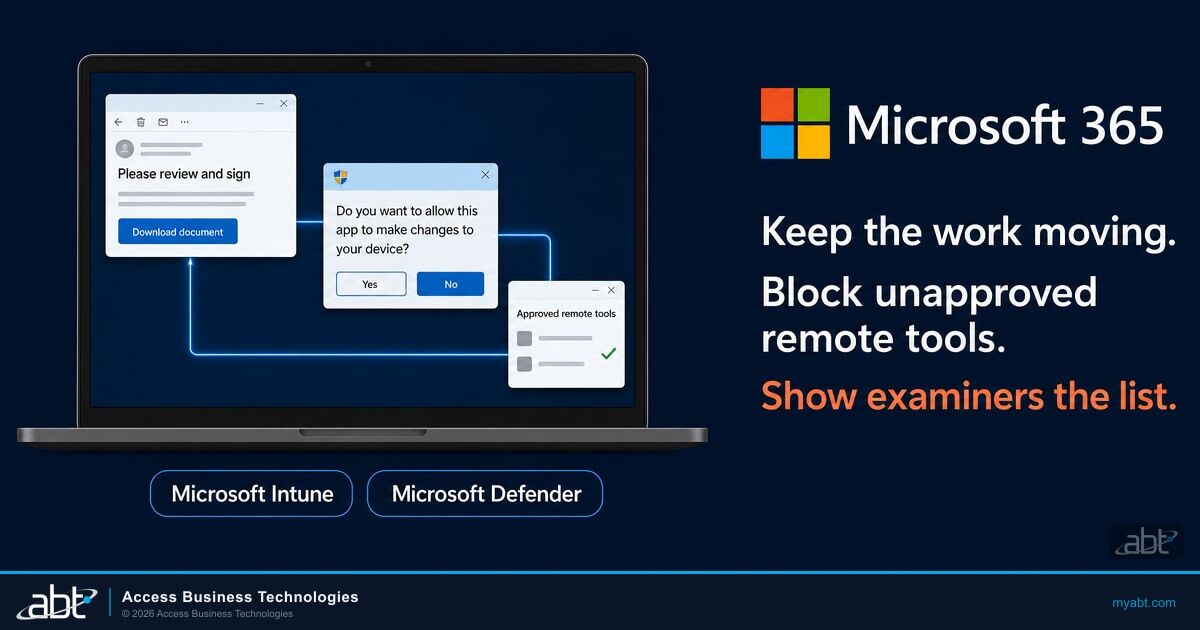
Here's the RMM phishing chain Microsoft describes, step by step:
A meeting invite, signature request, or PDF update links to a download page.
A renamed, digitally signed MSP360 RMM installer, hosted on an attacker site or a cloud file service.
The installer asks Windows for administrator rights, and the user approves.
The MSP360 agent runs PowerShell and silently installs a ScreenConnect client.
Tools disguised as Windows and Defender components support credential access and information collection.
Step four is what makes the attack durable. The MSP360 agent downloaded a package named ClientSetup.msi and installed it through msiexec.exe with the /qn switch, so the user saw no installer window. That gave the attackers two separate remote channels into the same machine. Microsoft says the attackers misused legitimately obtained copies of both products, and it observed no exploitation of ScreenConnect itself.
Through ScreenConnect, the attackers dropped files named to pass as Windows, Microsoft Defender, Phone Link, and security components, such as WindowsSecurity_Password.exe, WindowsSecurity_PIN.exe, HideCursor.exe, and BannerHider.exe. Microsoft says several of these tools are associated with credential access, information collection, and reducing what defenders can see.
Why signed remote tools slip through
Remote monitoring and management tools exist so an IT team can fix a computer without walking to it. Microsoft spells out what that includes: remote command execution, software deployment, file transfer, and persistent service-based access. Every one of those features serves an attacker just as well.
Because the installer is a real, signed product, it looks like routine IT software to the person running it, and it can look routine to security tools as well. The Cybersecurity and Infrastructure Security Agency (CISA), the NSA, and MS-ISAC put it plainly in a 2023 joint advisory: "The use of RMM software generally does not trigger antivirus or antimalware defenses."
Microsoft notes that the certificate on the MSP360 sample in this campaign has since been revoked. In separate July activity, the same play ran on Faronics Deploy Agent, another legitimate remote access application, which the attacker then used to install ScreenConnect. An approved-tools list outlasts any one certificate.
Criminals have pointed these tools at bank accounts before. In the advisory, CISA describes a campaign it identified in October 2022:
Help desk-themed phishing emails led recipients to download legitimate ScreenConnect and AnyDesk software, "which the actors used in a refund scam to steal money from victim bank accounts."
Remote tools also show up after Teams voice phishing. In the Teams helpdesk impersonation attack chain, an RMM tool gave the attacker a backup channel. Microsoft's 2026 Digital Defense Report advises limiting remote assistance tools to IT-only groups through endpoint management policy, which it calls "removing a primary foothold mechanism." Our summary of the 2026 Microsoft Digital Defense Report covers the rest of that list.
The administrator prompt decided the outcome
Microsoft's write-up includes a detail every IT committee should hear. The installs that worked passed a Windows User Account Control (UAC) elevation prompt. In Microsoft's words: "When elevation was denied or aborted, the installation terminated before completing deployment of the MSP360 RMM components."
Who can approve that prompt is a setting you control. Microsoft's Windows documentation says that when a standard user runs an app that needs administrator rights, "UAC requires that the user provides valid administrator credentials." Microsoft recommends running each person's primary account as a standard user.
The prompt asks for one click. A single Yes installs MSP360 as a Windows service, and the agent then installs ScreenConnect silently.
Windows asks for an administrator's user name and password. The user can't supply them, so the install ends before the remote tool is in place.
Standard-user accounts stop the installer Microsoft saw. Portable copies of remote tools need a second control. CISA warns that attackers can download RMM software as self-contained, portable executables and "can bypass both administrative privilege requirements and software management control policies." For IT staff who still need local administrator access, Windows LAPS gives every managed device a unique local admin password, so one exposed password opens one machine.
Block every remote tool outside your approved list
Start with a written list. CISA's guidance lists it right after blocking phishing emails: "Audit remote access tools on your network to identify currently used and/or authorized RMM software." Record which remote support tool your IT team or provider uses, who may use it, and on which devices. Any remote tool absent from that list is one to block.
Then enforce the list. Microsoft's recommendation in this campaign is direct: "Use Application Control for Windows to create policies to block unapproved IT management tools."
Microsoft Intune deploys App Control for Business policies to enrolled Windows 10 and Windows 11 devices: Enterprise and Education editions from Windows 10 version 1903, and Professional editions with the updates Microsoft lists. Intune can also act as a managed installer, which tags the apps you deploy through Intune as trusted. CISA adds that application controls should stop both the installation and the execution of portable versions of unauthorized RMM software.
Here's where each control Microsoft and CISA name lives, and what it does against this campaign:
| Control | Where you set it | What it does here |
|---|---|---|
| Standard user accounts | Windows (local administrator group membership) | Staff can't approve the administrator prompt the MSP360 installer needed |
| App Control for Business | Microsoft Intune endpoint security | Lets only approved software run, so an unapproved remote tool stays blocked |
| Certificate indicators | Microsoft Defender for Endpoint (Plan 1 and Plan 2) | Blocks a specific signed application across your devices by its certificate |
| Attack surface reduction rules | Microsoft Defender for Endpoint | "Use advanced protection against ransomware" and "Block process creations originating from PSExec and WMI commands," in block or audit mode |
| Cloud-delivered protection | Microsoft Defender Antivirus | Faster coverage of new attacker tools and techniques |
| Multifactor authentication (MFA) on approved tools | Your approved RMM product, where it supports MFA | Protects the remote tool your IT team does use |
Microsoft notes one limit on certificate indicators: Microsoft-signed certificates can't be blocked. Our guide to risk-based device compliance with Microsoft Intune covers the device side of the same policy work.
As ABT reads Microsoft's guidance, the controls fall into two groups. The first is configuration you set once and keep from drifting: standard-user accounts, App Control for Business, and attack surface reduction rules. The second is attention: an approved-tools list that stays current, and a person who investigates when Defender reports remote management software nobody approved.
The Defender alerts Microsoft named
Microsoft lists the Defender detections that cover this activity. Microsoft Defender Antivirus flags the masqueraded installer as SupportScam:Win32/RogueMSP.MU!MTB, and Microsoft Defender for Endpoint raises these alerts:
- Suspicious usage of remote management software and Uncommon remote access software, when the RMM tool runs.
- Anomaly detected in ASEP registry and Suspicious file registered as a service, when it sets itself up to persist.
- Possible theft of passwords and other sensitive web browser information, when the follow-on tools go after credentials.
Four advanced hunting queries in Microsoft's post look back 30 days: one for the MSP360 installer, one for PowerShell launched by the MSP360 agent, one for ScreenConnect connections to the same attacker infrastructure, and one for files run through ScreenConnect. If you find unapproved RMM software, Microsoft says to reset passwords for the accounts used to install the RMM services. If a system-level account installed it, Microsoft adds, further investigation may be warranted.
Each of those alerts needs a person or an automated response behind it, at any hour. Your Microsoft 365 incident response plan should name who isolates the device, who resets the accounts, and who decides when the machine is clean. Microsoft's two-minute reconnaissance figure comes from its voice-phishing cases, and it shows why that plan has to work at 2 a.m. Microsoft 365 Guardian covers that hour two ways: Guardian Contain detects around the clock and automatically contains what it can, and Guardian Resolve has a human on the incident at any hour.

Train staff on downloads, too
This RMM phishing attack needed two actions from the user: running the download and approving the administrator prompt. Build both moments into training alongside link checks. Teach staff that a meeting invite, a signature request, or a delivery notice that asks them to install software is a reason to call IT first.
Microsoft's lure list makes good simulation material: job offers, e-cards, RSVP invitations, package notices, and a file dressed as a Social Security statement. Our security awareness training guide covers how to run that program, and the Teams voice-phishing data shows why the same habit belongs on a phone call that asks someone to open a remote session.
Questions to prepare for your board and examiners
Federal standards already describe these controls in general terms. The Interagency Guidelines Establishing Information Security Standards, quoted below from the FDIC's version, list access controls and monitoring among the security measures each institution must consider. The National Credit Union Administration's guidelines carry parallel access-control language for federally insured credit unions:
Access controls on customer information systems, including controls to authenticate and permit access only to authorized individuals and controls to prevent employees from providing customer information to unauthorized individuals who may seek to obtain this information through fraudulent means.
The same section lists "Monitoring systems and procedures to detect actual and attempted attacks on or intrusions into customer information systems." For mortgage companies and other lenders under the Federal Trade Commission (FTC) Safeguards Rule, 16 CFR 314.4(c)(1) requires access controls, starting with one to "Authenticate and permit access only to authorized users to protect against the unauthorized acquisition of customer information." Section 314.4(e)(1) requires security awareness training "updated as necessary to reflect risks identified by the risk assessment." Both apply to every lender the rule covers, including those with customer information on fewer than five thousand consumers, whose exemptions in 314.6 cover other sections.

Five questions turn those standards into evidence for your board or IT committee:
- Which remote support tools are approved, and who may use them?
- Is App Control for Business enforcing that list on every managed Windows device?
- Which staff accounts still hold local administrator rights, and why?
- Who acts on a Defender alert about remote management software at night and on weekends?
- Which remote tools does our IT provider use on our devices, and does using them require multifactor authentication?
The last question matters because attackers aim at providers too. CISA notes that threat actors often target legitimate users of RMM software, and that "Targets can include managed service providers (MSPs) and IT help desks" whose tools reach many customers. A provider should answer it in writing for your vendor file.
How ABT helps financial institutions
Founded in 1999, ABT serves more than 750 financial institutions as a Tier-1 Microsoft Cloud Solution Provider. It manages Microsoft 365 tenants for credit unions, banks, and mortgage companies, and its Guardian service pairs a hardened configuration baseline with detection and response.
Every level of Microsoft 365 Guardian includes a hardened tenant with Zero Trust identity and device baselines and Microsoft Intune device compliance. On the device side, Guardian covers Intune compliance policies, BitLocker drive encryption, operating system (OS) security baselines, and device checks at sign-in (Conditional Access gates).
For the attention side, Guardian adds three levels above that baseline:
- Guardian Contain: detection around the clock, with automated containment of what it can contain.
- Guardian Respond: an ABT security engineer on covered incidents during business hours.
- Guardian Resolve: a human on the incident at any hour.
Guardian MxDR watches device signals including unmanaged device access attempts, which point to machines outside the reach of an Intune App Control policy, plus Intune compliance failures, OS patch status, and endpoint health. For the training side, M365 Guardian Attack Simulation & Training runs realistic phishing and social engineering simulations and measures your staff's baseline awareness.
ABT's free Microsoft 365 Security Assessment reviews six areas, including device compliance: Intune enrollment, compliance policies, OS patch levels, and encryption. Most assessments complete within two weeks and end with priority-ranked hardening recommendations and a comparison to ABT's benchmark of more than 750 financial institutions.
Cover nights and weekends with Microsoft 365 Guardian
Start with a security grade for your Microsoft 365 tenant. Then talk with ABT about standard-user accounts, an approved list of remote support tools, and which Guardian level answers a Defender alert at night.
Frequently Asked Questions
RMM phishing is a phishing attack that gets a user to install legitimate remote monitoring and management software, such as MSP360 or ScreenConnect. The attacker then controls the computer through a signed tool that looks like routine IT software. Microsoft described campaigns using this approach on September 29, 2026.
Microsoft says it did not observe exploitation of ScreenConnect software itself. The attackers misused legitimately obtained copies of MSP360 and ScreenConnect to get and keep access, then used ScreenConnect to run more tools. The fix is controlling which remote tools may run on your devices and watching for ones nobody approved.
Removing local admin rights stopped the installer Microsoft described: when the Windows administrator prompt was denied, the install ended before the remote tool was in place. CISA warns that portable versions of remote tools can bypass administrator requirements, so pair standard-user accounts with App Control for Business policies deployed from Microsoft Intune.
Write down the remote support tools your IT team or provider uses, then enforce that list with App Control for Business policies from Microsoft Intune. Defender for Endpoint certificate indicators can block a specific signed application. CISA says application controls should stop both installs and portable copies of unauthorized RMM software.
Microsoft lists Defender for Endpoint alerts including Suspicious usage of remote management software, Uncommon remote access software, and Possible theft of passwords and other sensitive web browser information. Defender Antivirus detects the renamed MSP360 installer as SupportScam:Win32/RogueMSP.MU!MTB. Each needs investigation, including after hours, and ABT's Guardian Resolve level has a human on the incident at any hour.
Ask your IT provider which remote tools it uses on your devices, who can use them, and whether multifactor authentication is required, as Microsoft recommends for approved RMM tools. CISA notes that attackers often target legitimate users of RMM software, including managed service providers and IT help desks, so keep the answer in your vendor file.
Under the Interagency Guidelines, each institution must consider access controls that permit access only to authorized individuals and monitoring to detect attacks and intrusions. The FTC Safeguards Rule requires access controls and security awareness training for the lenders it covers. An approved-tools list, App Control enforcement, alert coverage, and download-focused training give examiners evidence for each.