In This Article
- Inside the Microsoft Digital Defense Report 2026
- Attackers start with people and sign-ins
- Phishing now steals the session
- ClickFix prompts and Teams calls
- The fraud comes after a friendly first message
- Faster exploits, slower detection
- What to put in your next board report
- Where Guardian fits in Microsoft's list
- Frequently Asked Questions
Your staff spend the working day in Outlook, Teams, and a web browser, signed in to Microsoft 365. The Microsoft Digital Defense Report 2026, published October 1, says people and their sign-ins are where most break-in attempts now aim. Its executive summary puts user execution, valid accounts, social engineering, and phishing at 73.3% of initial access attempts.
The report is Microsoft's yearly review of what its security and threat intelligence teams saw from July 2025 through June 2026. Microsoft processes more than 165 trillion security signals a day. Money is a common lure in what it found: financial fraud themes appear in 61% of the impersonation attacks it describes.
For a credit union, bank, or mortgage company, the value is in the methods. Session-stealing phishing, pasted commands, voice calls over Teams, and friendly first emails that turn into payment fraud all reach any Microsoft 365 tenant. The report also puts the median time to weaponize a flaw discovered in the wild at well under a day.
As we read the report, its defenses come in two kinds: settings an institution can check this quarter, and attention, meaning someone acting quickly on what Microsoft Defender reports. Three decisions come first: phishing-resistant sign-in for administrators and other high-risk access, an owner for fixing internet-facing and identity systems within Microsoft's recommended 72 hours, and a plan for who acts on a stolen session at 2 a.m. All three belong in the next report to your board.
Inside the Microsoft Digital Defense Report 2026
Across 103 pages, Microsoft covers four parts: AI, the threat landscape, cybercrime, and resilience. It opens with ten security priorities for organizations and ten takeaways. Two of the takeaways frame everything below.
The first: "People remain a heavily exploited initial-access path." The second calls identity "the primary control plane for defense" and says phishing-resistant multifactor authentication (MFA) and passkeys, disciplined identity hygiene, tiered administration, and strong privileged-access enforcement "remain the best safeguards against cyberattacks." The report's sector chart puts financial services at 4% of the activity in the ten sectors most affected by threat actors. The techniques that follow reach any Microsoft 365 tenant.
The full report carries the data behind these findings:
| Finding | Number | Microsoft's data source | Page |
|---|---|---|---|
| Cases where phishing was the initial access vector | 23% (7% the year before) | Incident response findings | p. 33 |
| Phishing techniques that were adversary-in-the-middle | 44.6% | Microsoft Threat Intelligence | p. 45 |
| Devices that ran a ClickFix-style pasted command, February to early May 2026 | More than 1.1 million | Microsoft Defender | p. 45 |
| Rise in weekly confirmed malicious voice phishing over Teams calls | 502% | Microsoft Threat Intelligence | p. 46 |
| Business contact impersonation attacks detected in 12 months | More than 46 million | Microsoft detections | p. 50 |
| Median time from discovery in the wild to weaponization | Well below 24 hours | Microsoft analysis | p. 14 |
Attackers start with people and sign-ins
Customer notifications from Microsoft Defender Experts show how intrusions began. User execution led at 30%: someone opened or ran something an attacker supplied, such as a fake browser update. Valid accounts came next at 20%: an attacker signed in with a stolen password, a successful password spray, a replayed session token, or a hijacked account. Malicious copy and paste (13%) and phishing (11%) followed; all four are Microsoft's rounded chart values.
What happens after a valid sign-in matters more. In Microsoft's data, 52.2% of intrusions that began with valid accounts went on to steal more credentials, and another 18.4% involved active password spray campaigns. In the report's words, "one compromised identity fuels the compromise of many more."
Microsoft's incident response team describes the same pattern across its engagements, in four steps:
An attacker compromises a human identity: an employee's sign-in.
From inside that account, the attacker finds credentials for service principals, API keys, and other non-human identities.
The attacker escalates privileges using the access already in hand.
Data exfiltration, command-and-control deployment, or both.
Step two puts service accounts and app registrations in the same review as employee MFA.
Phishing now steals the session
Password attacks fell 26% year over year, which Microsoft reads as strong evidence that MFA and passkeys are forcing attackers to other approaches. Within phishing, the approach that now dominates is adversary-in-the-middle (AiTM). A reverse proxy sits between the user and the real sign-in page, captures the username, password, and MFA code as they're entered, and takes the session cookie that follows.
AiTM made up 44.6% of the phishing techniques Microsoft identified, and 87.7% of phishing intrusions involved credential or session harvesting. In the first six months of 2026, AiTM phishing and token theft more than doubled as a share of all the attacks Microsoft detected, though Microsoft notes that share is still comparatively small. Device code phishing sends users to Microsoft's real device sign-in page so an attacker collects the tokens, and the report calls it "a preferred credential theft method for both nation-state and financially motivated actors." Our device code phishing briefing shows how it works in Microsoft 365.
Microsoft's guidance for this part of the report comes down to three decisions:
- Phishing-resistant sign-in, by role. Microsoft recommends device-bound passkeys for administrators, sensitive systems, and high-risk access, and synced passkeys for most users without admin rights. Our guide to phishing-resistant MFA for financial institutions covers the rollout.
- No phishable way back in. Attackers go after account recovery and new-hire onboarding that still rely on SMS or email one-time passcodes, so Microsoft's next step is removing every phishable credential from the account.
- Short-lived stolen sessions. Microsoft's second priority for organizations includes "rapid invalidation/rotation for tokens and session credentials."
When a phishing kit takes a session at 2 a.m., what revokes it?
Guardian Contain is the first detection and response level of ABT's Guardian service. It adds round-the-clock detection on Microsoft Defender XDR signals with pre-authorized automated containment that revokes a compromised session at any hour.
ClickFix prompts and Teams calls
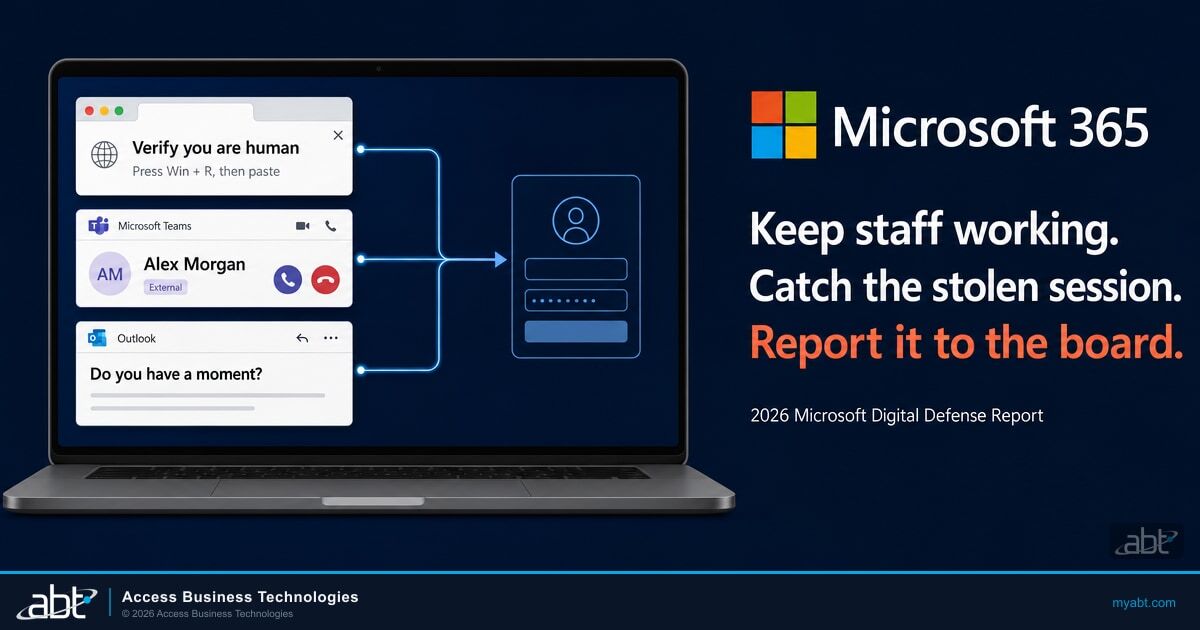
Two routes go straight to staff: a ClickFix prompt on the screen and a call on Teams. A fake CAPTCHA, an error box, or a "verify you are human" prompt tells the user to paste a command into Windows Run, Windows Terminal, or PowerShell. Between February and early May 2026, Microsoft Defender saw that happen on more than 1.1 million unique devices, about an eightfold increase.
In Microsoft Defender Experts notifications, the follow-on to a ClickFix intrusion was almost always malware (96.3%). A newer variant, FileFix, has users paste the command into the File Explorer address bar instead. Our ClickFix briefing shows how these attacks lead to stolen Microsoft 365 sign-ins.
The second route is a phone call. Microsoft says weekly confirmed malicious voice phishing (vishing) over cross-tenant Microsoft Teams calls has risen 502% from this time last year. Over 90% of attackers who use Teams have added voice calls to some of their attacks. Across the attacks Microsoft studied, 93% of attackers succeeded at least once in keeping a target on the line for 20 seconds or longer, long enough to start a script.
Most of the Teams phishing cases Microsoft describes open with email bombing, a flood of junk mail, followed by a Teams message from a newly created account posing as the help desk. When a call works, the caller talks the employee into granting access through a remote monitoring and management (RMM) tool, then completes reconnaissance in two minutes or less. Our analysis of Microsoft's second-quarter Teams vishing data shows how that shift built up.
Microsoft's report lists six layered controls against Teams voice phishing, and its guidance on ClickFix-style prompts adds role-based training:
Make sure external-user warnings are on so users see a clear "External" indicator from people outside your organization.
Turn on time-of-click URL evaluation in Microsoft Defender for Office 365, without an end-user click-through override, so a link shared during a call is checked when it's opened.
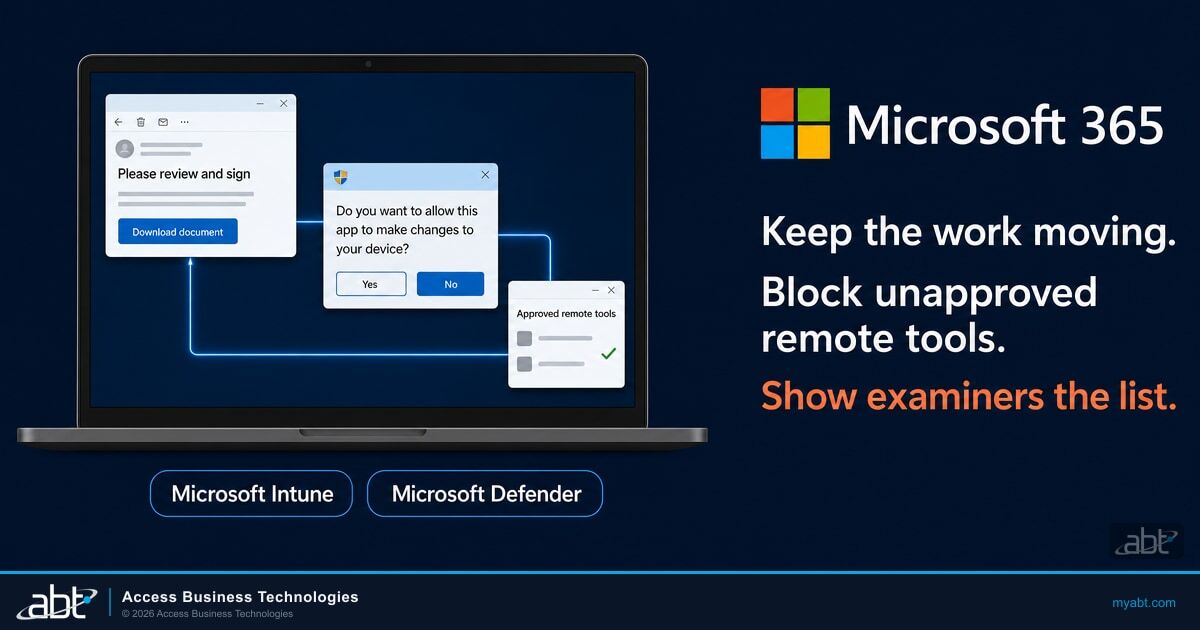
Limit remote assistance tools to IT-only groups through endpoint management policy, such as Microsoft Intune. Microsoft calls RMM tools a primary foothold mechanism.
Block script and Office macro execution with attack surface reduction rules in Microsoft Defender for Endpoint to disrupt staging and payload delivery.
Deploy endpoint detection and response (EDR) so the social engineering event and the endpoint compromise show up in a single timeline.
Look for Teams call events followed by remote management process launches within a 30-minute window.
Prepare users to recognize phishing, ClickFix-style prompts, and unusual requests to run commands or share credentials.
Items one through four are settings: set them once, then keep them from drifting. Items five and six depend on someone reading what Microsoft Defender reports, every day. Guardian MxDR is ABT's managed detection and response for that second kind of work, built on the Microsoft security stack that Microsoft 365 Business Premium and E5 licenses include.

The fraud comes after a friendly first message
Microsoft now uses the term business contact impersonation (BCI) for social engineering in which an attacker poses as an executive, employee, vendor, supplier, or partner to get someone to move money or send documents. Microsoft detected more than 46 million BCI attacks in the past 12 months, with a 121% surge in April 2026.
The first message is usually generic outreach with no mention of money, invoices, or documents: "Are you at your desk?" or "Do you have a moment?" Microsoft found that the share of first BCI messages carrying an explicit financial or document request fell from 17% in October 2025 to 3% by June 2026. The request comes later, in follow-up messages, after the target replies.
Payroll is a favorite target. Microsoft says 51% of payroll diversion attacks, which try to redirect an employee's direct deposit, land on a Monday or Tuesday. Our Payroll Pirates briefing shows what a payroll change looks like inside the tenant.
A greeting with no request
"Do you have a moment?" from a familiar name. The ask arrives in the follow-up.
A familiar internal workflow
About 25% of impersonation attacks mimic the organization itself, and HR, payroll, and benefits scams drive 77% of those.
A move to the phone
One in four impersonation emails pushes the recipient to a phone call, beyond the reach of link and attachment scanning.
A local name
44% of the brands attackers imitate are lesser-known or location-specific, like the local vendors a community institution pays every month.
Microsoft's recommendation fits how financial institutions already work: "require independent confirmation for payment, payroll, credential, and sensitive data requests." Your wire room or closing team likely calls back on a changed payment instruction already. The report extends that habit to payroll, HR, and any request to share sign-in details.
Faster exploits, slower detection
Microsoft says the median time from a vulnerability's discovery in the wild to its weaponization has "collapsed to well below 24 hours," and it expects a record of about 72,000 CVEs (Common Vulnerabilities and Exposures) tracked in 2026. The Cybersecurity and Infrastructure Security Agency (CISA) added more than 110 CVEs to its Known Exploited Vulnerabilities (KEV) catalog from November 2025 to May 2026, most within a week of disclosure. Median enterprise remediation for critical external CVEs, the report says, can take 30 to 60 days.
The report's recommendation is much tighter: "Fix newly identified vulnerabilities that affect an internet facing or identity system within 72 hours." It also advises reviewing the previous 90 days of activity for signs a flaw was used before the fix went in. The traditional monthly patch cycle, it warns, may now be too slow for internet-facing, identity, and management systems.
Older flaws still lead the detections. Among the five vulnerabilities most often seen in Microsoft Defender detections, CVE-2020-1472, the 2020 Netlogon flaw that could let an unauthenticated attacker gain domain administrator access, accounted for 58% of those detections. Microsoft notes that a detection is not confirmed exploitation. An institution with on-premises domain controllers should still confirm that fix is in place; our May 2026 Patch Tuesday briefing covered a newer Netlogon flaw.
Edge devices bring ransomware to small organizations too. In September 2025, Microsoft tracked a four-week surge of Akira ransomware across more than 50 organizations, mostly small and medium-sized businesses, through a SonicWall SSL VPN flaw (CVE-2024-40766). Our ransomware protection guide covers recovery.
Detection is getting slower at the same time. Comparing year-over-year engagement data, Microsoft's incident response team found "a statistically significant increase in dwell time," the period between an attacker's earliest activity and its detection. The report's answer is correlation: connecting endpoint, identity, cloud, application, email, and network signals. It calls the degree of that correlation "one of the highest-leverage strategic variables under the defender's control."
As ABT reads it, Microsoft's 2026 recommendations fall into two groups. The first is baseline configuration, kept from drifting: phishing-resistant sign-in, Safe Links without click-through, attack surface reduction rules, and remote access tools limited to IT. The second is ongoing operations: patching measured in days, correlating Defender, Entra ID, and email signals, and acting on a stolen session or a pasted command before the attacker reaches the next account.
Microsoft Defender produces the signals. A two-person IT team still needs someone acting on them at 2 a.m. On the first group, Guardian Foundation sets a hardened tenant baseline. On the second, Guardian MxDR adds Defender alert correlation and cross-tenant threat intelligence.
What to put in your next board report
Microsoft's first priority for organizations is to govern cyber risk at the leadership level. It names six things to report: identity exposure, patch latency, agent permissions, critical dependencies, dwell time, and recovery readiness. Its framing for directors: "The defining question for boards today is not whether disruption will occur, but whether the organization can continue operating, contain harm, recover quickly, and maintain trust when it does."

Federal standards already call for an annual report to the board. Here's where each kind of institution finds that language:
- Banks: the Interagency Guidelines Establishing Information Security Standards, adopted by each federal banking agency. The Federal Deposit Insurance Corporation (FDIC) copy is 12 CFR Part 364, Appendix B, quoted below.
- Federally insured credit unions: the National Credit Union Administration's (NCUA's) guidelines at 12 CFR Part 748, Appendix A: "Each credit union should report to its board or an appropriate committee of the board at least annually."
- Mortgage companies and other lenders under the FTC's jurisdiction: the Safeguards Rule at 16 CFR 314.4(i) requires the Qualified Individual to "report in writing, regularly and at least annually, to your board of directors or equivalent governing body." Lenders that maintain customer information on fewer than five thousand consumers are exempt from that requirement under 16 CFR 314.6.
The banking agencies' version reads:
Each institution shall report to its board or an appropriate committee of the board at least annually. This report should describe the overall status of the information security program and the institution's compliance with these Guidelines.
Each covers risk assessment, testing results, and security incidents. Microsoft's six measures make that report sharper.
Identity exposure and dwell time show how an attacker would get in and how long they could stay unseen. Patch latency shows how fast your team closes a flaw that can be weaponized within a day. Agent permissions show what Copilot and other AI agents can reach, which our Copilot governance dashboard guide helps you measure.
With Guardian MxDR in place, Guardian Security Insights aggregates the incidents MxDR handles alongside Secure Score trends, MFA coverage, and compliance posture into a monthly report your examiner can review. All three rules expect the annual board report to cover security incidents and management's responses. Guardian Respond adds ABT security engineers who investigate and remediate covered incidents and produce a written incident timeline suitable for an examiner or an insurer. Our guides to board IT reporting and Microsoft 365 incident response plans cover what examiners expect to see.
Where Guardian fits in Microsoft's list
ABT is a Tier-1 Microsoft Cloud Solution Provider that has served more than 750 financial institutions over 25 years. It manages Microsoft 365 tenants for credit unions, banks, and mortgage companies under delegated administrative access the institution grants. Its Guardian service lines up with both halves of Microsoft's list.
When your Microsoft licensing runs through ABT, Guardian Foundation is included at no additional charge. It's the hardened baseline that comes with every level of Guardian: MFA and sign-in rules (Conditional Access), device compliance, data loss prevention, and email security settings, plus Guardian Security Insights reporting.
Guardian MxDR is the managed detection and response component of ABT's Guardian operating model. It is built entirely on the Microsoft security stack that Microsoft 365 Business Premium and E5 licenses include: the Defender suite, Entra ID, Purview, and Intune. If your institution licenses either one, the stack you already pay for is the one ABT watches. It correlates Defender alerts, tracks configuration changes, and adds cross-tenant threat intelligence.
When an alert fires, ABT traces the attack path and determines scope, then responds with account isolation, password resets, Conditional Access tightening, and post-incident documentation. The Guardian page describes managed detection and response in three levels above the baseline:
- Guardian Contain: round-the-clock detection on Microsoft Defender XDR signals, with pre-authorized automated containment that revokes a compromised session at any hour. ABT's Tokenator engine watches for suspicious OAuth token behavior and revokes compromised sessions.
- Guardian Respond: ABT security engineers investigate and remediate covered incidents during business hours and produce a written incident timeline for an examiner or insurer.
- Guardian Resolve: a human on the incident at any hour.
For the role-based training Microsoft recommends in item seven, M365 Guardian Attack Simulation & Training runs phishing, ransomware, and social engineering simulations, measures your staff's baseline awareness, and tracks how their behavior changes over time.
The first step is ABT's free Microsoft 365 Security Assessment. It reviews six areas, including MFA coverage and Conditional Access, Defender for Office 365 settings with Safe Links and Safe Attachments status, and OS patch levels in Intune, then delivers a prioritized hardening roadmap. It connects read-only, and most assessments finish within two weeks.
Frequently Asked Questions
The Microsoft Digital Defense Report 2026 is Microsoft's annual threat report, published October 1, 2026. It covers July 2025 through June 2026, from a company that processes more than 165 trillion security signals a day. Its four parts cover AI, the threat landscape, cybercrime, and resilience, and it sets out ten security priorities for organizations.
Phishing has shifted to stealing sessions. In Microsoft Threat Intelligence data, adversary-in-the-middle made up 44.6% of identified phishing techniques. The report also finds that 87.7% of phishing intrusions involved credential or session harvesting. In Microsoft's incident response findings, phishing was the way in for 23% of cases, up from 7%. Microsoft recommends phishing-resistant MFA and passkeys.
Financial services was 4% of the activity in Microsoft's chart of the ten sectors most affected by threat actors, which government agencies led at 27%. For financial institutions, the report's value is its methods: session-stealing phishing, Teams voice phishing, and payment fraud that starts with a friendly email all reach any Microsoft 365 tenant.
Business contact impersonation is Microsoft's term for social engineering in which an attacker poses as an executive, employee, vendor, supplier, or partner to get someone to move money or send documents. Microsoft detected more than 46 million such attacks in 12 months. The first message is usually generic outreach; the request for money or documents arrives in a follow-up.
Microsoft says to fix newly identified vulnerabilities that affect an internet-facing or identity system within 72 hours. The report says the median time from discovery in the wild to weaponization is well below 24 hours, while median enterprise remediation for critical external vulnerabilities can take 30 to 60 days.
Microsoft's first priority lists six measures: identity exposure, patch latency, agent permissions, critical dependencies, dwell time, and recovery readiness. The federal guidelines for banks, the NCUA guidelines for credit unions, and the FTC Safeguards Rule for lenders under the FTC's jurisdiction with customer information on five thousand or more consumers call for an annual board report on the security program.
Defender generates the signals, and something has to act on them, including at 2 a.m. when a two-person IT team is asleep. Microsoft's report calls for correlating signals and for revoking sessions, isolating devices, and resetting credentials quickly. Guardian MxDR is ABT's managed detection and response on the Microsoft security stack that Microsoft 365 Business Premium and E5 include.