In This Article
- What Actually Happens in the First Hours Without a Plan
- How Microsoft 365 Turns a Scramble Into a Coordinated Response
- The Seven Elements Every Written Incident Response Plan Must Cover
- What Your Regulator Actually Requires, and Where the Rules Differ
- From Plan to Practice: Testing the Plan and the Team Behind It
- Frequently Asked Questions
A serious security incident at a bank, credit union, or mortgage company does not announce itself as a regulatory problem. It shows up as frozen operations. The wire desk stops moving money because no one is sure which accounts are compromised. Loan officers cannot reach the systems they need to close on time. Someone is on the phone with the cyber-insurance carrier while someone else is trying to find a lawyer, and everyone is guessing. The institutions that come through this fastest are not the ones with the most security tools. They are the ones that already decided, in writing and in advance, who does what and in what order. That written decision is the incident response plan, and for financial institutions it is both an operational lifeline and, in most cases, a documented requirement.
Here is the part the compliance conversation tends to bury. A plan is a document. An incident is an event, usually at the worst possible hour, moving faster than a committee can meet. What contains a breach is the plan plus a team and a toolset ready to run it the moment something looks wrong. For the more than 750 financial institutions ABT works with, most of that toolset already sits inside their Microsoft 365 environment, underused until an incident forces the question.
This guide covers both halves. First, what a written incident response plan actually has to contain, and how that answer differs for a bank, a credit union, and a mortgage company, because they answer to different regulators and mixing them up is its own exam finding. Second, how the Microsoft security tools you already license turn a scramble into a coordinated response, and where a managed partner fits for institutions that do not run a security operations center around the clock.
What Actually Happens in the First Hours Without a Plan
An incident with no plan behind it turns into improvisation at exactly the wrong moment. Questions that should have been settled months earlier get asked live, while the clock runs. Who has the authority to declare this an incident? Who can pull a machine off the network or halt a payment system? Who calls the regulator, and which regulator is it? Who decides whether to notify customers, and when? Each of those is a meeting no one scheduled, and every hour spent debating them is an hour the intruder keeps working through the environment.
The numbers above, from IBM's Cost of a Data Breach Report 2025, make the cost of that delay concrete. The average breach takes months, not days, to run its course, and most of that time is the gap between the first compromise and the moment someone contains it. A plan does not stop attacks from happening. It compresses that gap, because the response becomes a checklist to execute instead of a set of arguments to have while money and data are on the line.
Prevention still matters, and strong ransomware defenses reduce how often you have to reach for the plan at all. No control set is perfect, though, and the day one gets through is the day a rehearsed response separates a contained event from a reportable disaster. The point of the plan is not paperwork. It is that the people who have to act are executing a decision rather than making one under pressure.
Why the First Hours Decide the Outcome
For a bank, credit union, or mortgage company, a security incident is never a background IT event. It sits directly on top of money movement and customer trust. A stalled wire desk, a frozen loan pipeline, or a member-facing outage is measured in real dollars and real reputation for every hour it lasts. A written plan exists so that the first responders are following steps they already agreed on, not inventing a process while the institution bleeds time.
How Microsoft 365 Turns a Scramble Into a Coordinated Response
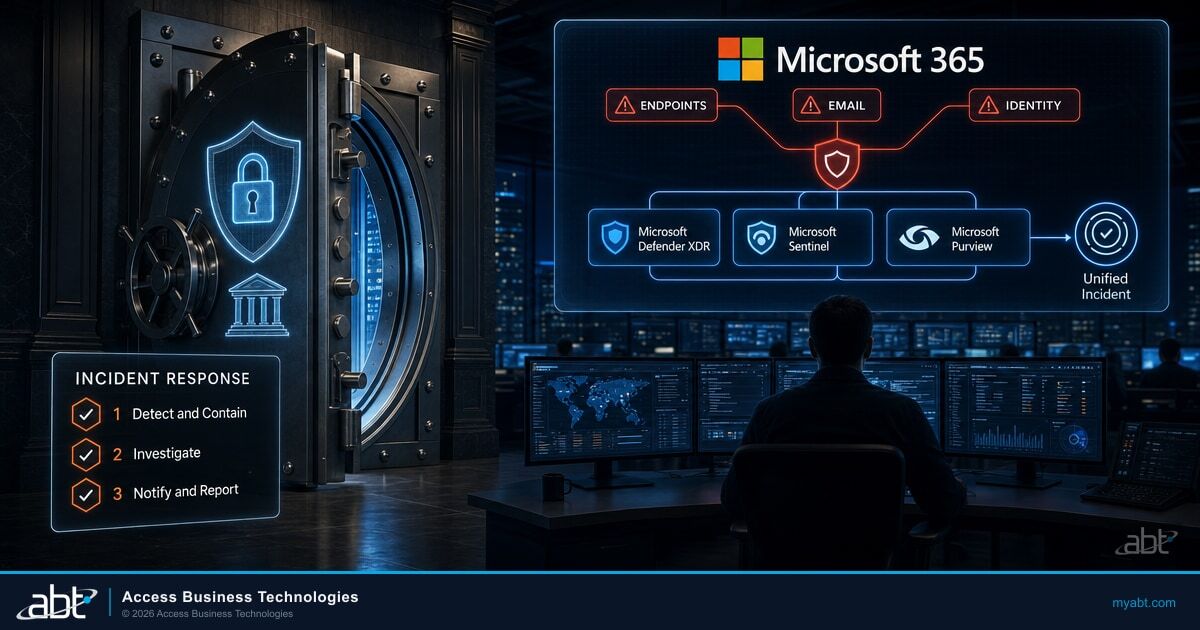
The reason a response feels like a scramble is fragmentation. The endpoint tool sees one thing, the email filter sees another, the identity system sees a third, and a human has to notice that all three are the same attack before anyone can act on it. That noticing is where hours disappear. Microsoft 365 closes that gap by correlating the signals for you, so the institution reacts to one coherent incident instead of a pile of disconnected alerts.
Microsoft Defender XDR is the center of that. It automatically aggregates and correlates related alerts into a single incident that, in Microsoft's words, tells the full story of an attack. The alerts feeding one incident can span endpoints, email and collaboration, identity through Microsoft Entra ID, and cloud apps, drawn together with signal collected through Microsoft Sentinel and Microsoft Defender for Cloud. Instead of a queue of noise, the responder gets a timeline: this device, then this sign-in, then this mailbox rule, all connected.
Detecting an incident by hand
- Alerts arrive separately from the endpoint console, the email filter, and the identity logs, and a person has to spot that they belong to one attack.
- The timeline gets rebuilt after the fact, from exports and screenshots, while the intruder is still active.
- Containment waits on whoever can log into each console and figure out what to do next.
Detecting it with the Microsoft Defender unified incident queue
- Related alerts across endpoints, email, identity, and cloud apps are correlated into one incident automatically.
- The attack story is assembled as it unfolds, so responders see the sequence instead of reconstructing it later.
- High-confidence attacks can be disrupted at machine speed, containing the threat before a person even opens the ticket.
That last point is worth sitting on. Defender XDR can be configured for automatic attack disruption, using high-confidence signals to contain an active attack at machine speed while your team is still being paged. It can also automatically investigate and resolve alerts from Microsoft 365 and Entra ID sources, clearing the low-level noise so people spend their attention on the incident that matters. This is the difference between continuous security monitoring that feeds a real detection pipeline and a dashboard nobody watches until Monday.

Two more pieces complete the picture, and both matter for the parts of your plan a regulator cares about. Microsoft Sentinel adds cloud-native SIEM plus SOAR: automation rules and playbooks that triage, assign, tag, and close incidents on a consistent process rather than leaving each one to individual judgment. Microsoft Purview Audit and Microsoft Entra ID sign-in logs preserve the forensic record of who did what and when, which is the evidence you hand an examiner after the fact. And Microsoft Security Copilot can guide the investigation itself, summarizing the attack story, drafting an incident report, and letting an analyst hunt in plain language instead of hand-writing queries.
Keeping the two clouds straight is the whole game, and it is where a lot of vendor copy gets sloppy. Microsoft Defender XDR, Microsoft Purview Audit, and Microsoft Entra ID logs live inside your Microsoft 365 tenant, which Microsoft owns and operates. A Tier-1 CSP manages those tenant controls for you through delegated administration rather than running the platform itself. Microsoft Sentinel is different: it runs in an Azure environment, so a partner actually runs and hosts it there. ABT manages the Microsoft 365 tenant controls, Defender XDR, Purview, and Entra ID, and runs Microsoft Sentinel in your Azure environment, so detection, response, and the forensic trail all come from one coordinated operation instead of three disconnected tools.
None of this replaces the written plan. It is what makes the plan executable. A plan that says contain the incident is only as good as the button that actually contains it, and Microsoft 365 is where that button lives. Recovery follows the same logic, since Microsoft 365 backup and the shared-responsibility line decide how fast you restore, which is what turns a plan into a real return to operations rather than just a clean forensic report.
The Seven Elements Every Written Incident Response Plan Must Cover
If you are a mortgage company or another non-depository lender, the contents of your plan are not a matter of best practice. The FTC Safeguards Rule spells out seven specific elements, and a plan that skips one is an incomplete plan on its face. Even for institutions governed by a different regulator, this list is the most concrete build framework available, so it is worth treating as the baseline structure and adding to it. Here is each element, with the Microsoft 365 capability that supports it.
Define what contained, recovered, and reportable actually mean for your institution, so no one is deciding those thresholds mid-incident.
Write down the steps for responding to a security event. Microsoft Defender XDR correlates the alerts into one incident, and Microsoft Sentinel playbooks automate the first triage moves.
Name who can isolate a device, revoke a session, or declare an incident. Those actions map to specific roles in the Microsoft Defender portal and Microsoft Entra ID.
Decide who notifies the regulator, law enforcement, customers, and the board, and in what order. Microsoft Teams keeps the live response coordinated across those parties.
Commit to fixing the gaps an incident exposes. Microsoft Secure Score and Defender recommendations turn those findings into tracked, closeable work items.
Record the event and the response. Microsoft Purview Audit and Microsoft Entra ID sign-in logs preserve the forensic timeline, and Microsoft Sentinel retains it for the investigation.
Review the plan after every incident and update it, so the next response reflects what actually happened rather than what the original draft assumed.

A pattern runs through those seven. Elements two, three, five, and six are not writing exercises; they describe a capability the institution has to actually possess: detect, contain, remediate, and document. You can write the words in an afternoon, but you cannot execute them without the tooling underneath, which is why the strongest plans are built around the systems that will run them. Reducing incidents in the first place helps too, and moving to phishing-resistant multifactor authentication is one of the highest-return controls for stopping the account takeovers that trigger these plans.
Not sure your plan matches your tenant? A quick review shows whether your Microsoft 365 configuration can actually execute the response your plan describes.
What Your Regulator Actually Requires, and Where the Rules Differ
The seven elements above are the FTC's list, and the FTC governs mortgage companies and other non-depository lenders. This is the point where the phrase banks, credit unions, and mortgage companies stops being a courtesy and starts mattering, because each answers to a different authority, and citing the wrong one on an exam is a finding in itself. The written-plan requirement for FTC-covered institutions is explicit.
"Establish a written incident response plan designed to promptly respond to, and recover from, any security event materially affecting the confidentiality, integrity, or availability of customer information."
Banks and credit unions are not under the FTC Safeguards Rule at all. They fall under a parallel set of rules that ask for the same thing in different language. Banks answer to the interagency Information Security Standards that implement Section 501(b) of the Gramm-Leach-Bliley Act, and to the 2005 Interagency Guidance on Response Programs published by the OCC, the FDIC, and the Federal Reserve. Federally insured credit unions answer to the NCUA under 12 CFR Part 748, Appendix B. For the banks and credit unions supervised by FFIEC member agencies, the FFIEC IT Examination Handbook is the lens examiners actually look through, and it expects a response program that is written, staffed with defined roles, and tested.
| Institution type | Governing response-program authority | What it requires |
|---|---|---|
| Mortgage companies and other non-depository lenders | FTC Safeguards Rule, 16 CFR 314.4(h) | A written incident response plan covering the seven enumerated elements |
| Banks and thrifts | Interagency Guidance on Response Programs, GLBA 501(b) (OCC 12 CFR 30 App. B, FDIC 12 CFR 364 App. B, Federal Reserve) | A response program to address unauthorized access; examined against the FFIEC IT Handbook |
| Federally insured credit unions | NCUA 12 CFR Part 748, Appendix B | A risk-based response program for unauthorized access to member information; examined against the FFIEC IT Handbook |
The reassuring part is that the three regimes converge. Under all of them, a response program is expected to do the same five things: assess the nature and scope of the incident, notify the appropriate regulator as soon as possible, notify law enforcement where appropriate, contain and control the incident, and notify affected customers or members when misuse of sensitive information has occurred or is reasonably possible. Build the plan around those five actions and you satisfy the substance of whichever regime applies to you. The documentation that proves you did them is where the Microsoft tooling pays off again, because Microsoft Purview and Microsoft Sentinel produce the forensic evidence trail an examiner expects to see attached to each of those steps.
From Plan to Practice: Testing the Plan and the Team Behind It
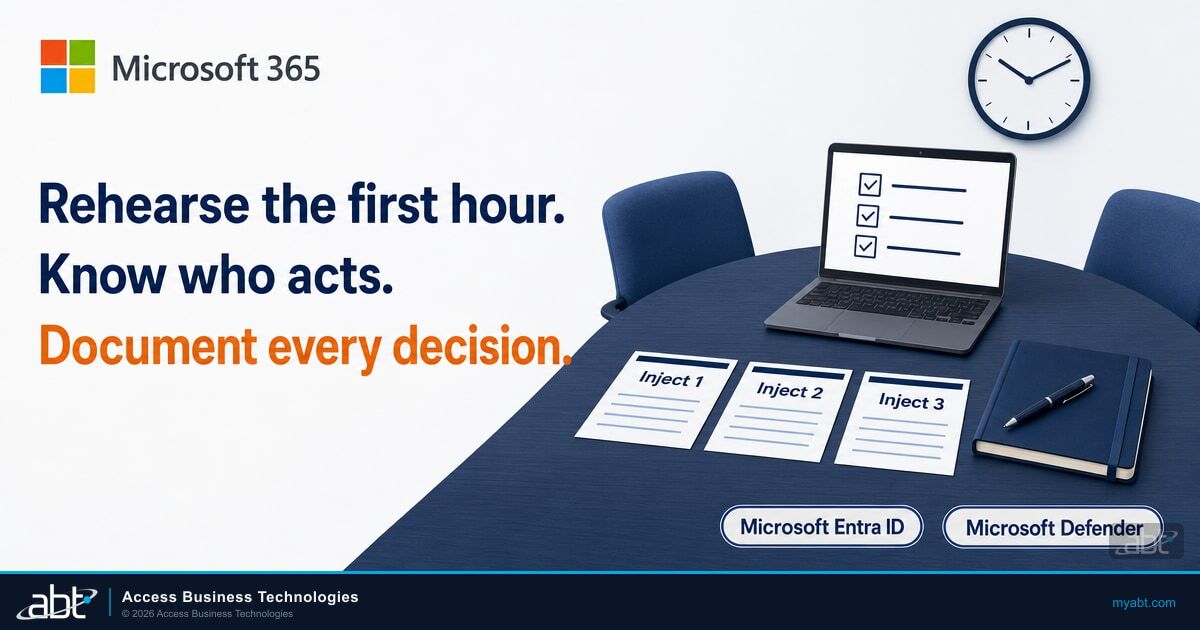
A written plan clears the requirement. It does not, by itself, contain anything. Two things separate a plan that works from a binder that sits on a shelf, and examiners have learned to look for both. The first is testing. The FFIEC directs institutions to periodically update and test the incident response program, and a tabletop exercise, walking the team through a realistic scenario, is the standard way to do it. A plan that has never been tested is one of the more common findings, because the gaps only show up when real people try to follow it. The second is oversight: under the FTC Safeguards Rule, the Qualified Individual has to report in writing, regularly and at least annually, to the board or an equivalent governing body, which keeps the plan a live document rather than a one-time filing.
The binder says isolate the endpoint and revoke the sessions. At 2 a.m. on a Saturday, the person who knows how to do that in the Microsoft Defender portal is asleep, the on-call contact is stale, and by the time someone acts, the intruder has moved on to a second mailbox.
A security operations team is already watching the correlated incident, isolates the device and revokes the sessions inside minutes, and documents every step as it goes, so the response happens while the attack is still small and the evidence is captured for the examiner.
That gap, between a plan and a plan that runs at 2 a.m., is where institutions make a real choice. Something has to execute the plan when an alert fires off-hours, and there are a few honest ways to cover it. Some institutions build a security operations center in-house. Some run a hybrid model, keeping first response internal and calling for help on escalation. And many banks, credit unions, and mortgage companies do not staff a round-the-clock security team at all, and bring in a managed detection and response partner to run it. No regulation requires any specific vendor. What they require is a plan and a response program that actually works, and a managed partner is one credible way to get there.
That managed option is what ABT delivers through its Guardian operating model, delivered as Guardian MxDR. It is a security operations team that runs the response using the same Microsoft tools this article describes, on the split laid out earlier: ABT manages the Microsoft 365 tenant controls, Microsoft Defender XDR, Microsoft Purview, and Microsoft Entra ID, and runs Microsoft Sentinel in your Azure environment. The detection, the response, and the forensic record come from one operation that already knows the environment, so the plan is not waiting on someone to wake up and log in.
The Bottom Line
A written incident response plan is required, and for most financial institutions it is not optional. But the plan is only the first half. The half that contains an actual breach is the team and the Microsoft tooling ready to run it the moment something looks wrong. Write the plan around the seven elements, map it to the regulator that governs you, and make sure someone, in-house or managed, is positioned to execute it at 2 a.m.
See Whether Your Plan Would Survive a Real Incident
A written plan is easy to file and hard to run. The free ABT Security Grade shows how your Microsoft 365 tenant would hold up when an incident actually starts, and where the gaps are between what your plan says and what your configuration can do. As the Tier-1 Microsoft Cloud Solution Provider that runs detection and response for more than 750 banks, credit unions, and mortgage companies, we can then talk about running the response for you.
Frequently Asked Questions
In most cases, yes. Mortgage companies and other non-depository lenders must keep a written incident response plan under the FTC Safeguards Rule (16 CFR 314.4(h)). Banks and credit unions must maintain a response program under their own regulators, the interagency GLBA standards for banks and NCUA rules for credit unions, so the written requirement reaches nearly every financial institution.
The FTC Safeguards Rule names seven elements: the goals of the plan, the internal response process, defined roles and decision authority, internal and external communications, remediation of identified weaknesses, documentation and reporting, and evaluation and revision of the plan after an event. Banks and credit unions follow parallel response-program expectations that cover the same ground.
The substance is nearly identical, but the governing authority differs. Mortgage companies answer to the FTC Safeguards Rule. Banks answer to the interagency GLBA 501(b) standards from the OCC, FDIC, and Federal Reserve. Credit unions answer to NCUA 12 CFR Part 748. Banks and credit unions are also examined against the FFIEC IT Handbook. Cite the authority that governs you.
Microsoft Defender XDR correlates alerts across endpoints, email, identity, and cloud apps into a single incident and can disrupt high-confidence attacks automatically. Microsoft Sentinel adds SIEM and SOAR playbooks, Microsoft Purview Audit and Microsoft Entra ID logs preserve the forensic record, and Microsoft Security Copilot guides the investigation. Together they let a team execute the plan instead of stitching signals together by hand.
Test it regularly. The FFIEC directs institutions to periodically update and test the response program, and an annual tabletop exercise that walks the team through a realistic scenario is the common cadence. A plan that has never been tested is one of the more common exam findings, because the gaps only show up when real people try to follow it. Separately, the FTC Safeguards Rule requires the Qualified Individual to report to the board at least annually.
Detection is noticing that something is wrong, the alerts, correlation, and monitoring that surface an attack. Response is what you do about it: containing the threat, notifying regulators and customers, remediating the weakness, and documenting the event. Detection feeds response. A written incident response plan governs the second half, and Microsoft 365 supplies the tooling for both.