In This Article
- Why Every Institution Runs on Shared Mailboxes
- The Offboarding Gap Microsoft Documents in Plain Sight
- The Rules Outlive the Person Who Wrote Them
- Three Limits Worth Knowing Before You Route Records Through One
- The Audit Trail You Already Have
- The Shared Mailbox Review: What to Check
- Frequently Asked Questions
Nearly every bank, credit union, and mortgage company we work with runs on shared mailboxes. The wire desk works out of one. Loan servicing works out of one. So do payoffs, collections, vendor invoices, and the general inbox on the contact page. One address, one queue, and whoever is at their desk picks up the next item. It is one of the most quietly useful things Microsoft 365 does, and it is the reason a borrower gets an answer at 4:55 on a Friday instead of a voicemail.
Because shared mailboxes are so ordinary, they tend to escape the reviews that cover everything else. Administrator accounts get scrutinized. Conditional Access gets scrutinized. The mailbox holding four years of wire instructions usually does not, because nobody thinks of it as an account. It has no person attached to it and often no separate license, so it does not appear on the license report or the user roster that most reviews start from.
It is an account. Microsoft says so in its own documentation, and it also documents a handful of behaviors that matter a great deal to a regulated institution and that almost nobody reads. None of what follows is a vulnerability or a flaw. It is documented, intended product behavior. That is precisely why it is worth an hour of your time: there will be no security bulletin to prompt you.
Why This Matters for Financial Institutions
The mailbox most worth protecting at a lender is usually the one nobody owns. Wire instructions, payoff demands, and borrower documents flow through addresses that belong to a function rather than a person, which means they sit outside the offboarding checklist, outside the license review, and outside the access review. This article covers what Microsoft documents about that gap and how to close it using evidence your tenant is already collecting.
Why Every Institution Runs on Shared Mailboxes
A shared mailbox exists so a team can work one queue without anyone forwarding anything. Mail sent to the address lands in one place, several people can read and answer it, and replies go out under the shared identity rather than the individual who happened to type them. For a servicing team or a wire desk, that is exactly the right shape.
Microsoft makes them free to run, which is a large part of the appeal. Microsoft's documentation on shared mailboxes states that "a shared mailbox can store up to 50 GB of data without assigning a license to it," and that "to access a shared mailbox, a user must have a licensed Exchange Online mailbox, but the shared mailbox doesn't require a separate license." Your people are already licensed, so the shared address costs nothing extra.
That combination, useful and free, is why institutions accumulate them. A tenant that has run for a decade tends to carry wires@, payoffs@, servicing@, loanops@, and a long tail of addresses created by different administrators for different reasons, most still receiving mail long after the project or the person that prompted them moved on.
Access to one is granted through three permissions that are worth separating clearly, because they do different things and they show up differently in your audit records.

The distinction between Send As and Send on Behalf is not cosmetic at a lender. A payoff quote or a wire confirmation that leaves under Send As carries no indication of who produced it. The audit record knows, which we will come back to, but the message itself does not, and the message is what ends up in a dispute file.
The Offboarding Gap Microsoft Documents in Plain Sight
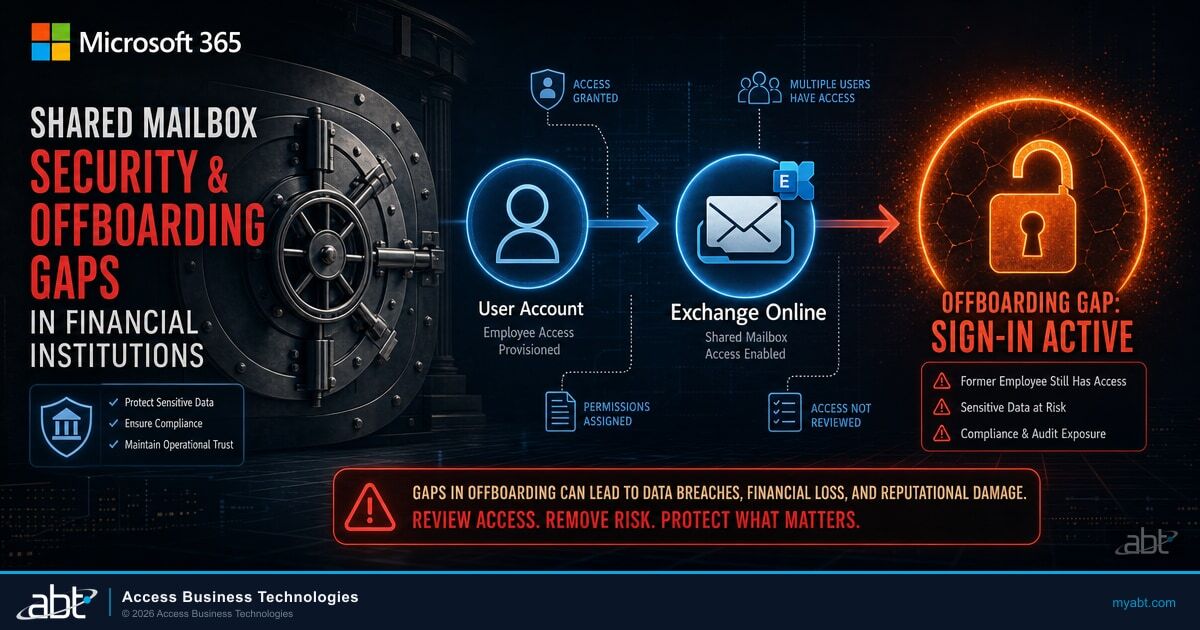
Here is the pattern that makes this worth reviewing. A loan officer resigns. The team still needs their pipeline correspondence, so rather than delete the mailbox, an administrator converts it to a shared mailbox and gives the desk access. It is the sensible move and it is what Microsoft's own guidance describes. Once converted, the license can be removed, so it also saves a seat.
What that conversion does not do is invalidate the departing employee's credentials. Microsoft states it directly on the conversion page:
"You don't need to reset the account password of the user mailbox. However, if you don't reset the password, the original username and password will continue to work on the shared mailbox after the conversion is finished."
Read that again with a former employee in mind. The mailbox they used to own now holds the whole team's correspondence, and the credentials they typed every morning were never invalidated by the conversion. Microsoft adds the instruction on the same page: "if you are converting the mailbox of an employee that is leaving your organization, you should take additional steps to make sure that they cannot log in anymore." Microsoft would not write that sentence if the conversion closed the door on its own.
Be precise about what this does and does not establish. Microsoft's statement is that the credentials continue to work; it is not a statement about what a former employee could reach through which client after a license is also removed, and that is worth testing in your own tenant rather than assuming in either direction. The remediation does not depend on the answer. Reset the password and block sign-in, and the question stops mattering.
Those additional steps are the entire control. They are not automatic, they are not part of the conversion, and there is no warning in the workflow that tells an administrator they were skipped.
Employee resigns. Revoke sessions, convert the mailbox to shared so the team keeps the loan files, remove the license, done. Three of four steps completed, seat reclaimed, ticket closed.
The password was never reset and sign-in was never blocked. Microsoft's documentation is explicit that the conversion does not invalidate those credentials, so the institution is relying on an assumption it has never tested, about an account that now sits in front of the entire desk's borrower correspondence rather than one person's.
It is worth being precise about scope here, because the opposite claim gets made a lot and it is wrong. Shared mailboxes that you create new are not exposed this way. Microsoft's guidance on creating one states that "by default, every new shared mailbox has sign-in blocked." The gap is specific to the conversion path and to later drift, where somebody unblocks an account to troubleshoot something and does not put it back.
The one sentence to take away
Direct sign-in is blocked by default for newly created shared mailboxes. It is not automatically blocked for a mailbox converted from a departing employee, and the password is not reset by the conversion. Those two mailbox types need different offboarding steps, and most checklists only have one.
This is a natural companion to a broader Microsoft 365 employee offboarding process, which covers session revocation, license reclamation, and the sequence that keeps records intact while closing access. The shared mailbox conversion is the step in that process most likely to leave a door open, because it looks like a completed action.
The Rules Outlive the Person Who Wrote Them
The second documented behavior compounds the first. Microsoft states plainly that "inbox rules are preserved after the user mailbox is converted to a shared mailbox."
Inbox rules are ordinary productivity tools. People build them to file things, flag things, and copy a colleague on anything from a particular borrower. They are also a persistence mechanism we see repeatedly in business email compromise, because a rule that forwards or quietly files mail keeps working with no further access required and produces no visible symptom.
When the mailbox converts, those rules come with it. A rule written a year ago against one person's inbox now runs against the shared queue that the whole desk uses. A forwarding rule set before a resignation now forwards the team's correspondence. Nothing in the conversion surfaces this, and nothing prompts anyone to look.
A forwarding rule does not resign when the employee does. It keeps working against a mailbox that now holds considerably more than it did when the rule was written.
The practical response is not complicated. Every mailbox converted from a departing employee gets its rules enumerated and reviewed before the desk starts using it, and any rule that forwards, redirects, or deletes gets removed unless somebody can say why it exists. It is one of the highest-value items on the review later in this article.
Three Limits Worth Knowing Before You Route Records Through One
Beyond the offboarding path, Microsoft documents several constraints that matter specifically when the mailbox holds records an examiner may eventually ask about. None of them are defects. They are consequences of what a shared mailbox is, and they are all knowable in advance.
Unlicensed means Litigation Hold is unavailable
This is the one with the sharpest edge for a regulated institution, and it is specific to Litigation Hold rather than to preservation generally. Microsoft states that "to place a shared mailbox on litigation hold, the shared mailbox must have an Exchange Online Plan 2 license or an Exchange Online Plan 1 license with an Exchange Online Archiving add-on license."
The problem is structural rather than technical. Being unlicensed is the entire appeal of a shared mailbox, so the default state of the mailbox holding your wire correspondence is the state in which it cannot be placed on litigation hold. Nobody decided that. It is simply what happens when the free option is also the convenient one.
Worth separating clearly: hold eligibility and mailbox capacity are two different licensing questions that happen to name the same license. A mailbox can be well under the storage limit and still be ineligible for hold, because it is the license that governs hold, not the size.
| What you want to do | License the shared mailbox needs |
|---|---|
| Receive and answer mail, up to 50 GB | None. Accessing users need their own licensed mailbox. |
| Raise the storage limit to 100 GB | Exchange Online Plan 2 |
| Use in-place archiving | Exchange Online Plan 2, or Plan 1 with the Exchange Online Archiving add-on |
| Place the mailbox on litigation hold | Exchange Online Plan 2, or Plan 1 with the Exchange Online Archiving add-on |
If your institution has a retention obligation that reaches email, the mailboxes carrying regulated correspondence need to be identified and licensed deliberately rather than left at the default. That decision belongs alongside your broader approach to Microsoft 365 data retention and email archiving, and it is worth making before somebody asks for the records rather than during.
The mailbox cannot hold an encryption key of its own
Under Security and compliance considerations, Microsoft states: "Email sent from a shared mailbox can't be encrypted because the mailbox doesn't have its own security context (username and password). As a result, it can't be assigned an encryption key."
Scope that carefully, because it is narrower than it first sounds. It means the shared mailbox as an identity cannot be assigned its own key. It is not a statement that mail leaving that address travels unprotected, and it says nothing about transport-level protections or about mechanisms a sending user applies under their own identity.
The operational consequence is the part worth planning around, and Microsoft names it in the next sentence: "if members encrypt messages using their own keys, other members might not be able to read those messages." In other words, the individual protections a member applies can lock the rest of the desk out of the shared queue, which is the exact opposite of why the shared mailbox exists. Teams that need both protected correspondence and shared visibility should work that through deliberately rather than discover it during a handoff. Our guide to Microsoft 365 encryption for financial institutions covers the mechanisms and where each one applies.
Deleting is not the same problem as preserving
Microsoft states that "you can't prevent users from deleting messages in a shared mailbox," and suggests a Microsoft 365 group where restricting deletion matters.
That sentence is about preventing the visible delete action, and it is worth keeping two ideas apart that are easy to blur. Preventing a deletion and preserving a record are different controls with different mechanisms. Folder-level permissions can restrict what a delegate is able to do in specific folders, so some control is available. And where the mailbox is licensed for it, hold preserves a recoverable copy even when a user removes the item from view.
Put those together and the picture is more specific than either fact alone. Members can remove items from the visible mailbox, and Litigation Hold is unavailable while the mailbox is unlicensed. That does not mean nothing is retained. Exchange Online keeps deleted items in the Recoverable Items folder for a period, and tenant retention policies operate separately from litigation hold. What you lose is Litigation Hold itself, on the mailbox where you are most likely to want it. Confirm what retention actually applies to your shared mailboxes rather than assuming either that records are safe or that they are gone.
The compound risk
Unlicensed means litigation hold is unavailable, and Microsoft states the visible delete action cannot be prevented. Other retention still applies, so this is not an argument that the records are gone. It is that the mailbox carrying your wire correspondence is running without Litigation Hold available to it, by default rather than by decision. Each fact is documented and unremarkable on its own. Together they are worth an hour of review.

The Audit Trail You Already Have
Everything above is the uncomfortable half. Here is the constructive half. On current Microsoft defaults, the specific events this article is about are already being recorded in your tenant: who sent as the mailbox, who changed its rules, who deleted from it, and who changed its folder permissions. Those are the ones that matter for everything above, and they do not require an upgrade.
Three things are worth keeping separate, because they are commonly treated as one. Whether an event is COLLECTED is the question just answered. How long it is RETAINED is governed by your audit retention tier. What you are ENTITLED to search, and with which tooling, is a third question. Richer telemetry about mail being opened and read sits outside that default set and its availability depends on your licensing, so confirm what your tenant actually captures before relying on it.
Microsoft's mailbox auditing documentation states that "mailbox audit logging is turned on by default in all organizations," and its supported mailbox types table lists shared mailboxes as supporting auditing, on by default. You do not have to turn anything on. For delegate activity on a shared mailbox, the default set covers the actions that matter most here: Send As, Send on Behalf, changes to inbox rules, soft deletes, hard deletes, item updates, and folder permission changes.
Read that list against the risks in this article and the fit is close to exact. Somebody sending as the wire desk is recorded. Somebody adding a forwarding rule is recorded. Somebody clearing items out is recorded. Somebody granting themselves access to a folder is recorded.
The delegation and inbox rule records on a shared mailbox are the first place we look during an email compromise investigation, and they are almost always already there. What is usually missing is not the logging. It is that nobody had reviewed the records before the incident, so there was no sense of what normal looked like on that mailbox. A single baseline review turns an ambiguous audit trail into a comparison.
Two documented blind spots are worth knowing, because both would otherwise look like an absence of activity rather than an absence of logging.
The first applies to multi-geo tenants. Microsoft states that "in a multigeo environment, cross-geo mailbox auditing isn't supported. If you assign a user permissions to access a shared mailbox in a different geo location, mailbox actions that the user performs aren't logged in the mailbox audit log of the shared mailbox." If your tenant spans geographies and access crosses that boundary, the shared mailbox log is not the complete picture.
The second is a deliberate suppression. Microsoft documents that the Set-MailboxAuditBypassAssociation cmdlet can be used "to prevent all mailbox actions by the specified users from being logged, regardless of where the actions occur." It exists for legitimate reasons, typically to keep service account noise out of the log. It is also worth confirming that nothing is on that list which should not be, because a bypassed account produces silence rather than an alert.
This is where operating a lot of tenants helps. ABT is a Tier-1 Microsoft Cloud Solution Provider, and manages Microsoft 365 under our M365 Guardian operating model for more than 750 banks, credit unions, and mortgage companies, and the value of that footprint is not scale for its own sake: it is that a delegation change or a new forwarding rule which looks unremarkable inside one institution is recognizable when you have seen the same shape across hundreds. A single institution has only its own history to compare against.
Audit records are only useful while they are retained, and retention has its own rules and its own licensing tiers. We cover those separately in our guide to Microsoft 365 audit log retention, which matters here because an investigation that starts late can find the window has already closed.
Not sure what your shared mailboxes are configured to do?
ABT manages Microsoft 365 tenants for more than 750 financial institutions. We can walk your tenant's shared mailboxes with you: which are converted accounts, which still permit sign-in, what rules they carry, and which hold records that are not licensed for hold.
The Shared Mailbox Review: What to Check
None of this requires a project, and it is the kind of work that gets easier every time, because the second pass only has to look at what changed. How long the first pass takes depends on how many shared mailboxes you have, which is the number most institutions do not know yet.
Start by listing every shared mailbox in the tenant. In our experience managing Microsoft 365 for financial institutions, that list is the part that surprises people: it runs longer than the team expects, and it reliably contains addresses tied to a system that was decommissioned or a person who left, still quietly receiving mail. Nobody set out to accumulate them. They are the residue of a decade of reasonable decisions.
Two of these deserve a standing cadence rather than a one-time pass. Rules and delegation both change quietly, so they belong on the same review rhythm as your other access reviews, next to the work you already do on just-in-time administrative access. And when records need to come back out of one of these mailboxes, that is an eDiscovery question with its own licensing rules, which is considerably easier to answer if the hold decision was made in advance.
The reason this review is worth scheduling is that nothing will prompt it. There is no bulletin for documented product behavior and no alert for a password that was never reset. The mailbox will keep working perfectly the entire time, which is exactly what makes it easy to leave alone.
If your team can run that list this quarter, run it. Nothing above requires a specialist, and an institution that does this work itself is in a better position than one that outsources it without understanding it. The reason it usually does not happen is not knowledge, it is hours: the review competes with the examination prep, the core conversion, and the ticket queue, and it never wins because nothing is visibly broken. That is the specific problem worth handing to somebody else.
Have ABT run the shared mailbox review with your team
What the review covers:
- Every shared mailbox in the tenant, separated into converted and created
- Sign-in state and credential status on each converted account
- Inbox rules, forwarding, and delegation on each mailbox
- Which mailboxes hold regulated records without the licensing to place them on hold
Frequently Asked Questions
No. Microsoft states that if you do not reset the account password, the original username and password will continue to work on the shared mailbox after the conversion is finished. Microsoft's guidance is that when you convert the mailbox of a departing employee, you should take additional steps to make sure they cannot log in anymore. Resetting the password and blocking sign-in are separate deliberate actions that the conversion does not perform for you.
Not for ordinary use. Microsoft states that a shared mailbox can store up to 50 GB of data without a license assigned to it, and that users who access it need their own licensed Exchange Online mailbox while the shared mailbox itself does not require a separate license. A license is required to raise storage to 100 GB, to use in-place archiving, or to place the mailbox on litigation hold.
Only if it is licensed for it. Microsoft states that to place a shared mailbox on litigation hold, the mailbox must have an Exchange Online Plan 2 license, or an Exchange Online Plan 1 license with the Exchange Online Archiving add-on. Because running a shared mailbox unlicensed is the normal and intended configuration, the default state of most shared mailboxes is one in which litigation hold cannot be applied. Hold eligibility is a licensing question and is separate from how much storage the mailbox is using.
Yes. Microsoft states that mailbox audit logging is turned on by default in all organizations, and its supported mailbox types table lists shared mailboxes as supporting auditing on by default. For delegate activity, the default set includes Send As, Send on Behalf, changes to inbox rules, soft and hard deletes, item updates, and folder permission changes. Two documented blind spots apply: cross-geo access is not logged in the shared mailbox audit log in a multi-geo tenant, and accounts placed on the mailbox audit bypass list generate no records at all.
Full Access opens the mailbox and allows a user to read, change, and delete its contents, but Microsoft notes that a user with Full Access cannot send from the mailbox unless they also hold Send As or Send on Behalf. Send As, in Microsoft's words, lets a user impersonate the shared mailbox when sending mail, so the recipient sees only the shared address. Send on Behalf sends as the mailbox while naming the individual sender. Where attribution matters, such as correspondence about wires or payoffs, Send on Behalf preserves it in the message itself.
Yes. Microsoft states that inbox rules are preserved after a user mailbox is converted to a shared mailbox. A rule written against one person's inbox therefore continues to run against the shared queue that a whole team now uses, including any rule that forwards or redirects mail. Enumerating and reviewing the rules on every converted mailbox is one of the highest-value steps in a shared mailbox review.