In This Article
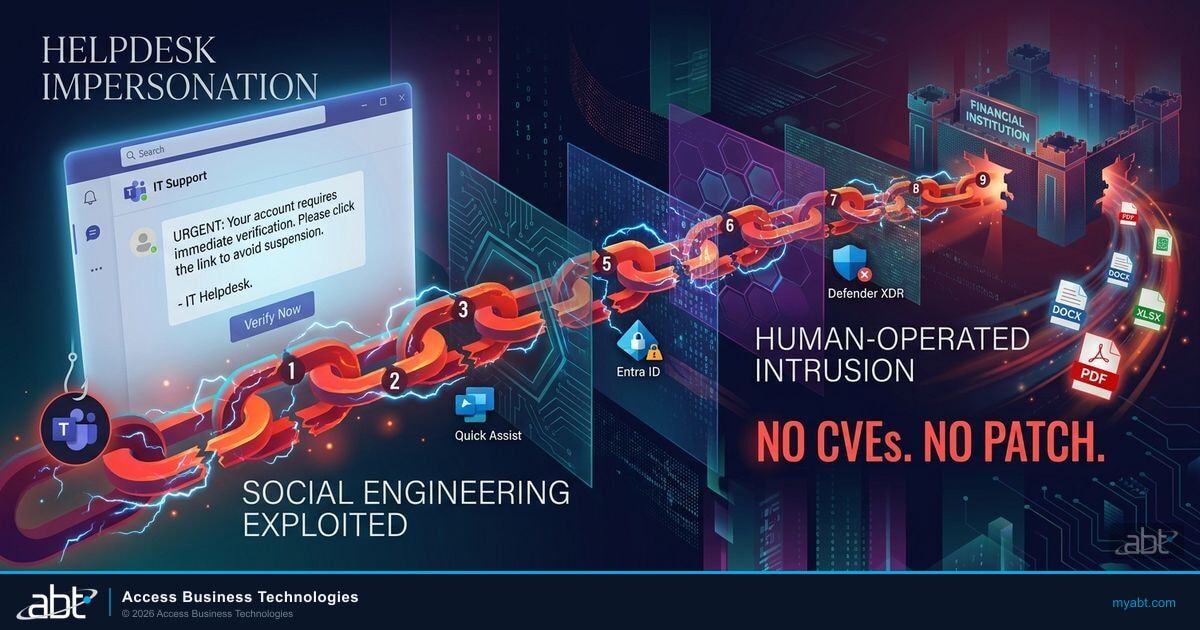
On April 18, 2026, the Microsoft Defender Security Research Team and Microsoft Defender Experts published an advisory that should concern every financial institution running Microsoft Teams: a fully documented 9-stage human-operated intrusion chain that starts with a single Teams message from a fake helpdesk account. No vulnerability is exploited. No CVE is assigned. The attacker simply sends a chat message, and in under 60 seconds, gains full interactive control of the victim's workstation through Quick Assist.
What makes this attack different from garden-variety phishing is the velocity and precision of the post-access chain. Within two minutes of initial contact, the attacker has enumerated the host and domain, sideloaded a malicious DLL through a trusted application, established encrypted persistence in the Windows registry, and opened a command-and-control channel over standard HTTPS port 443. Within the hour, they have moved laterally to the domain controller via WinRM and begun exfiltrating PDF, DOCX, XLSX, and PPTX files using Rclone. Every tool in the chain is either built into Windows or is a legitimate remote management application.
For banks, credit unions, and mortgage companies, this attack pattern intersects with three operational realities: strict firewall configurations that may not inspect outbound HTTPS traffic to cloud-hosted C2 endpoints, FFIEC examination requirements that mandate incident detection within specific timeframes, and cross-tenant Teams collaboration that many institutions already use with examiners, auditors, and third-party vendors. This article breaks down every stage of the intrusion, explains what Guardian configures across the Microsoft security stack to block or detect each phase, and provides a 48-hour hardening checklist your team can execute this week.
The Attack Nobody Patches For
Patch Tuesday does not fix this. Vulnerability scanners will not flag it. Your penetration testing firm will not find it in an automated scan. The entire 9-stage intrusion chain documented by Microsoft on April 18, 2026 (and updated April 20, 2026) operates without exploiting a single software vulnerability. Every technique in the chain uses either a built-in Windows tool or a legitimate application that your endpoint detection stack likely allows.
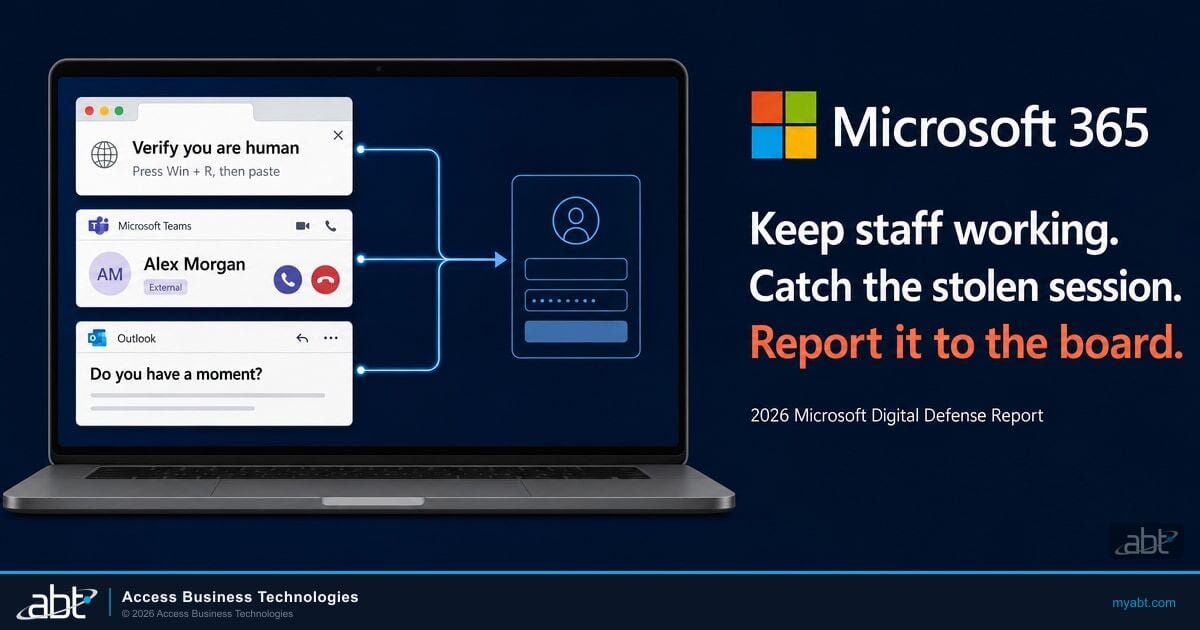
The attack begins with a Microsoft Teams message. The threat actor creates an account in a separate Azure AD tenant, configures it with a display name that mimics an internal helpdesk or IT support identity, and initiates a cross-tenant chat. Microsoft Teams does display external user labels, Accept/Block prompts, and phishing indicators on these messages. The problem is that social engineering bypasses all of them. When someone who appears to be from IT says "I need Quick Assist access to fix your MFA issue," the warning banners become background noise.
No CVE Means No Patch: This Is a Configuration and Training Problem
Because this attack exploits human trust rather than software bugs, patching alone cannot stop it. Microsoft's advisory explicitly states that no CVE is associated with any stage of this intrusion chain. The only defenses are policy configuration (blocking or restricting Quick Assist, external Teams access, and WinRM), detection engineering (Defender XDR correlation rules), and user awareness training. If your security program depends on vulnerability management as its primary control, this attack bypasses your entire posture.
This is not theoretical. Huntress published a corroborating report on April 17, 2026, documenting an uptick in exploitation of remote assistance tools including BeyondTrust and Bomgar in similar attack patterns. The tradecraft is spreading across threat actors. Microsoft describes the operators as using "common tradecraft" without attributing a specific Storm identifier, which suggests this technique is being adopted by multiple groups rather than a single sophisticated operation.
For financial institutions regulated by the FFIEC, OCC, NCUA, and state banking departments, the implications are direct. Examination guidance increasingly focuses on social engineering resilience and detection of living-off-the-land techniques. The Microsoft Secure Score alone does not measure your readiness for this class of attack, because the controls that matter are policy configurations and detection rules, not patch levels.
How the 9-Stage Intrusion Works
Microsoft's advisory documents the full intrusion lifecycle in nine discrete stages. Each stage builds on the previous one, and the entire chain from initial Teams message to active data exfiltration can complete in under 60 minutes. Below is the complete sequence as documented by the Microsoft Defender Security Research Team and Microsoft Defender Experts.
The attacker creates an Azure AD account in a separate tenant with a display name matching the target institution's IT helpdesk naming convention. They initiate a Teams chat to the target user. Teams shows the external user label and Accept/Block prompt, but social engineering bypasses these controls. The pretext is typically a fabricated MFA issue, password reset, or device compliance problem.
The attacker instructs the target to launch Quick Assist (built into Windows) and share a session code. Within under 60 seconds of the user accepting, the attacker has full interactive desktop control. Quick Assist is a signed Microsoft application that most endpoint protection tools allow by default.
The attacker opens cmd.exe and runs rapid enumeration: hostname, domain membership, OS version, network configuration, and current user context. This reconnaissance phase completes in 30 to 120 seconds and establishes whether the compromised host has domain connectivity and admin potential.
The attacker drops a malicious DLL alongside a trusted, signed executable. Microsoft documented four specific sideloading pairs used across incidents (see table below). Because the parent executable is legitimately signed, the malicious DLL loads without triggering standard application control policies.
The malware writes encrypted configuration values to HKCU\SOFTWARE\Classes\Local Settings\Software\Microsoft using ChaCha20 encryption. Values named UXMP, UFID, and UCID store the Havoc C2 framework configuration. Registry persistence survives reboots and is invisible to standard file-based scanning.
The Havoc C2 framework establishes an encrypted channel over standard HTTPS port 443 to cloud-hosted endpoints. Because the traffic uses legitimate TLS on the standard web port, it blends with normal outbound web traffic and passes through most firewall and proxy configurations without inspection.
Using credentials harvested from the compromised host, the attacker moves laterally via Windows Remote Management on TCP port 5985. The primary target is the domain controller. WinRM is a built-in Windows administration protocol that many financial institutions leave enabled for legitimate IT management.
The attacker deploys Level RMM using msiexec.exe, establishing a secondary remote access channel independent of the Havoc C2 framework. This redundancy ensures persistent access even if the primary C2 channel is detected and blocked.
The attacker uses Rclone, a legitimate cloud storage synchronization tool, to exfiltrate files matching specific extensions: PDF, DOCX, XLSX, and PPTX. For financial institutions, these file types map directly to loan documents, board packages, financial statements, audit reports, and compliance documentation.
The speed of this chain is what makes it dangerous. Traditional security operations centers expect hours or days between initial access and lateral movement. This attack completes Stages 1 through 6 in under five minutes, and Stages 7 through 9 can begin within the first hour. Detection that depends on daily log review or weekly SIEM correlation will miss the entire intrusion.
DLL Sideloading Pairs Documented by Microsoft
The Microsoft advisory identified four specific executable-DLL pairs used across incidents. Each parent executable is a legitimately signed application that attackers abuse for sideloading. Understanding these pairs is critical for building targeted detection rules in Defender for Endpoint.
| Trusted Executable | Sideloaded DLL | Original Purpose | Detection Priority |
|---|---|---|---|
| AcroServicesUpdater2_x64.exe | msi.dll | Adobe Acrobat updater | High |
| ADNotificationManager.exe | vcruntime140_1.dll | AD notification service | High |
| DlpUserAgent.exe | mpclient.dll | DLP user agent | High |
| werfault.exe | Faultrep.dll | Windows Error Reporting | High |
Notice that DlpUserAgent.exe and werfault.exe are Windows system components. Attackers deliberately chose executables that security teams would expect to see running on any Windows endpoint. This makes process-based detection unreliable without additional context like DLL hash verification or load-path analysis.
Why Financial Institutions Face Elevated Risk
Every organization using Microsoft Teams is potentially exposed to this attack chain. But financial institutions face compounding risk factors that make this technique especially dangerous in banking, credit union, and mortgage company environments.
A loan officer at a community bank receives a Teams message from "IT Support" during a busy closing day. The message says their MFA token needs re-enrollment and asks them to open Quick Assist. The external user label is visible, but the loan officer has previously received legitimate Teams messages from auditors and examiners through cross-tenant channels and treats external labels as routine.
Within 5 minutes, the attacker has interactive control, has sideloaded a persistence payload, and has opened a C2 channel that passes through the bank's firewall. Within 30 minutes, the attacker reaches the domain controller and begins exfiltrating board packages, audit reports, and customer loan files. The bank's SIEM processes daily log batches and does not generate an alert until the following morning.
This scenario is not exaggerated. It maps directly to the attack chain Microsoft documented. Here are the specific factors that amplify risk for financial institutions:
Cross-tenant collaboration is already normalized. Banks and credit unions routinely receive Teams messages from examiners, auditors, law firms, and third-party service providers operating in different Azure AD tenants. The external user label that is supposed to signal risk has become familiar and expected. Users who regularly accept cross-tenant messages are less likely to treat a new external contact with suspicion.
Strict firewall configurations create a false sense of security. Many financial institutions invest heavily in perimeter defenses, but those firewalls typically allow outbound HTTPS traffic on port 443. The Havoc C2 channel uses standard TLS on port 443, meaning it passes through most proxy and firewall configurations without deep packet inspection. The institution's investment in network security offers no protection against this specific exfiltration path.
The target file types map directly to regulated data. PDF, DOCX, XLSX, and PPTX files in a financial institution's environment contain exactly the data regulators care about most: loan applications with nonpublic personal information (NPI), board meeting minutes, sensitive financial data that DLP policies should be protecting, audit findings, and compliance reports. The attacker does not need to search for high-value targets. Every document on a loan officer's or compliance officer's workstation is high-value by default.
Detection timelines do not match attack velocity. FFIEC examination guidance expects institutions to detect and respond to security incidents within defined timeframes. An attack that completes initial access through data exfiltration in under 60 minutes requires near-real-time detection. Financial institutions that rely on daily log review, weekly SIEM correlation batches, or monthly security assessments will miss this attack entirely.
See How Your Tenant Would Score Against This Attack Chain
Our automated assessment checks the specific controls this attack exploits:
- Teams external access and cross-tenant chat policies
- Conditional Access rules for remote assistance tools
- Defender for Endpoint detection coverage for DLL sideloading
- WinRM and lateral movement restrictions

What Guardian Configures to Stop This
Guardian is Access Business Technologies' operating model for configuring, monitoring, and maintaining Microsoft's security stack across 750+ financial institutions. Guardian does not replace Microsoft Defender, Entra ID, or Purview. It configures those tools with the policies, rules, and monitoring that financial institutions need but rarely deploy on their own. Here is what Guardian configures across the Microsoft security stack to address each stage of this attack chain.
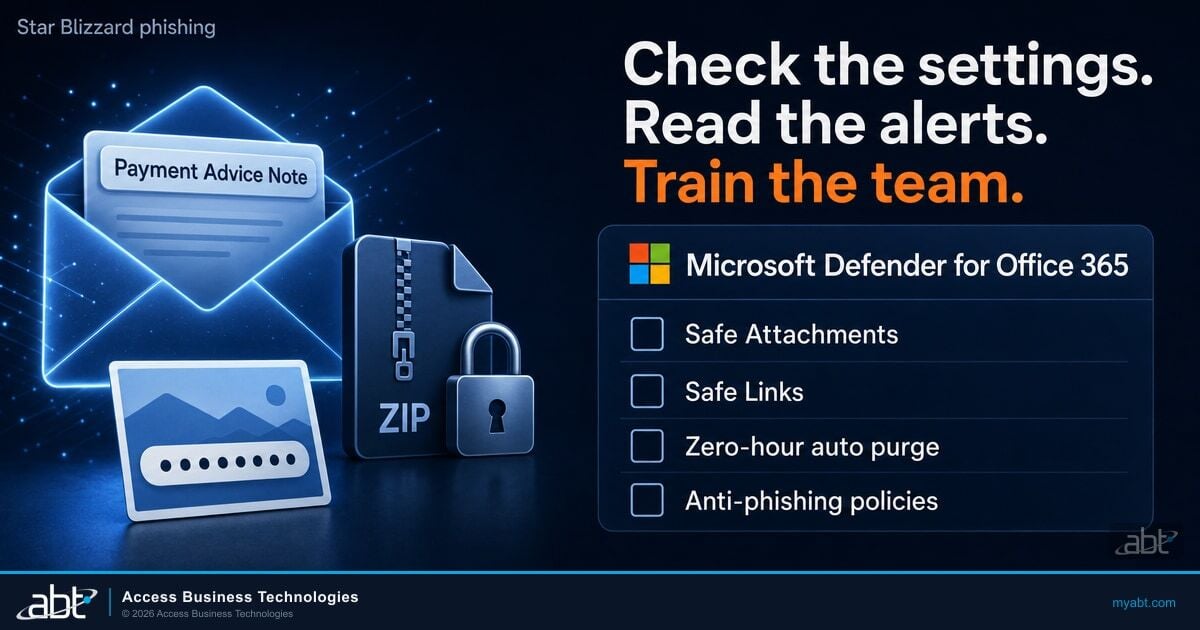
Three Microsoft products carry most of the defensive weight for the Teams helpdesk impersonation pattern, and Guardian configures each of them with policies tuned to financial-institution risk. Microsoft Defender for Office 365 extends its anti-phishing and anti-impersonation policies to Teams collaboration, scanning cross-tenant chat messages, attachments, and links inside Teams using the same Safe Attachments and Safe Links pipeline that protects email. ABT enables Defender for Office 365 Plan 2 features against Teams traffic so that a helpdesk-themed message from an external tenant gets the same scrutiny as a phishing email. Microsoft Defender for Identity watches the on-premises Active Directory and Entra ID identity surface for the lateral-movement and reconnaissance signals that follow a Quick Assist foothold, including the WinRM connections to the domain controller in Stage 7 and the credential harvesting that enables them. Microsoft Entra ID Conditional Access closes the front door by requiring compliant device, MFA reauthentication, and signed-in user risk evaluation before Teams or Quick Assist sessions can be initiated from external tenants. The three products together are the Teams helpdesk impersonation defenses for a community bank, credit union, or mortgage company running Microsoft 365.
Microsoft's advisory explicitly names Quick Assist, WinRM, msiexec, and Rclone as tools abused in this intrusion chain. As a Tier-1 CSP, ABT's Guardian team maintains detection and prevention configurations specifically tuned for these tools across financial institution tenants. The attack surface reduction rules, Conditional Access policies, and Defender XDR correlation rules described below reflect configurations actively deployed across ABT-managed institutions.
Stage 1 Mitigation: Teams External Access Policy
The first line of defense is restricting who can send Teams messages to your users from outside your tenant. Guardian configures Microsoft Teams external access policies to block or restrict cross-tenant communication based on the institution's risk tolerance. For most financial institutions, this means moving from the default "open federation" (any external tenant can message any internal user) to an allowlist model where only pre-approved tenant domains can initiate contact.
This does not mean blocking examiners or auditors. Guardian maintains a curated tenant allowlist for each institution that includes regulatory bodies, approved vendors, and partner organizations. Messages from unknown tenants are blocked before they reach the user. The attacker's fabricated helpdesk tenant would never appear in the allowlist.
Stage 2 Mitigation: Conditional Access for Remote Assistance Tools
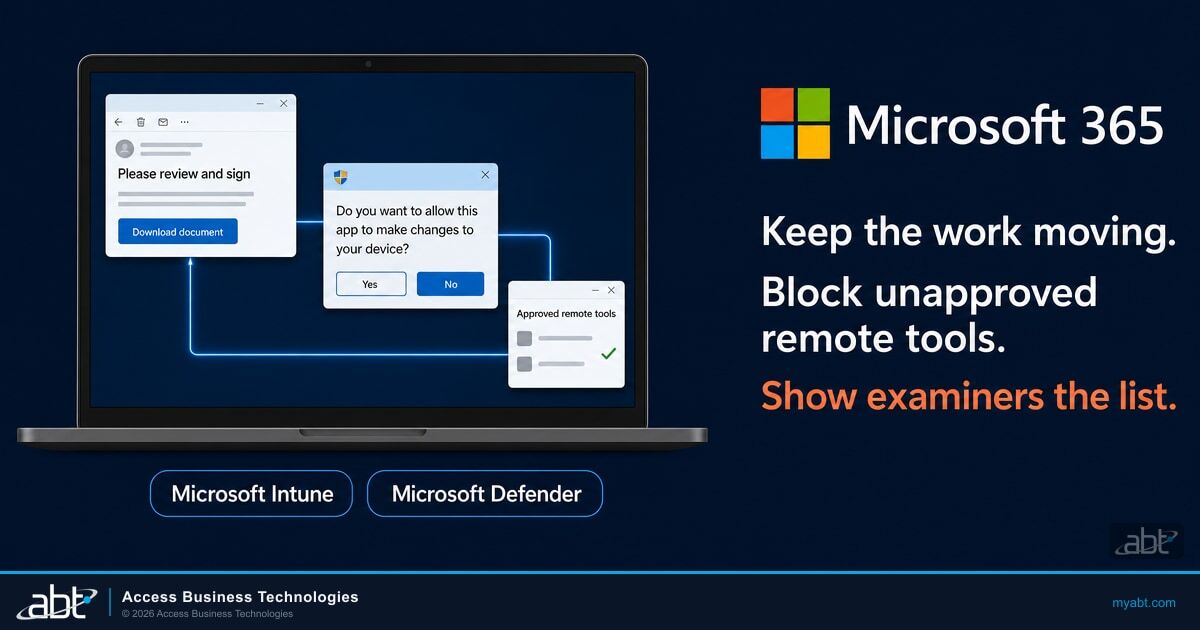
Quick Assist is the foothold application in this attack chain. Guardian deploys Conditional Access policies in Microsoft Entra ID that restrict when and how remote assistance tools can be launched. These policies can require compliant device status, specific user roles, or MFA re-authentication before Quick Assist sessions are permitted. In high-security environments, Guardian configures policies that block Quick Assist entirely and route all remote support through the institution's approved ticketing and remote management platform.
Stage 4 Mitigation: Attack Surface Reduction Rules for DLL Sideloading
Microsoft Defender for Endpoint includes attack surface reduction (ASR) rules that directly address DLL sideloading. Guardian enables and enforces two ASR rules relevant to this attack chain: "Block abuse of exploited vulnerable signed drivers" and "Block executable content from email client and webmail." Additionally, Guardian configures custom detection rules that alert on the specific executable-DLL pairs Microsoft documented (AcroServicesUpdater2_x64.exe/msi.dll, ADNotificationManager.exe/vcruntime140_1.dll, DlpUserAgent.exe/mpclient.dll, werfault.exe/Faultrep.dll).
Stages 7-8 Mitigation: WinRM Restriction and RMM Control
Lateral movement via WinRM (TCP 5985) is the bridge between initial workstation compromise and domain controller access. Guardian configures Windows Firewall rules that restrict WinRM connectivity to approved management servers only. Workstation-to-workstation and workstation-to-domain-controller WinRM traffic is blocked by default. For Stage 8, Guardian maintains an application control policy that blocks unauthorized RMM tool installations, including Level RMM, via msiexec.exe execution restrictions.
Stage 9 Mitigation: Rclone and Exfiltration Control
Guardian configures Microsoft Defender for Endpoint to detect and block Rclone execution, and deploys Microsoft Purview DLP policies that prevent bulk file transfers of regulated document types (PDF, DOCX, XLSX, PPTX) to unauthorized cloud storage endpoints. The DLP policies trigger real-time alerts when file transfer patterns exceed defined thresholds, giving the security operations team visibility into exfiltration attempts as they happen rather than in the next day's log review.
Detecting the Attack in Microsoft Defender XDR
Configuration prevents the attack from succeeding. Detection catches it when prevention fails. Both are required. Microsoft Defender XDR provides the correlation engine, and Guardian configures the specific detection rules that map to this intrusion chain. Below are the detection capabilities organized by attack stage.
Teams-Based Social Engineering Detection
Microsoft Defender for Office 365 generates alerts for suspicious Teams activity, including messages from external tenants that contain known social engineering patterns. Guardian configures custom alert policies that flag external Teams messages containing keywords associated with helpdesk impersonation: "Quick Assist," "remote support," "MFA re-enrollment," "password reset," and variations. These alerts route to the institution's security operations queue for immediate review.
Endpoint Detection: Process Chain Analysis
The most reliable detection point is the process chain that follows Quick Assist session initiation. Guardian configures Defender for Endpoint custom detection rules that correlate Quick Assist launches with subsequent cmd.exe reconnaissance commands. The specific pattern (Quick Assist > cmd.exe > hostname/whoami/ipconfig within 120 seconds) is a high-fidelity signal that differentiates an attack from legitimate remote support.
For the DLL sideloading stage, Guardian configures file hash-based indicators of compromise (IOCs) for the known malicious DLLs and behavioral detection rules that alert when trusted executables load DLLs from unexpected directory paths. A legitimate AcroServicesUpdater2_x64.exe loads msi.dll from the Adobe installation directory. The same executable loading msi.dll from a user's temp folder or Downloads directory is a sideloading indicator.
KQL Hunting Queries for Proactive Threat Hunting
For institutions with Microsoft Defender XDR advanced hunting capabilities, the following detection approaches map to the specific techniques in this attack chain. Guardian deploys these as scheduled hunting rules that run continuously rather than requiring manual analyst execution.
- Quick Assist + Reconnaissance correlation: Query DeviceProcessEvents for QuickAssist.exe parent processes spawning cmd.exe or PowerShell with enumeration commands (hostname, whoami, systeminfo, ipconfig, nltest) within a 120-second window.
- DLL sideloading anomaly: Query DeviceImageLoadEvents for the four documented executable names loading DLLs from non-standard paths. Join with DeviceFileEvents to identify recently dropped DLLs.
- Registry persistence detection: Query DeviceRegistryEvents for write operations to
HKCU\SOFTWARE\Classes\Local Settings\Software\Microsoftwith value names matching UXMP, UFID, or UCID. - WinRM lateral movement: Query DeviceNetworkEvents for outbound connections on TCP 5985 from workstations to non-management-server destinations, correlated with DeviceLogonEvents showing new authentication events on the target.
- Rclone exfiltration: Query DeviceProcessEvents for rclone.exe execution or processes making high-volume outbound connections to known cloud storage provider IP ranges immediately after accessing multiple PDF/DOCX/XLSX/PPTX files.
Key Takeaway
Detection for this attack chain requires correlation across multiple Defender XDR signal sources: Teams activity, endpoint process chains, file system events, registry writes, and network connections. No single alert catches the full intrusion. The detection value comes from connecting Quick Assist sessions to reconnaissance commands, sideloaded DLLs, registry persistence, and lateral movement within a compressed timeframe.

Your 48-Hour Hardening Checklist
You do not need a six-month project to reduce your exposure to this attack chain. The following actions can be completed within 48 hours by an IT team with Microsoft 365 administrative access. Each item directly addresses a specific stage of the intrusion.
Move from open federation to an allowlist model. In the Teams admin center, set external access to "Allow only specific external domains" and add only verified tenant domains for regulators, auditors, and approved vendors.
Deploy a Conditional Access policy that blocks Quick Assist for all users except the IT helpdesk team. Alternatively, remove Quick Assist via Intune application management if your institution uses a different remote support tool.
In Defender for Endpoint, enable attack surface reduction rules in block mode. At minimum, enable "Block abuse of exploited vulnerable signed drivers" and configure custom IOCs for the four DLL sideloading pairs documented in the Microsoft advisory.
Configure Windows Firewall rules (via Intune or Group Policy) to block inbound WinRM on TCP 5985 on all workstations. Allow WinRM only on servers that require it, and only from designated management IP ranges.
Add Level RMM, AnyDesk, TeamViewer, and other unapproved remote management tools to your Defender for Endpoint indicator list as blocked applications. Only your institution's approved remote support platform should be permitted.
Block Rclone execution via Defender for Endpoint application control. Configure Purview DLP policies that alert on bulk transfers of PDF, DOCX, XLSX, and PPTX files to external cloud storage endpoints.
Send an immediate security awareness notice to all staff explaining the Teams helpdesk impersonation technique. Include specific guidance: IT will never ask you to share a Quick Assist code via Teams chat. If someone claiming to be IT support contacts you via Teams, verify by calling the internal helpdesk number directly.
Implement the KQL hunting queries described in Section 5 as scheduled queries in Microsoft Defender XDR advanced hunting. Set alert severity to High and route alerts to your security operations queue for same-day review.
This checklist covers the most critical hardening actions. For institutions that want a comprehensive configuration review covering all stages of this attack chain plus broader device code phishing and cross-tenant attack patterns, the actions below provide a deeper layer of protection.
- Review Conditional Access policies for completeness. Verify that policies enforce compliant device requirements, block legacy authentication, and require MFA for all administrative actions including Teams administration.
- Audit outbound network rules. Determine whether your firewall or proxy performs TLS inspection on outbound HTTPS traffic. If not, the C2 channel on port 443 will pass uninspected. Consider adding cloud-hosted C2 framework domains to your threat intelligence blocklist.
- Enable enhanced audit logging. Ensure that Microsoft 365 unified audit logging is enabled and that Defender for Endpoint collects process creation events, DLL load events, registry write events, and network connection events. These log sources are prerequisites for the hunting queries described above.
- Test your detection with a tabletop exercise. Walk your security team through the 9-stage attack chain as a tabletop scenario. Measure how quickly each stage would be detected with your current monitoring configuration. Any stage with a detection gap longer than 15 minutes should receive immediate attention.
Configuration and a 48-hour checklist will move an institution past the worst of the exposure, but the Teams helpdesk attack chain completes in under 60 minutes from initial message to active exfiltration, which means a checklist alone will not catch the next intrusion. ABT runs M365 Guardian as the operating model that keeps the Defender stack, Entra ID Conditional Access, Intune device compliance, and Purview DLP policies aligned to the financial-institution threat pattern across every tenant ABT manages. On top of that configuration layer, Guardian MxDR is ABT's 24/7 security operations center watching the Microsoft Defender XDR signals for 750+ banks, credit unions, and mortgage companies, including the Teams external chat, Quick Assist process chains, DLL sideloading anomalies, registry persistence writes, WinRM lateral movement, and Rclone exfiltration patterns described above. The configuration and the SOC together are what turn the 60-minute attack window into something the institution detects in minutes, not the next morning's log review. For a community bank or credit union running Microsoft 365 without a dedicated overnight security team, the Guardian MxDR layer is the practical answer to the velocity problem this attack chain creates.
Close These Gaps Before the Next Teams Message Arrives
ABT's Guardian team configures every control described in this article across your Microsoft tenant. Most engagements complete initial hardening in under 48 hours. For institutions that need Teams external access policies, Conditional Access for remote tools, ASR rules, WinRM restrictions, and Defender XDR detection rules deployed immediately, start with a conversation.
Frequently Asked Questions
No. According to the Microsoft advisory published April 18, 2026, no CVE is associated with any stage of this attack chain. The intrusion relies entirely on social engineering and living-off-the-land techniques. Microsoft Teams does display external user labels, Accept/Block prompts, and phishing indicators on cross-tenant messages, but the attacker bypasses these warnings through social engineering rather than exploiting a software bug.
Microsoft did not attribute this attack to a specific Storm identifier. The advisory describes the operators as threat actors using common tradecraft, which suggests the technique is being adopted by multiple groups rather than a single sophisticated operation. Huntress published a corroborating report on April 17, 2026, documenting similar exploitation patterns across remote assistance tools including BeyondTrust and Bomgar, further supporting that this tradecraft is spreading broadly.
Yes. Microsoft Teams external access supports an allowlist model where you specify exactly which external tenant domains can initiate contact with your users. You add the Azure AD tenant domains for your regulators (NCUA, OCC, FDIC examiners), audit firms, law firms, and approved vendors. Messages from any tenant not on the allowlist are blocked automatically. This stops the attack at Stage 1 without affecting legitimate cross-tenant collaboration.
That depends on whether your institution uses Quick Assist for legitimate remote support. If your IT team uses a different remote management tool, removing Quick Assist via Intune or Microsoft Endpoint Manager eliminates the foothold application entirely. If your team does use Quick Assist, deploy a Conditional Access policy that restricts it to IT staff only and requires device compliance and MFA re-authentication before sessions can be initiated. Either approach blocks Stage 2 of the attack chain.
An IT team with Microsoft 365 administrative access can complete the most critical items (Teams external access restriction, Quick Assist policy, WinRM firewall rules, and staff briefing) within the first business day. ASR rule deployment, RMM blocking policies, DLP configuration, and hunting query implementation typically complete on the second day. Institutions working with ABT's Guardian team often complete the full checklist faster because the configurations are templated from deployments across 750+ financial institutions.