

In This Article
- What data security posture management means
- How Microsoft Purview DSPM works today
- Where data risk assessments find oversharing
- What is generally available, in preview, and licensed
- A monthly DSPM review your examiner can read
- How the review maps to GLBA safeguards and FFIEC guidance
- How ABT closes the gaps DSPM finds
- Frequently Asked Questions
A loan officer shares a closing package with a title company from SharePoint. A member service rep drops a spreadsheet of account numbers into a Teams channel so the team can work the queue. An analyst asks Copilot to pull last quarter's delinquency notes. Each move gets work done, and each one leaves sensitive data somewhere your security team needs to see.
You see it with data security posture management (DSPM). Microsoft Purview Data Security Posture Management became generally available in the commercial cloud in May 2026. It covers the Microsoft 365 data your institution already works in, and preventing data exposure in Copilot interactions is one of its objectives. Its default weekly data risk assessment covers your top 100 SharePoint sites by usage, and item-level scanning covers up to ten SharePoint sites; OneDrive sits outside that scan.
- Microsoft announces a new DSPM experience that "unifies current Purview DSPM and DSPM for AI capabilities."
- The new DSPM experience becomes generally available in the commercial cloud. The Data Security Posture Agent and partner solutions for non-Microsoft data sources stay in preview.
- Microsoft 365 roadmap item 561036 targets general availability for GCC, GCC High and DoD. Roadmap dates can move.
- Your next stepOpen the new DSPM experience and put the monthly review below on the calendar.
This guide for CISOs, IT directors and compliance officers covers what Microsoft shipped, what's in preview, how it's licensed, and a monthly review that produces records an examiner can read. ABT is a Tier-1 Microsoft Cloud Solution Provider that has served 750+ financial institutions, and the monthly review here is ABT's recommendation for any institution licensed for DSPM.
"Financial services breaches were reported to cost on average $6.3 million," and "Only 37% of breached organizations stated that they encrypt sensitive data both at rest and in transit."
Breaches at financial institutions are expensive, and across IBM's global sample, fewer than four in ten breached organizations encrypt sensitive data both at rest and in transit. DSPM first shows where that data sits.
What is data security posture management?
Data security posture management (DSPM) is the ongoing practice of answering four questions about your sensitive data: what you have, where it is stored, who can access it, and how it is protected. A DSPM program then fixes the gaps it finds and tracks the result over time, so posture becomes a number you can show your board.
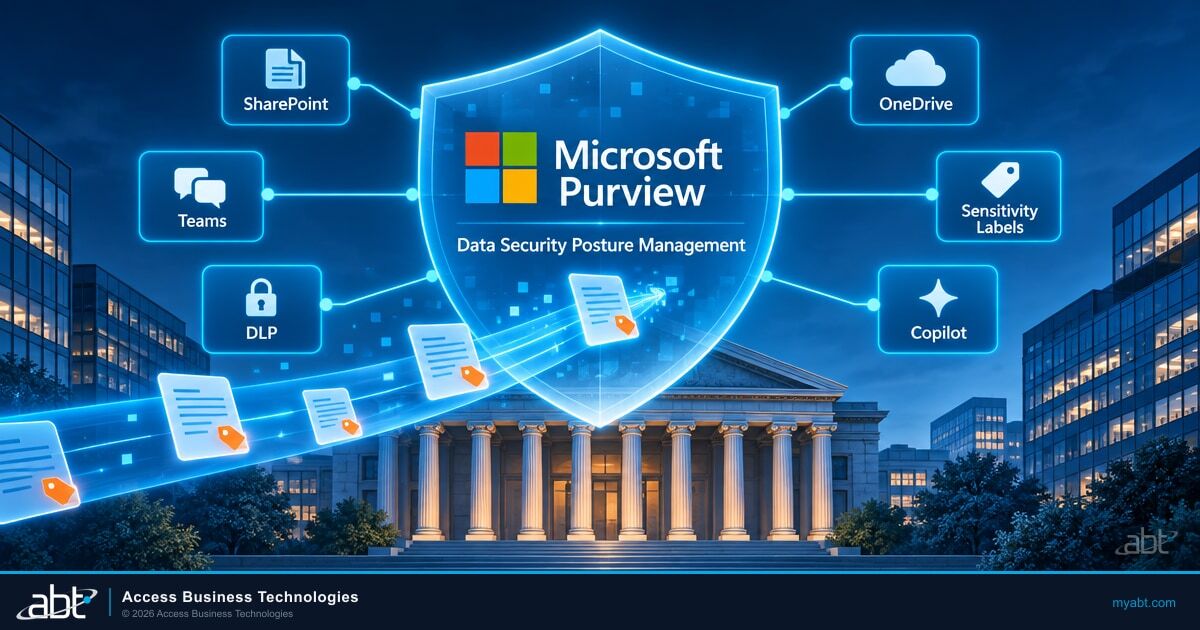
Microsoft's Learn documentation describes Purview DSPM as a way to discover, protect and investigate sensitive data risks around those four questions. It combines signals from Purview data loss prevention (DLP), Insider Risk Management, sensitivity labels and Data Security Investigations into one posture.
The new experience "unifies current Purview DSPM and DSPM for AI capabilities," per Microsoft's November 2025 announcement. The earlier products are now called DSPM (classic) and DSPM for AI (classic), and new improvements "won't be added to this classic version," per the classic DSPM page. If your team watched Copilot through the classic view, our walkthrough of the Copilot governance dashboard in Purview covers it.
How Microsoft Purview DSPM works today
DSPM organizes the work around security objectives, including preventing oversharing of sensitive data, preventing exfiltration to risky locations, discovering sensitive data in your organization, and preventing data exposure in Microsoft 365 Copilot interactions. For a bank, credit union or lender, oversharing is the natural first objective, because it ties directly to the data risk assessments below.
Each objective carries outcome cards with metrics such as the percentage of data covered by policies and the number of risky sharing incidents. The posture page adds a 30-day trend graph, and reports track labeling, policy usage and risky behavior by users and AI agents.
- DSPM starts from the Microsoft 365 data your institution already works in.
- It combines signals from data loss prevention (DLP), sensitivity labels, Insider Risk Management and Data Security Investigations into one posture.
- Alongside those signals, a default data risk assessment runs automatically every week on your top 100 SharePoint sites by usage.
- Security objectives carry outcome cards with metrics. Oversharing is the natural first objective because it ties directly to the data risk assessments.
- Your team fixes what it finds and watches the 30-day posture trend.
DSPM can also automate fixes such as removing public sharing links or applying data loss prevention policies; our guide to Purview DLP for AI, Copilot and Foundry agents covers those policies.
DSPM covers AI too; Microsoft's DSPM documentation describes AI observability as "An inventory of all AI apps and agents" with activity in the last 30 days. Verizon's 2026 Data Breach Investigations Report found that "Frequent usage of AI tools by employees has surged from 15% to 45% of employees in a single year," and Microsoft's 2026 Data Security Index survey reports that "32% of surveyed organizations’ data security incidents involve the use of generative AI tools." If Copilot is on your roadmap, work the DSPM objective for Microsoft 365 Copilot interactions before rollout, so oversharing fixes land before users ask Copilot for files. Our article on Microsoft Purview for AI agents covers protections for AI apps.
Data risk assessments: where DSPM finds oversharing
Data risk assessments are the part of DSPM that finds and fixes oversharing, such as a loan file folder open to every employee or a site that kept "anyone with the link" sharing after the project ended.
Per Microsoft's oversharing documentation, "A default data risk assessment automatically runs weekly for the top 100 SharePoint sites based on usage in your organization," and "The first time the default assessment is created there's a 4-day delay before results are displayed." Item-level work has a tighter scope:
- SharePoint sites only. Item-level scanning and remediation currently covers SharePoint sites.
- Ten sites at a time. Microsoft lists "A current maximum of 10 SharePoint sites for item-level scanning."
- OneDrive stays on your existing review list. Item-level scanning skips OneDrive today.
- Custom assessments expire. "To rerun a custom data risk assessment, and to see results after the 30-day expiration, use the duplicate option."
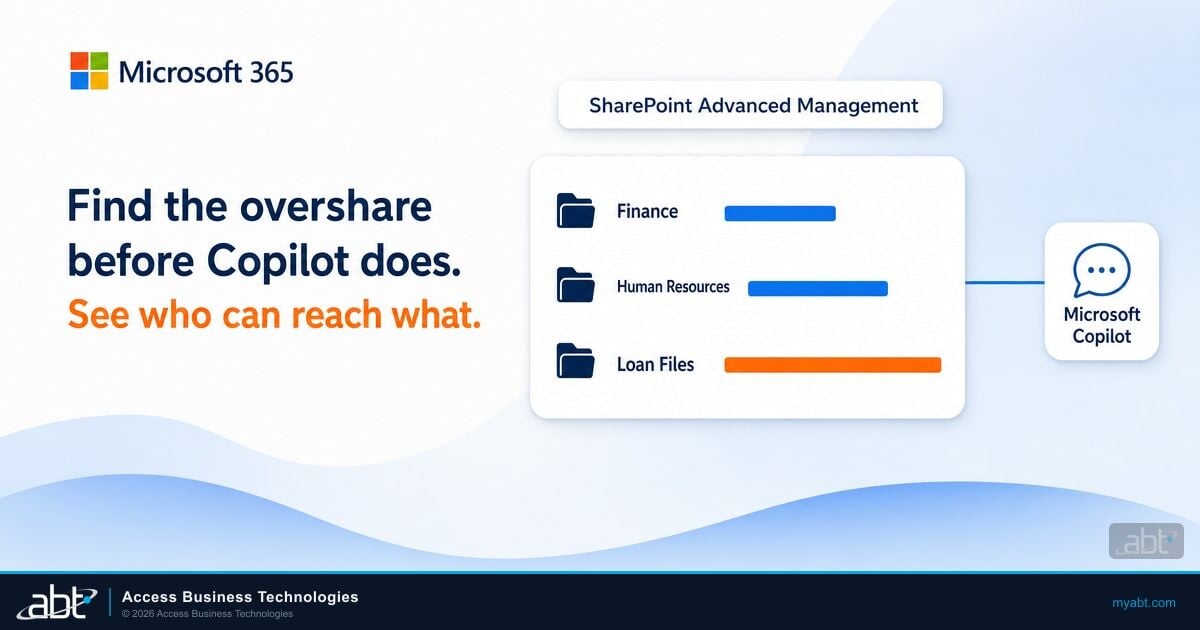
Pick the ten sites holding the most sensitive content, such as loan files, account records and board materials, and rotate the rest in. Our guide to fixing Copilot oversharing before rollout walks through the cleanup, and SharePoint Advanced Management for financial institutions covers site-level controls.

Two remediation options to use with care
Restricting access to an item fixes oversharing fast, and Microsoft advises using it sparingly because it can block legitimate access. DSPM can also suggest retention policies that delete content "When content hasn't been accessed for at least 3 years." Line that option up with your records-retention schedule before anyone turns it on.
What is generally available, what is in preview, and who is licensed
Microsoft's What's new page lists the new DSPM as generally available, with partner solutions for non-Microsoft data sources and the Data Security Posture Agent still in preview. Label preview items the same way in your own documentation.
Generally available now
- The new DSPM experience and posture page
- Security objectives with outcome cards
- Data risk assessments on SharePoint sites
- Reports and the 30-day posture trend
Still in preview
- The Data Security Posture Agent
- Partner solutions for non-Microsoft data sources, through Microsoft Sentinel data lake
- Proactive AI insights, refreshed every 24 hours
Microsoft's DSPM announcement says partner signals for non-Microsoft sources "will be offered using pay-as-you-go billing through Microsoft Sentinel consumptive meters," so budget for the meter before connecting non-Microsoft sources.
On licensing, the classic getting-started page named "a Microsoft 365 E5 or Microsoft Purview Suite (formerly known as Microsoft 365 E5 Compliance) license." The current considerations page requires "a supporting license for this Microsoft Purview solution," so confirm your tenant against the Microsoft Purview service description. For Microsoft 365 Business Premium, Microsoft's licensing guidance says "You can license all the advanced Purview capabilities for your Microsoft 365 Business Premium users by adding the Microsoft Purview Suite for Business Premium," and that suite's product page lists Data Security Posture Management.
On Business Premium, the practical choice is the Purview Suite for Business Premium add-on or a move to Microsoft 365 E5, depending on the controls you need beyond DSPM. ABT licenses both paths and can lay them side by side for your tenant before you buy. Talk to an ABT Microsoft 365 licensing specialist about which one fits.
The posture agent "requires both the standard per seat licensing model and the pay-as-you-go billing model" and "consumes SCUs every time it runs" (security compute units). Because that billing is Azure based, "you must associate your Microsoft 365 tenant with an active Azure subscription," per Microsoft's Purview billing models page. Separately, Microsoft says Security Copilot "will be available to all eligible Microsoft 365 E5 and E7 customers," with rollout continuing in the upcoming months; the posture agent keeps its own pay-as-you-go requirement.
Auditing must be on to collect Microsoft 365 Copilot and Microsoft 365 Copilot Chat interaction events, and Microsoft says to allow a day or so before tenant data shows up. Better policies make better metrics; start with our Microsoft 365 DLP guide for financial services.
A monthly DSPM posture review your examiner can read
Microsoft's design rewards a regular habit. Its DSPM considerations page says Microsoft "pauses the background processing that refreshes Microsoft 365 data in Data Security Posture Management when a tenant hasn't accessed the solution for more than 60 days." The posture trend graph covers 30 days, and custom assessments expire after 30 days.
ABT recommends a monthly review. If you need continuous trend coverage, take captures no more than 30 days apart and file them by month. Add a quarterly rollup for your information security committee. Those dated records support the annual report to the board, and the "Keep" lines below are the evidence file.
- Pick the ten SharePoint sites with the most sensitive content, such as loan files, account records and board materials, for item-level scanning, and rotate the rest in.
- Duplicate any custom data risk assessment after its 30-day expiration to rerun it and see its results.
- Restrict access to an item only after its site owner confirms who still needs it.
- Match any retention policy DSPM suggests to your records-retention schedule before anyone turns it on.
- Review the labeling, policy usage and risky behavior reports.
- Confirm auditing is on so DSPM collects Microsoft 365 Copilot and Copilot Chat interaction events.
If label coverage is low, our guide to Microsoft Purview sensitivity labels for financial institutions covers classifying nonpublic personal information.

How the review maps to GLBA safeguards and FFIEC guidance
Start with the Gramm-Leach-Bliley Act (GLBA) standard that covers your institution. The FTC Safeguards Rule, 16 CFR Part 314, covers non-bank financial institutions. Section 314.1(b) names "mortgage lenders" along with "finance companies, mortgage brokers, account servicers" and "non-federally insured credit unions." Banks follow the interagency guidelines as each agency codified them: FDIC-supervised banks in 12 CFR Part 364, Appendix B, national banks and Federal savings associations in 12 CFR Part 30, Appendix B (OCC), and state member banks in 12 CFR Part 208, Appendix D-2 (Federal Reserve). Federally insured credit unions follow 12 CFR Part 748, Appendix A.
The guidelines leave each institution to judge which security measures are appropriate for it. Read the table by supervisor: each citation applies only to the institutions named above for it, and national banks supervised by the OCC and Federal Reserve-supervised state member banks find the matching sections in their own agency's appendix.
| What the review records | Where it comes from in DSPM | Rule or guidance this evidence can support |
|---|---|---|
| An inventory of the sensitive data visible in Microsoft 365 and where it lives | The four posture questions | Part of FTC 314.4(c)(2), for the data held in Microsoft 365: "Identify and manage the data, personnel, devices, systems, and facilities that enable you to achieve business purposes in accordance with their relative importance to business objectives and your risk strategy" |
| Overshared sites and the fix on each | Data risk assessments | FTC 314.4(c)(1)(ii): "Limit authorized users' access only to customer information that they need to perform their duties and functions." Part 364 App B III.C.1.a (FDIC-supervised banks): "Access controls on customer information systems," with the matching section in Part 30 App B (OCC) and Part 208 App D-2 (Federal Reserve). Part 748 App A III.C.1.a (federally insured credit unions): "Access controls on member information systems" |
| Label and policy coverage | Outcome metrics | FFIEC Information Security booklet II.C.5: "After inventorying the assets, management should classify the information according to the appropriate level of protection needed" |
| The monthly trend and reports | 30-day posture trend, reports | FTC 314.4(d)(1): "Regularly test or otherwise monitor the effectiveness of the safeguards' key controls, systems, and procedures" |
| Changes made after each review | Remediation and policy changes | FTC 314.4(g): "Evaluate and adjust your information security program in light of the results of the testing and monitoring" |
| The annual summary | The year's dated captures | Monthly snapshots support each annual report. FTC 314.4(i): the Qualified Individual reports "in writing, regularly and at least annually, to your board of directors or equivalent governing body"; where no such body exists, the report goes to "a senior officer responsible for your information security program" (subject to the 314.6 exception). Part 364 App B III.F (FDIC-supervised banks; matching sections in Part 30 App B and Part 208 App D-2): each institution "shall report to its board or an appropriate committee of the board at least annually." Part 748 App A III.F (federally insured credit unions): each credit union "should report to its board or an appropriate committee of the board at least annually." |
Under FFIEC Information Security booklet section II.C.5, management should inventory and classify assets, including information; the monthly capture documents the Microsoft 365 posture visible on the review date.
Under 314.6, several FTC requirements, including the Qualified Individual's annual written report to the board, "do not apply to financial institutions that maintain customer information concerning fewer than five thousand consumers." Mortgage lenders can read more in our guide to the FTC Safeguards Rule and Microsoft 365 for mortgage lenders.
How ABT closes the gaps DSPM finds
DSPM measures. Someone still has to act on what it finds, and many fixes are Microsoft Purview configuration: a missing sensitivity label, a DLP policy that covers too little, a site shared too widely. As a Tier-1 Microsoft Cloud Solution Provider that has served 750+ financial institutions, ABT licenses Microsoft 365 and manages the tenant under delegated administrative access that the institution grants, so the license, the configuration and the follow-up sit with one partner.
The M365 Guardian page says "Guardian uses Microsoft Purview sensitivity labels, Data Loss Prevention policies, and external sharing controls to reduce oversharing before AI is widely adopted." Each monthly DSPM review then shows whether that label, DLP and sharing coverage is holding, and your information security officer keeps the records.
Frequently Asked Questions
Data security posture management (DSPM) is the ongoing practice of finding sensitive data, mapping where it is stored and who can access it, measuring how it is protected, and fixing the gaps. Microsoft Purview DSPM brings data loss prevention, Insider Risk Management, sensitivity labels and Data Security Investigations into one view, with objectives and metrics tracked over time.
Yes, in the commercial cloud. Microsoft announced general availability of the new Microsoft Purview Data Security Posture Management experience in May 2026, and the earlier consoles are now named DSPM (classic) and DSPM for AI (classic). The Data Security Posture Agent, partner solutions for non-Microsoft data sources such as Google Cloud Platform and Snowflake, and proactive AI insights remain in preview. For GCC, GCC High and DoD, Microsoft 365 roadmap item 561036 targets January 2027, and roadmap dates can move.
Microsoft said the new DSPM experience would be available for customers with Microsoft 365 E5 and E5 Compliance licenses. For Microsoft 365 Business Premium tenants, Microsoft's path is the Microsoft Purview Suite for Business Premium add-on, which lists DSPM. The Data Security Posture Agent, in preview, also needs pay-as-you-go billing and consumes security compute units (SCUs) each time it runs.
ABT recommends a monthly review. Microsoft pauses DSPM's background refresh of Microsoft 365 data after more than 60 days without access, the posture trend covers 30 days, and custom data risk assessments expire after 30 days. If you need continuous trend coverage, take captures no more than 30 days apart and file them by month; those dated records support each annual board report.
A DSPM review produces dated records for duties each supervisor sets. Mortgage companies under FTC 314.4(d)(1) must regularly test or monitor safeguards. Banks follow interagency guidelines in Part 364 Appendix B (FDIC), Part 30 Appendix B (OCC) or Part 208 Appendix D-2 (Federal Reserve), and federally insured credit unions follow NCUA Part 748 Appendix A. FFIEC guidance adds asset inventory and classification.