

In This Article
- What web content filtering is in Microsoft Defender
- Who already owns it
- How a blocked site gets blocked
- Which categories to block at a financial institution
- Build the policy: audit first, then block
- Where on-device filtering stops
- Defender filtering or Entra Internet Access
- What examiners look for
- A web content filtering rollout in five steps
- Licensing and the free Security Assessment through ABT
- Frequently Asked Questions
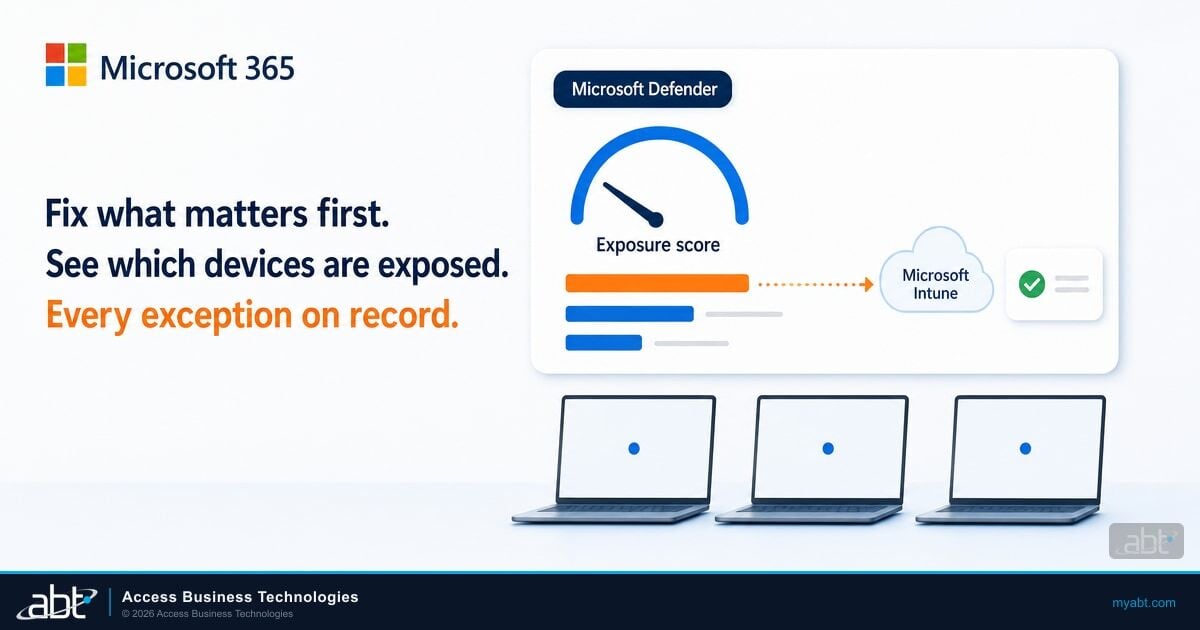
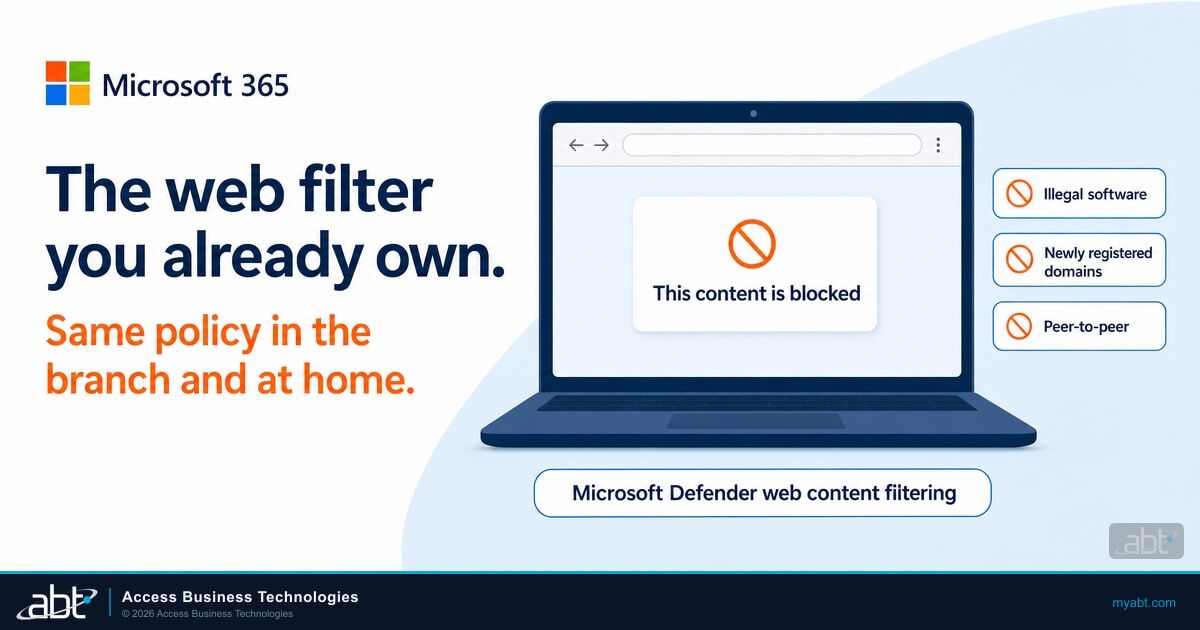
Web content filtering decides which kinds of websites a bank, credit union, or mortgage company lets its employees open. Every institution on Microsoft 365 Business Premium already owns a web filter through Microsoft Defender for Business, and it goes to work once an administrator switches it on and sets a category policy. Microsoft's web content filtering documentation says the feature is "part of web protection in Microsoft Defender for Endpoint and Microsoft Defender for Business." It works on managed devices "whether users are on your network or away."
That second phrase is the reason to look at it now. A loan officer working from home, a branch laptop on hotel Wi-Fi, and a teller workstation inside the branch all get the same category policy, enforced on the device itself.
A mortgage processor working from home searches for a rate sheet and clicks a result on a domain registered last week. The page asks her to sign in to view the document. The institution's web filter sits on the branch firewall, and her laptop is on her home network.
The page loads, the credentials go to a stranger, and the first sign of trouble is a mailbox rule the next morning. With Defender web content filtering blocking newly registered domains on that managed laptop, a lookalike domain in that category ends at a block notice, at the branch or at home.
ABT is a Tier-1 Microsoft Cloud Solution Provider with 25+ years in regulated IT and 750+ financial institutions served. It sells Microsoft 365 licenses at the same price as Microsoft and manages Microsoft 365 tenants for credit unions, banks, and mortgage companies. This guide covers what Defender web content filtering does, which licenses include it, and how to build a policy that suits a regulated institution. It also shows where on-device filtering stops, when Microsoft Entra Internet Access fits better, and how the control lines up with what examiners ask about.
What web content filtering is in Microsoft Defender
Microsoft describes web content filtering as a way to "track and regulate access to websites based on their content categories." You pick categories such as gambling or peer-to-peer file sharing, and devices block or log visits to sites in them. Microsoft's web protection overview places it beside two related controls.
Web threat protection
Microsoft says it "stops access to phishing sites, malware vectors, exploit sites, untrusted or low-reputation sites," plus anything on your own block list. It runs whenever network protection, which checks sites at the operating system level, or Microsoft Defender SmartScreen, the site checker built into Microsoft Edge, is on.
Web content filtering
Category rules your institution chooses: block or audit whole groups of sites, such as gambling, chat, or streaming media, on every managed device.
Custom indicators
Your own allow and block entries for specific URLs, domains, and IP addresses, such as a core processor's portal you always allow.
Web threat protection handles sites Microsoft knows are dangerous. Web content filtering handles sites that are legitimate but wrong for a workstation that can reach customer, member, or borrower data. Custom indicators handle the exceptions. In ABT's reading, together they cover much of what a separate web filtering product or domain name system (DNS) filtering service does on managed Windows and Mac devices.
Who already owns it
Microsoft 365 Business Premium, Microsoft 365 E3 and E5, Defender for Business, and Defender for Endpoint all include web content filtering, according to Microsoft's prerequisites. For financial institutions, these are the common ones.
| License | Web content filtering | How policies are scoped |
|---|---|---|
| Microsoft 365 Business Premium | Included through Microsoft Defender for Business | One policy for the whole environment, applied to all users |
| Microsoft Defender for Business (standalone) | Included | One policy for the whole environment |
| Microsoft 365 E3 | Included | Policies assigned to device groups |
| Microsoft 365 E5, Defender for Endpoint Plan 1 or Plan 2 | Included | Policies assigned to device groups |
Business Premium "includes Microsoft Entra ID P1, Microsoft Defender for Office 365 Plan 1, Microsoft Defender for Business, Microsoft Intune, and Microsoft Purview data loss prevention," as ABT lays out on its M365 Guardian page. ABT sells it at the same price as Microsoft. Defender for Business is the piece that brings web content filtering, and Microsoft designs it for organizations of up to 300 users. If you're weighing plans, our Microsoft 365 E3 vs E5 vs Business Premium comparison for financial institutions walks through the rest of the decision.
Business Premium: one policy for everyone
Microsoft's page is direct: "If you use Microsoft 365 Business Premium or Microsoft Defender for Business, you can define only one web content filtering policy for your environment," and "Scoping doesn't apply." The tellers, the lenders, and the IT team share one category list. Build that list around what every role can live with, and handle the rest with allow indicators for specific sites. Institutions that need a looser policy for IT and a tighter one for branch workstations get device-group scoping with Microsoft 365 E3, E5, or Defender for Endpoint.
How a blocked site gets blocked
Enforcement happens on the device. On Windows, Microsoft says "Microsoft Defender SmartScreen enforces web content filtering in Microsoft Edge," and network protection enforces it in Google Chrome, Mozilla Firefox, Brave, and Opera. Microsoft Edge shows an in-browser block page, and the other browsers show a system notification. Supported devices run Windows 11, Windows 10 version 1607 or later, Windows Server 2019 or later, or a macOS or Linux version that supports network protection.
Network protection is the setting to confirm first. Microsoft calls it "a core component for Web Content Filtering," and it has two requirements that decide whether anything gets blocked.
- Block mode. "To enforce blocking of custom indicators or Web content filtering categories, network protection must be in block mode." In audit mode, sites are logged and still open.
- Microsoft Defender Antivirus in active mode. Microsoft says Defender Antivirus "must be in active mode to enable network protection." A device running another antivirus product as primary needs that settled first.
Web requests that Defender sees on the device then run through web protection in a fixed order. Microsoft's web protection overview lists it as follows.
Microsoft's web protection order of precedence
Your allow, warn, and block entries for URLs, domains, and IP addresses are checked first. When indicators conflict, Microsoft says "allows always take precedence over blocks."
Known malware and phishing sites, from Microsoft's threat intelligence.
Your category policy. Microsoft says "Allow indicators take precedence over web content filtering policies," so one allow entry opens a single site inside a blocked category.
Two timing details matter on rollout day. Microsoft says "There might be up to 2 hours of latency between the time a policy is created and when it's enforced on the device." And when a site lands in the wrong category, a user or administrator can dispute it, and "Microsoft reviews the request within one business day."
Which categories to block at a financial institution
Microsoft groups its categories under five parents: Adult content, High bandwidth, Legal liability, Leisure, and Uncategorized. The table below is a starting position for a regulated institution, written as ABT's recommendation. Your acceptable use policy decides the final list.
| Category | What Microsoft puts in it | Starting position |
|---|---|---|
| Illegal software (Legal liability) | "Sites that contain or promote malware, spyware, botnets, phishing scams, piracy, or copyright theft." Remote proxy sites land here too. | Block |
| Newly registered domains (Uncategorized) | "Sites registered in the past 30 days that haven't been assigned to another category." | Block |
| Hacking and Criminal activity (Legal liability) | Sites that "instruct, advise on, or promote illegal activities," and sites with resources for "illegal or questionable uses of software or hardware" | Block |
| Gambling and the Adult content group | Online gambling, and the adult categories | Block |
| Peer-to-peer (High bandwidth) | "Sites that host peer-to-peer (P2P) software or facilitate P2P file sharing." | Block |
| Web-based email (Leisure) | "Sites that provide web-based email services." | Audit first, then decide with compliance |
| Chat, Games, Streaming media and downloads | Leisure and high-bandwidth sites | Audit first |
Two rows deserve a closer look. Remote proxy sites sit under Illegal software "because they can route traffic to any destination," so blocking that category also closes a common way around the filter.
Personal webmail is the category compliance teams debate most: it is a path for customer data to leave the institution, and it is also how some employees reach benefits and payroll notices. Audit it for a month, then decide with numbers in hand. For the wider question of unapproved apps and services, see our guide to finding and governing shadow IT in financial institutions.

Build the policy: audit first, then block
Microsoft says "URLs in categories that you don't block are audited," and a policy with no blocked categories "creates an audit-only policy." That gives you a safe first month for categories: turn on the feature, deploy an audit-only policy, and read the reports before you block any category. Web threat protection keeps stopping known phishing and malware sites during that month.
On the Optional features page in the Microsoft Defender portal, set web content filtering to On and save.
Through Intune, Group Policy ("Prevent users and apps from accessing dangerous websites"), or PowerShell, with Defender Antivirus in active mode.
Deploy the policy with no blocked categories and let the web activity reports fill for about 30 days.
Core processor, loan origination system, investor, and regulator portals go in as allow indicators before any category is blocked.
Block the agreed categories and review the Web content filtering summary each month with compliance.
The reports live in the Defender portal under web protection. Microsoft's cards cover web activity by category, a web content filtering summary, and a web activity summary, and you can "Review activity for the last 30 days, 3 months, or 6 months." Microsoft also notes the category card may stay thin "In the first 30 days of using web content filtering," which is one more reason to give the audit month its full 30 days.
Key Takeaway
Audit for a month, write the allow list, then block. The reports from the audit month become the evidence that your acceptable use policy and your technical control say the same thing.
Find out what your licenses already include
ABT has served over 750 financial institutions across 25 years and sells Microsoft 365 licenses at the same price as Microsoft.
Where on-device filtering stops
Defender web content filtering is strong on managed Windows and Mac laptops and desktops. Microsoft's pages name the edges, and a policy written with them in mind holds up better.
- HTTPS paths outside Edge. "For HTTPS traffic, full URL paths can be blocked only in Microsoft Edge." Chrome and Firefox are filtered by domain.
- QUIC and Encrypted Client Hello. These are two newer ways browsers connect to websites. Blocking domains in non-Microsoft browsers "requires that QUIC and Encrypted Client Hello be disabled in those browsers." Set both through your browser policies.
- New sites. Microsoft says "new sites might not be categorized immediately," which is why the newly registered domains category belongs on the block list.
- Supported platforms. Microsoft's prerequisites list Windows, Windows Server, macOS, and Linux. Plan phones and tablets separately, through Intune and Conditional Access.
- Shared session hosts. Network protection "is a device-wide feature and can't be targeted to specific user sessions," so a multi-session host gets one setting for everyone signed in.
Filtering works as one layer with your phishing defenses. Lures that use lookalike AI sites, covered in our article on AI brand impersonation phishing, meet two earlier layers: mail filtering upstream, and web threat protection, which Microsoft says stops access to phishing sites. The category policy narrows what's left.
Defender filtering or Entra Internet Access
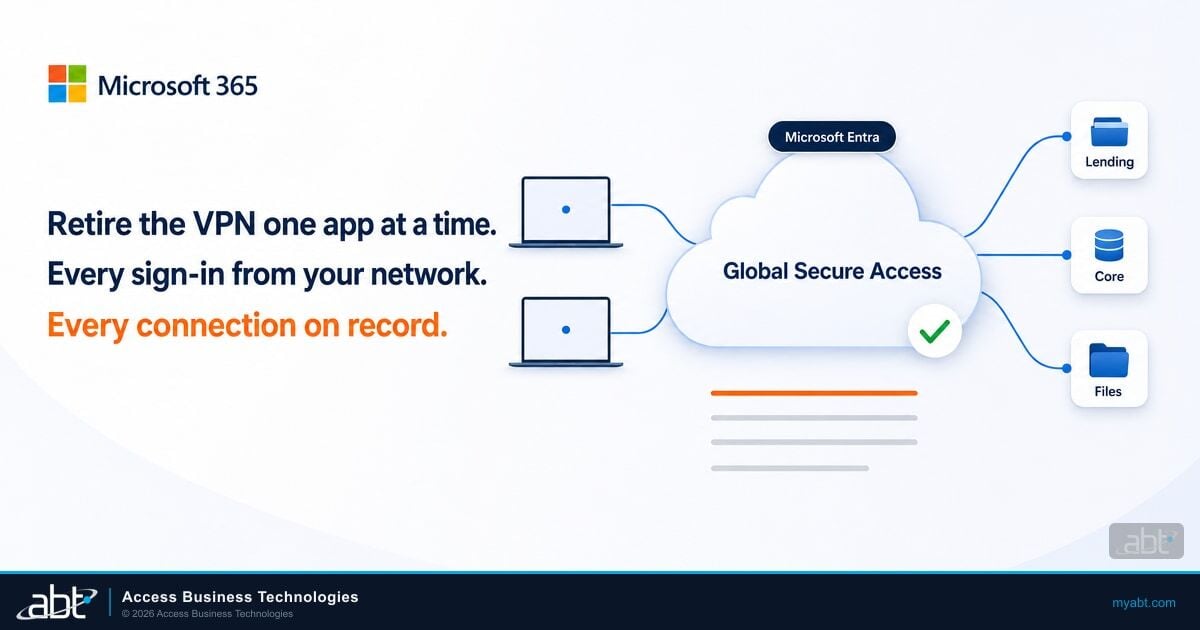
Microsoft sells a second web filter, built for a different job. Microsoft Entra Internet Access is an "identity-based Secure Web Gateway" in Microsoft's Global Secure Access service. It supports user- and context-aware web category filtering, URL filtering, and fully qualified domain name (FQDN) filtering, and Microsoft says "Conditional Access is the delivery mechanism for user and context awareness." It is included in the Microsoft Entra Suite and sold standalone, and users also need Entra ID P1 or P2.
Defender web content filtering
- Enforced on the device by SmartScreen and network protection
- Policy by device group, or one policy on Business Premium
- Included in Business Premium, E3, E5, and Defender for Endpoint
- Uses the Defender agent you already deploy
Entra Internet Access
- Traffic routed through Microsoft's cloud gateway by the Global Secure Access client
- Policy by user and context through Conditional Access
- Licensed through the Entra Suite or standalone
- Pairs with Entra Private Access for internal apps
ABT's reading: start with Defender web content filtering, because Business Premium, E3, and E5 already include it and it runs through the Defender agent on each device. Look at Entra Internet Access when you want different rules for different people on the same device, or when you're replacing the VPN with Entra Private Access anyway. Our guide to Global Secure Access for financial institutions covers that path.
What examiners look for
The Federal Financial Institutions Examination Council (FFIEC) addressed browsers directly in its 2021 interagency guidance on authentication and access. Section 7 says "Users' email accounts and internet browsers are common access points used by threat actors to gain unauthorized access, obtain or compromise sensitive data, or initiate fraud." The guidance's appendix lists example controls, and two of them describe domain blocking and DNS filtering.
Domains inconsistent with the financial institution's risk profile and policies are blocked.
The appendix presents these as examples of practices and controls. The Information Security booklet states its expectations as what management "should" do, and its malware section lists methods management "should consider." Here is how Defender web protection lines up with the expectations an examiner is likely to raise.
| Expectation | Where Defender web protection helps | What your institution keeps |
|---|---|---|
| FFIEC II.C.12: "Management should implement defense-in-depth to protect, detect, and respond to malware." | Web threat protection and the Illegal software and newly registered domains categories block common malware delivery paths | The layered design across email, endpoint, and web |
| FFIEC II.C.15: "Designing appropriate acceptable-use policies and requiring users to agree to them." | The category policy enforces the written policy on every managed device | The policy itself and the signed acknowledgments |
| FFIEC III.B: "Monitoring should address incoming and outgoing network traffic, seeking to identify malicious activity and data exfiltration." | Web protection reports and advanced hunting, which Microsoft says summarizes blocks "for up to 30 days" | Who reviews the reports, how often, and how long the evidence is kept |
| Federal Trade Commission (FTC) Safeguards Rule, 16 CFR 314.4(c), for mortgage companies and other nonbank lenders: safeguards "to control the risks you identify through risk assessment" | A documented category policy tied to risks in the risk assessment | The risk assessment and the written information security program |
Keep the evidence trail simple: the written acceptable use policy, a screenshot or export of the category policy, the allow list with an owner for each entry, and a monthly report review. For the exam itself, ABT's virtual chief information security officer (CISO) and exam readiness engagement is scoped and quoted to your exam calendar. A Microsoft-certified security expert sets your strategy, owns your risk posture, and works your next regulatory exam alongside you. Mortgage companies under the FTC Safeguards Rule should note that 16 CFR 314.4 sets out the elements of the information security program those safeguards sit in.
A web content filtering rollout in five steps

Web content filtering also pairs well with application control. Filtering governs where a browser can go, and App Control for Business governs what can run on the device. Together they cover two common ways malware reaches a workstation: a site the browser opens and a file the device runs.
Licensing and the free Security Assessment through ABT
Microsoft Defender is the tooling, and web content filtering is one of its settings. ABT puts the gap in one line on its M365 Guardian page: "If you have Defender but nothing acting on it, you have detection without response." A licensed web filter waiting for its first category policy is that same gap.
ABT sells "the same Microsoft 365 licenses at the same price as Microsoft, quoted on their own line." When your licensing runs through ABT, Guardian Foundation, the hardened tenant baseline, is included at no additional charge. Every Guardian rung includes "Zero Trust identity and device baselines." Guardian Contain adds "round-the-clock detection across identity, endpoint, email, and cloud apps on Microsoft Defender XDR signals," with pre-authorized automated containment that revokes a compromised session in seconds at any hour.
The first step is a clear view of what your tenant already has. ABT's free Security Assessment is a read-only review of six areas of your Microsoft 365 environment, including device compliance, delivered as a written report with a review call. Alongside the assessment, an ABT financial services IT strategist can walk through your Defender settings with you and confirm whether web content filtering and network protection are switched on today. If you want ABT to remediate the findings, that becomes a Guardian engagement starting with a 90-day hardening sprint.
Turn on the web filter you already pay for
An ABT financial services IT strategist can walk through:
- Which of your Microsoft licenses already include web content filtering
- Whether network protection is in block mode on your devices today
- A starter category list and allow list for a bank, credit union, or mortgage company
- Where Entra Internet Access fits if you are retiring the VPN
Frequently Asked Questions
Web content filtering is part of web protection in Microsoft Defender for Endpoint and Defender for Business. Administrators choose categories of websites, such as gambling or peer-to-peer file sharing, and managed devices block or log visits to sites in those categories. It works alongside web threat protection, which blocks known phishing and malware sites, and custom indicators for specific sites.
Yes. Microsoft lists Business Premium among the plans that include web content filtering, which comes through Microsoft Defender for Business. Business Premium allows one policy, applied to all users. Microsoft 365 E3, E5, and Defender for Endpoint also include it, with policies assigned to device groups. ABT sells these licenses at Microsoft's price, quoted on their own line.
Yes. Network protection enforces Defender web content filtering in Chrome, Firefox, Brave, and Opera. It must be in block mode. Outside Microsoft Edge, HTTPS sites are filtered at the domain level, users see a system notification, and QUIC and Encrypted Client Hello must be disabled in those browsers.
Yes. Defender enforces the policy on the managed device itself, so Microsoft says it applies whether users are on your network or away. A loan officer working from home or a laptop on hotel Wi-Fi gets the same category policy as a workstation in the branch. Devices must be onboarded to Defender with network protection in block mode.
Defender web content filtering runs on the device through the Defender agent and is included in Business Premium, E3, and E5. Microsoft Entra Internet Access is a cloud secure web gateway that routes traffic through the Global Secure Access client and applies policy per user through Conditional Access. It is licensed through the Entra Suite or standalone.
The FFIEC's 2021 authentication and access guidance lists blocking domains inconsistent with the institution's risk profile, and DNS filtering of known malicious domains, as example controls. The Information Security booklet expects defense in depth against malware and acceptable use policies. A documented category policy with monthly report reviews gives examiners evidence for both.