

In This Article
- What SharePoint Advanced Management is
- Who is licensed for it
- Find the exposure: the assessment and the reports
- Four ways to restrict a site
- Site access reviews put the decision with the owner
- Ownership, inactivity, and attestation policies
- How it maps to FFIEC and the FTC Safeguards Rule
- A SharePoint Advanced Management rollout in five stages
- Copilot licensing and the free Security Assessment through ABT
- Frequently Asked Questions
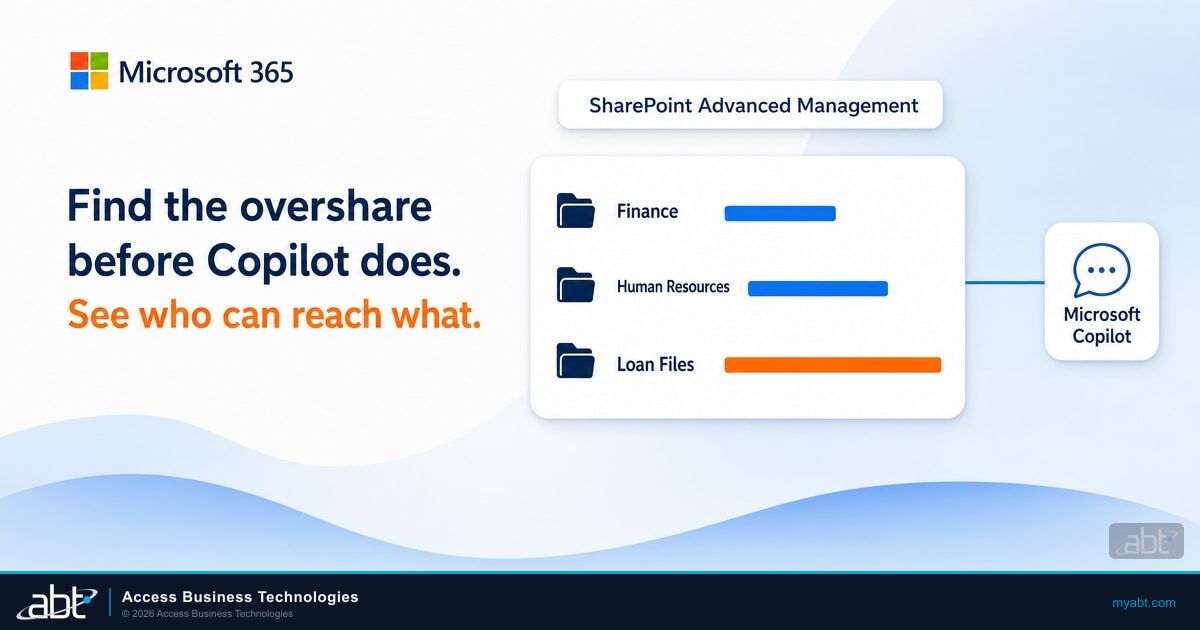
SharePoint Advanced Management helps get your files ready for Microsoft Copilot, so a loan processor or branch manager can ask one question and get an answer from the documents they work with. It shows you who can reach what across SharePoint and OneDrive, and it lets you fix what you find before Copilot starts answering from that content. Microsoft's Copilot deployment guidance says Copilot grounds responses "in the data users already have permission to access," so old sharing settings become Copilot's reach on the day it turns on.
One Copilot license can put these tools in your administrators' hands. Microsoft's prerequisites page says that with at least one Copilot license assigned to a user, "your SharePoint administrators automatically receive access to SharePoint Advanced Management capabilities to support your Copilot deployment."
A folder of loan files with borrower income documents was shared with Everyone except external users years ago so one loan officer could open one file. Nobody remembers the grant, and nobody has opened the folder since.
A teller asks Copilot about a small business customer. That employee already has permission, so the borrower's income documents are fair game for the answer. The permission was the problem all along, and Copilot makes it easy to find.
ABT, a Tier-1 Microsoft Cloud Solution Provider with 25+ years in regulated IT and 750+ financial institutions served, licenses Microsoft 365 and Microsoft 365 Copilot at Microsoft's price. Licensing through ABT includes Guardian Foundation, the hardened tenant baseline, at no additional charge. This guide is for IT teams at credit unions, banks, and mortgage companies. It covers who is licensed, which report to run first, how the four site restrictions differ, and how the review records line up with what examiners and the Federal Trade Commission (FTC) Safeguards Rule ask for.
What SharePoint Advanced Management is
Microsoft's SharePoint Advanced Management overview describes "administrative governance controls for SharePoint and OneDrive" built for three jobs.
- Manage content sprawl. Site ownership policies, inactive site policies, and site attestations find the sites nobody owns or needs. Microsoft says this also helps "enhance the relevance of Copilot and Agentic responses," so the cleanup pays back in better answers for staff.
- Manage the content lifecycle. Catalog management groups sites by region, department, or other properties, and change history reports show who changed which setting over the last 180 days.
- Prevent oversharing. Data access governance reports find exposure, and restricted access control, block download policies, and Restricted Content Discovery contain it while owners clean up.
These tools handle the SharePoint governance side. Our earlier guide to fixing Copilot oversharing before rollout covers the wider readiness project across labels and data loss prevention.
Who is licensed for it
Microsoft gives three routes to these capabilities on its prerequisites page. The role matters too: the SharePoint Advanced Management Administrator role adds viewing metadata across content, removing permissions at scale, and managing the features themselves, on top of what a SharePoint Administrator can do.
| Route | What it takes | What to watch |
|---|---|---|
| Microsoft Copilot | At least one user in the organization assigned a Copilot license. That user doesn't need to be a SharePoint administrator. | Restricted site creation by apps stays outside the Copilot license and needs the add-on. |
| SharePoint Advanced Management Plan 1 add-on | A subscription that includes SharePoint K, P1, or P2, plus the add-on, bought through the Microsoft 365 admin center, a Cloud Solution Provider, or volume licensing | External users don't need a license. Restricted Content Discovery also asks for a Copilot license. |
| Microsoft 365 E7 | The Frontier Suite, which includes Microsoft 365 E5, Microsoft Copilot, Microsoft Entra Suite, and Microsoft Agent 365 | Copilot is already in the suite. |
Microsoft 365 E5 on its own is a partial route. Microsoft's data access governance documentation says E5 administrators "can access Data access governance reporting, but can't view or use the other SharePoint Advanced Management features." Those reports carry no snapshot reports or remedial actions, and activity reports return up to 10,000 sites.
Business Premium: confirm it for your tenant
Many smaller institutions run Microsoft 365 Business Premium, and Microsoft's pages read differently for them. The prerequisites page lists Office 365 E3, E5, and A5, Microsoft 365 E1, E3, E5, and A5, and the government plans as base licenses. The Copilot features page covers "Enterprise and business commercial customers," and Microsoft Copilot Business is sold on Business Premium for organizations with up to 300 users. Check what your tenant actually shows before you plan around it, and an ABT financial services IT strategist can walk through how Microsoft's licensing applies to your plan.
For the broader plan decision, see our Microsoft 365 E3 vs E5 vs Business Premium comparison for financial institutions.
Find the exposure: the assessment and the reports
Start with the Content Management Assessment, the one-click hub in SharePoint Advanced Management. It runs on every site in the organization, takes between 2 and 72 hours depending on tenant size, and takes no action without an administrator's consent. Five reports come back:
Inactive sites
Sites with no activity in the past 180 days.
Site ownership
Sites with no owner or only one owner.
Broken inheritance
Sites where permission inheritance is broken.
Everyone except external users
Content shared with all internal users.
Sharing links
Content shared through overly permissive links.
Everyone except external users, shortened to EEEU in Microsoft's documentation, is a built-in SharePoint group that includes every internal user. At a credit union or mortgage company, that means tellers, processors, and contractors with internal accounts alike.
Next run the site permissions report, the baseline for everything that follows. Microsoft explains why it matters: "Since Copilot respects existing permissions, understanding your current permission structure is critical before deployment." The report ranks sites by user count and shows total permissioned users, Entra groups, broken inheritance, EEEU and Everyone permissions, guests, and sharing link counts.
The first report takes up to 5 days, later reports finish within 24 hours, and you can rerun it every 30 days. SharePoint and OneDrive come back as separate reports.
Microsoft recommends snapshot reports quarterly and activity reports monthly. Activity reports cover the last 28 days, so they catch new sharing links and new EEEU grants as staff create them. If you need to answer "what can this one person reach," the site permissions for users report lists every site a named user can access and how the access was granted.

See your sharing exposure before Copilot rolls out
ABT licenses Microsoft 365 and Microsoft 365 Copilot at Microsoft's price, each quoted on its own line. The free Security Assessment reviews your SharePoint and OneDrive sharing settings and anonymous link exposure.
Four ways to restrict a site
Once the reports name your riskiest sites, SharePoint Advanced Management gives you four controls, and they do different jobs. Keep the first two apart: one changes who gets in, and the other changes what gets surfaced.
Restricted access control: changes who gets in
- Users outside the named groups can't open the site or its content, even with prior permissions or a shared link, apart from external participants in a shared channel
- Search and Copilot honor it
- Works on SharePoint sites and OneDrive
- Fits a site that should stay limited for good, such as board materials
Restricted Content Discovery: changes what gets surfaced
- Keeps a site out of organization-wide search and Copilot discovery
- Permissions stay the same, so anyone with access can still open the content directly
- SharePoint sites only
- Fits a site waiting on a permissions review
Restricted access control limits a site to members of up to 10 Microsoft 365 or Entra security groups. Membership alone grants nothing: Microsoft says a user "needs both the site or content access permission and be a member of the restricted access control group."
Three details trip people up. Shared and private channel sites are separate sites, so a policy on the team site leaves them untouched, and each one needs its own policy. External participants in a shared channel aren't evaluated against it. Sharing outside the control group is allowed by default until an administrator turns on the opt-in setting that blocks it.
Restricted Content Discovery is what Microsoft calls "a temporary governance control," and it also removes the Copilot button and other AI entry points from the site. It gives your owners time to review Finance or Human Resources sites while the Copilot rollout continues. Copilot can still summarize a document a user already has open.
Use Restricted Content Discovery selectively, Microsoft says, because heavy use makes search and Copilot answers less complete. Microsoft Purview eDiscovery and auto-labeling keep working on restricted sites. Microsoft now points customers to it for content discoverability as Restricted SharePoint Search retires, a change covered in our article on the Restricted SharePoint Search retirement.

Block download policies give users browser-only access, with no download, print, or sync, and no access through apps including Word, Excel, and PowerPoint. You set them per site with PowerShell, and they can also cover Teams meeting recordings. Microsoft recommends testing with your own apps first, including Power Apps and Power Automate.
Authentication context connects a Conditional Access policy to a specific site, so opening the board site can demand a stronger sign-in than opening the intranet. It needs Microsoft 365 E5/A5 Compliance or E5 Information Protection and Governance on top of the base requirements. The OneDrive sync app, the SharePoint mobile apps, and Outlook don't work with it, so test before you apply it broadly.
Use Restricted Content Discovery to buy review time and restricted access control to keep a site limited for good. Microsoft designed the discovery control as temporary, so plan its removal when you apply it.
These four controls work at the site level. M365 Guardian works across the tenant. It uses Microsoft Purview sensitivity labels, data loss prevention policies, and external sharing controls to reduce oversharing before AI is widely adopted, so your site-level work starts from a hardened baseline.
Site access reviews put the decision with the owner
An IT administrator can see that a site has 2,000 permissioned users, but can't always judge whether it should. The site access review feature in SharePoint Advanced Management sends that call to the site owner, and Microsoft notes that "Compliance reasons prevent IT administrators from accessing file-level or item-level details."
From a data access governance report, an administrator selects up to 100 sites in the web view, or more through PowerShell, and starts the review. Each owner gets an email tailored to the issue, with a link to a review page.
The owner removes users, adjusts groups, or deletes links, then completes the review and adds comments. Those comments return to IT, and the tracker records the reviewer's name and the completion time. For owner email to work, the site needs a real owner, which is why ownership policies come first. Customize the email too, because a surprise request about permissions can read like phishing to a careful employee.
Site access reviews cover SharePoint sites only. For group and application membership in Microsoft Entra, see our guide to Entra ID access reviews for financial institutions.
Ownership, inactivity, and attestation policies
Site lifecycle management, part of SharePoint Advanced Management, gives you three policy types, and Microsoft recommends combining all three.
- Site ownership policies set a minimum number of owners or admins. Setting the minimum to 2 finds sites with a single owner, the sites that lose their only owner when that person leaves.
- Inactive site policies look at activity across SharePoint, Teams, Viva Engage, and Exchange, then ask owners whether the site is still needed. OneDrive sites, app catalog sites, root sites, home sites, and shared and private channel sites are among those out of scope.
- Site attestation policies ask owners every 3, 6, or 12 months to confirm a site's necessity, owners, members, permissions, and sharing settings.
Run every new policy in simulation mode first. It runs once and produces a report with no enforcement, so you can see the count before anyone gets an email. Active mode then runs on a schedule and sends notices owners can act on from Outlook.
Enforcement is the part to settle with compliance before you turn it on. After monthly notices for three months, a policy can take no action, set the site to read-only, or archive it after a read-only period of 3, 6, 9, or 12 months. Archiving runs through Microsoft 365 Archive, which must be enabled first. Site owners can't lift read-only themselves, so your help desk will field those requests.
Inactive and attestation policies also let you include or exclude sites under Microsoft Purview retention policies and holds. Your retention schedule still decides when customer information is disposed of, and our guide to Microsoft 365 data retention covers that side.
Keep the evidence from the start
Change history reports export site and organization setting changes as a CSV for up to the last 180 days, and how far back each user's changes go depends on that user's license. They need audit logging turned on in Microsoft Purview. Restricted access control and Restricted Content Discovery changes also write audit events to Purview. Download what you need for the file.
How it maps to FFIEC and the FTC Safeguards Rule
Bank and credit union examiners work from the Federal Financial Institutions Examination Council (FFIEC) IT Examination Handbook, and its Information Security booklet describes the user access program they expect to see.
Ongoing reviews by business line and application owners to verify appropriate access based on job roles with changes reported on a timely basis to security administration personnel.
Section II.C.7(b) names no product and sets no number of days. Here is where these tools help, and what your institution keeps.
| Expectation | Where SharePoint Advanced Management helps | What your institution keeps |
|---|---|---|
| FFIEC II.C.7(b): "Ongoing reviews by business line and application owners" | Site access reviews and site attestation policies, with reviewer name and completion time | Who owns each site, the review schedule, and follow-through on the findings |
| FFIEC II.C.7(b): "Periodic independent reviews that ensure effective administration of user access" | Site permissions reports and policy reports give an independent reviewer the population to test | The independent reviewer. An owner attesting to their own site doesn't fill this role. |
| FFIEC II.C.7(b): "Principle of least privilege" | Restricted access control and the EEEU and sharing link reports | The decision on who needs each site, by job role |
| FFIEC II.C.5: "Management should inventory and classify assets, including hardware, software, information, and connections." | Catalog management, the site ownership report, and the sensitivity label report where licensed | The classification scheme and the asset inventory itself |
| FTC 16 CFR 314.4(c)(1): "Implementing and periodically reviewing access controls," limiting users to customer information "they need to perform their duties and functions" | Site permissions reports, the site permissions for users report, and site access reviews | The written access policy and the review record |
| FTC 16 CFR 314.4(c)(6)(ii): "Periodically review your data retention policy to minimize the unnecessary retention of data." | Inactive site reports and policies surface content nobody is using | The retention policy and disposal decisions |
Report cadences here are Microsoft's recommendations, so set your own in policy and keep to them. Your examiner judges the access program as a whole. The value of these tools in that conversation is the record: which sites were reviewed, by whom, what changed, and when.
Mortgage companies under the FTC Safeguards Rule should note that 16 CFR 314.4(c) applies at every size. The 314.6 exemption for institutions with customer information on fewer than five thousand consumers reaches 314.4(b)(1), (d)(2), (h), and (i) only. For how examiners read Copilot specifically, see our guide to examiner-ready Copilot controls.
A SharePoint Advanced Management rollout in five stages
This order starts with visibility and saves automated policy enforcement for the end, and it fits inside a phased Copilot rollout.
Stages 1 and 2 leave site content and site permissions as they are, so they can start this month. If your tenant still relies on Restricted SharePoint Search, plan Stage 3 around January 31, 2027, the full retirement date in Microsoft's Message Center post MC1395311. Microsoft won't move those settings to Restricted Content Discovery for you. For sensitive sites that need labels as well as limits, see our guide to Microsoft Purview sensitivity labels.
Copilot licensing and the free Security Assessment through ABT
ABT is a Tier-1 Microsoft Cloud Solution Provider serving 750+ financial institutions. ABT sells Microsoft 365 licenses at Microsoft's price, quoted on their own line, and Microsoft 365 Copilot is available the same way, priced per user, so you can add it whenever your team is ready. Run your licensing through ABT and Guardian Foundation, the hardened tenant baseline, is included at no additional charge.
M365 Guardian treats a well-governed tenant as the prerequisite for safe Copilot adoption. Its collaboration governance covers Teams creation policies, SharePoint external sharing boundaries, and OneDrive guest controls, and its AI governance foundation readies Microsoft Purview, data loss prevention, and data classification before Copilot goes wide. Guardian follows a 90-day plan from default configuration to governed Copilot deployment, starting with hardened identities and a map of your sensitive data in the first 30 days. When you want ABT in the tenant with you, ABT manages it under delegated administrative access that you grant, and your Microsoft 365 subscription and tenant stay under your control.
An ABT financial services IT strategist can size the Copilot licenses for your first wave and help you read how Microsoft's licensing applies to your plan, Business Premium included. The first question is how your sharing looks today, and ABT's free Security Assessment, a separate service from Microsoft's Content Management Assessment, answers it with a read-only review of six security areas. You receive a written report and a review call with an ABT security engineer, and most assessments complete within two weeks. If you want ABT to remediate the findings, that becomes a Guardian engagement starting with a 90-day hardening sprint, and if you prefer to work internally, the report gives your team what it needs.
Know what is shared before Copilot goes wider
ABT's free Security Assessment is a read-only review with a written report and a review call. Its sharing review covers:
- SharePoint and OneDrive sharing settings
- Anonymous link exposure
- Teams guest policies
- External collaboration boundaries
Frequently Asked Questions
SharePoint Advanced Management is Microsoft's set of administrative governance controls for SharePoint and OneDrive. It helps administrators manage content sprawl, manage the content lifecycle, and prevent oversharing through reports, site access reviews, and site restrictions, mostly from the SharePoint admin center. Microsoft positions it as support for a Copilot deployment.
Yes. Microsoft says that when at least one user is assigned a Copilot license, SharePoint administrators automatically receive SharePoint Advanced Management capabilities to support the deployment. Restricted site creation by apps stays outside the Copilot license and needs the Plan 1 add-on. Business Premium tenants should confirm how this applies to them. ABT quotes Microsoft 365 Copilot at Microsoft's price.
Restricted access control changes who can open a site: users outside the named groups are blocked, even with prior permissions or a shared link, apart from external shared channel participants. Restricted Content Discovery, which Microsoft calls temporary, changes what gets surfaced: the site stays out of organization-wide search and Copilot discovery, while anyone with access can still open it directly.
Run the Content Management Assessment, then the site permissions report. The assessment takes 2 to 72 hours and flags inactive sites, ownership gaps, broken inheritance, and broad sharing. The first site permissions report takes up to 5 days, ranks sites by user count, and becomes your baseline. Microsoft recommends snapshot reports quarterly and activity reports monthly.
Owners get monthly notices for three months. If they do not respond, the policy takes the action you chose: no action, read-only, or archiving through Microsoft 365 Archive after a read-only period of 3, 6, 9, or 12 months. Site owners cannot lift read-only themselves, so a tenant administrator unlocks the site.
Site access reviews support the FFIEC Information Security booklet's call for ongoing reviews by business line and application owners, with a record of who reviewed and when. Section II.C.7(b) also asks for periodic independent reviews, which your institution assigns separately. Examiners judge the whole user access program, and the institution keeps the policy and follow-through.