In This Article
- The Two-Minute Version
- Why This Matters for Banks, Credit Unions, and Mortgage Companies
- The Two-Layer Enforcement Model
- What Purview's AI Data Security Protections Actually Do
- Coverage Scope: Copilot, Copilot Studio, Foundry Agents
- Licensing Reality Check
- The Five-Step Pre-Rollout Posture Review
- What Examiners Will Want to See
- Frequently Asked Questions
Banks, credit unions, and mortgage companies have spent the last two years asking the same question about AI: how do we get the productivity gains without surrendering member data, audit trails, or examiner readiness? Microsoft 365 Copilot, Copilot Studio agents, and Foundry-built agents promised real work output (faster loan packets, cleaner deposit operations, sharper member service responses) but the data governance story always read as a work in progress.
In May 2026, Microsoft moved that work in progress to general availability. Microsoft Purview's data security and compliance protections for AI usage, integrated with Microsoft Agent 365, reached GA. MC1280556 references a separate tenant-specific rollout window of mid-June through late July 2026, the schedule by which the GA capabilities arrive inside individual customer tenants.
This article walks through what Purview's AI data security protections actually do, how they pair with Agent 365 to govern agent invocation, what licensing your tenant already has, and the five-step posture review a community bank, credit union, or mortgage company can run before turning agents loose on member data. Productivity first, security second, governance third.
The Two-Minute Version: What Microsoft Actually Shipped
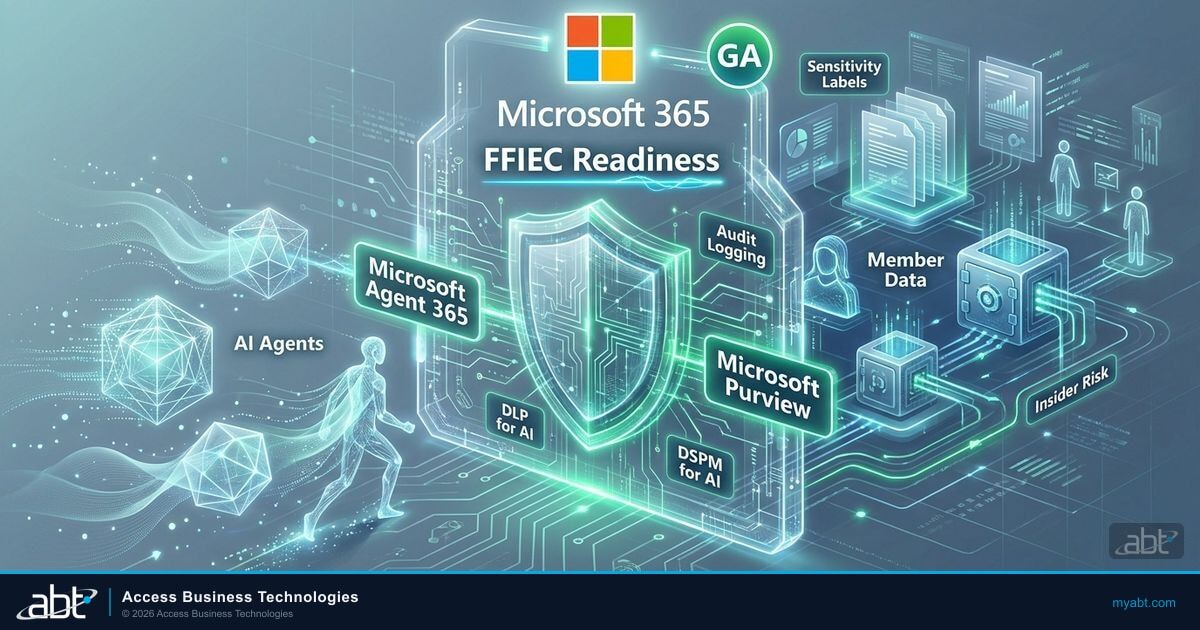
Microsoft did three things in May 2026 that together change the AI governance picture for financial institutions. First, Microsoft Agent 365 reached general availability as the agent identity, registry, and management plane: every agent that touches Microsoft 365 data with an Entra identity now has a place to be registered, scoped, and revoked. Second, Microsoft Purview's data security and compliance protections for AI reached GA, layering DSPM for AI, DLP for AI interactions, sensitivity labels with EXTRACT usage rights, audit logging, and IRM integration on top of the agent fabric. Third, MC1280556 announced the tenant rollout window for the Purview AI protections, landing inside individual customer tenants between mid-June and late July 2026.
What Microsoft did not do is invent a new SKU called "Purview for Agents." There is no separately licensable product by that name. The AI data security protections rely on the customer's existing Purview licensing which most Microsoft 365 E5 plus Purview tenants already have. Agent 365 is the new SKU: $15 per user per month standalone, or included in Microsoft 365 E7.
Global GA versus tenant rollout
Microsoft Learn's What's New in Purview marks general availability in May 2026: the engineering milestone where the feature is on, supported, and billed. MC1280556 references a tenant rollout window of mid-June through late July 2026, the operational schedule by which the GA capabilities arrive inside individual customer tenants. The practical implication for FI IT directors: the licensing entitlement is live now, the configuration surface may already be present in your tenant, and the agent-aware behavior arrives on Microsoft's tenant rollout schedule. Do the configuration work now; your posture will be ready when the feature flips on.
Why This Matters for Banks, Credit Unions, and Mortgage Companies Right Now
The productivity case is well-rehearsed: loan officers move faster through document packets, mortgage processors get faster turn times on Encompass and Calyx file work, member service representatives answer more questions per shift, and IT automates repetitive ticket flow. The hold-back has never been productivity; it has been governance: who can see what, how it gets logged, what the examiner will ask, and how the institution proves member data did not leak into a consumer AI environment.
Microsoft Purview for AI plus Microsoft Agent 365 changes the governance answer from "trust us" to "audit us." Purview at the data layer enforces what agents can read; Agent 365 at the identity layer enforces what agents can run. Together, they produce the audit trail FFIEC, NCUA, and OCC examiners expect to see when the institution adopts a new technology with member-data implications.
The Two-Layer Enforcement Model: Purview at Data, Agent 365 at Identity
Microsoft's canonical framing of agent governance separates two enforcement layers. Microsoft Purview enforces at the data layer: what data the agent can read, what classifications apply, whether DLP blocks or warns, and what gets recorded in the audit log. Microsoft Agent 365 enforces at the identity and invocation layer: which agents are registered in the tenant, what Entra identity each operates under, what scopes are granted, and whether the user invoking the agent has Conditional Access permission to do so.
The distinction is operational. A Purview DLP policy can block an agent from reading a confidential customer file (agent attempted, Purview said no, attempt logged). An Agent 365 plus Entra policy can block the user from invoking the agent in the first place (user attempted, Conditional Access said no, attempt logged). Neither layer is redundant; a complete agent governance posture requires both.
| Concern | Where it gets enforced | What the control looks like |
|---|---|---|
| Which agents exist in the tenant | Agent 365 (identity layer) | Agent registry: Entra Agent ID, owner, scope |
| Which users can invoke an agent | Entra Conditional Access (identity layer) | Conditional Access policy scoped to the agent application object |
| What data the agent can read | Microsoft Purview (data layer) | Sensitivity labels with EXTRACT usage rights |
| Whether the agent can act on confidential content | Microsoft Purview (data layer) | DLP policies for AI interactions: block, warn, audit |
| Audit log of agent activity | Microsoft Purview (data layer) | User, agent, classification, action, timestamp, outcome |
| Anomalous agent behavior detection | Insider Risk Management integration | Bulk, unusual, or off-hours access flagged |
| Posture observability (DSPM for AI) | Microsoft Purview (data layer) | Aggregate view of AI touching sensitive data |
The one-line summary an IT director can paste into the policy artifact, the board IT committee packet, and the FFIEC IT examination prep document: Purview blocks data access violations; Agent 365 blocks agent invocation.
What Purview's AI Data Security Protections Actually Do
Microsoft's canonical list of capabilities under the Purview for AI umbrella has four observable components. None is branded as a separate product; all rely on Purview licenses the institution typically already owns.
Sensitivity labels with EXTRACT usage rights
Sensitivity labels are the existing Microsoft Information Protection mechanism used to classify documents. The EXTRACT usage right is new: it governs whether an AI agent is permitted to read the labeled content into a prompt or response. A loan file labeled EXTRACT-denied cannot be summarized by Copilot. The label travels with the document; the policy travels with the label.
DLP policies for AI interactions
Microsoft Purview DLP now includes policies scoped to AI interactions. The institution can author a policy that blocks AI agents from reading documents containing Social Security Numbers, warns when an agent is about to extract bank account data, or audits every AI interaction touching Customer Loan File content. The block, warning, or audit lands in the unified audit log.
Audit logging of agent activity
Every AI interaction generates an audit event capturing user identity, agent identity, data classification, action taken, policy applied, and outcome. For FFIEC IT examinations, that audit log is the evidence pack. Retention is governed by the institution's existing Purview retention policies.
Insider Risk Management integration
Microsoft Purview IRM was designed to flag anomalous behavior by human insiders: bulk file downloads, off-hours access, unusual sharing patterns. The same signal stack now applies to agent identities. If an agent suddenly reads thousands of customer files when its normal pattern is a few dozen per day, IRM flags the anomaly. The agent gets treated as a potential insider risk, the same way a rogue employee would be.
Agents are classified, scoped, audited, and anomalous behavior gets flagged. That is the substance of what GA brings.

Coverage Scope: Microsoft 365 Copilot, Copilot Studio, Foundry Agents
Microsoft's coverage statement for Purview AI protections is data-centric rather than product-centric. The protections apply whenever an agent (with an Entra identity, registered in Agent 365) touches Microsoft 365 data. That covers three concrete agent families.
Microsoft 365 Copilot agents are the everyday Copilot experiences inside Microsoft Word, Microsoft Excel, Microsoft Outlook, Microsoft Teams, Microsoft SharePoint, and the Microsoft 365 Copilot Chat surface. When a loan officer asks Microsoft 365 Copilot to summarize a member's loan file, Purview's data layer evaluates the request: sensitivity label on the file, DLP policy for AI interactions, audit log entry. The agent identity is the Microsoft 365 Copilot service principal; the user identity is the loan officer.
Copilot Studio agents are the custom agents the institution builds on top of the Microsoft 365 Copilot platform. A community bank that builds a "deposit operations co-pilot" in Copilot Studio creates a Copilot Studio agent. It gets registered in Agent 365, given an Entra identity, and scoped to specific Microsoft 365 data sources. Purview applies the same data-layer enforcement: same labels, same DLP policies, same audit trail.
Microsoft Azure AI Foundry agents are the more sophisticated agents built on Microsoft Azure AI Foundry. When a Foundry-built agent reaches into Microsoft 365 data, the same Entra identity and Purview policy stack applies. Any agent that touches M365 data inherits the M365 governance regime.
Third-party SDC agents
Microsoft's Agent 365 GA announcement extends agent registry coverage to third-party Software Development Center (SDC) agents that sync to the Agent 365 registry. Verify the third-party agent's Agent 365 registration before treating it as inside the governance perimeter; agents that have not synced to Agent 365 are outside the Purview enforcement scope and require separate vendor management.
Licensing Reality Check: What Your Tenant Already Has
The licensing picture has two practical answers depending on the institution's existing Microsoft 365 plan.
For institutions on Microsoft 365 E5 with the Microsoft Purview suite, the data-layer protections (sensitivity labels with EXTRACT, DLP for AI, audit logging, IRM) require no new license. What the institution needs to add for full agent governance is Microsoft Agent 365 itself, at $15 per user per month standalone, or by upgrading to Microsoft 365 E7 which includes Agent 365.
For institutions on Microsoft 365 E3, Business Premium, or other tiers below the full Purview suite, the data-layer protections require adding the appropriate Purview SKUs (Information Protection, DLP, IRM). Pricing is documented in Microsoft's Product Terms. Microsoft Agent 365 still costs $15 per user per month standalone, or comes bundled in Microsoft 365 E7.
For institutions exploring Microsoft 365 Copilot Business (the SMB SKU for community banks, credit unions, and mortgage companies in the 50-to-300-seat range), canonical pricing is $10, $18, $21, or $32 per user per month depending on the Copilot tier, with Microsoft Agent 365 as a separate $15 line.
Want help mapping your Microsoft 365 plan to the agent governance posture you need?
ABT manages Microsoft 365 tenants for more than 750 banks, credit unions, and mortgage companies as a Tier-1 Microsoft Cloud Solution Provider. We can identify the Purview entitlements you already have and scope the Microsoft Agent 365 plus Purview AI deployment to your timeline.
The Five-Step Pre-Rollout Posture Review
The five-step posture review below runs in an afternoon for a community bank, credit union, or mortgage company already operating Microsoft 365 with Purview at any tier. The output is the documented evidence pack the institution carries into the next IT examination and board IT committee meeting.
Open Microsoft Agent 365 admin and pull the list of registered agents. For each, document the name, owner, Entra identity, scope of Microsoft 365 data accessed, and authorized user populations. The list becomes the agent registry the institution maintains; it is the foundation of every downstream control.
In Microsoft Purview Information Protection, review your sensitivity label taxonomy. For labels scoped to customer data (Customer Loan File, Member Account Data, Confidential Customer Records), confirm the EXTRACT usage right is configured to permit or deny AI agent reading per your governance policy. Capture screenshots for the posture review record.
Create or verify DLP policies scoped to AI interactions. At minimum, the institution needs a policy that blocks AI-mediated access to content containing Social Security Numbers, bank account numbers, and other regulated data classes. The policy can be block, warn, or audit depending on risk tolerance.
Verify the unified audit log is enabled and retention meets the institution's regulatory minimums (12 months is typical for FFIEC alignment). Confirm Insider Risk Management is configured with a policy template that applies to agent identities, so anomalous bulk-access patterns by agents get flagged.
A dated entry naming Microsoft Purview AI plus Microsoft Agent 365, listing the controls verified, naming the reviewer, capturing screenshots, and noting the institution's decision on additional agent rollout is the audit-ready artifact. The point is the documented chain of evidence, not the size of the binder.
The five-step review fits inside a normal weekly IT operations meeting. Done once, it can be re-run quarterly with minimal additional time investment.

What FFIEC, NCUA, and OCC Examiners Will Want to See
The FFIEC IT Examination Handbook Information Security Booklet lays out the controls examiners evaluate under II.C Risk Mitigation, in particular II.C.7(b) User Access Program, II.C.15 Logical Security, and II.C.20 Oversight of Third-Party Service Providers. The agent fabric falls inside these sections because it is a new technology that processes member data with new identity types under new policy enforcement. The institution does not need a separate examination framework for agents; it needs to extend the existing framework.
The NCUA applies the same expectation to federally insured credit unions through its Information Security Examination program, and OCC Bulletin 2023-17 on third-party risk management applies it to national banks. The governance package the institution maintains for its core banking system, its LOS, and its Microsoft 365 tenant now extends to its agent fabric.
What examiners DO want to see
- Inventory of registered agents in Microsoft Agent 365 with owners, Entra identities, and scopes
- Sensitivity labels with EXTRACT usage rights configured on customer data classes
- Microsoft Purview DLP policies scoped to AI interactions, logic and data classes documented
- Unified audit log retention meeting FFIEC alignment (12 months minimum typical)
- Insider Risk Management configured to monitor agent identities for anomalous access
- Dated posture review in the vendor and vulnerability management log
- Conditional Access policies on agent invocation through Microsoft Agent 365 plus Entra
What examiners do NOT want to hear
- "We are using Microsoft 365 Copilot but we have not documented which agents are deployed"
- "Sensitivity labels exist but the EXTRACT usage rights are at defaults"
- "We have not configured DLP policies for AI interactions yet"
- "The audit log is on but we have not verified retention"
- "Insider Risk Management covers employees; we have not extended it to agents"
- "We assumed Microsoft handles the governance"
- "We will start the posture review once examiners ask"
The split above is not theoretical. It is the difference between an examiner conversation that takes 30 minutes and one that turns into a finding letter. The institutions that already operate Microsoft 365 with Purview have a head start on every line in the right column; the work is verifying that the AI scope is included in those policies rather than starting from scratch.
The clock starts now, not at the tenant rollout
Microsoft's tenant rollout window in MC1280556 (mid-June through late July 2026) is the schedule by which Purview AI capabilities flip on inside individual customer tenants. The institution-side configuration work (sensitivity labels with EXTRACT usage rights, DLP policies, audit retention, IRM templates) can and should happen before that window opens. Institutions that do the work in May and early June walk into the rollout with policies already in place. Institutions that wait end up configuring under examiner deadline pressure.
How ABT Operates the Posture Review Inside Managed Tenants
For ABT-managed Microsoft 365 tenants on M365 Guardian, the Purview AI plus Agent 365 rollout is folded into the standing operating cadence. The Guardian operating model already covers sensitivity label taxonomy, DLP policy governance, audit log retention, and IRM policy templates as monthly operating items. Extending the same posture work to the agent fabric is incremental, not net new.
Access Business Technologies is the largest Tier-1 Microsoft Cloud Solution Provider dedicated to financial services in the United States. As your CSP, ABT manages the Microsoft 365 tenant under delegated administration; Microsoft hosts the underlying infrastructure. When Purview AI plus Agent 365 reach GA, the manage-versus-host distinction is the relationship that matters: Microsoft owns the service GA and the rollout schedule; ABT owns the tenant posture work (Purview policies, agent registry, audit retention, IRM templates) and the FFIEC-aligned documentation that walks into the next IT exam.
For banks, credit unions, and mortgage companies on M365 Guardian, ABT runs the five-step posture review as part of the monthly operating cadence. The same telemetry feeds the evidence pack ABT delivers for an FFIEC IT examination readiness review.
For credit unions and community banks deploying Copilot at scale, the five Microsoft 365 controls examiners will ask about before Copilot remain the right starting point. For mortgage companies, MortgageGuide, ABT's mortgage-specialized Copilot agent, runs inside the same Agent 365 fabric and inherits the same Purview enforcement model.
Want a documented agent governance posture review for your institution?
ABT's identity and governance team can run the Purview AI plus Agent 365 posture review on your tenant, capture the evidence into an examiner-ready packet, and align it with your FFIEC, NCUA, or OCC examination cycle.
Frequently Asked Questions
Microsoft Purview's data security and compliance protections for AI usage, integrated with Microsoft Agent 365, reached general availability in May 2026 per Microsoft Learn's What's New in Purview. Microsoft Message Center MC1280556 references a separate tenant-specific rollout window of mid-June through late July 2026, the operational schedule by which the GA capabilities arrive inside individual customer tenants. The global GA milestone and the tenant rollout window are two different things.
No. There is no separately branded Microsoft Purview for Agents license. The AI data security protections rely on existing Purview licensing (Information Protection, Data Loss Prevention, Insider Risk Management, unified audit log) which most Microsoft 365 E5 plus Purview suite tenants already have. Microsoft Agent 365 is a separate SKU at $15 per user per month standalone, or included in Microsoft 365 E7. The two products integrate; neither replaces the other.
Microsoft Purview enforces at the data layer: which data an AI agent can read, what classifications apply, whether DLP blocks or warns on the access, and what gets recorded in the audit log. Microsoft Agent 365 plus Microsoft Entra enforces at the identity and invocation layer: which agents exist in the tenant, what Entra identity each operates under, and whether the user invoking the agent has Conditional Access permission to do so. Purview blocks data access violations; Agent 365 blocks agent invocation. Both layers are required; neither is redundant.
Microsoft's coverage statement is data-centric. The protections apply whenever an agent with an Entra identity and a Microsoft Agent 365 registration touches Microsoft 365 data. That includes Microsoft 365 Copilot agents inside Word, Excel, Outlook, Teams, and SharePoint; Copilot Studio agents; and Microsoft Azure AI Foundry agents that reach into Microsoft 365 data. Third-party SDC agents that sync to the Agent 365 registry are covered on the same model; unregistered agents are outside the enforcement scope and require separate vendor management.
Examiners want documented evidence of seven items: an inventory of registered agents in Microsoft Agent 365 with owners, Entra identities, and scopes; sensitivity labels with EXTRACT usage rights configured on customer data classes; Microsoft Purview DLP policies scoped to AI interactions; unified audit log retention meeting FFIEC alignment (12 months minimum); IRM configured to monitor agent identities; a dated posture review in the vendor and vulnerability management log; and Conditional Access policies on agent invocation. The institution extends the existing FFIEC Information Security Booklet, the NCUA Information Security Examination program, and the OCC Bulletin 2023-17 framework to cover the agent fabric.
Access Business Technologies manages Microsoft 365 tenants for more than 750 banks, credit unions, and mortgage companies as a Tier-1 Microsoft Cloud Solution Provider. ABT runs the five-step posture review (agent inventory, sensitivity labels with EXTRACT, DLP for AI, audit retention plus IRM, posture documentation) inside the M365 Guardian operating cadence. The same telemetry feeds the evidence pack ABT delivers for an FFIEC IT examination readiness review. Microsoft hosts the Purview and Agent 365 infrastructure; ABT manages the tenant posture and the FI-side documentation that walks into the next IT exam.