

In This Article
- What Defender for Cloud Apps does beyond discovery
- Which licenses include Microsoft Defender for Cloud Apps
- Conditional Access App Control: keep the session, control the file
- Posture management and threat detection
- Blocking an unsanctioned app on the device
- What changed in 2026, and the January 2027 deadline
- What examiners and the Safeguards Rule ask for
- A rollout order, and who acts on the alerts
- Frequently Asked Questions
Microsoft Defender for Cloud Apps lets a bank, credit union, or mortgage company say yes to the cloud apps its people already work in, on the devices they already carry, and still decide what data leaves. Microsoft's Defender service description says it helps organizations "discover applications in their environment, strengthen app security posture, govern app-to-app behaviors, defend against advanced threats employing SaaS apps as attack technique, and secure use of generative AI apps."
In practice, a loan officer opens OneDrive in a browser on a personal laptop at home and keeps working, while a session policy stops sensitive files from downloading to that laptop. Salesforce and DocuSign settings get checked against Microsoft benchmarks. Impossible travel becomes an alert inside Microsoft Defender.
Two pressures make this the quarter to look at it: attacks keep arriving through other companies' systems, and Microsoft retires the product's file policies on January 6, 2027, a dated migration to Microsoft Purview.
ABT is a Tier-1 Microsoft Cloud Solution Provider that manages Microsoft 365 tenants for credit unions, banks, and mortgage companies, and "ABT has served over 750 financial institutions across 25 years." This guide covers what the full product does beyond discovery, which licenses carry it, and who reads the alerts it raises. It also maps each control to the expectations of the Federal Financial Institutions Examination Council (FFIEC) and the Federal Trade Commission (FTC) Safeguards Rule.
What Defender for Cloud Apps does beyond discovery
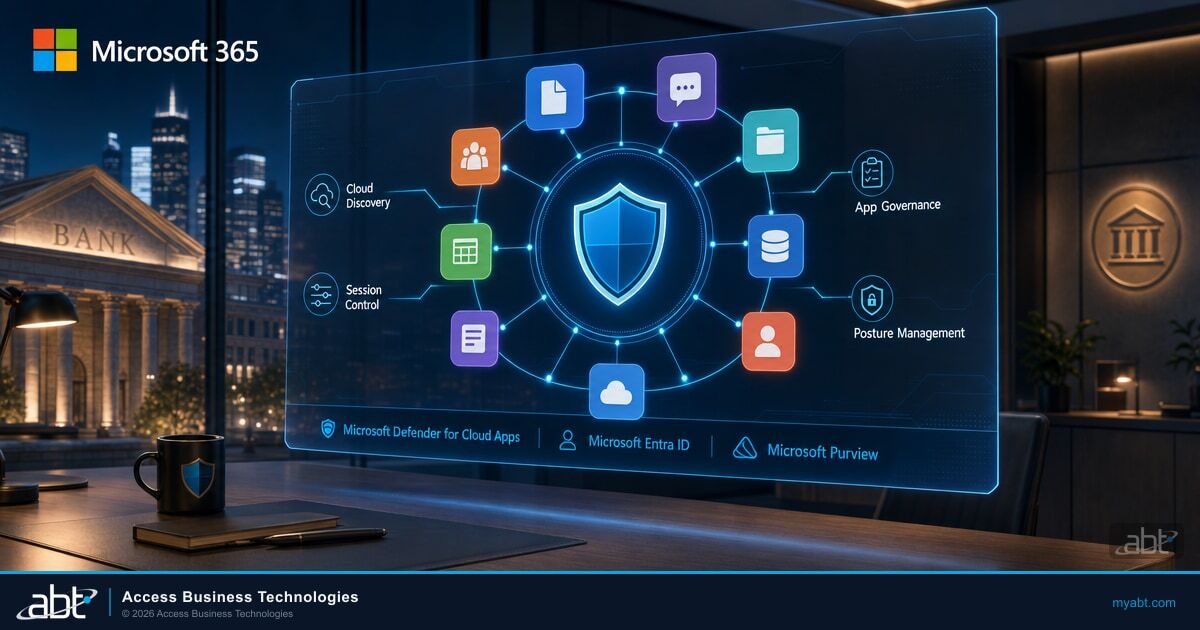
Microsoft's product overview names four feature areas and says the product is "integrated directly into Microsoft Defender, correlating cross-domain signals from the Microsoft Defender suite and providing incident-level detection, investigation, and powerful response capabilities."
Cloud access security broker (CASB)
Visibility into the cloud apps in use, plus access and session controls.
SaaS Security Posture Management (SSPM)
Recommendations for connected software as a service (SaaS) apps such as Salesforce and DocuSign, based on Microsoft benchmarks.
Advanced threat protection
Anomaly detection across cloud app activity, raised as alerts and incidents in Microsoft Defender.
App-to-app protection
App governance over OAuth apps that hold permissions to your data.
Discovery is the part most institutions meet first. Microsoft's cloud app catalog holds "a full list of over 31,000 discoverable cloud apps," each "scored based on more than 90 risk factors." An app discovery policy alerts you "when new apps are detected within your organization." Our guide to finding and governing shadow IT in financial institutions covers log sources, risk scores, and sanctioning in depth.
App governance covers the second path into your data: OAuth apps that a user or administrator grants access. Microsoft says it can "monitor and govern OAuth-enabled apps registered on Microsoft Entra ID, Google, and Salesforce," and it's included wherever Defender for Cloud Apps is. The ConsentFix v3 OAuth consent phishing toolkit shows why that path matters at a financial institution.
Which licenses include Microsoft Defender for Cloud Apps
Microsoft sells the product at three levels, and the license on your invoice decides which features appear in the portal.
| Edition | Where it comes from | What Microsoft says it covers |
|---|---|---|
| Cloud App Discovery | At "no additional cost" with Microsoft Entra ID P1, Enterprise Mobility + Security (EMS) E3, and Microsoft 365 E3 | Discovery only: "a subset of Microsoft Defender for Cloud Apps" |
| Office 365 Cloud App Security | A separate subset edition; confirm it against your plan's service description | Office 365 only: it "supports only the Office 365 app connector" |
| Microsoft Defender for Cloud Apps | Standalone, Microsoft 365 E5/A5/G5, Microsoft Defender Suite, Microsoft Purview Suite, EMS E5, Microsoft 365 E5/F5/G5 Information Protection and Governance, and Microsoft Defender Suite for Business Premium | The full product: session and access controls, SSPM, threat detection, and app governance |
Microsoft 365 Business Premium, built for "small and medium sized businesses up to 300 users," is the plan many community institutions run. ABT's M365 Guardian page calls it "a strong security foundation" that "includes Microsoft Entra ID P1, Microsoft Defender for Office 365 Plan 1, Microsoft Defender for Business, Microsoft Intune, and Microsoft Purview data loss prevention."
The full Defender for Cloud Apps license arrives with the add-on Microsoft Defender Suite for Business Premium. Microsoft describes it as bringing "Software as a Service (SaaS) security with Microsoft Defender for Cloud Apps." The suite also adds Microsoft Entra ID P2, Microsoft Defender for Identity, Microsoft Defender for Endpoint Plan 2, and Microsoft Defender for Office 365 Plan 2. Business Premium already carries Entra ID P1, which users "must also be licensed for" to use Conditional Access App Control.
ABT recommends risk-based Conditional Access with Microsoft Entra ID P2 and around-the-clock monitoring for financial institutions, two controls its Guardian page notes "Business Premium alone does not include." For the wider plan decision, see the Microsoft 365 E3 vs. E5 vs. Business Premium comparison for financial institutions.
Microsoft's Defender for Business FAQ: "Microsoft Defender for Business doesn't support mixed licensing." A tenant that adds Defender for Endpoint Plan 2 to some Business Premium users "defaults to the Defender for Business experience." The move to Plan 2 is a request: "Contact Microsoft Support to request the switch for your organization." ABT's recommendation is the Defender Suite on every Business Premium seat at once, followed by that support request and a check that the tenant switched.

Conditional Access App Control: keep the session, control the file
Session control is where Defender for Cloud Apps pays off for the people doing the work: a sign-in stays open from a personal device, and the institution still governs what happens inside the session.
What Conditional Access App Control is
The session layer of Defender for Cloud Apps. A Microsoft Entra ID Conditional Access policy "creates the permissions to control traffic," and Defender for Cloud Apps applies access and session policies to the browser session. Nothing is installed on the device, "so it's ideal when you're monitoring or controlling sessions from unmanaged devices or partner users."
Two policy types decide whether people keep working. Microsoft's session policy guide: "In contrast to access policies, which allow or block access completely, session policies allow access while monitoring the session." The control types are "Monitor only," "Block activities," "Control file download (with inspection)," and "Control file upload (with inspection)." Protect on download "applies a sensitivity label to the download and monitors all activities," using the labels in our guide to Microsoft Purview sensitivity labels for financial institutions.
A loan officer signs in to OneDrive from a personal laptop outside Intune. The policy has two answers: full access, with borrower files saved to an unmanaged hard drive, or a blocked sign-in and a loan file that waits until Monday.
The sign-in succeeds and the loan officer keeps working in the browser. A session policy applies one of Microsoft's own example controls, "Block downloads of sensitive files from OneDrive to unmanaged devices," and every activity in the session is monitored.
Browser choice changes the mechanics. "Microsoft Edge users benefit from direct, in-browser protection," while "users of other browsers are redirected via reverse proxy to Defender for Cloud Apps." Microsoft Entra ID apps onboard automatically, and apps on other identity providers onboard by hand. Microsoft's Conditional Access App Control overview covers the setup.
Four limits belong in the design document before the first session policy goes live.
- Browser sessions only. Session controls "are enforced during interactive browser sessions."
- Teams desktop. Microsoft says "The Microsoft Teams desktop application isn't supported for Conditional Access App Control session controls."
- Native clients. "To prevent bypassing this protection, admins should configure access policies to block native client access and allow only browser-based sessions."
- Edge work profile. "To use in-browser protection, users must be in their browser's work profile."
Posture management and threat detection
SaaS apps outside Microsoft 365 each carry their own security settings, and attackers use them. In IBM's 2026 Cost of a Data Breach Report, financial services breaches "were reported to cost on average $6.3 million." The most common causes of breaches targeting AI models or applications included "compromised APIs, applications, or plug-ins (27%)."
SaaS Security Posture Management "offers detailed visibility into the security state of your software as a service (SaaS) applications." Once you connect an app with an app connector, its recommendations "appear in Microsoft Security Exposure Management," and they "are based on Microsoft benchmarks."
SSPM covers Atlassian, Citrix ShareFile, DocuSign, Dropbox, GitHub, Google Workspace, Microsoft 365, Okta, ServiceNow, Salesforce, and Zendesk, with NetDocuments and Zoom in preview. Microsoft recommends "beginning with the SaaS Security Initiative." Two more initiatives suit a financial institution: the Center for Internet Security's "CIS Microsoft 365 Foundations Benchmark" and "Business Email Compromise (financial fraud)."
Key Takeaway
Microsoft says "Defender for Cloud Apps is deployed with system admin privileges to allow full access to all objects in your environment." Record every app connector in your access inventory the same way you record any integration with administrator rights, and include it in your access reviews.
Threat detection runs on its own from day one. Microsoft's anomaly detection guide says the policies "are turned on by default," with "an initial learning period of seven days during which not all anomaly detection alerts are raised." Risk is scored "by looking at over 30 different risk indicators," grouped into factors such as risky IP address, login failures, admin activity, and impossible travel. Impossible travel flags "two user activities (in a single or multiple sessions) originating from geographically distant locations" closer together than travel would allow.
"Starting June 2025, Microsoft Defender for Cloud Apps began transitioning anomaly detection policies to a dynamic threat detection model." Several legacy policies were disabled in the move, including "Suspicious inbox forwarding," "Ransomware activity," and "Activity performed by terminated user." Microsoft says "No action is required from your side."
Keep the old names in mind when reading older runbooks and alert history. Activity policies, which "enforce a wide range of automated processes using the app provider's APIs," remain available for rules your institution writes itself.
Those alerts arrive at any hour, and each one needs someone to read it and act. ABT's M365 Guardian page puts it plainly: "If you have Defender but nothing acting on it, you have detection without response."
Blocking an unsanctioned app on the device
Marking an app unsanctioned records a decision. Microsoft says "Unsanctioning an app doesn't block use," and on the device, the block comes from Microsoft Defender for Endpoint. Three settings make it work.
- Cloud protection. "Configure Cloud Protection in Microsoft Defender for Endpoint."
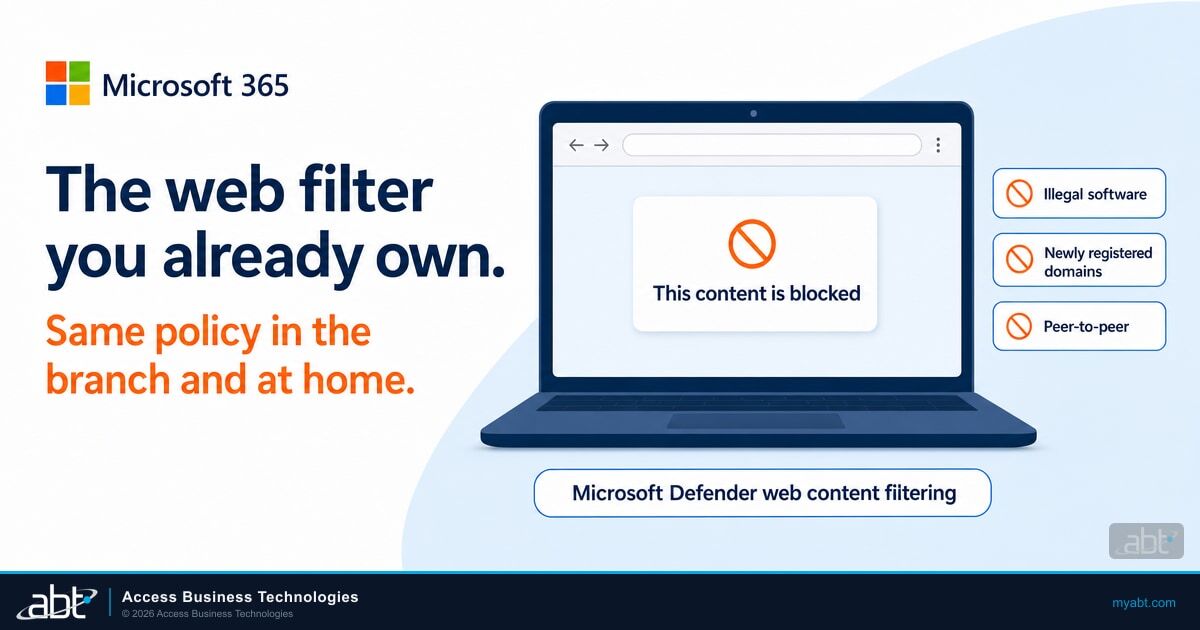
- Network protection in block mode. Microsoft requires "Network protection enabled and configured to block mode." The same setting drives the filter in our guide to web content filtering for financial institutions.
- Browser Protection add-on. "Install the Microsoft Defender Browser Protection add-on in all non-Microsoft browsers in your organization."
Plan communications around the timing: "The time latency to block an app via Defender for Endpoint is up to three hours" after you mark it unsanctioned. For apps still under review, the Monitored tag shows users a warning with "a custom redirect link to a company page listing apps approved for use." The same prompt "provides options for users to bypass the warning and continue to the app." Treat warn as a training tool and block as the control.
On Business Premium, the Defender for Endpoint discovery integration accepts "Microsoft Defender for Business (standalone or as part of Microsoft 365 Business Premium)." Microsoft explains that device groups in Defender for Business "are managed differently," so device-group scoping is unavailable in Defender for Cloud Apps on that experience. Institutions that add the Defender Suite reach the Plan 2 experience through the Microsoft Support switch described above.
What changed in 2026, and the January 2027 deadline
Microsoft's release notes carry two changes worth a line in your change log, then the retirement.
Real-Time Event Monitoring data plus OAuth app governance for Connected Apps and External Client Apps.
The integration moves "from opt-in to automatic enablement."
File-based data protection moves to Microsoft Purview.
The last entry needs a project plan. Any file policy watching customer, member, or borrower files needs a successor in Purview before the date.
File policies retire on January 6, 2027
Microsoft's migration guide says: "Recreate your file policies as Microsoft Purview data loss prevention (DLP) or auto-labeling policies before this date." Its migration tool moves "DLP file policy migration for Microsoft workloads: SharePoint and OneDrive." For Box, Dropbox, Google Workspace, and Salesforce, where Purview support is in preview, the same guide says the tool "doesn't migrate non-Microsoft app policies yet, so recreate these policies manually in Purview for now." The retirement notice sits on file policies; session policies, like the download control in the opening example, are a separate policy type. The tool requires "A Microsoft 365 E5 or Microsoft 365 E5 Compliance license (or an equivalent standalone Microsoft Purview DLP license)." Check your Purview licensing before January 6, 2027.
Microsoft frames the change as a division of labor: "Defender for Cloud Apps continues to provide SaaS app discovery, posture management, and threat detection. File-based data protection is moving to Microsoft Purview." The Purview side is where data protection for AI apps lives too, as our guide to Microsoft Purview DLP for AI describes, so one migration project can cover both.
What examiners and the Safeguards Rule ask for
Cloud apps touch the FFIEC Information Security booklet sections on inventory, stored information, and third parties. The cloud storage section asks the institution to confirm it can see what happens in a provider's environment.
Management should verify that the cloud provider offers the capability for the institution to monitor its system activity, significant security incidents, performance and uptime, and success and failure of backups.
Defender for Cloud Apps answers the activity and incident parts of that sentence. Uptime and backup results come from each provider's own reporting, kept with your vendor file. The rest of the mapping:
| Expectation | What the text says | Where Defender for Cloud Apps supplies evidence |
|---|---|---|
| FFIEC II.C.5 | Inventory "hardware, software, information, and connections," and use it to discover "unauthorized software" | Cloud Discovery reports and app discovery policy alerts |
| FFIEC II.C.13(a) | "Appropriate logging and monitoring controls over stored information to ensure authorized access and appropriate use" | Session monitoring, activity policies, anomaly alerts |
| FFIEC II.C.13(e) | A policy against unsanctioned IT resources, and training that includes "procedures for identifying and reporting shadow IT" | Discovery data that measures the policy, and a warning page that links staff to approved apps |
| FFIEC II.C.20 | "Monitor third-party service providers to confirm that they are maintaining appropriate controls," when the risk assessment indicates | SSPM recommendations for connected apps, app governance for OAuth apps |
| FTC Safeguards Rule 16 CFR 314.4(c)(2), (c)(8), (f), for mortgage companies and other non-bank financial institutions | Identify and manage systems; "monitor and log the activity of authorized users"; "Oversee service providers" | App inventory, activity and session policies, anomaly detection, SSPM, app governance |
Banks have a second source. The 2023 interagency guidance on third-party relationships comes from the Federal Reserve, the Federal Deposit Insurance Corporation (FDIC), and the Office of the Comptroller of the Currency (OCC). It says "maintaining a complete inventory of its third-party relationships and periodically conducting risk assessments for each third-party relationship supports a banking organization's determination of whether risks have changed over time."
Federally insured credit unions answer to the National Credit Union Administration (NCUA) Guidelines for Safeguarding Member Information at 12 CFR Part 748 Appendix A. Each feature above is evidence inside your information security program, which stays your institution's to run.
A rollout order, and who acts on the alerts
Following the licensing ladder keeps each step small enough to verify before the next.
Defender Suite for Business Premium or E5; on Business Premium, ABT recommends every seat at once, because a mixed tenant stays on the Defender for Business endpoint experience, then the Microsoft Support switch
Cloud Discovery and app discovery policies; anomaly detection learns for seven days
App connectors for your SaaS apps; start with the SaaS Security Initiative
Conditional Access plus session policies; block native clients
Block unsanctioned apps through Defender for Endpoint; move file policies to Purview
From the Discover step on, the product raises alerts, and something has to act on them. ABT's Guardian page puts it in one line: "Microsoft Defender is the tooling. Managed detection and response is the team and the automation that act on it."
ABT's M365 Guardian page lists cloud apps under one rung, Guardian Contain. That rung "adds round-the-clock detection across identity, endpoint, email, and cloud apps on Microsoft Defender XDR signals, correlated by ABT's own detection engine, with pre-authorized automated containment that revokes a compromised session in seconds at any hour."

ABT sells "the same Microsoft 365 licenses at the same price as Microsoft, quoted on their own line." When your licensing runs through ABT, "Guardian Foundation, the hardened baseline, is included at no additional charge."
Start with a measured view of your tenant. ABT's Microsoft 365 Security Assessment "reviews six areas of your Microsoft 365 environment: identity and access controls, email authentication, data protection policies, device compliance, external sharing exposure, and overall compliance posture." It uses "a read-only Azure service principal." If you want ABT to remediate the findings, that becomes a Guardian engagement starting with a 90-day hardening sprint.
Put M365 Guardian on the alerts your cloud apps raise
Start with the security assessment, and plan the January 6, 2027 file-policy move in the same conversation.
Frequently Asked Questions
Microsoft Defender for Cloud Apps is Microsoft's cloud access security broker and SaaS security product. Microsoft groups it into four areas: cloud access security broker functionality, SaaS Security Posture Management, advanced threat protection, and app-to-app protection. It is integrated into Microsoft Defender, so its alerts correlate with signals from the rest of the Defender suite.
Microsoft Defender Suite for Business Premium adds the full product, along with Microsoft Entra ID P2 and Defender for Endpoint Plan 2. Business Premium already includes the Microsoft Entra ID P1 that Conditional Access App Control requires. ABT recommends every seat, since a tenant mixing Defender for Business and Plan 2 defaults to the Defender for Business experience.
Conditional Access App Control is the session layer of Defender for Cloud Apps. Working with a Microsoft Entra ID Conditional Access policy, it monitors browser sessions and can block activities or control file downloads and uploads with inspection. It needs nothing installed on the device, which suits unmanaged laptops and partner users. Microsoft Entra ID P1 is required.
Microsoft retires file policies in Defender for Cloud Apps on January 6, 2027, and asks customers to recreate them as Microsoft Purview data loss prevention or auto-labeling policies before that date. Microsoft's migration tool needs Microsoft 365 E5, E5 Compliance, or an equivalent Purview DLP license, and policies for Box, Dropbox, Google Workspace, and Salesforce are recreated by hand for now.
Marking an app unsanctioned records the decision, and Microsoft Defender for Endpoint enforces it. Turn on cloud protection and network protection in block mode, and install the Microsoft Defender Browser Protection add-on in non-Microsoft browsers. Microsoft says a block can take up to three hours to reach the device, and its Monitored warning lets users continue to the app.
Defender for Cloud Apps supplies evidence for specific controls. The FFIEC Information Security booklet expects an asset inventory, cloud activity monitoring, and third-party oversight. The FTC Safeguards Rule asks mortgage companies and other non-bank institutions to identify systems, monitor authorized users, and oversee service providers. Discovery, activity monitoring, and posture recommendations document each one within your security program.
An institution's own staff, or a partner it assigns, reads and acts on Defender for Cloud Apps alerts. ABT's M365 Guardian Contain rung adds "round-the-clock detection across identity, endpoint, email, and cloud apps on Microsoft Defender XDR signals, correlated by ABT's own detection engine, with pre-authorized automated containment that revokes a compromised session in seconds at any hour."