In This Article
- Your People Already Want This. Copilot Is the Governed Way to Give It to Them
- Copilot Does Not Break Your Permissions. It Obeys Them
- What Oversharing Actually Looks Like Inside a Bank or Credit Union
- How Copilot Turns Quiet Oversharing Into a Loud Answer
- The Controls Microsoft Built to Contain It
- The Real Fix: Contain First, Then Remediate
- Why This Doubles as an Access-Controls Health Check
- Frequently Asked Questions
Picture an employee pasting a member's loan file into a consumer chatbot to get a faster summary. It is the kind of thing that happens quietly, and you would probably never find out. That risk sits behind every conversation about Microsoft 365 Copilot at a credit union, a community bank, or a mortgage company: the demand for AI is already inside the building, and the only real question is whether it runs on infrastructure you govern or on tools you cannot see. Copilot is the governed option. It works inside your Microsoft 365 tenant, under your policies, on data that stays inside the environment you govern. But before you turn it on, there is one piece of homework that decides whether the rollout is safe or sorry, and it has nothing to do with the AI itself.
Your data access is the homework. Copilot is exceptionally good at finding things, and it will find exactly what your people are already allowed to find. That is the whole story in one sentence. If your SharePoint sites, your shared drives, and your Teams files are tighter than you assume, Copilot is a productivity engine. If they are looser than you assume, which is the case at most institutions that have never run a permissions cleanup, Copilot becomes the fastest way anyone has ever had to surface a file that was overshared three reorganizations ago.
This article walks through why that happens, what oversharing really looks like inside a regulated institution, and the specific Microsoft controls that contain it and then fix it. None of this is a reason to avoid Copilot. It is the short, bounded project that lets you deploy it without handing every employee a search bar into data they were never supposed to see. If you want the broader pre-flight picture first, our guide on whether your Microsoft 365 tenant is ready for Copilot covers the full readiness checklist; this piece zooms in on the part that trips up the most institutions.
The Short Version
Microsoft 365 Copilot does not bypass permissions. It only surfaces content a user can already open. The risk is not the AI; it is the oversharing that already exists in your tenant, which Copilot makes instantly discoverable through plain-language questions. Before you assign Copilot licenses, find your overshared sites with Data Access Governance reports, contain them temporarily with Restricted SharePoint Search or Restricted Content Discovery, then remediate the underlying permissions with Microsoft Purview sensitivity labels and access reviews. The cleanup doubles as the access-controls evidence your next examiner will ask for.
Your People Already Want This. Copilot Is the Governed Way to Give It to Them
Start with the demand, because it is real and it is not slowing down. AI at work is no longer a pilot or a someday. It is how a large share of your staff already operates, with or without permission.
The 78 percent who bring their own AI is the figure that should get a compliance officer's attention. When the sanctioned tools are not there, people reach for the unsanctioned ones, and a consumer chatbot has no relationship with your tenant, your sensitivity labels, or your retention rules. Whatever gets pasted into it leaves your governance, retention, and audit controls behind. Microsoft 365 Copilot is the answer to that pull, because it delivers the same speed inside the boundary you already manage. It drafts the member letter, summarizes the policy binder, and pulls the numbers out of last quarter's board deck, all without the data ever leaving your Microsoft 365 environment.
So the productivity case makes itself. The reason this article exists is that the productivity only stays safe if one thing is true underneath it: that the access controls in your tenant actually reflect who should see what. For most institutions, that assumption deserves a second look before the licenses go out.
Copilot Does Not Break Your Permissions. It Obeys Them
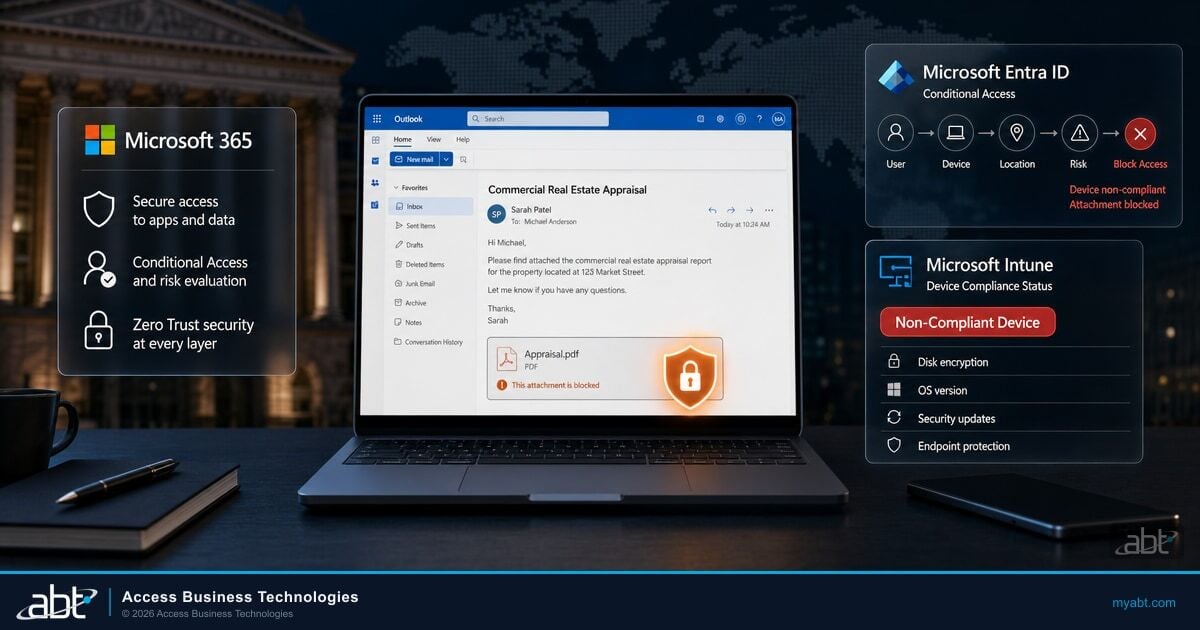
Here is the single most important fact to get right, because nearly every fear about Copilot starts from getting it wrong. Copilot does not have its own special access. It cannot see anything the signed-in user cannot already see. Microsoft states it plainly in its Zero Trust guidance for Microsoft 365 Copilot: "Copilot results for a user contain only data that the user is allowed to access." When an analyst asks Copilot a question, it searches the same files, sites, and mailboxes that analyst could already open by hand. It respects the same permissions, the same sensitivity labels, the same conditional access.
Read that carefully and the real risk comes into focus. Copilot is not a hole in your security. It is a mirror held up to it. If an employee already has access to a file they should not, Copilot does not create that problem. It reveals it, instantly, in response to an ordinary question. The exposure was always there. What changes is that finding it used to require knowing the file existed, knowing where it lived, and going to look. Now it requires typing a sentence.
The Distinction That Matters for a CISO
Oversharing is a tenant condition, not a Copilot feature. Before Copilot, an overshared payroll spreadsheet sat in a SharePoint site almost nobody visited, protected mostly by the fact that no one knew to look. That is security by obscurity, and it was never security at all. Copilot removes the obscurity. The file was always accessible to too many people. Now too many people can find it by asking. The fix is to correct the access, not to fear the question.
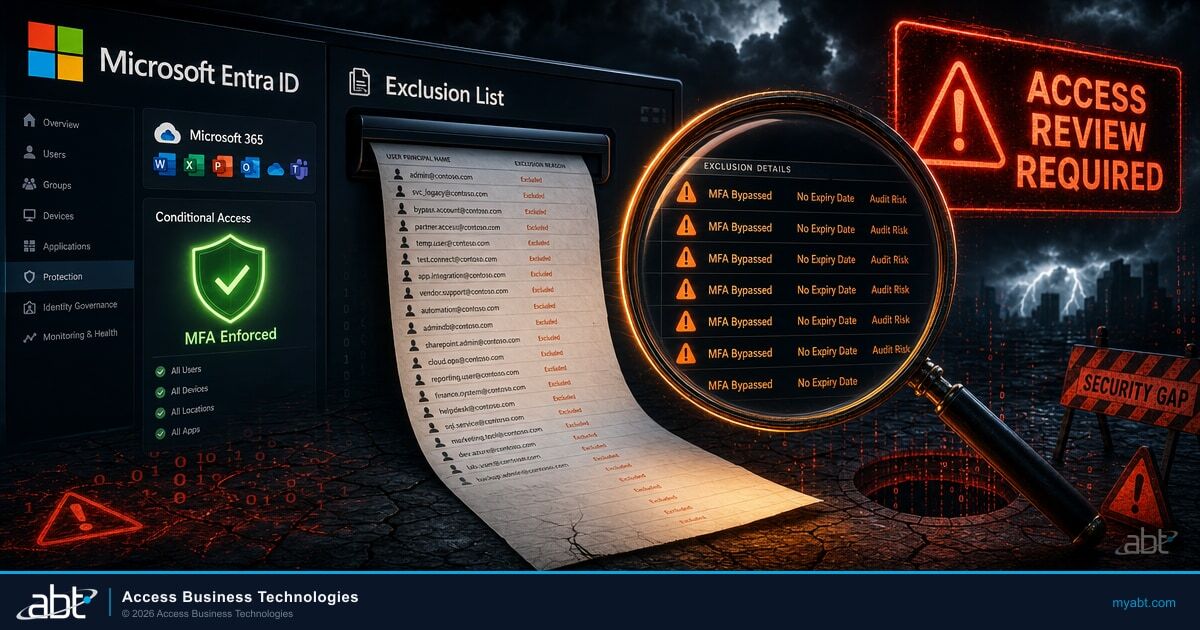
Microsoft is direct about where the work belongs. Its Zero Trust guidance tells administrators to "validate Just Enough Access across your organization to eliminate oversharing by ensuring that correct permissions are assigned to files, folders, Teams, and email." The phrase that should land is "eliminate oversharing." Microsoft is not describing a Copilot setting. It is describing the state your tenant needs to be in before Copilot is a good idea. Identity and least privilege are the foundation here, the same foundation behind phishing-resistant MFA for financial institutions.
What Oversharing Actually Looks Like Inside a Bank or Credit Union
Oversharing is rarely a dramatic mistake. It is the slow accumulation of small conveniences that nobody ever reversed. Walk the typical patterns at a regulated institution and you will recognize most of them.
A site was created for a 2022 core conversion project and shared with "Everyone except external users" so the vendor and a rotating cast of staff could all get in fast. The project ended. The site did not. It still holds spreadsheets of account numbers, and it is still open to the whole company. A loan officer needed a document, so someone generated an "Anyone with the link" sharing link and dropped it in a chat. That link still works, and it has been forwarded twice. A manager built a OneDrive folder of board materials and shared it with a distribution list that has tripled in size since. A department's Teams site, provisioned with broad membership for convenience, quietly carries the HR investigation notes someone parked there "just for now."
None of these felt risky in the moment. Each one was a reasonable shortcut taken by a busy person. Stacked up across years and thousands of sites, they become the access reality of your tenant, and that reality is almost always broader than the org chart would suggest. This is exactly the gap that data classification is meant to close, which is why data loss prevention for financial services starts with knowing where the sensitive content actually lives.
Oversharing is not a breach. It is the quiet permission sprawl that every shortcut leaves behind. Copilot does not cause it. Copilot is just the first tool fast enough to make all of it findable at once.
How Copilot Turns Quiet Oversharing Into a Loud Answer
Microsoft uses a plain example to show the mechanism, and it translates directly to a financial institution. Picture an employee, call her Alex, who has no business reason to see the budget. Somewhere in the tenant is a budgeting site whose owner never set proper permissions, because almost nobody knew it was there. Before Copilot, Alex would have needed to stumble onto that site to see anything. With Copilot, she just asks a question.
An employee asks Copilot, "What are we projecting for branch staffing costs next year?" A budgeting site was shared too broadly years ago and never reviewed. Copilot, doing exactly its job, reads that site because the employee technically has access, and answers with the confidential figures. No rule was broken. The permissions said she could see it, so Copilot showed her.
The same question, after a permissions cleanup. The budgeting site is now restricted to the finance team, and during the cleanup it was kept out of organization-wide discovery. Copilot answers from sources the employee is actually supposed to use, and the confidential figures never surface. Same question, same AI, completely different outcome, because the access underneath it was corrected.
None of this makes Copilot dangerous. What it does is make the cost of pre-existing oversharing immediate and visible. In the old world, an overshared file might sit undiscovered for years. In the Copilot world, the gap between "technically accessible" and "actually found" collapses to the length of a sentence. That is why the remediation has to happen before the rollout, not after the first uncomfortable answer.

The Controls Microsoft Built to Contain It
Microsoft knows oversharing is the most common thing standing between an institution and a safe Copilot rollout, so it built controls specifically to address it and published a downloadable blueprint to prevent oversharing. Three of those controls do the heavy lifting in the early stages, and the important thing to understand is that they buy you time. They are containment, not the cure.
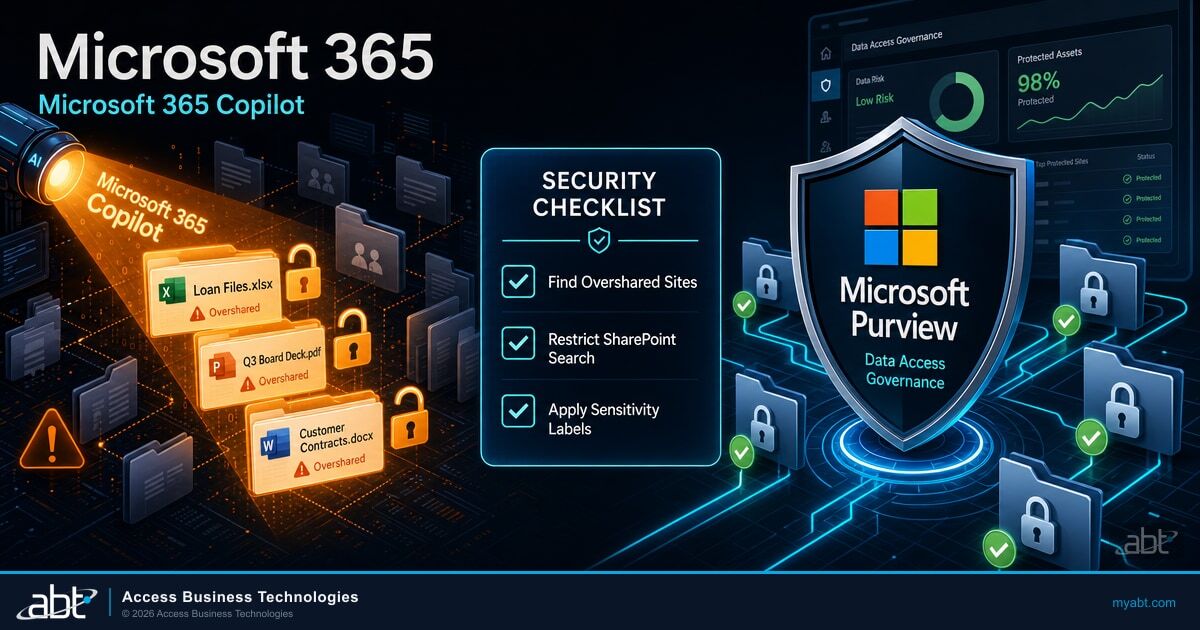
The first is Data Access Governance reports. These reports, in the SharePoint admin center, show you the sites most likely to be overshared, including the ones handing out "Anyone" links and the ones open to everyone in the organization. This is your discovery step. You cannot fix what you cannot see, and these reports turn a vague worry into a ranked list of specific sites to review.
The second is Restricted SharePoint Search. Microsoft describes it bluntly in its documentation as "a short-term solution to allow time for your organization's administrators to thoroughly review and audit site and file permissions." When it is on, only the sites you place on an allowed list (capped at 100) can appear in organization-wide search and Copilot. Everything else is held back from discovery while you do the cleanup. Two cautions matter. It is not a security boundary, and it "doesn't change any permissions on SharePoint sites." It also does not scale, which is the point: it is a temporary curtain, not a wall.
The third is Restricted Content Discovery, a more surgical version of the same idea. Instead of an allow-everything-on-a-list model, you flag specific high-risk sites. Per Microsoft's guidance, enabling it "prevents the sites from surfacing in organization-wide search and Microsoft 365 Copilot Business Chat." Like Restricted SharePoint Search, it changes discovery, not access: it "doesn't affect existing permissions on sites," so anyone who already has rights can still open the file directly. Per Microsoft, it can be applied to any SharePoint site in your organization if at least one user is assigned a Copilot license.
Containment Is Not the Cure
Read the Microsoft documentation closely and the same warning appears under each of these controls: they affect what Copilot and search can discover, not who has access. A file hidden from Copilot is still openable by every person who was overshared on it, through a direct link or a bookmark. These tools exist to keep a messy tenant from broadcasting its mess while you do the real work. Treating them as the finish line is the single most common mistake. The finish line is corrected permissions.
The Real Fix: Contain First, Then Remediate
Durable work happens in Microsoft Purview and in the permissions themselves. Microsoft's own sequence is consistent: contain discovery temporarily, remediate the access, govern it going forward, then remove the temporary controls. Here is that path as a project a financial institution can actually run.

Run those steps in order and the work stays bounded. Most of the effort lands in the discovery and the permission corrections; the containment controls are quick to switch on and, just as importantly, quick to switch off once the cleanup is done. What surprises most institutions is how short the real list of problem sites turns out to be.
The institutions that struggle with a Copilot rollout are almost never the ones with too little appetite for AI. They are the ones whose SharePoint grew organically for a decade and never had a permissions cleanup. Across the Microsoft 365 tenants we manage for financial institutions, the oversharing remediation is the project that makes or breaks the deployment, and it is far smaller than people fear once the Data Access Governance reports turn the unknown into a ranked list. The sites that matter are usually a few dozen, not a few thousand.
There is a reason this work lands differently for an institution with a managed Microsoft 365 partner. A lean credit union IT team is not going to read SharePoint admin-center reports against a Copilot rollout calendar, and they should not have to. This is also where a generic reseller and a specialized partner part ways. Selling Microsoft licenses ends the day the licenses are provisioned; governing a regulated institution's tenant is the ongoing work of keeping access correct, and it is a different job entirely. ABT manages Microsoft 365 tenants, including SharePoint, Microsoft Purview, and Microsoft Entra, for 750+ financial institutions through delegated administration. Microsoft hosts the infrastructure; ABT manages the tenant. The discovery, the containment, the labeling, and the access reviews are the work ABT already performs under the M365 Guardian operating model, which is what turns a one-time scramble into a standing capability.
Find out what Copilot would surface before you turn it on
The fastest way to know whether your tenant is ready for Copilot is to run the oversharing discovery first: which sites are open too broadly, which "Anyone" links are still live, and which sensitive content would answer the wrong question. ABT runs that assessment for the Microsoft 365 tenants we manage, then remediates the access and prepares the rollout.
Why This Doubles as an Access-Controls Health Check
There is a second payoff to this project, and it is the one your examiner cares about. The cleanup you do to make Copilot safe is, nearly line for line, the access-controls evidence regulators already expect. The Copilot deadline simply gives you a reason to confirm a posture you should be able to demonstrate anyway.
Supervisory direction is consistent. The FTC Safeguards Rule, which governs nonbank financial institutions under the Gramm-Leach-Bliley Act, requires institutions to implement and periodically review access controls that limit access to customer information to the people who need it. The FFIEC's Information Security guidance presses the same point for banks: least privilege, with access granted only as a role requires. For credit unions, the NCUA examines access and authentication controls against that same framework. Read together, these are not asking for something exotic. They are asking exactly what a permissions cleanup produces: a defensible answer to "who can see customer data, and why."
Oversharing is the textbook weakness those expectations are written against. A site full of member account numbers, open to the whole company because a project never got cleaned up, is precisely the kind of access-control gap an examiner is trained to probe. The artifacts your remediation generates (a ranked list of overshared sites, a record of what was contained, the labels you applied, and a documented decision for each correction) are the kind of evidence that turns an examination question into a short conversation. The same access-control discipline now extends to AI agents, which is why our look at Agent 365 governance for financial institutions applies the same thinking to autonomous tools.
That is the reframe worth keeping. Preparing for Copilot is not a side quest pulled away from compliance work. It is compliance work, with a productivity payoff attached. You end up with a cleaner tenant, examiner-ready evidence, and an AI assistant that makes your team faster without making your data findable to the wrong person.
Make access governance a standing capability, not a pre-rollout scramble
ABT manages Microsoft 365, SharePoint, and Microsoft Purview for more than 750 credit unions, banks, and mortgage companies. Oversharing discovery and remediation is one of the standard checks in the M365 Guardian operating model, so the tenant stays Copilot-ready and examiner-ready between rollouts, not just before one. Talk to our team to scope what a safe Copilot deployment looks like for your institution.
Frequently Asked Questions
No. Microsoft 365 Copilot does not have its own access and cannot see anything the signed-in user cannot already see. Microsoft states in its Zero Trust guidance that Copilot results for a user contain only data that the user is allowed to access. Copilot respects the same permissions, sensitivity labels, and conditional access policies that already govern the user. The oversharing risk is not that Copilot breaks security; it is that Copilot makes pre-existing oversharing instantly discoverable. If a user already has access to a file they should not, Copilot can surface it in response to a plain-language question, which is why the right fix is correcting the underlying access before rollout.
Oversharing is the accumulation of overly broad access across a Microsoft 365 tenant: SharePoint sites shared with "Everyone except external users," live "Anyone with the link" sharing links, OneDrive folders shared with distribution lists that have grown over time, and Teams sites with broad membership. None of these are breaches; they are shortcuts that were never reversed. They matter for Copilot because Copilot only surfaces content a user can already access. When access is broader than it should be, Copilot can find and summarize sensitive content (such as account numbers, board materials, or credit files) for users who were technically granted access but have no business reason to see it. Cleaning up oversharing before deploying Copilot is the step that keeps the productivity gain from becoming a data-exposure problem.
Microsoft provides controls for containment and for remediation. For containment, Data Access Governance reports in the SharePoint admin center identify the most overshared sites; Restricted SharePoint Search limits Copilot and organization-wide search to a vetted allowed list of up to 100 sites as a short-term measure; and Restricted Content Discovery flags specific high-risk sites so they do not surface in organization-wide search or Microsoft 365 Copilot Business Chat. Microsoft is explicit that these controls change discovery, not permissions, so they buy time rather than fix the problem. For remediation, Microsoft Purview sensitivity labels classify and protect sensitive content, and Microsoft Purview Data Security Posture Management (DSPM) for AI runs a data risk assessment that surfaces and helps fix oversharing. The durable fix is correcting the permissions themselves and running regular site access reviews.
No, and Microsoft says so directly. Restricted SharePoint Search is designed as a short-term solution to give administrators time to review and audit site and file permissions. It is not a security boundary and does not change any permissions on SharePoint sites; it only limits what appears in organization-wide search and Copilot, and it is capped at 100 allowed sites, so it does not scale. A site hidden from Copilot is still openable directly by every user who was overshared on it. Use it to stop a messy tenant from broadcasting its content while you remediate, then disable it once permissions are corrected so Copilot can ground on the full, clean set of content. The finish line is corrected access, not a permanent search curtain.
Closely. US financial-institution regulators expect access controls based on least privilege. The FTC Safeguards Rule under the Gramm-Leach-Bliley Act requires nonbank financial institutions to implement and periodically review access controls that limit access to customer information to authorized users. The FFIEC's Information Security guidance presses the same least-privilege principle for banks, and the NCUA examines credit unions' access and authentication controls against that framework. Oversharing of nonpublic personal information is, in practice, an access-control weakness of exactly the kind these expectations are written against. The work of remediating oversharing before a Copilot rollout (a ranked list of overshared sites, a record of what was contained, the labels applied, and a documented decision for each correction) produces the kind of evidence examiners look for when they ask how an institution governs access to customer data.
The better approach is to run the two in parallel rather than to delay indefinitely. Microsoft's own guidance pairs applying data protections with deploying Copilot, so you can remediate the highest-risk sites and contain the rest while you begin assigning Copilot licenses to teams whose content is already well-governed. The sequence that works is: discover overshared sites with Data Access Governance reports, contain the worst ones with Restricted SharePoint Search or Restricted Content Discovery, classify and remediate with Microsoft Purview, then expand the rollout as each area is cleaned up. Indefinite delay forfeits the productivity gain and pushes staff toward unsanctioned consumer AI tools, which is its own data risk. The goal is a controlled rollout on a tenant you have cleaned, not a frozen one.