In This Article
Somebody at your institution built an agent. Maybe it answers questions about loan guidelines so processors stop walking to the underwriter's desk. Maybe it looks up member account status inside Teams. It took an afternoon, it works, and the people who use it every day would fight you for it. That is the whole promise of Copilot Studio, and it is a real one.
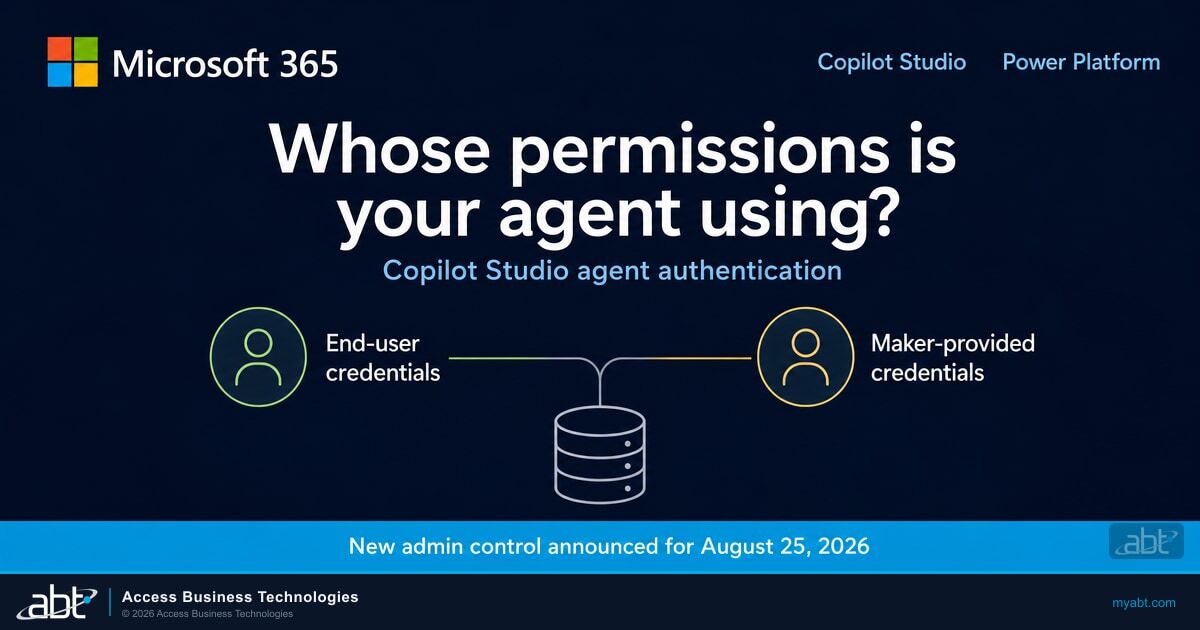
Here is the question almost nobody asks after the demo goes well: when that agent reaches into a connected system to fetch something, whose permissions is it using?
Sometimes the answer is the builder's. Not the person asking. The person who made it. And here is the uncomfortable part: unless somebody has gone looking, that answer is usually not written down anywhere. On August 25, 2026, Microsoft is giving administrators a switch that takes that option away.
What Microsoft announced for August 25
Two related changes landed in the Message Center on August 3, 2026, and they arrive a week apart.
| Change | What it does | Announced availability |
|---|---|---|
| Block maker-provided credentials (MC1446172) | Lets an administrator restrict maker-provided credentials across all tools in an agent, so only end-user credentials can be used. Off by default, enabled per environment or managed environment group. | August 25, 2026 |
| Agent authentication and access policies (MC1446227) | Lets an administrator centrally define authentication and access policies for agents at the environment or environment group level, to standardize how agents handle identity and access. | September 2, 2026 |
Both are classified as informational. Both say, in Microsoft's words, that no action is required. That is accurate about the rollout itself. Nothing breaks on August 25 if you do nothing, because the control ships turned off. Whether doing nothing is the right call for a regulated institution is a different question, and it is the one worth your time.
How an agent ends up acting as its builder
When a maker adds a tool to an agent, a connector, a built-in action, or an embedded Power Automate flow, that tool needs to authenticate to whatever it is reaching into. The maker picks how. They can require each end user to sign in, or they can bind the tool to their own stored credentials.
Pick the second option and the agent stops being a lookup and starts being a proxy. Microsoft describes the consequence plainly.
"When someone uses the agent, the agent uses the maker's credentials, not the end user's credentials, to authenticate with connected services. Using maker credentials could lead to oversharing of data or capabilities, for example, an end user might retrieve information or perform actions that only the maker's account is permitted to do."
Put that in a building where people have deliberately different access.
A senior operations manager builds an agent that answers questions about loan files. Her own account can see every file in the institution, because her job requires it. She binds the agent's connector to her credentials so it works without prompting anyone to sign in.
A part-time teller asks the agent about a file. The agent fetches it using her credentials, not his. He sees something his own account was never permitted to open, and unless the tenant has been set up to watch for exactly this, nothing flags it, because nothing was bypassed. The agent did exactly what it was configured to do.
Nobody was attacked in that story. Nothing malfunctioned. A configuration choice made in an afternoon means that on this path the tool runs in the maker's connection context rather than the caller's, so the effective permissions are hers, and where the connected system records who made the call, it records her, not him. Reconstructing who actually asked means correlating two systems, which is not something a routine access review is usually built to do.

The three defaults that get conflated
This topic is easy to get wrong in either direction, because three different defaults are in play and they do not point the same way. Collapsing them is how an institution talks itself into "we are fine" without checking, or into a panic that is not warranted either.
There is one more piece worth knowing, and it is the part that decides how much of this is already handled. Copilot Studio runs an automatic security scan and warns a maker before publishing when they select maker-provided credentials, along with two other deviations from secure defaults: setting an agent to no authentication at all, and sharing an agent with everyone in the organization.
That scan is a warning, not a gate. It tells the maker. It does not tell you, it does not block the publish, and it leaves no queue for anyone to review. So the honest summary is that Microsoft's defaults are reasonable, the guardrail exists, and it is aimed at exactly one person: the individual least likely to be thinking about examiner expectations at that moment.
Why "no action is required" reads differently in a bank
Microsoft has not framed this as a compliance matter, and no regulator has named this setting. Treat any vendor telling you an examiner is going to ask for this control by name as getting ahead of the facts. What examiners do ask about, routinely, is whether access is granted on a least-privilege basis and whether you can show who accessed what.
An agent running on its builder's credentials makes both of those harder to answer honestly. Access is no longer per-user in that path, and the connected system's log attributes the action to the builder rather than the person who asked. If your access reviews enumerate humans and their entitlements, they are describing a model the agent is quietly working around.
That is the same governance problem we have written about as machine identities begin to outnumber human ones, and it is why Microsoft has been moving agent identity into Entra, Defender and Purview through Agent 365 and agent identity management. The pattern is consistent: an agent that can act on behalf of the organization needs its own identity, its own permission boundary, and its own record. Credentials borrowed from whoever happened to build it satisfy none of those.
Not sure which of your agents authenticate as their builder?
That question is answerable, and answering it before August 25 is the difference between a decision and a surprise. ABT manages Microsoft 365 for more than 750 banks, credit unions, and mortgage companies, and agent governance is part of that conversation.
The catch most people stop reading before
If the story ended at "turn it on," this would be a short article. It does not, and the reason is buried below the fold in Microsoft's own documentation.
Do not enable this on a whim
Microsoft documents that the change is immediate and retroactive: "All tools for all agents in the impacted environments instantly change to require end-user credentials at runtime." It applies to agents that already exist, not just new ones. Where a person is present, the first sign is an unexpected sign-in prompt. Where nobody is present, there is no prompt for anyone to answer, and the run simply fails.
More consequentially, agents that were relying on maker-provided credentials to run unattended stop working. Microsoft's wording is direct: agents triggered by scheduled or autonomous events, or that attempt to run in the background, fail due to missing credentials, because every tool call now needs a live user sign-in.
Read that second paragraph carefully, because the scope matters. This does not break every scheduled process you own. It breaks the ones that depend on a stored maker credential to authenticate with nobody present. If you have an overnight exception report, a nightly reconciliation, or any agent that runs on a timer and touches a connected system, that is the population at risk, and it is also the population where maker-provided credentials were arguably the right call in the first place.
Which is the real point. Maker-provided credentials are not a defect. They are a legitimate pattern for a process that genuinely has no user attached. The problem is that today the same setting covers two completely different situations, a deliberate unattended service and a maker who just wanted to skip the sign-in prompt, and nothing distinguishes them. Turning the control on without knowing which of yours is which converts a governance question into an outage.
Two more details will shape your rollout. Enabling the control requires Environment Admin rights for a single environment, or Power Platform Administrator or Global Administrator rights for environment groups. And environment group settings override individual environment settings, so an environment inside a managed group cannot opt itself out. Decide at the group level deliberately, because the group is where the decision actually binds.
What to do before August 25
None of this needs to be finished by August 25. The control ships off, and it stays off until somebody turns it on. What should be finished by then is knowing what you would break.
- Inventory the agents, environment by environment. Start in the Power Platform admin center under Manage, then Environments, and write down every environment before you look at a single agent. You cannot decide anything until you know what exists and who built it, and the environment somebody spun up for one project two years ago is where the surprises live.
- Find which tools use maker-provided credentials. This is the whole exercise. The credential mode is set per tool, so the inventory has to reach every connector, built-in action, and embedded Power Automate flow on every agent, not just the agents themselves. Check what your admin tooling can export before committing anyone to doing it by hand. However you get there, this is the step that turns August 25 from a guess into a decision.
- Sort them into two piles. Deliberate unattended processes that genuinely have no user, versus convenience choices made to avoid a sign-in prompt. The second pile is the one to fix, and fixing it mostly means switching those tools back to end-user credentials before any policy forces the issue.
- Give every remaining exception an owner and a review date. An unattended agent running on a named person's credentials is a standing decision. It should be written down, owned by someone other than the person who built it, and revisited on a schedule, particularly before that person changes roles or leaves.
- Decide scope at the environment group level. Group settings win. Choose the boundary on purpose rather than discovering it during rollout.
- Stage it. Enable in a non-production environment first, watch what stops working, then move outward. Retroactive and immediate is a combination that rewards a change window and a way back.
- Write down what you decided and why. Not because an examiner will ask for this control by name, but because "we reviewed how our agents authenticate and here is our standard" is a much better answer than reconstructing it later from memory.

If your institution is building agents on top of loan files or member data, this is the same discipline we walk through for the Microsoft Purview configurations that belong in place before an agent touches regulated data, and it belongs on the same review cadence as the rest of your AI governance evidence.
We build agents for regulated institutions ourselves, including our mortgage-specialized MortgageGuide Copilot agent, so this is a decision we have had to make and not only write about. Our standard is that a tool authenticates as the person asking unless there is a written reason it cannot, and an unattended agent is treated as a named service with an owner rather than one person's stored credential left running. Both get settled before the agent ships. That is the standard we bring when we sit down with a customer's team and go through their Copilot Studio environments.
The one decision
You are not deciding whether to flip a switch on August 25. You are deciding whether your institution has a standard for how agents authenticate, and whether anyone can currently tell you which agents follow it. The switch is just the first time Microsoft has given you a way to enforce the answer.
Agent governance, handled as part of running your tenant
ABT manages Microsoft 365 for financial institutions as a Tier-1 Microsoft Cloud Solution Provider. If you want the agent authentication question answered and standardized rather than added to somebody's list, we can scope that with your team.
Frequently Asked Questions
End-user credentials mean the person talking to the agent signs in themselves, and the agent acts with that person's own permissions. Maker-provided credentials mean the agent uses stored credentials belonging to whoever built it, so every user who invokes the agent effectively acts with the builder's reach. Microsoft warns that this can lead to oversharing, because an end user might retrieve information or perform actions that only the maker's account is permitted to do.
No. Per MC1446172 the control ships turned off, and an administrator enables it selectively through the Power Platform admin center for specific environments or managed environment groups. Three separate defaults are worth keeping straight: the per-tool default selection for connectors and flows is end-user credentials, the environment-level default allows both credential types, and the new control that removes the maker-provided option is off until someone turns it on.
Yes. Microsoft documents that the change is immediate and applies to existing agents, not only new ones: all tools for all agents in the impacted environments instantly change to require end-user credentials at runtime. Users will see a sign-in prompt for the connected service on their next conversation with an affected agent, so this warrants a change window and advance notice rather than a quiet flip.
It breaks the ones that depended on maker-provided credentials to run without a person present. Microsoft states that when maker-provided credentials are prevented, agents triggered by scheduled or autonomous events, or that attempt to run in the background, fail due to missing credentials, because every tool call must be authenticated with a live user sign-in. Identify those agents before enabling the control, since unattended processes are the case where maker-provided credentials may have been the deliberate and correct choice.
It is configured in the Power Platform admin center under Manage, then Environments or Environment groups, then Settings, Product, Features, and the Copilot Studio agents section. Microsoft documents that it requires Environment Admin rights for a single environment, or Power Platform Administrator or Global Administrator rights for environment groups. Environment group settings override individual environment settings, so an environment that belongs to a managed group cannot be configured on its own details page.
Yes. Microsoft documents that the control covers connectors, built-in actions, and embedded Power Automate flows equally, and that a Power Automate flow used as a tool in an agent also requires each user to sign in for any connections that flow uses. When you inventory agent tools, include the embedded flows rather than treating them as a separate system.