In This Article
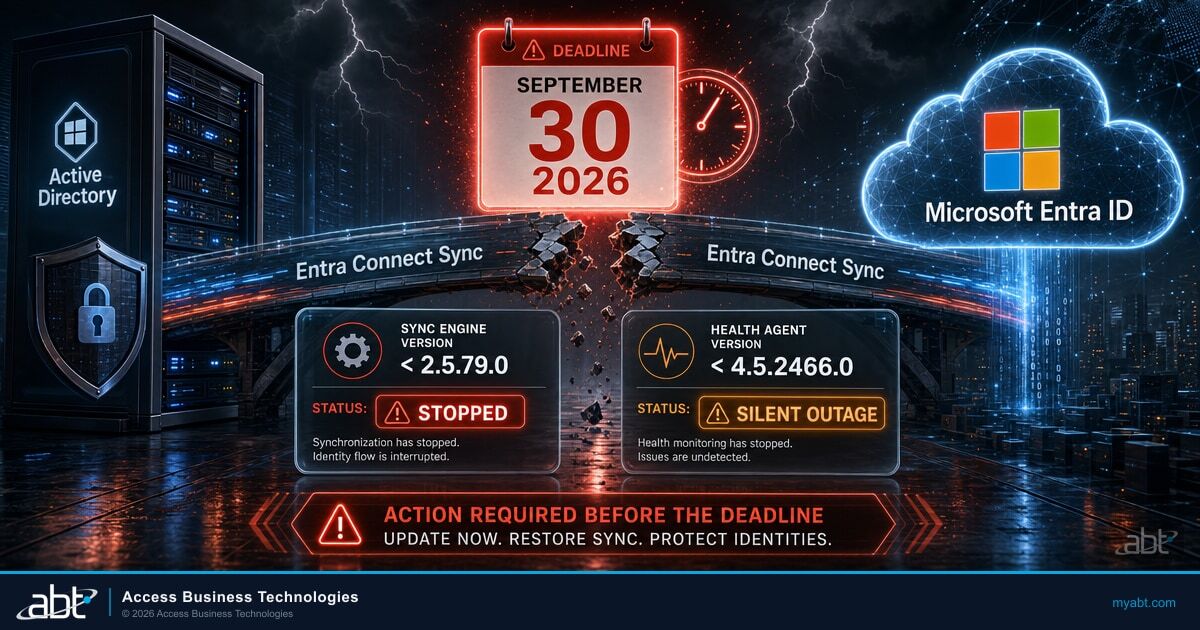
On September 30, 2026, Microsoft Entra Connect Sync stops synchronizing on any server running a version below 2.5.79.0. Microsoft's wording is unusually direct for product documentation: all synchronization services in Microsoft Entra Connect Sync will stop working. Not degrade. Not fall back. Stop.
For a bank or credit union running hybrid identity, that server is the bridge between the Active Directory your help desk administers and the Microsoft Entra ID tenant your staff signs into every morning. When the bridge stops, the two sides keep running and quietly stop agreeing with each other.
Most coverage of this deadline tells you to check one version number. There are two, and the second one governs whether you find out that the first one failed.
If you read nothing else, read the next three lines and then go look at your sync server.
The short orientation
Who is affected: any institution synchronizing on-premises Active Directory to Microsoft Entra ID with a Microsoft Entra Connect server below version 2.5.79.0, or Connect Health agents below 4.5.2466.0. Cloud-only tenants are not affected.
What to check: the Entra Connect version on your sync server, and the version of all three Connect Health agents.
What to do: upgrade to 2.6.91.0, released September 16, 2026, rather than to the 2.5.79.0 floor. Then confirm a real change flows from Active Directory to Entra ID.
What stops on September 30, and what does not
Precision matters here, because the failure is narrower than the panic and worse than the shrug. Microsoft scopes this to Entra Connect Sync synchronization services. It is not a claim that Microsoft 365 goes down.
In a password hash synchronization setup, the common configuration in community credit unions, banks, and mortgage companies, existing cloud accounts keep authenticating against the credential that was last synchronized. The deadline does not itself sign anyone out.
What stops is propagation. Every change you make on the on-premises side stops reaching the cloud side, and stays stopped until you upgrade. If your institution uses pass-through authentication or federation rather than password hash synchronization, confirm your own sign-in dependency with your identity team before assuming the same shape.
The consequence is a divergence, not an outage
A password reset at the help desk succeeds in Active Directory and never arrives in Entra ID, so the user signs into Microsoft 365 with the password they were just told had changed. A new hire is created in Active Directory on October 2 and has no mailbox. A departing employee is disabled on-premises, and unless someone disables the cloud account directly, that account keeps its access to Microsoft 365 email, Teams, and SharePoint.
Microsoft is explicit that this is recoverable. Upgrading after the deadline restores the impacted functionality. It also states plainly what the gap costs: all synchronization services fail during the period between September 30, 2026 and the moment you finish the upgrade.
Once sync resumes, the queued directory changes flow through and the two sides line up again. What does not reverse is the exposure while the gap was open. An account that should have lost access on October 5 and kept it until October 20 had access for those fifteen days, and a later sync does not change that.
The length of that window depends on how quickly you notice. Which brings up the part almost nobody is writing about.
The alarms are on the same list
Microsoft Entra Connect Health is the agent-based monitoring that watches the sync service and raises alerts when it breaks. It has its own minimum version for the same September 30, 2026 date: 4.5.2466.0 or higher, for the Connect Sync agent, the AD DS agent, and the AD FS agent.
Below those versions, Microsoft documents what degrades. The AD DS agent and the AD FS agent lose all alerts. The Connect Sync agent loses a specific subset, and the subset is the problem.
| Connect Health alert that degrades | What it exists to tell you | Exposure |
|---|---|---|
| Password Hash Synchronization has stopped working | Password changes are no longer reaching Entra ID | High |
| Microsoft Entra Sync service not running: Windows Service account Creds Expired | The sync service itself is down | High |
| Connection to Microsoft Entra ID failed due to authentication failure | The server can no longer talk to the tenant | High |
| Password Hash Synchronization heartbeat was skipped in the last 120 minutes | Early warning that sync is stalling | Medium |
| Export to Microsoft Entra ID was Stopped. Accidental delete threshold was reached | A bulk deletion was blocked and needs review | Medium |
Read that first row again. An institution that is behind on both versions loses synchronization and loses the alert whose entire job is to announce that synchronization stopped. The failure and the notification of the failure land in the same moment. Whether anyone still finds out depends on what else you have watching. A SIEM ingesting sign-in telemetry, a Defender XDR investigation, or a periodic manual reconciliation of directory state could each catch it, depending on how they are configured and what they are tuned to look for. If Connect Health is the only thing you rely on for this signal, you are down to whoever happens to notice.
The alert that tells you password sync died is on the list of alerts that die.
This is why the nine-day check is two version numbers and not one. Checking Connect and ignoring Connect Health leaves you exposed to a silent outage, which is the expensive kind.

It also raises the question worth carrying past this deadline: when the monitoring agent is the component that failed, who notices? Version currency on the agents is one answer. An operating model where somebody outside the box is watching whether the alerts themselves are still arriving is the durable one.
The floor expires on October 23, 2026
Version 2.5.79.0 is the number in every headline, because it is the number in Microsoft's banner. It is a valid answer to the deadline and a poor answer to the question behind it.
Microsoft's version release history gives 2.5.79.0 an end of support date of October 23, 2026. Clearing the September 30 bar with the literal minimum leaves you supported until October 23, 2026, which is 23 days past the deadline you just met. After that date you are running an unsupported sync engine on the identity plane of a regulated institution.
| Version | Released | End of support | Verdict for September 2026 |
|---|---|---|---|
| 2.5.3.0 | May 27, 2025 | July 31, 2026 | Already unsupported, below the floor |
| 2.5.76.0 | July 31, 2025 | September 1, 2026 | Already unsupported, below the floor |
| 2.5.79.0 | September 1, 2025 | October 23, 2026 | Clears the deadline, unsupported after Oct 23, 2026 |
| 2.6.1.0 | February 2, 2026 | March 10, 2027 | Supported |
| 2.6.84.0 | July 7, 2026 | September 16, 2027 | Supported, known install issue below |
| 2.6.91.0 | September 16, 2026 | None published yet | The one to target |
One piece of chronology is worth getting right, because Microsoft's own documentation states it two different ways. The back-end service hardening change was introduced in May 2025. The build that carries it, 2.5.79.0, was released on September 1, 2025. The banner compresses those into a single sentence that reads as though the build shipped in May. If you are reconciling dates against a change record, use the release history table.

The pattern in that timeline is the argument for doing this once. Two of the builds an institution might land on are already past their support dates, and a third runs out in October.
Why This Matters for Financial Institutions
Hybrid identity is the one system where an unsupported component stays invisible until it is urgent. A file server running an old build announces itself. A sync engine running an old build works perfectly right up to the day a server-side change stops accepting it, which is exactly what September 30 is.
What changed on September 16
Microsoft released Entra Connect version 2.6.91.0 on September 16, 2026, available for download through the Microsoft Entra admin center. The release note is one line: this release includes security fixes, and Microsoft recommends upgrading to this version as soon as possible.
Three details in that release change what a sensible upgrade target looks like this month.
- Version 2.6.79.0 was recalled. Microsoft's release history states that it is no longer available for download, that an issue was identified after release, and that customers who installed it should uninstall it and install 2.6.91.0. If your change record shows 2.6.79.0 went out this summer, that is a remediation item, not a completed upgrade.
- Version 2.6.84.0 can fail against an existing database. Installing or upgrading to 2.6.84.0 with an existing ADSync database may fail with error 0xE0474352. Microsoft's direction is to use 2.6.91.0 or later for that scenario. An institution that tried the upgrade in July, hit the error, and shelved it does not know what it is running now without looking. Read the installed version on the server rather than inferring it from the attempt.
- Phishing-resistant sign-in is now the default in the setup wizard. Version 2.6.91.0 makes phishing-resistant authentication in the Entra Connect setup wizard generally available and enabled by default, supporting passkeys and FIDO2 security keys. The account used to run a sync upgrade is a highly privileged one, and this closes a real gap at exactly the moment that account gets used.
Taken together, the case for 2.6.91.0 rests on the record of the builds around it: 2.6.79.0 was recalled, 2.6.84.0 carries a documented install failure, and 2.6.91.0 carries the September security fixes.
Why this is a control problem, not just an IT chore
Examiners do not ask what version your sync engine runs. They ask whether terminated users lose access promptly, and whether you can show it.
Where deprovisioning works by disabling the account in Active Directory and letting the change flow to the cloud, that flow is the control. Institutions that also revoke sessions in Entra ID directly, or run an independent cloud-side access check at termination, have a second line that still works. For everyone else, when the flow stops the procedure still gets followed, the ticket still gets closed, and the access stays live.
A loan officer resigns on October 5 at an institution whose offboarding depends on the sync, with no separate cloud-side revocation step. The help desk disables the account in Active Directory that afternoon and closes the ticket. The sync server has been below 2.5.79.0 since before the deadline, and the Connect Health agents are below 4.5.2466.0 as well.
The disable does not reach Entra ID, so the cloud account stays enabled and its access to Microsoft 365 mail, Teams, and SharePoint continues until someone intervenes directly. The offboarding record shows the control was performed on time, and the Connect Health alert that would have flagged the stall is one of the degraded ones.
Whether that becomes an examination finding depends on your institution, your examiner, and how long the gap ran. What is not in question is that the control was not effective during the window in that configuration, and that the evidence you would normally rely on does not show it. That distance between the record and the reality is the part worth preventing this week. Our guide to Microsoft 365 employee offboarding for financial institutions walks through the full sequence, and Entra ID access reviews cover the periodic check that would eventually surface an account like this one.
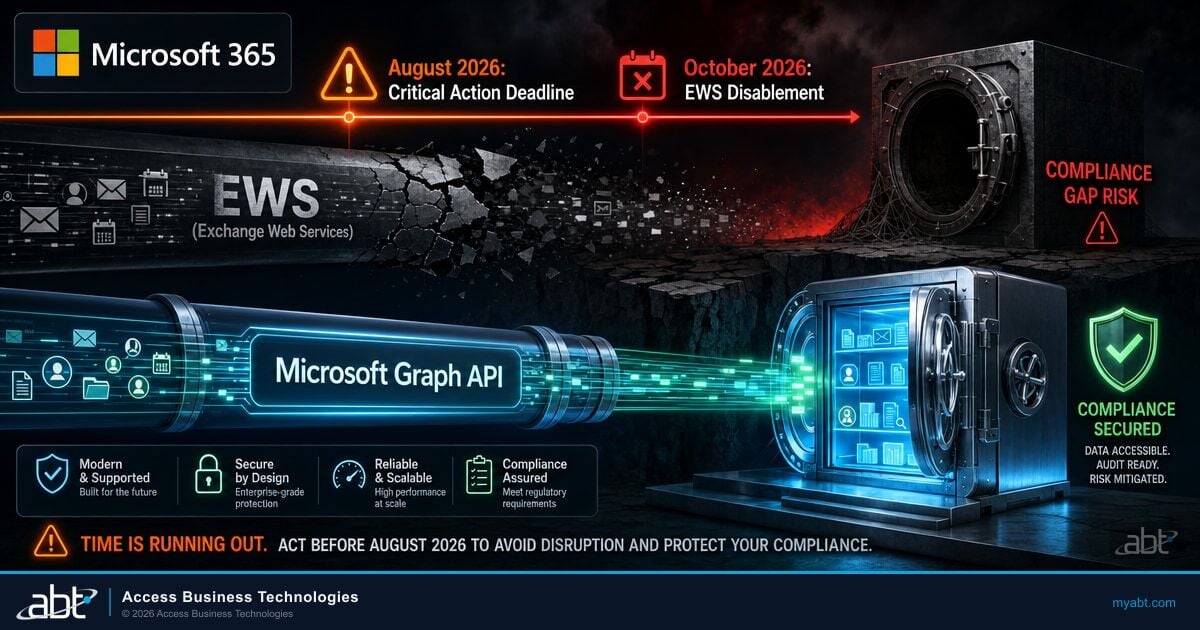
It also arrives in a crowded stretch. The legacy Entra ID risk policies retire on October 1, 2026, the day after this deadline, and the Exchange Web Services retirement is working through its own phased timeline. They stack, and they share a failure mode: each stays quiet until its date arrives.
Not sure which version your sync server is running?
ABT manages Microsoft 365 tenants for more than 750 banks, credit unions, and mortgage companies. Both version checks take minutes, and we will run them with you before September 30. The longer conversation is the one behind them: M365 Guardian is our managed operating model for institutions that would rather have identity controls administered on an ongoing basis than checked once a deadline forces it.
The nine-day check
This is a short exercise for most institutions and a long one for a few. The only way to know which you are is to look.
That last point is the one worth insisting on. An upgrade that reports success and a sync that is actually flowing are two different claims, and only one of them protects the control.
Connect Sync or Cloud Sync
Microsoft recommends that eligible customers move from Entra Connect Sync to Microsoft Entra Cloud Sync, the lighter agent that keeps configuration in the cloud rather than on a server you patch. Version 2.6.91.0 adds a guided migration workflow for exactly that path, covering configuration assessment, provisioning agent setup, staged activation, and validation, available in the Azure public cloud.
Cloud Sync fits many institutions and not all of them. Some configurations, including certain filtering and writeback scenarios, remain supported only on Connect Sync, and the honest answer is to check your specific setup against Microsoft's supported scenarios comparison.
Nine days is not the window for that decision. Get to a supported version first, then evaluate Cloud Sync on its own schedule with proper testing. Migrating under deadline pressure is how institutions discover which of their sync rules were load-bearing.
The short version
Check two version numbers before September 30. Microsoft Entra Connect must be 2.5.79.0 or higher, and all three Connect Health agents must be 4.5.2466.0 or higher. Target 2.6.91.0 rather than the 2.5.79.0 floor, because the 2.5.79.0 floor loses support on October 23, 2026 and the current build carries the September security fixes. Then prove sync is flowing by making a change on-premises and watching it land in the cloud.
Frequently Asked Questions
No. In a password hash synchronization setup, existing Microsoft Entra ID accounts continue to authenticate against the credential last synchronized. What stops is synchronization itself, so changes made in on-premises Active Directory stop reaching the cloud: password changes, new accounts, and account disables all stop propagating until the sync server is upgraded. Institutions using pass-through authentication or federation should confirm their own sign-in dependency with their identity team.
Version 2.5.79.0 or higher. Microsoft also sets a minimum of 4.5.2466.0 for the Microsoft Entra Connect Health agents on the same date, covering the Connect Sync agent, the AD DS agent, and the AD FS agent. Both numbers need checking.
It clears the deadline, but Microsoft lists the end of support date for 2.5.79.0 as October 23, 2026, which is 23 days after the September 30 deadline. Version 2.6.91.0, released September 16, 2026, is the current build and includes security fixes, so it is the better target for an institution doing the work once.
Microsoft states that upgrading to the latest version restores the impacted functionality. It also states that all synchronization services fail during the period between September 30, 2026 and when the upgrade is completed. The outage lasts exactly as long as it takes to notice and fix, which is why the Connect Health agent versions matter as much as the Connect version.
Microsoft recommends Cloud Sync for eligible customers, and version 2.6.91.0 adds a guided migration workflow covering configuration assessment, provisioning agent setup, staged activation, and validation. Some configurations remain supported only on Connect Sync, so check your setup against Microsoft's supported scenarios comparison. With nine days left, upgrade to a supported version first and evaluate Cloud Sync on a schedule that allows real testing.
Probably, and it is still worth confirming. Microsoft has auto-upgraded eligible Connect Sync and Connect Health customers since September 2023 and says those customers are not affected. The exposed group is institutions that opted out or whose auto-upgrade failed without anyone noticing. Auto-upgrade also requires version 2.3.20.0 or higher to function, so a server far enough behind cannot upgrade itself.