In This Article
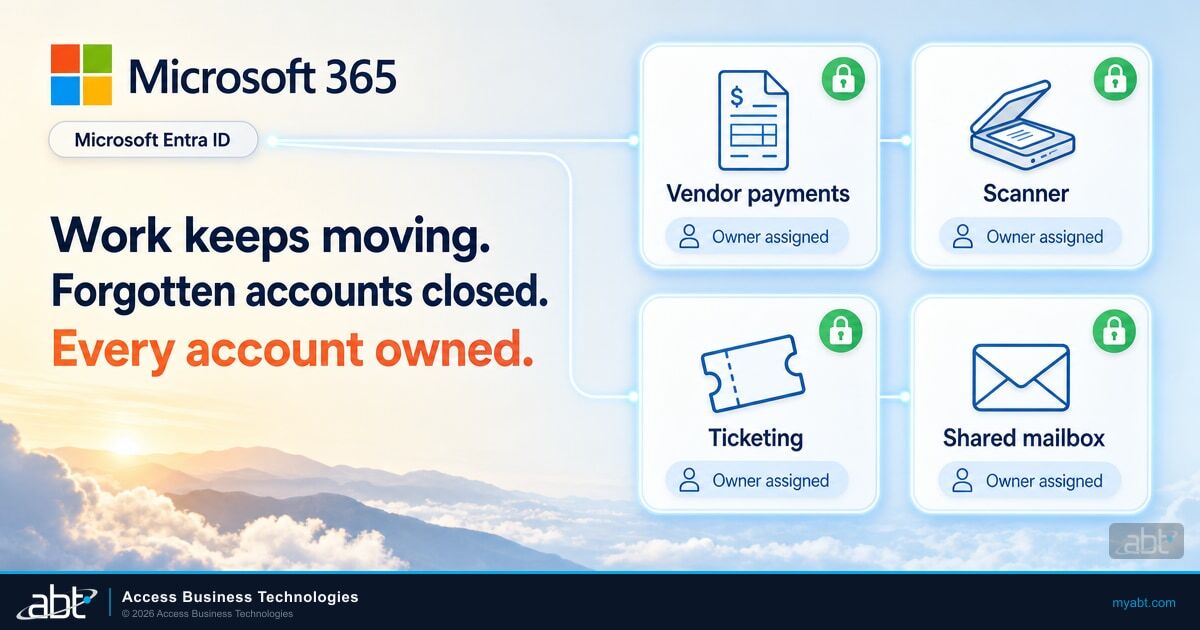
Banks, credit unions, and mortgage companies run on accounts that no person signs into. One mailbox approves vendor payments. Another account lets a scanner send documents. A third runs the integration behind the ticketing system.
These accounts keep work moving, and most of the time nobody thinks about them at all.
In August, they were the only accounts a password spray could open. In a report dated September 22, 2026, Proofpoint said a campaign it tracks as UNK_CondorFiltration sprayed 5,714 accounts across 28 Microsoft 365 tenants, including two major banking institutions in Chile. It broke into seven accounts, all of them at a major retailer. Every one of the seven was a functional or service account that nobody used, and not one belonged to an employee.
The weakness it found can sit in any Microsoft 365 tenant that has been running for a few years, including those of U.S. banks, credit unions, and mortgage companies. The Center for Internet Security (CIS) says service accounts are "sometimes not known about, only to be revealed in standard account management audits." Service account security is the practice of finding those accounts, giving each one an owner, and putting the right control on it. This article covers what the spray found, why these accounts fall first, the four kinds you'll find in your own tenant with a fix for each, and the service account practices examiners already recognize.
"The attacker targeted more than 5,700 accounts across 28 tenants and achieved zero compromises against personal employee accounts. Every confirmed breach involved a functional or service account."
The service account security gap a password spray found
In password spraying, an attacker tries a few common passwords against a long list of accounts, looking for the one account that still uses a weak one. This campaign ran in three bursts over 26 days, from 1,487 addresses in Amazon Web Services. Proofpoint's report lays out the sequence, and the banks came first.
About 100 to 120 accounts a day, directed primarily at two major Chilean banking institutions.
The July 27 surge targeted another major Chilean financial institution.
Focus shifted to a major retailer, where all seven compromises happened on August 14 and 15.
It names the campaign UNK_CondorFiltration and traces it to TeamFiltration, a public penetration testing framework.
Proofpoint's figures show how hard the banks were pushed. At one of them, 782 of 1,536 sign-in attempts went after 57 senior accounts, including managers.
Every confirmed compromise in Proofpoint's report came from the retailer, and Proofpoint describes what the seven accounts were for: "managing tickets, approving vendor payments, operating a point-of-sale system, and handling requests." None had any record of a person signing in during the period Proofpoint could see. They were set up to do a job, left running, and in Proofpoint's words, "belonging to nobody." Proofpoint's conclusion applies to a bank's tenant as much as a retailer's: "Service accounts provisioned for convenience and never revisited are a structurally unprotected attack surface."
Six of the seven fell within seven minutes of each other. Proofpoint reads that pattern as "a shared or default password set consistent with an organizational provisioning process," which means the accounts most likely still carried the password IT gave them on the day they were created. All seven lacked multifactor authentication (MFA) enforcement. When the attacker reached the Azure portal with one of them, Microsoft prompted the account to register MFA, which indicates that account had no MFA configured.
Once inside, the attacker moved fast. Within 90 seconds of one compromise, the operator switched to a VPN node in Germany and tried the organization's corporate VPN. That attempt failed, because MFA or Conditional Access (rules that block risky sign-ins) stopped it. The account still reached the Azure portal and SharePoint Online, then requested a Microsoft Graph token, which software uses to read Microsoft 365 data.
For most of the seven, the activity was access to email, OneDrive, and Teams from the same cloud servers, which matches the tool's automatic data-collection mode. Proofpoint notes that sign-in logs alone cannot confirm data left, but the pattern points that way.
The tool is part of the story. TeamFiltration is open source, released at the DEF CON 30 security conference, and built for penetration testers. According to Proofpoint, it checks which accounts exist through Microsoft Teams at about 300 addresses a second without triggering account lockouts, then tries passwords across them while rotating through cloud regions to evade blocking by IP address.
An earlier TeamFiltration campaign Proofpoint reported in June 2025 targeted more than 80,000 user accounts. The tool is public, so the method is available to any attacker. Proofpoint has published the tool's default user agent string and the Amazon address ranges this campaign used as indicators your security team can search for.
Human accounts at these organizations held, and so did the controls that protected the corporate VPN. What gave way was the set of accounts that sat outside the routine everyone else follows, which is a different problem from the Conditional Access scoping gap behind a June spray against MFA-enabled tenants.

How many accounts in your tenant belong to nobody?
The spray found seven accounts in one retailer's tenant that belonged to nobody and lacked MFA enforcement. A free Microsoft 365 Security Grade checks MFA enforcement and Conditional Access coverage in yours.
Why forgotten accounts fall first
A forgotten account misses three routines a person's account gets, and the spray itself is built to avoid detection. Those four points explain what Proofpoint saw.
Nobody changes the password. Proofpoint found the employee accounts held because "users are required to change passwords from time to time," and a functional account follows no such schedule. Microsoft Entra Password Protection checks passwords against its banned lists "When users change or reset their passwords," so a password set once, on the day the account was created, has never been checked against today's list. The durable fixes are MFA for accounts people sign into and a managed identity or service principal for software.
An MFA prompt goes unanswered. A person registers MFA the first time they are asked. An account that no person uses often never registers at all. The Azure portal prompt in this campaign shows exactly that: the account reached a sign-in page asking it to set up MFA for the first time.
Its sign-ins go unwatched. These accounts had no history of human sign-ins, so there was no normal pattern for the attacker's first successful sign-in to stand out against. Microsoft Entra ID Protection does look for spraying, and Microsoft explains that its password spray detection, which requires Microsoft Entra ID P2, "is only triggered when an attacker successfully validates a user's password." When that detection fires, the attacker already has the password, and someone has to act on it.
The risk policies that act on these detections are also changing: the legacy Entra ID Protection risk policies retire on October 1, 2026, and institutions using them move to Conditional Access, as our guide to the risk policy retirement explains.
A spray is built to avoid lockout. Microsoft describes the technique plainly: "most password spray attacks submit only a few of the known weakest passwords against each of the accounts in an enterprise." Attacking one account more than a few times "would increase the likelihood of detection, either via account lockout or other means." Smart lockout locks an account after 10 failed attempts by default, and TeamFiltration adds lockout-free account checks and rotating source addresses on top.
Microsoft's own data points the same way: the Microsoft Digital Defense Report 2025 found that more than 97% of identity attacks are password attacks, and that identity-based attacks rose 32% in the first half of 2025. Microsoft Research measured MFA reducing the risk of account compromise by 99.22% across the population it studied. The seven accounts in this campaign lacked MFA enforcement, so the password was the only thing between the attacker and the data. As a Tier-1 Microsoft Cloud Solution Provider serving more than 750 financial institutions, ABT draws one lesson from these numbers: MFA works on the accounts it covers, so the account that matters most is the one outside its coverage.
The pattern holds for any account that falls outside the routine. What changes from account to account is the right fix, and that depends on what kind of account it is.
Four kinds of forgotten account, and the fix for each
When you pull the list of accounts in a Microsoft 365 tenant that no person signs into, almost every one falls into one of four kinds. Sorting them first saves time, because the fix for a shared mailbox is different from the fix for an account that runs a loan-origination integration.
| Kind of account | Examples at a financial institution | Why it gets missed | The fix |
|---|---|---|---|
| Shared mailbox | A loans, payments, or branch inbox | Its password is system-generated and unknown, so nobody thinks of it as a sign-in | Block sign-in and keep it blocked. Staff open the mailbox through delegated access from their own accounts. |
| Functional account people sign into | An accounts-payable approval login a team shares, a front-desk account | Many people use it, so no one person owns it | Give each person their own account with delegated access. A shared sign-in that has to stay gets MFA and a named owner. |
| User account that runs software | A core or loan-origination integration, a reporting job, a scanner that emails documents | It works, so nobody touches it | Move it to a managed identity or service principal where the software supports one. Until then, a long unique password, Conditional Access limits on where it signs in, and an owner. |
| Dormant account | A vendor's setup account, a test mailbox, the login for a retired system | It stopped mattering to the business and kept working anyway | Disable it. CIS Safeguard 5.3 sets 45 days of inactivity as the point to disable or delete, where supported. |
Shared mailboxes are the easiest win. Microsoft's guidance on shared mailboxes is direct: "A shared mailbox isn't intended for direct sign-in by using its associated user account. Always block sign-in for the shared mailbox account and keep it blocked."
Every shared mailbox has a user account behind it with a system-generated password. Blocking sign-in on that account leaves the mailbox working for everyone with delegated access. Our guide to shared mailbox security covers the offboarding version of the same gap.
Functional accounts that people sign into need the same protection as any other sign-in. A login a whole team shares is still people signing in, so it needs MFA. The better fix is to retire the shared password: give each person an account of their own and delegate access to the mailbox or application they need. The audit trail then shows which person approved which payment.
User accounts that run software need a different answer, because software can't answer an MFA prompt. Microsoft's guidance on securing cloud-based service accounts says: "For services hosted in Azure, we recommend using a managed identity if possible, and a service principal if not." It adds: "We recommend that you not use a Microsoft Entra user account as a service account."
A managed identity has no password to spray. A service principal registered in your tenant can carry its own Conditional Access policy for workload identities, which requires Workload Identities Premium licenses. Microsoft notes that Conditional Access for workload identities doesn't cover managed identities, which can be included in an access review instead.
Some software only supports a username and password today. Some copiers and scanners, for example, send email by signing in to a mailbox with a username and password over SMTP AUTH. That basic authentication cannot carry MFA, and Microsoft disables it by default for existing tenants at the end of December 2026, as our SMTP AUTH deadline guide explains. For those accounts, a long unique password, a Conditional Access policy that limits sign-in to your own network, and a named owner close most of the gap until the software can move.
Dormant accounts are the simplest to fix and the hardest to find, because nothing breaks when they sit unused. Disabling them is reversible. If a vendor comes back next year, the account comes back with a new password and an owner. On-premises service accounts follow the same logic, and the Kerberos changes that reached them this year were a good reason to inventory them already.
A 30-day service account security review
You can put every account that no person signs into under control in about a month. The review runs in four steps, and the first one is a report most tenants can produce in an afternoon.
Pull every enabled account with its last successful sign-in and its last password change from Microsoft Entra ID.
Place each account in one of the four kinds, and flag any account nobody on staff can explain.
Block sign-in, disable, move to a managed identity or service principal, or restrict with Conditional Access.
Record an owner, a purpose, and a review date for every account that stays, and review the list quarterly.
The export does most of the work. Microsoft Entra ID keeps the data you need on every account, and a handful of checks turn it into a short list:
- No successful sign-in in 45 days or more. Microsoft Graph returns this as
signInActivitywithlastSuccessfulSignInDateTime, which requires Microsoft Entra ID P1 or P2. Forty-five days matches the CIS threshold for dormant accounts. - A password that has never changed. The
lastPasswordChangeDateTimeproperty records "when this Microsoft Entra user last changed their password or when their password was created, whichever date the latest action was performed." An old date on an account nobody signs into is the pattern Proofpoint describes. - Shared mailboxes that still allow sign-in. Every one of these is a candidate for the one-click fix Microsoft recommends.
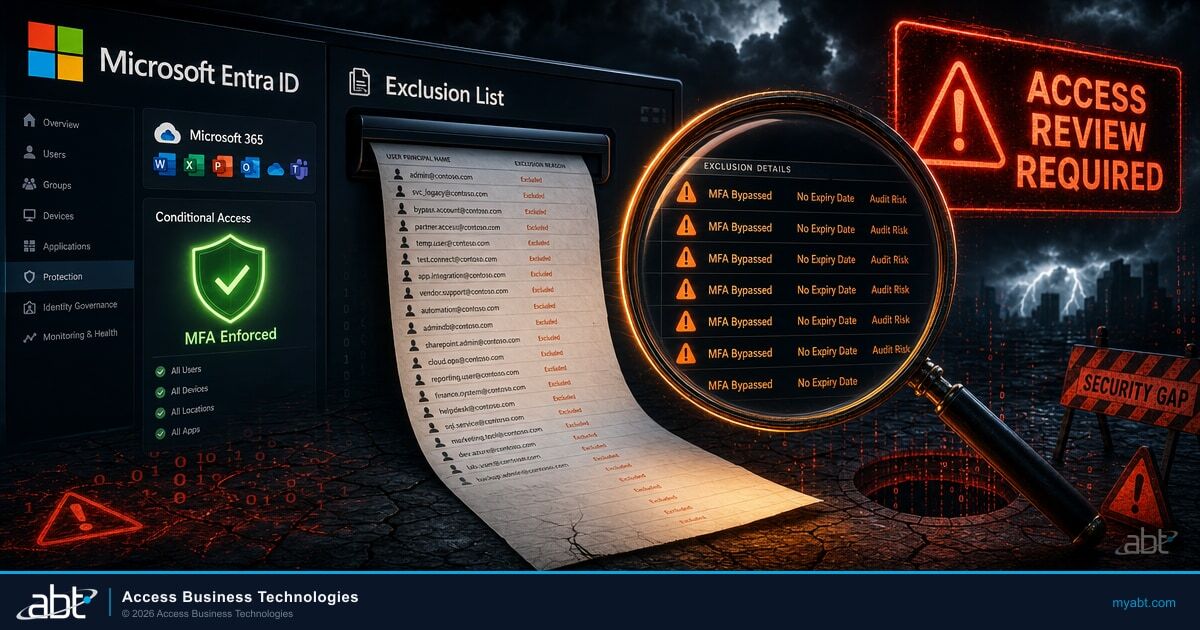
- Accounts excluded from MFA or Conditional Access. An exclusion made years ago for a service account is exactly what this review exists to find. Our guide to reviewing Conditional Access exclusions covers the full sweep.
- Your own name on the banned list. Add your institution's name, city, and product names to the custom banned password list in Microsoft Entra Password Protection, which requires P1 or P2, so the next password set on these accounts is checked against them.

If your team wants ready-made queries, our walkthrough of seven Entra ID queries that replace two hours of PowerShell includes the stale-account and MFA-coverage checks. For any account the Sort step flags, an ABT specialist who manages Microsoft 365 for banks, credit unions, and mortgage companies can walk through it with you.
Once the list is clean, a recurring review keeps it that way. Entra ID access reviews can run the quarterly check on a schedule. Access reviews require Microsoft Entra ID Governance or Microsoft Entra Suite licenses, with some capabilities available on Microsoft Entra ID P2, and a review of inactive users requires Microsoft Entra ID Governance.
The fourth step is the one that lasts. An account with an owner gets its password changed when that person leaves, gets disabled when the system it served is retired, and shows up in the next review with a name next to it. The spray found accounts that belonged to nobody. Ownership is what moves an account off that list for good.
The service account practices examiners recognize
Your 30-day review also produces a record examiners recognize. The 2021 guidance on authentication and access from the Federal Financial Institutions Examination Council (FFIEC) includes service accounts among the users it covers, and its appendix lists, among its examples, both controls that Proofpoint's findings point to.
Service Accounts. Service accounts are inventoried, and employees or departments are assigned responsibility for managing service accounts according to the financial institution's password management and other security policies.
The same appendix lists a second example under privileged user controls: "Default passwords and other credentials for privileged users or system, service, or administrative accounts are changed or disabled." The guidance, which the OCC issued as Bulletin 2021-36, states that it adds no new regulatory requirements. Its appendix lists examples of the practices examiners recognize, and an inventory of service accounts, each with an employee or department responsible for it, is one of them.
Each kind of institution also answers to its own rule on access controls:
- Banks: the Interagency Guidelines Establishing Information Security Standards call for "Access controls on customer information systems, including controls to authenticate and permit access only to authorized individuals."
- Credit unions: NCUA's Part 748 Appendix A carries the same language for member information systems.
- Mortgage companies and other non-bank lenders: the FTC Safeguards Rule, which covers non-bank financial institutions such as mortgage lenders and brokers, requires "periodically reviewing access controls" and "multi-factor authentication for any individual accessing any information system," unless the Qualified Individual approves an equivalent control in writing. ABT reads a shared functional login as individuals accessing a system.
The CIS Controls turn the same inventory into a checklist. CIS Safeguard 5.5 calls for an inventory of service accounts that "at a minimum, must contain the department owner, review date, and purpose," reviewed at least quarterly. That's the same record the fourth step of the review produces, and it answers the two questions that matter most about these accounts: who owns each one, and when was it last checked. For the MFA side of the same exam conversation, see our guide to phishing-resistant MFA for financial institutions.
How ABT helps
The hard part of service account security is changing each account while the payment approvals, scans, and integrations it serves keep running. ABT is a Tier-1 Microsoft Cloud Solution Provider serving more than 750 financial institutions. We manage Microsoft 365 tenants for banks, credit unions, and mortgage companies, and identity hardening is the first layer of that work.
Microsoft 365 Guardian, our managed security service, hardens your tenant to Zero Trust baselines (verify every user and device) that include MFA, Conditional Access, and device compliance, and watches for configuration drift, the settings that silently weaken over time. The Guardian Contain tier adds round-the-clock detection across identity, endpoint, email, and cloud apps on Microsoft Defender XDR signals, correlated by ABT's own detection engine, with pre-authorized automated containment that revokes a compromised account's sign-in sessions. Guardian Respond puts an ABT security engineer on covered incidents during business hours, and Guardian Resolve has a person on the incident at any hour. Your Microsoft licensing is quoted separately, at Microsoft price.
Two of the Microsoft controls in this article, the ID Protection spray detection and risk-based sign-in policies, need Microsoft Entra ID P2 licenses. Your institution licenses P2 from Microsoft, and as your Cloud Solution Provider we can quote it alongside the rest of your Microsoft 365 subscriptions.
If you would like a second set of eyes first, start with ABT's free Security Assessment. We connect to your tenant read-only, most assessments finish within two weeks, and accounts without MFA show up in the MFA coverage review.
Put an owner on every account in your Microsoft 365 tenant
The tool behind this spray is public. Here are two ways to start.
See where MFA coverage stops
Request a free Security Assessment and get a written report on MFA coverage, Conditional Access, and legacy authentication exposure in your Microsoft 365 tenant, with a prioritized hardening roadmap and a comparison to ABT's 750+ financial institution benchmark.
Request a Free Security AssessmentWalk through your account list
Bring your shared mailboxes, functional accounts, and integrations to a specialist who manages Microsoft 365 for banks, credit unions, and mortgage companies.
Talk to an ABT Microsoft 365 security specialistFrequently Asked Questions
In Microsoft Entra ID, a service account is an identity for a non-human entity such as an application, API, or other service. Microsoft describes three types: managed identities, service principals, and user-based service accounts. Microsoft recommends a managed identity or a service principal wherever possible and advises against using an ordinary user account as a service account.
In the TeamFiltration campaign Proofpoint reported in September 2026, all seven compromised accounts were unmanaged functional or service accounts with no human sign-ins in the period Proofpoint could see and no MFA enforcement. Six fell within seven minutes, which Proofpoint reads as a shared or default password set during provisioning. Proofpoint credits required password changes for protecting employee accounts.
Accounts that people sign into, including shared functional logins, should use MFA or be replaced with personal accounts that have delegated access. For accounts that run software, Microsoft recommends managed identities or service principals over user accounts. A user-based service account that has to remain can be limited by Conditional Access to trusted locations.
Microsoft Entra ID records each account's sign-in activity, which you can see in the Entra admin center and query through Microsoft Graph. Reading lastSuccessfulSignInDateTime through Graph requires Microsoft Entra ID P1 or P2. CIS Safeguard 5.3 recommends disabling accounts after 45 days of inactivity where supported, which makes 45 days a practical first filter.
Yes. Microsoft states that a shared mailbox is not intended for direct sign-in and that sign-in for its user account should always be blocked and kept blocked. Staff reach the mailbox through delegated access from their own accounts, so blocking the underlying sign-in removes a password an attacker could otherwise guess.
The FFIEC's 2021 authentication guidance lists, as an example practice, that service accounts are inventoried and that employees or departments are assigned responsibility for managing them. It also lists changing default passwords on service accounts. The guidance adds no new requirements, but it describes the evidence examiners recognize: an inventory with an owner for every account.