In This Article
- What CVE-2026-80097 is
- Why one app holds the keys to the work account
- How the Microsoft Authenticator Android vulnerability worked
- What a stolen token could reach
- The one point Microsoft and the researcher dispute
- Patch every Android phone, and prove it
- What to do about a phone you suspect
- Controls that catch the malicious app
- What to keep for examiners
- How ABT and Guardian MxDR handle token theft
- Frequently Asked Questions
Your loan officers, branch managers, and member service staff answer Teams messages and read Outlook on their phones between appointments, and on Android they sign in once. Microsoft Authenticator makes that work: it acts as the broker that hands each Microsoft app a sign-in token for the work account, so nobody retypes a password to open a file. CVE-2026-80097 is a flaw in exactly that job.
Microsoft rates CVE-2026-80097 Important, scores it 8.6, and fixed it in Microsoft Authenticator for Android version 6.2606.4246, published with its September 2026 security updates. The researcher who found it, Ofek Levin, worked through a fellowship program at the security firm Enclave. On October 23, 2026, Enclave published the details: a malicious Android app with no permissions could pose as Teams and have Authenticator hand it Teams' tokens for the work account. For a bank, credit union, or mortgage company, the response has three parts: get every Android phone onto the fixed build and prove it, check any phone you suspect, and put the device controls in place that catch the malicious app in the first place.
Key Takeaway
CVE-2026-80097, a Microsoft Authenticator Android vulnerability, let a malicious app on the phone obtain work-account sign-in tokens from Authenticator. Update Authenticator to 6.2606.4246 or later through managed Google Play with High Priority updates, and confirm the version on every enrolled phone. On any phone you suspect, update first, remove the unknown app, revoke the user's sessions, and remove any passkey or sign-in method the user never registered. Then require a compliant device, backed by the Microsoft Defender for Endpoint risk score, for Microsoft 365 access.
This is the second Microsoft Authenticator flaw we've covered this year. The first, CVE-2026-41615, an information disclosure issue, was a different bug with a different fix. CVE-2026-80097 matters more to a financial institution because of what the tokens could open.
What CVE-2026-80097 is
Microsoft's Security Update Guide entry titles it the Microsoft Authenticator Elevation of Privilege Vulnerability and classes the weakness as improper authentication (CWE-287). The affected product is Microsoft Authenticator for Android, and the fixed build is 6.2606.4246. Enclave reports that every version before it is affected. Microsoft marks it customer action required: the fix arrives as an app update from Google Play, so each phone has to install it.
Microsoft reports that the flaw was not publicly disclosed before the fix and has not been exploited, and rates exploitation less likely. As of October 26, 2026, it was absent from the Cybersecurity and Infrastructure Security Agency (CISA) Known Exploited Vulnerabilities catalog, according to The Hacker News. The research went public on October 23, so the method is now written down for anyone to read.
CVE-2026-80097 ships with Microsoft's September 2026 security release, with the fix in Microsoft Authenticator for Android.
Microsoft revises the entry to correct the fix build number, an informational change. The fixed build is 6.2606.4246.
Enclave publishes "AuthMask," the technical write-up, including the request its test app sent.
The Hacker News and Help Net Security report the flaw and tell Android users to update.
Why one app holds the keys to the work account
On Android, Authenticator does far more than show six-digit codes. Microsoft's developer guidance for Android sign-in recommends a Microsoft authentication broker so apps get device-wide single sign-on and meet Conditional Access policies. When Teams or Outlook needs to sign your user in, it asks the broker, and the broker returns a token for the work account.
Authentication broker
An app that signs a user in once and then issues sign-in tokens to the other Microsoft apps on the device. On Android, Microsoft Authenticator plays this role for the work account signed into it.
Sign-in token
The pass an app presents to Microsoft 365 to prove the user already signed in. Whoever holds a valid token can act as that user within the permissions it carries.
Exported activity
A screen inside an Android app that other apps on the same phone are allowed to open. The flaw sat in one of these.
That convenience is why the broker has to be strict about which app it serves. A token issued to the wrong app is as good as the user's own sign-in, multifactor authentication (MFA) included, for everything that token covers.
How the Microsoft Authenticator Android vulnerability worked
According to Enclave's write-up, Authenticator exposed a screen called AccountChooserActivity that any app on the phone could open. When an app opened it, Authenticator built the token request from details the calling app supplied, including the name of the app it claimed to be, the client ID, the redirect address, and the permissions it wanted.
A signature check was meant to stop impersonation. It looked up the real signature of the claimed app on the phone and compared it with the redirect address in the request. Teams was genuinely installed, so its real signature was there to read, and Enclave's test app built a matching redirect address from it. The check passed.
Authenticator could see which app was actually calling, Enclave found, and used that only for bookkeeping, never for the trust decision.
An Android phone has Microsoft Authenticator below version 6.2606.4246, a work account signed into it, and Teams installed. A malicious app arrives on the same phone. Enclave's test app requested zero Android permissions.
Open AccountChooserActivity, claim to be Teams, and ask for Microsoft Graph access. Authenticator returned access, refresh, and ID tokens for the work account to the calling app, which in Enclave's tests could read them in plaintext.
What a stolen token could reach
Enclave tried three disguises and got three sets of permissions. The tokens apply to the work account signed into Authenticator on that phone, according to The Hacker News, and leave other accounts out of reach.
| The test app posed as | Permissions returned in Enclave's test | What that means at a financial institution |
|---|---|---|
| Teams, asking for Microsoft Graph | Mail.ReadWrite, Mail.Send | Read the user's mailbox and send email as the user, including to borrowers, members, and vendors |
| Teams, asking for Microsoft Graph | Files.ReadWrite.All, Sites.ReadWrite.All | Read and change files in OneDrive and SharePoint sites the user can reach, such as loan files |
| Teams, asking for Microsoft Graph | Calendars.ReadWrite, ChatMessage.Send | Change calendars and send Teams chat messages as the user |
| The Teams chat service | user_impersonation | Act as the user in Teams chat |
| Microsoft Authenticator itself | UserAuthenticationMethod.ReadWrite, Passkey.Create, Passkey.Delete | Change the account's sign-in methods, including adding a passkey the attacker controls |
Permission names as reported by Enclave.
The passkey row is the one to remember
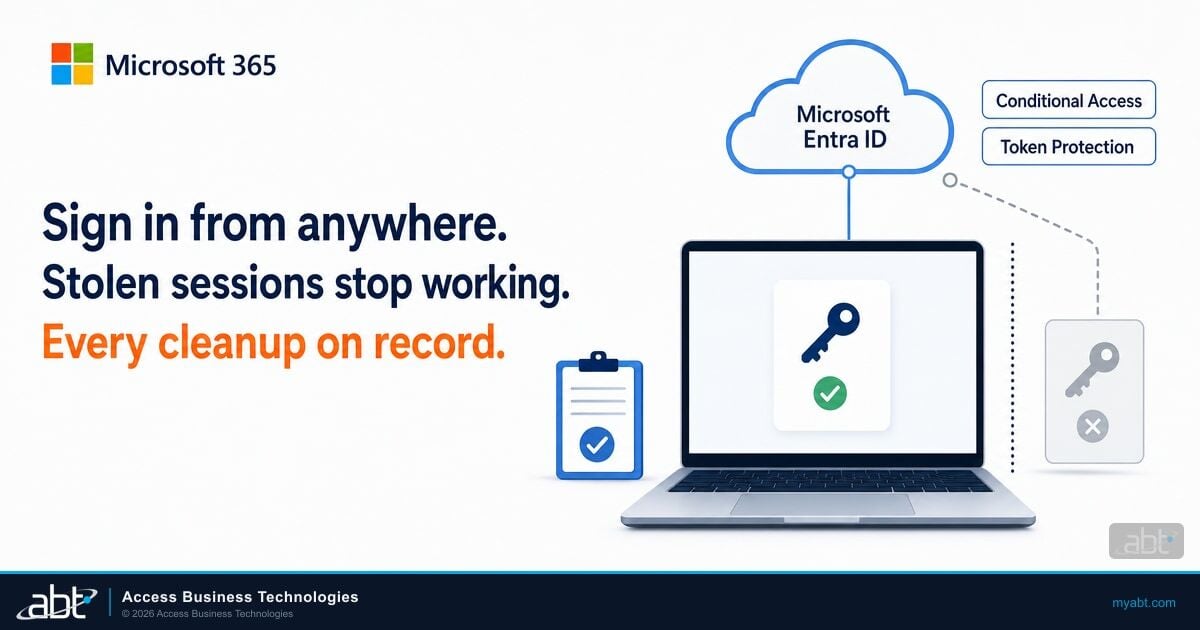
Revoking the user's sessions ends a stolen refresh token, and a stolen access token runs out on its own, 60 to 90 minutes after issue by default under Microsoft's token lifetime rules. A passkey the attacker registers on the account keeps working. Help Net Security spells it out: an attacker who adds their own passkey can keep getting in after the malicious app is removed. So the cleanup on a suspect phone includes the account's sign-in methods, and updating the app is only the first step.
Mail.Send on a loan officer's account is the business email compromise setup: wire instructions sent from the real mailbox to a real borrower. We walked through how attackers use a stolen session once they have it in our guide to the Microsoft 365 token replay campaign.
The one point Microsoft and the researcher dispute
The two accounts agree on the mechanism and the fix. They differ on how much the user has to do.
| Question | Enclave's account | Microsoft's account |
|---|---|---|
| User interaction | None beyond Authenticator being present with a signed-in work account | The user has to be convinced to complete an authentication flow in Authenticator; the score's vector records user interaction as required |
| What the attacker needs first | A malicious app on the phone, with zero permissions in the test | Installing and running a malicious app on an affected Android device |
| Result | Tokens for the work account, with the permissions in the table above | Authentication tokens and access to resources as the affected user |
| Exploited | Reported to the Microsoft Security Response Center | Not exploited, exploitation less likely |
Sources: Enclave and the Microsoft Security Update Guide.
Plan for Enclave's reading. Both accounts require a malicious app on the phone, and that's where an institution has the most control: which apps reach a phone that holds a work account, and whether anything scans them.
Patch every Android phone, and prove it
The fix for the Microsoft Authenticator Android vulnerability is an app update, and phones update apps on their own schedule. For phones your institution manages through Intune with Android Enterprise, Microsoft's managed Google Play documentation lets you choose an app update mode per assigned group on dedicated, fully managed, corporate-owned work profile, and personally owned work profile devices. High Priority updates the app as soon as possible after a new version is released, disregarding the default conditions.
Check which mode Authenticator is assigned in today. Postponed starts a 90-day waiting period when an update arrives, which would have held a September fix into December. Then confirm the installed version on every enrolled phone is 6.2606.4246 or later, and keep the list with the date you checked it.
Phones that never enrolled are harder. Tell those users to update Authenticator from its Google Play listing and check the version in the app, and use the moment to ask why a phone holding a work account sits outside management at all.

What to do about a phone you suspect
A phone deserves a closer look if it ran an affected Authenticator alongside an app nobody can explain, if your mobile threat defense flagged it, or if the account shows sign-in method changes the user never made. Microsoft's advisory gives the fix, and, as The Hacker News notes, it leaves open whether updating cancels a token a malicious app already obtained. So treat the account as well as the phone, in this order.
Bring the phone to 6.2606.4246 or later first, so this flaw is closed before you clean up anything else.
Identify and uninstall any app the user and your team cannot account for. A mobile threat defense scan helps here.
Revoke sessions in the Microsoft Entra admin center, or run Revoke-MgUserSignInSession, which revokes the user's refresh tokens.
Open the user's authentication methods and remove any passkey or method the user did not register. The authentication methods activity report shows registrations across the organization.
Review the mail the account sent, files it changed, and Teams messages it posted during the window, starting with anything to borrowers, members, or vendors.
Microsoft's emergency access revocation guidance explains the order: revoking sessions ends the refresh token, and an access token already issued keeps working until it expires. Microsoft's token lifetime documentation sets that default at a random value between 60 and 90 minutes. Exchange Online, SharePoint Online, and Teams act sooner: with continuous access evaluation, they enforce a session revocation in near real time, with up to 15 minutes of delay. Removing the passkey matters more than the clock, because a passkey is a new way in.
If you find evidence the account was used, follow the full cleanup in our token replay containment guide: inbox rules, registered devices, and app consents get checked too.
Your IT team can work through that order on a weekday afternoon. A session stolen at 2 AM on a Saturday needs an answer before anyone is back at a desk.
M365 Guardian is the operating model we run on the Microsoft 365 tenants we manage. On Guardian Contain or above, it detects around the clock and automatically contains what it can, in seconds. Guardian MxDR monitors identity attacks such as credential stuffing and token theft. See how each M365 Guardian rung handles a stolen session.
Controls that catch the malicious app
Every version of this attack starts with a malicious app on a phone that holds a work account. These Microsoft 365 controls make that phone noncompliant, cut its access, or both. Our walkthrough of risk-based device compliance with Microsoft Intune covers the setup in more depth.
In managed Google Play, assign Microsoft Authenticator with the High Priority update mode so the next security fix installs as soon as possible after it is released.
Microsoft Defender for Endpoint on Android includes malware protection that scans for malicious apps, Android app package (APK) files, and non-APK files such as documents and archives.
In your Android Enterprise compliance policy, set Require the device to be at or under the machine risk score, the setting for devices evaluated by Microsoft Defender for Endpoint, to Clear, Low, or Medium. Devices that exceed it are marked noncompliant. In the Intune connection to Defender for Endpoint, turn on Connect Android devices to Defender for Endpoint under both compliance policy evaluation and app protection policy evaluation so Defender's rating reaches these settings. If you use another mobile threat defense service, its setting is Require the device to be at or under the Device Threat Level, where High allows all threat levels, and the setting supports user groups only.
A Conditional Access policy with Require device to be marked as compliant turns that risk score into an access decision: a phone rated above the level you allow is marked noncompliant and loses Microsoft 365 access until Defender rates it within that level again.
For phones you only manage at the app level, Intune app protection conditional launch includes Max allowed device threat level and Play integrity verdict. Our piece on bring-your-own-device (BYOD) mobile policy covers where those phones fit.
Review new passkeys and authentication methods in the authentication methods activity report on a schedule, and investigate registrations the user did not make. Our guide to Microsoft Entra passkeys explains what a normal registration looks like.

The two device controls work as a pair. A risk rating on its own is a report; a compliant-device requirement on its own trusts a phone that has already been flagged. Together they mean a phone Defender rates above the level you allow stops reaching email and files.
Your staff keep signing in once on every phone that stays clean. Both controls run on Microsoft Entra ID Conditional Access and Microsoft Intune device compliance, and every M365 Guardian rung includes a hardened tenant with both.
What to keep for examiners
When an examiner, your board, or your cyber insurer asks how you handled CVE-2026-80097, the answer is a short record you can hand over:
- The date the Authenticator update mode was set or confirmed, and the mode chosen
- A list of enrolled Android phones with the Authenticator version and the date each was first seen at 6.2606.4246 or later
- How unenrolled phones were contacted, and which users confirmed the update
- For any suspect phone: the app removed, the time sessions were revoked, and the sign-in methods removed
- The compliance and Conditional Access settings in force, with the date of each change
Your compliance officer and counsel decide whether anything you find triggers a notice to regulators, customers, or members. This record is what they will ask for first.
How ABT and Guardian MxDR handle token theft
Your loan officers and member service staff should keep answering borrowers and members from their phones, with the accounts behind those phones watched. ABT is a Tier-1 Microsoft Cloud Solution Provider primarily dedicated to financial services. Founded in 1999, we serve 750+ financial institutions and manage Microsoft 365 tenants for banks, credit unions, and mortgage companies every day.
CVE-2026-80097 is a reminder that the phone is part of the identity system. The broker on it issues the same tokens your users earn with MFA, so the device has to be managed with the same care as the account.
Guardian MxDR watches the account side of that system. It monitors six threat categories, including identity attacks such as credential stuffing and token theft, with detections coming through Entra ID Protection and Conditional Access signals.
The Guardian rung you choose sets how far ABT goes when a session is stolen. Guardian Contain detects around the clock and automatically contains what it can, in seconds. Tokenator, ABT's automated response engine, detects suspicious OAuth token behavior and immediately revokes compromised sessions. Guardian Respond puts an ABT security engineer on covered incidents during business hours, and Guardian Resolve has a person on the incident at any hour.
Keep your team working from their phones, with Guardian MxDR monitoring for token theft
Keep your staff signing in once on their phones while ABT manages the tenant behind them. M365 Guardian includes a hardened tenant with Conditional Access and Intune device compliance on every rung, and Guardian MxDR monitors identity attacks such as token theft. Guardian Contain detects around the clock and contains what it can in seconds, Guardian Respond puts an ABT security engineer on covered incidents during business hours, and Guardian Resolve has a person on the incident at any hour. Start with a free security assessment of your MFA coverage and Conditional Access policies, with the findings in a written report.
Frequently Asked Questions
CVE-2026-80097 is an elevation of privilege flaw in Microsoft Authenticator for Android, rated Important with a CVSS score of 8.6. Researchers at Enclave showed that a malicious app with no permissions could pose as an installed Microsoft app such as Teams and have Authenticator hand it sign-in tokens for the work account on that phone.
For CVE-2026-80097, Microsoft lists Microsoft Authenticator for Android as the affected product, and Enclave reports that every version before the fixed build is affected. Version 6.2606.4246 and later contain the fix, which Microsoft published with its September 2026 security updates and delivers through Google Play.
Microsoft reports it as not exploited and rates exploitation less likely, and as of October 26, 2026 it was absent from the CISA Known Exploited Vulnerabilities catalog. The technical details became public on October 23, 2026, so patching every Android phone promptly still matters.
Microsoft's advisory leaves that open. On a phone you suspect, update Authenticator, remove the unknown app, revoke the user's sessions to end refresh tokens, and remove any passkey or sign-in method the user did not register. An issued access token can keep working for 60 to 90 minutes, or up to 15 in Exchange Online, SharePoint Online, and Teams.
Microsoft's Security Update Guide lists Microsoft Authenticator for Android as the only affected product for CVE-2026-80097, and Enclave's research describes an Android component, a screen that any app on the phone could open. Keep iPhones on current Authenticator versions as routine practice, and update Android phones to version 6.2606.4246 or later.
For Android Enterprise phones managed in Intune, assign Microsoft Authenticator through managed Google Play with the High Priority update mode, then confirm each enrolled phone reports version 6.2606.4246 or later. Ask users of unenrolled phones to update from Google Play and confirm the version.
ABT, a Tier-1 Microsoft Cloud Solution Provider serving 750+ financial institutions, manages Microsoft 365 tenants so staff keep working from their phones: every M365 Guardian rung includes Microsoft Entra ID Conditional Access and Intune device compliance. Guardian MxDR monitors token theft, Tokenator revokes compromised sessions, and Guardian Contain detects around the clock and contains what it can in seconds.