In This Article
- What Huntress found
- How token spraying works
- Why the block list kept falling behind
- What the attacker left behind
- Read a Conditional Access block as a warning
- Containment in the right order
- Settings that make a stolen session far harder to use
- What to keep for examiners and your insurer
- How ABT and Guardian MxDR handle token theft
- Frequently Asked Questions
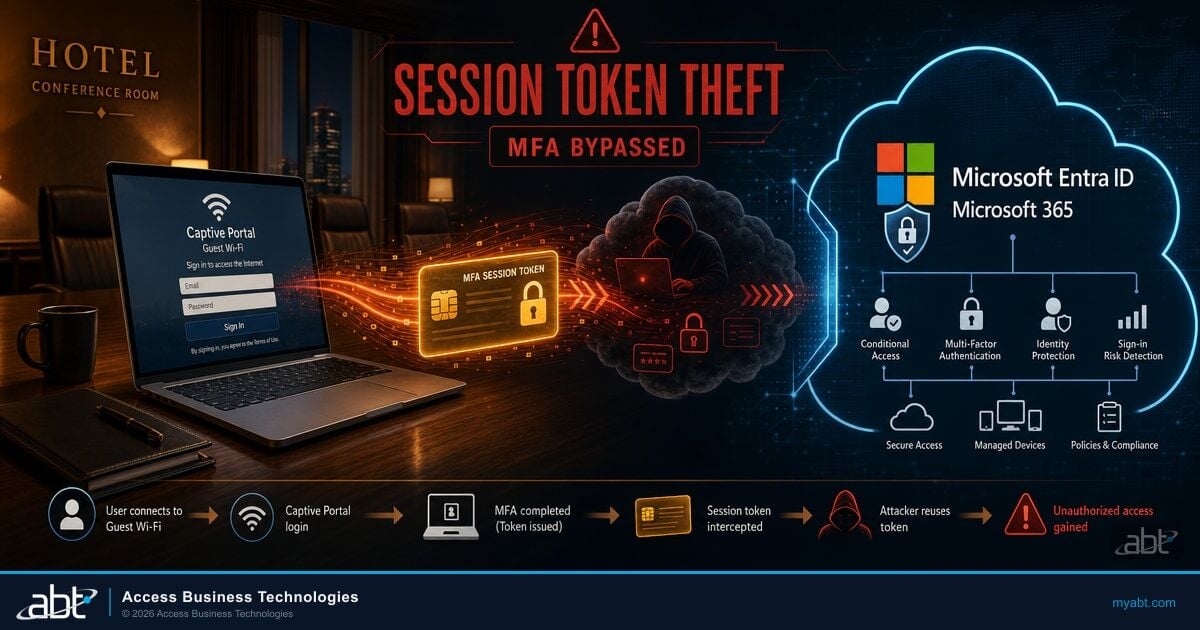
Your tellers, loan officers, and member service staff sign in to Microsoft 365 all day, from the branch, from home, and from a phone between appointments. Multifactor authentication (MFA) is what makes that safe. A campaign the security firm Huntress published on October 22, 2026 shows how attackers now work around it: they let your user finish MFA, then take the session that sign-in produced and use it from their own servers.
A token replay attack reuses a sign-in token that Microsoft Entra ID issued after a user completed MFA. As Huntress puts it, because the token is minted after MFA, whoever holds it doesn't need to pass MFA again. For a bank, credit union, or mortgage company on Microsoft 365, the response has three parts: contain any account whose session was taken, remove what the attacker left inside the tenant, and set the Conditional Access controls that make a stolen session far harder to use on someone else's computer.
Key Takeaway
In a token replay attack, a session token stolen after your user completes MFA lets the attacker work in Microsoft 365 as that user. Revoke sessions and reset the password together, then remove rogue devices, attacker MFA methods, hidden inbox rules and unfamiliar app consents. Block device code flow, require MFA to register devices, then pilot Token Protection in report-only mode and enforce it, so a stolen token for the apps it covers stops working on another device.
Most of the work sits in the cleanup. Huntress found that a password reset alone leaves the attacker's registered devices and MFA methods in place. The inbox rules the attacker created also stay in the mailbox until someone removes them.
What Huntress found
Huntress first detected the activity on July 14, 2026, and counted at least 497 successful Microsoft 365 sign-ins across 79 victim organizations by September 22. The main replay hosts sat in the 193.26.115.0/24 address block of 1337 Services GmbH, also known as AS210558, a hosting provider incorporated in Hamburg, Germany. According to the Huntress report, Microsoft Entra ID Protection raised verified threat actor IP detections against four of the campaign's addresses in multiple customer tenants.
The 79 organizations stay anonymous in the Huntress report. The lesson for a financial institution is the method: a token replay attack works against any Microsoft 365 tenant that relies on MFA alone.
Huntress sees a sign-in from a computer named DESKTOP- plus eight hexadecimal characters that the attacker had registered in the victim's directory. In 13 of the 14 incidents Huntress handled that day, a fake device had been added.
The first replay address goes quiet on August 3 after sign-ins at 37 organizations. Two weeks later the operator returns from two new addresses, with more inbox rules built to hide email.
A new address runs an automated script that reuses stolen sign-in tokens. It logs 1,052 sign-ins blocked by Conditional Access, all at four organizations, and gets into more than two dozen others.
The last takeover Huntress recorded. The victim reaches the MFA prompt through a relay at 20:46 UTC, and the attacker replays the session at 20:50 and reads the victim's email.
How token spraying works
Huntress calls the technique token spraying: the password spraying pattern, run with stolen tokens. The attacker never had to guess a password. The tokens came from three places, according to Huntress: adversary-in-the-middle relays behind fake sign-in pages, device code phishing, and social engineering during a legitimate login.
The operator split the work across two kinds of infrastructure: relays that keep the session Microsoft issues when the victim approves the MFA prompt, and a replay block where, minutes later, the attacker uses that session to read mail, register devices, and change authentication methods.
Adversary-in-the-middle (AiTM) relay
A proxy behind a fake sign-in page that forwards the user's real password and MFA approval to Microsoft and keeps the session that comes back.
Device code phishing
Persuading a user to type a code on Microsoft's real device sign-in page, which signs the attacker's session in as that user. Microsoft calls device code flow a high-risk authentication method that can be part of a phishing attack.
The July 21 case shows how little time the two tiers need.
A user opens a link, lands on a page that looks like the Microsoft sign-in, enters a password, and approves the MFA prompt. The sign-in works, and the user gets on with the day.
At 17:30 the same session appeared from a replay address. By 18:08 an authenticator app labeled iPhone 13 was active on the account, a second way back in that stays put through a password reset alone.
The gap also got shorter. On July 21, Huntress measured 12 minutes between the victim reaching the MFA prompt and the hijacked session appearing. On September 22 it took four. An attacker who moves in four minutes has read the inbox long before a morning review of overnight alerts begins.
A window that short calls for detection that runs around the clock and pre-authorized containment that revokes a compromised session in seconds, which is the work ABT does through Guardian MxDR and Guardian Contain, covered at the end of this guide. We covered a close cousin of this pattern in our analysis of the Knight Office relay kit and the device registrations it leaves behind, and the payroll angle in our breakdown of Payroll Pirates session hijacking.

Why the block list kept falling behind
The usual first reaction to a malicious address is to block it. Huntress shows why that fell short here. The operator used six addresses in the /24 range, one after another, and Microsoft's incidents named four of them one address at a time. A block, alert, or Conditional Access rule written for one address did nothing against the next, so blocking any single address would have stopped one phase at most.
Blocking the whole /24 would have covered all six main replay hosts, though the operator also used a few other 1337 Services addresses outside it. Address blocks buy time. The lasting fix is a set of controls that make a stolen token much harder to use wherever it is replayed from.
What the attacker left behind
Getting in was step one. Huntress found three things the attacker left behind: rogue devices and new MFA methods that are ways back in, and inbox rules that hide mail from the user.
Rogue devices in Microsoft Entra ID
Huntress found that the attacker registered at least 48 fake computers in victim organizations' Microsoft directories, named DESKTOP- followed by exactly eight uppercase hexadecimal characters, such as DESKTOP-54521F46. A registered device stays in the directory until someone deletes it. Huntress cautions that the pattern is rare but not unique to this campaign, so confirm each device before deleting it. Microsoft's default for the setting Users may join devices to Microsoft Entra ID is All.
MFA methods wiped and replaced
In 19 organizations, the victim's existing MFA methods were wiped and a new method registered within three hours of the first sign-in from a campaign address. Huntress points out that this access survives a password reset unless someone audits the account's MFA methods and removes the rogue one. An attacker-owned authenticator is a working MFA factor the real user never sees.
Inbox rules with names nobody notices
The attacker created inbox rules with one to three character or punctuation-only names that hid or deleted mail. Every suspicious rule Huntress found was created from a VPN or rented hosting address, never from the replay block, and in four mailboxes the rules came in through the Outlook REST API.
| Rule name | What it did | What it caught |
|---|---|---|
| . | Marked as read, deleted | All mail |
| sss | Marked as read, deleted | All mail |
| ss | Moved to RSS Feeds, marked as read | Messages mentioning a business partner's domain |
| iT | Moved to Conversation History, marked as read | All mail |
| ,. | Moved to Conversation History, marked as read | All mail |
| ........ | Moved to RSS Subscriptions, marked as read | All mail |
| s | Hid the message | Subject or body containing payroll, direct deposit, bank, or bonus |
| d | Moved to Conversation History, marked as read | One outside CPA's address |
Rule names and behavior as reported by Huntress.
The payroll email
In one incident, the attacker modified the rule named s to catch any message mentioning payroll, direct deposit, bank, or bonus. Five minutes later a second rule, d, marked all mail from the company's outside CPA as read and moved it to Conversation History. Then the compromised mailbox sent a payroll-related email to that CPA's address, and rule d kept the CPA's replies out of the user's sight. Swap payroll for wire instructions or closing funds and the same two rules fit a mortgage closing desk or a commercial lending team.
Business email compromise is the payoff these campaigns chase. The FBI's Internet Crime Complaint Center counted more than $3 billion in reported business email compromise losses across all such complaints in its 2025 Internet Crime Report.
Read a Conditional Access block as a warning
When a sign-in fails with error AADSTS53003, Microsoft's error code reference describes it as BlockedByConditionalAccess: the access policy does not allow token issuance. It is tempting to read that line in the sign-in log as a win. Microsoft's Conditional Access overview explains why it is also a warning: Conditional Access policies are enforced after first-factor authentication is completed. So a block can follow a password or token that already worked.
Huntress turns that into a triage rule: prioritize response by credential validity. The September 11 burst shows why spray volume misleads: one replay address logged 1,052 sign-ins blocked by Conditional Access, all at four organizations, and got into more than two dozen others, with no overlap between the two groups. Ranking tenants by failed attempts would have pointed responders at the four where Conditional Access was already working.
In your own tenant, follow Huntress's advice and treat a run of AADSTS53003 blocks on one account from an unfamiliar or hosting address as a sign that a working credential or session for that account may be in someone else's hands. Read the authentication details on those sign-ins and the account's other recent activity, and when they point the same way, contain it as you would a successful sign-in. Then check every other account with activity from the same addresses.
A different error tells you a cleanup took hold. When the operator tried to reuse stolen sessions after they were invalidated, the attempts failed with AADSTS50133, SsoArtifactRevoked, which Microsoft returns when the session isn't valid because of a password expiration or a recent password change.
Containing a token replay attack in the right order
If a sign-in from the campaign's addresses, a rogue device, or an unexplained MFA change shows up in your tenant, work the account in this order. Each step closes a door the one before it leaves open.
Do both together. In the Microsoft Entra admin center, Revoke sessions, or Revoke-MgUserSignInSession in Microsoft Graph PowerShell, revokes the user's refresh tokens.
Look for devices named DESKTOP- plus eight hexadecimal characters, the pattern Huntress observed, and the Device- and Work Pc variants it suggests hunting, especially ones registered from hosting addresses. Confirm, then delete. Deleting a device takes the Cloud Device Administrator, Intune Administrator, or Windows 365 Administrator role.
Open the user's authentication methods, remove any method the user doesn't recognize, and look for methods cleared and re-registered within minutes. An Authentication Administrator can also require the user to re-register for MFA.
List the mailbox's rules with Get-InboxRule, adding the IncludeHidden switch, export them for the record, then remove the attacker's. Microsoft publishes a script that enumerates inbox rules and custom forms across every mailbox in the tenant.
Huntress notes that attackers try to keep access by granting new applications access to the tenant. Check for enterprise applications the account consented to during the window and remove any the institution never approved.
Microsoft's access token documentation sets the default lifetime at a random value between 60 and 90 minutes, 75 on average. Revoking sessions ends the refresh token, and an application holding a valid access token keeps access until that token expires. Continuous Access Evaluation closes most of that window for the services that support it: Exchange Online, SharePoint Online, and Teams subscribe to critical events such as a password reset, and users lose access to email, files, and Teams from Microsoft 365 client apps within minutes.
| What the attacker holds | After a password reset alone | What removes it |
|---|---|---|
| Access token already issued | Can stay valid until it expires, 60 to 90 minutes by default, in apps outside Continuous Access Evaluation | Revoke sessions, with Continuous Access Evaluation acting within minutes in Exchange Online, SharePoint Online, and Teams |
| Attacker-registered device | Stays in Microsoft Entra ID | Delete it after confirming it is rogue |
| Attacker MFA method | Stays on the account | Remove the method and require re-registration |
| Hidden inbox rules | Stay in the mailbox | Export, then Remove-InboxRule |
| Application consent grants | Stay in the tenant | Remove the enterprise application or its permissions |

If your recovery process leans on self-service password reset, review which methods it accepts, because the attacker in this campaign registered its own. See how registered authentication methods feed self-service password reset.
Settings that make a stolen session far harder to use
Containment cleans up one account. These settings make the next stolen session far harder to use, and each one answers a technique described in the Huntress report. Huntress's baseline comes first: Conditional Access that requires MFA, or blocks, for all users, all cloud apps, and all client app types.
Microsoft recommends blocking device code flow wherever possible with a Conditional Access authentication flows policy. Run the policy in report-only mode first, or filter the sign-in logs by authentication protocol, to find anyone who still needs it.
Use the Conditional Access user action Register or join devices to require MFA or a stronger authentication strength before anyone adds a device, and limit the device join setting to the people who need it. Microsoft's setup for this policy also sets the device setting Require Multifactor Authentication to register or join devices with Microsoft Entra to No, which is what lets the Conditional Access policy enforce.
Microsoft's token theft guidance calls for a Conditional Access policy that requires a compliant device to access all resources, so sessions are only usable from devices your institution manages through Intune.
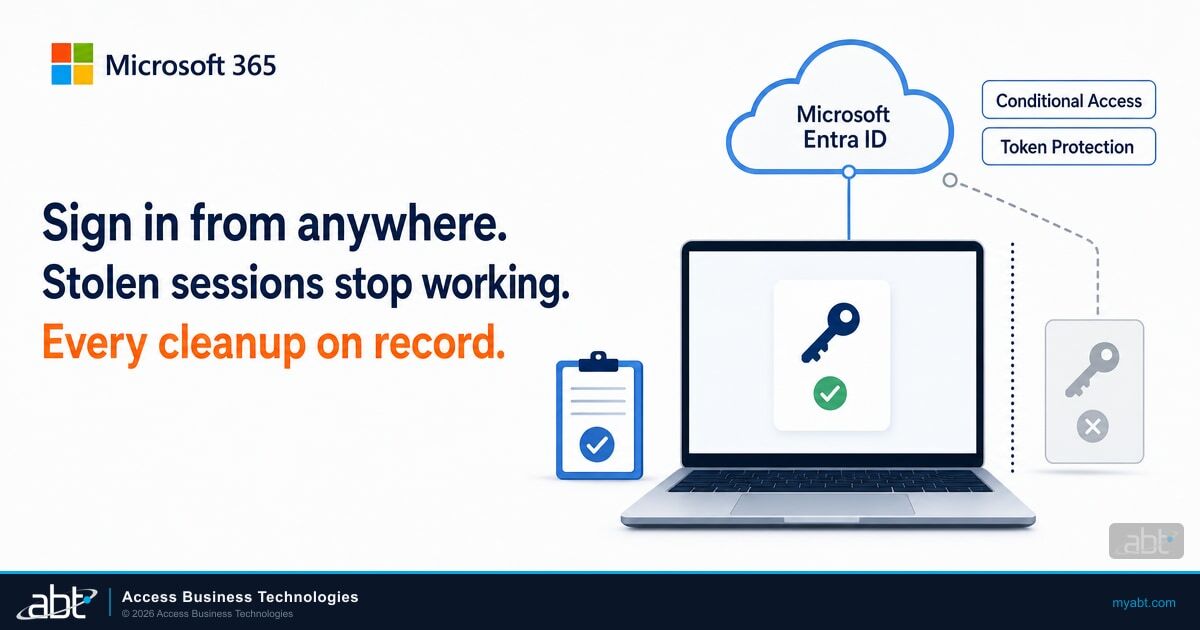
Token Protection accepts only device-bound sign-in session tokens, so a stolen token can't be used from another device. For native apps it covers Exchange Online, SharePoint Online, and Teams on Windows 10 or newer devices that are Microsoft Entra joined, hybrid joined, or registered. Browser support is in preview and limited to selected web apps that access Azure Resource Manager. Start with a pilot group in report-only mode.
By default, all users can consent to applications for permissions that don't require admin consent. Microsoft recommends allowing user consent only for verified publishers, with the admin consent workflow for everything else. Huntress goes further and recommends turning off standard users' ability to consent to new applications.
Microsoft's built-in Phishing-resistant MFA authentication strength allows only methods that require an interaction between the authentication method and the sign-in surface, such as a FIDO2 security key. Our guide to phishing-resistant MFA for financial institutions covers the rollout.
Address blocks still have a place as a stopgap, starting with the 193.26.115.0/24 range, and Huntress publishes its full indicator list with the report. For your security team or provider, Huntress suggests hunting for OAuth2:Token and Cmsi:Cmsi sign-ins from hosting infrastructure by the Microsoft Office or Authentication Broker client with a node or bare Mozilla/5.0 user agent, focusing on those that touch user mailboxes or the Device Registration Service. Expect some legitimate automation in the results.
What to keep for examiners and your insurer
Responding to a token replay attack at a financial institution ends with documentation. Your examiners, your cyber insurer, and your board will want that record. Build the timeline while the evidence is fresh:
- Sign-in log entries from the replay addresses, with timestamps, applications, and error codes
- The device records you deleted, with names, registration times, and the addresses they came from
- The authentication methods you removed and the time the user re-registered
- The inbox rules, exported before removal, with names, conditions, and how they were created
- Every message the account sent during the window, including anything to vendors, payroll providers, customers, or members
- The times sessions were revoked and the password was reset
Export these records during the response, while they are still inside your log retention window. Your compliance officer and counsel decide whether the incident triggers a notice to regulators, customers, or members, and this timeline is the first thing they will ask for. At Guardian Respond, the ABT security engineers who investigate a covered incident produce a written incident timeline suitable for an examiner or an insurer.
How ABT and Guardian MxDR handle token theft
ABT is a Tier-1 Microsoft Cloud Solution Provider serving 750+ financial institutions, and we manage Microsoft 365 tenants for banks, credit unions, and mortgage companies every day.
MFA did its job in this campaign: the sessions the attacker stole were minted after the user completed MFA. In the September 11 burst, the attacker hit a wall at the four organizations with Conditional Access in the way.
M365 Guardian hardens your tenant to Zero Trust baselines that include Microsoft Entra Conditional Access, MFA, and Intune device compliance, which covers the core of the hardening list above. Guardian MxDR adds ABT engineers watching alerts from Microsoft Defender, Microsoft Entra ID, and Microsoft Purview around the clock, and identity attacks such as token theft are one of the six categories it monitors.
The Guardian rung you choose sets how far ABT goes when a session is stolen. Guardian Contain adds round-the-clock detection with pre-authorized automated containment that revokes a compromised session in seconds, at any hour. Tokenator, ABT's automated response engine, detects suspicious OAuth token behavior and immediately revokes compromised sessions. That covers the session revocation in step one of the containment order the moment a detection fires.
An access token already issued can run to its expiry in apps outside Continuous Access Evaluation, and the attacker's registered devices, MFA methods, and inbox rules stay until someone removes them, which is why the cleanup steps that follow matter. Guardian Respond adds ABT security engineers who investigate and remediate covered incidents during business hours and produce a written incident timeline you can hand an examiner or an insurer. Guardian Resolve puts a person on the incident at any hour.
Have ABT watch your tenant for token theft with Guardian MxDR
Start with a free security assessment of your MFA coverage and Conditional Access policies before the next campaign. Then talk with ABT about M365 Guardian and Guardian MxDR: a hardened Conditional Access baseline and ABT engineers watching your Microsoft Defender, Entra ID, and Purview alerts around the clock. Guardian Contain and the rungs above it revoke a compromised session in seconds. Guardian Respond adds ABT security engineers on covered incidents in business hours, with a written incident timeline for your examiner or insurer, and Guardian Resolve covers incidents at any hour.
Frequently Asked Questions
A token replay attack reuses a sign-in token that Microsoft Entra ID issued after a user completed MFA, stolen through a fake sign-in page relay, device code phishing, or social engineering. Because the token was minted after MFA, it already records that MFA happened, and the attacker presents it from their own infrastructure as that user.
Huntress detected at least 497 successful Microsoft 365 sign-ins across 79 organizations between July 14 and September 22, 2026, with the main replay hosts in one hosting block. The attacker registered at least 48 rogue devices, wiped and replaced MFA methods in 19 organizations, and created hidden inbox rules, including a rule that hid payroll mail.
A password reset is one of the first steps, and Huntress recommends pairing it with Revoke sessions. A reset alone leaves attacker-registered devices and MFA methods in place, and an access token already issued can stay valid until it expires, 60 to 90 minutes by default, in apps outside Continuous Access Evaluation.
AADSTS53003 is BlockedByConditionalAccess: a Conditional Access policy blocked token issuance. Conditional Access is enforced after first-factor authentication completes, so a block can follow a password or token that worked. Huntress advises treating a run of these blocks from an unfamiliar or hosting address as a sign of a possibly valid credential, to be checked against the account's other sign-in activity.
In the Microsoft Entra admin center, review devices named DESKTOP- followed by eight hexadecimal characters, the pattern Huntress observed, plus the Device- and Work Pc variants Huntress suggests hunting, especially ones registered from hosting IP addresses. Huntress notes the pattern is rare but not unique to this campaign, so confirm each device before deleting it.
Block device code flow with an authentication flows policy, require MFA for the Register or join devices user action, require compliant devices, and limit user consent to verified publishers with an admin consent workflow. Then pilot Token Protection, which accepts only device-bound tokens for Exchange Online, SharePoint Online, and Teams on supported Windows devices.
ABT, a Tier-1 Microsoft Cloud Solution Provider serving 750+ financial institutions, hardens Microsoft 365 tenants with M365 Guardian baselines for Conditional Access, MFA, and Intune device compliance. With Guardian MxDR, ABT engineers watch Microsoft Defender, Entra ID, and Purview alerts around the clock, token theft included. Guardian Contain revokes a compromised session automatically in seconds at any hour.