In This Article
- The Phishing Reality for Banks, Credit Unions, and Mortgage Companies in 2026
- What You Actually Own: Defender for Office 365 Plan 1 vs Plan 2
- The Default Trap: Your Anti-Phishing Policy Is Ignoring Impersonation Right Now
- The Six Anti-Phishing Controls FI Examiners Verify
- Phishing Email Thresholds: Standard, Aggressive, More Aggressive, Most Aggressive
- A 30-Day Rollout Plan for Community Banks, Credit Unions, and Mortgage Companies
- Frequently Asked Questions
Your branch operations manager opens an email at 8:42 on a Tuesday morning. The subject line reads "Vendor Wire Confirmation Required: Account Update Effective Today." The sender display name shows the CFO. The "from" address looks right at a glance. The PDF attachment is named with this week's date. She clicks through. The PDF opens to a familiar-looking Microsoft sign-in page, asks her to verify her credentials before viewing the wire instructions, and then directs her to a routing number change request. Forty seconds after she enters her password, an attacker on a server in another country is sitting inside her mailbox watching the wire transfer queue. By the time the actual CFO sees the message at 9:15, $187,000 has already moved.
The attack worked because Microsoft Defender for Office 365 was technically running, but the anti-phishing policy that ships in the default tenant configuration does not protect against impersonation by default. The CFO was never added to the protected users list. The bank's domain was never added to the protected domains list. The default policy's mailbox intelligence was active, but with zero protected users defined, there was no specific user identity for the AI to compare the suspicious message against. Microsoft's product was doing exactly what it was configured to do, which was almost nothing.
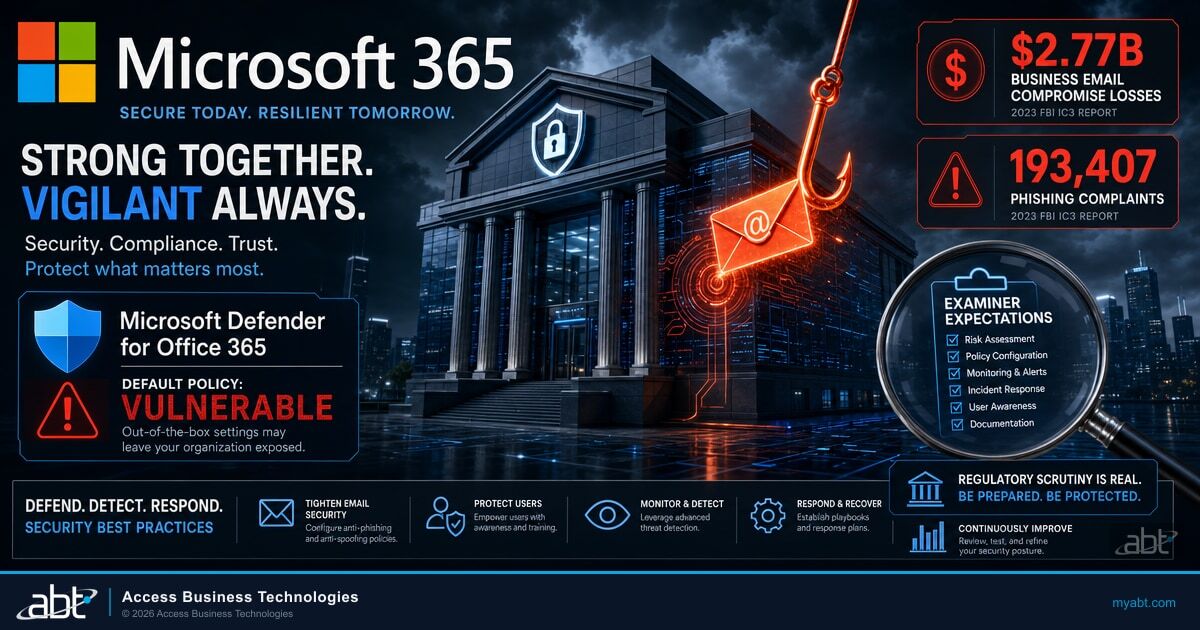
This is not a hypothetical. The Federal Bureau of Investigation's Internet Crime Complaint Center logged 193,407 phishing and spoofing complaints in 2024, the most-reported cybercrime category, alongside $2.77 billion in Business Email Compromise losses. An Association for Financial Professionals survey found that 63 percent of organizations experienced Business Email Compromise attempts in the same year. For credit unions, banks, and mortgage companies running Microsoft 365 Business Premium or Microsoft 365 E5, the protection you paid for is sitting in the Defender portal, defaults engaged, examiner findings waiting to land at the next IT exam. This article walks through exactly what to configure, what examiners look for, and how to roll the changes out across a production tenant in 30 days.
The Phishing Reality for Banks, Credit Unions, and Mortgage Companies in 2026
Financial institutions are the highest-value targets in the email-borne threat landscape, and attackers know it. A bank can move money in seconds. A credit union holds member account data that maps directly to identity theft yields. A mortgage company sits at the intersection of borrower personal information, wire transfer authority, and a long, predictable workflow that an attacker can study before striking. Every category of email attack has a financial institution variant tuned to its operational rhythm.
The volume problem is documented. The FBI's IC3 report counted 193,407 phishing and spoofing complaints in 2024 across all sectors, but the financial impact is concentrated. Business Email Compromise alone produced $2.77 billion in reported losses, ahead of every other email-borne attack category. Vendor email compromise, payroll diversion, wire transfer fraud, and treasury impersonation make up the dominant attack patterns inside that figure, and every one of them targets a workflow that is universal across credit unions, banks, and mortgage companies.
The Association for Financial Professionals found that 63 percent of organizations experienced Business Email Compromise attempts in 2024. That number reflects organizations across the economy, but financial institutions are not in the bottom half. Within the financial sector, the question is no longer whether your institution will be targeted in any given quarter. It is whether your defenses will hold when it happens, and whether your IT examiner will find the configuration evidence they expect when they ask for it.
Why This Matters for Examiners
The FFIEC IT Examination Handbook Information Security booklet, section II.C.12 Malware Mitigation, instructs examiners that "management should implement defense-in-depth to protect, detect, and respond to malware." Section II.C.7(e) Training requires "user education in awareness, safe computing practices, indicators of malicious code, and response actions." When an examiner from the Office of the Comptroller of the Currency, the Federal Deposit Insurance Corporation, the National Credit Union Administration, the Federal Reserve, or the Consumer Financial Protection Bureau opens your information security control evidence, they expect to see your anti-phishing posture mapped to those sections. Microsoft Defender for Office 365 anti-phishing policies are the most direct way to produce that evidence.
What You Actually Own: Defender for Office 365 Plan 1 vs Plan 2
Before configuring anything, take 90 seconds to confirm what license tier you are working with. The capabilities available to your administrator depend entirely on which Defender for Office 365 plan ships with your subscription, and the difference is significant.
Microsoft 365 Business Premium, the standard SKU for community financial institutions with fewer than 300 users, includes Defender for Office 365 Plan 1. Microsoft 365 E5, the enterprise SKU used by larger banks, mortgage companies, and credit unions, includes Defender for Office 365 Plan 2. Plan 2 is a strict superset of Plan 1, meaning every Plan 1 feature is present in Plan 2, plus additional capabilities focused on attack simulation, post-breach investigation, and automated response.
Defender for Office 365 Plan 1
Included with Microsoft 365 Business Premium
- Anti-phishing policies with impersonation protection
- Phishing email thresholds (1 to 4)
- Mailbox intelligence for impersonation
- Safe Attachments (email and SharePoint, OneDrive, Teams)
- Safe Links (email, Office clients, Teams)
- Real-time detections (a Threat Explorer subset)
- Email entity page
- Zero-hour Auto Purge for email and Teams
- User tags including Priority Account
- Tenant Allow Block List for Teams
Defender for Office 365 Plan 2
Included with Microsoft 365 E5
- Everything in Plan 1, plus:
- Attack Simulation Training (full phishing simulation suite)
- Priority Account Protection
- Threat Explorer (full version, not just real-time detections)
- Threat Trackers
- Campaigns view
- Automated Investigation and Response (AIR)
- Advanced hunting on Teams messages
- Microsoft Defender XDR integration
For most community banks, credit unions, and mortgage companies on Business Premium, Plan 1 contains every preventive anti-phishing control covered in this article. The Plan 2 features are valuable, particularly Attack Simulation Training and Automated Investigation and Response, but they are post-breach and training capabilities, not the configuration controls that block the initial phishing email. If you are on Business Premium, you are not missing the protective layer; you are missing the simulation and automation layer. The protective layer is already in your tenant. It just is not turned on.
Across the 750+ financial institutions Access Business Technologies manages on Microsoft 365, the most common Defender for Office 365 anti-phishing finding is not a missing license. It is a tenant where the default anti-phishing policy is the only policy in place, with zero protected users, zero protected domains, and the phishing email threshold left at 1 (Standard). The institution paid for Business Premium or E5, the controls are present, the admin center surface is one click away, and the policy that protects the CFO from being impersonated to the operations manager is sitting empty. We see it in roughly seven out of ten new tenants we onboard.
The Default Trap: Your Anti-Phishing Policy Is Ignoring Impersonation Right Now
Open your tenant's Defender portal at security.microsoft.com, go to Email and Collaboration, then Threat Policies, then Anti-phishing. You will see at least one policy listed: "Office365 AntiPhish Default" (or a similar name). That policy applies to every recipient in your organization automatically. It is the only anti-phishing policy required by Microsoft. If your administrator has not created any custom anti-phishing policies, this default policy is the entire anti-phishing posture for your institution.
Here is what the default policy actually does, out of the box, the moment your tenant is provisioned:
What the Default Anti-Phishing Policy Protects (and Does Not Protect)
Active by default: Spoof intelligence is on. The first contact safety tip is on. Mailbox intelligence is on (the AI that learns your users' email patterns).
Inactive by default: User impersonation protection is off because no protected users are defined. Domain impersonation protection is off because no protected domains are defined. Mailbox intelligence impersonation protection is off (a separate toggle from mailbox intelligence itself). The phishing email threshold is set to 1, the lowest sensitivity. Honor DMARC policy is off, meaning even if an external sender's DMARC record says p=reject, the spoofed message can still slip through.
This is the default trap. Microsoft, by design, ships the anti-phishing policy with most protective settings turned off because the platform cannot know which of your employees are high-risk impersonation targets, which domains your institution owns, or which sender domains belong to your trusted partners. Those are tenant-specific configurations that only your administrator can make. Until your administrator makes them, the policy operates in a low-protection mode that catches generic spoofing but lets specific impersonation through.
"By default, no sender email addresses are configured for impersonation protection, either in the default policy or in custom policies. By default, no sender domains are configured for impersonation protection, either in the default policy or in custom policies."
The hard limits matter for institutions of any size. Each anti-phishing policy can protect a maximum of 350 users from impersonation and a maximum of 50 custom domains. For a 50-person credit union, both limits are far above what you need. For a 2,000-person regional bank, the 350-user limit is hit quickly if you protect every privileged role, every executive, every wire-authority signer, and every member of the loan committee. The remediation is straightforward: split coverage across two or more anti-phishing policies, scoped to different recipient groups, with different protected user lists. The administrator effort is moderate. The protection gain is the entire impersonation defense layer.
The Six Anti-Phishing Controls FI Examiners Verify
When an IT examiner reviews your anti-phishing posture during an OCC, FDIC, NCUA, FRB, or CFPB exam, they are not asking whether you "have Microsoft 365." They are asking for the configuration evidence that maps to the FFIEC Information Security booklet's defense-in-depth requirements. Six specific controls, all configurable in the Defender for Office 365 anti-phishing policy interface, produce the documentation an examiner expects to see.
Each of the six controls maps to a specific surface in the Defender admin center. The configuration work itself is straightforward; the gap is almost always that no one in the institution has been given clear ownership of the configuration. Walk through each control below in the order it should be configured, then export the final policy state as evidence for your information security program file.
Add every C-suite executive, every authorized wire signer, every Privileged Role Administrator, every Helpdesk Administrator, and every Security Administrator. For a community bank, this list is typically 15 to 50 names. For a regional bank with multiple branches, it is closer to 200. Set the action to "Quarantine the message" with quarantine notifications enabled.
Add every domain your institution owns. Add every accepted domain, including secondary domains used for marketing, member outreach, or specialty mortgage products. Add the domains of your top 10 to 20 vendor partners (core banking provider, loan origination system vendor, AUS connector, GSE, regulator). Set the action to Quarantine, not Move to Junk Email.
Toggle "Enable intelligence for impersonation protection" to on. This is a separate setting from "Enable mailbox intelligence." Without this toggle, mailbox intelligence learns your users' email patterns but takes no action when impersonation is detected. The action when impersonation is detected should be set to Quarantine.
Raise the threshold above the default of 1 (Standard). For most community financial institutions, the recommended setting is 2 (Aggressive) or 3 (More aggressive). Each step up applies stricter actions to messages that the AI flags with medium or high confidence. The trade-off is a small increase in false positives, which the user-reported messages workflow and admin submissions handle.
Enable "Honor DMARC record policy when the message is detected as spoof." Set the p=quarantine action to Quarantine. Set the p=reject action to Reject (not Quarantine). This is the toggle that makes your institution actually enforce DMARC policies that other senders publish, rather than letting spoofed messages bypass DMARC because Microsoft 365 ignores the sender's stated policy.
Confirm the first contact safety tip setting is on. This banner alerts users when a message arrives from a sender they have never received email from before, or rarely receive email from. It is the single highest-impact user-facing safety tip Microsoft offers, and it is the visual cue that triggers the "wait, why is the CFO emailing me about a wire from a new domain" pattern recognition that stops most successful BEC attacks.
Each of these six controls produces an audit-ready configuration record in the Defender admin center. Export the policy XML or the screen capture, attach it to your information security program documentation, and your examiner has the defense-in-depth evidence they came to find. The work is one to two hours of administrator time per anti-phishing policy. The documentation produces the evidence trail. The protection actually fires the next time a wire fraud attempt hits the inbox.

Verify your tenant against the six anti-phishing controls examiners expect.
Get Your Security Grade scores your Microsoft 365 tenant against the specific Microsoft Defender for Office 365 controls that block impersonation, BEC, and AiTM token theft, plus the Microsoft Entra ID Conditional Access posture that closes the post-credential pivot. The result is a prioritized configuration checklist mapped to FFIEC Information Security expectations, scoped to the licenses you already own. Five minutes to start. One report you can take to your board or your examiner.
Phishing Email Thresholds: Standard, Aggressive, More Aggressive, Most Aggressive
The phishing email threshold is one of the most consequential and least configured anti-phishing settings in any financial institution tenant. It controls how aggressively the Microsoft Defender for Office 365 machine learning models will act on messages they flag as phishing. The four levels and their behavior are documented and unchanged since 2024:
| Threshold | Behavior | Recommended For | FI Risk Profile |
|---|---|---|---|
| 1 (Standard) | Default. Action severity scales with confidence: low, medium, high, very high. | Tenants in initial deployment | High residual risk. Low-confidence phishing routinely delivered to inbox. |
| 2 (Aggressive) | High-confidence phishing treated as very high confidence. Stricter action applied. | Most community banks, credit unions, and mortgage companies | Recommended baseline. Modest false-positive increase, materially better protection. |
| 3 (More Aggressive) | Medium and high-confidence phishing treated as very high confidence. | Institutions with priority accounts, executives, wire-authority signers | Strong recommendation when protected users are added. Pair with user-reported messages workflow. |
| 4 (Most Aggressive) | Low, medium, and high-confidence phishing treated as very high confidence. | Institutions under active campaigns or post-incident | Use for protected user policies only. False positives noticeably elevated. |
For most community financial institutions, the right pattern is a tiered configuration. Set the default policy that applies to all recipients to threshold 2 (Aggressive). Create a custom anti-phishing policy that applies only to your protected user group (C-suite, wire signers, privileged role administrators) and set that policy to threshold 3 (More aggressive). Threshold 4 is reserved for active-incident response or for tenants in a hardened state during a known active campaign.
The false positive trade-off is real but manageable. At threshold 2, you should expect roughly five to fifteen additional messages per thousand to be quarantined that would have been delivered at threshold 1. Most of those are bulk marketing or low-quality vendor outreach, which the user-reported messages workflow surfaces and the admin submissions release path resolves in minutes. The FI-relevant question is whether your operations team can absorb a small uptick in user-flagged false-positive reviews. In our experience across 750+ financial institutions, the answer is almost always yes.
Examiner-Ready Posture
Threshold 1 (Standard) is the configuration that lets low-confidence phishing reach the inbox and lets your examiner write a finding. Threshold 2 (Aggressive) for the default policy plus threshold 3 (More aggressive) for a protected-user policy is the configuration that produces audit-ready defense-in-depth evidence and materially reduces the wire fraud, BEC, and impersonation surface for credit unions, banks, and mortgage companies on Microsoft 365.
A 30-Day Rollout Plan for Community Banks, Credit Unions, and Mortgage Companies
Configuring Microsoft Defender for Office 365 anti-phishing for a community financial institution is not a multi-quarter project. The full rollout, including pilot testing, fits inside 30 days for a tenant of fewer than 500 users. The sequencing matters: the order below is designed to surface false positives early, in low-risk policies, before the high-stakes protected-user policy goes into Grant Mode. Skip the pilot phase and you risk a Monday morning where the executive team's email is quarantined and the wire team can not see vendor confirmations.

Audit your current anti-phishing policy. Export the existing configuration. Identify the executive, privileged role, and wire-authority list (typically 15 to 50 names). Identify the domain list (your accepted domains plus your top 10 to 20 vendor partner domains).
Update the default Office365 AntiPhish Default policy. Enable Honor DMARC policy. Confirm first contact safety tip is on. Raise phishing email threshold to 2 (Aggressive). Do not yet add protected users or protected domains to the default policy. Monitor for false positives for three days.
Create a new custom anti-phishing policy named "FI Protected Users." Apply it to a pilot group of 5 to 10 executives and privileged role administrators. Add those 5 to 10 names as protected users in the policy. Add your accepted domains as protected domains. Enable mailbox intelligence impersonation protection with Quarantine action. Set threshold to 3 (More aggressive). Monitor pilot users for false positives.
Roll the "FI Protected Users" policy to the full executive and wire-authority list. If the user count exceeds 350, create a second policy ("FI Protected Users 2") with the next 350 names. Add your top 10 to 20 vendor partner domains to the protected domains list across both policies.
Confirm the user-reported messages workflow is enabled in your tenant. Train users to use the Report Message add-in or the built-in "Report" button in Outlook. Create the admin reviewer queue. Establish a 24-hour SLA for admin review of user-reported phishing.
Export each anti-phishing policy as a configuration record. Attach the records to your information security program documentation. Map each control to the FFIEC II.C.12 Malware Mitigation and II.C.7(e) Training requirements. Confirm your security awareness training schedule references the new protected-user list.
By day 30, your tenant has a default anti-phishing policy at threshold 2 with Honor DMARC enabled, a protected-user policy at threshold 3 with the entire executive and wire-authority list defined, an active user-reported messages workflow, and audit-ready documentation tied to FFIEC examination expectations. The licenses you needed are the licenses you already have. The administrator time is roughly 12 to 20 hours over the 30 days. The protection gain is measurable on day 7 and complete by day 30.
If You Are on Defender for Office 365 Plan 2
Add two more steps after day 30. First, run an Attack Simulation Training campaign against the protected user group within 60 days, focused on impersonation and BEC scenarios. Second, enable Automated Investigation and Response (AIR) for compromised users, so that a confirmed-phishing verdict triggers automated containment actions while your security operations team verifies the response. Both capabilities are included in your E5 subscription. Both are off by default.
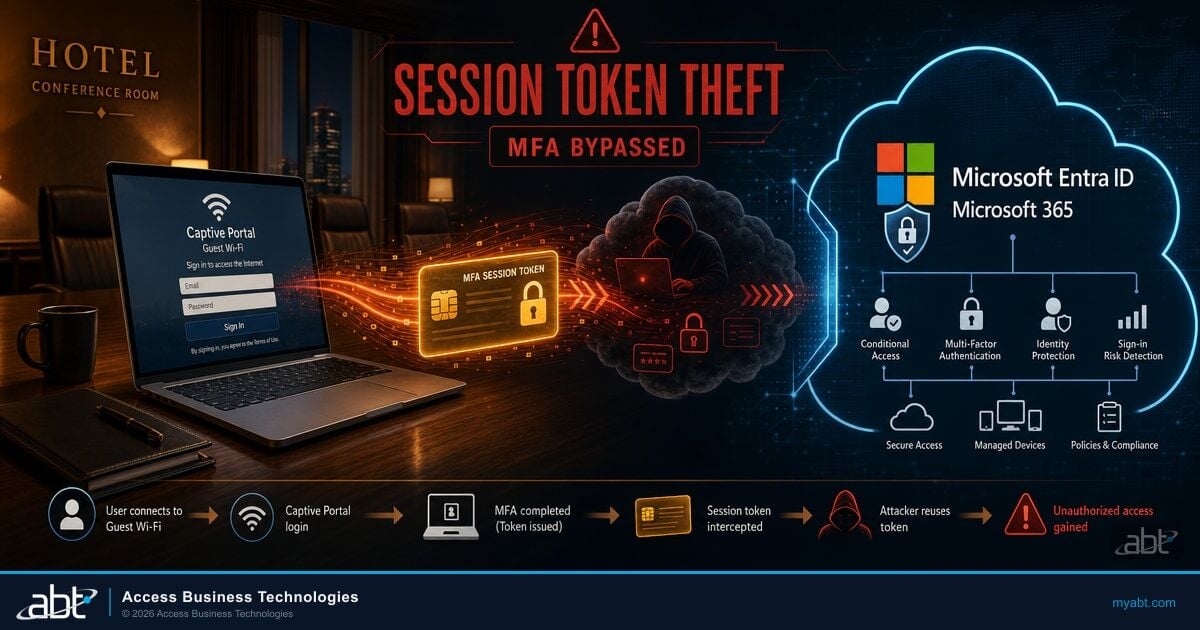
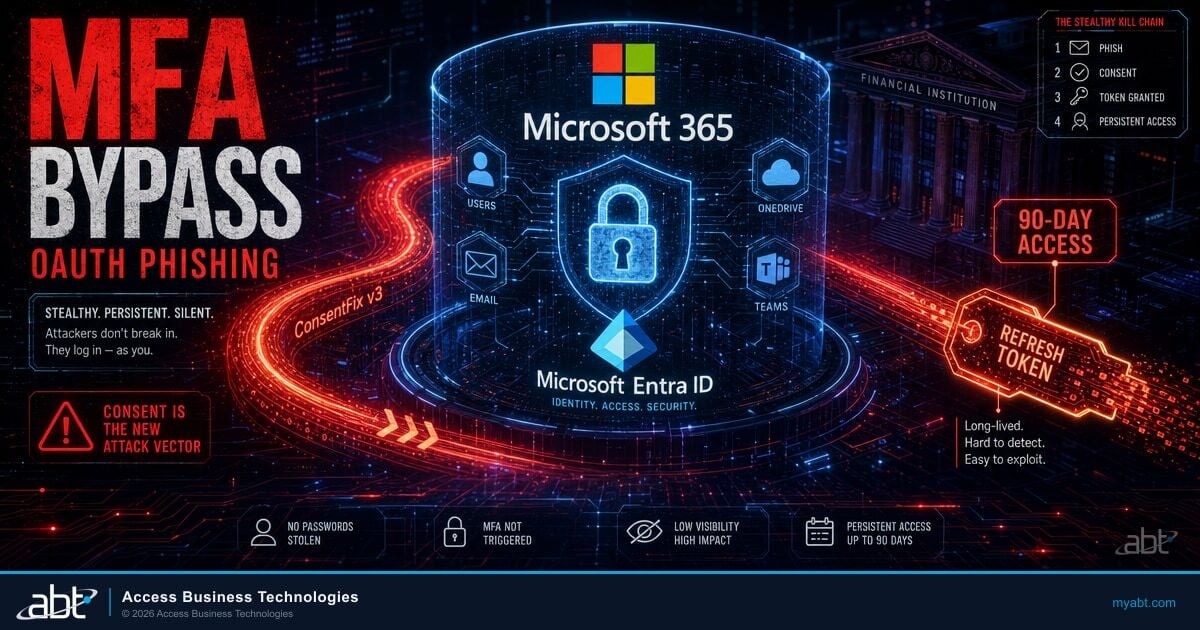
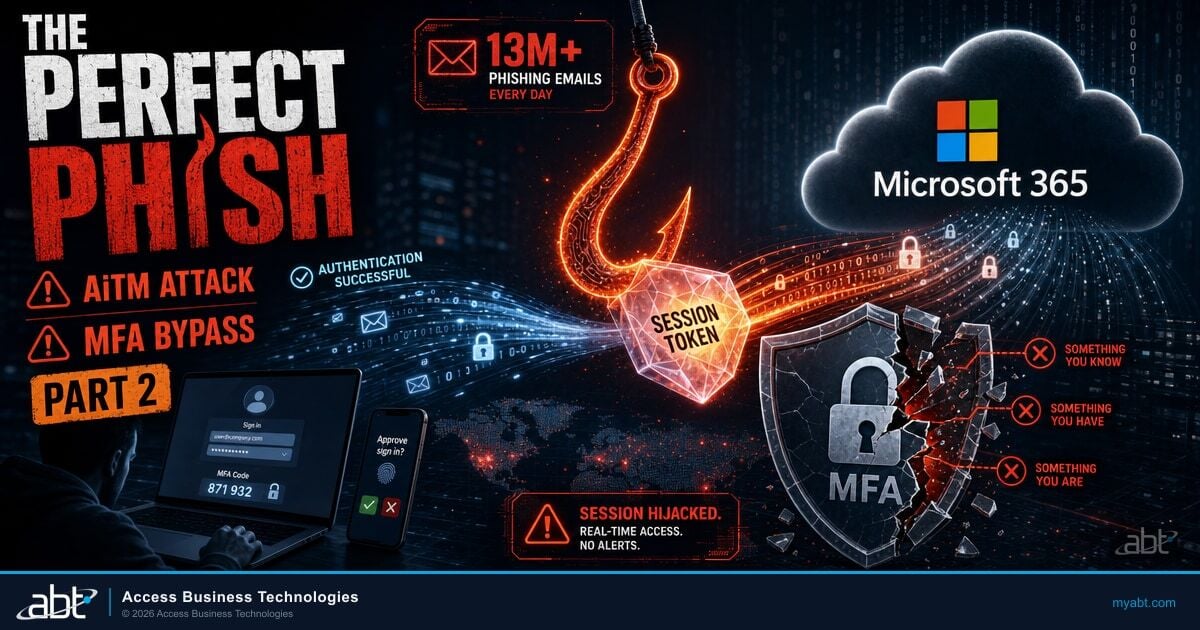
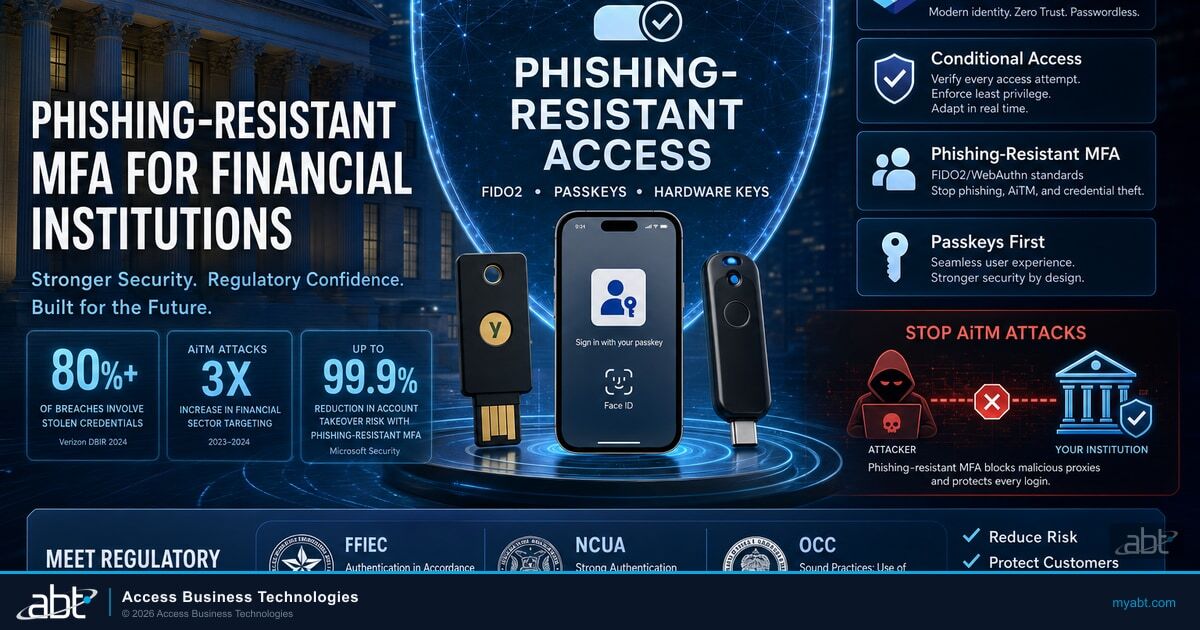
Once anti-phishing policies are in place, the natural next layers are email authentication enforcement and phishing-resistant authentication. We have detailed implementation guides for both. Email Authentication for Financial Institutions: SPF, DKIM, and DMARC Enforcement Done Right walks through the DMARC enforcement that the Honor DMARC policy setting actually relies on, and Phishing-Resistant MFA for Financial Institutions covers the FIDO2 and passkey deployment that defeats the AiTM token theft layer that anti-phishing policies cannot reach. Both are companions to this article and complete the email-borne defense stack.
Microsoft Defender for Office 365 is more than an anti-phishing policy. The same product surface that quarantines impersonation messages also wraps the rest of the financial institution workforce in a tightly integrated email-borne defense stack. Safe Attachments sandboxes every email attachment in a Microsoft-operated detonation environment before delivery, holding ransomware payloads, malicious macros, and weaponized PDFs out of the inbox. Safe Links rewrites every URL in email and Microsoft Teams chat so the time-of-click destination is rescanned even if the page weaponizes hours after delivery, which is the exact pattern of credential-harvest pages in vendor email compromise. The anti-phishing AI covered above pairs with mailbox intelligence, spoof detection, and Microsoft Entra ID sign-in risk telemetry so a successful credential capture triggers Conditional Access step-up or session revocation before the attacker can pivot to wire fraud. And Automated Investigation and Response (AIR), included with Defender for Office 365 Plan 2 in Microsoft 365 E5, executes the first eight to fifteen minutes of incident response automatically: it isolates the affected mailbox, hunts for the same attachment hash and URL across the tenant, kills active sign-in sessions, and produces a remediation log the examiner can read. For a community bank, credit union, or mortgage company workforce, Defender for Office 365 is the email-borne layer of the same Microsoft Defender suite that protects the endpoints, identities, and cloud apps the workforce touches every day.
Configuration alone is not the operating model. Monitoring is. Across the 750+ financial institutions ABT manages on Microsoft 365, the institutions that close clean exams are the ones running the configuration plus a 24/7 security operations center watching the signals every minute of the day. That layer is M365 Guardian, ABT's operating model for Microsoft Defender, Microsoft Entra ID, Microsoft Purview, and Microsoft Sentinel tuned to financial institution attack patterns, and Guardian MxDR, the 24/7 managed extended detection and response service that runs on top of it. Guardian MxDR analysts watch the Defender for Office 365 alerts, the Entra ID sign-in risk alerts, the Defender for Endpoint device-side detections, and the Microsoft Sentinel SIEM correlations as a single signal stream. When a protected user is impersonated, when a wire-authority signer's session token shows AiTM characteristics, when a Conditional Access policy fails to enforce on a new device, the analyst response time is measured in minutes, not the days it takes a community institution's one-person IT team to notice the alert and triage it. The bank, credit union, or mortgage company keeps its Microsoft 365 licensing and retains its tenant ownership. ABT manages the Microsoft 365 tenant under delegated admin, configures the six anti-phishing controls described in this article, and runs Guardian MxDR over the resulting signal so the institution walks into its next IT examination with the configuration evidence and the incident response evidence both ready in the same file.
The active-campaign context for this article is documented in Code of Conduct AiTM Phishing, which walks through the Microsoft-published 35,000-user campaign of April 2026 and shows what happens when a financial institution tenant has the licenses but not the configuration. For the regulatory context behind why all of this matters at exam time, BSA/AML Compliance and Your Microsoft 365 Environment covers the audit log retention and information protection posture that pairs with anti-phishing on the examiner's checklist. For community banks specifically preparing for the next OCC IT exam, OCC IT Examination Readiness for Community Banks maps the full readiness picture.
Frequently Asked Questions
For most community financial institutions, a properly configured Microsoft Defender for Office 365 deployment is the email security gateway. With protected users, protected domains, mailbox intelligence impersonation, threshold 2 or 3, and Honor DMARC enabled, the platform produces examination-grade defense-in-depth evidence with no third-party tooling required. Larger institutions, particularly those with regulatory mandates that require a specific control framework or those running hybrid Exchange topologies, sometimes layer a third-party gateway in front of Microsoft 365 for an additional verdict. The decision is mostly about defense-in-depth posture and audit-trail diversity, not about whether Microsoft alone is sufficient. For credit unions, community banks, and mortgage companies on Microsoft 365 Business Premium or E5, configuring what you already own is the correct first step.
The 350-user limit applies per anti-phishing policy, not per tenant. If your protected user list exceeds 350 names, the standard remediation is to create a second anti-phishing policy with the next 350 names, scoped to a different recipient group. Microsoft Defender for Office 365 allows multiple anti-phishing policies to operate in parallel, evaluated in priority order. For institutions of more than 700 protected users (typically regional banks with multi-branch operations), three policies cover the executive, privileged role, and wire-authority surface. The 50-domain limit on protected domains is per policy as well; very few financial institutions exceed 50 domains in practice, but the same split-into-multiple-policies pattern works if you do.
Threshold 2 (Aggressive) produces a small but measurable false-positive uplift compared to threshold 1, typically in the range of five to fifteen additional quarantined messages per thousand. Threshold 3 (More aggressive) raises that further. The right operational pattern is to enable the user-reported messages workflow before raising the threshold, so that legitimate quarantined mail can be released by the admin reviewer queue within a 24-hour SLA. In our experience across 750+ financial institutions, the false-positive load at threshold 2 is well within the operational capacity of a one-person or two-person admin team, and the reduction in BEC and impersonation reach is materially larger than the false-positive cost.
For preventive anti-phishing controls, no. Microsoft 365 Business Premium includes Defender for Office 365 Plan 1, which contains every protective control covered in this article: anti-phishing policies with impersonation protection, phishing email thresholds, mailbox intelligence, Safe Attachments, Safe Links, real-time detections, the email entity page, and Zero-hour Auto Purge. The capabilities you do not get on Business Premium are post-breach and training: Attack Simulation Training, Threat Explorer (the full version), Threat Trackers, Campaigns view, and Automated Investigation and Response. Those are valuable but not the layer that blocks the initial phishing email. For a community credit union, configuring Plan 1 properly is the right place to focus.
Examiners across the OCC, FDIC, NCUA, FRB, and CFPB are trained against the FFIEC IT Examination Handbook Information Security booklet, particularly section II.C.12 Malware Mitigation and section II.C.7(e) Training. They expect to see configuration evidence that maps to defense-in-depth and to user awareness training. For Defender for Office 365, that translates to: a policy export or screen capture showing protected users, protected domains, mailbox intelligence impersonation enabled with Quarantine action, phishing email threshold above 1, and Honor DMARC policy enabled. They also expect evidence of the user-reported messages workflow and the admin submissions review queue. Documenting all of this in your information security program response is what closes the audit cycle quickly.
Anti-phishing policies operate at the email-delivery layer. They block, quarantine, or flag suspicious messages before they reach the user. Adversary-in-the-middle attacks operate at a different layer: they reach the user, the user clicks through, the attacker captures the post-authentication session token. Anti-phishing controls reduce the volume of AiTM-bait messages that arrive in the inbox, which materially lowers the click-through volume the AiTM kit sees, but they do not stop a determined user from clicking through a policy-allowed message and entering credentials on a captive-proxy page. The complete defense layers anti-phishing policies on top of Conditional Access in Grant Mode and phishing-resistant authentication (FIDO2 or device-bound passkeys), so that even if a user does click and authenticate, the captured token is rejected at the next sign-in. Anti-phishing policies are necessary; they are not sufficient.
Both are available. As a Tier-1 Microsoft Cloud Solution Provider serving more than 750 financial institutions, ABT manages tenant-level Microsoft Defender for Office 365 configuration as part of M365 Guardian, the operating model that wires Defender, Microsoft Entra ID Conditional Access, Microsoft Purview audit retention, and Microsoft Sentinel SIEM into a single posture tuned to FFIEC examination expectations. Guardian MxDR layers the 24/7 security operations center on top of that posture, with analysts watching the anti-phishing alerts, sign-in risk telemetry, and Defender for Endpoint signals as a single stream and responding in minutes when impersonation, BEC, or AiTM activity is detected. ABT also supports institutions that prefer to configure in-house, with a one-time advisory engagement that walks an internal IT or compliance team through the six controls, the threshold tradeoffs, and the documentation. The right choice depends on the institution's IT staffing model, the depth of in-house Microsoft 365 expertise, and the timeline pressure from the next IT examination. Either path produces the same audit-ready evidence trail.
Ready to close the anti-phishing gap before your next IT examination?
Get Your Security Grade scores your Microsoft 365 tenant against the six Microsoft Defender for Office 365 anti-phishing controls FI examiners expect, plus the Microsoft Entra ID Conditional Access, identity protection, and Microsoft Purview controls that complete the defense-in-depth picture. The output is a prioritized configuration checklist, mapped to FFIEC Information Security expectations, sized for your license tier and institution size. From there, M365 Guardian and Guardian MxDR run the configuration and the 24/7 monitoring for you, the same way ABT runs it for 750+ banks, credit unions, and mortgage companies. Five minutes to start. One report you can take to your board or your examiner.