In This Article
- What Defender Vulnerability Management does
- What your Microsoft 365 license already includes
- Reading the exposure score and recommendations
- From finding to fix: remediation requests and Intune security tasks
- Exceptions for the vulnerabilities you accept
- Software inventory and end-of-support software
- How it maps to FFIEC and the FTC Safeguards Rule
- A five-step monthly vulnerability management cycle
- Licensing and the free Security Assessment through ABT
- Frequently Asked Questions
A vulnerability scan that lists hundreds of publicly known security flaws, or CVEs, hands a two-person IT team a reading assignment. What the team needs is the short list: which weaknesses sit on which devices, which ones attackers already have working exploits for, and which single fix closes the most risk this week. Microsoft Defender Vulnerability Management builds that list from the Microsoft Defender sensor on each onboarded device and ranks it. Each fix you choose becomes a remediation request with a priority and a due date, and it can open a security task in Microsoft Intune.
Many institutions already own the core of it. Microsoft 365 Business Premium includes Microsoft Defender for Business, and Microsoft's own feature comparison lists "Vulnerability management (core capabilities)" in Defender for Business and in Defender for Endpoint Plan 2. The premium capabilities are sold separately, as an add-on for Defender for Endpoint Plan 2 or as a standalone subscription. They include security baseline assessments that check device settings against Center for Internet Security (CIS) and Security Technical Implementation Guide (STIG) benchmarks.
ABT, a Tier-1 Microsoft Cloud Solution Provider serving 750+ financial institutions, licenses Microsoft 365 at Microsoft's price with Guardian Foundation, a hardened tenant baseline, included. This guide is for IT teams at credit unions, banks, and mortgage companies. It covers what your license already includes and how to read the exposure score. Then it follows a finding into an Intune task or a documented exception, and lines that record up with what examiners and the Federal Trade Commission (FTC) Safeguards Rule ask for.
What Defender Vulnerability Management does
Microsoft describes Defender Vulnerability Management as asset visibility, intelligent assessments, and built-in remediation tools for Windows, macOS, Linux, Android, iOS, and network devices. It ranks what it finds using Microsoft threat intelligence, breach likelihood predictions, business context, and device assessments, so the vulnerabilities on your most critical devices rise to the top.
The data comes from devices onboarded to Microsoft Defender for Endpoint. Microsoft says its built-in and agentless scanners continuously monitor and detect risk even when devices are away from the corporate network, which covers the loan officer working from home and the laptop that travels between branches. The picture updates as devices report in.
In the Microsoft Defender portal, most of the work happens in five areas:
- Dashboard. Your exposure score, Microsoft Secure Score for Devices, top recommendations, and recent remediation activity on one page.
- Security recommendations. The ranked to-do list, each item tied to the CVEs it closes and the devices it affects.
- Weaknesses. Every CVE found in your environment, with the number of exposed devices and whether an exploit exists.
- Inventories. The software, versions, and end-of-support status across onboarded devices.
- Remediation. The requests and exceptions your team opened, with status, due dates, and who closed each one.
What your Microsoft 365 license already includes
Microsoft splits vulnerability management into core and premium capabilities. Its capabilities comparison and the Defender for Business pages lay out where each comes from.
| Offering | Where it comes from | Vulnerability management capabilities |
|---|---|---|
| Microsoft Defender for Business | Included in Microsoft 365 Business Premium, for organizations up to 300 users | Core: dashboard and exposure score, security recommendations, remediation activities, software inventory, weaknesses, and an event timeline |
| Microsoft Defender for Endpoint Plan 2 | Added to Business Premium by the Microsoft Defender Suite | Core: device discovery and inventory, vulnerability and configuration assessment, risk-based prioritization, remediation tracking, continuous monitoring, software inventory, and software usage insights |
| Defender Vulnerability Management Add-on | Purchased on top of Defender for Endpoint Plan 2 | Premium: security baselines assessment, block vulnerable applications, browser extensions, digital certificates, network share analysis, and hardware and firmware assessment |
| Defender Vulnerability Management Standalone | Its own subscription, usable with any endpoint detection and response product | The full core and premium set |
Two facts shape the decision for a Business Premium institution. First, Microsoft states that "Microsoft Defender Vulnerability Management isn't currently available to Microsoft Defender for Business customers." That statement covers the separately sold Defender Vulnerability Management offerings, while Defender for Business carries the core capabilities. Microsoft sells the premium add-on to Defender for Endpoint Plan 2 customers, and your licensing partner can confirm availability for your license mix.
Second, the Defender for Business FAQ says it "doesn't support mixed licensing." A tenant that holds both Defender for Business and Defender for Endpoint Plan 2 defaults to the Defender for Business experience, so a move to Plan 2 is a whole-tenant decision. Microsoft lists two steps: license every user for Defender for Endpoint Plan 2, then contact Microsoft Support to request the switch for your organization.
For Business Premium institutions that want Plan 2, Microsoft's Defender Suite for Business Premium includes it, for up to 300 seats. Plan 2 brings threat hunting, live response, and six months of data retention on the device. The suite also adds Microsoft Entra ID P2, Defender for Office 365 Plan 2, Defender for Identity, and Defender for Cloud Apps. Servers need their own licenses on either path.
For the wider plan decision, see our Microsoft 365 E3 vs E5 vs Business Premium comparison for financial institutions. Whichever plan fits, ABT sells it at Microsoft's price, quoted on its own line, and M365 Guardian Foundation is included at no additional charge when your licensing runs through ABT.
Reading the exposure score and recommendations
The dashboard gives you two numbers and a ranked list. Five terms carry most of the meaning:
Exposure score
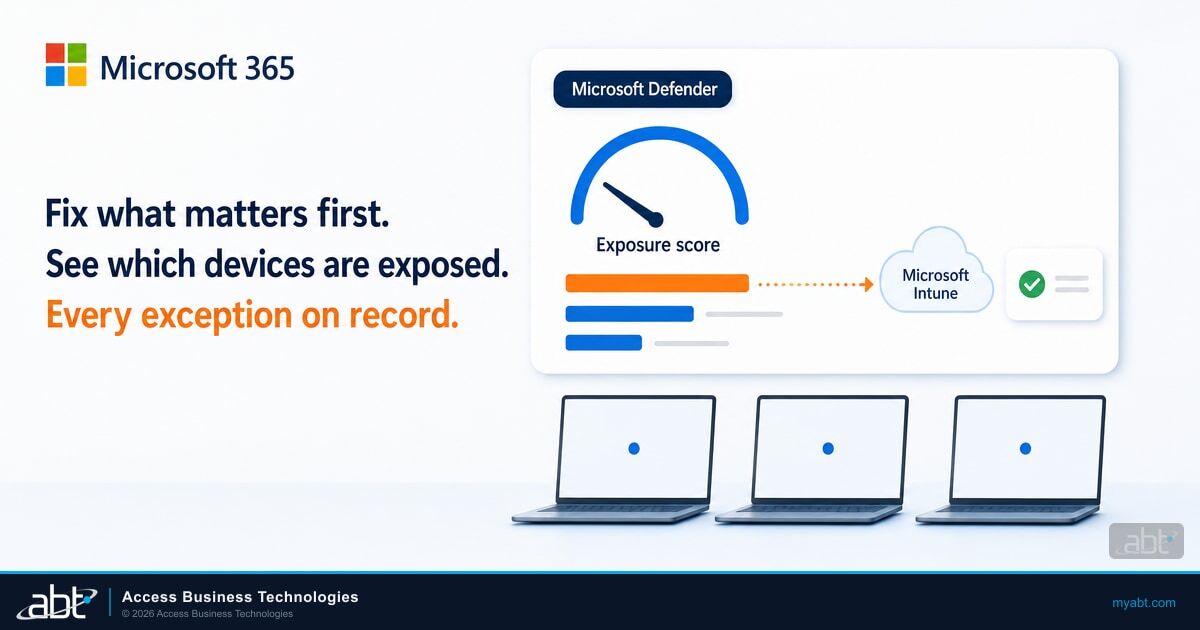
How exposed your devices are to threats and vulnerabilities. Lower is better, and you bring it down by working the security recommendations.
Microsoft Secure Score for Devices
How well your device security configuration measures up. It sits beside the exposure score on the same dashboard.
Security recommendation
One fix, such as updating an application or changing a setting, with the CVEs it closes and the devices it affects.
Weakness
A CVE found on your devices, shown with its severity, the number of exposed devices, and whether an exploit is available, verified, or part of an exploit kit.
EPSS
The Exploit Prediction Scoring System, a probability from 0 to 1 that a CVE will be exploited. Defender shows it on the weaknesses page.
One dashboard rule decides which devices those scores describe.
That rule matters at a community institution. A branch PC powered off for a month, or a spare laptop in a drawer, leaves the score until it reports in again, so a low exposure score describes the devices that checked in recently. Compare the device list in Defender with your Intune enrollment and your asset inventory each month, and chase the gaps. Microsoft also leaves CVEs marked "won't fix" out of the portal and the scoring.
Microsoft is rolling out an updated exposure score model. The earlier model is driven primarily by severity ratings from the Common Vulnerability Scoring System (CVSS). The updated one combines CVSS with EPSS and weighs context such as internet-facing status and asset criticality. Both models are active during the rollout, so note which one your portal shows before you compare this quarter's score with last quarter's in a board report.
When you work the list, start with weaknesses that carry a verified exploit or a high EPSS probability on devices that handle customer, member, or borrower data. Microsoft's Defender for Business guidance adds a useful filter: a "0" in a weakness's Exposed devices column means no immediate action is needed for that weakness.
From finding to fix: remediation requests and Intune security tasks
The security team and the device team are often the same two people at a community institution, and the hand-off still benefits from a record. Defender Vulnerability Management's remediation requests create that record, and with the Intune connection turned on, each request can open a security task in the Intune admin center.
Open a security recommendation and review the CVEs it closes, the exposed devices, and any exploit information.
Set a priority and a due date, add notes, and choose whether to open an Intune security task.
The task arrives as Pending. The Intune admin accepts or rejects it, and the status updates in both portals.
Follow the task's remediation steps: update the app, deploy the new version, or change the setting.
Mark the task Complete. The status updates in Intune and Defender, where the security admin confirms the fix.
Step 4 is where the device changes, and it belongs to your IT team.
A remediation request is the ticket, and your team makes the fix
Microsoft is direct about this: "Submitting the remediation request doesn't trigger remediation or apply any changes to devices." The request creates a tracked activity and, when connected, an Intune task. The update itself still travels through Intune, through Windows Autopatch for Windows updates, or through a technician.
A few setup details decide whether the hand-off works:
- Turn on the Intune connection. In the Defender portal it sits under Settings, Endpoints, General, Advanced features, and the toggle is off by default.
- Meet the Intune prerequisites. Microsoft lists Intune Plan 1, a Defender for Endpoint subscription, and a service-to-service connection between Intune and Defender for Endpoint. Business Premium includes Intune Plan 1.
- Expect some manual tasks. Only vulnerabilities compatible with Intune remediation produce security tasks, and for an app Intune doesn't deploy, the task can only carry text instructions.
- Size requests sensibly. A single request sends up to 10,000 devices to Intune, which covers most community institutions with room to spare.
- Allow time for the portal to catch up. Microsoft says a software change typically shows in the portal in about two hours, and configuration changes can take 4 to 24 hours. The weaknesses page adds that remediated vulnerabilities typically show as fixed within 24 to 48 hours, so verify two days later.
Completed remediation activities stay on the Remediation page for 180 days, and a "Completed by" column records who closed each one. Export the record before it ages out if you want it for the next exam.

Exceptions for the vulnerabilities you accept
Some vulnerabilities stay open on purpose. A vendor application may certify only an older runtime, or a fix may wait for a maintenance window. Defender Vulnerability Management handles these with exceptions, which take a justification and a duration. While the exception runs, the recommendation shows Full exception, or Partial exception when it covers only some device groups, and the exception list can be filtered by justification, type, and status.
Microsoft advises documenting the rationale and monitoring for changes. Exception durations can't be extended, so when one expires, someone has to look again and create a new exception with a fresh decision. That built-in review is exactly what an exception process should do. For each exception, record:
- The business reason the fix can't happen yet, in plain language.
- The compensating control, such as network isolation, restricted access, or blocking the vulnerable app on other devices.
- An owner who will revisit it before it expires.
- The approval, from whoever your information security program names for accepting risk.
Creating exceptions requires the right role-based access permission in Defender, so decide who in your institution holds it.
Software inventory and end-of-support software
The software inventory lists the software installed across onboarded devices with its vendor, weaknesses, threats, exposed devices, impact on your exposure score, and tags. Microsoft updates the data every three to four hours.
One detail matters for financial institutions with specialized software. Defender Vulnerability Management matches software to an official product identifier called a Common Platform Enumeration (CPE). Software without one still appears in the inventory, but Defender shows "Not available" for its weaknesses and has no exposed device or exploit data for it. Niche lending, core processing, or branch hardware software can fall into that group, so keep those products in your vendor management program and ask each vendor how it reports security fixes.
End-of-support tags flag software and versions past their end of support date, and versions with upcoming end of support appear up to six months in advance. That lead time gives you a window to budget a replacement before support ends. Microsoft currently offers the end-of-support capability for Windows products only. Our guide to Microsoft end of support for Windows 10 and Office shows what that planning looks like.
The premium capabilities extend this view. Block vulnerable applications stops a vulnerable app from running on chosen device groups, and the security baselines assessment measures device configuration against CIS and STIG benchmarks. To keep unapproved software off your devices altogether, pair vulnerability management with App Control for Business.
How it maps to FFIEC and the FTC Safeguards Rule
Bank and credit union examiners work from the Federal Financial Institutions Examination Council (FFIEC) IT Examination Handbook, and its Information Security booklet speaks to vulnerability scanning directly.
In addition, management should use vulnerability scanners periodically to identify vulnerabilities in a timely manner.
The booklet sets no scan frequency and no patch timeframe; your policy sets them. Here is how the workflow above lines up with the expectations most tied to vulnerability management.
| FFIEC expectation | Where Defender Vulnerability Management helps | What your institution keeps |
|---|---|---|
| II.C.5: "Management should maintain and keep updated an inventory of technology assets that classifies the sensitivity and criticality of those assets, including hardware, software, information, and connections." | Device and software inventories for onboarded devices, with end-of-support tags | Sensitivity and criticality classification, and assets outside Defender |
| II.C.10(d): "A prioritization process to determine which patches to apply across classes of computers and applications." | Risk-ranked recommendations with exploit and EPSS data | The written policy that sets due dates by severity and device class |
| II.C.10(d): "An exception process, with appropriate documentation, for patches that management decides to delay or not apply." | Exceptions with a justification and a fixed duration | The approval, the compensating control, and the review before expiry |
| IV.A.2(d): "Internal audit should track the results and the remediation of control deficiencies reported in audits and additional technical reviews, such as penetration tests and vulnerability assessments." | Remediation activities with priority, due date, status, and Completed by | Audit follow-up and exports saved within the 180-day window |
The same booklet notes that management "can use the inventory to discover specific vulnerabilities, such as unauthorized software." Defender's software inventory is a practical place to start that review.
Mortgage companies that fall under the FTC Safeguards Rule have a more specific text. 16 CFR 314.4(d)(2) calls for "continuous monitoring or periodic penetration testing and vulnerability assessments." Absent effective continuous monitoring, it requires annual penetration testing and vulnerability assessments at least every six months. Vulnerability assessments are also due after material changes to operations or business arrangements and in other circumstances that may have a material impact on the information security program.
Under 314.6, that paragraph doesn't apply to institutions that maintain customer information on fewer than five thousand consumers.
Whether your monitoring counts as effective continuous monitoring is a determination to make with your auditor. Defender's continuous assessment, its remediation records, and its exceptions are the records to bring to that conversation. Our FTC Safeguards Rule guide for mortgage lenders on Microsoft 365 covers the rest of the rule, and our guide to Microsoft 365 penetration testing covers the testing side.

A five-step monthly vulnerability management cycle
Monthly Vulnerability Management Cycle for Banks, Credit Unions, and Mortgage Companies
Match the devices in Defender against Intune enrollment and your asset inventory, and bring back any device that has been inactive for 30 days.
Turn on the Intune connection once, so remediation requests open security tasks for your device team.
Each week, open remediation requests for the recommendations with verified exploits or high EPSS scores, with due dates set by your policy.
For anything you can't fix yet, create an exception with a justification and a duration, and log the compensating control and the approval.
Report the exposure score trend and open items to your IT committee, and export completed remediation activities before they age out at 180 days.
Step 2 is a one-time setup, and step 3 runs weekly inside the monthly cycle. Step 1 carries most of the first month's effort, and later cycles start from the device list it reconciles. An urgent finding goes through your escalation policy the day it appears. For a board-level view of the same numbers, see our guide to Microsoft Secure Score for financial executives.
Licensing and the free Security Assessment through ABT
If your institution holds Microsoft 365 Business Premium, your license already includes the core vulnerability management dashboard, and it fills with findings once your devices are onboarded to Microsoft Defender. Run that licensing through ABT, a Tier-1 Microsoft Cloud Solution Provider, and Guardian Foundation, the hardened tenant baseline, is included at no additional charge. M365 Guardian configures the device controls that sit beside vulnerability management: Microsoft Intune compliance policies, BitLocker encryption, OS security baseline settings, and Microsoft Entra ID Conditional Access gates. Microsoft Defender finds and ranks the vulnerabilities, Intune carries the tasks, and your team makes the fixes.
Guardian Foundation reports your Secure Score and configuration gaps through Guardian Security Insights. The paid Guardian plans, starting with Guardian Contain, add Secure Score trend tracking and policy and compliance gap detection, so drift shows up between examinations.
If your risk assessment calls for Defender for Endpoint Plan 2, ABT can quote the Defender Suite for Business Premium at Microsoft's price for every seat. With every user licensed, you contact Microsoft Support to request the switch to the Plan 2 experience. For the premium vulnerability capabilities, confirm availability for your license mix with ABT before you budget for them.
Vulnerability data only covers the devices Defender can see, so the first question is which of yours it sees. ABT's free Security Assessment helps answer it with a read-only review of Intune enrollment status, compliance policies, OS patch levels, and encryption settings across managed and unmanaged devices. You receive a written report and a review call, and most assessments complete within two weeks.
Put the vulnerability management you already license to work
ABT licenses Microsoft 365 at Microsoft's price, quoted on its own line, with Guardian Foundation included. The free Security Assessment shows which devices are enrolled, compliant, and current, so you can check that list against the devices Defender reports.
Frequently Asked Questions
Microsoft Defender Vulnerability Management finds vulnerabilities and misconfigurations on devices onboarded to Microsoft Defender for Endpoint, ranks them with threat intelligence and breach likelihood, and tracks the fixes. It covers Windows, macOS, Linux, Android, iOS, and network devices, and it can send remediation tasks to Microsoft Intune.
Yes, the core capabilities. Business Premium includes Microsoft Defender for Business, which Microsoft lists with vulnerability management core capabilities: an exposure score, security recommendations, remediation activities, software inventory, and weaknesses. The premium capabilities are sold separately, as a Defender for Endpoint Plan 2 add-on or a standalone subscription. Through ABT, Business Premium comes at Microsoft's price with Guardian Foundation included.
The Defender Vulnerability Management add-on gives Defender for Endpoint Plan 2 customers the premium capabilities: security baselines assessment against CIS and STIG benchmarks, blocking vulnerable applications, browser extension and digital certificate assessment, network share analysis, and hardware and firmware assessment. Microsoft states it is not currently available to Defender for Business customers.
A remediation request in Defender Vulnerability Management creates a tracked activity with a priority, a due date, and notes, and it can open a security task in Microsoft Intune when the Intune connection is on. Your team then makes the fix, through Intune or by hand. Completed activities stay on the Remediation page for 180 days.
Devices that have not been active in the last 30 days are left out of the exposure score and Microsoft Secure Score for Devices. A branch PC that stayed powered off or a spare laptop in storage returns to the score once it reports in again, so compare Defender's device list with your Intune enrollment each month.
Defender Vulnerability Management supplies continuous scanning, risk-ranked prioritization, documented exceptions, and remediation records, which support the FFIEC Information Security booklet's scanning, prioritization, exception, and audit-tracking expectations. Under the FTC Safeguards Rule, your institution decides with its auditor whether it counts as effective continuous monitoring. Section 314.6 exempts institutions with customer information on fewer than five thousand consumers from that requirement.