

In This Article
- November 2026 Patch Tuesday by the numbers
- First: the Outlook flaw attackers already use
- Three controls that limit and reveal a stolen hash
- Second: Exchange, including the versions with no fix
- Third: domain controllers and branch PCs
- The order we would work November
- What to put in the record for your board and examiners
- How ABT and Guardian MxDR cover the patch window
- Frequently Asked Questions
Microsoft's November 2026 Patch Tuesday arrived Tuesday, November 10, with more than a thousand fixes and one flaw already in attackers' hands. That flaw sits in Outlook, the application every loan officer, teller supervisor, and back-office analyst at your institution opens all day. Microsoft rates it Moderate.
That rating is the trap in this month's release. Severity scores tell you how bad a flaw could be in theory. Exploitation status tells you what attackers are doing this week. For November, the two point in opposite directions, and a team that sorts its list by severity will put the one exploited flaw near the bottom.
Here's the short version for banks, credit unions, and mortgage companies. Patch Outlook first and add network controls that make a stolen password hash less useful. Treat any Exchange 2016 or 2019 server as a priority project, because Microsoft shipped no Exchange update for them this month and says to consider them permanently vulnerable. Then work domain controllers, where several flaws carry Microsoft's "Exploitation More Likely" label.
Key Takeaway
Move CVE-2026-124194, the exploited Outlook flaw, to the top of your list even though Microsoft rates it Moderate, and confirm every device reached a fixed Microsoft 365 Apps or Office LTSC build. Block outbound TCP port 445 at the firewall while the update rolls out. Install the November Windows Server update on every Exchange server you still run on Windows Server 2016 or later, and start the migration plan for any Exchange 2016 or 2019 server this month.
November 2026 Patch Tuesday by the numbers
Each flaw gets a public ID called a CVE (Common Vulnerabilities and Exposures). Counts differ slightly by outlet, and they change as Microsoft updates its list. Microsoft's own data is the steadiest reference.
Tenable counted 1,093, with 63 rated Critical, 1,029 Important, and exactly one Moderate. That single Moderate entry is the exploited one. Our October 2026 Patch Tuesday guide walked through Microsoft's method for grouping a list this size by shared questions, and it applies again here. This article covers the items that come before that method.
First: the Outlook flaw attackers already use
CVE-2026-124194 is an Outlook spoofing vulnerability with a severity score of 6.5 on the Common Vulnerability Scoring System (CVSS). Microsoft marks it "Exploitation Detected," and it's the only CVE in the November release with that label. Here is how Microsoft describes the attack:
"An unauthenticated attacker could send a specially crafted message file and convince a user to open it in an affected version of Microsoft Outlook. Opening the file could cause Outlook to connect to an attacker-controlled network location without displaying the usual external-content warning, potentially disclosing authentication information that could be used to impersonate the user."
The authentication information is specific. Microsoft says the flaw "discloses a user's NTLMv2 hash to the attacker who could use this to authenticate as the user." NTLM is the older Windows sign-in protocol that still runs underneath file shares, printers, and many on-premises applications, and an NTLMv2 hash is the sign-in response NTLM computes from the user's password. An attacker who captures one can try to crack it offline to recover the password, or relay the sign-in in real time to systems that still accept NTLM.
Two facts keep the urgency in proportion. Microsoft says the Preview Pane "is not an attack vector," so the user has to open the file. And the base score is low because the impact is a leaked credential. Neither fact helps much at a financial institution, where opening attachments from outside senders is the job, and where a credential that works on the internal network is what an attacker needs to reach file shares and servers that hold member and borrower data.
CISA's due date for CVE-2026-124194: November 24, 2026
The Cybersecurity and Infrastructure Security Agency (CISA) added CVE-2026-124194 to its Known Exploited Vulnerabilities (KEV) catalog on November 10 with a due date of November 24, 2026. That date binds federal civilian agencies under CISA's Binding Operational Directive 26-04. Banks, credit unions, and mortgage companies set their own timelines, and an exploited flaw on the KEV catalog belongs at the front of any of them.
The fix arrives through Office. Microsoft lists Microsoft 365 Apps for Enterprise, Office LTSC 2021, and Office LTSC 2024 as affected, and the November 10 Office security builds carry it:
| Update channel | November 10, 2026 build carrying the fix |
|---|---|
| Current Channel | Version 2610 (Build 20527.20196) |
| Monthly Enterprise Channel | Version 2610 (Build 20527.20194); Versions 2609 and 2608 each have their own fixed build on Microsoft's list |
| Semi-Annual Enterprise Channel (receives Monthly Enterprise Channel builds) | Version 2610 (Build 20527.20192); Versions 2609 and 2608 each have their own fixed build on Microsoft's list |
| Office LTSC 2024 (volume licensed) | Version 2408 (Build 17932.21140) |
| Office LTSC 2021 (volume licensed) | Version 2108 (Build 14334.21048) |
Shared workstations that rarely restart, branch PCs built from an older image, and devices parked on a deferred channel are where these builds tend to lag. Your team deploys this fix, and checking the build on every device is how you know it landed.
Three controls that limit and reveal a stolen hash
An Office rollout takes days to reach every device. Microsoft already documents three controls that make a leaked NTLM hash less useful, and each one works whether or not a given PC has the November build yet.
| Control | What it does here | Microsoft's guidance |
|---|---|---|
| Block outbound TCP port 445 | Windows reaches a network location such as a file share over SMB, the Windows file-sharing protocol, on port 445. If the attacker's location is a share on the internet, blocking that port at the firewall closes that route out of the building. Microsoft's FAQ says only "network location," so treat the firewall rule as one layer alongside the patch. | "Block TCP port 445 outbound to the internet at your corporate firewall." (Microsoft Learn, Secure SMB traffic) |
| Audit outgoing NTLM | Logs every outgoing NTLM request from a device, so you can see which servers receive them and spot one that shouldn't. | "Restrict NTLM: Outgoing NTLM traffic to remote servers," set to Audit all (Microsoft Learn) |
| Protected Users group for administrators | NTLM sign-in fails for members, so a captured hash from an administrator account can't be used with NTLM. | Microsoft Learn, Protected Users security group |
Start with the firewall rule. It's one change in one place, and Microsoft notes it's unlikely you need outbound SMB to the internet unless a public cloud service such as Azure Files requires it. Keep the NTLM policy at Audit all for now; moving to Deny all is a separate project, because branch printers, scanners, and older core-adjacent applications often still depend on NTLM. Our guide to the BlockNtlmv1SSO change from October shows how quickly an NTLM change can reach branch Wi-Fi and VPN.
Mail-side controls help with the delivery half. Safe Attachments in Microsoft Defender for Office 365 checks attachments in a virtual environment before delivery. Our guide to Safe Attachments and password-protected files covers the settings that decide what reaches an inbox.
The last piece is watching the two ends of this attack you can see: a crafted file arriving by email, and, if the password behind a captured hash is cracked, someone signing in to Microsoft 365 as that user afterward. A sign-in from an unfamiliar device or location shortly after a user opened an outside file is the pattern to look for. If the two-person IT team doing the patching is also the team watching alerts, the alerts that fire at 2 in the morning wait until someone is back at a desk. Guardian MxDR covers those hours: automated detection watches Microsoft Defender, Entra ID, and Purview signals around the clock, email threats and sign-in anomalies among them, and automatically contains what it can in seconds, such as revoking a compromised session. Your team patches, and MxDR watches while the patch rolls out.
Second: Exchange, including the versions with no fix
November is the first Patch Tuesday after Microsoft's Extended Security Update program for Exchange Server 2016 and 2019 ended in October. The November Exchange security update covers Exchange Server Subscription Edition only. The Exchange Team's own wording for everyone else is blunt:
"Exchange Server 2016 and 2019 are no longer tested for vulnerabilities and there are no updates released. If you are using those versions of Exchange, you should consider them permanently vulnerable and should upgrade your organization immediately."
Many financial institutions moved mailboxes to Exchange Online years ago and kept one Exchange server for hybrid management or for applications that relay mail through it. That server counts. For Subscription Edition, Microsoft's FAQ says the security update "needs to be installed on your Exchange servers, even if they are used only for management purposes," and for a 2016 or 2019 management server, the same logic puts it in the migration plan.
Exchange Subscription Edition. Nine Exchange CVEs this month, all fixed by KB5133453. CVE-2026-118207 is a remote code execution flaw rated Critical with a score of 8.8 and "Exploitation More Likely." Microsoft says an attacker needs low-level authenticated access to the server, which makes it a natural second step after a stolen credential.
The zero-click item is a Windows fix. CVE-2026-116928, scored 9.8, sits in the Windows Search component that Exchange uses to index mail. Microsoft's FAQ:
"An unauthenticated attacker could exploit the Windows Search component used by Microsoft Exchange Server by sending an email containing a specially crafted attachment. Exchange automatically processes the attachment for indexing, so the recipient does not need to open the email or attachment."
Microsoft rates it "Exploitation Less Likely," and nothing suggests it's being used. It still belongs in the first week for any institution with an on-premises Exchange server, because any outside sender can trigger it. The fix ships in the November Windows Server cumulative update for Windows Server 2016, 2019, 2022, and 2025, which an Exchange 2016 or 2019 server running one of those Windows Server versions can still install. That makes the Windows update the one protection those servers get this month.
The same Windows Server update also resolves the Exchange instability some servers saw after October's Windows updates. The Exchange Team says the October registry-key workaround can stay in place but isn't required once the November Windows Server update is installed.
Third: domain controllers and branch PCs
A stolen credential is most dangerous on the network where domain controllers live, and four of November's Windows Server flaws belong in this week's plan. The two Active Directory flaws reward an attacker who already has a foothold, and the LDAP and Schannel flaws are open to an unauthenticated attacker:
| CVE | Component and score | What Microsoft says |
|---|---|---|
| CVE-2026-118146 | Active Directory Domain Services, remote code execution, Critical, 8.8 | "Exploitation More Likely"; needs low-level authenticated access |
| CVE-2026-118148 | Active Directory Domain Services, elevation of privilege, Critical, 7.5 | "Exploitation More Likely"; could grant SYSTEM privileges |
| CVE-2026-119958 | Windows LDAP, remote code execution, Critical, 9.8 | "Exploitation Less Likely"; unauthenticated, through crafted LDAP calls |
| CVE-2026-119952 | Windows Schannel, remote code execution, Critical, 8.1 | "Exploitation More Likely"; unauthenticated, with high attack complexity |
Read those rows next to the Outlook flaw. The two Active Directory items need an authenticated attacker, and a stolen NTLM hash is one way to become one. That chain is the reason the Outlook fix and the domain controller updates belong in the same week.
Windows 11 version 23H2. Microsoft's November notes for 23H2 say: "Windows 11, version 23H2 Enterprise and Education have reached end of updates. The November 2026 Windows security update is the last update available for these editions." Branch PCs and teller workstations that were held on 23H2 for an application need a move to a supported version before December's release.

The order we would work November
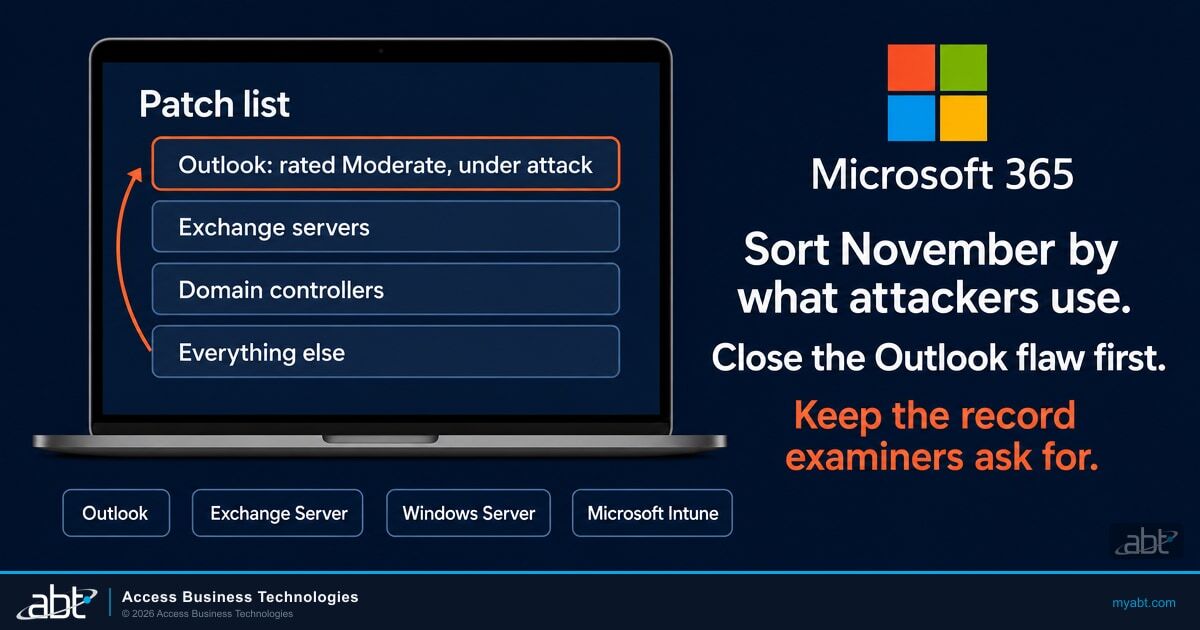
Put the pieces together and November has a clear order. Exploitation status comes first, then the servers an outside email can reach, then the domain controllers, then everything else through your normal process.
Block outbound TCP port 445 at the firewall, then push the November Office build and check every device against Microsoft's list for its channel.
Install the November Windows Server update on every Exchange server running Windows Server 2016, 2019, 2022, or 2025, and KB5133453 on Subscription Edition.
Update domain controllers after a test on one, and add administrator accounts to Protected Users where your applications allow it.
Move the Windows update through your pilot and broad rings, and schedule upgrades for any 23H2 Enterprise or Education device.
Work the remaining CVEs through your normal change process, grouped by the questions they share.
Steps one and two come first. Step three follows within the week. Start the Exchange 2016 or 2019 migration plan alongside step two, because the Windows update covers the operating system underneath and leaves Exchange itself unpatched from here on.
What to put in the record for your board and examiners
An exploited flaw rated Moderate is exactly the case an examiner may ask about: why did this one jump the queue? Four records answer it. Keep the date you blocked outbound port 445, the Office build check for every device, the date each Exchange server took the November Windows Server update, and a dated decision on any Exchange 2016 or 2019 server, whether that's a migration date or a retirement.
That last record matters most. Microsoft has now said in writing that those versions are "permanently vulnerable." A server your institution still runs after that statement needs a written plan with an owner and a date.
Guardian MxDR covers the detection side of the record. It writes an incident report when a threat is detected and resolved, and the monthly Security Insights report rolls those incidents up into a document your examiner can review.

How ABT and Guardian MxDR cover the patch window
ABT has served 750+ financial institutions over 25 years. We're a Tier-1 Microsoft Cloud Solution Provider primarily dedicated to financial services, and we manage our clients' Microsoft 365 tenants under the delegated access they grant. In a month like November, the work splits in two: knowing where every device stands, and watching for a stolen credential while the patch window is open.
November's exploited flaw is rated Moderate, so a patch list sorted by severity would put it near the bottom. The fix is reading exploitation status first, and knowing which of your devices are behind.
The device half of that lives in your Microsoft 365 tenant. Microsoft 365 Guardian configures Intune compliance policies, OS security baselines, and Conditional Access gates. Guardian MxDR watches Intune compliance failures, OS patch status, and unmanaged device access attempts, so a branch PC that missed November's Windows update shows up while there's time to fix it.
Detection matters most while the rollout is under way, because November's exploited flaw starts with an outside file and can end with someone signing in to Microsoft 365 as your user. Guardian MxDR is the managed detection and response side of ABT's Guardian operating model, built on the Microsoft Defender stack your licenses already include, and you choose how far ABT goes.
Guardian Contain detects around the clock and automatically contains what it can, in seconds, including revoking a compromised session. Guardian Respond puts an ABT security engineer on covered incidents during business hours, and Guardian Resolve has a human on the incident at any hour. Your team keeps deploying updates through its own update rings.
ABT's free Microsoft 365 security assessment is the place to start. It reviews Intune enrollment, compliance policies, OS patch levels, and encryption settings across managed and unmanaged devices, plus your Defender for Office 365 settings. Most assessments finish within two weeks, so you can have that baseline before December's Patch Tuesday.
Watch for stolen credentials with Guardian MxDR
Start with a free security assessment of your devices and patch levels. Then talk with ABT about Guardian MxDR: automated detection on your Defender, Entra ID, and Purview signals around the clock, with ABT engineers on covered incidents.
Frequently Asked Questions
Microsoft marks one: CVE-2026-124194, an Outlook spoofing flaw rated Moderate with a CVSS score of 6.5. An attacker sends a crafted file, and when a user opens it in Outlook, Outlook can connect to the attacker's server without the usual warning and expose the user's NTLMv2 password hash.
Microsoft says attackers are already using CVE-2026-124194, and none of November's Critical flaws carry that label. The severity score measures possible impact. Exploitation status measures current attacks. A stolen NTLM hash also opens the door to the domain controller flaws that need an authenticated attacker.
Microsoft says the Preview Pane is not an attack vector for CVE-2026-124194. The user has to open the crafted file. The fix is your channel's November 10 Microsoft 365 Apps build, or Office LTSC 2024 Build 17932.21140 and Office LTSC 2021 Build 14334.21048.
No. The November Exchange update covers Exchange Server Subscription Edition only, and Microsoft says Exchange 2016 and 2019 should be considered permanently vulnerable. Those servers can still install the November Windows Server update for their Windows Server version, which on Windows Server 2016, 2019, 2022, and 2025 fixes the 9.8-rated Windows Search flaw that Exchange attachment indexing can trigger.
CISA's November 24 due date for CVE-2026-124194 binds federal civilian agencies under Binding Operational Directive 26-04. Financial institutions set their own timelines. The Known Exploited Vulnerabilities catalog is still the clearest public list of what attackers use now, so the flaw belongs at the front of any institution's queue.
Block outbound TCP port 445 to the internet at your firewall, as Microsoft recommends. Turn on auditing for outgoing NTLM traffic to see which servers receive NTLM requests. Add administrator accounts to the Protected Users group, where NTLM sign-in fails, after testing that their applications still work. Then watch Defender and Entra ID for unusual sign-ins.
Often the small IT team doing the patching also watches the alerts. ABT's Guardian MxDR adds automated detection on Microsoft Defender, Entra ID, and Purview signals around the clock, with ABT engineers on covered incidents, and watches Intune compliance failures and OS patch status. Your team deploys the update through its own update rings.