In This Article

Your CFO gets an email. It looks like a SharePoint document-sharing notification, the kind that arrives a dozen times a week. The sender address matches your organization's domain. The financial report theme fits the timing. At the bottom, a QR code. He scans it with his phone, logs in, passes the MFA challenge, and the page resolves cleanly. Thirty seconds later, a new authenticator device registers on his Microsoft 365 account. No alert fires. No user is notified. The attacker now holds a persistent credential that will survive the next password reset.
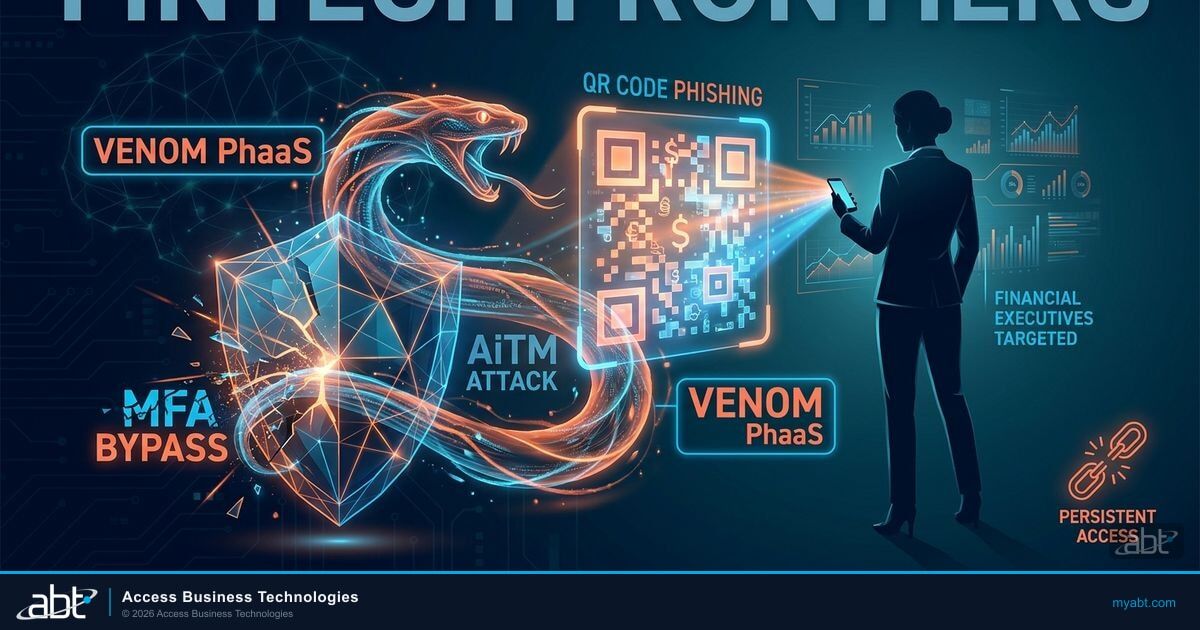
This is not a hypothetical. A phishing-as-a-service platform called VENOM has been running exactly this playbook against C-suite executives across more than 20 industry verticals since November 2025. Abnormal Security documented the campaign in April 2026 after analyzing the backend infrastructure. The platform targets CEOs, CFOs, and VP-level executives by name, not through broad credential-harvesting sprays. Financial institutions are in the target profile. The attack bypasses standard MFA through two separate techniques, and one of them produces tokens that survive a password reset.
What makes VENOM different from the phishing campaigns your team has seen before is the combination: a delivery vector that bypasses image-based email scanners, an adversary-in-the-middle proxy that relays the real Microsoft login in real time, and a persistence mechanism that requires a specific administrative action to clear. Each piece is documented. Each piece has a specific control. This article walks through all of them.
Abnormal Security documented a previously unknown phishing-as-a-service platform, designated VENOM, operating since at least November 2025. The platform targets C-suite executives at organizations across more than 20 industry verticals. Researchers found a licensing and activation model, structured token storage, and a full campaign management interface. VENOM is distributed through a closed-access or invitation-based system, giving it a low public profile despite active use against high-value targets.
Short on time? Why your authenticator app cannot stop VENOM.
VENOM is an adversary-in-the-middle kit that relays SMS codes, push approvals, and authenticator prompts in real time, so Microsoft 365 sees a valid MFA completion. Standard multifactor does not stop it. Here is what actually does.
Watch the 60-second versionWhat Is VENOM?
VENOM is a phishing-as-a-service platform. The distinction matters: this is not a one-off attack by a single threat actor. It is an infrastructure product, built and maintained by a separate party, licensed to operators who run their own campaigns against their own target lists. The VENOM backend handles the credential proxying, token storage, and device registration. The operator supplies the target list and manages the campaign.
Abnormal Security's researchers found no prior documentation of VENOM in public threat intelligence databases and no advertisements on known cybercrime marketplaces. The closed-access distribution model limits exposure and reduces takedown risk. It means VENOM operators are not opportunistic script-kiddies, but vetted actors with specific targets in mind.
The campaign documented by Abnormal ran from November 2025 through March 2026. The targeting is precise: 60 percent of targeted recipients held C-level, President, or Chairman titles. Victims were selected by name, not harvested at random from leaked credential databases. Financial executives, with their authorization over wire transfers, lending decisions, and account access, represent exactly the kind of high-value target this platform was designed for.
| Characteristic | Standard Phishing Campaign | VENOM PhaaS |
|---|---|---|
| Target selection | Broad credential harvest, mass email | Named C-suite targets, by title and name |
| QR code delivery | Image-embedded QR (scannable by email security) | Unicode block characters in <pre> tag (no image to scan) |
| MFA bypass | None (most standard campaigns fail at MFA) | AiTM proxies credentials + MFA codes in real time |
| Persistence | Session cookie theft (expires) | New MFA device registered; device-code tokens survive password reset |
| Detection | Often caught by URL-based safe link scanning | Base64-encoded targets in URL fragments; filtered landing page screens researchers |
| Infrastructure | Single actor, ad hoc | Licensed PhaaS backend; separate operator layer |
| FIDO2 resistance | Varies (some campaigns defeated by FIDO2) | Blocked by FIDO2 (attack chain fails at AiTM proxy stage) |
The QR Code That Email Security Cannot See
Most QR code phishing campaigns embed the code as a PNG or JPEG image inside the email body. Email security platforms, including Defender for Office 365 Safe Attachments, can scan those images, decode the QR, and check the destination URL against reputation feeds. VENOM does not use an image.
Instead, VENOM renders QR codes using Unicode block characters displayed inside an HTML <pre> tag. The result is a QR code that looks identical to the human eye but is, from the email scanner's perspective, plain text. There is no image file to extract, no URL embedded in an image to resolve. The scanner processes the email as a text-heavy message. The QR code passes through.
Why Financial Institution Email Security Misses This
Most enterprise email security tools, including third-party secure email gateways deployed by financial institutions for GLBA and FFIEC compliance, rely on image-based QR code scanning. They extract image attachments and inline images, decode any QR codes found, and check the destination. A QR code rendered entirely from Unicode text characters in a <pre> block does not appear as an image. It is invisible to image-extraction routines. The only mitigation available at the email layer is an email security platform that specifically scans for QR codes in text content, not just image content. Defender for Office 365 Plan 2 added QR-code scanning in Safe Attachments in 2025, but it must be explicitly enabled for inline text-rendered codes.
VENOM adds a second evasion layer beyond the QR technique. Target email addresses are double Base64-encoded and placed in the URL fragment after the hash symbol. URL fragments are never sent to the server in HTTP requests, so server-side URL reputation scanners never see the encoded target address. The filtering backend uses client-side JavaScript to decode the fragment and verify the target, then routes legitimate victims to the credential-harvesting proxy while presenting a generic error to security researchers and automated sandboxes.
The combination of text-rendered QR codes, fragment-encoded targets, and active filtering produces an attack that is, at the email gateway layer, nearly invisible to standard configurations. The QR code arrives. The user scans it. The filtering layer runs. The victim gets the real Microsoft login page. The proxy records everything.
The Attack Chain: From Inbox to Persistent Access
The full attack from email delivery to persistent account control takes under five minutes for a motivated executive who does not pause to verify the request. The chain runs in two variants: an adversary-in-the-middle flow and a device code flow. Both are documented in VENOM's backend infrastructure.

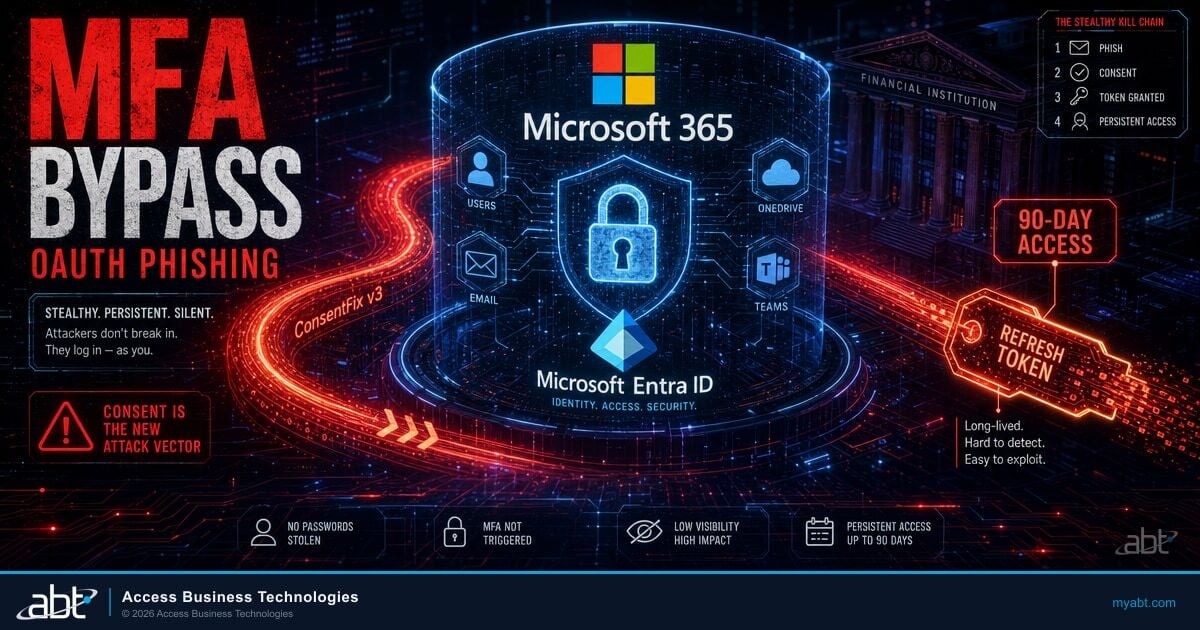
In the device code variant, step 3 through step 5 differ. The victim is presented with a DocuSign-styled notification and directed to enter a device authorization code at a legitimate Microsoft URL. Microsoft authenticates the user and delivers the resulting access and refresh tokens directly to VENOM's polling backend. The attacker receives a token pair without ever touching the credential entry flow. This variant is particularly dangerous for executives who complete Microsoft device authorization requests without scrutiny, since the destination URL is a genuine Microsoft domain.
Why Standard MFA Does Not Stop This Attack
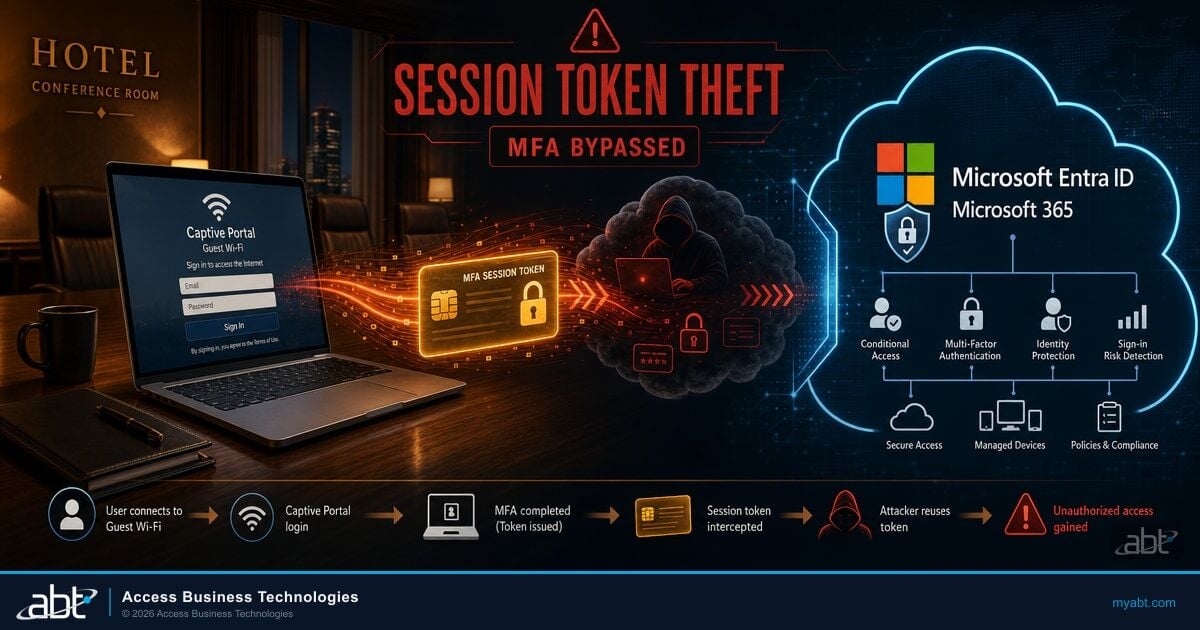
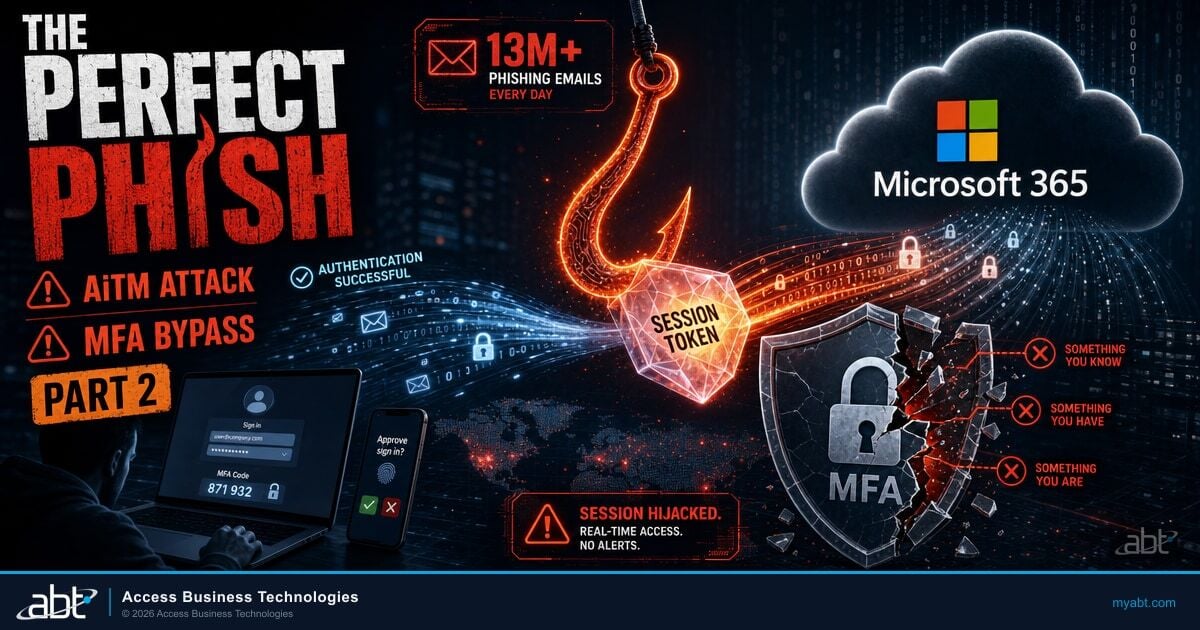
The instinct after reading about VENOM is to check whether MFA is enabled across your executive accounts. That instinct is correct but insufficient. VENOM was specifically designed to operate against MFA-protected accounts. Standard MFA, meaning TOTP authenticator apps and SMS-based one-time codes, is bypassed at step 4 of the AiTM chain. The proxy simply relays the challenge and the response in real time. Microsoft receives a valid MFA completion. The session token is issued. VENOM captures it.
Executive enters password. VENOM proxy relays to Microsoft. MFA push arrives on the executive's phone. Executive approves. VENOM relays approval to Microsoft. Microsoft issues session token. VENOM captures the token and registers a second authenticator. Attack succeeds. Account is compromised with persistent access.
Executive attempts login through the VENOM proxy. Microsoft issues a WebAuthn challenge bound to the origin domain. FIDO2 cryptographically verifies that the relying party is genuinely login.microsoftonline.com, not VENOM's proxy server. The challenge response is mathematically impossible to complete through a proxy relaying traffic from a different domain. Attack fails at authentication.
The targeting numbers confirm why financial institutions need FIDO2 at the executive layer, not just for administrators.
FIDO2 hardware security keys and certificate-based authentication are resistant to VENOM because they bind authentication to the specific origin domain using public-key cryptography. The security key or certificate generates a response that is mathematically tied to login.microsoftonline.com. When VENOM's proxy server attempts to relay this challenge from a different domain, the cryptographic verification fails. The attack chain cannot proceed past the authentication step.
This is not a theoretical resistance. Researchers explicitly document FIDO2 as the defense that defeats VENOM's AiTM technique. Financial institutions that have not yet deployed phishing-resistant MFA for executive accounts are running accounts that VENOM can compromise with a single QR code scan.
Understanding how VENOM attacks relate to other identity threats your institution faces is useful context. The device code phishing campaigns tracked under EvilTokens and similar operations targeting financial institutions share VENOM's device code variant mechanism. VENOM adds the AiTM layer and the closed-access platform model. The Conditional Access control that blocks device code flow (covered in that article) addresses VENOM's device code variant directly.
"We see financial institution executives targeted specifically because of their authorization authority. A compromised CFO account is not about stealing a password. It is about accessing wire transfer approval workflows, loan committee communications, and board-level financial data. VENOM's C-suite targeting pattern reflects exactly that calculus."
Justin Kirsch, CEO, Access Business Technologies
Find Out Where Your Executive Accounts Are Exposed
The Guardian Security Grade assessment maps your Entra configuration against the controls that stop VENOM: FIDO2 policy coverage, Conditional Access completeness, and Entra ID Protection risky sign-in policies. Most financial institution tenants have gaps in at least two of the four critical controls.
The Persistence Problem: What Happens After the Phish
Most incident response playbooks for compromised M365 accounts follow a predictable sequence: reset the password, revoke active sessions, re-enroll MFA, notify the user. That sequence works for credential theft through standard phishing. It does not fully address a VENOM compromise.
When VENOM's AiTM flow completes, the attacker registers a new MFA device on the account, visible in Entra audit logs as a SoftwareTokenActivated event with the display name "NO_DEVICE." This device sits alongside the executive's real authenticator. When the executive's IT team resets the password as part of incident response, the attacker-registered MFA device remains active. The attacker uses their registered authenticator to request a new session, enters the new password (now reset and visible through continued account access), and remains in the account.
Token Theft Survives a Password Reset
In VENOM's device code variant, the stolen refresh token remains valid even after a password reset unless an administrator explicitly navigates to the user's Entra profile and selects "Revoke all sessions." Most incident response runbooks stop at password reset. Microsoft's own documentation notes that session revocation is a separate administrative action from password reset. Financial institutions whose IR procedures do not include explicit session revocation for compromised executive accounts are leaving the attacker's token active through the first round of remediation.
The detection path exists but requires knowing what to look for. In Entra audit logs, a VENOM AiTM compromise produces a registration event for an MFA method immediately following a successful interactive sign-in. The display name "NO_DEVICE" is the specific string Abnormal Security documented. A sign-in from a known user's location, followed within seconds by an MFA device registration from a different IP address, is a strong indicator. Entra ID Protection's risky user policies, when configured for step-up MFA and session revocation on high-risk sign-ins, can interrupt the persistence establishment step.
Reviewing the Copilot-specific implications is also relevant: if the compromised executive account has access to Copilot for Microsoft 365, the attacker inherits that access. An attacker in a CFO's account with Copilot access can query SharePoint for financial models, search email for wire transfer procedures, and summarize board communications. The Copilot data access scope and sensitivity label configuration described in our prompt injection analysis applies here. Restricting Copilot's access to sensitive SharePoint content reduces what an attacker can extract through a compromised executive account.

Four Controls That Block VENOM at Financial Institutions
The specific controls that address VENOM are not hypothetical hardening recommendations. They map directly to the documented attack chain and to the authentication bypass methods VENOM uses. Each control corresponds to a specific failure point in the attack.
Guardian's operating model for financial institutions covers all four. The Entra configuration work and Conditional Access policy review are part of the Guardian operating model. The monitoring and response procedures run through Guardian MxDR. Financial institutions without Guardian in place can implement these controls directly through Entra and Defender for Office 365 administration.
Create a Conditional Access policy requiring FIDO2 hardware keys or certificate-based authentication for all accounts with administrative roles, financial authorization, or board-level access. TOTP and SMS MFA do not block VENOM's AiTM flow. Only phishing-resistant methods (FIDO2, Windows Hello for Business in phishing-resistant mode, or certificate-based auth) prevent the AiTM bypass. Scope this policy to C-suite user groups first, then expand to all Business Premium users over time. Do not scope exclusively to admin roles, since non-admin executive accounts are VENOM's primary targets.
Defender for Office 365 Plan 2 includes QR-code scanning within Safe Attachments policies. Confirm the policy is set to scan both image-based and text-rendered QR codes. Default Safe Attachments configurations in many financial institution tenants scan image attachments but do not have the text-QR detection policy active. This setting blocks VENOM's Unicode QR delivery at the email gateway layer, before the user sees the message. Check the policy in the Microsoft Defender portal under Email and Collaboration, Policies, Safe Attachments.
Create a Conditional Access policy that blocks the OAuth 2.0 device authorization grant flow for all accounts that do not legitimately require device code authentication. Most financial institution employees have no legitimate need for device code flow. The exceptions are Teams Rooms devices, shared kiosks, and printers. Build an allow-list for those specific accounts and block device code flow for everyone else. This removes VENOM's device code variant entirely. The managed Conditional Access policy guidance for blocking device code flow covers this configuration step by step.
Entra ID Protection detects anomalous sign-in patterns, including AiTM-consistent behaviors: sign-ins from unfamiliar locations, token anomaly signals, and impossible travel. Configure the risky sign-in policy to require MFA step-up for medium-risk events and block access for high-risk events. For executive accounts specifically, also enable the "Require password change" action on high-risk user detections. Then add MFA device registration events to your alert policy in Entra so that any new authenticator registration triggers a review. The "NO_DEVICE" SoftwareTokenActivated pattern documented in VENOM is detectable in real time with this monitoring in place.
These four controls are interdependent. FIDO2 stops the AiTM bypass. QR scanning stops the delivery. Device code blocking stops the token variant. Entra ID Protection catches what slips through. Removing any one weakens the others.
How VENOM bypasses MFA at financial institutions, and how to stop it
Microsoft Defender for Office 365 Plan 2 includes specific protections relevant to VENOM: QR-code scanning in Safe Attachments, session anomaly detection in Entra ID Protection, and the risky sign-in policies that trigger on AiTM-consistent patterns. Guardian configures these controls as a baseline across all client tenants under Business Premium. Financial institutions running Microsoft 365 Business Premium with Guardian active have the technical controls in place to detect and block VENOM's delivery and persistence chain. Tenants without these configurations active are relying on standard email filtering and password-only incident response, neither of which addresses VENOM's specific bypass mechanisms.
The Entra ID security assessment framework we use across financial institution tenants specifically checks for FIDO2 policy coverage, device code flow restrictions, and Entra ID Protection policy activation. Those checks were in place before VENOM was documented, because the same Conditional Access architecture that stops VENOM also stops EvilTokens, browser sync attacks, and a dozen other credential theft campaigns. The Entra ID security assessment for financial institutions covers the full baseline posture review that these four controls are part of.
See Whether VENOM Can Reach Your Executives Today
The Guardian Security Grade assessment checks your Entra tenant for the specific configuration gaps VENOM exploits: FIDO2 policy coverage on executive accounts, device code flow restriction status, Entra ID Protection policy activation, and Defender for Office 365 QR scanning configuration. Most financial institution tenants have at least two of these four open. The assessment takes under ten minutes and produces a prioritized control gap report.
Frequently Asked Questions
VENOM is a phishing-as-a-service platform documented by Abnormal Security in April 2026. It has been active since at least November 2025 and targets C-suite executives across more than 20 industry verticals, including financial services. The platform delivers phishing emails impersonating SharePoint document-sharing notifications with QR codes rendered from Unicode text characters instead of images. This technique bypasses standard image-based email security scanning. Financial institution executives are targeted because of their authorization over wire transfers, loan approvals, and access to sensitive financial data. VENOM uses adversary-in-the-middle and device code phishing techniques to bypass standard MFA and establish persistent account access.
VENOM uses an adversary-in-the-middle technique that proxies the real Microsoft login portal in real time. When a victim enters their credentials and completes an MFA challenge, VENOM relays both to Microsoft's live API, captures the authenticated session token, and returns the completed authentication to the victim's browser. Standard MFA methods including TOTP authenticator apps and SMS one-time codes do not stop this attack because the proxy relays the MFA completion in real time. The second technique, device code phishing, tricks victims into authorizing a rogue device at a legitimate Microsoft URL, delivering access and refresh tokens to the attacker. FIDO2 hardware security keys and certificate-based authentication are resistant to both techniques because they bind authentication cryptographically to the specific origin domain.
A password reset alone does not remove VENOM's access. In the adversary-in-the-middle attack variant, VENOM registers an attacker-controlled MFA device on the account during the initial compromise. This device remains active after a password reset. The attacker uses their registered authenticator to complete authentication with the new password. Complete remediation requires three steps: reset the password, explicitly revoke all active sessions in the user's Entra profile, and remove any MFA devices the user does not recognize, particularly any showing the display name "NO_DEVICE" in audit logs. In the device code variant, refresh tokens survive password resets unless an administrator navigates to the user's Entra profile and selects the option to revoke all sessions as a separate administrative action.
Defender for Office 365 Plan 2 can detect and block VENOM phishing emails when the QR-code scanning feature in Safe Attachments is enabled for text-rendered QR codes. Default Safe Attachments configurations in many financial institution tenants scan image attachments but do not have the text-QR detection policy active for Unicode-rendered QR codes. Enabling this policy addresses VENOM's delivery technique at the email gateway layer. Defender's Safe Links scanning also evaluates destination URLs when QR codes are successfully decoded. VENOM also uses URL fragment encoding and filtered landing pages to evade URL reputation checks, which is why the email gateway control is one layer among four, not a complete solution on its own.
A VENOM adversary-in-the-middle compromise produces a specific pattern in Entra audit logs: a successful interactive sign-in for a known user, followed within seconds by an MFA device registration event from a different IP address, with the display name "NO_DEVICE" recorded in the SoftwareTokenActivated event. Look for this combination in Entra audit logs under Identity Protection and Audit Logs. Also review the user's Authentication Methods in Entra to check for any registered authenticator devices the user does not recognize. Entra ID Protection, when configured with risky sign-in policies, can detect AiTM-consistent sign-in patterns in real time and trigger step-up MFA or session block actions before the attacker completes the persistence step.
The four controls that address VENOM require Microsoft 365 Business Premium at minimum, with Entra ID Plan 2 strongly recommended for executive accounts. Microsoft 365 Business Premium includes Defender for Office 365 Plan 1, Entra ID Plan 1 with Conditional Access, and Intune. Adding Entra ID Plan 2 provides the Identity Protection risky sign-in policies and risky user detection that detect AiTM-consistent patterns in real time. The QR-code scanning feature in Safe Attachments requires Defender for Office 365 Plan 2 for text-rendered QR code detection. Financial institutions already on Business Premium can add FIDO2 hardware keys and device code flow blocking without additional licensing. Entra ID Plan 2 is available as a standalone add-on and is part of Microsoft 365 E3 and E5 bundles for larger institutions.