In This Article
- Why Standing Admin Access Is the Examiner's First Question
- What Just-in-Time Admin Access Actually Is
- The Microsoft Entra PIM Architecture: Eligible, Active, and Audited
- Policy, Approval, and the Authentication Strength Question
- The Audit Evidence Purview Produces for Your Examiner
- A Six-Stage Rollout Plan for Banks, Credit Unions, and Mortgage Lenders
- Frequently Asked Questions
Your IT director already knows the answer to the question your examiner is about to ask. How many people in your institution have permanent administrator rights on Microsoft 365? In most financial institutions ABT works with, that number is at least three times larger than it should be, and roughly half the accounts have not used the privilege in the last 90 days. The other half use it constantly, which is the problem your examiner is going to focus on.
Standing administrative access is the single longest-running finding in privileged identity management examinations across the FFIEC member agencies and the NCUA. It is not a new concern. The 2003 GLBA Safeguards Rule, the 2016 FFIEC IT Examination Handbook Information Security booklet, and the 2023 NCUA cybersecurity guidance all expect financial institutions to enforce least privilege, separation of duties, and access reviews. What is new in 2026 is the combination of Microsoft's mandatory MFA enforcement on admin portals, the rise of adversary-in-the-middle phishing kits targeting privileged sessions specifically, and the maturation of just-in-time admin access as a tenant-native control that meets all three regulator concerns simultaneously.
This article explains what just-in-time admin access actually is in Microsoft 365, which Entra licensing tier you need, how Privileged Identity Management implements the eligible-active model, what the Conditional Access policy looks like for activation, what audit trail Purview captures, and the six-stage rollout that produces examination-grade evidence inside a single quarter. The audience is the IT director or CISO at a community bank, credit union, or mortgage company who already runs Microsoft 365 and needs to retire standing admin privileges before the next IT examination cycle.
Why Standing Admin Access Is the Examiner's First Question
Standing administrative access means a user holds elevated permissions continuously, regardless of whether they are currently performing an administrative task. In a typical Microsoft 365 tenant, this looks like an IT manager whose account carries the Global Administrator role 24 hours a day, an Exchange Administrator whose mailbox-management permissions remain active even when she is on vacation, and a former vendor's service account that nobody has touched since the migration project closed in 2023. Each one is an attack surface that exists for no operational reason.
The threat model has two components. The first is credential theft. An attacker who phishes a Global Administrator's session cookie through an adversary-in-the-middle proxy inherits every permission that role carries. With standing access, the attacker has unbounded time to use it. The session is valid until it expires, and if the user authenticates again before noticing the breach, the attacker can extend access through Refresh Token theft. The second component is insider risk. The 2024 DBIR identifies privilege misuse as a top-five action variety in the financial services pattern, and Microsoft's own threat intelligence reporting characterizes privileged-account compromise as the single highest-impact identity event a tenant can experience.
From the examiner's perspective, the question is whether your institution has implemented administrative, technical, and physical safeguards proportional to the sensitivity of the data and the criticality of the systems. The 2003 GLBA Safeguards Rule, revised in 2021 and again in 2023, requires least privilege as part of access controls. The FFIEC IT Examination Handbook Information Security booklet, last refreshed in September 2016, names privileged access management as a board-reportable control. The 2023 NCUA Cybersecurity and Credit Union Resilience Report calls out privileged identity as a sector-wide weakness. The FFIEC's August 2021 interagency authentication guidance does not name JIT specifically but uses the phrase "controls of equivalent strength" to describe the layered approach examiners now expect for privileged access.
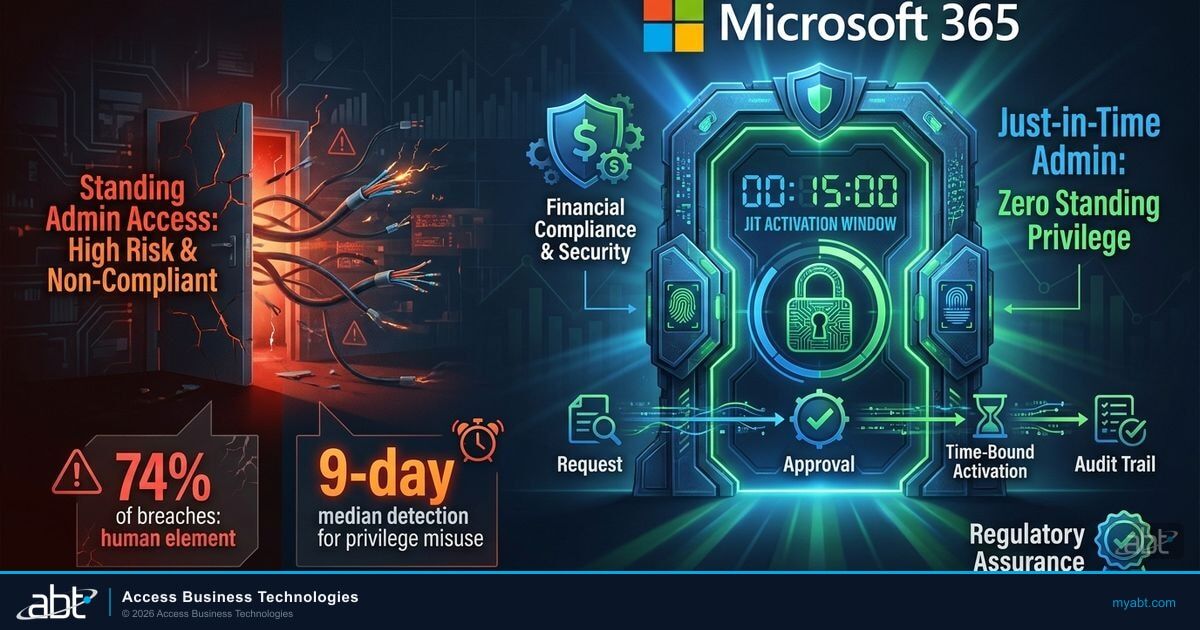
The technical answer regulators are looking for is some form of zero standing privilege. The user holds no active admin role most of the time. When she needs one, she requests it. The request triggers approval, MFA at the moment of elevation, time-bound activation, and an immutable audit record. When the window closes, the privilege automatically revokes. This is the architecture Microsoft Entra Privileged Identity Management provides natively for tenants on the appropriate license, and it is the architecture examiners increasingly cite by name in IT examination working papers.
Why Examiners Care About This Specifically
Privileged identity is the choke point where a single compromised credential can produce tenant-wide consequences. An attacker who steals a service-desk technician's password gets one user's mailbox. An attacker who steals a Global Administrator's session cookie gets your entire Exchange, SharePoint, OneDrive, Teams, and Microsoft Entra ID configuration. Examiners read that asymmetry as a control deficiency unless your privileged accounts are gated by MFA at elevation, approval, time-bound activation, and an immutable audit trail. Zero standing privilege via Microsoft Entra PIM is the control they expect to find.
What Just-in-Time Admin Access Actually Is
Just-in-time admin access replaces a permanent role assignment with two distinct states: eligible and active. The user is eligible for a role indefinitely, but the role is not active. When the user needs the role to perform a task, she requests activation. The activation request can require business justification text, multi-factor authentication at the moment of elevation, and approval from one or more designated reviewers. If granted, the role activates for a configurable window, typically between thirty minutes and eight hours, and then automatically deactivates. The user retains eligibility for the next time she needs the role, but does not retain the active permissions in between.
The model is sometimes called the eligible-active model, sometimes called zero standing privileges, and sometimes called time-bound access. The terminology varies. What does not vary is the operational outcome. At any given moment, the number of accounts with active Global Administrator permissions in your tenant should be measurable in single digits and should correlate with active maintenance windows or scheduled administrative work. Outside those windows, the active count should be zero. Microsoft's own published guidance for enterprise tenants targets exactly this state: limit highly privileged role assignments to fewer than ten standing assignments, and use PIM to make those assignments eligible rather than active.
The distinction between standing access and just-in-time access is not a small configuration change. It is an architectural shift in how the tenant treats elevated permissions. The shift produces three measurable outcomes that map directly to regulatory expectations. First, the attack window for any single privileged credential shrinks from indefinite to a configurable activation window, typically two to four hours. Second, every privilege escalation generates an audit record with a business justification, a timestamp, an approver identity, and the specific scope of the role granted. Third, periodic access reviews can detect and remove eligibility for users who have not activated the role in 90 days, closing the long tail of forgotten admin accounts that accumulate over time.
Standing Admin Privilege
- Role active 24 hours a day, 7 days a week
- No business justification recorded at activation
- MFA only at initial sign-in, not at privilege use
- Attack window measured in months or years
- Quarterly access reviews are paper exercises
- Audit logs show authentication events only
Just-in-Time Admin Privilege
- Role active only during approved activation window
- Business justification mandatory at each activation
- MFA required at the moment of elevation
- Attack window measured in hours, not months
- Access reviews driven by activation telemetry
- Audit logs include request, approval, and use
The mortgage examiner reading FFIEC IT Examination Handbook control AC-6, the credit union examiner reading NCUA AIRES information security questions, and the bank examiner reading OCC Bulletin 2021-36 are all looking at the same question through different framings. They want to see that elevated access is constrained by time, by approval, and by authentication strength. The just-in-time model gives them all three through a single tenant-native architecture.
The Microsoft Entra PIM Architecture: Eligible, Active, and Audited
Microsoft Entra Privileged Identity Management is the just-in-time engine built into Microsoft 365 for tenants licensed at the Entra ID P2 tier or above. PIM manages two distinct categories of assignments: Microsoft Entra roles, which control identity and tenant-management permissions, and Azure resource roles, which control role-based access to Azure subscriptions, resource groups, and individual resources. PIM also extends to group-based access through PIM for Groups, which lets administrators manage Microsoft 365 group memberships through the same eligible-active model, providing JIT access to anything the group permissions touch.
The license requirement is non-trivial. PIM requires either Microsoft Entra ID P2 (formerly Azure AD Premium P2), which is included in Microsoft 365 E5 and the standalone Microsoft Entra ID P2 SKU, or Microsoft Entra ID Governance, which is a separately licensed product that includes PIM along with access reviews, entitlement management, and lifecycle workflows. Tenants on Microsoft 365 E3 or Business Premium do not have PIM by default, and the licensing decision is one of the recurring questions in financial institution rollout planning. The economics are usually clear: even before counting the regulatory exam value, the security improvement from eliminating standing privileges is sufficient to justify Entra ID P2 for the privileged-user subset.
| License Tier | PIM for Entra Roles | PIM for Azure Resources | PIM for Groups | Access Reviews |
|---|---|---|---|---|
| Microsoft 365 Business Premium | Not included | Not included | Not included | Not included |
| Microsoft 365 E3 / Entra ID P1 | Not included | Not included | Not included | Limited |
| Microsoft 365 E5 / Entra ID P2 | Included | Included | Included | Included |
| Microsoft Entra ID Governance | Included | Included | Included | Advanced |
The PIM architecture itself separates assignments into two lifecycle dimensions. The first dimension is permanent versus time-bound, which controls how long the assignment exists. A permanent assignment never expires; a time-bound assignment has a defined end date after which the user is no longer eligible. The second dimension is eligible versus active, which controls whether the user must request activation to use the role. An active assignment means the user holds the role currently; an eligible assignment means the user can request activation. Combining the two dimensions yields four assignment types: permanent eligible, permanent active, time-bound eligible, and time-bound active.
For most privileged identity programs, the target state for human administrators is permanent eligible. The user remains eligible for the role indefinitely, but never holds the role actively without an explicit activation request. For external contractors and project-based access, time-bound eligible is the preferred model: the user is eligible only for the duration of the project, and the eligibility itself expires automatically. Permanent active is reserved for break-glass emergency accounts that must always have the role available, and even those are gated behind FIDO2-only authentication and monitored continuously through Microsoft Sentinel rules.
Microsoft Entra PIM ships with built-in templates for the most common privileged roles, including Global Administrator, Privileged Role Administrator, Security Administrator, Exchange Administrator, SharePoint Administrator, and Conditional Access Administrator. ABT recommends starting every financial institution rollout with the four highest-impact roles, Global Administrator, Privileged Role Administrator, Security Administrator, and Exchange Administrator, because those four cover the majority of tenant-wide privilege exposure and produce examiner-grade audit evidence within the first activation cycle. Adding additional roles afterward is straightforward; getting the first four right is what determines whether the rollout produces clean examination evidence.
Beyond the assignment model, PIM provides three operational capabilities that matter for compliance reporting. The first is the activation request workflow, which records every elevation attempt, the user's business justification, the approver's decision, and the activation duration. The second is the access review feature, which schedules recurring reviews of each privileged role assignment and lets reviewers approve, deny, or remove eligibility based on whether the user still needs the role. The third is the audit history, which exports activation records, role-change events, and access-review outcomes to Microsoft Purview and the unified audit log, where they become part of the institution's regulatory recordkeeping infrastructure for the statutory retention period.

Policy, Approval, and the Authentication Strength Question
The policy layer is where most rollouts stall because the configuration decisions involve trade-offs between security posture and operational friction. The default PIM activation settings allow users to self-activate eligible roles after MFA, without approval, for a default maximum of eight hours. That default is appropriate for low-impact roles like Reports Reader. It is the wrong default for any role that confers tenant-wide configuration authority. The rollout work is the per-role tuning of activation duration, approval requirement, and authentication strength.
For Global Administrator, the recommended activation policy in regulated financial institutions has four characteristics. First, the maximum activation duration is two hours, not eight. Two hours covers virtually any single administrative task and forces re-elevation for sustained work, which improves the audit signal. Second, activation requires approval from at least one designated approver, typically the IT manager or the security officer, with notification to a secondary approver as a control redundancy. Third, MFA at activation is required, and the policy specifies the built-in Phishing-resistant MFA authentication strength rather than the generic MFA strength. Fourth, business justification text is mandatory and is captured in the activation record for retrieval during examinations.
Eligible Assignment
The user is added to the role as eligible rather than active. She can see in the Entra admin center that she is eligible for the role, but the role is not actively present on her token. Until she activates, she has no more permissions than a standard user account.
Activation Request with Business Justification
When the user needs the role, she navigates to PIM in the Entra admin center, selects the eligible role, and submits an activation request. The request includes a free-text business justification field, an activation duration (typically capped at two hours for high-impact roles), and a ticket number reference if integrated with ServiceNow or Jira through PIM's external ticket integration.
MFA at Elevation
Before activation completes, the user must satisfy an MFA challenge. For roles configured with the Phishing-resistant MFA authentication strength, this means FIDO2 security key, Windows Hello for Business, certificate-based authentication, or device-bound passkey. SMS, voice, and push notification do not satisfy this strength, which is a deliberate examiner-friendly configuration choice.
Approval Decision
For roles requiring approval, designated approvers receive an email or Teams notification with the activation request details. They can approve or deny within the Entra admin center or the Microsoft Authenticator mobile app. Approval decisions, including the approver's identity, comments, and decision timestamp, are recorded in the audit log.
Time-Bound Active Role
Upon approval, the role becomes active on the user's account for the requested duration. The user can now perform administrative tasks within the role's scope. The Entra admin center displays the remaining activation time, and the user can request an extension before expiration if the task is still in progress.
Automatic Deactivation and Audit Record
When the activation window expires, the role automatically deactivates. The user returns to eligible-only status. The complete activation record, request, justification, MFA event, approval, activation timestamps, and deactivation timestamp, is written to the Microsoft 365 unified audit log and is available for export to Microsoft Sentinel, Microsoft Purview, or downstream SIEM platforms.
A loan-operations IT manager at a community bank holds the Global Administrator role permanently for "convenience." On a Tuesday morning, she clicks a phishing link in an email that mimics a Microsoft 365 service notification. The adversary-in-the-middle proxy captures her session cookie. The attacker now has Global Administrator access to the tenant for the lifetime of the session, which the legitimate user extends every time she signs back in. By Friday, the attacker has exfiltrated borrower NPI from SharePoint, configured a mail-forwarding rule to a Gmail account, and registered a backdoor service principal with Application.ReadWrite.All permissions.
The same loan-operations IT manager is configured as eligible for Global Administrator through PIM, with a two-hour maximum activation, FIDO2-only MFA at activation, and approval required from the security officer. The phishing attack still steals her session cookie, but the session cookie does not carry the Global Administrator role because the role is not active. The attacker has only the user's standard mailbox-level permissions. When the next activation request fires from the legitimate user, the security officer sees the request on a normal morning and approves it after a brief confirmation. The phishing campaign exfiltrates nothing of regulatory consequence, and the SIEM correlation rule flags the unusual sign-in pattern within minutes.
The approval workflow design is the operational decision that drives whether the rollout sticks. Approvers must respond fast enough that legitimate activation requests do not block productive work, but the approval cannot become a rubber stamp. Most institutions configure two designated approvers per role, with email and Teams notifications, and document an SLA, typically thirty minutes during business hours, with after-hours coverage rotating through the security operations team. PIM supports activation without approval for emergency break-glass scenarios, but those accounts are reserved for genuine outage recovery, are gated behind FIDO2-only authentication, and are continuously monitored through Microsoft Sentinel analytics rules.
The authentication-strength choice is the other design decision that determines whether the rollout produces examiner-grade evidence. The built-in Phishing-resistant MFA authentication strength accepts FIDO2 security keys, Windows Hello for Business, Microsoft Entra certificate-based authentication, and device-bound passkeys registered through Microsoft Authenticator. It does not accept SMS, voice, or push notification. Pairing PIM activation with this authentication strength produces the layered control posture examiners are now reading the 2021 FFIEC equivalent-strength language to require. The ABT Conditional Access policy library includes the named-strength pattern as one of the recommended baselines for any institution implementing PIM. The deeper conditional access conversation continues in the 5 Conditional Access Rules Every Financial Institution Needs companion article, which covers how the named authentication strength sits inside the broader policy framework.
The Audit Evidence Purview Produces for Your Examiner
The audit dimension is what converts just-in-time admin access from a security control into a compliance artifact. Microsoft Purview captures every PIM activation event in the unified audit log with sufficient detail to reconstruct the entire elevation chain. The audit record includes the user identity, the role activated, the request timestamp, the business justification text, the MFA event identifier, the approver identity (if approval was required), the activation duration, the deactivation timestamp, and any actions the user performed during the activation window that fall within Purview audit scope.
Microsoft Purview Audit Standard, included with most Microsoft 365 commercial plans, retains audit logs for 180 days. Microsoft Purview Audit Premium, which requires an E5 license or the Purview Audit (Premium) add-on, retains audit logs for one year by default and can extend retention to ten years with the long-term retention SKU. For financial institutions, the retention question is non-trivial: the OCC, FDIC, NCUA, and FTC Safeguards Rule all have multi-year recordkeeping expectations for security-relevant events, and most examiners reading control AC-6 are comfortable with audit retention of one year as a baseline and three to five years as best practice.
The audit log integrates with Microsoft Sentinel for real-time security monitoring. A standard Sentinel analytics rule for PIM activations watches for high-risk patterns: activation outside business hours, activation by a user who has not activated the role in 90 days, activation accompanied by sign-in from an unfamiliar geographic location, or activation followed by sensitive-resource access. The Sentinel rule generates an incident that the security operations team can investigate within minutes, providing the detective control layer that pairs with PIM's preventive control. For institutions without Sentinel, the same telemetry exports to third-party SIEM platforms through the Microsoft Graph activity logs API or through the unified audit log search and export functions.
The board reporting dimension matters because privileged identity management is a topic examiners increasingly expect to see in board IT-risk reports. The PIM access review feature produces quarterly reports showing the number of eligible role assignments, the number of activations during the period, the number of users who never activated, and the access-review outcomes. ABT's standard board-reportable pack for financial institutions includes a PIM activation summary, an access-review outcome summary, and a Sentinel incident summary for any privileged-identity alerts. The combination provides the documentation examiners read as evidence that the institution has operationalized privileged access management rather than treating it as a paper policy.
What the Audit Trail Actually Proves
The Purview audit log produced by PIM activations does three things examiners care about. It demonstrates that privileged access is constrained by approval and time, not held continuously. It demonstrates that MFA is enforced at the moment of elevation, not just at initial sign-in. And it demonstrates that the institution has the technical evidence to reconstruct any privileged action after the fact, with the user, justification, approver, and scope all preserved. Those three demonstrations are what convert a privileged identity management policy on paper into an operational control that survives an IT examination.
A Six-Stage Rollout Plan for Banks, Credit Unions, and Mortgage Lenders
The rollout sequence ABT runs for financial institutions has six stages, with the first three producing examination-grade evidence within a single quarter and the remaining three extending the program to the broader privileged user base. The sequencing matters because the early stages must demonstrate the control to internal stakeholders and produce audit evidence the IT director can show in board reports, before the operational scope expands to roles that touch larger portions of the workforce.
Enumerate every standing assignment for high-impact roles. Document who, why, and last-used date.
Move Global Admin, Privileged Role Admin, Security Admin, Exchange Admin to eligible-only assignments in PIM.
Configure activation policies: 2-hour cap, approval required, Phishing-resistant MFA strength, justification mandatory.
Extend PIM to SharePoint Admin, Conditional Access Admin, Authentication Admin, Application Admin, and Intune Admin.
Activate quarterly access reviews; remove eligibility for users with zero activations in 90 days.
Stage 1 is the inventory. The IT director runs the PIM eligible-assignment report and the Microsoft Graph PrivilegedAccess API query to enumerate every account with high-impact role assignments. The output is a spreadsheet with one row per assignment, columns for user identity, role, assignment type (active or eligible), assignment scope, last-used date from sign-in logs, and a business-justification column the IT director fills in with the operational reason for the assignment. The inventory typically reveals between two and five times more privileged assignments than the institution's documented IT roster would suggest, which is itself a finding worth recording.
Stage 2 is the conversion. The IT director moves each of the four highest-impact roles, Global Administrator, Privileged Role Administrator, Security Administrator, Exchange Administrator, from active to eligible. The conversion itself takes minutes per role. The harder work is the user communication: each administrator needs to understand that her workflow now includes a brief activation request, that she will be prompted for MFA at activation rather than just at sign-in, and that the activation will be visible to the security officer. Most institutions schedule the conversion alongside a 30-minute change-management briefing for the affected administrators.
Stage 3 is the enforcement. The activation policy for each converted role is tuned to the institution's threat tolerance. ABT's baseline for community bank and credit union privileged roles is a two-hour activation cap, approval from a designated security officer, MFA at activation through the Phishing-resistant MFA authentication strength, and business justification text that minimum-length-validates to at least thirty characters. The policy is configured first in audit-only mode for one week to surface any operational friction, then enforced. By the end of Stage 3, the institution has working examination evidence: PIM activation records for every elevation, with justification, approval, and MFA event correlation, all writing to the Purview audit log.
Stage 4 extends PIM to the next tier of administrative roles: SharePoint Administrator, Conditional Access Administrator, Authentication Administrator, Application Administrator, and Intune Administrator. These roles are typically held by a wider set of users than the top four, application administrators may include vendor-managed integration accounts, for example, and the configuration decisions require coordination with the application owners. Stage 4 typically runs over the second quarter of the rollout.
Stage 5 activates quarterly access reviews. The PIM access review feature schedules an automated review for each role, sends notifications to the role's designated reviewer (typically the security officer), and prompts the reviewer to confirm or remove each user's eligibility. The reviewer can also approve eligibility for an additional review cycle, deny it, or escalate to a secondary reviewer. Access-review outcomes are written to the audit log and appear in the next examination evidence pack. The review cadence converts privileged-identity hygiene from a periodic project into a continuous operational process.
Stage 6 is the extension to Azure resource roles for institutions running workloads in Azure subscriptions. PIM for Azure resources applies the same eligible-active model to Owner, Contributor, User Access Administrator, and Network Contributor roles at the subscription, resource group, or individual resource scope. The configuration patterns mirror Stages 2 and 3, but the scope decisions are more granular because Azure subscriptions often serve mixed-purpose workloads. The deeper Azure security conversation continues in the The Moat Is Gone companion article, which covers how identity-aware access decisions extend across the Microsoft cloud surface.
For institutions that have already implemented Conditional Access at the Microsoft 365 tenant level, integrating PIM is incremental rather than greenfield. The Phishing-resistant MFA authentication strength becomes one of the grant controls applied to admin-portal access, and the PIM activation policies reference the same authentication-strength definition rather than maintaining a parallel MFA configuration. For institutions that have not yet operationalized Conditional Access, the PIM rollout often becomes the on-ramp to a broader identity-aware access program, because the privileged-account work surfaces the policy patterns that scale to the standard-user population. The cross-link to the Phishing-Resistant MFA for Financial Institutions playbook covers the authentication-strength foundation that PIM activation depends on.
Build the PIM rollout against ABT's Microsoft 365 operating model
ABT manages Microsoft 365 tenants for more than 750 banks, credit unions, and mortgage companies. The PIM rollout is one of the standard programs in the Guardian operating model, paired with Conditional Access, Phishing-resistant MFA, and Microsoft Sentinel telemetry. Talk to an expert to scope your institution's path to zero standing privileges.
Frequently Asked Questions
Just-in-time admin access replaces a permanent role assignment with two states: eligible and active. The user is eligible for the role indefinitely, but the role is not active on her account. When she needs the role to perform a task, she requests activation. The activation request can require business justification, multi-factor authentication at the moment of elevation, and approval from a designated reviewer. If granted, the role activates for a configurable window, typically two to four hours, and then automatically deactivates. By contrast, a standing admin privilege is active continuously, regardless of whether the user is performing administrative work. The just-in-time model reduces the attack window from indefinite to hours and produces an immutable audit record of every elevation.
Microsoft Entra Privileged Identity Management requires either a Microsoft Entra ID P2 license, included in Microsoft 365 E5 and available as a standalone SKU, or a Microsoft Entra ID Governance license, which is a separately purchased product that includes PIM along with access reviews, entitlement management, and lifecycle workflows. Microsoft 365 Business Premium and Microsoft 365 E3 do not include PIM. The licensing decision is typically scoped to the privileged-user subset rather than the full tenant, because the regulatory and security value of PIM is concentrated in the elevated-access population. ABT's deployment programs include the licensing-comparison analysis as part of the initial PIM rollout planning.
The GLBA Safeguards Rule, the FFIEC IT Examination Handbook Information Security booklet, OCC Bulletin 2021-36, NCUA cybersecurity guidance, the FTC Safeguards Rule (16 CFR Part 314), and SOX Section 404 internal control requirements all require or strongly encourage least-privilege access controls, approval-based privilege grants, and audit logging of privileged actions. None of these frameworks name Microsoft Entra PIM specifically. What they require is the control posture that PIM produces: time-bound elevation, approval workflow, MFA at activation, and an audit trail showing who held what privilege when. Just-in-time admin access via Entra PIM is the tenant-native implementation of that control posture for institutions running Microsoft 365, and examiners increasingly reference the architecture by name in IT examination working papers.
Microsoft Purview Audit Standard, included with most Microsoft 365 commercial plans, retains audit logs for 180 days. Microsoft Purview Audit Premium, which requires an E5 license or the Purview Audit (Premium) add-on, retains audit logs for one year by default. The long-term retention SKU extends retention to ten years for institutions with multi-year recordkeeping requirements. For financial institutions, the baseline expectation among bank and credit union examiners is one year of audit retention, with three to five years preferred for privileged-identity events. The retention configuration is set per audit log mailbox, and the configuration is itself an audit-relevant artifact that examiners may request during IT examinations.
PIM does not require Phishing-resistant MFA by default. The default activation policy requires MFA but accepts SMS, voice, push notification, or one-time-passcode methods. The Phishing-resistant strength is an opt-in configuration that the institution must explicitly enable on each role's activation policy. ABT recommends configuring the Phishing-resistant MFA authentication strength on every PIM activation policy for high-impact roles because the combination of time-bound activation and phishing-resistant authentication produces the layered control posture examiners are reading the 2021 FFIEC interagency authentication guidance to require for privileged access. The Phishing-resistant MFA strength accepts FIDO2 security keys, Windows Hello for Business, certificate-based authentication, and device-bound passkeys.
The realistic timeline depends on the institution's existing identity posture. Institutions that already run Conditional Access, have Microsoft 365 E5 or Entra ID P2 licensing in place, and have a documented privileged-user roster can complete Stages 1 through 3 of the rollout, inventory, conversion of the top four roles, and activation-policy enforcement, within four to six weeks. Stage 4, which expands PIM to the next tier of roles, typically runs across the following quarter. Stages 5 and 6, covering access reviews and Azure resource roles, become continuous operational processes rather than time-bound projects. Institutions starting from a less mature baseline, without Conditional Access, without E5 licensing, without a documented privileged-user roster, typically run the full rollout over two quarters, with the licensing decision adding lead time at the front of the project.