In This Article
- What Microsoft changed about Teams licensing on April 1, 2024
- The real Teams price landscape for financial institutions in May 2026
- Bundled vs unbundled: when to renew Teams inside E3 or E5, and when to split
- Microsoft Teams Phone for banks, credit unions, and mortgage companies
- Teams Premium and Teams Enterprise: what the April 2026 feature shift changed
- The Microsoft 365 retention and audit controls examiners expect
- A practical sizing model for a 100-seat financial institution
- Frequently Asked Questions
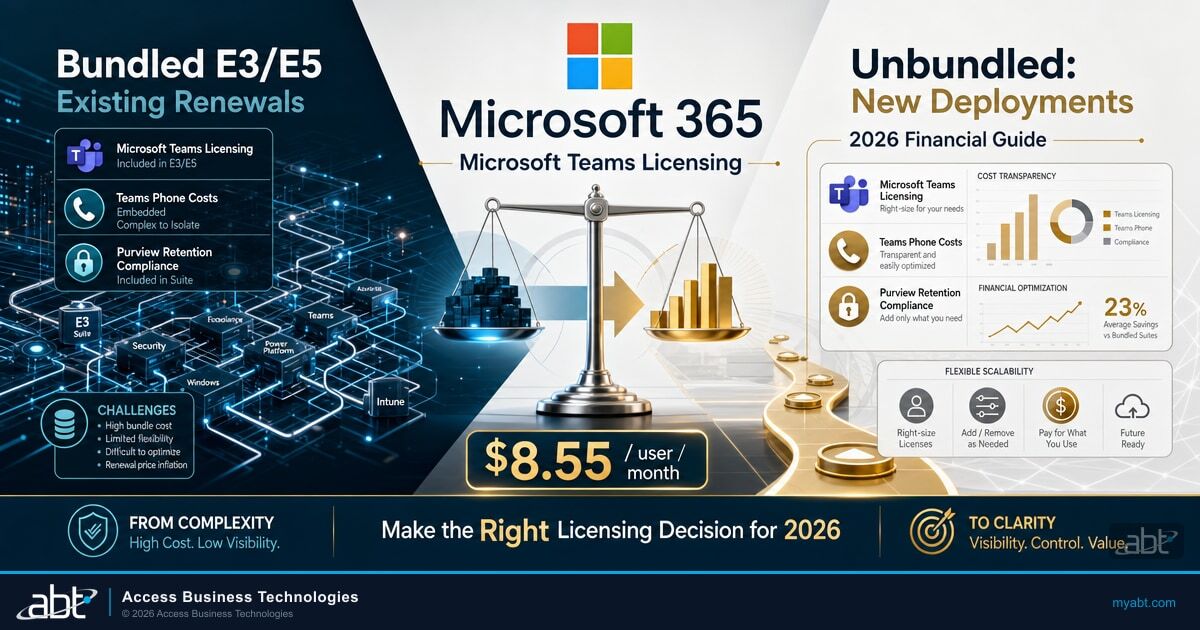
If your institution is approaching its Microsoft 365 renewal, Microsoft Teams is no longer the line item it used to be. The simple math that said Teams was free with E3 or E5 was rewritten on April 1, 2024, when Microsoft unbundled Teams from the worldwide Enterprise commercial SKUs. New customers can no longer buy Microsoft 365 E3, Microsoft 365 E5, or Office 365 E1, E3, or E5 with Teams included. Existing customers can keep renewing the bundled versions, but the renewal math is no longer obvious. The same is true on the small business side, where Microsoft 365 Business Basic, Standard, and Premium now ship in two flavors, one with Teams and one without.
For banks, credit unions, and mortgage companies, this is not a cosmetic change. Teams sits in the middle of three regulated workflows: loan officer client communication, deposit account servicing, and any examiner interaction that touches video, chat, or call recording. Every dollar a financial institution spends on Teams above the floor price is paying for an add-on with a defined regulatory or productivity payoff, and every dollar of bundled Teams pricing that no longer fits the institution's actual usage is overhead the CFO can claw back at the next renewal.
This article walks through what Microsoft actually charges for Teams in May 2026, where the bundled-vs-unbundled break-even sits for a financial institution at 50, 100, or 250 seats, what Teams Phone really costs once Public Switched Telephone Network connectivity is included, what changed inside Teams Premium versus Teams Enterprise on April 1, 2026, and how Microsoft Purview retention policies satisfy the Federal Financial Institutions Examination Council Information Security Booklet expectation for electronic communications retention. The numbers are all sourced from Microsoft's own published commercial pricing pages as of May 2026.
The licensing decision is straightforward once each line item is on the table. The hard part is that Microsoft's commercial pricing pages, the Microsoft Teams add-on licensing documentation, and the Microsoft Learn Audio Conferencing guidance all live on different pages. None of them are written specifically for a $1 billion community bank, a 60,000-member credit union, or a 200-loan-officer mortgage company. The point of this article is to assemble those pieces into a single sizing model an IT director can take to a renewal meeting.
TL;DR
As of May 2026, Microsoft sells Microsoft Teams in three layers: a base license that comes either bundled inside Microsoft 365 or as a standalone Microsoft Teams Enterprise SKU; add-on Teams Phone licenses ranging from $10.00 per user per month for PBX-only to $34.00 per user per month for domestic and international calling; and Teams Premium at $10.00 per user per month for advanced meeting protection, AI-driven recap, and the Queues app. New financial institution customers cannot buy bundled Teams inside Microsoft 365 Enterprise plans, but most banks, credit unions, and mortgage companies are still on legacy bundled subscriptions that can be renewed indefinitely. The renewal decision depends on three numbers: how many seats actively use Teams every month, whether the institution needs Public Switched Telephone Network calling, and whether examiners are likely to look at Teams retention configuration during the next FFIEC, OCC, FDIC, or NCUA exam cycle.
What Microsoft changed about Teams licensing on April 1, 2024
Before April 2024, Microsoft 365 E3 and E5 came with Teams included, and the only customers who saw a "with Teams" versus "no Teams" choice were European Economic Area and Switzerland customers, who had been offered the unbundled SKUs since October 1, 2023 under European Commission antitrust pressure. On April 1, 2024, Microsoft extended the same change to the rest of the world. The Microsoft Teams add-on licensing documentation on Microsoft Learn states the policy explicitly:
Starting April 1, 2024, all new Enterprise customers who wish to provide workers with both Microsoft Teams and the value in existing Microsoft 365 or Office 365 Enterprise suites (E1, E3, E5) will need to purchase two SKUs: one E1, E3, or E5 (no Teams) suite and one Teams standalone (Microsoft Teams Enterprise or Microsoft Teams EEA).
Four facts inside that paragraph matter for any financial institution renewing in 2026.
First, the change only applies to new Enterprise customers. Existing customers who already had bundled E1, E3, or E5 with Teams before April 1, 2024 can continue to renew, upgrade, or otherwise adjust those subscriptions just like before. The bundled SKU price still appears on Microsoft's published pricing pages, and ABT's renewal team can confirm in writing whether an institution's current tenant qualifies as a legacy bundled customer.
Second, the change applies only to the Enterprise tier. Microsoft 365 Business Basic, Business Standard, and Business Premium (up to 300 users) and the Microsoft 365 Frontline F1 and F3 worker suites are still sold in both flavors, with and without Teams. A 250-seat community bank that runs Microsoft 365 Business Premium can choose either path at any renewal, with no legacy-customer exception required.
Third, the unbundling does not affect Microsoft 365 admin licensing for Teams meeting attendees. Anyone with an Office 365 or Microsoft 365 license that includes Teams (legacy bundled) or with a separate Teams Enterprise add-on can host and attend Teams meetings. External attendees joining from outside the tenant do not need any Microsoft license at all.
Fourth, the bundled "with Teams" SKU is more expensive than the unbundled "no Teams" SKU plus a separate Teams Enterprise license at every Enterprise tier. The math below shows why most financial institutions on legacy bundled subscriptions are still better off renewing the bundle than switching to the unbundled path, while new financial institution deployments have to start from the unbundled side regardless.
If your renewal arrives in 2026 or later
Microsoft will offer two paths at renewal time. Path one keeps the legacy bundled subscription on a like-for-like renewal at the published "with Teams" price. Path two splits the renewal into a "no Teams" base plus a separate Microsoft Teams Enterprise license. A Tier-1 Microsoft Cloud Solution Provider can model both paths against the institution's actual Teams usage in the Microsoft 365 admin center reports before the renewal is signed. The wrong answer for most legacy bundled customers is the unbundled split, because the bundled price is lower at all four Enterprise tiers in May 2026.
The real Teams price landscape for financial institutions in May 2026
Microsoft publishes commercial pricing on three separate web pages: the Microsoft 365 Business plan comparison, the Office 365 Enterprise plan comparison, and the Microsoft 365 Enterprise plans and pricing page. The Microsoft Teams page lists the standalone and add-on prices. Putting all four pages together gives the full picture for a bank, credit union, or mortgage company in May 2026, paid on annual commitment terms:
| Plan | With Teams | Without Teams | Teams Upcharge |
|---|---|---|---|
| Microsoft 365 Business Basic | $6.00 / user / mo | $4.40 / user / mo | $1.60 |
| Microsoft 365 Business Standard | $12.50 / user / mo | $9.29 / user / mo | $3.21 |
| Office 365 E1 | $10.00 / user / mo | $6.79 / user / mo | $3.21 |
| Office 365 E3 | $23.00 / user / mo | $14.45 / user / mo | $8.55 |
| Office 365 E5 | $38.00 / user / mo | $29.45 / user / mo | $8.55 |
| Microsoft 365 E3 | $36.00 / user / mo | $27.45 / user / mo | $8.55 |
| Microsoft 365 E5 | $57.00 / user / mo | $48.45 / user / mo | $8.55 |
The Teams upcharge inside the bundled SKU is $8.55 per user per month at all four Enterprise tiers (Office 365 E3, Office 365 E5, Microsoft 365 E3, Microsoft 365 E5). On the small business side, the upcharge is smaller: $1.60 for Business Basic and $3.21 for Business Standard. Microsoft 365 Business Premium also publishes a "with Teams" and "no Teams" variant; the differential follows the same low-single-digit pattern as Business Standard.
Now compare those numbers against the cost of building the same configuration from the unbundled path. A new customer who wants a Microsoft 365 E3 license plus Teams has to buy two SKUs: Microsoft 365 E3 (no Teams) at $27.45 and Microsoft Teams Enterprise at a per-user list price that, at the published Microsoft commercial pricing on May 14, 2026, lands at roughly $5.25 per user per month for the worldwide standalone SKU. The combined unbundled cost is therefore approximately $32.70 per user per month, compared with the legacy bundled price of $36.00. The unbundled path is cheaper than the legacy bundle, which is the reason new customers were moved to it. Existing legacy bundled customers do not see this lower combined price on a like-for-like renewal, because the bundled SKU is renewed at its bundled list price.
The implication for a financial institution renewing in 2026 is that a switch from a legacy bundled E3 subscription to an unbundled "no Teams" E3 plus separate Teams Enterprise license can save between $3 and $4 per user per month, depending on the Microsoft Cloud Solution Provider's negotiated rate. For a 100-seat institution, that is $3,600 to $4,800 per year. For a 250-seat institution, $9,000 to $12,000 per year. The work involved is real, however, because the unbundled split requires reissuing every user a new pair of licenses, and Microsoft's tenant tooling does not automatically remap entitlements. A Tier-1 Microsoft Cloud Solution Provider can do the mapping and timing for the institution, but the institution should understand the cash-flow trade-off going in.
The hidden cost of switching legacy customers to the unbundled path
Microsoft's "no Teams" SKUs are only sold in volume tiers that match the original bundled SKU exactly. If your bank or credit union is on an Enterprise Agreement, the switch typically waits for a renewal anniversary. Mid-term changes are possible but trigger an enrollment amendment, which requires a Microsoft account team signature in addition to your reseller. For institutions on the simpler Microsoft Customer Agreement or Cloud Solution Provider channel, the change is faster but still requires reassigning every user the new pair of licenses. Most financial institutions schedule the switch for their renewal month so the change happens once and the cost-tracking ledger lines up cleanly.
Bundled vs unbundled: when to renew Teams inside E3 or E5, and when to split
The bundled-versus-unbundled question is not actually a Teams question. It is a renewal-channel question, because the savings only exist if the institution can take advantage of the lower unbundled list price. Three scenarios cover almost every financial institution in 2026.
The 50-seat credit union on Microsoft 365 Business Premium
A 50-seat credit union typically licenses Microsoft 365 Business Premium because it is the only Business-tier plan that includes Microsoft Defender for Business and Microsoft Intune. Business Premium ships in both "with Teams" and "no Teams" variants, with a Teams upcharge that is small in absolute terms. At this size, the cost of the Microsoft Cloud Solution Provider's time to move every user to the unbundled split usually exceeds the annual savings. Stay bundled.
The 100-to-250-seat community bank on Microsoft 365 E3
This is the segment where the unbundled split is most likely to be worth the work. At 100 seats, $8.55 per user per month is $10,260 per year. At 250 seats, $25,650. After subtracting the price of the standalone Microsoft Teams Enterprise license, the net annual savings is in the $3,000 to $12,000 range, which justifies a one-time provisioning effort at most institutions. The right question to ask the Microsoft Cloud Solution Provider is whether the institution can keep its existing bundled E3 subscription through the current renewal term and switch only at renewal time, so no mid-term enrollment amendment is required.
The 300-plus seat mortgage company on Microsoft 365 E5
At Microsoft 365 E5 list price ($57.00 per user per month bundled, $48.45 unbundled, plus Teams Enterprise standalone), the $8.55 per user per month delta translates into roughly $30,800 of annual savings for a 300-seat institution. The complication is that Microsoft 365 E5 includes Audio Conferencing as part of the bundle. If the institution unbundles to no-Teams E5 plus standalone Teams Enterprise, the institution loses that bundled Audio Conferencing entitlement and must add it back as a separate add-on at standalone list price. A Tier-1 Microsoft Cloud Solution Provider can model the round-trip cost: in most E5 cases, the savings still exceed the Audio Conferencing add-back, but the margin is narrower than at the E3 tier, and the institution should walk through the actual usage profile before signing the change.
Microsoft 365 E5 includes Audio Conferencing, E1 and E3 do not
The Microsoft Teams add-on licensing documentation on Microsoft Learn says it explicitly: "After purchasing a Microsoft 365 or Office 365 subscription, if you select either a Microsoft 365 or Office 365 E1 or E3 subscription, you'll still need to buy a separate Audio Conferencing license. An Audio Conferencing license is already included in the E5 subscription." Audio Conferencing is what lets an external attendee dial in to a Teams meeting using a phone number. For a financial institution that runs board meetings with directors who occasionally join from a car or a hotel, this is a meaningful Microsoft 365 E5 inclusion. Audio Conferencing is not Teams Phone, however; it does not give the institution's own users PBX-style telephony.

Microsoft Teams Phone for banks, credit unions, and mortgage companies
Microsoft 365 plans, with or without Teams, do not include Teams Phone. Teams Phone is a separate add-on license that turns Teams into the institution's hosted Private Branch Exchange (PBX), with cloud voicemail, call forwarding, call transfer, auto attendants, call queues, caller ID, and the ability to make and receive calls to and from external phone numbers. Most banks, credit unions, and mortgage companies that adopt Teams Phone are replacing an aging on-premises PBX or migrating off a third-party hosted Voice over Internet Protocol provider.
Microsoft sells Teams Phone in two architectures: with Microsoft as the Public Switched Telephone Network carrier (the Microsoft Calling Plans path), or with the institution's existing carrier handling the Public Switched Telephone Network leg (the Operator Connect, Direct Routing, Teams Phone Mobile, or Shared Calling paths). Both architectures require a Teams Phone Standard license at the user level.
Teams Phone Standard ($10.00 / user / mo)
The user-level Teams Phone license that enables PBX functionality. Required regardless of which Public Switched Telephone Network architecture you choose. Pairs with a separate Public Switched Telephone Network connectivity option (Operator Connect, Direct Routing, Teams Phone Mobile, or a Microsoft Calling Plan add-on).
Teams Phone with Pay-as-You-Go Calling US Zone 1 ($13.00 / user / mo)
Teams Phone Standard plus a metered Microsoft Calling Plan with no included minutes. Outbound calls are billed at Microsoft's per-minute rates against Communication Credits prefunded at the tenant level. Useful for branches with very low outbound call volume.
Teams Phone with Calling Plan US Zone 1 ($17.00 / user / mo)
Teams Phone Standard plus a Microsoft Calling Plan that includes a pooled allotment of domestic minutes. The most common bundle for banks, credit unions, and mortgage companies that want Microsoft to handle both PBX and Public Switched Telephone Network connectivity with a single bill.
Teams Phone with Domestic and International Calling ($34.00 / user / mo)
Teams Phone Standard plus a Microsoft Calling Plan that includes domestic and international minutes. Suitable for institutions with international correspondents or business borrowers; rarely cost-effective for a community bank or single-state credit union.
For most financial institutions, the practical question is whether to stay with the incumbent carrier through Operator Connect or Direct Routing, or to consolidate on Microsoft Calling Plans. The Microsoft Cloud Solution Provider can quote both paths. The Operator Connect path keeps the institution's existing phone numbers, billing relationship, and emergency-services configuration in place; the Microsoft Calling Plan path consolidates onto a single Microsoft monthly invoice and simplifies provisioning. Neither path is universally better; the trade-off depends on the institution's existing carrier contract, the geographic spread of branches, and whether the institution wants Microsoft to be the responsible party for 911 routing.
Institution currently runs a Cisco hosted PBX through a regional telecom carrier. Each branch has a small block of direct inward dial numbers (typically 10 to 30 per branch), and the carrier handles all 911 routing.
Operator Connect from the same regional carrier (or a Microsoft Operator Connect partner) plus Teams Phone Standard at $10.00 per user per month for the 80-or-so users who actually need a direct phone number (loan officers, branch managers, and customer service). Keeps the existing carrier relationship and phone numbers. The remaining 100 users use Teams for internal meetings and chat only, no Teams Phone license assigned. Monthly Teams Phone Standard cost: $800 for 80 users. Compared with Microsoft Calling Plan US Zone 1 at $17.00 per user, the savings is roughly $560 per month, plus the institution avoids the Public Switched Telephone Network porting work.
The other Teams Phone surface that frequently surprises financial institutions is the Queues app. Microsoft's Queues app provides call queue and auto attendant management inside Teams, with real-time and historical reporting for inbound call traffic. For a community bank's loan servicing desk or a credit union's member services queue, Queues is genuinely useful. The Queues app requires both a Teams Phone license and a Teams Premium license, however. Institutions that run inbound call queues should plan to license both at the Teams Phone user level.
Get a Teams licensing audit before your renewal
ABT's licensing team reviews the institution's current Microsoft 365 entitlements, active Teams usage in the Microsoft 365 admin center, and the bundled-versus-unbundled break-even for the next renewal. We model both paths against the actual seat count and Teams Phone need, so the CFO sees the cash flow before the renewal is signed.
Teams Premium and Teams Enterprise: what the April 2026 feature shift changed
Effective April 1, 2026, Microsoft moved a set of features that had previously been exclusive to Teams Premium into the base Teams Enterprise license. The Microsoft Teams Premium licensing page on Microsoft Learn states the change clearly:
"As of April 1, 2026, some features that were previously only available with Teams Premium are now included with Teams Enterprise. Teams Premium continues to offer advanced meeting protection, advanced communication (like the Queues app), branding and personalization, and intelligence capabilities. Customers who purchased Teams Premium licenses before April 1, 2026 will continue to have access to all the previously included Teams Premium features and product experiences included with these licenses until they expire."
Translating that update into practical guidance for a financial institution: the base Teams license inside an existing Microsoft 365 or Office 365 subscription now does more than it did six months ago, and the question of whether a particular user needs the $10.00-per-user-per-month Teams Premium add-on has narrowed to four real categories.
For users outside those four categories, Teams Enterprise (the base license) now covers enough functionality that Teams Premium is hard to justify. The institution can run a Teams Premium trial license for 25 users for 30 days from the Microsoft 365 admin center to confirm whether any of the four use cases applies before paying for production licenses.
Teams Rooms Pro is a separate $40.00 per room per month license that applies to conference-room hardware, not to user accounts. Banks and credit unions with managed conference rooms (typically branch boardrooms or executive meeting spaces) license Teams Rooms Pro per room. The Teams Premium and Teams Rooms Pro licenses do not overlap, do not conflict, and are not dependent on each other.

The Microsoft 365 retention and audit controls examiners expect
Federal banking regulators have not published a Microsoft Teams retention rule. The Federal Financial Institutions Examination Council Information Technology Examination Handbook, the Office of the Comptroller of the Currency's Interagency Guidelines Establishing Standards for Safeguarding Customer Information (12 CFR Part 30, Appendix B), and the National Credit Union Administration's parallel guidelines (12 CFR Part 748, Appendix A) all require risk-based retention of electronic records and audit trails, but none of them name Teams specifically.
That gap puts the burden on the institution to make a defensible retention decision and configure Microsoft 365 to enforce it. Microsoft Purview retention policies are the canonical control. A Purview policy applied to the Teams workload sets per-message retention windows for chats, channel messages, and meeting recordings, overriding the default Teams chat retention period and surviving the user-side delete action.
Most banks, credit unions, and mortgage companies set a Teams chat retention window of three to seven years, matching the institution's existing email retention policy and the SEC 17a-4(b)(4) and FINRA 4511 requirements that apply to broker-dealer subsidiaries.
In the Microsoft Purview portal, create separate retention policies for Teams chats, Teams channel messages, Teams meeting recordings, and Teams call recordings. Apply the policy to the entire tenant, or scope to specific user groups (loan officers, mortgage processors, branch managers) where regulatory exposure is highest.
The default audit log retention is 180 days. Microsoft 365 E5 and the Microsoft Purview Audit Premium add-on extend retention to one year by default and up to 10 years on demand. The FFIEC Information Security Booklet's Audit and Record Retention guidance expects the institution to retain audit trails for periods sufficient to support investigations.
Generate a configuration export from the Microsoft Purview portal and store it in the institution's information security policy binder. When the FFIEC, OCC, FDIC, or NCUA examiner asks how the institution retains and reviews electronic communications, the Purview policy is the answer.
For banks, credit unions, and mortgage companies that have broker-dealer subsidiaries (a common pattern for credit union holding companies with credit union service organizations, or for community banks with affiliated investment advisers), the SEC Rule 17a-4(b)(4) requirement for write-once-read-many storage of business communications applies. Microsoft Purview's preservation lock feature converts a Purview retention policy into a write-once-read-many control that satisfies the regulatory requirement without requiring third-party archiving software.
For institutions that license Microsoft Defender for Office 365 (included in Microsoft 365 E5 and as a standalone add-on), the Teams safe links and safe attachments features layer on top of the retention controls. Defender for Office 365 inspects every link and file shared in Teams chat, blocking phishing payloads at the moment of click. This is the same Defender for Office 365 anti-phishing engine that protects Exchange Online mailboxes, configured to scan the Teams workload. The two controls combine: Purview retains and Defender protects.
A practical sizing model for a 100-seat financial institution
The mental model an IT director needs at the renewal meeting is straightforward. Start with the seat count. Identify which users actually need Teams (almost all of them, in 2026). Identify which users need Teams Phone (typically loan officers, branch managers, member service representatives, and executive leadership; usually 50 to 70 percent of total seats). Identify which users need Teams Premium (typically the same set as Teams Phone plus board administrators and senior management). Then map those numbers to Microsoft's published list prices.
| Line item | Seats | Unit price | Annual cost |
|---|---|---|---|
| Microsoft 365 E3 (with Teams, legacy bundled) | 100 | $36.00 / user / mo | $43,200 |
| Microsoft Teams Phone Standard (60% of seats) | 60 | $10.00 / user / mo | $7,200 |
| Microsoft Teams Premium (30% of seats) | 30 | $10.00 / user / mo | $3,600 |
| Microsoft Teams Rooms Pro (4 boardrooms) | 4 | $40.00 / room / mo | $1,920 |
| Microsoft Purview Audit Premium add-on (E3 customers) | 100 | ~$2.00 / user / mo | $2,400 |
| Total annualized Teams-related spend | $58,320 |
The same 100-seat institution running Microsoft 365 E5 (legacy bundled with Teams, Audio Conferencing included, Defender for Office 365 included, Microsoft Purview Audit Premium included) lands at roughly $79,200 per year for the E5 base plus the same Teams Phone, Teams Premium, and Teams Rooms Pro add-ons. The E5 differential of about $21,000 per year is the price of consolidating onto Microsoft's complete security and compliance stack inside the same renewal.
Most financial institutions in the 50-to-250-seat range land on one of two configurations. The first is Microsoft 365 E3 plus Teams Phone Standard for the 50-to-70 percent of seats that need a phone number, plus Teams Premium for the 25-to-30 percent of users who need the Queues app, intelligent recap, or multilingual translation, plus a sprinkling of Teams Rooms Pro licenses for managed conference rooms. The second is Microsoft 365 E5 with the same Teams Phone and Teams Premium overlay, justified by the institution's need for Microsoft Defender for Office 365, Microsoft Defender for Endpoint Plan 2, Microsoft Defender for Identity, Microsoft Defender for Cloud Apps, Microsoft Entra ID Plan 2, and the four Microsoft Purview Premium services that are bundled into the E5 SKU.
If the institution's renewal arrives in 2026, the right path depends on what regulators are asking about and what the institution actually uses today. ABT's licensing team can model the institution's current Microsoft 365 tenant entitlements against the renewal options before the renewal is signed. A bank or credit union that already has E5 with most security features dormant is a different licensing decision than a mortgage company moving from a third-party email platform onto Microsoft 365 for the first time.
For institutions weighing whether to keep Microsoft 365 E5 once the renewal arrives, the companion article on the nine Microsoft 365 E5 security features banks pay for but don't use walks through the verification steps for each E5 security add-on, with screenshots of the relevant Microsoft 365 admin portals. For institutions still in the Microsoft 365 E3 versus E5 decision, the Microsoft 365 E3 vs E5 vs Business Premium decision guide compares the three SKUs on price, security feature inclusion, and FFIEC examiner expectations. For institutions implementing Microsoft Defender for Office 365 (the engine that protects the Teams workload from phishing payloads), the Microsoft Defender for Office 365 anti-phishing configuration guide covers the policy stack examiners look for. Institutions deploying Microsoft 365 Copilot inside Teams should see the Microsoft 365 Copilot Business buyer's guide for financial institutions for the Copilot-specific licensing trade-offs.
Frequently Asked Questions
Yes. As of April 1, 2024, Microsoft unbundled Teams from Microsoft 365 Enterprise commercial SKUs (E1, E3, E5) worldwide. New Enterprise customers cannot buy a Microsoft 365 plan that includes Teams; they must purchase a no-Teams base plan plus a separate Microsoft Teams Enterprise standalone license. The same change applied to the European Economic Area and Switzerland six months earlier, on October 1, 2023. Existing Enterprise customers who had bundled Microsoft 365 with Teams before April 1, 2024 can continue to renew the bundled subscription indefinitely. Microsoft 365 Business plans (up to 300 users) and Frontline F1/F3 worker suites are still sold in both with-Teams and without-Teams variants.
Possibly. The unbundled split saves roughly $3 to $4 per user per month at the Microsoft 365 E3 tier in May 2026, depending on the Microsoft Cloud Solution Provider's negotiated Teams Enterprise standalone rate. For a 100-seat institution that is $3,600 to $4,800 per year; for a 250-seat institution, $9,000 to $12,000 per year. The work involves reassigning every user a new pair of licenses, which takes meaningful Microsoft Cloud Solution Provider time. Most institutions schedule the split for their renewal anniversary so the change happens once. The decision is institution-specific and should be modeled against the actual seat count, the existing renewal channel (Enterprise Agreement, Microsoft Customer Agreement, or Cloud Solution Provider), and the Microsoft 365 admin center's reported Teams usage before the renewal is signed.
No. Microsoft 365 E5 includes Audio Conferencing (the ability for external attendees to dial in to a Teams meeting using a phone number), but it does not include Teams Phone (the user-level Public Branch Exchange license that lets the institution's own users make and receive calls to external phone numbers from within Teams). Teams Phone Standard is a separate add-on at $10.00 per user per month for the Public Branch Exchange functionality, with three Public Switched Telephone Network connectivity options: Microsoft Calling Plans, Operator Connect, and Direct Routing. The Public Switched Telephone Network connectivity choice depends on whether the institution wants Microsoft as the carrier of record or wants to keep an existing telecom carrier relationship.
Microsoft moved a subset of features that had previously been exclusive to Teams Premium into the base Teams Enterprise license, effective April 1, 2026. Teams Premium continues to offer advanced meeting protection (watermarks, end-to-end encryption, sensitivity labels for meetings), advanced communication (the Queues app for call queue and auto attendant management), branding and personalization, and AI-driven intelligence (live translation for captions in 40 languages, multilingual recap, AI-generated notes and tasks). Customers who purchased Teams Premium licenses before April 1, 2026 retain access to all previously included features until their licenses expire. The net effect for financial institutions is that the base Teams license now does more, and the institution should re-evaluate whether each user actually needs the $10.00 per user per month Teams Premium add-on before the next renewal.
No federal banking regulator has published a Microsoft Teams retention rule. The Federal Financial Institutions Examination Council Information Technology Examination Handbook's Information Security Booklet expects risk-based retention of electronic records and audit trails. The Office of the Comptroller of the Currency's Interagency Guidelines (12 CFR Part 30, Appendix B) and the National Credit Union Administration's parallel guidelines (12 CFR Part 748, Appendix A) require safeguarding of customer information and audit trails. SEC Rule 17a-4(b)(4) and FINRA Rule 4511 apply to broker-dealer subsidiaries of bank holding companies and credit union service organizations, requiring 3-to-6-year write-once-read-many storage of business communications. The canonical technical control for financial institutions is Microsoft Purview retention policies for the Teams workload, with optional preservation lock to satisfy the SEC/FINRA write-once-read-many requirement. Most banks, credit unions, and mortgage companies set Teams chat retention in the three-to-seven-year range to align with their existing email retention policy.
No. Microsoft Teams Rooms Pro is a $40.00 per room per month license assigned to conference-room hardware (the Teams Rooms console mounted on the boardroom wall or in the executive conference space). Microsoft Teams Premium is a $10.00 per user per month license assigned to user accounts (typically loan officers, branch managers, executive leadership, and anyone who needs the Queues app, intelligent recap, or live translation). The two licenses do not overlap, do not conflict, and are not dependent on each other. A bank or credit union with four managed boardrooms typically buys four Teams Rooms Pro licenses (for the rooms) plus a separate set of Teams Premium licenses (for the users who need premium features). The Microsoft Teams Rooms Basic license, also from Microsoft, is free for up to 25 rooms and delivers core meeting and management functionality for institutions that do not need the Pro tier.
Your Microsoft Teams renewal is a chance to claw back overhead
ABT licenses Microsoft 365 for more than 750 banks, credit unions, and mortgage companies, including the modeling work that compares bundled versus unbundled renewals, Teams Phone Public Switched Telephone Network options, and the Teams Premium vs Teams Enterprise feature split. We do the math against your actual seat count and usage patterns before the renewal is signed. Talk to our team about what your next renewal can save.