In This Article
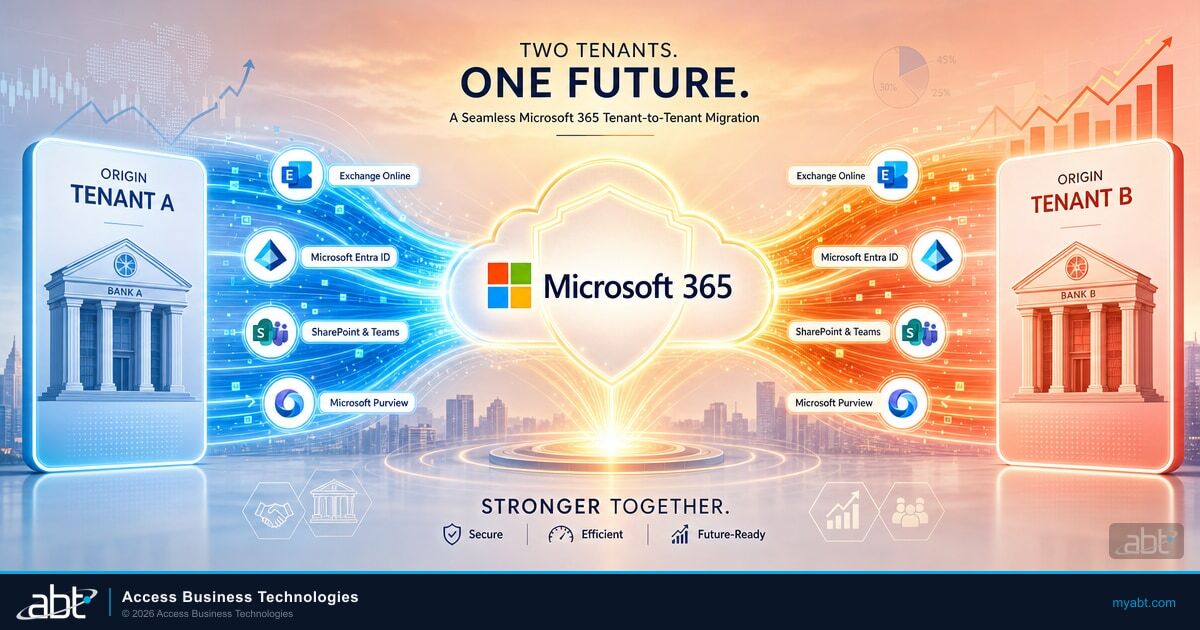
When two credit unions or community banks combine, the deal closes on paper long before the two organizations actually work as one. The boards vote, the regulator signs off, the press release goes out, and then two sets of employees show up Monday morning inside two separate Microsoft 365 tenants, with two directories, two email namespaces, two sets of Teams, and two copies of every shared drive. Consolidating those tenants cleanly is what turns a signed merger into a single, productive institution.
Microsoft 365 tenant-to-tenant migration is the technical heart of most bank and credit union integrations, and it is also where the integration most often stalls. The native tools have matured a great deal, but they are not a single button, they do not all carry the same maturity, and several of the pieces a regulated institution cares about most (records continuity, legal holds, identity mapping) require deliberate planning rather than a default setting.
This guide walks through what Microsoft supports today, how to choose between a single-event cutover and a phased coexistence, the identity work that has to happen first, the five phases of a clean cutover, and the records-retention obligations examiners will ask about after the dust settles.
Why a Merger Creates a Two-Tenant Problem
A Microsoft 365 tenant is the boundary of an organization's entire cloud workplace. It holds the identities in Microsoft Entra, the mailboxes in Exchange Online, the files in SharePoint and OneDrive, the conversations in Teams, and the governance layer in Microsoft Purview. Two institutions that merge arrive with two of everything, and until those tenants are consolidated, the combined organization is not really combined.
The friction is immediate and practical. A loan officer in the acquired credit union cannot see a shared pipeline in the acquiring institution. Calendars do not show free and busy across the two sides. A file that used to live one click away now lives in a tenant the other half of the company cannot reach. People rebuild by emailing attachments back and forth, which is exactly the copy-and-paste sprawl that a modern Microsoft 365 estate is supposed to eliminate. Every week the two tenants stay separate is a week the merger's productivity case does not fully land.
Why This Matters for Financial Institutions
In a bank or credit union merger, the people, the members, and the examiners all expect the combined institution to behave as one from day one. A split identity and collaboration estate quietly works against that expectation. Consolidating the two Microsoft 365 tenants is the step that lets staff operate as a single team, lets security policy apply uniformly, and lets records live under one governed roof rather than two.
Consolidation is also the moment to fix, rather than inherit, weak configuration. The acquired institution may have run a smaller Microsoft 365 estate with looser conditional access, no data loss prevention, or default 90-day retention that does not meet the acquiring institution's standard. A migration is the natural point to bring everyone up to the stronger posture instead of averaging down to the weaker one. It pairs naturally with the identity hygiene work covered in our guide to Microsoft 365 employee offboarding for financial institutions, because a merger produces a wave of role changes, departures, and new accounts all at once.
What Microsoft Actually Supports Today
The single most useful thing to understand before planning a tenant migration is that Microsoft does not ship one universal cross-tenant tool. It ships several, they cover different workloads, and they do not all carry the same availability. Getting this map right is the difference between a realistic project plan and a schedule that collapses when a workload turns out to be unsupported.
Exchange Online has a mature, generally available cross-tenant mailbox migration feature. Administrators drive it from Exchange Online PowerShell using the Mailbox Replication Service and the same New-MigrationBatch cmdlet they already know, and only user-visible content (email, contacts, calendar, tasks, and notes) moves to the target. SharePoint sites and OneDrive have their own native cross-tenant migration, driven from SharePoint Online PowerShell. A common trap here: the familiar SharePoint Migration Tool does not move content between two Microsoft 365 tenants, it moves on-premises and file-share content into Microsoft 365, so a merger cannot lean on it for tenant-to-tenant work.
Teams is where honesty matters most. Microsoft's newer Migration Orchestrator, the Cross-Tenant User Data Migration solution, coordinates several workloads together in a single batch, and it can move a user's Teams chats and Teams meetings. As of this writing, Microsoft's own documentation describes the Teams chats and Teams meetings workloads as being in preview, so a regulated institution should confirm their current status and treat them as evolving rather than settled. Just as important, the orchestrator moves per-user content, not identities, and it does not move shared data such as Teams channels or a team's SharePoint site. A team-connected SharePoint site can still move through the separate cross-tenant SharePoint site migration, but the Teams channel conversations stay in the source tenant.
| Workload | Native cross-tenant tool | Availability | Watch-out |
|---|---|---|---|
| Exchange Online mailboxes | Cross-tenant mailbox migration (PowerShell + MRS) | Generally available | Only user-visible content moves; mailboxes on hold are blocked |
| OneDrive | Cross-tenant OneDrive migration (SharePoint Online PowerShell) | Generally available | A redirect link is left on the source; no incremental delta passes |
| SharePoint sites | Cross-tenant SharePoint site migration | Generally available | The SharePoint Migration Tool does not do tenant-to-tenant work |
| Teams chats and meetings | Migration Orchestrator (Cross-Tenant User Data Migration) | In preview per Microsoft docs | Teams meetings depend on a successful mailbox move; confirm current status |
| Teams channels and channel messages | Not moved by the orchestrator | Rebuild or partner tool | A team's connected SharePoint site can still move with the site tool above; the channel chat cannot |
| Identities | Microsoft Entra cross-tenant synchronization | Generally available | Provisions B2B identities; it is coexistence, not a content move |
Read that table as a scope statement, not a discouragement. The mailbox, OneDrive, and SharePoint-site moves are well-trodden ground. The two rows that decide a project's realism are Teams and the shared-data exclusion: plan for Teams channels and team-backed SharePoint to be rebuilt or moved with partner tooling, and plan for the orchestrated Teams chat and meeting workloads to be validated against Microsoft's current guidance before you commit a cutover date to the board.
Single-Event Cutover vs Phased Coexistence
Microsoft frames the tenant-to-tenant decision around three architecture models: a single-event migration where everyone moves in one cutover, a phased migration where users move in batches over time, and a tenant move or split for divestitures. For a bank or credit union merger, the real choice is between the single-event cutover and the phased approach, and the right answer depends far more on size and risk tolerance than on technology.
Single-Event Cutover
- Everyone lands in the target tenant on one weekend
- Shortest window of split identity and duplicated tooling
- Best fit for smaller institutions and simpler estates
- Less coexistence plumbing to build and tear down
- Demands tight pre-staging and rehearsal, with little room to slip
Phased Coexistence
- Users move in batches over days or weeks
- Requires mail routing, free and busy sharing, and Teams federation between tenants during the transition
- Best fit for larger, more complex institutions
- Lower blast radius if a batch hits a problem
- Longer stretch where staff live partly in both tenants
Phased migrations buy safety at the cost of a coexistence period, and that period is real work. During it, mail has to route correctly between the two tenants, calendars have to share free and busy across the boundary, and Teams federation has to keep the two halves talking. The trade is worth it when a single-event cutover would put too many members and too much loan volume at risk on one weekend. It is also worth pairing the plan with a tested recovery posture, the same discipline covered in our guide to Azure disaster recovery for financial institutions, so a bad batch has a defined path back rather than an improvised one.
Identity Comes First
Every workable tenant migration is an identity project before it is a mailbox project. Microsoft's own guidance puts identity strategy at the top of the planning list: decide how each user's identity maps from the source tenant to the target, whether people keep their existing sign-in name or receive a new one, and how domains transfer between tenants. Get identity mapping wrong and the content moves either fail or land on the wrong accounts.
The engine that makes coexistence practical is Microsoft Entra cross-tenant synchronization. It is a native, generally available provisioning service that automatically creates, updates, and removes business-to-business identities across trusted tenants, and Microsoft documents it specifically for mergers and acquisitions. In plain terms, it lets the combined institution provision the acquired staff into the target tenant right after close, so people can reach shared resources through guest access while the longer content migration proceeds in the background. Each synchronized user needs a Microsoft Entra ID P1 license in their home tenant, and no additional license is required in the target for the sync itself.
Cross-tenant synchronization is coexistence, not a content move. It gives the two organizations one working identity fabric during the transition, but the mailboxes, files, and chats still have to migrate through their own tools. The strong-authentication posture matters here too, because a merger is a high-value moment for attackers: our walkthrough of Microsoft Entra self-service password reset methods for financial institutions covers the registration hygiene that keeps newly provisioned accounts from becoming the soft entry point during the change window.
Microsoft's Migration Orchestrator is explicit that it moves content, not identities. The customer is responsible for creating and correctly configuring the target users, and identity mapping requires each user to have a mailbox on the source tenant and to exist as a mail user with no mailbox on the target tenant before content can flow. That prerequisite is where self-run merger migrations most often stall. A Tier-1 CSP running the cutover pre-builds that identity scaffolding across both tenants so the content moves start clean.

The Cutover in Five Phases
A clean tenant consolidation follows a repeatable shape. The details vary by institution, but the sequence below is the backbone of nearly every bank and credit union migration, and each phase has a verification step that must pass before the next one starts.
Inventory both tenants: users, mailboxes, sites, Teams, licenses, holds, and every third-party integration
Set up identity mapping, Entra cross-tenant sync, target licensing, and mail routing before any content moves
Migrate a small representative batch, verify mail, files, and chat end to end, and fix what breaks
Move production batches on the agreed model, verifying each batch before releasing the next
Confirm records, retention, and holds in the target, then decommission the source tenant
The discipline that separates a smooth migration from a painful one is verification between phases. A migration batch reporting success is not the same as a user actually having their mail, their files, and their chat history in the right place. Each batch gets checked before the next one releases, and the source tenant is only decommissioned after records and holds are confirmed in the target, never on the assumption that the tool moved everything. That habit is why examiner-ready institutions treat migration as a controlled change, the same mindset our piece on keeping Microsoft 365 examiner-ready for banks and credit unions applies to configuration generally.
Records, Holds, and Examiner Readiness
Here is the detail that turns a technically successful migration into a compliance problem: retention and legal-hold state do not travel automatically with a cross-tenant move. In fact, Microsoft's cross-tenant mailbox migration blocks any mailbox that is on a hold, and Microsoft advises talking to the engineering team before attempting to move users with holds applied. A merging institution that assumes its preservation obligations simply follow the data into the new tenant is risking an examiner finding.
Treat records continuity as a control you deliberately maintain, not a byproduct you inherit. That means cataloging every hold and retention obligation in the source tenant during discovery, deciding how each one is preserved through the event, and re-establishing retention policies, holds, and records management in the target tenant using Microsoft Purview before the source is decommissioned. Bank and credit union examiners expect records to be preserved continuously across a merger, and the burden is on the institution to show that they were.
Retention and legal holds do not migrate themselves. Continuous records preservation across a merger is a control the institution has to maintain on purpose, and Microsoft Purview is where you re-establish it in the target tenant.
The same governance layer that protects records is also where communication oversight lives. If either institution runs supervised review of email and chat, that program has to be stood back up in the consolidated tenant, a topic our guide to Microsoft Purview communication compliance for financial institutions covers in depth. Rebuilding it after the migration, rather than discovering the gap during an exam, is the entire point of putting records validation in the final phase of the cutover.

Where a Tier-1 Microsoft CSP Comes In
A tenant migration touches identity, mail, files, collaboration, security, and records all at once, on a deadline set by a deal, for an audience that includes examiners. That is a great deal to run for the first time on your own live tenants. This is where a Tier-1 Microsoft Cloud Solution Provider earns its place: it has run the cutover before for banks and credit unions specifically, so examiner records expectations shape the plan from phase one, it manages both Microsoft 365 tenants through delegated administration, and it treats records and identity as first-class parts of the plan rather than afterthoughts.
Access Business Technologies manages Microsoft 365 for more than 750 banks, credit unions, and mortgage companies as a Tier-1 CSP, which is exactly the vantage point a merger migration needs. In a financial-services merger, there is a good chance ABT already manages one of the two institutions as its Tier-1 CSP, which means the cutover starts from a tenant the team already knows in detail rather than a cold discovery of someone else's configuration. ABT pre-builds the identity scaffolding across both tenants, sequences the workload moves against Microsoft's supported tooling, re-establishes Microsoft Purview records and retention in the target, and validates each batch before the next one releases. The same CSP posture that keeps a single tenant secure is what our overview of Microsoft CSP partner security for financial institutions describes, and it carries directly into a two-tenant consolidation.
Mergers in this industry rarely stop at Microsoft 365. The acquired institution usually brings its own mortgage and servicing systems, and those have to talk to the surviving platform stack too. ABT runs MortgageExchange in Azure to integrate the acquired institution's mortgage systems with the consolidated environment, so the loan pipeline and the core stay connected while the tenants come together. The result is one Microsoft 365 estate, one identity fabric in Microsoft Entra, one governed records posture in Microsoft Purview, and mortgage systems that keep moving through the transition rather than stalling at the tenant boundary. After the tenants are one, ABT keeps the consolidated Microsoft 365 estate monitored under its M365 Guardian managed-security operating model, so the stronger posture set during the migration is maintained rather than left to drift.
Key Takeaway
Microsoft 365 tenant-to-tenant migration is a mature but uneven capability: mailboxes, OneDrive, and SharePoint sites move with generally available native tools, Teams chats and meetings ride the newer preview orchestrator, and Teams channels plus records and holds need deliberate planning. Lead with identity, verify every batch, re-establish Microsoft Purview records before you decommission the source, and the merger's two tenants become one productive, examiner-ready institution.
Planning a merger and staring at two Microsoft 365 tenants?
Access Business Technologies runs cross-tenant migrations for banks and credit unions as a Tier-1 Microsoft CSP, from identity mapping through records validation, with MortgageExchange keeping your mortgage systems connected through the cutover. Start with a tenant-migration readiness review.
Frequently Asked Questions
Yes. Exchange Online cross-tenant mailbox migration is a generally available Microsoft feature. Administrators run it from Exchange Online PowerShell using the Mailbox Replication Service and the New-MigrationBatch cmdlet. Only user-visible content such as email, contacts, calendar, tasks, and notes moves to the target tenant, and mailboxes that are on any type of hold are blocked from the migration.
Partly. Microsoft's Migration Orchestrator can move a user's Teams chats and Teams meetings, and Microsoft's documentation describes those Teams workloads as being in preview, so confirm their current status before you rely on them. The orchestrator does not move shared data such as Teams and Channels or SharePoint sites. SharePoint sites can move with the separate native cross-tenant SharePoint site migration, but Teams channel content usually has to be rebuilt in the target or moved with specialized partner tooling.
Microsoft Entra cross-tenant synchronization is a generally available provisioning service that automatically creates, updates, and removes business-to-business identities across trusted tenants, and Microsoft documents it for mergers and acquisitions. It lets a combined institution provision acquired staff into the target tenant so they can reach shared resources through guest access during the transition. It provides identity coexistence, not a content move, so mailboxes and files still migrate through their own tools.
No, not automatically. Retention and legal-hold state do not travel with a cross-tenant move, and Microsoft's native mailbox migration actually blocks any mailbox that is on a hold. A regulated institution has to catalog every hold and retention obligation in the source tenant, plan how each is preserved through the event, and re-establish retention, holds, and records management in the target tenant using Microsoft Purview before the source tenant is decommissioned.
It depends on size and risk tolerance. A single-event cutover moves everyone in one window and minimizes the time spent with split identity and duplicated tooling, which suits smaller institutions with simpler estates. A phased migration moves users in batches and lowers the blast radius if a batch hits a problem, but it requires mail routing, free and busy sharing, and Teams federation between the two tenants during a coexistence period, which suits larger and more complex institutions.
No. The SharePoint Migration Tool moves on-premises and file-share content into Microsoft 365, not content between two Microsoft 365 tenants. For a merger, SharePoint sites and OneDrive use the separate native cross-tenant SharePoint and OneDrive migration, driven from SharePoint Online PowerShell, so a tenant consolidation cannot rely on the SharePoint Migration Tool for that work.