In This Article
- Your Microsoft 365 Tenant Is a BSA Evidence Repository
- The Five-Year Rule: What Records BSA Actually Requires
- SAR Support Documentation: The Hidden Retention Obligation
- How Microsoft Purview Satisfies BSA Record Retention
- The April 2026 Reform: What FinCEN Is Changing
- The Six Configurations Every Financial Institution Must Make
- Frequently Asked Questions
Most financial institutions configure Microsoft 365 for productivity. The Bank Secrecy Act requires you to configure it for compliance. These are not the same configuration, and regulators are starting to notice the difference.
The BSA does not distinguish between paper records and digital ones. When your loan officers communicate over Microsoft Teams, those conversations may qualify as covered financial records. When your compliance team stores supporting documentation in SharePoint, that file may carry a five-year retention obligation. When your team files a Suspicious Activity Report, every email, Teams message, and document that informed that decision becomes part of the SAR support file. All of it must be preserved for five years from the date of filing.
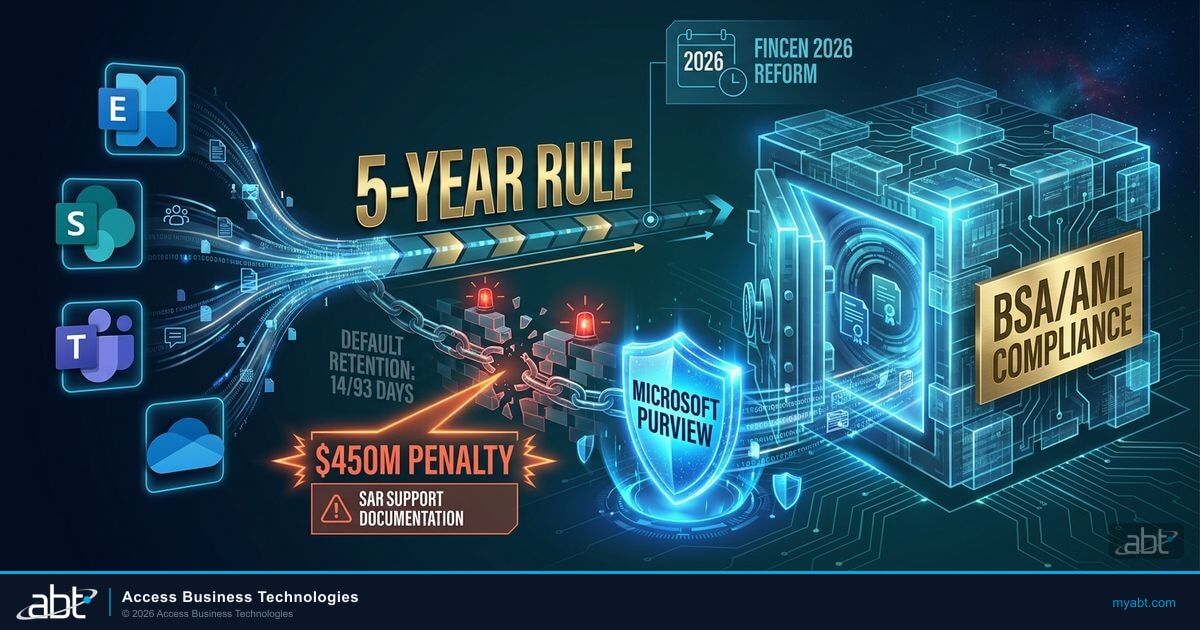
Most financial institutions have invested heavily in Microsoft 365 as their productivity backbone. Far fewer have configured it as the compliance infrastructure it legally needs to be. That gap is now drawing examiner attention. In October 2024, it cost one of the largest banks in North America $450 million.
Your Microsoft 365 Tenant Is a BSA Evidence Repository
The Bank Secrecy Act (BSA) was enacted in 1970. Microsoft Teams launched in 2017. The regulation predates the tool by nearly five decades, but FinCEN's position is clear: the obligation applies to the record, not the medium. If your institution conducts business in a digital environment, your digital environment is subject to BSA requirements.
For most community banks and credit unions, that means Microsoft 365 now functions as a de facto BSA compliance system, whether it has been configured as one or not. Exchange Online stores the emails. SharePoint and OneDrive hold the documents. Microsoft Teams captures the conversations. All of these can contain records that BSA requires you to retain, produce on demand, and protect from alteration or premature deletion.
The question is not whether your Microsoft 365 tenant contains BSA-relevant records. At any institution conducting normal financial operations, it does. The question is whether you have configured that tenant to preserve those records in a way that satisfies the regulation and will hold up under examination.
Why This Matters Right Now
In April 2026, FinCEN, the OCC, the FDIC, and the NCUA jointly issued a proposed rule to modernize AML/CFT program requirements. The proposed rule explicitly requires financial institutions to maintain a formal risk assessment process and to ensure their programs are "effective, risk-based, and reasonably designed." For institutions that have never mapped their digital environment to their AML program, this is the clearest signal yet that examiners will ask the question.
The good news is that Microsoft Purview, the compliance toolset embedded in most Microsoft 365 Business Premium and Enterprise subscriptions, is capable of meeting BSA record retention requirements when properly configured. Guardian, ABT's operating model for financial institutions, includes retention policy deployment as part of its hardening baseline. The challenge is not the technology. The challenge is knowing what to configure and why.
The Five-Year Rule: What Records BSA Actually Requires
The record retention requirement under the BSA is codified at 31 CFR Part 1010, Subpart D. Section 1010.430 establishes the core rule: financial institutions must retain required records for five years, and those records must be made available to FinCEN and any agency exercising delegated examination authority upon request.
All records that are required to be retained by this chapter shall be retained for a period of five years. Records that are required to be retained by this chapter shall be filed or stored in such a way as to be accessible within a reasonable period of time, taking into account the nature of the record and the amount of time elapsed since the record was made.
The records subject to this five-year rule cover a specific list under 31 CFR Part 1020 (rules for banks) and Part 1022 (rules for money services businesses, applicable to some credit union products). For most community banks and credit unions, the covered records include:
- Records of each cash purchase of bank checks, cashier's checks, money orders, and traveler's checks between $3,000 and $10,000
- Records of each wire transfer of funds of $3,000 or more
- Records of each extension of credit over $10,000 in a calendar year
- Records of identity for non-customer transactions
- Customer identification program records for new accounts (31 CFR § 1020.220)
- Beneficial ownership records for legal entity customers (31 CFR § 1010.230)
Each of these record categories may exist entirely within your Microsoft 365 environment. Wire transfer documentation is emailed. Loan extension approvals are stored in SharePoint. Customer identification records may be attached to Teams conversations or uploaded to OneDrive. Without a retention policy configured to preserve these records for the required five years, normal deletion behavior in Microsoft 365 will eventually remove them.
Most Microsoft 365 tenants, by default, retain deleted items in Exchange for 14 days and in SharePoint recycle bins for 93 days. Neither period approaches the BSA's five-year requirement. Default behavior is not BSA-compliant behavior. This is why Microsoft 365 compliance configuration for financial institutions requires deliberate planning, not default settings.
SAR Support Documentation: The Hidden Retention Obligation
The most commonly misunderstood BSA retention obligation for financial institutions involves Suspicious Activity Reports. Most compliance teams understand that SARs themselves must be retained. What is less well understood is the requirement that applies to everything that led to the SAR filing.
Under FinCEN guidance implementing 31 CFR § 1010.430, when a financial institution files a SAR, it must retain a copy of the SAR and all supporting documentation for five years from the date of filing. "Supporting documentation" means all records that assisted the institution in determining that the activity required a SAR. That includes emails, Teams messages, account notes, transaction printouts, and any other material that informed the suspicious activity determination.
Your compliance officer identifies suspicious wire activity. The investigation involves a Teams conversation with the branch manager, three emails with the account relationship manager, and a SharePoint document containing transaction patterns. Your team files a SAR based on these materials.
The Teams messages, all three emails, and the SharePoint document are now SAR supporting documentation. All of it must be preserved for five years from the date of filing. If any of it is deleted before that window closes, you have a retention violation, regardless of whether the SAR itself was properly filed and retained.
This obligation creates a specific challenge in Microsoft 365 environments where Teams messages and emails are deleted routinely as part of normal mailbox management. Without a legal hold or a retention policy that preserves content matching specific criteria, SAR-related communications can be automatically deleted before the five-year clock runs out.
The configuration solution is Microsoft Purview eDiscovery and Litigation Hold functionality, which allows your institution to place specific mailboxes, SharePoint sites, or Teams channels on hold, preserving content from deletion for the duration of an investigation or the retention window. For a broader look at how Microsoft 365 data protection applies to financial services, see our guide to M365 DLP configuration for financial institution examiners.
Is Your Microsoft 365 Tenant BSA-Ready?
ABT configures retention policies, legal holds, and Purview compliance settings for 750+ financial institutions.
How Microsoft Purview Satisfies BSA Record Retention
Microsoft Purview Data Lifecycle Management allows financial institutions to configure retention policies that apply across Exchange email, SharePoint documents, OneDrive files, Microsoft Teams messages (both channel messages and private chats), and Viva Engage. A single retention policy can enforce a five-year retention window across all of these workloads simultaneously, preventing content from being permanently deleted before the BSA obligation is satisfied.
Configuring Purview to meet BSA requirements involves five specific steps. Each step must be completed and verified before the policy can be considered operationally effective.
Navigate to Microsoft Purview Compliance Portal under Data Lifecycle Management. Create a new retention policy with a five-year retention period. Select "Retain items for a specific period" and set the duration to 5 years from the item creation date or last modified date.
Scope the retention policy to cover Exchange email, SharePoint sites, OneDrive accounts, and Teams channel messages and chats. For BSA purposes, the policy should apply to all users whose communications may contain covered financial records, which typically means all staff with customer-facing roles.
Configure the policy to preserve a copy of content even when users delete it. When a user deletes an email or Teams message during the retention window, Purview moves a hidden copy to a preservation library that users cannot access or modify. This copy remains available for FinCEN requests and eDiscovery.
Configure Microsoft Purview eDiscovery to support targeted legal holds for SAR support documentation. When a SAR investigation begins, place the relevant mailboxes and SharePoint sites on in-place hold. This preserves content beyond the standard retention window if the investigation warrants it and ensures SAR documentation is not deleted prematurely.
Export a record of your retention policies from the Purview Compliance Portal and store it as evidence of your BSA records management program. Examiners increasingly ask to see the technical configuration, not just a policy statement. A documented Purview configuration demonstrates that your retention obligations are actively enforced, not aspirational.

The Microsoft 365 tools that satisfy these retention categories are already included in the subscriptions most financial institutions have. The limiting factor is not access, it is configuration.
Microsoft Purview Data Lifecycle Management is included in Microsoft 365 Business Premium at no additional cost. Financial institutions that have already deployed Business Premium for security and compliance have access to the full Purview retention toolset without purchasing additional licenses. The barrier to BSA-compliant retention is not licensing. It is configuration. Guardian's hardening baseline includes retention policy deployment across Exchange, SharePoint, and Teams as a standard component, mapped to financial institution regulatory obligations.
One important framing note: Microsoft does not certify Purview retention policies as "BSA-compliant" out of the box. What Microsoft provides is the technical capability to configure five-year immutable retention across the covered workloads. Whether that configuration satisfies BSA depends on how the policy is scoped, how exceptions are managed, and whether legal holds are applied correctly when SARs are filed. These implementation decisions require compliance expertise, not just technical configuration. ABT's work with financial institutions includes mapping Purview's capabilities directly to the BSA record categories identified during the onboarding assessment.

The April 2026 Reform: What FinCEN Is Changing
On April 1, 2026, FinCEN, the OCC, the FDIC, and the NCUA jointly issued a Notice of Proposed Rulemaking (NPRM) to fundamentally reform the AML/CFT program requirements that govern financial institutions. The comment period is active. The proposed rule represents the most significant change to AML/CFT program standards since the passage of the Anti-Money Laundering Act of 2020.
The core change is a shift from prescriptive program requirements to a standard of effectiveness. Under the proposed rule, financial institutions must maintain AML/CFT programs that are not merely technically compliant with the regulatory checklist, but are "effective, risk-based, and reasonably designed." The rule explicitly requires a mandatory risk assessment process, separate from the general program requirements, that financial institutions must complete and use to calibrate their AML controls.
For community banks and credit unions that have maintained a BSA program built around written policies, designated officers, and annual training, this reform raises a direct question: does your program include a documented assessment of whether your digital record-keeping environment meets the obligations the program creates? If your AML program describes a five-year retention obligation but your Microsoft 365 tenant has never been configured to enforce it, the program description and the program reality are not aligned. That gap is exactly what the proposed "effective and reasonably designed" standard is intended to surface.
AML/CFT Priorities and Your M365 Configuration
FinCEN issued its first National AML/CFT Priorities on June 30, 2021, identifying cybercrime, fraud, and transnational criminal organization activity as top priorities. Financial institutions are required to incorporate these priorities into their risk-based AML programs. Cybercrime and fraud both generate digital evidence that lives in Microsoft 365 environments. If your AML program does not address how your Microsoft 365 tenant captures, retains, and produces that evidence, your program has a documented gap that the 2026 proposed rule will make harder to ignore.
The FFIEC examination framework, which guides BSA/AML examiners at banks and credit unions, already includes a review of information technology and records management as part of the BSA/AML examination. For more on how FFIEC expectations apply to community banks specifically, see what FFIEC cybersecurity assessments actually look for. The April 2026 NPRM signals that the technology component of that review is about to become more rigorous, not less.
The Six Configurations Every Financial Institution Must Make
Bringing your Microsoft 365 environment into alignment with BSA record retention obligations requires six specific configurations. Each one addresses a distinct retention gap that commonly exists in financial institution tenants that have not received compliance-focused configuration.
Create and apply a retention policy in Microsoft Purview Compliance Portal that preserves content across all three workloads for a minimum of five years. Scope the policy to all users with customer-facing roles. Verify the policy is in enforcement mode, not simulation mode.
Configure the retention policy to preserve copies of deleted content in Purview's preservation libraries. This ensures that users cannot circumvent the retention obligation by deleting records, intentionally or accidentally. Verify that the preservation library is not accessible to standard users.
Enable Microsoft Purview eDiscovery and establish a documented process for creating in-place holds when SAR investigations begin. The hold should capture the mailboxes, Teams channels, and SharePoint sites relevant to the suspicious activity determination. Document who has authority to create and release holds.
Individual OneDrive accounts are frequently overlooked in retention policy scoping. Compliance staff, loan officers, and branch managers often store transaction-related documents in personal OneDrive folders. Verify that your retention policy explicitly includes OneDrive for Business accounts, not just SharePoint team sites.
Microsoft Teams private chats are stored separately from channel messages in Exchange Online mailboxes. A retention policy that covers Teams channel messages may not cover Teams private chats unless explicitly scoped to do so. Verify that your policy covers both Teams channels and private chat conversations, since both can contain BSA-relevant communications.
Export and retain a record of your Purview retention policy configurations, including scope, duration, and enforcement mode. Store this documentation in your BSA program files. During an examination, the ability to produce technical evidence that your retention policies are configured and enforced, not just described in a written policy, is increasingly the standard examiners expect.

Configuring these six elements correctly requires familiarity with both Microsoft Purview's technical settings and the specific BSA record categories they need to cover. The configuration is not technically complex, but it requires someone who understands what the regulation requires at a level specific enough to map it to Purview's policy options. For most community banks and credit unions, that expertise does not exist in-house, which is why Microsoft 365 compliance configuration for financial institutions is a core component of ABT's Guardian operating model rather than a one-time project.
Guardian's 80-policy hardening baseline includes retention policy deployment across Exchange, SharePoint, Teams, and OneDrive, mapped to financial institution regulatory obligations including GLBA and BSA record-keeping requirements. For institutions that have already deployed Guardian, these configurations are part of the baseline. For institutions that have not, the six-item checklist above is the starting point for a gap assessment.
Find Out Where Your BSA/AML Compliance Stands
ABT's compliance specialists assess your Microsoft 365 environment against BSA retention requirements. You will get:
- A review of your current Purview retention policy configuration and coverage gaps
- Identification of workloads (Teams, OneDrive, SharePoint) not currently scoped to retention policies
- Recommendations mapped to your specific BSA record categories and examination history
- A documented configuration plan your compliance team can present to examiners
Frequently Asked Questions
Yes, when those Teams messages contain information that qualifies as a covered BSA record. The BSA does not limit its retention requirements to paper records or specific file formats. If your institution's business communications in Microsoft Teams involve wire transfers, large cash transactions, customer identification, or activities that lead to a Suspicious Activity Report filing, those messages may be covered financial records subject to the five-year retention requirement under 31 CFR § 1010.430. This applies to both channel messages and private chats in Teams.
Configure a retention policy in Microsoft Purview Compliance Portal (accessible through the Microsoft 365 admin center) under Data Lifecycle Management. Set the retention period to five years, select "Retain items for a specific period," and apply the policy to Exchange, SharePoint, OneDrive, and Teams workloads. Enable immutable preservation so that deleted content is preserved in a hidden library that users cannot access. Verify the policy is in enforcement mode and document the configuration as part of your BSA compliance evidence. If your institution is on Microsoft 365 Business Premium, the Purview Data Lifecycle Management capability is already included in your subscription.
When your institution files a SAR, you must retain a copy of the SAR itself and all supporting documentation for five years from the date of filing. Supporting documentation includes all records that assisted in making the determination that the activity required a SAR filing. Under FinCEN guidance implementing 31 CFR § 1010.430, this can include emails, Microsoft Teams messages, account notes, transaction records, and any other material that informed the suspicious activity determination. Your institution should identify and preserve the specific records that supported each SAR filing at the time of filing, not after the fact.
Guardian is ABT's operating model for Microsoft 365 in regulated financial institutions. Guardian's hardening baseline includes retention policy configuration across Exchange, SharePoint, Teams, and OneDrive, mapped to financial institution regulatory obligations including BSA record-keeping requirements and GLBA. When ABT deploys Guardian at a financial institution, it configures Microsoft Purview retention policies to cover the five-year BSA window, scopes the policies to the appropriate workloads, and documents the configuration as compliance evidence. Guardian also monitors the tenant on an ongoing basis, including checks for retention policy drift or gaps that could expose the institution to a BSA records management violation during an examination.
In April 2026, FinCEN, the OCC, the FDIC, and the NCUA jointly issued a Notice of Proposed Rulemaking to reform AML/CFT program requirements for financial institutions. The proposed rule shifts from a prescriptive compliance checklist to a standard of effectiveness. Financial institutions would be required to maintain AML/CFT programs that are "effective, risk-based, and reasonably designed" and to complete a mandatory risk assessment process that is documented and used to calibrate their AML controls. For community banks and credit unions, this means that an AML program that describes a five-year retention obligation but does not technically enforce it in the institution's Microsoft 365 environment may fail the effectiveness standard, even if the written program is fully documented. The comment period is active as of April 2026. Institutions should review the proposed rule and assess whether their current program, including their digital record-keeping configuration, can withstand the new effectiveness standard.