

Windows · KB5135557 · Phase 2 in May 2027
Windows servers will require NTLM signing in May 2027. Find the unsigned connections now, fix them on your own schedule, and switch enforcement on before Microsoft's default does it for you.
The Windows updates Microsoft released on November 10, 2026 changed how every supported Windows PC signs in to a server with NTLM. Clients now offer real message signing on every non-anonymous connection by default, and servers start logging which connections arrive without it. That is Phase 1. In Phase 2, in May 2027, Windows servers begin requiring NTLM signing by default, and a client that does not offer it is turned away. Microsoft ties the work to CVE-2026-118737, which it rates Critical. For a credit union, bank, or mortgage company that still runs file servers, application servers or domain controllers on premises, the six months in between are the audit window: read the logs, find the devices and applications that do not sign, and fix them while nothing is being rejected.
- Today, servers still accept signed and unsigned clients, so Phase 1 adds visibility and keeps today's connections working
- The NTLM Operational log shows each connection's Session Key Status and negotiated flags, which is how you tell signed from unsigned
- A registry value, ServerRequireNtlmSign, lets you require signing on a server early, with no restart, once its audit is clean
The change
What did the November 10, 2026 Windows update change about NTLM signing?
Microsoft published the details in support article KB5135557, NTLM signing security improvements in Windows, on November 10, 2026, and in Message Center post MC1549242 the next day. Here is what it says, and who it reaches.
The change in brief
- What
- Windows clients now offer NTLM message signing on every non-anonymous connection by default, and Windows servers log which clients connect without it. In Phase 2, Windows servers require signing by default.
- When
- Phase 1 arrived with the Windows updates released on and after November 10, 2026. Phase 2 begins in May 2027, the month Microsoft names in its article.
- Who
- Every organization that uses NTLM to reach a Windows server. Microsoft's article covers Windows 11 versions 23H2 through 26H2, Windows 10 Enterprise LTSC 2021, and Windows Server 2016, 2019, 2022 and 2025.
- Owner
- The systems administrator who owns the domain and the servers, the team that patches Windows, and whoever owns each application or device that signs in to a Windows share or service.
- Action
- Microsoft's list: install the November 2026 Windows updates or later, audit to find connections that are not using signing, follow its remediation steps, and require signing before it becomes the default in May 2027.
NTLM is deprecated
Microsoft lists all versions of NTLM as deprecated and says calls to NTLM should move to Negotiate, which tries Kerberos first.
Auditing reaches more servers
The new NTLM audit events come to Windows Server 2022 and 2019 in the updates released that day. Server 2025 and Windows 11 24H2 and later already had it.
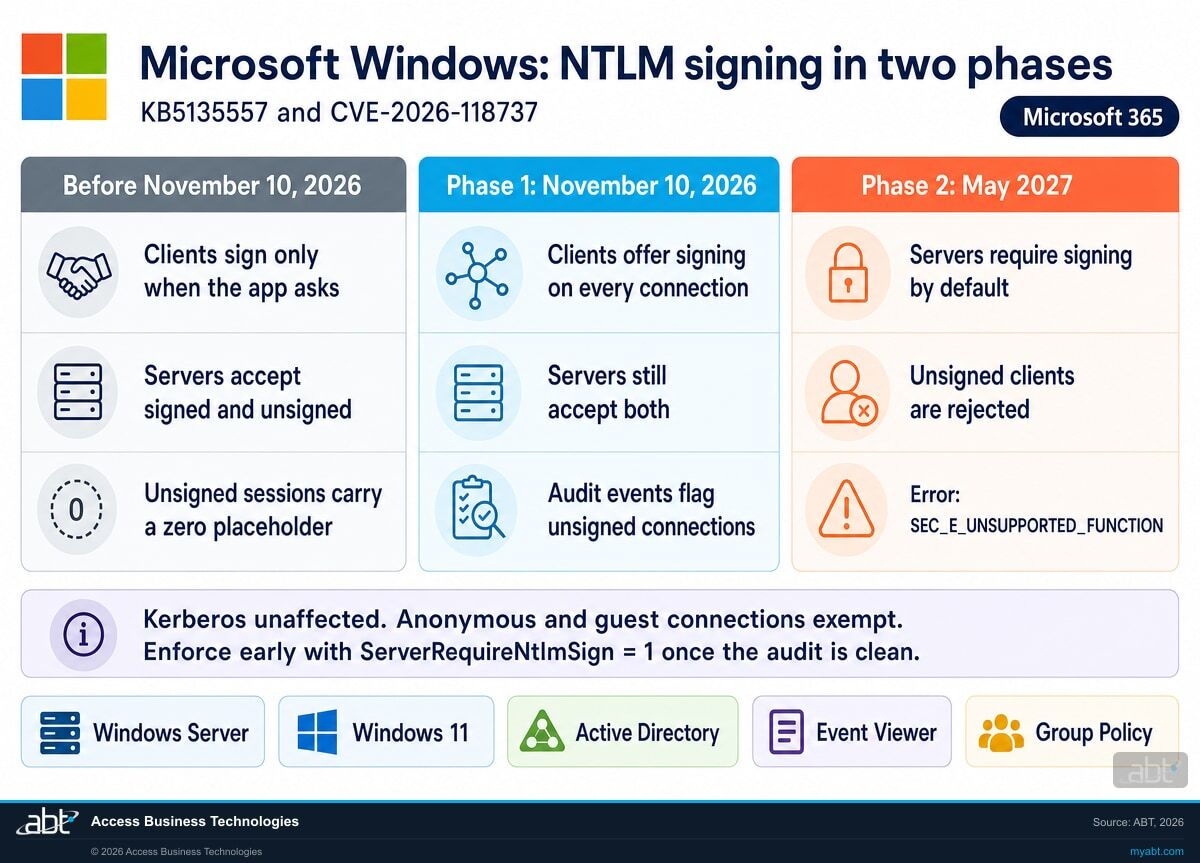
Phase 1: clients sign
Windows clients offer signing on all connections. Servers accept both signed and unsigned clients, and the audit events show which is which.
Phase 2: servers require it
Windows servers require NTLM signing by default. A client that does not offer it is rejected, so the fixes belong before this date.
"Phase 2 (May 2027): Windows servers begin requiring NTLM signing by default. Clients that do not offer signing will be rejected by secure servers."
"Consider enforcing signing ahead of May 2027, once auditing confirms readiness, reducing exposure to NTLM relay attacks."
Microsoft Support, KB5135557, and Microsoft 365 Message Center, MC1549242NTLM is the older Windows sign-in protocol that runs when Kerberos cannot: a share reached by IP address, a local account, a device that cannot see a domain controller, an application written to call NTLM directly. It still carries a lot of traffic in branch networks. Its weak spot is relay, where an attacker who sits between a client and a server passes the client's sign-in along to a server of the attacker's choosing as it happens.
Message signing is the answer to relay, and Microsoft's article explains why the old answer fell short. NTLM has two signing flags. Microsoft's article describes the real one, NTLMSSP_NEGOTIATE_SIGN, as HMAC-MD5 signing with a session key established, and says it "cannot be forged." The other, NTLMSSP_NEGOTIATE_ALWAYS_SIGN, carries a 16-byte placeholder of zeros with no cryptographic protection. Before November 10, an application that did not ask for integrity got the placeholder. From November 10, Windows clients offer the real signature on every non-anonymous connection, and in May 2027 Windows servers will insist on it.
Side by side
What happens to each kind of NTLM connection in each phase?
Each row is a connection your servers see every day. The middle columns are Microsoft's description of the behavior; the last column is where we would look first.
| Connection | Phase 1, from Nov 10, 2026 | Phase 2, from May 2027 | What to check |
|---|---|---|---|
| Windows client with the November update | Offers signing on all non-anonymous connections | Same | Every client has the November 2026 update or later |
| Client that does not offer signing | Accepted; logged with Session Key Status: Missing | Rejected with SEC_E_UNSUPPORTED_FUNCTION (0x80090302) | Find it in the audit and fix it now |
| Windows server, default setting | Accepts signed and unsigned clients | Requires signing | The audit on every server before May |
| Server you set to ServerRequireNtlmSign = 1 | Rejects unsigned clients now, on your schedule, with no restart | Same as the new default | Pilot one server whose audit is clean |
| Client reaching a server that does not echo SIGN | Client falls back to the legacy behavior, with no connection failure | Same fallback on the client side | Older non-Windows servers on your network |
| Anonymous and guest connections | Exempt | Exempt | Nothing new |
| Kerberos sign-ins | Unaffected; the change applies only to NTLM | Unaffected | Move NTLM callers to Negotiate where you can |
Where the unsigned connections tend to be
Microsoft says every supported Windows Server version can sign, and that a patched Windows client offers signing by default. In our reading, that points the search at the connections a patched Windows PC is not making. Look first at the devices and applications that sign in to a Windows server on their own: copiers and scanners that save to a shared folder, network storage, document imaging and lending applications on their own servers, service accounts used by scheduled jobs, and any client that has not taken the November update.
Microsoft has not published a list of affected products, and the audit is what tells you. A clean audit on a server is the signal to require signing there.
See which connections to your Windows servers are unsigned today, and what it takes to fix each one before May 2027
ABT works with your team to read the NTLM audit on your servers, trace each unsigned connection to the device or application behind it, and leave you a dated plan for requiring signing, as part of a free security assessment.
Request the free assessmentThe work
How do you find and fix unsigned NTLM connections before May 2027?
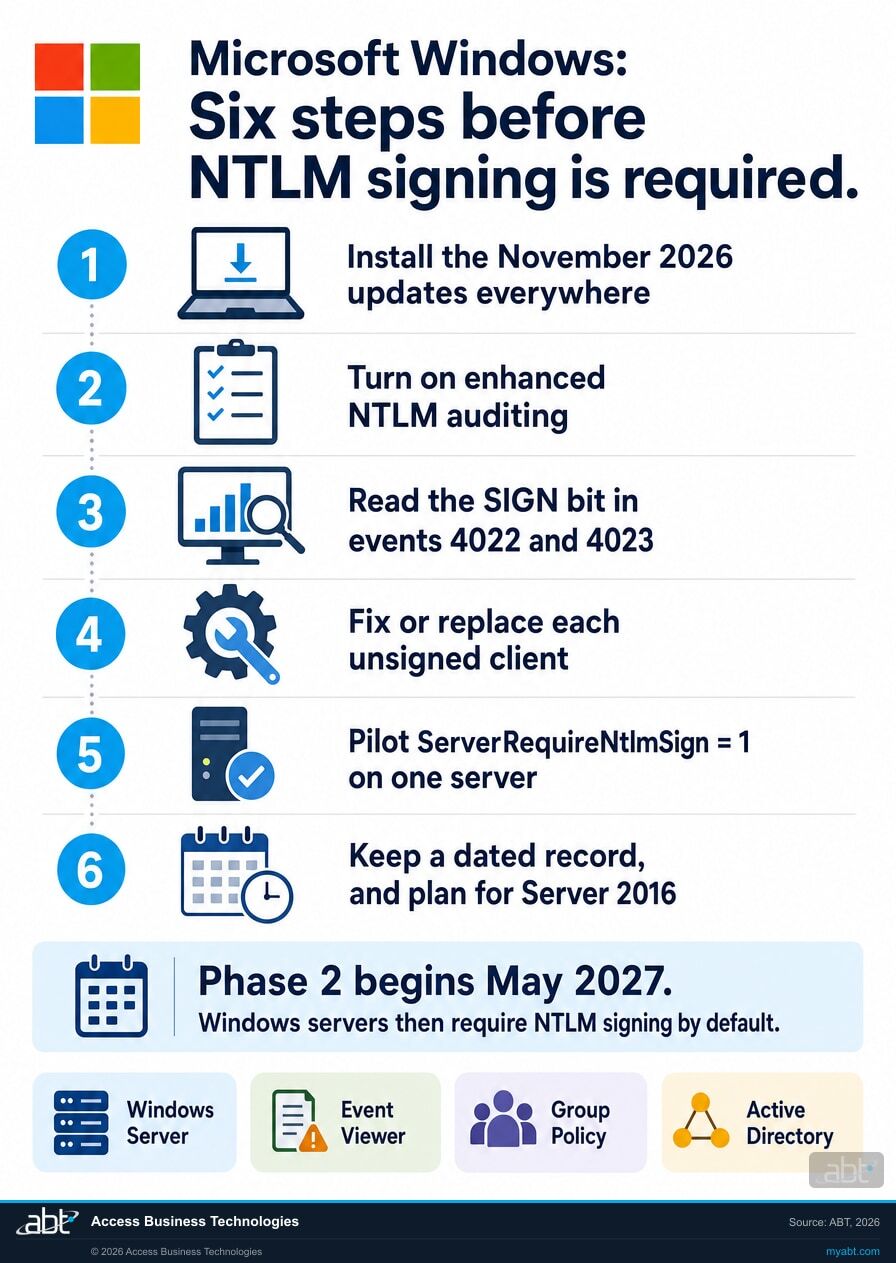
Six steps, built on Microsoft's own instructions. Steps 1 and 2 give you the data. Steps 3 and 4 find and fix the gaps. Step 5 moves the enforcement date to one you choose, and step 6 is the record.
Install the November 2026 updates on every client and server
Phase 1 lives in the updates themselves: Microsoft says the protections are in "Windows updates released on and after November 10, 2026." A client that has the update offers signing; a client without it keeps the old behavior and can appear as unsigned in your audit. The same updates address CVE-2026-118737, which Microsoft's Security Update Guide rates Critical and lists as not publicly disclosed and not exploited at release. Our November 2026 Patch Tuesday guide covers what else is in this month's release.
Confirm the NTLM audit events are on
Microsoft's auditing article, KB5064479, says the new events are enabled by default and controlled through the NTLM Enhanced Logging policy on clients and servers, plus Log Enhanced Domain-wide NTLM Logs under System > Netlogon on domain controllers. They land in Event Viewer under Applications and Services Logs > Microsoft > Windows > NTLM > Operational. Windows Server 2025 and Windows 11 24H2 and later have them; Windows Server 2022 and 2019 gained them in the updates released on and after October 13, 2026. Check one server of each version before you trust a quiet log.
Read the SIGN bit in each event
On a server, events 4022 and 4023 record each incoming NTLM sign-in. Microsoft's test for a secure connection is two bits in the Negotiated Flags, 0x10 for SIGN and 0x40000000 for KEY_EXCH, with Session Key Status: Present. Its warning matters: signed and unsigned connections both appear at the same Warning level, so a filter on level alone shows you everything and tells you nothing. Start with this, then filter on the flags:
Get-WinEvent -LogName "Microsoft-Windows-NTLM/Operational" | Where-Object { $_.Id -in 4022, 4023 }
KB5135557 includes a longer PowerShell script that does the flag check for you and lists each unsigned client by IP address, host name, user and process. Run it on every file, application and domain server, and keep the output.
Fix or replace each unsigned client
Each line in the list has an owner. For a Windows client, the fix is usually the November update. For a device or an application, it is a firmware or version update from its vendor, a configuration change, or a replacement. Microsoft's longer-term direction helps here: it deprecated all versions of NTLM in June 2024 and says calls to NTLM should move to Negotiate, which tries Kerberos first, so a fix that moves a connection to Kerberos takes it out of scope for this change and moves it the way Microsoft is heading. If offering signing breaks a Windows client's connection to a particular server or application during Phase 1, Microsoft documents ClientAllowUnsignedNtlm = 1, which stops that client offering signing. Microsoft labels it for temporary compatibility only: a server that requires signing rejects that client, so it buys time to fix the server or application and does nothing for Phase 2 readiness. We would treat it as a dated exception in the record.
Require signing early, one server at a time
Microsoft's own recommendation is to enforce ahead of May 2027 once auditing confirms readiness. The server-side setting is a registry value, and Microsoft says no restart is required:
ServerRequireNtlmSign (REG_DWORD) = 1
Pick a server whose audit shows no unsigned connections, set the value, and watch event 4023 for rejections, which carry SEC_E_UNSUPPORTED_FUNCTION. Then move to the next server. Enforcing early puts the change on a weekday your team chose, with a rollback you control, and reduces the relay exposure months sooner. Microsoft notes it might remove these registry keys at a future date, so record which servers carry them.
Keep the record, and plan for Windows Server 2016
Record the audit date for each server, the unsigned clients you found, the fix for each one, any temporary exceptions with an end date, and the day you required signing. One server version needs its own line. Microsoft says these audit events are available on Windows Server 2019 and later, and Windows Server 2016 leaves extended support on January 12, 2027. A Server 2016 file server gives you no 4023 events to read, so its clients are best checked from the client side or moved to a newer server. Our Windows Server 2016 end of support page covers that decision.
Reading the client logs
Why is NTLM still being used on your network?
On clients, the new auditing records outgoing NTLM in events 4020 and 4021, with a Usage Id and Reason that says why NTLM was chosen over Kerberos. These six reasons from Microsoft's list point straight at the fix.
The path uses an IP address
Reason 7: the target name contains an IP address. A drive mapping or scan destination typed as an address skips Kerberos. Using the server's name usually fixes it.
A local account signs in
Reason 2: authenticating a local account. Local accounts on servers and devices use NTLM, so each one is a line to review.
The application calls NTLM directly
Reason 1: NTLM was called directly by the calling application. That is a conversation with the vendor about Negotiate and signing.
Kerberos could not resolve the name
Reason 6: the target name could not be resolved by Kerberos or other protocols. Often a missing or wrong service principal name.
A duplicated name in Active Directory
Reason 8: the target name was found to have been duplicated in Active Directory. Clean up the duplicate and Kerberos can take over.
No line of sight to a domain controller
Reason 9: no line of sight could be established with a domain controller. Common at a branch with a slow or filtered link.
For financial institutions
Why does this matter at a credit union, bank, or mortgage company?
Because the connections at risk in May are the ones branch staff use all day, and the protection they gain is the one examiners ask about.
Branch work keeps moving in May. A teller scans a signed form to a shared folder. A loan processor opens a file share from an imaging application. A nightly job copies reports to a server. If any of those connects without signing, Phase 2 turns it into a support call on the morning the update lands. Finding them during Phase 1, while unsigned connections still work, keeps May uneventful for the people doing the work.
A narrower path for attackers. Relay lets an attacker reuse a staff member's sign-in against a server without ever learning the password. Microsoft built this change to reduce that exposure, and every server you set to require signing early closes it sooner. Our page on the NTLMv1 single sign-on block covers the October change that already reached Wi-Fi and VPN sign-in, and the article behind it shows how quickly an NTLM change reaches branch networks.
A record you can show. When an examiner or a cyber insurer asks how you manage legacy authentication, the answer is a dated audit of every server, the list of unsigned clients and how each was fixed, and the day each server began requiring signing. The record from step 6 is that answer, written before anyone asked.
This one is work in your building
Our Short makes a point about Microsoft's monthly fixes: some of the highest-rated flaws in a month sit in services Microsoft runs, with nothing in your building to patch.
NTLM signing is the other kind. It lives on your servers, your PCs and the devices that save to your shares, and Microsoft's update only starts it. The audit, the fixes and the day you require signing all belong to your team, which is why the six months before May 2027 are worth planning now.
How ABT helps
A free security assessment
ABT is a Tier 1 Microsoft Cloud Solution Provider serving more than 750 financial institutions. It manages Microsoft 365 tenants and hosts Azure environments for credit unions, banks, and mortgage companies. Sign-in security is where those reviews begin, and the assessment follows sign-in to the Windows servers on your own network as well as the tenant.
With your team, we read the NTLM audit on your servers, trace every unsigned connection, and plan the day each server requires signing
The assessment is free and ends with written findings you keep. We work through it with an administrator on your team, and your team decides what changes and who makes each change.
- The patch check. Which clients and servers carry the November 2026 update, and which are still on an older build.
- The audit read. Events 4022 and 4023 on each server, decoded by the SIGN and KEY_EXCH bits, with the unsigned clients listed.
- The client trace. The device, application or account behind each unsigned connection, and the reason NTLM was used.
- The fix list. Updates, configuration changes, Kerberos moves and vendor questions, each with an owner.
- The enforcement plan. Which server requires signing first, the order for the rest, and the rollback for each.
- The record. A dated summary for your change log and your information security program, including your Windows Server 2016 plan.
ABT also operates M365 Guardian, its managed security service for credit unions, banks, and mortgage companies. Learn about M365 Guardian
Related reading
If this opened a bigger question
An NTLM change tends to raise the questions around it: what else this month's updates fixed, how Kerberos is changing, and who is watching the domain controllers.
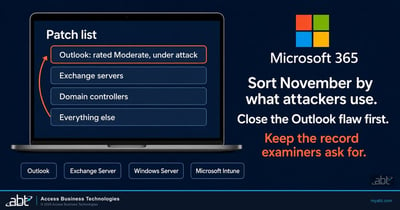
November 2026 Patch Tuesday: What Banks, Credit Unions, and Lenders Patch First
The month's release in priority order, including the controls that make a leaked NTLM hash less useful.
Read the article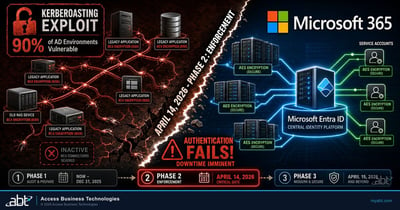
Kerberos RC4 to AES: The April Patch That Will Break Your Service Accounts
The Kerberos change that moved service accounts off RC4, and how to find the ones still using it.
Read the article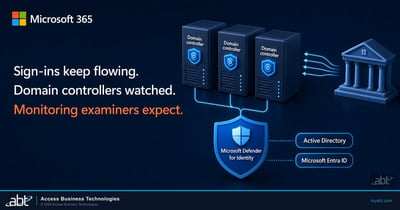
Microsoft Defender for Identity: Protect the Domain Controllers Behind Every Login
How Defender for Identity watches on-premises Active Directory, and what it sees on a domain controller.
Read the articleAnswered
NTLM signing enforcement in Windows, answered
Verify it yourself
Where the facts on this page come from
Every Microsoft date, setting, event ID, error code and quotation above comes from the sources listed here.
- Microsoft Support, KB5135557, NTLM signing security improvements in Windows, originally published November 10, 2026. Source for both phases, the versions covered, the two signing flags, the secure-connection test, the event-level warning, the PowerShell script, both registry values and their defaults, the no-restart note, the Kerberos, anonymous, guest and older-server answers, the error code and the note on removing the keys.
- Microsoft 365 Message Center, MC1549242, "NTLM signing security improvements in Windows," published November 11, 2026, read from the tenant over Microsoft Graph and through the public Message Center archive. Source for Microsoft's recommended actions and the quotation on enforcing ahead of May 2027.
- Microsoft Learn, Windows message center, entry "NTLM signing security improvements in Windows." Source for signing offered by default for non-anonymous connections from the November 10, 2026 updates.
- Microsoft Security Response Center, Security Update Guide, CVE-2026-118737, released November 10, 2026. Source for the title, the Critical rating, and the publicly disclosed and exploited status at release.
- Microsoft Support, KB5064479, Overview of NTLM auditing enhancements in Windows 11, version 24H2, Windows Server 2019, and later versions. Source for the client and server event IDs, the Group Policy settings, the default state, the October 13, 2026 availability for Server 2022 and 2019, and the Usage Id reasons.
- Microsoft Learn, Deprecated features for Windows client. Source for the June 2024 deprecation of all NTLM versions and the move to Negotiate.
- Microsoft Learn, Windows Server 2016 lifecycle. Source for the end of extended support on January 12, 2027.
- Microsoft Learn, Overview of Server Message Block signing. Source for SMB signing and its RequireSecuritySignature setting.
- The notes marked "in our reading" and the order of the steps are ABT's recommendations; everything else on this list is Microsoft's own.
Windows servers require NTLM signing in May 2027.
Find the unsigned connections now and require signing on your own schedule.
The work starts with the audit on your servers. When it is done, you know which connections arrive without signing, which device or application is behind each one, what fixes it, and the day each server requires signing.
Tell us a little about your environment and we will come back with what we would check first.
What should we look at? Optional.
Encrypted. Private.
Thank you. That is with us.
An ABT specialist will be in touch shortly. If a particular server, an application or your branch devices are what you are thinking about, say so in your reply and we will start there.
