


Your Windows Server 2016 box keeps running on January 13. Standard security updates stop.
Nothing switches off. The server boots, the application answers, the branch closes loans exactly like it did the day before. What ends is the standard supply of security updates, unless you buy extended coverage for that server. And the date lands on about twenty Microsoft products inside the same 48 hours, not just on the operating system.
- Extended Security Updates are orderable now, added to the CSP price list on August 13, 2026
- Those updates cover Windows Server itself, not separate products like System Center 2016
- Microsoft calls the programme a last resort and a temporary bridge, not a destination
- Rehosting to Azure retires the hardware, and the update entitlement is confirmed per workload
When does Windows Server 2016 end of support happen?
January 12, 2027. Microsoft lists Windows Server 2016 in the Ending Support in 2027 table on that date, alongside the rest of the 2016 server family.
Windows Server 2016 left mainstream support on January 11, 2022. It has been in extended support ever since, which means security updates and nothing else. That phase ends on January 12, 2027, the date Microsoft lists the product under in its Ending Support in 2027 roster.
End of support is broader than the phrase suggests, and the part people underestimate is that it is not only about patches. Standard security updates stop, non-security updates stop, standard assisted support ends, and Microsoft stops updating the online technical content for the product. Anything beyond that point depends on a separate qualifying arrangement rather than on the product still being supported, and Microsoft is explicit that the update programme described below does not itself include standard technical support.
Nothing dramatic happens on January 13. The server boots. The line-of-business application answers. That is exactly what makes this deadline easy to miss, and it is why the risk accumulates quietly rather than announcing itself.
January 2027 is not one deadline. It is a stack.
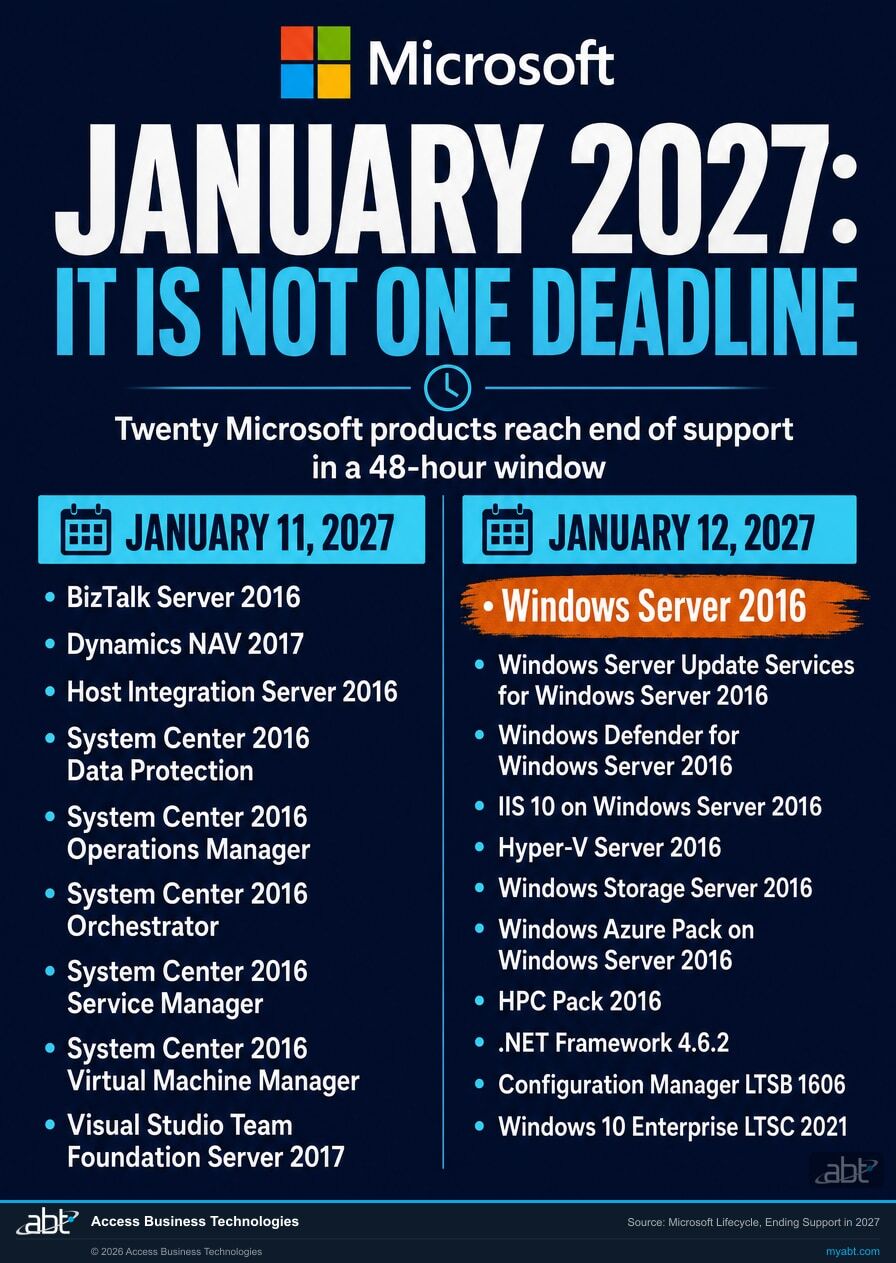
Windows Server 2016 is one of about twenty Microsoft products reaching end of support inside a 48-hour window. Some of them travel with the operating system. Several are separate products that an operating system subscription does not reach.
If you are running Windows Server 2016, you are very likely running several of its companions alongside it. The web server is Internet Information Services 10. Patches may be distributed by Windows Server Update Services. Antimalware may be Windows Defender for Windows Server 2016. The hypervisor underneath might be Hyper-V Server 2016, the file server might be Windows Storage Server 2016, and the monitoring and backup layer might be System Center 2016.
All of them appear on the same Microsoft lifecycle roster for the same week. Here is that list.
| Date | What reaches end of support |
|---|---|
| January 11, 2027 | BizTalk Server 2016 · Dynamics NAV 2017 · Microsoft Host Integration Server 2016 · System Center 2016 Data Protection · System Center 2016 Operations Manager · System Center 2016 Orchestrator · System Center 2016 Service Manager · System Center 2016 Virtual Machine Manager · Visual Studio Team Foundation Server 2017 |
| January 12, 2027 | Windows Server 2016 · Windows Server Update Services for Windows Server 2016 · Windows Defender for Windows Server 2016 · Internet Information Services 10 on Windows Server 2016 · Hyper-V Server 2016 · Windows Storage Server 2016 · Windows Azure Pack on Windows Server 2016 · HPC Pack 2016 · Microsoft .NET Framework 4.6.2 · Configuration Manager LTSB version 1606 · Windows 10 Enterprise LTSC 2021 |
Source: Microsoft Lifecycle, Ending Support in 2027, read August 19, 2026. Note the distinction between two similarly named client editions on that page: Windows 10 Enterprise LTSC 2021 is listed as reaching end of support, while Windows 10 IoT Enterprise LTSC 2021 is listed separately as moving from mainstream into extended support. They are different products with different outcomes.
The one on that list people do not expect
Windows 10 Enterprise LTSC 2021 is a client operating system, and it reaches end of support on the same day. Long-term servicing builds tend to be exactly where fixed-function machines live: teller stations, kiosks, machines running a device driver that nobody wants to touch. A server deadline and a workstation deadline arriving together is a much larger project than either one alone. Check which of the two LTSC editions you actually run before you plan around it, because the IoT edition moves into extended support instead and buys you considerably more time.
That list needs one important distinction drawn through it, because it is where most planning goes wrong.
Some of those entries are roles and features of Windows Server itself. Internet Information Services 10, Windows Server Update Services and Windows Defender for Windows Server 2016 ship as part of the operating system and are serviced through it. They carry their own lifecycle listings because Microsoft tracks components individually, but they are not separately licensed products, and applicable fixes reach them through operating system servicing. A coverage subscription on the operating system is the mechanism that keeps them receiving security updates.
Others on that list are genuinely separate products with their own lifecycle. System Center 2016, BizTalk Server 2016, Microsoft Host Integration Server 2016, Dynamics NAV 2017, Visual Studio Team Foundation Server 2017 and HPC Pack 2016 are separate purchases with separate support timelines. A Windows Server subscription does not reach them. Hyper-V Server 2016 and Windows Storage Server 2016 are also distinct products rather than editions of Windows Server 2016, so their coverage has to be established on their own terms rather than assumed.
This is what changes the shape of the decision. Covering the operating system genuinely does protect the roles running on it. What it does not do is cover the separately licensed products beside it, and an institution can end up correctly covered on the server while System Center 2016 quietly goes unsupported underneath the same backup and monitoring workflow.
The useful first step is inventory rather than procurement. Find out which of those twenty you actually run, and which bucket each one falls into, before you price anything.
What do Extended Security Updates actually cover?
Critical and important security fixes, for up to three years, and nothing else. Microsoft is unusually direct about this.
"The Extended Security Update (ESU) program is a last resort paid option for customers who need to run certain legacy Microsoft products past the end of support. They are not intended as a long-term solution, but rather as a temporary bridge to stay secure while one migrates to a newer, supported platform."
Microsoft Lifecycle FAQ, Extended Security UpdatesThat is the vendor describing its own product as a last resort and a temporary bridge. It is a fair description, and planning around it as though it were a renewal is where organizations get into trouble.
Microsoft currently describes the programme as delivering security updates rated critical and important for up to three years from the end-of-support date. Microsoft states plainly that it does not extend the product's lifecycle and does not provide technical support beyond the original support timeline, and that the updates do not include new features, customer-requested non-security updates, or design change requests.
Read that against what your institution actually needs from a platform. If a driver breaks, if a performance problem appears under load, if an application vendor needs a behaviour change, none of that is in scope. You are buying security patches and a deadline extension. Microsoft's own recommendation on the same documentation set is to upgrade rather than to buy.
A documentation gap worth knowing about
Microsoft's lifecycle FAQ carries a table of products eligible for Extended Security Updates. As of this writing that table lists Windows Embedded POSReady 7, SQL Server 2012, Windows Server 2012 and 2012 R2, SQL Server 2014, and Windows 10. Windows Server 2016 is not in it. Meanwhile Microsoft Partner Center announced on August 13, 2026 that the Windows Server 2016 update offers are now available, and published their product identifiers. Both pages are Microsoft sources, and they are currently out of step with each other. We have not established why, so treat the Partner Center announcement as the operative one for availability and confirm your own position with your partner rather than reading the absence from that table as an answer.
Not sure how many 2016-era servers you still run?
Most institutions are surprised by the count, and by which applications turn out to be sitting on them. ABT will inventory what you have against the January 2027 list and tell you which of the three routes fits each workload. Free, and with no obligation.
Three ways to manage the deadline
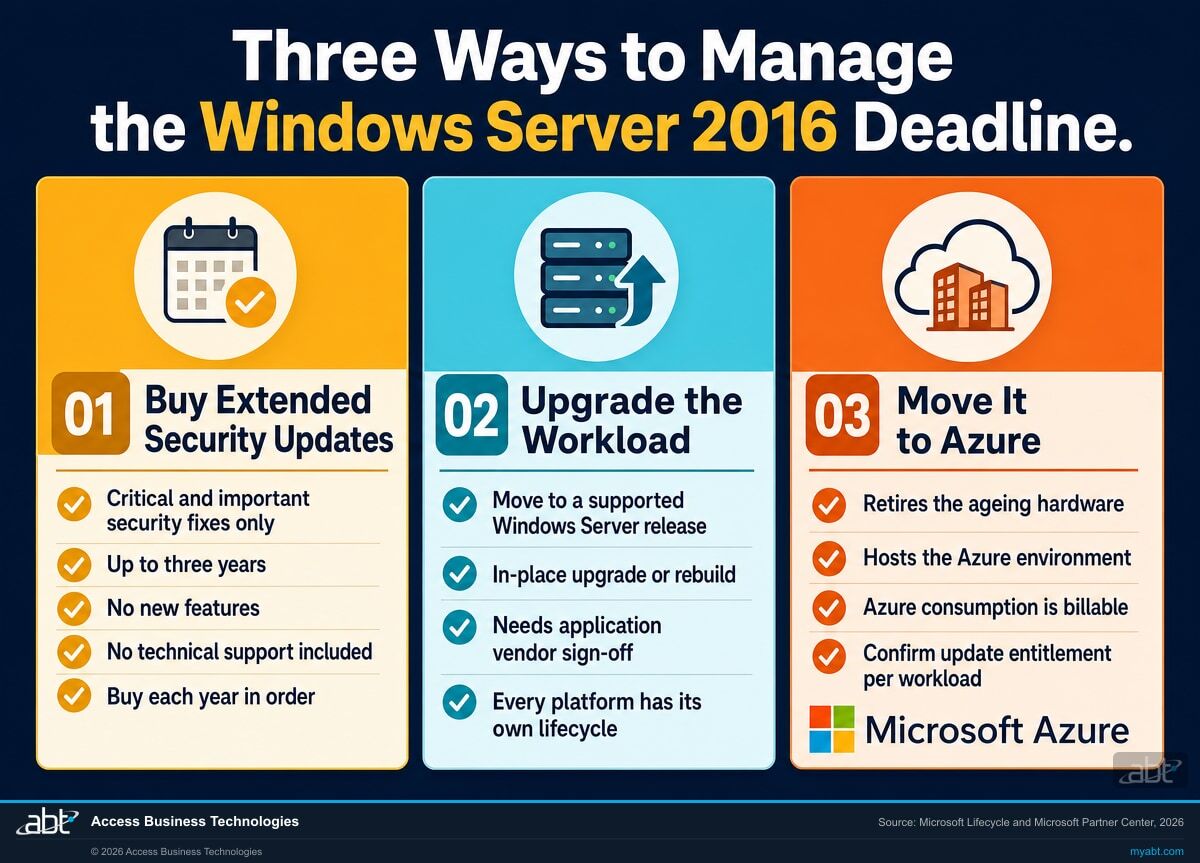
These are the three routes ABT supports most often, and most institutions use all three across different servers. They are not the only options: retiring the workload, replacing the application, moving the function to a software-as-a-service product, or consolidating it onto an existing server are all legitimate answers, and sometimes the cheapest one.
Buy Extended Security Updates
Keep the server where it is and keep receiving critical and important security fixes while you plan the real move.
- Available now through the CSP programme, added to the price list on August 13, 2026
- Up to three years, and the years must be bought in order
- No new features, no non-security hotfixes, no technical support
- Covers Windows Server and the roles serviced with it, not separately licensed adjacent products such as applicable System Center products
Upgrade the workload
Move the application onto a supported Windows Server release and reset the clock to a current support lifecycle.
- Resolves this event properly, though every replacement platform has a lifecycle of its own
- Either an in-place upgrade or a clean build with the application migrated across
- Microsoft's own stated recommendation is to upgrade to a current release
- Needs application vendor confirmation and a test window, so it needs lead time
Move it into Azure
Rehost the workload as a virtual machine in an Azure environment and retire the hardware underneath it.
- The workload still runs Windows Server 2016, so this buys time and options rather than support
- ABT hosts the Azure environment and operates it as your partner of record
- Retires ageing hardware and the replacement cycle that comes with it
- Confirm the update entitlement for your specific workload before you rely on it
The third route deserves a word of precision, because it is the one most often described loosely. You will find widely repeated advice that moving a server to Azure makes Extended Security Updates free. Do not plan around that for Windows Server 2016 without confirming it first. Microsoft's published guidance on free updates in Azure is written around earlier products, and Microsoft's per-product eligibility table does not currently list Windows Server 2016 at all. We are not willing to state an entitlement on Microsoft's behalf that their current documentation does not clearly extend to this product, and a page that told you otherwise would be doing you a disservice at budget time.
What is solid about this route does not depend on that question. Rehosting retires ageing hardware and the replacement cycle attached to it, and it moves the workload onto infrastructure ABT operates. Be clear on one point: rehosting does not by itself make the operating system supported again, because the virtual machine is still running Windows Server 2016. What it changes is that the hardware problem goes away and a later in-place upgrade becomes far easier to schedule. Azure consumption is real and billable, so compute, storage, networking and backup all cost money. Whether the total lands above or below the cost of buying coverage and keeping current hardware alive is arithmetic that varies by workload, which is why we cost both sides before recommending either, and confirm the update entitlement with Microsoft as part of doing it.
One more distinction that matters for how ABT works. ABT manages Microsoft 365 tenants. ABT hosts Azure environments. If a 2016 workload moves through the third route, it lands in an Azure subscription that ABT operates as your partner of record, which is a different relationship from the delegated administration we hold over a Microsoft 365 tenant. Worth being clear about before an auditor asks.
What to do with the time that is left
As of August 19, 2026 there are under five months until January 12, 2027. That is enough for an orderly migration and not enough for a leisurely one.
Count what you actually run
Not just Windows Server 2016 instances. Walk the full January 2027 list and mark every product you find, including the ones running quietly underneath something else: the hypervisor, the update server, the file server, the monitoring stack, and any Windows 10 Enterprise LTSC 2021 workstations.
Physical and virtual both count, and so do the boxes nobody has logged into in three years. Those are usually the ones running something that matters.
Ask the application vendor before you ask anything else
For each workload, the deciding question is what the software vendor supports. A core banking module, a document imaging system or a loan origination component may be certified only against a specific Windows Server release, and that answer determines whether upgrading in place is even available to you.
Check your licensing position before you price coverage
Eligibility for Extended Security Updates outside Azure is not automatic. Microsoft requires that the server be covered by active Software Assurance, or by active subscription licences acquired through a programme such as the Cloud Solution Provider programme, or acquired as a License-Included service through a Service Provider License Agreement partner.
Sort each workload into a route
Expect a mixed answer. A modern application with a supportive vendor upgrades in place. A workload whose hardware is due for replacement anyway is the obvious candidate to move into Azure. A stubborn line-of-business system with a vendor roadmap eighteen months out is what the update programme exists for, and buying a bridge for that one specific case is a sound decision rather than a failure.
Ask the retirement question too, and ask it early. Some 2016-era servers are running a reporting function that a current tool already does, or holding an archive nobody has opened in years. Switching a server off is the cheapest migration available, and it is the option least often considered because nobody owns the question.
Write down the answer for your examiner
An institution running an unsupported operating system is a finding an examiner can reasonably raise. An institution running an unsupported operating system with a dated remediation plan, a purchased coverage bridge and a documented vendor dependency is a different conversation entirely.
Record the inventory, the decision for each workload, the dates, and what compensating controls sit around anything still on 2016. That document is the deliverable, and it is worth producing whether or not you finish the migration first.
Four things people meet late
None of these are hidden. They are simply further down the documentation than most people read before making a decision.
Waiting does not make ESU cheaper
Microsoft's guidance is that organizations enrolling late must purchase the prior periods they missed. Deferring the decision for six months does not reduce the coverage bill, it defers the payment and then bills it in arrears. If you end up enrolling, the only thing waiting buys is a shorter runway.
Year two requires year one
The coverage years are sequential. Microsoft states that a year two or year three licence can only be acquired if the licences for the prior years were acquired as well. You cannot skip a year, and you cannot pick up coverage in the middle without paying for the beginning.
There is no support line attached
Microsoft states directly that technical support is not included in the programme. Limited assistance exists for the updates themselves, covering deployment and activation of keys and problems introduced by an update, and only for customers who already hold a separate paid support plan. General troubleshooting of the operating system is out of scope.
Two routes, and Microsoft prefers one
Outside Azure there are two ways to license the updates: through Azure Arc-enabled servers, or as licences acquired through a commercial licensing programme. Microsoft recommends the Azure Arc route for flexibility and convenience. Which one suits you depends on connectivity, on how your servers are already licensed, and on whether disconnected operation is a requirement.
Find out what you are running, and what each option actually costs you
ABT is a Tier 1 Microsoft Cloud Solution Provider. We can see your licensing position, price the coverage from the current CSP price list, and tell you which workloads should not be paying for a bridge at all. There is no charge and no obligation.
- An inventory of your estate against the full January 2027 product list, not just the operating system
- Your eligibility for Extended Security Updates confirmed against how your servers are actually licensed today, including the Client Access Licence position
- Current pricing for the coverage at your core count, quoted from the CSP price list rather than estimated
- A route recommendation per workload, with the Azure option costed against the coverage option so the comparison is real
- A written summary suitable for an examiner, an auditor or a board committee
Pricing and eligibility depend on your current licensing, your edition and your core counts, and on Microsoft's own programme rules, which is why we confirm them against your actual position rather than quoting a figure from a web page. Telling you when a workload should be migrated instead of covered is part of the assessment.
ABT also operates M365 Guardian, its managed security service for credit unions, banks, and mortgage companies.
Related reading
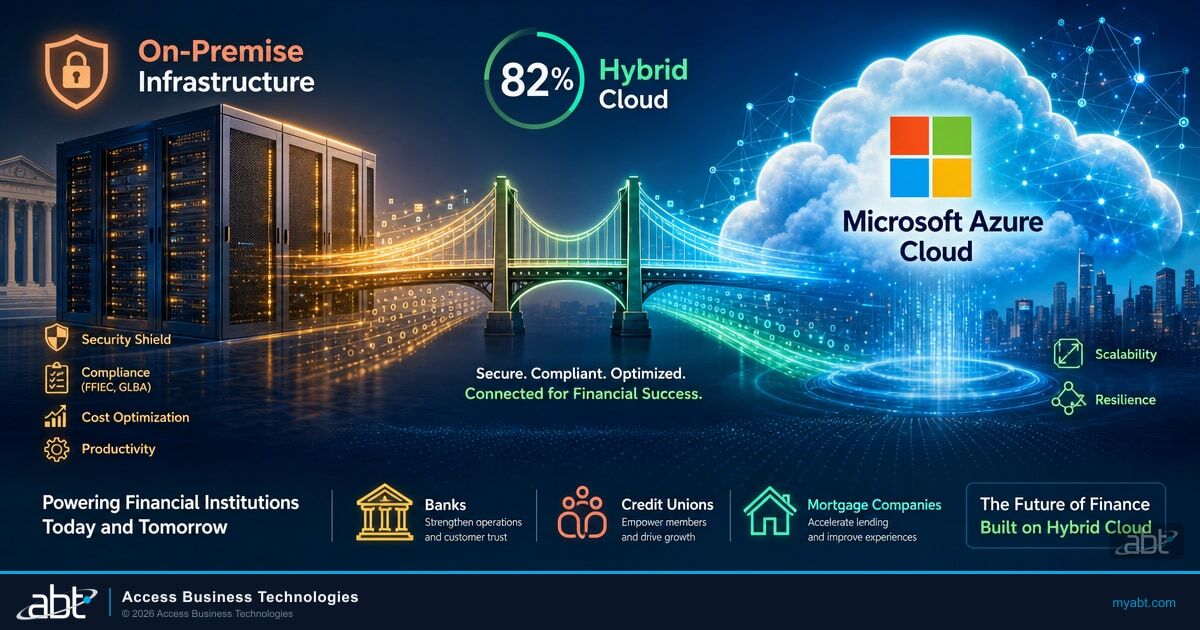
Hybrid Cloud for Financial Institutions
What stays on-premises, what moves to Azure, and the framework examiners accept for the split.
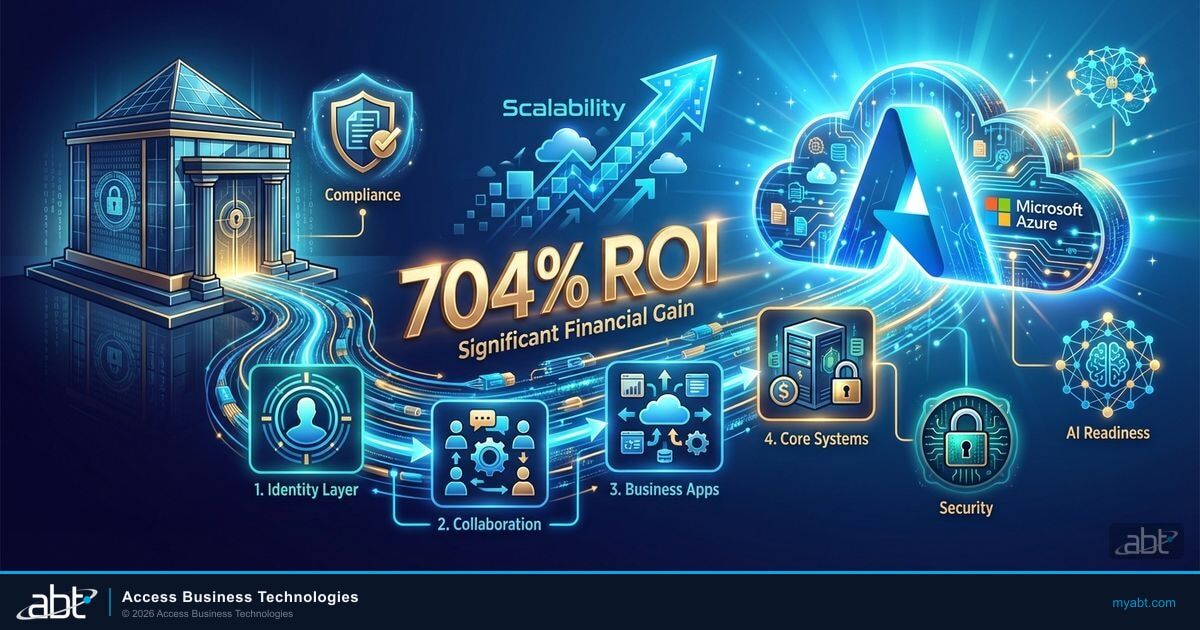
Cloud Migration: A Phased Approach Without the Headaches
How institutions sequence a migration so the deadline drives the plan rather than the other way around.
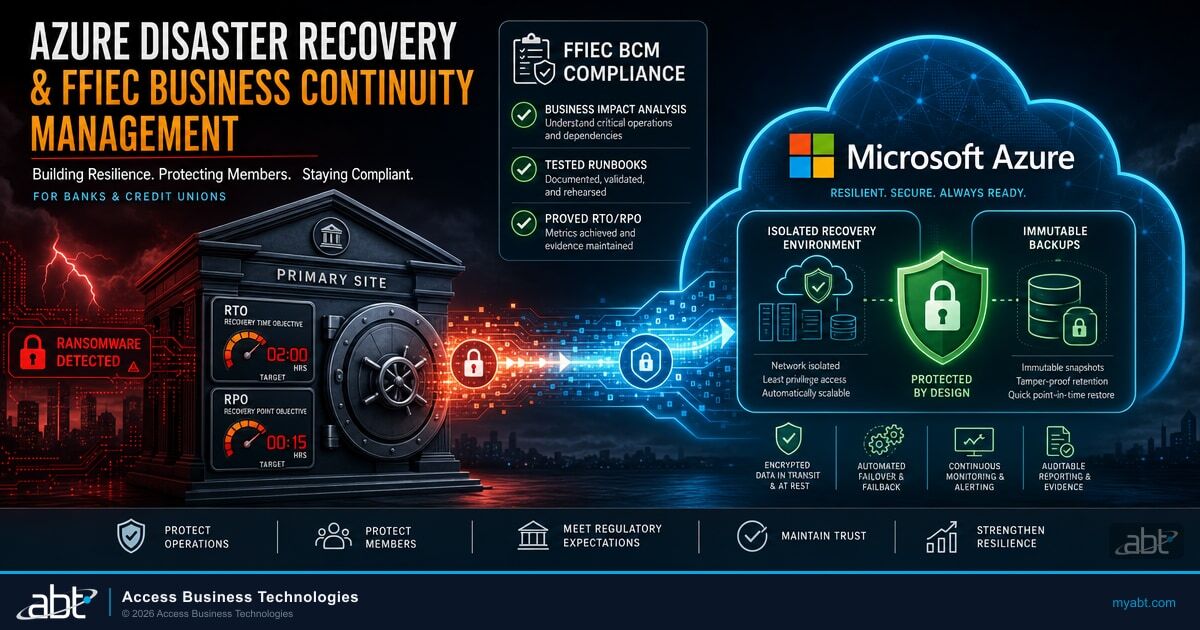
Azure Disaster Recovery for Financial Institutions
Recovery objectives and tested failover, which is where a rehosted workload has to land anyway.
Also relevant if you buy Microsoft server software through a partner: a separate change to Windows Server and SQL Server pricing takes effect on October 1, 2026, which lands in the same budget cycle as this decision and is worth reading alongside it.
Windows Server 2016 end of support, answered
How many 2016 servers
are you still running?
Tell us about your environment and ABT's team will inventory it against the full January 2027 list, confirm your eligibility for Extended Security Updates, quote the coverage at your core count, and say which workloads should be migrated instead.
