In This Article
- What the October update changed
- Why Microsoft blocked MS-CHAPv2 single sign-on
- Which devices lose automatic Wi-Fi and VPN sign-in
- Find your MS-CHAPv2 dependencies before your staff do
- Keep people connected while you fix it
- Move Wi-Fi and VPN to certificate-based sign-in
- The next NTLM change is already on Microsoft's roadmap
- What to keep for examiners
- How ABT helps
- Frequently Asked Questions
A teller opens a laptop at the branch and it joins the office Wi-Fi on its own. A loan officer at home clicks the VPN and lands on the core system without typing a password. That quiet, automatic sign-in keeps your institution moving all day, and on some Windows devices it stops working after the October 13, 2026 Windows security update.
BlockNtlmv1SSO is a Windows registry value that controls whether a device can use NTLMv1-derived credentials for single sign-on. NTLMv1 is version 1 of an older Windows sign-in protocol, NT LAN Manager (NTLM). Starting with updates released on and after October 13, 2026, Microsoft changed what Windows does when that value is absent: on devices where Credential Guard is off, Windows now blocks the request.
Wi-Fi, wired 802.1X, and VPN connections that sign in with MS-CHAPv2 (PEAP-MSCHAPv2 or EAP-MSCHAPv2) using the user's Windows credentials are the ones that feel it. For a bank, credit union, or mortgage company, the work has three parts: find which networks still depend on MS-CHAPv2, keep those users connected with a documented, temporary exception, and move Wi-Fi and VPN to certificate-based sign-in.
Key Takeaway
After the October 2026 Windows update, Windows 11 24H2 and later and Windows Server 2025 devices without Credential Guard block MS-CHAPv2 single sign-on when the BlockNtlmv1SSO value is absent. Keep the security update installed. Check domain controller and client NTLM logs for MS-CHAPv2 use, set BlockNtlmv1SSO to 0 only on the devices that need time, and move Wi-Fi and VPN to certificate-based EAP-TLS with certificates delivered by Microsoft Intune.
Typing a username and password by hand still works in Enforce mode, so most users can get connected the slow way while you fix it. The real cost is the help desk queue on the first morning after the update lands, and the branch staff who sit offline until someone answers.
What the October update changed
The BlockNtlmv1SSO value itself arrived in August 2025, in audit mode. Since then, eligible Windows devices have logged a warning each time something asked for NTLMv1-derived credentials and let the request through. The October 13, 2026 update flips the default. On a device with Credential Guard off, Windows now uses Enforce mode (1) when the value is not set, and the update leaves the registry value exactly as it was.
The change applies to Windows 11 versions 24H2, 25H2, 26H1, and 26H2 and to Windows Server 2025. On Windows 11 24H2, 25H2, and 26H2 it ships in KB5127648, and Microsoft added the release note about it to that article on October 15, two days after the update shipped. On Windows 11 26H1 the October 13 update is KB5127646, and on Windows Server 2025 the change ships in KB5126646.
A Windows 11 laptop installed the October update over the weekend. Its Wi-Fi profile uses PEAP-MSCHAPv2 and is set to sign in automatically with the user's Windows credentials. Credential Guard is off, and nobody ever set BlockNtlmv1SSO.
The laptop fails to join the Wi-Fi on its own. Windows logs event 4025 in the NTLM Operational log, and the RADIUS server records a failed or abandoned 802.1X exchange. The user can still connect by typing their username and password, if anyone tells them to.
Field reports followed quickly. A network access vendor, Extreme Networks, published a support article on Windows 11 PEAP authentication failures after KB5127648. It describes the failure in the inner MS-CHAPv2 exchange and says only clients set to use Windows logon credentials automatically may be affected, which matches Microsoft's description of the change.
Windows 11 24H2 and newer start logging event 4024 whenever NTLMv1-derived credentials are used for single sign-on. Sign-ins keep working.
The same audit behavior starts reaching Windows Server 2025.
Devices without Credential Guard and without a BlockNtlmv1SSO value block NTLMv1-derived single sign-on and log event 4025.
A Microsoft engineer explains how to find MS-CHAPv2 use from domain controller logs and how to keep endpoints in audit mode while you apply the update.
Why Microsoft blocked MS-CHAPv2 single sign-on
Microsoft removed the NTLMv1 protocol from Windows 11 24H2 and Windows Server 2025. What remained was NTLMv1 cryptography hiding inside other protocols, such as MS-CHAPv2. Jerry Devore of Microsoft explains it plainly in his October 23 post: when MS-CHAPv2 is used for VPN, Wi-Fi, NPS, and RADIUS, the sign-in uses the MD4 hash of the account's password to answer a challenge, and that answer is cryptographically equivalent to NTLMv1. A device can have NTLMv1 turned off and still hand out the same kind of challenge response that makes NTLMv1 easy to crack.
For a financial institution, that matters most on the networks your staff trust without thinking: the branch Wi-Fi, the wired 802.1X port at a teller station, the VPN a loan officer uses from home. Each of those MS-CHAPv2 sign-ins sends a response derived from a domain password, and Microsoft notes that Wi-Fi and VPN endpoints based on MS-CHAPv2 are subject to similar attacks as NTLMv1.
BlockNtlmv1SSO
A REG_DWORD value under HKEY_LOCAL_MACHINE\SYSTEM\CurrentControlSet\Control\Lsa\MSV1_0. 0 audits and allows; 1 blocks. After the October 2026 update, an absent value behaves like 1 on devices without Credential Guard.
MS-CHAPv2
The password-based method inside PEAP-MSCHAPv2 and EAP-MSCHAPv2, still common on 802.1X Wi-Fi, wired networks, and VPNs that check credentials against a RADIUS server such as Microsoft Network Policy Server (NPS).
NTLMv1-derived credentials
The challenge response MS-CHAPv2 builds from the password's MD4 hash. Windows generates it on the user's behalf for single sign-on, and that generation is what Enforce mode blocks.
Credential Guard
A Windows feature that isolates credentials using virtualization-based security.
EAP-TLS
Certificate-based network sign-in. The device or user proves who it is with a certificate, and Microsoft recommends it for Wi-Fi and VPN.
Which devices lose automatic Wi-Fi and VPN sign-in
The change is narrow, which is good news if you know where to look. It touches devices running Windows 11 24H2 or later or Windows Server 2025, with Credential Guard off, with no BlockNtlmv1SSO value, that use MS-CHAPv2 with the user's Windows credentials in a domain-joined environment.
| Device state | After the October 2026 update |
|---|---|
| Credential Guard running, any BlockNtlmv1SSO value | Unchanged by this update. MS-CHAPv2 single sign-on was already unavailable, and users reauthenticate by hand in each new Windows session. |
| Credential Guard off, BlockNtlmv1SSO not set | Enforce mode. MS-CHAPv2 single sign-on is blocked and event 4025 is logged. Typed credentials still work. |
| Credential Guard off, BlockNtlmv1SSO set to 0 | Audit mode. MS-CHAPv2 single sign-on keeps working and event 4024 is logged each time. |
| Credential Guard off, BlockNtlmv1SSO set to 1 | Enforce mode, set on purpose. |
| NTLMv1 already blocked in your domain | Microsoft says no action is required, because MS-CHAPv2 with domain credentials was already impossible. Confirm it in your domain controller logs. |
| Wi-Fi or VPN on EAP-TLS or PEAP-TLS | Outside the change, which targets MS-CHAPv2. Certificate-based sign-in keeps working, with or without Credential Guard. |

Credential Guard decides a lot here. Microsoft turns it on by default from Windows 11 22H2 and Windows Server 2025 on domain-joined machines that are not domain controllers and that meet the license and hardware requirements. The license matters: Windows Enterprise E3 and E5 and Education A3 and A5 carry the Credential Guard entitlement, and Windows Pro does not. So Windows 11 machines that run Pro, that fall short of the hardware requirements, or where someone turned Credential Guard off are where this change lands.
Windows Pro has a second date attached. According to the KB5127648 release notes, Windows 11 24H2 Home and Pro reached end of updates with the October 2026 security update. Moving those machines to a newer Windows 11 version keeps them patched, and the BlockNtlmv1SSO default applies there too, so plan both changes together. Our guide to Microsoft's October 2026 end-of-support dates covers the rest of that calendar.
Find your MS-CHAPv2 dependencies before your staff do
You have two places to look: the NTLM log on each Windows client, and your domain controllers, which show the MS-CHAPv2 sign-ins they validate.
On each Windows client, the Microsoft-Windows-NTLM/Operational log records event 4024 (a warning, in Audit mode) or event 4025 (an error, in Enforce mode). Each event names the target server, the user, and the process that asked for the credential. These events are precise, but as Devore notes, very few organizations forward client NTLM logs to their SIEM, so they tend to sit on the laptop.
Your domain controllers are the better starting point. The October 2026 update also brought the detailed NTLM audit events to Windows Server 2019 and Windows Server 2022, and Windows Server 2025 domain controllers have had them since July 2025. The events are on by default.
When a VPN or RADIUS server forwards an MS-CHAPv2 challenge response to a domain controller for validation, the domain controller can log it, and Microsoft's example shows an event 4033 for exactly that case. One look at the domain controllers tells you which network servers still lean on MS-CHAPv2, before every endpoint has the update.
Apply the October 2026 update to Windows Server 2019 and 2022 domain controllers. It turns on the detailed NTLM audit events, and the domain controllers keep validating MS-CHAPv2 sign-ins as before.
Look for MS-CHAPv2 validation forwarded by your NPS, RADIUS, or VPN servers. Collect them across a full business cycle, and that list becomes your dependency inventory.
Pull events 4024 and 4025 from a sample of branch and remote laptops to confirm which Wi-Fi, wired, and VPN profiles are involved.
Forward domain controller NTLM logs to your SIEM, or raise the log size, which defaults to 1 MB.
If your domain controllers show no MS-CHAPv2 traffic and the clients show no 4024 or 4025 events, you're likely in the group with nothing to do. If they do, the next two sections are your plan. Our October 2026 Patch Tuesday guide lists this change alongside the month's other fixes, and our quick reference on fixing NTLMv1 Wi-Fi and VPN sign-in is a one-page version for your help desk.
Keep people connected with a temporary BlockNtlmv1SSO exception
If you find a dependency you can't migrate this week, Microsoft provides a stopgap: set BlockNtlmv1SSO to 0 on the devices that need it. That puts them back in Audit mode, single sign-on works again, and every use still logs event 4024 so you can watch the dependency shrink. The change takes effect immediately, with no restart.
Keep the October update installed
Set the registry value and keep the October update on the device: KB5127648 on Windows 11 24H2, 25H2, and 26H2, KB5127646 on Windows 11 26H1, or KB5126646 on Windows Server 2025. Microsoft's own advice for anyone unsure about MS-CHAPv2 is to create the value as 0 and then apply the update. The update leaves that value as it is, so the device stays in Audit mode. The rest of the October security fixes stay in place that way.
Treat the exception as what Microsoft calls it in KB5066470: a scoped, temporary security exception that reduces the protection Enforce mode provides. Deploy it through Intune or Group Policy so you can remove it in one place, and give it an owner and an end date.
- Target only the device groups whose Wi-Fi, wired, or VPN profile still uses MS-CHAPv2
- Record the business reason, the owner, and the date the exception ends
- Watch event 4024 counts fall as each profile moves to certificates
- Remove the value, or set it to 1, as each group finishes
Move Wi-Fi and VPN to certificate-based sign-in
The permanent fix is to stop using a password response for network access at all. Microsoft's Credential Guard guidance recommends moving Wi-Fi and VPN from PEAP-MSCHAPv2 and EAP-MSCHAPv2 to certificate-based PEAP-TLS or EAP-TLS, and notes that Credential Guard does not block certificate-based authentication. Your staff get the same automatic connection they had before, and the sign-in rests on a certificate the device holds.
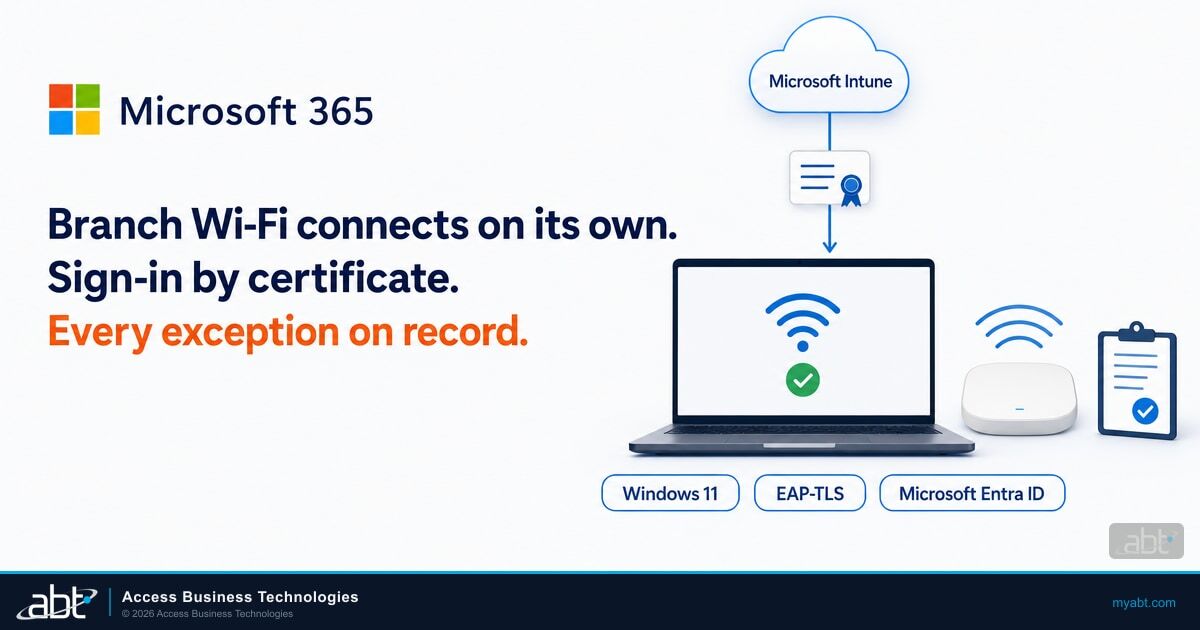
For institutions already managing Windows devices with Microsoft Intune, the device side of the change lives in one console, and the server side stays on your NPS, RADIUS, or VPN servers. An Intune Wi-Fi profile for Windows can use EAP-TLS, point to a trusted root certificate profile for server validation, and use a client certificate delivered by a SCEP or PKCS certificate profile on the same device. If you would rather not run an on-premises certificate authority, Microsoft Cloud PKI issues certificates to Intune-managed devices, and for those certificates it takes the place of an on-premises CA, NDES, and the Intune certificate connector. It requires a subscription in addition to Intune Plan 1 or Plan 2, and it can also chain an issuing CA to an existing Active Directory Certificate Services root.
Existing Active Directory Certificate Services with SCEP or PKCS, or Microsoft Cloud PKI. Either one delivers certificates through Intune certificate profiles.
Client certificates need the Client Authentication purpose. The NPS or VPN server certificate needs Server Authentication (OID 1.3.6.1.5.5.7.3.1), and for Wi-Fi its Subject Alternative Name carries the server's fully qualified domain name, per Microsoft's EAP-TLS certificate requirements.
Assign the trusted root profile and the SCEP or PKCS profile to the same device groups as the Wi-Fi or VPN profile.
Run it alongside the MS-CHAPv2 policy during the move, so pilot devices connect with certificates while the rest keep working.
Start with one site's Wi-Fi and one VPN group, confirm connections, then widen.
When the domain controller logs stay quiet through a full business cycle and a pilot group connects with certificates alone, remove the MS-CHAPv2 policy and the BlockNtlmv1SSO exception.

Certificate-based network access fits a device compliance model well, because only devices enrolled in Intune receive the certificate. M365 Guardian is built on the same idea: it hardens your Microsoft 365 tenant to Zero Trust baselines that verify every user and device. Its Device Compliance area pairs Intune compliance policies and OS security baselines with conditional access gates. Our guide to risk-based device compliance with Microsoft Intune walks through how that model works.
The next NTLM change is already on Microsoft's roadmap
BlockNtlmv1SSO is one step in a longer program. Microsoft's NTLM roadmap says network NTLM will be disabled by default in the next major Windows Server release and the Windows client releases that go with it, with re-enablement through new policy controls for anyone who still needs it. Microsoft notes that the timelines are subject to change.
The inventory you build this month is the same one you'll need then. The detailed NTLM audit events on your domain controllers record NTLM authentication across the domain, MS-CHAPv2 and otherwise. Institutions that worked through the Kerberos RC4 to AES change earlier this year will recognize the pattern: Microsoft audits first, sets a date, then changes the default. The teams that read their logs during the audit window have the easiest time on the day.
What to keep for examiners
An authentication change that briefly took branch Wi-Fi offline is a change management story your examiner may ask about. The good version shows you saw it coming, measured the exposure, made a deliberate exception, and closed it. Keep:
- The domain controller and client NTLM event exports that showed which networks used MS-CHAPv2
- The BlockNtlmv1SSO exception: scope, business reason, owner, approval, and end date
- The certificate rollout plan, pilot results, and the date each Wi-Fi and VPN profile moved to EAP-TLS
- The date the exception was removed and the logs showing MS-CHAPv2 use had stopped
That record also feeds your vendor and network risk files, since your wireless and VPN equipment sit on the other end of every one of these sign-ins.
How ABT helps
This change rewards institutions that know the state of every Windows device: which ones run Credential Guard, which edition and license they carry, and which network profiles they use. Microsoft Intune is where that knowledge lives, and the next NTLM change on Microsoft's roadmap will ask the same questions.
M365 Guardian puts that knowledge to work in your Microsoft 365 tenant: Zero Trust identity and device baselines, with Microsoft Entra ID Conditional Access and multifactor authentication alongside Microsoft Intune device compliance. Guardian Foundation, the hardened baseline, is included at no additional charge when your Microsoft licensing runs through ABT.
ABT is a Tier-1 Microsoft Cloud Solution Provider serving 750+ financial institutions. We manage Microsoft 365 tenants for banks, credit unions, and mortgage companies, and we quote your Microsoft licensing on its own line at Microsoft price, with Guardian beside it. If the October update has already cost your staff a morning at the branch, bring your domain controller NTLM event exports to a conversation with an ABT specialist about your Wi-Fi and VPN sign-in. If you're planning ahead, the security assessment shows where your devices stand before the next change.
Keep your branches connected through the next Windows change
Start with ABT's Microsoft 365 security assessment, free for financial institutions, which reviews six security areas, devices among them, and gives you a prioritized list of fixes. Then talk with an ABT specialist about M365 Guardian, which hardens your tenant to Zero Trust device baselines with Intune device compliance, before the next Windows authentication change reaches your branches.
Frequently Asked Questions
BlockNtlmv1SSO is a REG_DWORD registry value under HKEY_LOCAL_MACHINE\SYSTEM\CurrentControlSet\Control\Lsa\MSV1_0 that controls whether Windows can generate NTLMv1-derived credentials for single sign-on. A value of 0 audits and allows, logging event 4024. A value of 1 blocks, logging event 4025. Changes take effect without a restart.
Starting with updates released on and after October 13, 2026, Windows uses Enforce mode when the BlockNtlmv1SSO value is not set, on devices where Credential Guard is off. Wi-Fi, wired 802.1X, and VPN connections that use PEAP-MSCHAPv2 or EAP-MSCHAPv2 with the user's Windows credentials lose single sign-on. Typing credentials by hand still works.
Windows 11 versions 24H2, 25H2, 26H1, and 26H2 and Windows Server 2025. The change ships in KB5127648 on Windows 11 24H2, 25H2, and 26H2, in the October 13 update KB5127646 on Windows 11 26H1, and in KB5126646 on Windows Server 2025. It applies only where Credential Guard is off and the registry value has not been set.
Keep the update installed. Microsoft's guidance is to set BlockNtlmv1SSO to 0 on the devices that need more time, which restores single sign-on in Audit mode while every other October security fix stays in place. Microsoft describes that setting as a scoped, temporary security exception, so give it an owner and an end date.
Start with your domain controllers. The October 2026 update brought the detailed NTLM audit events to Windows Server 2019 and 2022, and Windows Server 2025 domain controllers already have them, so their NTLM Operational logs can show MS-CHAPv2 validation forwarded by VPN or RADIUS servers. Then check clients for events 4024 and 4025.
Microsoft recommends certificate-based PEAP-TLS or EAP-TLS. Microsoft Intune can deploy the Wi-Fi profile, the trusted root certificate, and a SCEP or PKCS client certificate, and Microsoft Cloud PKI can issue SCEP certificates to Intune-managed devices without an on-premises certificate authority. Certificate-based sign-in keeps working with Credential Guard on.
ABT, a Tier-1 Microsoft Cloud Solution Provider serving 750+ financial institutions, manages Microsoft 365 tenants with M365 Guardian, which hardens each tenant to Zero Trust identity and device baselines with Intune device compliance. ABT's security assessment, free for financial institutions, reviews devices among six areas, and an ABT specialist can walk through your Wi-Fi and VPN sign-in.