In This Article
- Active Directory security starts with every staff sign-in
- What attackers do once they reach Active Directory
- What Microsoft Defender for Identity watches
- Is Defender for Identity included in Microsoft 365 Business Premium?
- What changed in 2026: a lighter deployment
- A deployment plan for a small IT team
- What examiners expect you to be watching
- How ABT helps
- Frequently Asked Questions
At five minutes to eight on a Monday morning, every teller, loan officer, and member service representative at your institution signs in. If your institution runs its own Windows servers, a domain controller checks each of those sign-ins against Active Directory and grants access to the file shares and applications staff need before the doors open. In a hybrid setup, the same accounts sync to Microsoft Entra ID, so the password that unlocks a teller workstation also opens Outlook and Teams.
That dependence is why attackers go after the domain controller. In September 2026, the Cybersecurity and Infrastructure Security Agency (CISA) and the National Security Agency (NSA), with cyber agencies in Australia, Canada, New Zealand, and the United Kingdom, revised their joint guide to Active Directory compromises. It calls Active Directory "the most widely used authentication and authorisation solution in enterprise information technology (IT) networks globally" and walks through the techniques attackers use against it, from Kerberoasting to Golden Ticket attacks.
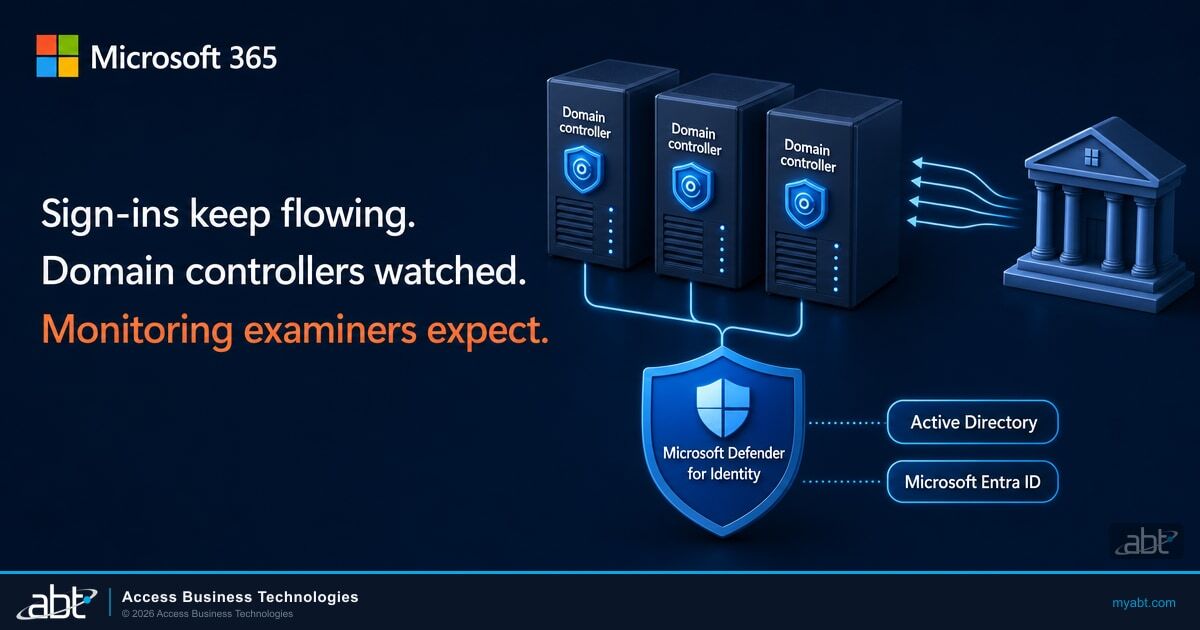
Microsoft Defender for Identity is Microsoft's identity threat detection and response service for Active Directory. Sensors on your domain controllers and identity servers read Windows events and authentication traffic. The detections land in the same Microsoft Defender portal that handles email and endpoint alerts.
At ABT, a Tier-1 Microsoft Cloud Solution Provider, we've served more than 750 financial institutions over 25 years. This guide covers what Defender for Identity detects and how credit unions, banks, and mortgage companies get it, including the add-on that brings it to Microsoft 365 Business Premium. It also explains what changed in 2026 to make deployment lighter and the rule text examiners work from.
In more than 78% of human-operated cyberattacks Microsoft has seen, threat actors successfully breach a domain controller. In more than 35% of cases, the domain controller is the primary spreader device, the system that distributes ransomware at scale.
Active Directory security starts with every staff sign-in
Microsoft describes domain controllers as "the backbone of any on-premises environment, managing identity and access through Active Directory (AD)." They authenticate users and devices, hand out Kerberos tickets for file shares and applications, and keep account data consistent across every site. Take the domain controllers away and staff lose the file shares and every application that relies on Windows authentication.
Hybrid sync makes the domain controller matter to Microsoft 365 too. Microsoft Entra Connect copies Active Directory accounts to Microsoft Entra ID, and the joint guide notes that "The default and most used configuration is Password Hash Synchronisation (PHS)." With password hash sync, the password an attacker steals on premises is also the password for that person's Microsoft 365 account. The server that runs Microsoft Entra Connect Sync belongs in the same protected tier as your domain controllers.
The guide names that tier explicitly: "Tier 0 computer objects include Domain Controllers, the AD FS server, the AD CS root certificate authority, backup servers, and the Microsoft Entra Connect server." AD FS is Active Directory Federation Services, which handles federated sign-in, and AD CS is Active Directory Certificate Services, which issues certificates. Five terms carry the rest of this article.
Domain controller
A Windows server that runs Active Directory Domain Services and authenticates the users and computers in the domain.
Tier 0
The systems that control identity for everything else: domain controllers, AD FS, the AD CS root certificate authority, backup servers, and the Entra Connect server.
Kerberoasting
Requesting Kerberos service tickets for accounts that have a service principal name (SPN), then cracking the ticket offline to recover the service account's password.
DCSync
Sending a directory replication request from a computer that isn't a domain controller, to pull password hashes out of Active Directory.
Golden Ticket
A forged Kerberos ticket, made with the key of KRBTGT, the built-in account Active Directory uses to sign Kerberos tickets. It grants access to any resource for as long as the attacker chooses.
Where does the Microsoft 365 side of your identity stand?
Accounts that Entra Connect syncs can also sign in to Microsoft 365. ABT's free assessment reviews that side of your identity: multifactor authentication (MFA) coverage, Conditional Access policies, legacy authentication exposure, and admin account hygiene.
What attackers do once they reach Active Directory
The joint guide explains why Active Directory is such a reliable target: it "is susceptible to compromise due to its permissive default settings, its complex relationships, and permissions; support for legacy protocols and a lack of tooling for diagnosing Active Directory security issues." Microsoft's security research reaches the same conclusion: "most identity attacks utilize common misconfigurations in Active Directory and continued use of legacy components (such as NTLMv1 protocol)." NTLM, short for NT LAN Manager, is an older Windows authentication protocol that many networks still allow.
Most identity attacks start with a password. Microsoft's Digital Defense Report 2025 found that "more than 97% of identity attacks are password attacks", and that identity-based attacks surged 32% in the first half of 2025. A sprayed password or a phished account gives an attacker a foothold inside the domain. From there, the guide warns, "Kerberoasting may be executed by malicious actors shortly after gaining initial access to an Active Directory domain to attempt to escalate privileges and move laterally."
Service accounts are the usual target. The joint guide notes that "The types of user objects configured with SPNs are commonly referred to as service accounts," and that a service account compromised through Kerberoasting "often provides additional privileges and access." Two of our recent guides cover that ground: the forgotten service accounts a password spray found, and the move from RC4 to AES Kerberos encryption that makes cracked tickets harder to come by. After a service account falls, the path to full control of the domain can be short: reuse a stolen hash on another server, pull password hashes with DCSync, then forge a Golden Ticket.
From there, ransomware can spread across the network. The FBI's 2025 Internet Crime Report counted more than 3,600 complaints reporting ransomware. It notes that the reported losses run artificially low, because some victims report no loss amount at all.

What Microsoft Defender for Identity watches
Microsoft Learn describes the service plainly: "Defender for Identity monitors identity signals from on-premises Active Directory and Microsoft Entra ID." Its sensors "run on your identity infrastructure, capturing and parsing relevant network traffic and Windows events locally," and only the signals the detections need go to Microsoft's cloud service. It covers people and machines alike, "including both human and non-human identities such as service accounts, synchronization accounts, and applications."
The detections follow the attack path above. Each alert below uses the name in Microsoft's classic alert reference (the Golden Ticket row groups six variants), along with the learning period Microsoft lists before it fires.
| Attack stage | What the attacker does | Defender for Identity alert | Learning period |
|---|---|---|---|
| Reconnaissance | Guesses valid user names against the domain | Account Enumeration reconnaissance (LDAP) | None |
| Credential access | Sprays one password across many accounts over Kerberos or NTLM | Suspected Brute Force attack (Kerberos, NTLM) | One week |
| Credential access | Requests service tickets to crack offline (Kerberoasting) | Suspected Kerberos SPN exposure | None |
| Lateral movement | Reuses a stolen NTLM hash on another computer | Suspected identity theft (pass-the-hash) | None |
| Domain dominance | Pulls password hashes with a replication request from a non-domain controller | Suspected DCSync attack (replication of directory services) | None |
| Persistence | Adds an account to a highly privileged group | Suspicious additions to sensitive groups | Four weeks per domain controller |
| Persistence | Uses a forged Kerberos ticket | Suspected Golden Ticket usage (six variants) | None for five variants; five days for the encryption downgrade variant |
Two lines from Microsoft's documentation belong in every deployment plan. The first is that coverage follows the sensors: "If you have domain controllers on which Defender for Identity sensors aren't installed, those domain controllers aren't covered by Defender for Identity." Microsoft recommends a sensor on every domain controller.
The second is that Defender for Identity is a detection service, and it "only captures the data required for its detection and recommendation mechanisms." Keep your Windows and Microsoft 365 audit logs on their own retention schedule, as covered in Microsoft 365 audit log retention for financial institutions.
Detection comes with response. For accounts that live in Active Directory, Microsoft says "Actions are executed by the Microsoft Defender for Identity sensor on the domain controller," including disabling an account and forcing a password change. Microsoft Defender's automatic attack disruption can act on its own: for an Active Directory account synced to Entra ID, "Defender for Identity triggers the disable user action via onboarded domain controllers. Attack disruption also disables the user account in Microsoft Entra ID."
The service also runs a continuous Active Directory security assessment. Defender for Identity adds identity security posture assessments to Microsoft Secure Score in six categories: hybrid security, identity infrastructure, certificates, Group Policy, accounts, and cloud identities. Microsoft ties them to the license: "You must have a Defender for Identity license to view Defender for Identity security posture assessments in Microsoft Secure Score." With it, your Active Directory configuration shows up in the same Secure Score your team already tracks for Microsoft 365.
Is Defender for Identity included in Microsoft 365 Business Premium?
Defender for Identity sits outside Microsoft 365 Business Premium. Business Premium includes Microsoft Entra ID P1, Microsoft Defender for Office 365 Plan 1, Microsoft Defender for Business, Microsoft Intune, and Microsoft Purview data loss prevention. Microsoft's prerequisites include Enterprise Mobility + Security E5 (EMS E5), Microsoft 365 E5, and a standalone Defender for Identity license, available directly or through the Cloud Solution Provider program.
If your institution already owns Microsoft 365 E5, the license may be sitting unused. Our guide to the E5 security features institutions pay for but don't use walks through the check.
For Business Premium customers, the path is the Microsoft Defender Suite for Microsoft 365 Business Premium add-on. Microsoft lists it at $10.00 per user per month, paid yearly, and it requires Business Premium. Microsoft Learn says the add-on brings "Identity protection with Microsoft Defender for Identity, which is an identity threat detection and response (ITDR) solution", along with four other upgrades.
Microsoft 365 Business Premium
- Microsoft Entra ID P1: Conditional Access and multifactor authentication
- Microsoft Defender for Business on endpoints
- Microsoft Defender for Office 365 Plan 1
- Microsoft Intune and Microsoft Purview data loss prevention
With the Defender Suite for Business Premium
- Microsoft Defender for Identity on domain controllers and identity servers
- Microsoft Entra ID P2: risk-based Conditional Access and Privileged Identity Management
- Microsoft Defender for Endpoint Plan 2 and Defender for Office 365 Plan 2
- Microsoft Defender for Cloud Apps
Plan the purchase for every user. Microsoft describes Defender for Identity as "a per-user subscription license" and says its features "are enabled at the tenant level for all users within the tenant." The service isn't currently "capable of limiting benefits to specific users."
The endpoint half of the add-on has its own rule: "Microsoft Defender for Business doesn't support mixed licensing." In Microsoft's example, an organization with 80 Business Premium users that upgrades only 30 of them stays on the Defender for Business endpoint experience for all 80. Moving to Defender for Endpoint Plan 2 takes a license for every user and a request to Microsoft Support. That's why ABT recommends one order that covers every seat.
The Defender Suite for Business Premium is the minimum upgrade we recommend for every Business Premium institution, because it also adds risk-based Conditional Access and Privileged Identity Management. As a Tier-1 Microsoft Cloud Solution Provider, we sell it at Microsoft's price, on its own line of your quote. When your Microsoft 365 licenses sit with ABT, Guardian Foundation, the hardened tenant baseline, is included at no additional charge.
What changed in 2026: a lighter deployment
Earlier versions of Defender for Identity asked a lot of a two-person IT team: a sensor installed on each server, a directory service account, and advanced audit policy configured by hand. Microsoft's What's new page shows how much of that work moved into the Defender portal during 2026.
Sensors move from v2.x to v3.x from the Microsoft Defender portal. The old sensor keeps running until the new one is ready, so there's no downtime.
Sensor v3.x applies the Windows event auditing its detections need.
Remote Procedure Call (RPC) auditing turns on automatically with sensor version 3.0.8 or later.
Auditing is configured automatically for AD FS, AD CS, and Microsoft Entra Connect on servers running sensor v3.x.
New v3.x sensors can be activated on eligible domain controllers running Windows Server 2019 or later without first onboarding them to Defender for Endpoint. A second preview adds AD FS, AD CS, and Entra Connect servers that aren't domain controllers.
The v3.x sensor has firm prerequisites. Microsoft's deployment page lists Windows Server 2019 or later with "the Windows Server July 2026 or later cumulative update installed," plus onboarding to Defender for Endpoint, which the September preview replaces on eligible domain controllers. The page also says v3.x replaces the directory service account and action account that v2.x needed: "LocalSystem handles this automatically."
Domain controllers on Windows Server 2016 run the v2.x sensor, which supports "Domain controllers running Windows Server 2016 or earlier". Microsoft ends extended support for Windows Server 2016 in January 2027, so a domain controller upgrade plan and a Defender for Identity plan fit together. Our October 2026 end-of-support guide covers the Windows 10 and Office dates that land first.
A deployment plan for a small IT team
Microsoft's standard deployment path reduces to six steps for an institution with a handful of domain controllers.
Microsoft Defender for Identity Deployment Path
Microsoft 365 E5, EMS E5, a standalone license, or the Defender Suite for Business Premium.
List every domain controller, AD FS federation server, AD CS certificate authority, and Entra Connect server.
Sensor v3.x needs Windows Server 2019 or later, the July 2026 or later cumulative update, and Defender for Endpoint onboarding.
Turn on v3.x sensors from the Microsoft Defender portal, and use sensor v2.x where the server is older.
Automatic Windows event auditing applies the settings the detections need on v3.x sensors.
Review the identity posture assessments, then tag sensitive accounts and set up a decoy honeytoken account.
Three decisions keep the deployment useful after the first week.
- Deploy before you need it. Several detections fire on day one, but the sensitive-group and group-membership reconnaissance alerts learn for four weeks per domain controller. A sensor installed during an incident sees only what happens next.
- Set up a honeytoken. Microsoft describes honeytoken accounts as "decoy accounts set up to identify and track malicious activity," and any authentication from one raises an alert with no learning period.
- Name who answers the alert. Decide who reviews a high-severity identity alert at 2 a.m., who can disable an account, and how the decision is recorded for your incident file. The Microsoft 365 incident response plan guide covers the paperwork.

What examiners expect you to be watching
Federal rules describe the monitoring outcome and leave the product choice to the institution. The Interagency Guidelines Establishing Information Security Standards, adopted by each federal banking agency, list the security measures a bank must consider and adopt where appropriate:
Monitoring systems and procedures to detect actual and attempted attacks on or intrusions into customer information systems;
Federally insured credit unions work from the same language in the National Credit Union Administration (NCUA) rules. Part 748, Appendix A calls for "Monitoring systems and procedures to detect actual and attempted attacks on or intrusions into member information systems." Mortgage companies and other non-bank lenders under the Federal Trade Commission (FTC) Safeguards Rule have a more specific version at 16 CFR 314.4(c)(8): "Implement policies, procedures, and controls designed to monitor and log the activity of authorized users and detect unauthorized access or use of, or tampering with, customer information by such users."
Each rule asks whether the institution can detect an intrusion into the systems that hold customer information, and in an institution that runs Active Directory, the domain controllers are the front door to those systems. Defender for Identity gives you dated, named alerts for the attacks this article describes. Alongside your review procedures and investigation records, those alerts help answer the monitoring question. The FBI makes the operational case in its own ransomware guidance, recommending that organizations "implement a tool that logs and reports all network traffic, including lateral movement activity on a network."
How ABT helps
ABT makes the Defender Suite for Business Premium one conversation: a seat count that covers every user, which servers count as Tier 0, and how the endpoint upgrade lands for every seat at once.
Identity has two halves in a hybrid institution, and M365 Guardian covers the Microsoft 365 half. We manage your Microsoft 365 tenant, and every Guardian rung includes a hardened tenant: Zero Trust identity and device baselines, Microsoft Entra ID Conditional Access, multifactor authentication, Microsoft Intune device compliance, Microsoft Purview data loss prevention, and Microsoft Defender for Office 365 configuration. Defender for Identity watches the Active Directory half those synced accounts come from. With both in place, a stolen password meets Conditional Access in the cloud and Defender for Identity sensors on premises.
To see where the Microsoft 365 half of your identity stands today, start with the free Microsoft 365 Security Assessment.
Protect both halves of your identity: Active Directory and Microsoft 365
Some detections learn for four weeks per domain controller, so start before you need them.
Start with the Microsoft 365 side
Get a free review of MFA coverage, Conditional Access policies, legacy authentication exposure, and admin account hygiene in your tenant.
Request a Free Microsoft 365 Security AssessmentAdd Defender for Identity
Talk through the Defender Suite for Business Premium: a seat count that covers every user, and which servers count as Tier 0 in your environment.
Talk to an ABT M365 licensing specialistFrequently Asked Questions
Microsoft Defender for Identity is Microsoft's identity threat detection and response service for on-premises Active Directory and Microsoft Entra ID. Sensors on domain controllers and identity servers read Windows events and authentication traffic, and alerts for attacks such as Kerberoasting, pass-the-hash, and DCSync appear in the Microsoft Defender portal alongside email and endpoint alerts.
Microsoft 365 Business Premium does not include Defender for Identity. Business Premium customers add it with the Microsoft Defender Suite for Microsoft 365 Business Premium, which Microsoft lists at $10.00 per user per month, paid yearly. Defender for Identity also comes with Microsoft 365 E5, Enterprise Mobility + Security E5, or a standalone license.
Defender for Identity detects reconnaissance, credential theft, lateral movement, and domain takeover in Active Directory. Its alerts include account enumeration, password spray and brute force over Kerberos or NTLM, Kerberoasting, pass-the-hash, DCSync replication from a non-domain controller, suspicious additions to sensitive groups, and forged Golden Ticket usage.
Microsoft recommends a Defender for Identity sensor on every domain controller, because domain controllers without a sensor are not covered. Sensor v3.x needs Windows Server 2019 or later, the July 2026 or later cumulative update, and Defender for Endpoint onboarding, which a preview makes optional for new sensors on eligible domain controllers. Older domain controllers use v2.x.
Defender for Identity works alongside audit logs. Microsoft says it only captures the data its detections and recommendations need, and it is not designed as an auditing or logging solution. Institutions keep Windows security logs and Microsoft 365 audit logs on their own retention schedule and use Defender for Identity for detection and response on top of them.
Examiners work from rules that describe monitoring outcomes. The Interagency Guidelines call for monitoring systems and procedures to detect actual and attempted attacks on customer information systems. NCUA's Appendix A says the same for member information systems, and the FTC Safeguards Rule requires monitoring and logging of authorized users' activity. Institutions choose the tools that produce the evidence.