Skip to the main content.
HomeMicrosoft 365 › EWS retirement and archive mailboxes
Exchange Online · Microsoft Graph · Retention
Updated September 15, 2026

The EWS retirement reaches your archive mailboxes.

Your archive is where a credit union, bank, or mortgage company keeps what it is required to keep, and it is where people go when somebody asks for a loan file from four years ago. Microsoft starts switching off Exchange Web Services in October 2026. The Microsoft Graph replacement for archive mailbox access finishes arriving after that window opens. Here is what actually stops working, what Microsoft says it is building to replace it, and the three capabilities it has confirmed it will not add to Microsoft Graph at all.

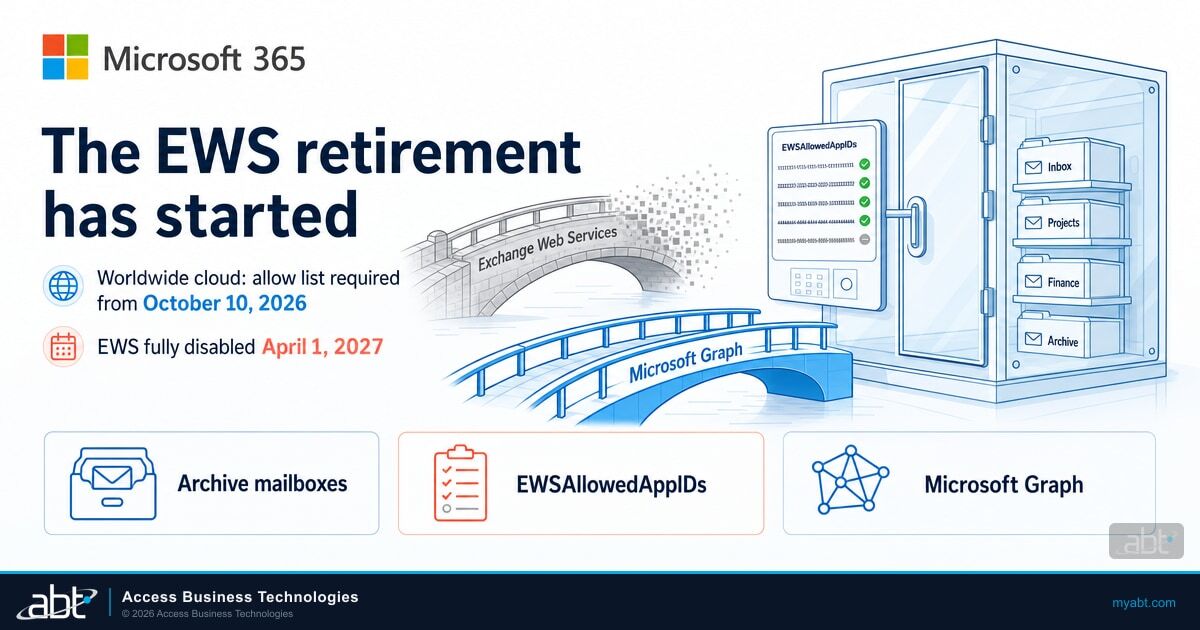
An Exchange Online access bridge dissolving into particles at the door of a glass archive mailbox vault, with an unfinished Microsoft Graph bridge being built toward the same vault, under the Microsoft 365 logo
May 7, 2026
Mailbox import and export Graph APIs reach general availability. Archive mailboxes are not included.
October 2026
EWS starts to be disabled globally for all organizations.
Late Oct to early Nov 2026
Graph archive mailbox support reaches general availability worldwide.
April 2027
EWS is fully disabled. There is no re-enablement after this point.
Oct 2026
EWS starts being disabled
Microsoft Learn, EWS deprecation timeline
Apr 2027
EWS fully disabled
Microsoft Learn, EWS deprecation timeline
Q4 CY2026
Target for archive Graph parity
Microsoft Learn, roadmap for parity gaps. Microsoft labels these dates targets that might change.
3
Capabilities Microsoft will not add to Graph
Microsoft Learn, confirmed capabilities that will not be added

What is actually changing in October 2026?

Microsoft switches off a programming interface. It does that in two stages, and the second stage has no undo.

Exchange Web Services is the old programming interface that applications use to read and write mailbox data in Exchange Online. Backup products use it. Archiving and journaling products use it. Records management and legal hold tools use it. So do a great many small internal scripts that somebody wrote once and nobody has opened since.

Microsoft has published the timeline on its own documentation page, and it is short enough to quote in full:

“October 2026: EWS starts to be disabled globally for all organizations.”

“April 2027: EWS is fully disabled.”

Microsoft Learn, Deprecation of Exchange Web Services in Exchange Online, EWS deprecation timeline. Retrieved September 15, 2026.

The first date is a start, not a cutover. Disablement rolls out across tenants, and the specific timing for any one tenant appears in that tenant's own Message Center rather than on a public page. The second date is the floor. After April 2027 there is nothing to turn back on.

This applies to Exchange Online. Microsoft has stated that it is not making the same change to EWS in Exchange Server on-premises, so an institution running a hybrid Exchange server is dealing with a different question there.

Why Microsoft accelerated this. The same documentation page ties the urgency to a specific event: “The Midnight Blizzard security incident in January 2024 involved EWS and elevated the urgency of the EWS deprecation effort. The scope was also widened from third party applications to include all Microsoft applications.” That last clause is the part people miss. Microsoft is removing EWS from its own products too, including Outlook, Office, Teams, and Dynamics 365. This is not a third-party cleanup.

None of that is new. What is new, and what most institutions have not mapped, is where the retirement lands next.

Does this reach archive mailboxes specifically?

Yes, and archive mailboxes were the piece Microsoft had not replaced yet.

When the mailbox import and export Microsoft Graph APIs reached general availability on May 7, 2026, the announcement was explicit about what was left out:

“The following mailbox types are not included in the initial GA release: Archive mailboxes”

Microsoft 365 Developer Blog, Announcing general availability of the mailbox import and export Microsoft Graph APIs, May 7, 2026. Public folders and group mailboxes were also excluded at that point.

So for most of 2026 the position was that primary and shared mailboxes had a supported Graph path and archive mailboxes did not. Microsoft has now addressed that. Message Center notice MC1469565, published September 9, 2026 and titled “Microsoft Purview | Data Lifecycle Management, Graph API Support for archive mailboxes”, sets out the rollout:

“General Availability (Worldwide): Beginning in late October 2026 and expected to complete by early November 2026”

“Applications and scripts that continue to use EWS for archive mailbox operations will stop functioning after EWS is disabled.”

Microsoft 365 Message Center notice MC1469565, published September 9, 2026, action required by October 1, 2026. Message Center notices are delivered to each tenant rather than published at a public address. The retirement dates and the quarter Microsoft is targeting for archive parity are separately published on Microsoft Learn, cited in the next section. The narrower late October to early November window is specific to this notice, so check it against your own tenant's Message Center.

The notice names the categories it expects to be affected: eDiscovery, compliance and records management workflows, data lifecycle management, backup and export tools, and custom applications.

Read those two rollouts against each other and the shape of the problem is clear. EWS begins to be disabled in October 2026. The Graph replacement for archive mailbox access begins general availability in late October 2026 and is expected to finish in early November 2026. Those windows overlap, and the replacement finishes after the retirement has already started.

The precise version, because the loose version is wrong. It is not accurate to say the replacement arrives after EWS is gone. Disablement starts in October and archive support starts reaching tenants in late October. What is accurate is narrower and still uncomfortable: the capability your retention tooling needs finishes shipping after the thing it replaces has begun to be switched off, on a date Microsoft itself describes as a target that might change, with a hard floor of April 2027.

The documentation is ahead of the rollout, so check which one you are reading

There is a trap here for anyone who checks this themselves. The Microsoft Graph overview for the mailbox import and export APIs, last updated in July 2026, already states that “These APIs support access to data in users' primary, shared, and archive mailboxes on Exchange Online.” Read on its own, that page makes archive support look finished.

Microsoft Learn, Overview of the mailbox import and export APIs in Microsoft Graph. Page metadata read September 15, 2026 shows a last update of July 21, 2026.

Documented is not the same as generally available in your tenant. Reference documentation is routinely updated as a capability moves through release, while the rollout that actually reaches a given tenant is tracked separately, which is what the Message Center window describes. The practical rule is the boring one: confirm against your own tenant rather than against a documentation page, and treat a documented capability as something to verify rather than something to assume.

A caveat that matters more than it looks, if your dependency is a backup product. That same Microsoft page carries an explicit limitation: “The mailbox import and export APIs in Microsoft Graph aren't designed for mailbox backup and restore.” Microsoft points backup and restore scenarios to Microsoft 365 Backup instead. So if the application you are worried about is a backup product reaching the archive through EWS, the import and export APIs are not automatically the place it lands. That is a question for the vendor, and it is a different question from whether the APIs exist.

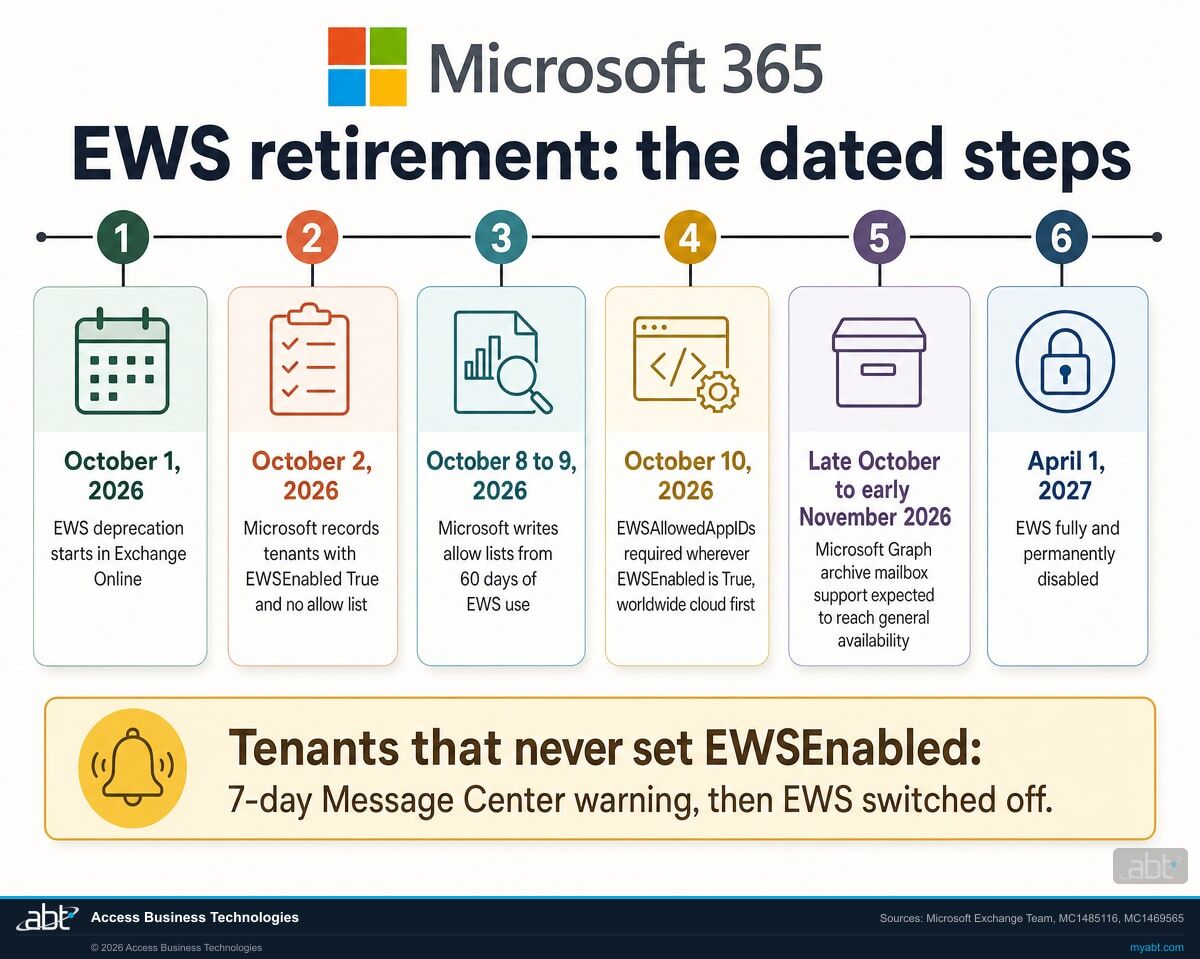
Timeline showing four Exchange Web Services milestones: May 2026 mailbox import and export Graph APIs reach general availability without archive mailboxes, October 2026 EWS starts being disabled globally, late October to early November 2026 Graph archive mailbox support reaches general availability, and April 2027 EWS fully disabled
The archive mailbox window. Sources: Microsoft Learn EWS deprecation timeline; Microsoft 365 Developer Blog, May 7, 2026; Microsoft 365 Message Center notice MC1469565.

What is Microsoft shipping to replace it, and when?

Microsoft publishes a parity-gap roadmap. The archive rows on it are dated to the same quarter the retirement begins.

The deprecation page carries a table of the EWS capabilities that do not yet have a Microsoft Graph equivalent, with target dates. Two rows are about the archive, and both land in the fourth quarter of calendar year 2026.

Directly above that table Microsoft sets expectations in one sentence: “Estimated availability dates are targets and might change.”

Selected rows from the Microsoft Learn roadmap for parity gaps, retrieved September 15, 2026. Capability descriptions are Microsoft's own wording.
Capability What Microsoft says it covers Target
In-Place Archive (Generic CRUD) Access and manage mailbox items in an existing In-Place Archive. This capability does not create archive mailboxes. Q4 CY2026
Import-Export (Archive) Export and import mailbox items in archive mailboxes in a full-fidelity format. Q4 CY2026
Import-Export (Public Folder) Export and import public folder items in a full-fidelity format. This capability does not include public folder create, read, update and delete operations. Q4 CY2026
Import-Export (Group) Export and import items in Microsoft 365 Group mailboxes in a full-fidelity format. Q4 CY2026
Exchange Admin API Manage selected Exchange recipient and mailbox settings, including folder permissions, through Exchange Admin APIs. Q4 CY2026
Sovereign Cloud availability Make Exchange workload APIs required for EWS migration available in supported sovereign clouds. Q4 CY2026
User Configuration objects Access and manage user configuration objects stored as folder-associated items in mailbox folders. Q4 CY2026
Non-draft MIME update and creation Create or update non-draft messages by using MIME content. Q4 CY2026

Read the first row carefully, because it contains a limit that matters for a migration plan. In-Place Archive generic access covers items in an existing archive. Microsoft states plainly that it does not create archive mailboxes. If a process in your environment provisions archives programmatically through EWS, that is a separate question from reading and writing the contents of one.

And then there is the sentence that governs everything not on the table. Microsoft puts it just above the roadmap:

“If an EWS capability isn't listed in this roadmap table, don't plan on a corresponding Microsoft Graph or Exchange Admin API capability being available before EWS is fully disabled.”

Microsoft Learn, Deprecation of Exchange Web Services in Exchange Online. Retrieved September 15, 2026.

That is an unusually direct instruction from a vendor, and it is worth reading for exactly what it says. Microsoft is not promising that an unlisted capability never returns. It is telling you not to depend on one being available by the time EWS is fully disabled. For planning purposes the difference does not help you much: if a dependency is not on the roadmap, you cannot build an April 2027 plan around it arriving. The three capabilities in the next section are separate, and those Microsoft has ruled out directly.

What has Microsoft confirmed is not coming back?

Three capabilities. One of them is the legacy path into Discovery Mailboxes, which is a compliance surface rather than a mail feature.

Alongside the roadmap, Microsoft publishes a second and shorter table headed “Confirmed capabilities that won't be added”, with the instruction to “Plan migrations without a Graph equivalent for these capabilities.” Read that precisely: it says these capabilities are not coming to Microsoft Graph. It does not say the underlying work becomes impossible. For two of the three, Microsoft names where the work goes instead. What closes is the EWS route and the Graph route, which means tooling that took those routes has to be rebuilt against a different surface rather than repointed.

On the roadmap, targeted for Q4 CY2026

  • In-Place Archive generic access, for items in an existing archive
  • Archive import and export in a full-fidelity format
  • Public folder import and export
  • Microsoft 365 Group mailbox import and export
  • Exchange Admin API, including folder permissions

Confirmed as never coming to Microsoft Graph

  • Discovery Mailbox access. Generic mailbox, folder and item access for legacy Discovery Mailboxes. Microsoft directs these scenarios to Microsoft Purview eDiscovery APIs and workflows.
  • Generic Public Folder create, read, update and delete. Import and export is a separate capability and is on the roadmap.
  • Generic Microsoft 365 Group mailbox create, read, update and delete. Microsoft directs these to the supported Graph APIs for group conversations, threads and posts.

The Discovery Mailbox row is the one worth pausing on in a regulated environment. Legacy Discovery Mailboxes are where older search and hold workflows put their results. If a process in your environment still reaches into one through EWS, that process does not have a Graph equivalent coming, and rebuilding it on Purview eDiscovery is a different piece of work from swapping an interface.

The public folder distinction is worth reading twice as well. Import and export of public folder items is on the roadmap. Generic create, read, update and delete against public folders is not. An institution that still runs public folders for shared correspondence, and there are more of those than the industry likes to admit, should treat those as two separate answers.

A format detail that surprises people. Microsoft's own description of the export format in the import and export APIs is that it “is intentionally opaque and is designed to preserve item fidelity rather than to serve as a general-purpose interchangeable format.” If a plan assumes a Graph export produces a portable archive that some other system can read, that assumption is worth testing before it becomes a retention control.

Two column comparison of Exchange Web Services capabilities. Left column lists capabilities on the Microsoft Graph roadmap targeted for the fourth quarter of calendar year 2026 including In-Place Archive access and archive import and export. Right column lists capabilities confirmed as never coming to Graph including Discovery Mailbox access, generic public folder operations and generic Microsoft 365 Group mailbox operations
What Microsoft is targeting as a replacement, and what it has confirmed it will not add. Source: Microsoft Learn, Deprecation of Exchange Web Services in Exchange Online, retrieved September 15, 2026.

Can you name the applications that touch your archive?

That is the whole problem, and the first step is smaller than it sounds. We will pull the Exchange Web Services usage your tenant is already reporting, tell you which applications appear in it, and sort them by whether the operations they perform have a Graph equivalent available now, targeted later, or ruled out. Usage reporting shows which applications are calling EWS, so a complete answer for a vendor product still needs that vendor's written confirmation, and we give you the questions to send.

Request your free security assessment

Why does this land harder at a credit union, bank, or mortgage company?

Because in a regulated institution the archive is not storage. It is the evidence.

At a software company, losing programmatic access to an archive mailbox is an inconvenience that gets fixed in the next sprint. At a credit union, bank, or mortgage company, the archive is where the correspondence sits that a retention schedule says has to be kept, produced, and searchable. The tooling that reaches it is doing compliance work, whether or not anyone has ever described it that way.

Three specific consequences are worth naming.

Your retention obligation does not pause for a vendor timeline

A records retention schedule is a commitment to produce, on request, for a defined period. If the mechanism that reaches the archive stops working in October and the replacement finishes shipping in November, the obligation still covers October. Nothing about Microsoft's rollout changes what you owe a regulator, an auditor, or opposing counsel during the gap.

The failure mode is quiet

This is a scenario worth testing rather than a rule, because how loudly a product fails depends entirely on that product. Consider an archiving job that can still authenticate and still run, but can no longer reach the archive. Depending on how it handles the error, it may write a smaller report, finish faster, and record a successful run. If your monitoring watches whether the job completed rather than what it collected, a run like that looks healthy. The question to put to your own tooling is specific: if the archive call fails, does this product raise an alert, and who receives it? That is answerable today, in a test, rather than in October.

You may not own the code that breaks

Much of the archive tooling in a regulated institution belongs to a vendor, not to you. Your core provider, your archiving vendor, your backup product, your eDiscovery platform. Each of them has its own migration timeline and its own view of whether October matters. The useful question is not whether you have migrated. It is which of your vendors has, and what each of them says in writing.

The question examiners are already comfortable asking. Show us how you know your retention controls are working. That question does not require an examiner to have read a Microsoft deprecation notice. It only requires them to ask you to produce something, and for you to be able to.

Productivity is the first thing people feel when this breaks, because somebody cannot find a file. The security question follows, because a scramble to keep a legacy interface alive is how exceptions get written and never removed. The governance question arrives last and stays longest, because that is the one that turns up in a report.

How do you find out whether this touches you?

Your tenant is already collecting the answer, in a report many administrators have never had a reason to open.

Microsoft ships first-party tooling for exactly this question, and the first one takes minutes rather than a project.

1. Read the EWS usage your tenant already reports

Microsoft 365 includes EWS Usage Reports in the admin center. They show which applications in your tenant are calling Exchange Web Services and how often, and they are already being gathered whether or not anyone has looked. Treat this as the starting inventory rather than the complete one. The reporting aggregates on a weekly cadence and can lag, so an application that runs monthly, quarterly, or only at year end may not appear in the window you happen to open. Check a window wide enough to contain your least frequent job, and pair the report with what you know about your own calendar.

2. Separate the archive callers from the rest

Sort by operation as well as by mailbox type, because the May 2026 general availability was specific. It covered the mailbox import and export APIs, for primary and shared mailboxes. It did not establish a Graph equivalent for every operation an application might perform against a primary mailbox. So the question for each application is which operations it actually performs, against which mailbox type. An application importing or exporting primary mailbox items has had a supported path since May 2026. One that reaches an archive is on a later clock. One that reaches a legacy Discovery Mailbox is a rebuild, because Microsoft has ruled a Graph equivalent out and points that work to Purview eDiscovery. Those are different remediation problems and they should not sit in one line item.

3. Analyze the code you actually own

For internal scripts and applications, Microsoft publishes an EWS Analyzer tool and an AI assisted migration tutorial that walk through analyzing and refactoring EWS code. The mapping between EWS operations and their Graph equivalents is published as well.

4. Put the question to your vendors in writing

For anything you did not write, the answer has to come from the vendor. Three questions are enough: does your product use Exchange Web Services today, does it reach archive mailboxes or Discovery Mailboxes, and on what date will a version that does not need EWS be available to us. A vendor that cannot answer the third question in writing has told you something useful.

One sequencing note. Inventory first, migrate second. The temptation with a dated retirement is to start moving the application somebody already had concerns about. The applications that cause outages are the ones nobody remembered, and the usage report is what surfaces those.

What should you do before October?

Four things, in order. The first two are an afternoon of admin-centre work.

  1. Pull the EWS usage report and write down every application on it. This is the starting artifact, and the dated record of when you looked. Because the reporting lags and aggregates weekly, treat an absence from it as unconfirmed rather than as proof, and widen the window to cover infrequent jobs before you call the list complete.
  2. Mark which of those touch an archive mailbox, a public folder, or a Discovery Mailbox, and what each one does there. Those three carry the later dates and the confirmed losses. For the rest, record the operations rather than assuming coverage: import and export against primary and shared mailboxes has had a supported path since May 2026, and other operations need checking against the published mapping.
  3. Send the three vendor questions and keep the replies. A dated written answer is what you can put in front of an auditor later. If the answer arrives on a call, write it back to the vendor in an email and ask them to confirm it.
  4. Decide what happens if a replacement slips. Microsoft calls the Q4 CY2026 dates targets that might change, while April 2027 is published as the point of full disablement rather than as a target. Treat the first as movable and the second as the date to plan against, and check both against Microsoft’s published schedule as you get closer.

What if a dependency will not be migrated in time?

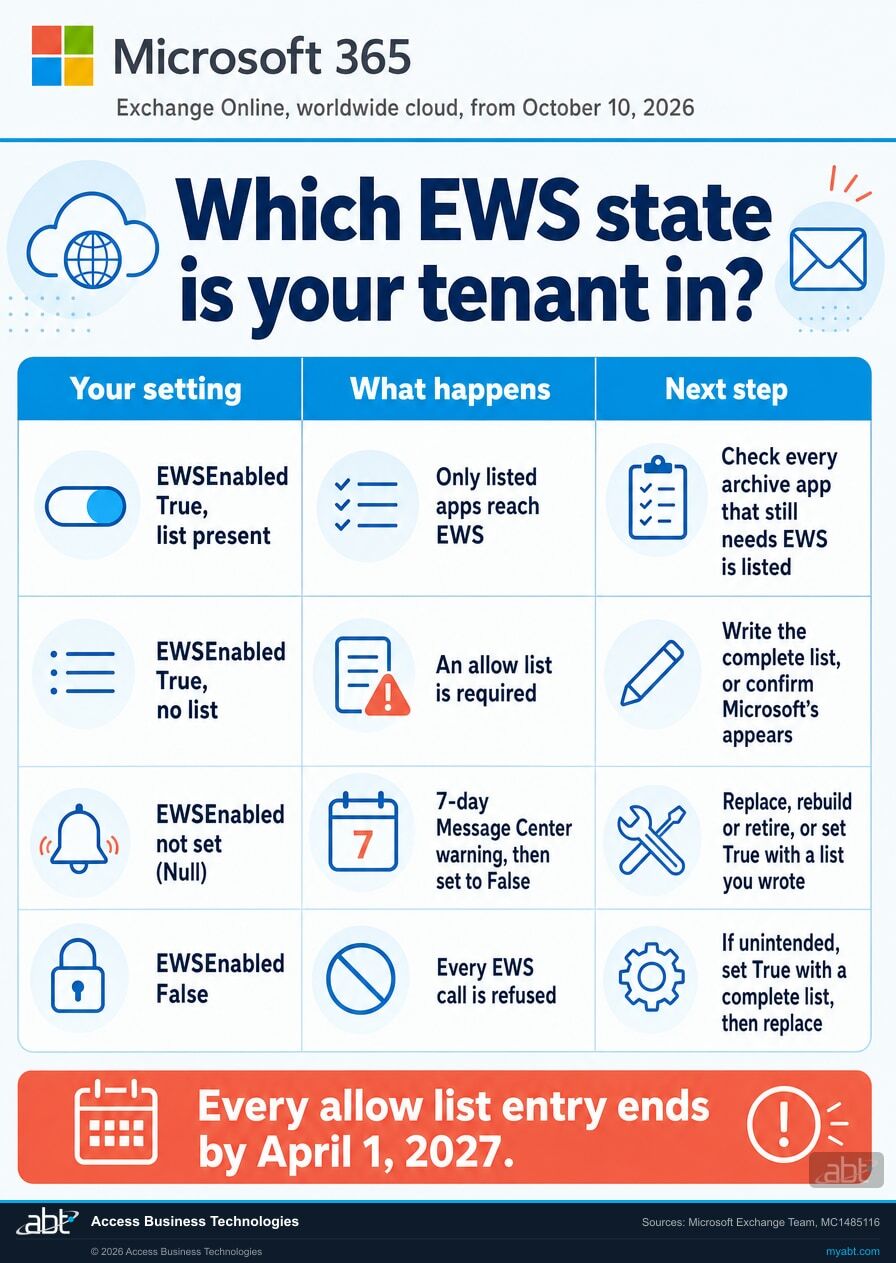
October 2026 is the start of a disablement process rather than an instant switch, and Microsoft documents that process, including a tenant-level control over whether EWS is enabled and an application allow list that names which applications may still call it. That is a runway, not a reprieve: it is administered per tenant, it is bounded by the April 2027 full disablement, and it keeps a dependency alive rather than removing it.

The mechanics of that allow list, including how to inventory applications for it, are the subject of our companion page on the EWS application allow list, and the deadline history is covered in the related article. Read them together with this one: this page tells you which archive dependencies exist and which have a replacement coming, and those tell you what to do about the ones that will not be ready. Confirm the current process against Microsoft's own documentation before you rely on it, because this is the part of the retirement Microsoft has revised most.

If your institution also still runs an on-premises Exchange server for hybrid management, that server has its own separate set of dates that are worth checking in the same pass.

And if the inventory step is where this stalls, which is where it usually stalls, that is the part we will just do for you.

No cost, no obligation

A free security assessment that starts with your archive dependencies

ABT is a Tier 1 Microsoft Cloud Solution Provider, and we manage Microsoft 365 tenants for more than 750 financial institutions. The assessment covers the question this page is about, and the rest of the tenant while we are in there.

  • The applications in your tenant that call Exchange Web Services, taken from your own usage reporting
  • For each one, what we can establish about the mailbox types and operations involved, and where that needs vendor or code confirmation rather than a guess
  • Which dependencies have a Graph equivalent available now, which are targeted for the fourth quarter of calendar year 2026, and which Microsoft has ruled out
  • The vendor questions to send, written out, so you can forward them the same day
  • A plain review of the wider tenant configuration, since we are already looking
Request your free security assessment

ABT also operates M365 Guardian, its managed security service for credit unions, banks, and mortgage companies. You can read what that covers on the M365 Guardian page.

Where the facts on this page come from

  1. Microsoft Learn, Deprecation of Exchange Web Services in Exchange Online. learn.microsoft.com. Source for the October 2026 and April 2027 dates, the roadmap for parity gaps and its Q4 CY2026 targets, the confirmed capabilities that will not be added, the instruction not to expect capabilities absent from the roadmap, the Midnight Blizzard note, and the first-party tooling. Retrieved September 15, 2026.
  2. Microsoft 365 Developer Blog, Announcing general availability of the mailbox import and export Microsoft Graph APIs. devblogs.microsoft.com, May 7, 2026. Source for archive mailboxes, public folders and group mailboxes being excluded from the initial general availability release, and for the description of the export format.
  3. Microsoft 365 Message Center notice MC1469565, “Microsoft Purview | Data Lifecycle Management, Graph API Support for archive mailboxes”, published September 9, 2026, action required by October 1, 2026. Source for the late October to early November 2026 general availability window and for the list of affected solution categories. Message Center notices are delivered per tenant and are not published at a public address. Source 1 separately publishes the October 2026 and April 2027 retirement dates and the fourth quarter of calendar year 2026 as the target for archive parity. The narrower late October to early November general availability window appears in this notice rather than on that public page, and institutions should confirm it against their own tenant's Message Center.
  4. Microsoft 365 EWS Usage Reports documentation. learn.microsoft.com. Source for the admin center usage reporting described in the inventory steps.
  5. Microsoft Learn, Overview of the mailbox import and export APIs in Microsoft Graph. learn.microsoft.com, page metadata read September 15, 2026 showing a last update of July 21, 2026. Source for the current documented support covering primary, shared and archive mailboxes, and for the stated limitation that these APIs are not designed for mailbox backup and restore.

Dates and capability descriptions on this page are quoted from Microsoft's own wording. Microsoft describes the roadmap dates as targets that might change, and this page repeats that qualification rather than presenting the targets as commitments. Tenant-specific rollout timing appears in each tenant's Message Center and is not reproduced here.

Exchange Web Services retirement article hero image
Exchange Online

Exchange Web Services Retires: The August 2026 Deadline

The allow list side of the same retirement. If your tenant still needs EWS after October, this is the mechanism that keeps it alive and the date that actually governs it.

Read the article
Microsoft Purview eDiscovery article hero image
Microsoft Purview

Microsoft Purview eDiscovery for Financial Institutions

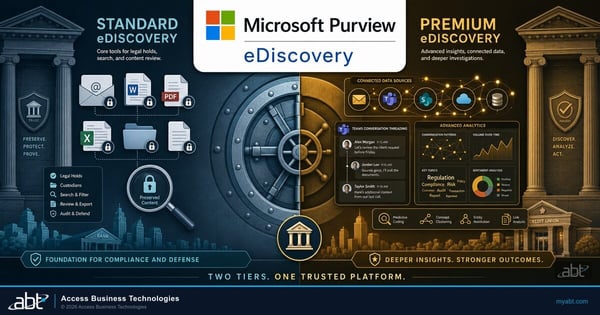
Where Microsoft points legacy Discovery Mailbox workflows. The licensing rule reverses by tier, which catches institutions out when they plan the move.

Read the article
Conditional Access exclusion drift article hero image
Governance

Conditional Access Exclusions: The List Nobody Reviews

The companion habit. An exception written to keep a legacy integration working persists until somebody removes it, and almost nobody does.

Read the article
60 second watch
The same question, asked about a different control. What an examiner wants is not that you have the tool, but that you can show it working.

EWS and archive mailbox questions, answered from Microsoft documentation

Microsoft states that EWS starts to be disabled globally for all organizations in October 2026, and that EWS is fully disabled in April 2027. The October date is the beginning of a rollout rather than a single cutover, and the timing for any individual tenant appears in that tenant's Message Center. April 2027 is the point after which there is nothing left to re-enable.
Yes. Microsoft 365 Message Center notice MC1469565, published September 9, 2026, states that applications and scripts which continue to use EWS for archive mailbox operations will stop functioning after EWS is disabled. The same notice names eDiscovery, compliance and records management workflows, data lifecycle management, and backup and export tools as the categories it expects to be affected.
Message Center notice MC1469565 gives a general availability window worldwide beginning in late October 2026 and expected to complete by early November 2026. The public Microsoft Learn roadmap separately targets the two archive-related parity gaps, In-Place Archive generic access and archive import and export, at the fourth quarter of calendar year 2026. Microsoft describes those roadmap dates as targets that might change.
The Microsoft Graph overview page for the mailbox import and export APIs, last updated July 21, 2026, does state that the APIs support access to data in users' primary, shared and archive mailboxes on Exchange Online. Reference documentation is updated as a capability moves through release, and it is not the same thing as the rollout reaching a particular tenant, which Message Center notice MC1469565 describes as beginning in late October 2026 and expected to complete by early November 2026. Confirm availability against your own tenant rather than against the documentation page. One further limitation on that same page is worth noting if your dependency is a backup product: Microsoft states that these APIs are not designed for mailbox backup and restore, and points those scenarios to Microsoft 365 Backup.
No. The general availability announcement of May 7, 2026 states that the following mailbox types are not included in the initial general availability release: archive mailboxes. Public folders and group mailboxes were also excluded at that point. Primary and shared mailboxes were covered.
Microsoft lists three: generic public folder create, read, update and delete operations; generic create, read, update and delete for Microsoft 365 Group mailboxes; and Discovery Mailbox access, meaning generic mailbox, folder and item access for legacy Discovery Mailboxes. Microsoft directs Discovery Mailbox scenarios to Microsoft Purview eDiscovery APIs and workflows, and group mailbox scenarios to the supported Graph APIs for group conversations, threads and posts.
Microsoft's guidance is direct. If an EWS capability is not listed in the roadmap table, you should not plan on a corresponding Microsoft Graph or Exchange Admin API capability being available before EWS is fully disabled. That is a statement about timing rather than a statement that the capability never arrives, but for planning it comes to the same thing: a dependency absent from the roadmap cannot be assumed to have a replacement by April 2027. Capabilities Microsoft has ruled out permanently are listed separately, in its confirmed capabilities that will not be added.
Microsoft 365 includes EWS Usage Reports in the admin center, which show the applications calling Exchange Web Services in your tenant. For code you own, Microsoft also publishes an EWS Analyzer tool and an AI assisted migration tutorial, along with a published mapping between EWS operations and their Microsoft Graph equivalents. For vendor products, the answer has to come from the vendor in writing.
The retirement described here applies to Exchange Web Services in Exchange Online. Microsoft has stated that it is not making the same change to EWS in Exchange Server on-premises. An institution running a hybrid Exchange server still has separate dates to track for that server, but they are not these dates.
The roadmap entry for In-Place Archive generic access covers accessing and managing mailbox items in an existing In-Place Archive, and Microsoft states that this capability does not create archive mailboxes. A process that provisions archives programmatically is therefore a separate question from one that reads or writes the contents of an archive, and should be planned separately.
Talk to an Expert

Find the dependency before October does.

Tell us roughly how many mailboxes you run and which archiving or backup products touch them. Our engineers will pull the Exchange Web Services usage your tenant already reports, separate the applications with a supported Microsoft Graph path from the ones without one, and give you the vendor questions to send.

SOC 1 Type 2 · Security Controls
SOC 2 Type 1
Tier 1 Microsoft Cloud Solution Provider
750+
FINANCIAL INSTITUTIONS
25+
YEARS IN FINANCIAL SERVICES
Tier 1
MICROSOFT CSP
Request your assessment
A real engineer replies, usually within one business day.
What should we look at?
Inventory what still calls EWS
Check our archive and retention tooling
Review eDiscovery workflows
Full tenant security assessment
Required
Required
Enter a valid work email
Required
No obligation. No purchase required.
Request received
One of our engineers will be in touch, usually within one business day. If an archiving or backup job has already started failing, say so in a reply and we will treat it as urgent.