Skip to the main content.

Microsoft 365 · Data Deletion Deadline

Your oldest Microsoft Whiteboards are deleted on October 16. Microsoft will not migrate them for you.

Whiteboards created before Microsoft moved commercial storage to OneDrive in 2022 may still sit in the legacy Azure service, and so may boards started on a Surface Hub or a Microsoft Teams Room device. Microsoft stops migrating them on September 25, 2026, and permanently deletes what is left on October 16. There is no tenant-wide button an administrator can press.

  • September 25: migration ends, remaining boards go read-only
  • October 16: permanent deletion, and Microsoft says it cannot be recovered
  • Boards owned by people who left need reassigning before they can migrate
Next deadline
September 25, 2026
Migration ends
  • After this date the boards can be read and exported, but never migrated
  • Three weeks later, on October 16, they are gone for good
  • The Windows app stops triggering migration on September 22
Sep 25
Migration ends. Remaining Azure-based Whiteboards become read-only and can no longer be migrated.
Microsoft Support, retrieved September 19, 2026
Oct 16
Remaining Azure-based Whiteboards are permanently deleted and cannot be recovered.
Microsoft Support, retrieved September 19, 2026
Zero
Tenant-wide migrations Microsoft will run for you. Migration stays user-driven and client-triggered.
Microsoft Support, retrieved September 19, 2026

What happens to a whiteboard nobody migrates?

Microsoft published a four-step schedule, with a separate earlier cutoff for the Windows app. The first step ends migration, and the second removes the content. Most coverage treats this as an app retirement, which is a different and much smaller story.

Before Sep 25, 2026

You can still act

Users can trigger migration, retry failed migrations, and copy or export important content. Administrators can inventory the remaining boards and notify the owners.

September 25, 2026

The door closes

Migration ends. Remaining Azure boards become read-only and can no longer be migrated. They can still be viewed and exported, so this is the last window to rescue anything by hand.

October 16, 2026

The content is gone

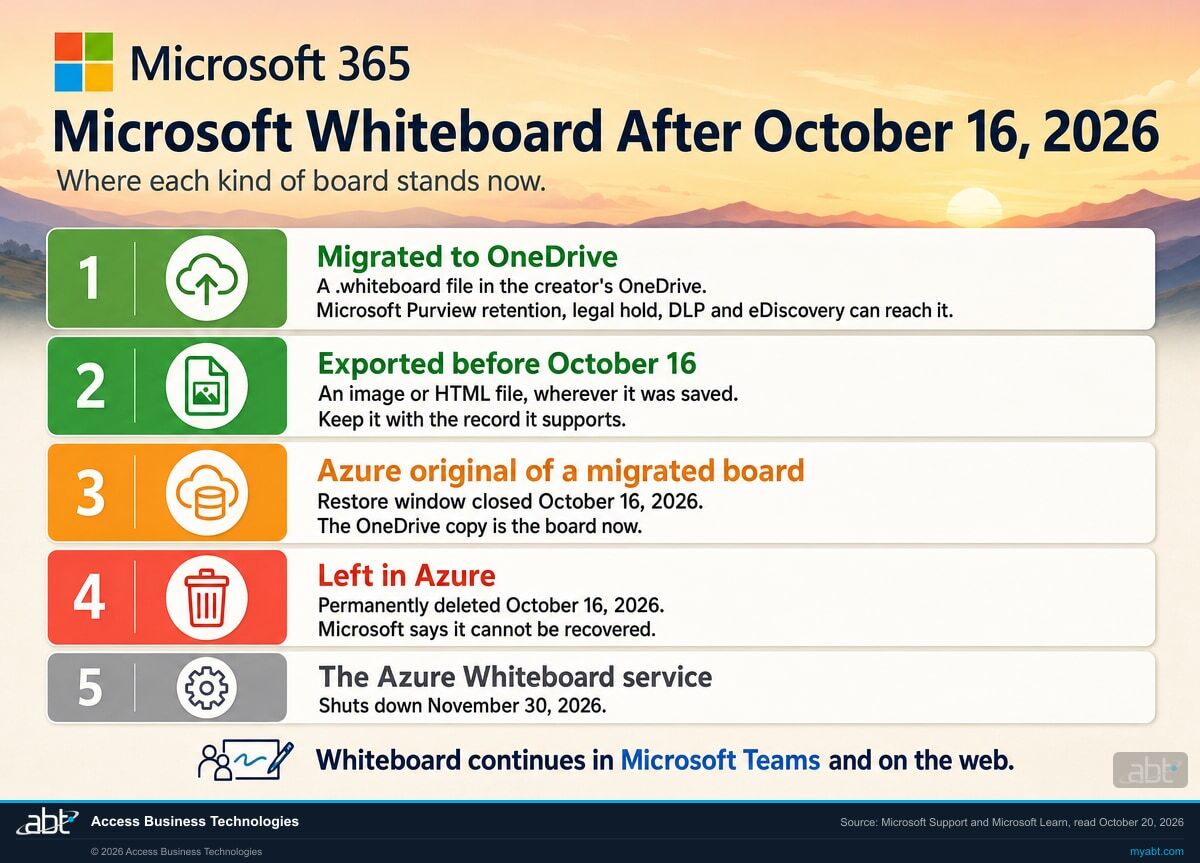
Permanently deleted and cannot be recovered. This is not an archive, a soft delete, or a recycle bin. Microsoft uses the word permanently, and the same date ends the restore window for boards that did migrate.

November 30, 2026

The service switches off

The Azure Whiteboard service shuts down. By this point there is nothing left in it, so the date matters mainly for anyone still pointing tooling or documentation at the legacy service.

"Complete migration of all remaining Azure-based Whiteboards before September 25, 2026. On September 25, migration ends and remaining Azure boards become read-only. Users can view and export those boards through October 16, 2026. On October 16, remaining Azure-based Whiteboards are permanently deleted and cannot be recovered."

Microsoft Support, Migration of Whiteboards from Azure to OneDrive, retrieved September 19, 2026

Only boards still held in the legacy storage are in scope. Microsoft moved new Whiteboard files for commercial customers to OneDrive in 2022, so most boards created since then are already in the right place. Two groups are not. Anything made before that change that has not migrated yet, and boards initiated on a Surface Hub or a Microsoft Teams Room device, which Microsoft's comparison page names as the exception where a commercial account still saves to Azure. The deletion applies to whatever remains in Azure, so both groups are in scope. What is exposed is the back catalogue: the planning sessions, the incident post-mortems, the committee workshops, and the architecture arguments nobody has opened since.

That is exactly the problem. A board nobody has opened in three years is the one most likely to be deleted, because an owner opening it is what starts the migration that saves it.

Vertical timeline infographic titled Microsoft Whiteboard, The Azure Deletion Schedule, showing four milestones: before September 25 2026 migration still possible, September 25 2026 boards become read-only, October 16 2026 permanently deleted, and November 30 2026 the Azure Whiteboard service shuts down.
The four published dates. The gap between September 25 and October 16 is a viewing window, not a grace period: content can be read and exported in it, but not migrated.

Why can't an administrator just migrate them all?

Because Microsoft did not build that. The admin tooling can find the boards, move ownership, export, and restore. It cannot perform the migration, and Microsoft says so directly.

"These tools support inventory, mapping, ownership transfer, recovery, and export. They do not provide a tenant-wide, Microsoft-operated migration of all boards. Migration remains user-driven and client-triggered."

Microsoft Support, Migration of Whiteboards from Azure to OneDrive, retrieved September 19, 2026
What each party can actually do before September 25, 2026. Source: Microsoft Support, Migration of Whiteboards from Azure to OneDrive.
Task Administrator Board owner
Find out which boards are still in Azure Yes, with Get-WhiteboardsForTenant, Get-Whiteboard and Get-WhiteboardOwners No tenant-level view
Start the migration of a board No. Microsoft provides no tenant-wide, operated migration Yes, simply by opening Whiteboard on an eligible client
Move a board away from a departed owner Yes, with Set-WhiteboardOwner or Invoke-TransferAllWhiteboards Not applicable
Retry a migration that failed Can monitor results and help resolve storage, licensing or provisioning problems Yes, with Try Again Now, until September 25, 2026
Export content that will not migrate Yes, with Export-WhiteboardHtml and Invoke-WhiteboardHtmlRetry Yes, until October 16, 2026
Restore the original Azure version after migrating Yes, with Restore-Whiteboard, for roughly 90 days but never past October 16, 2026 In Whiteboard on the web and the Windows app. Not available inside Teams

The inventory you pull today describes a tenant that may be two weeks old

Microsoft's note on the tenant inventory cmdlet is easy to skim past and matters a great deal this close to the cutoff: "Inventory data is precalculated and may take approximately 2 weeks to reflect recent changes."

Read that against the calendar. A count pulled this week may not yet reflect migrations that have already happened, so the number can understate progress. The practical consequence is that the inventory is a targeting tool rather than a live scoreboard. Pull it, work the list, and treat a board as at risk until someone confirms it migrated.

Two-column comparison infographic titled Who Can Actually Migrate a Whiteboard, contrasting what a Microsoft 365 administrator can do, including inventory, mapping, ownership transfer, export and restore, against the single action only a user can take, which is opening Whiteboard on the web or in Teams.
The division of labour Microsoft designed. An administrator can inventory, reassign, export and restore, so content can be preserved from the admin side. The migration itself is triggered by an owner opening Whiteboard on an eligible client, which is the one step that has to come from the user side.

Find out whether your tenant still has Azure whiteboards

ABT manages Microsoft 365 tenants for credit unions, banks, and mortgage companies. A free security assessment includes reading your tenant for legacy Whiteboard content, naming the owners, and flagging the boards whose owners have left.

Request the assessment

Is a whiteboard a record?

This page will not tell you it is. That answer lives in your own retention schedule. What is worth noticing is that Microsoft raises the subject unprompted.

In explaining why the old storage had to go, Microsoft lists what OneDrive adds: "Moving these files to OneDrive improves security, accessibility, revision history, eDiscovery, and access to current and future Whiteboard features." The benefits section repeats it under a heading called Enhanced security and compliance, naming improved security controls, revision history, and eDiscovery support.

Microsoft is more explicit elsewhere. Its comparison page states plainly that Azure whiteboards do not offer a list of features that includes retention policies, e-discovery and data loss prevention, a recycle bin, last edited information, Office.com search, and local data residency. That is not an inference drawn from a benefits blurb. It is Microsoft listing retention policies and e-discovery among the capabilities the legacy boards do not offer. If your institution has ever answered a discovery request, an examination request, or an internal investigation by searching Microsoft 365, that is a coverage gap worth understanding before the content disappears.

That is a governance question with a deadline attached. Boards that migrate land in OneDrive, where Microsoft Purview eDiscovery and retention policies can reach them. Whether your existing policies actually cover them is a separate question that turns on scope, licensing and configuration, and it is worth checking rather than assuming. Boards that do not migrate can still be exported by hand until October 16, and whatever is neither migrated nor exported by then stops existing. The one thing that will not happen is the boards staying where they are.

So the useful version of the question is narrower and answerable in an afternoon: did anything happen on those boards that your retention schedule would have covered had it happened in a document? Committee workshops, incident post-mortems, vendor selection sessions, and risk-ranking exercises all tend to produce a whiteboard and a set of decisions. If the decisions were written up elsewhere, the board is probably a working artifact. If the board is the write-up, it is doing the job of a record whatever it is called. Which of those applies is a call for your records and legal reviewers, not for an IT deadline.

The awkward case is the one Microsoft flags in its administrator checklist, because the boards most likely to matter are the ones least able to save themselves.

The boards owned by people who left are the ones that cannot migrate

Microsoft's instruction to administrators is plain: "Transfer boards owned by dormant or departed users to an active user so that migration can be triggered."

Migration fires when the owner opens Whiteboard. An owner who left the institution in 2023 is never going to open Whiteboard again, so their boards sit at zero progress until somebody reassigns them. Those are also, disproportionately, the boards worth keeping: longer-tenured people, older projects, and the decisions that predate the current team. Ownership transfer is the step that has to happen before September 25, because after that no amount of reassignment will help.

Content nobody inventoried is the content nobody can defend

The Whiteboard deadline is a sharp instance of a dull, permanent problem: collaborative content accumulates in Microsoft 365 faster than anybody governs it, and the gap only becomes visible when something forces an inventory. Usually that something is a discovery request or an examiner. This time it is a deletion date, which is a considerably kinder teacher.

If the Whiteboard inventory surprises you, it is worth asking the same question of the rest of the estate before the next deadline picks the timing for you.

What should we do this week?

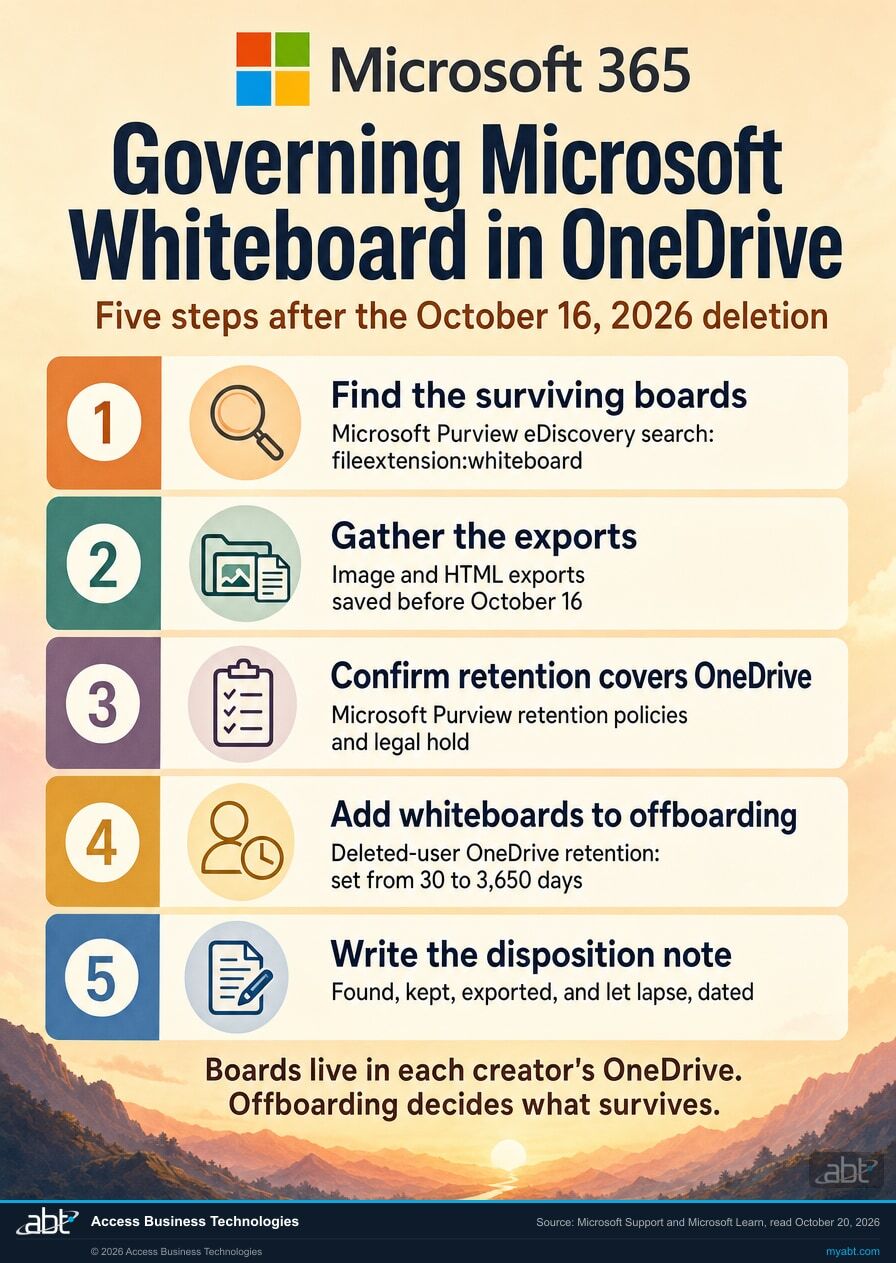
Five steps, in this order. Steps one to three all run against the September 25 migration cutoff. Only the export in step four outlives it, and only until October 16.

1

Pull the inventory today, not next week

Run Get-WhiteboardsForTenant from the WhiteboardAdmin PowerShell module to see whether the tenant holds Azure-based boards at all, then Get-WhiteboardOwners to attach names to them. Many tenants will come back empty, and that is a two-minute answer worth having in writing.

Remember that the data is precalculated and can lag by around two weeks, so treat the list as a targeting tool rather than a live score.

2

Reassign anything owned by someone who has left

Use Set-WhiteboardOwner for individual boards or Invoke-TransferAllWhiteboards for a departed user's whole set. Until a board has an active owner, nothing can trigger its migration, and this step is worthless after September 25.

Work this list first. It is usually short, it is the part only an administrator can do, and it covers the boards most likely to hold something worth keeping.

3

Tell the owners the one thing that actually works

The instruction to send is small: open Whiteboard on the web, or the Whiteboard app in Microsoft Teams, and leave it open until the migration message clears. The Windows app also triggers migration, but only through September 22. Mobile apps never trigger it.

Whiteboard shows a message when migration starts, while it runs, and when it finishes. If some boards fail, a Not migrated section lists them with a Try Again Now option, available until September 25.

4

Export whatever refuses to migrate

Some boards will not move. For those, Export-WhiteboardHtml and Invoke-WhiteboardHtmlRetry pull the content out, and the export window stays open until October 16 even after migration itself has closed. If a board holds anything your retention schedule would cover, export it rather than hoping.

5

Write down what you decided about the rest

Most boards will be genuinely disposable, and letting them go is a legitimate decision. It is also a decision worth recording, because deletion at scale on a vendor's schedule is the kind of thing that reads badly in hindsight if nobody can show it was considered.

A short note naming what was found, what was migrated, what was exported, and what was knowingly allowed to lapse turns a vendor deadline into a documented disposition. That note costs an hour now and answers a question that may be asked much later.

One related change, so it does not surprise you separately

The standalone Microsoft Whiteboard apps for Windows, iOS and Android retire on October 16, 2026, the same day the legacy content is deleted. For work or school accounts, Microsoft Whiteboard itself is not retiring: people carry on using Whiteboard in Microsoft Teams and on the web, and OneDrive-backed boards are unaffected.

These are two separate changes that happen to share a date. The app retirement changes where people click. The storage deletion decides whether the content still exists.

A free security assessment that answers this in writing

ABT is a Tier 1 Microsoft Cloud Solution Provider. We manage Microsoft 365 tenants and host Azure environments for credit unions, banks, and mortgage companies.

We read your tenant and tell you what is actually at risk before September 25

The Whiteboard question is small enough to answer quickly and awkward enough that it tends not to get answered at all. The assessment covers it, and covers the wider question it belongs to: which collaborative content in your tenant nobody owns, nobody governs, and nobody could produce on request.

  • A straight answer on Whiteboard. Whether the tenant holds legacy Azure boards, how many the inventory reports, and who owns them, with the reporting lag stated so you know what that number can and cannot tell you.
  • The departed-owner list. The boards that cannot migrate themselves until someone reassigns them, which is the part that needs an administrator before September 25.
  • The wider content read. Where collaborative content sits across OneDrive, SharePoint and Teams, and how much of it falls outside your retention and audit coverage.
  • A written disposition note. What was found, what was migrated or exported, and what was knowingly allowed to lapse, in a form you can hand to an examiner.

ABT also operates M365 Guardian, its managed security service for credit unions, banks, and mortgage companies. Learn about M365 Guardian.

If this deadline made you look at your content estate

Microsoft Purview eDiscovery for Financial Institutions

Microsoft Purview eDiscovery for Financial Institutions

Microsoft names eDiscovery as a reason the legacy Whiteboard storage had to go. This is what eDiscovery reach actually depends on, including the licensing rule that catches people out.

Read the guide
Microsoft 365 Data Retention for Financial Institutions

Microsoft 365 Data Retention for Financial Institutions

Boards that migrate land where retention policies can reach them. Whether yours actually cover them turns on scope and configuration, which is worth checking before October 16.

Read the guide
Microsoft 365 Audit Log Retention for Financial Institutions

Microsoft 365 Audit Log Retention for Financial Institutions

The companion question. Content retention decides what still exists; audit retention decides whether you can show what happened to it, and the two are licensed separately.

Read the guide

Related Microsoft deadlines land in the same window: Office LTSC 2021 end of support on October 13, 2026, and the wider cluster of Microsoft support deadlines arriving that month.

The Whiteboard deadline, answered

Microsoft ends migration on September 25, 2026. Remaining Azure-based Whiteboards become read-only and can no longer be migrated, though they can still be viewed and exported. On October 16, 2026, those remaining Azure-based Whiteboards are permanently deleted and cannot be recovered. The Azure Whiteboard service itself shuts down on November 30, 2026.
No. Microsoft states that the WhiteboardAdmin cmdlets support inventory, mapping, ownership transfer, recovery and export, but do not provide a tenant-wide, Microsoft-operated migration of all boards, and that migration remains user-driven and client-triggered. An administrator can find the boards and move ownership, but the migration itself starts only when a user opens Whiteboard on an eligible client.
Until September 25, 2026, migration starts automatically when an affected user opens Whiteboard on the web, Whiteboard in Teams desktop, or Whiteboard in Teams on the web. The Whiteboard Windows app triggers migration through September 22, 2026. Mobile apps do not trigger Azure-to-OneDrive migration at all.
They cannot migrate themselves, because migration is triggered by the owner opening Whiteboard. Microsoft's guidance for administrators is to transfer boards owned by dormant or departed users to an active user so that migration can be triggered. The WhiteboardAdmin module provides Set-WhiteboardOwner and Invoke-TransferAllWhiteboards for this.
Only the ones still held in Azure. Microsoft moved new Whiteboard files for commercial customers to OneDrive storage in 2022, so boards created before that change may still be stored in Azure and are the ones that require migration. Microsoft's comparison page also notes that boards initiated on a Surface Hub or a Microsoft Teams Room device are saved in Azure. Boards already stored in OneDrive are unaffected.
Administrators can use Get-WhiteboardsForTenant in the WhiteboardAdmin PowerShell module. Microsoft notes that inventory data is precalculated and may take approximately two weeks to reflect recent changes, so a count pulled this week may not reflect migrations that have already happened.
Yes. The standalone Microsoft Whiteboard apps for Windows, iOS and Android retire on October 16, 2026, for both work or school accounts and personal Microsoft accounts. For work or school accounts Microsoft Whiteboard itself is not retiring; people continue using Whiteboard in Microsoft Teams and on the web.
After a successful migration, Microsoft says the original Azure version can normally be restored for approximately 90 days using the recovery experience or the Restore-Whiteboard cmdlet, but not beyond October 16, 2026. After October 16, remaining Azure-based Whiteboards are permanently deleted and cannot be recovered.

Where the facts on this page come from

Every date, quotation and cmdlet name on this page was read directly from a Microsoft-owned page on September 19, 2026.

One query is enough
to find out.

If your tenant holds no legacy boards at all, that is an answer worth having in writing before October 16 rather than after it. If it does hold some, the part that needs an administrator is usually the boards owned by people who have left.

Tell us a little about your environment and we will come back with what we would check first.

Tier 1 Microsoft CSP 750+ financial institutions SOC 1 Type 2 · Security Controls SOC 2 Type 1

What should we look at? Optional.

Legacy Whiteboard inventory
Content retention and eDiscovery
Free security assessment
Microsoft 365 licensing review

Encrypted. Private.

Thank you. That is with us.

An ABT specialist will be in touch shortly. If your deadline is this week, say so in your reply and we will move it to the front.