

In This Article
- Why Copilot Looks Different in 2026
- The Three Buying Paths (Decision Tree)
- What You're Actually Buying
- The Adoption Gap (Why "Buy and Pray" Fails)
- Examiner-Ready Before You Flip the Switch
- How Mortgage Roles Actually Use Copilot
- The MortgageGuide Difference
- The Copilot Test Drive: Free AI Readiness Assessment
- How ABT Delivers Copilot (5-Component Sprint)
- Pricing Math Worked Through
- Frequently Asked Questions
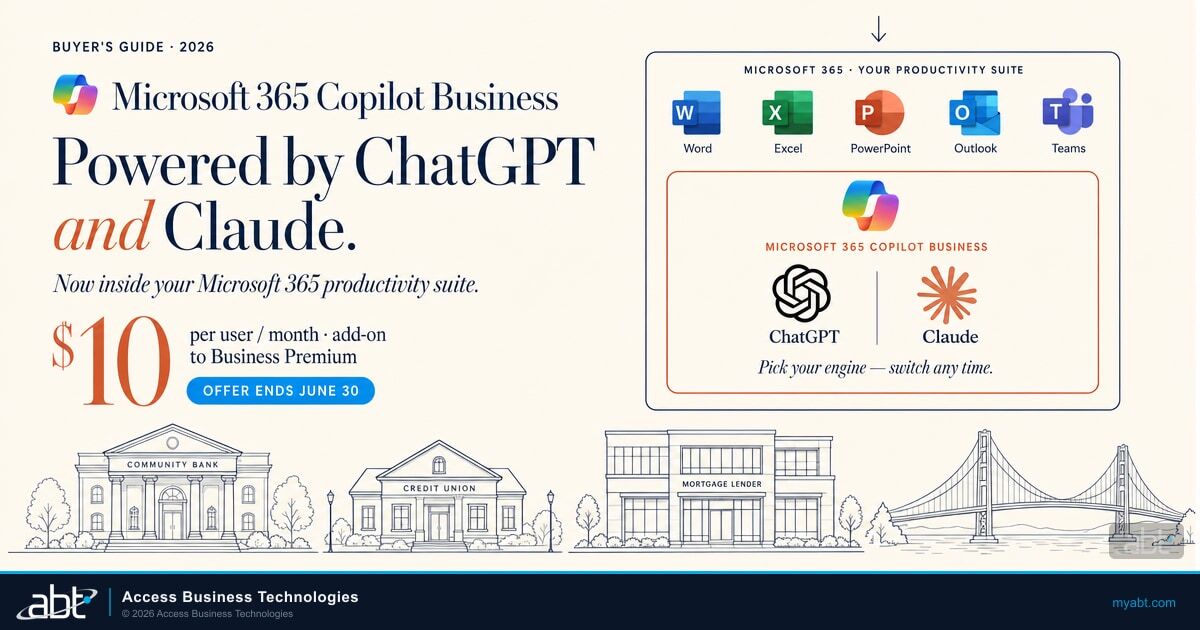
That is the question Microsoft just answered for community banks, credit unions, and mortgage lenders. For roughly ten dollars more per user per month on the permanent Business Premium bundle, you get ChatGPT and Claude. Both. Inside your Microsoft 365. Reading your emails in place. Your documents in place. Your meetings in place. No copy. No paste. No prompt trail in a personal browser tab. Just AI where the work already is.
Wait, which Copilot? Three products share the name. Click to see how they differ.
The general-purpose chatbot tied to a personal Microsoft account. Searches the public web, generates images, sits in the Edge sidebar and Windows. Does NOT read your institution's emails, files, or Teams chats. Your bank, credit union, or mortgage company has NO contract with Microsoft for the data your team pastes here.
The chat experience at m365.cloud.microsoft.com when you sign in with your work account. Has the green-shield Enterprise Data Protection. Logged in Exchange for audit and eDiscovery. Microsoft does not train foundation models on these prompts. But: web-grounded only. Does NOT reason over your tenant's emails, files, or Teams chats. No model picker. As of April 15, 2026, no longer available in-app inside Word, Excel, PowerPoint, or OneNote for users without a paid Copilot license.
The version this guide is about. Reads your tenant's emails, documents, meetings, and Teams chats through Microsoft Graph. Lights up the Copilot button inside Word, Excel, PowerPoint, Outlook, and Teams. Offers the OpenAI GPT vs. Anthropic Claude model picker. Includes Copilot Studio for building agents. Comes in two flavors with identical AI capabilities: Copilot Business at $21 list or $18 promo (300-user cap, on Business Premium/Standard/Basic) and Microsoft 365 Copilot at $30 (no cap, on E3 or E5).
If you run IT or finance for a community bank, credit union, or mortgage lender, Microsoft just made the math irresistible. Through the permanent Business Premium with Copilot bundle SKU, introduced July 1, 2026 at $32 per user per month, you can add the full Microsoft 365 Copilot Business product on top of Business Premium for roughly ten dollars more per user per month. That is the SMB Copilot SKU, the same Copilot capabilities Microsoft originally launched in 2023 at $30 per user per month for Enterprise customers, now available to institutions of up to 300 users at an incremental cost roughly two-thirds below the original price. The bundle is the cheapest way to put production-grade AI in front of your team this year, by a meaningful margin. (Mortgage lenders specifically: see our companion guide on MortgageWorkSpace: same Microsoft licensing, mortgage-tuned governance and scenarios.)
Buying Copilot Business at a roughly ten dollar incremental is the easy part. Whether the buy actually pays off comes down to three questions, and they line up the way an entrepreneur, a CEO, or a CFO would naturally ask them. First, does your team adopt it and produce measurable productivity outcomes? Does Copilot actually work in your shop, or do the licenses sit unused on the desktop? That is an adoption and training problem, and Microsoft's own research is consistent that institutions who skip a structured rollout see weekly-active usage stall in the single digits. Second, can you keep customer non-public information safe while staff use Copilot? No shadow AI leak, no breached account dumping borrower data, no compromised credential turning Copilot into an exfiltration tool. That is an AI readiness and security problem, and the answer is the governance configuration on Microsoft Purview, Entra ID, and Defender for Cloud Apps that has to be in place before Copilot ever touches NPI. Third, can you withstand an examiner asking what AI controls you have in place, without earning a federal or state regulator's attention? That is the regulatory question, and the answer flows from the readiness work, not the other way around.

This is not vendor-agnostic IT advice. ABT is a Tier-1 Microsoft Cloud Solution Provider primarily dedicated to financial services, serving more than 750 banks, credit unions, and mortgage companies. The buying decisions, the deployment patterns, the examiner conversations, the adoption sprints, and the governance configurations described below are what we run for those institutions every week. Two practical entry paths run through this whole guide, and through both of them, the AI Readiness Assessment is on the house: existing ABT Microsoft 365 customers receive it as part of the ABT Cloud Solution Provider relationship during 2026, and institutions new to ABT qualify by adding 11 or more new Copilot seats through ABT (no license transfer required). Both paths are described in detail in the Copilot Test Drive section below. For the broader picture of how ABT thinks about Copilot adoption end-to-end, see our AI & Copilot service hub and our Copilot Adoption Training service page.
If you already have Microsoft 365 Business Premium, this is your ten-dollar moment
Microsoft 365 Business Premium is the standard productivity bundle that the majority of community banks, credit unions, and mortgage lenders are already running. Every ABT Microsoft 365 plan includes Business Premium. If you are on any ABT plan tier, you are already eligible for the roughly ten dollar incremental bundle. No re-platforming, no procurement event, no new contract beyond the Copilot line item.
Copilot in Word, Excel, Outlook, Teams, PowerPoint, and Microsoft 365 Chat with cross-tenant reasoning over your documents, emails, and meetings. Same Microsoft 365 tenant. Same governance surface. Same Copilot capabilities Microsoft sells to Enterprise customers at $30. New productivity layer.
The fair comparison is bundle-to-bundle. Microsoft made the Business Premium plus Copilot Business bundle a permanent SKU at $32 per user per month combined on July 1, 2026, versus $43 per user per month if the two line items were bought separately at list. The roughly ten dollar incremental on the bundle is also about two-thirds less than what Microsoft originally charged for Enterprise Copilot at launch ($30) and well below the $18 standalone promotional rate.
The $32 Business Premium plus Copilot bundle became a permanent SKU on July 1, 2026, so there is no deadline pressure on the bundle itself. The dated promotions are the standalone Copilot Business rate of $18 per user per month and the Business Basic plus Copilot bundle at $21, both running through December 31, 2026.
Why Copilot Looks Different in 2026
Microsoft 365 Copilot went generally available on November 1, 2023, at $30 per user per month, scoped to Microsoft 365 E3 and E5 customers, with a 300-seat minimum purchase and a one-year annual commitment (no monthly billing). For a community bank with 80 employees, the math did not work. For a 30-person mortgage lender, it was not a conversation. Microsoft scrapped the 300-seat minimum on January 15, 2024, less than eleven weeks after launch, and opened the same Copilot SKU to Office 365 E3/E5 and Microsoft 365 Business Standard and Premium customers at the same time. In December 2025 Microsoft released a small-business-specific SKU, Microsoft 365 Copilot Business, at a $21 per user per month standalone list price for customers on Business Basic, Business Standard, or Business Premium, with a promotional standalone discount to $18 per user per month that Microsoft has extended through December 31, 2026. And in its June 2026 Partner Center announcement Microsoft made the bundle permanent: Business Premium with Copilot is now a standing $32 per user per month SKU, which puts the incremental cost of Copilot at roughly ten dollars per user per month over Business Premium alone. The bundle is the best deal of the three.
The ten dollar figure is not a discount on Copilot. It is the line-item delta the bundle creates inside Microsoft's Business Premium customer base. The fair comparison is bundle-to-bundle: as of July 1, 2026, Business Premium with Copilot is a permanent $32 per user per month SKU, versus $43 per user per month if you bought the two line items separately at list ($22 Business Premium plus $21 Copilot Business). That is the math that matters: the bundle runs $11 per user per month, or roughly 25%, below the separate-line-item total, with no end date attached. Even compared with the standalone Copilot Business promotional rate of $18, the bundle is roughly $8 per seat per month cheaper because the bundle replaces the Business Premium line item rather than stacking on top of it.
Microsoft 365 Copilot launched in late 2023 at $30 per user per month for Enterprise customers. The same Copilot capabilities, packaged as Microsoft 365 Copilot Business and bundled with Business Premium, add roughly ten dollars per user per month on the permanent $32 bundle SKU. That is roughly 67% less than what Microsoft originally charged for the same product, sized for institutions of up to 300 users.
That headline number lives on your invoice. The roughly ten dollar incremental shows up as a line-item delta between what Business Premium alone costs you today and what the Business Premium plus Copilot Business bundle costs you. Here is exactly how the math plays out on a Microsoft Cloud Solution Provider statement.
What "incremental" means here
Business Premium customers see one line item on their CSP invoice today: Business Premium at the standard price. With the bundle, that one line item gets replaced by a different line item: Business Premium plus Copilot at the bundle price. The difference between the two line items is roughly ten dollars per user per month. That is what "incremental" means here. It is the difference between what Business Premium alone costs you today and what Business Premium plus Copilot costs you on the bundle.
The number is not the only thing that changed. The Microsoft 365 governance surface that Copilot sits on top of (Microsoft Purview, Microsoft Entra ID, Microsoft Defender for Cloud Apps) has matured to the point where federal and state examiners can credibly ask whether Copilot is governed before it accesses customer non-public information. Two years ago, that was a theoretical question. In 2026, with the FFIEC IT Examination Handbook explicitly addressing AI controls and the California Department of Financial Protection and Innovation actively pursuing enforcement against mortgage lenders who deploy AI tools without governance, it is no longer theoretical.
And the adoption math has shifted. Microsoft's Work Trend Index research and Adoption Hub case studies consistently report that organizations who license Copilot without a structured rollout see baseline weekly-active usage stall in the single digits. Organizations who run a structured 30-day adoption sprint reach sustained weekly-active rates above 60% by the end of the sprint. The difference between those two outcomes is not the license. It is the rollout.
One change that closed a common objection: as of April 15, 2026, Microsoft removed free Copilot Chat embedded inside Word, Excel, PowerPoint, and OneNote for users without a paid Copilot license. The free Copilot.com web experience still exists, but the in-app generative experience inside the productivity apps is now a paid capability. For institutions that were on the fence with "we will see how far the free version takes us," the free in-app experience is no longer the same product as the paid in-app experience. Buyers evaluating now are evaluating paid Copilot or no in-app Copilot, not paid Copilot or free in-app Copilot.
The Three Buying Paths (Decision Tree)
If you are evaluating Copilot for Microsoft 365 in May or June of 2026, you have three license paths. The right one depends on what you are running today.

If your team is already on Microsoft 365 Business Premium, the BP plus Copilot bundle is the math winner at $32 per user per month, only about ten dollars incremental over what you pay today, and the bundle became a permanent SKU on July 1, 2026, so that price no longer hinges on a deadline. If you are on Microsoft 365 Business Basic or Business Standard, you can add Microsoft 365 Copilot Business standalone at $18 per user per month (promotional rate through December 31, 2026, then $21 list), pick up the Business Basic plus Copilot bundle at $21 or the permanent Business Standard with Copilot SKU at $23.50, or move up to Business Premium first to capture the bundle math. Enterprise customers on Microsoft 365 E3 or E5 do not qualify for the SMB bundles; their standalone path is $30 per user per month, the original launch price.
One special case sits outside the tree above: institutions on legacy Office 365 plans, on-premises Exchange, or non-Microsoft email and productivity stacks. The migration window to Microsoft 365 Business Premium runs four to twelve weeks depending on legacy tenant complexity. Because the bundle is now a permanent SKU, migration timing no longer races a promotional deadline, but the sooner the tenant lands on Business Premium, the sooner the bundle math starts working. If you are not on Microsoft 365 today and you want the bundle math, the conversation needs to start now.
The single most consequential decision is whether you can land in the bundle path. If you are already a Microsoft 365 Business Premium customer, the answer is yes. If you are on Business Standard or Business Basic, the answer is also yes. Microsoft allows mid-cycle plan changes through any Tier-1 CSP. If you are on a competing productivity stack or on legacy Office 365, the answer depends on how fast your team can move and how much migration scope is in play.
For institutions who can land in the bundle path, the decision is no longer "should we evaluate Copilot." The decision is "should we add the roughly ten dollar incremental cost so we have the option, even if we do not deploy widely until next quarter." That is a different question with a different answer. Most institutions we are talking to in May 2026 are saying yes to the option, with deployment timing tied to their adoption-sprint readiness, not to the license-purchase date.

What You're Actually Buying
Copilot for Microsoft 365 is not one product. It is six surfaces inside the Microsoft 365 applications your team already uses every day. The license unlocks all six. Whether your team uses any of them depends on whether they know they exist and have a reason to try them.

Two clarifications matter for buyers. First, Copilot in each application reasons over content that the user already has access to inside Microsoft 365. It does not see content the user is not permissioned to see. If a junior loan officer cannot open a folder of executive HR documents in SharePoint today, Copilot will not surface that content to that loan officer either. The data boundary is the user's existing Microsoft 365 permissions, not a separate Copilot permission. This is one reason sensitivity labels and access reviews matter so much before deployment. Copilot will faithfully reflect whatever permission state your tenant is in.
Second, Copilot is not consumer ChatGPT or consumer Claude, even though it now uses both companies' frontier models under the hood. Microsoft 365 Copilot's model picker offers OpenAI's GPT models (5.2 through 5.5, including Think Deeper variants) and Anthropic's Claude models (Opus 4.7, Sonnet 4.6) inside the same chat experience. The data path runs through Microsoft's commercial Azure infrastructure with contractual data-handling commitments suitable for regulated industries. Microsoft does not train its commercial AI models on tenant data. Anthropic operates as a Microsoft subprocessor under the same Microsoft Product Terms and Data Processing Addendum, with the Microsoft Customer Copyright Commitment extending to Claude. Different brand on the model card. Same regulatory perimeter around the data. Microsoft publishes the data-handling commitments at Microsoft Learn, and the Anthropic-as-subprocessor terms at Microsoft Learn (Anthropic subprocessor).
The Model Picker: GPT and Claude Both Live Here
Since January 2026, Microsoft 365 Copilot has shipped with a multi-model picker that lets each user choose between OpenAI's GPT models and Anthropic's Claude models inside the same chat experience. The picker shows up in Copilot Chat (web, desktop, mobile), the Researcher agent, Copilot Studio, Agent Mode in Excel, and the Word, Excel, and PowerPoint agents. Microsoft's own FAQ confirms the same model picker ships in both Copilot Business at $21 standalone (or $18 promotional rate through December 31, 2026) and Microsoft 365 Copilot at $30. The Business SKU "delivers the same capabilities" as the Enterprise SKU.
| Where | US commercial tenants | EU, EFTA, UK | GCC, sovereign |
|---|---|---|---|
| Copilot Business ($21 list, $18 promo) and Microsoft 365 Copilot ($30) | Anthropic ON since January 7, 2026 | OFF, admin opt-in required, Anthropic processing happens outside the EU Data Boundary | Not available |
| Free Copilot Chat (no license) | No model picker | No model picker | n/a |
| Consumer Copilot at copilot.microsoft.com | No model picker | No model picker | n/a |
The practical takeaway for a community bank, credit union, or mortgage lender: the same kind of frontier AI your team has been pasting work into all year, both the OpenAI lineage that powers ChatGPT and the Anthropic lineage that powers Claude, is now inside your Microsoft 365 with Microsoft's data-handling commitments around it. Tenant admins can disable Anthropic per user or per Entra ID security group if compliance policy requires a single-vendor stack.

The license is the easy part. Deploying Copilot without earning a regulator's attention, without gambling on user adoption, and without leaving the mortgage-specific work on the table is the hard part.
The Adoption Gap (Why "Buy and Pray" Fails)
The single most important number in this entire buyer's guide is not the ten dollar bundle delta. It is what happens after the licenses are provisioned. Microsoft's own adoption research, published through the Work Trend Index and the Microsoft 365 Customer Success Playbook, is consistent on this: when an organization licenses Copilot and then leaves it on the desktop with no structured rollout, weekly-active usage stalls in the single digits.
The sprint is not optional decoration. It is the difference between a Copilot deployment that produces measurable productivity outcomes and a Copilot deployment that produces a line item on the Microsoft 365 invoice. The sprint structure that Microsoft publishes (and that ABT runs for institutions in financial services) has five components. None are exotic. All are deliberately the opposite of "buy and pray."
- Kickoff workshop with leadership and IT. Define which roles will use Copilot, which scenarios are highest-impact, what success looks like at 30 days.
- Champion enablement. Identify two to four internal champions per role who get advanced training and serve as peer-to-peer support during rollout. Champions multiply adoption faster than top-down enablement.
- Role-based scenario library. Adapt Microsoft's published Financial Services scenarios to the institution's actual roles and document templates. A loan officer's scenario should reference the institution's own loan summary format, not a generic template.
- Weekly office hours during rollout. Live Q&A and prompt-pattern coaching. This is where the biggest adoption blockers surface and get fixed.
- Executive ROI readout at sprint end. Adoption metrics, scenario success rates, time-savings estimates, recommendations for next-quarter expansion.
The math is straightforward when framed correctly. For an institution already paying for Microsoft 365 Business Premium, the incremental cost of adding Copilot through the $32 CSP bundle is roughly ten dollars per user per month, which works out to roughly $3,600 a year for a 30-person mortgage lender. At a fully-loaded loan-officer cost of about $46 per hour (BLS median hourly wage of $35.66 plus standard 1.3x burden for benefits, payroll taxes, and overhead), Copilot only needs to save each adopting user about 13 minutes a month, or roughly 3 minutes a week, for the license cost alone to pay for itself. Microsoft's own Work Trend Index research puts actual user time savings at 14 minutes a day, and the Forrester Total Economic Impact study commissioned by Microsoft modeled 9 productive hours saved per user per month for the composite enterprise organization. Either figure clears the break-even bar by more than an order of magnitude. The real constraint on Copilot ROI is not the license price; it is the adoption rate. The sprint cost is one-time; the adoption lift is recurring.
Examiner-Ready Before You Flip the Switch
If you run IT or compliance at a financial institution, the question that matters more than the license cost is whether Copilot is governed before it accesses customer non-public information. Microsoft provides the governance surface. The institution provides the configuration.

The five control surfaces map cleanly to the NIST Cybersecurity Framework 2.0 Govern, Protect, and Detect functions and produce the configuration evidence examiners look for. The companion examiner-ready controls article walks each control in depth and covers the 2026 regulatory context: the April 17, 2026 OCC, Federal Reserve, and FDIC joint guidance excluding generative and agentic AI from Model Risk Management scope, Freddie Mac Bulletins 2025-16 and 2025-17, the CFPB's specific-principal-reasons standard under Regulation B for adverse-action notices, and the state regulatory layer including California DFPI enforcement and Texas TRAIGA. The short version for buyers: configure the five controls before deployment, document the configuration, and the examiner conversation is short.
How Mortgage Roles Actually Use Copilot
Generic Copilot capability lists do not close a buying decision for a mortgage lender. The decision turns on whether the loan officer, the processor, the underwriter, and the closer can each find scenarios in their actual day where Copilot saves real time. Microsoft publishes a Financial Services scenario library at the Microsoft Adoption Hub with verbatim prompts that practitioners have used in production.
For the role-by-role walkthrough of what loan officers, processors, and underwriters actually do with Copilot Business on a Tuesday afternoon (Outlook borrower outreach drafts, stip-clearance email drafting in Word and Outlook, AUS findings analysis in Excel, credit memo first drafts, and the hard regulatory line on adverse-action notices under 12 CFR §1002.9), see the companion mortgage roles article. The short version for buyers: the productivity case is strongest for the lending and operations roles where document drafting, summarization, and pipeline review produce clear time savings. The most useful Copilot work for underwriters and processors is generic Copilot plus a domain-grounded knowledge surface for current GSE guidelines, which is the next section.
The MortgageGuide Difference
Microsoft's free Adoption Hub and Copilot scenario library are excellent starting points. They are general-purpose by design, built to work for every Microsoft customer in every industry. When your underwriter asks Copilot a Freddie Mac guideline question at 2pm on a Tuesday, Copilot needs to reason against current GSE guidelines, not against last quarter's PDF copies sitting in SharePoint. That is the gap ABT MortgageGuide Copilot fills.
ABT MortgageGuide Copilot is a mortgage-specific Copilot agent purpose-built on Microsoft Azure AI Foundry. It indexes GSE underwriting guidelines from Fannie Mae, Freddie Mac, FHA, VA, and USDA, with nightly refresh of guideline updates. The agent is currently in beta and available exclusively to ABT customers as part of Copilot training engagements. It extends generic Microsoft 365 Copilot with the mortgage-domain knowledge layer your underwriters, processors, and compliance officers need to reason against current guidelines.
Microsoft Copilot for Banks: the $10 vs $30 math, explained
Which Copilot tier actually pays off for a regulated lender? Justin walks through the per-user math, what each license includes, and where the $10 and $30 options land for community banks and credit unions.
For the full MortgageGuide story (Azure AI Foundry platform details, where MortgageGuide's tenant data lives, citation behavior at audit, and how ABT customers get beta access), see the companion MortgageGuide vs generic Copilot article. The short version for buyers: generic adoption training teaches your team how to ask Copilot to summarize a meeting; MortgageGuide teaches Copilot how to answer your team's underwriting questions with the authority your QC team would.
The Copilot Test Drive: Free AI Readiness Assessment
You do not have to commit your whole tenant to test Copilot through ABT. ABT is running a Copilot Test Drive offer through the Microsoft promo window: the AI Readiness Assessment is included at no charge, packaged with the 30-day adoption sprint. There are two ways to qualify for it, depending on whether you are already an ABT customer or you are evaluating ABT for the first time.
Copilot Test Drive · through December 31, 2026
Your AI Readiness Assessment is included at no additional charge during 2026. No Copilot pilot required to claim it. If ABT is your Tier-1 Microsoft Cloud Solution Provider, you qualify regardless of which ABT plan tier you are on.
Your AI Readiness Assessment is included at no additional charge with any 11-seat-or-larger Copilot pilot you run through ABT. The qualifier is adding 11 or more new Copilot seats through ABT. Microsoft allows multiple Cloud Solution Provider partners on the same tenant, so ABT just becomes one of your CSPs alongside whoever you're using today. No license transfer required.
Both paths include
- 30-day adoption sprint
- Role-based scenario library adapted to your institution
- Weekly office hours during rollout
- Executive ROI readout
- ABT MortgageGuide Copilot beta access for mortgage lenders
Here is how each path works in practice. Both start by mapping your existing Microsoft 365 governance configuration through the AI Readiness Assessment, then move into the 30-day Copilot adoption sprint with the role-based scenario library adapted to your institution. The only difference between Path A and Path B is how the seats get to ABT.
You're already on an ABT Microsoft 365 plan
The qualifier
If ABT is already your Tier-1 Microsoft Cloud Solution Provider on any plan tier, your tenant is already under our management. The Tier-1 CSP relationship is the qualifier.
What's included in 2026
Your AI Readiness Assessment is yours during 2026 at no additional charge. The assessment maps your current Microsoft 365 governance configuration against the FFIEC framework and produces an examiner-ready gap report. You do not have to commit to a Copilot pilot to claim it.
How a pilot runs (if you choose one)
We add Copilot licenses to a pilot group, typically 11 to 25 seats covering one or two role clusters (lending and operations is the most common starting pair), and run the standard 30-day adoption sprint on that cohort. The AI Readiness Assessment is folded into the kickoff workshop. Ongoing expansion after the pilot happens through your existing ABT relationship, not a new procurement.
This is the most common pattern we are seeing in May 2026 with existing ABT customers. Leadership wants Copilot in front of a defined cohort of users before committing the whole institution. Many institutions plan to broaden after the pilot reports out, but the broader rollout is a decision leadership makes after seeing the ROI readout, not a commitment up front.
You're not on ABT yet: add 11 seats through ABT to qualify
The qualifier
If your Microsoft 365 tenant is currently managed by a different Cloud Solution Provider, you can still qualify for the Copilot Test Drive and the included AI Readiness Assessment. The qualifier is adding 11 or more new Copilot seats through ABT. Microsoft allows multiple Cloud Solution Provider partners to coexist on the same tenant, so ABT just becomes one of your CSPs alongside whoever you're using today. No license transfer required.
How adding ABT as a second CSP works
Microsoft allows multiple Cloud Solution Provider partners to coexist on a single tenant. ABT becomes a partner-of-record on the 11 or more new seats you provision through ABT; your existing CSP relationship continues for everything else. No license transfer, no migration, no Microsoft fees. Your ABT invoice covers just the new seats; your existing CSP invoice continues unchanged. ABT then activates Copilot Business or Microsoft 365 Copilot licenses against those new seats for the pilot cohort.
What happens next
ABT runs the Copilot pilot and the AI Readiness Assessment on that group of seats. After the 30-day sprint completes, you have a documented adoption outcome on a defined cohort, your governance configuration is mapped against the FFIEC framework, and you decide whether to consolidate the rest of your tenant under ABT or hold the partial-CSP arrangement. There is no penalty for stopping. There is no requirement to move the whole tenant. The AI Readiness Assessment artifact is yours to keep regardless of what you decide next. This path is built for compliance-aware institutions who want to see how ABT actually runs the engagement before committing institution-wide.
How ABT Delivers Copilot (5-Component Sprint)
ABT's Copilot training and adoption is a productized 30-day sprint, not a one-off engagement. Five components in every sprint: kickoff workshop, champion enablement, role-based scenario library, weekly office hours, executive ROI readout. Microsoft Financial Services scenarios are the verbatim baseline; mortgage role substitutions are layered on top; ABT MortgageGuide Copilot beta access is included for customers whose roles benefit from GSE-domain grounding.

Kickoff Workshop
Day one. Half-day workshop with the institution's leadership team and IT lead. We define which roles will deploy Copilot, which scenarios are highest-impact for those roles, what success looks like at the end of the 30-day window. We also pressure-test the governance configuration: Purview DLP, sensitivity labels, audit logging, Conditional Access. If any of the five governance controls are missing, kickoff is the moment to identify the gap and put the fix on the calendar before the rollout starts.
Champion Enablement
Days two through five. Two to four internal champions per role get advanced training. Champions are not necessarily senior staff. The best champions are the people on the team who naturally help peers learn new tools. We give them deeper prompt-pattern training, a shared scenario library curated for their roles, and a weekly cadence to reconvene during the sprint. Champions are the multiplier that takes adoption from "people had a training call" to "the team uses it every day."
Role-Based Scenario Library
Days six through ten. We adapt Microsoft's published Financial Services scenario library to the institution's actual roles and document templates. A loan officer's borrower-summary scenario references the institution's own summary format. A processor's 1003-review scenario references the institution's actual conditions list. An underwriter's credit memo scenario references the institution's underwriting guideline summary. The verbatim Microsoft prompts are the foundation; the institution's templates are the substitution layer.
Weekly Office Hours
Days eleven through twenty-five. Live Q&A sessions every week during rollout. Champions show up. Anyone with adoption blockers shows up. We work the actual prompts that produced bad output and fix the prompts. We work the scenarios that worked and document them for the rest of the team. This is where the biggest adoption inflection happens. When staff who were skeptical see specific working examples in their own roles, adoption accelerates.
Executive ROI Readout
Day thirty. Half-day session with the leadership team. Adoption metrics from the Microsoft 365 admin center, scenario success rates documented during the sprint, time-savings estimates from the role-based scenarios, recommendations for next-quarter expansion (more roles, more scenarios, deeper integration with the institution's loan-origination or core-banking system, ABT MortgageGuide Copilot beta expansion). The readout is the bridge from "we deployed Copilot" to "we run Copilot as a productized capability with measurable outcomes."
Pricing Math Worked Through
The license math is simple, and for most institutions the relevant number is the incremental cost of adding Copilot on top of the Microsoft 365 plan they already pay for. The table below works through three illustrative institution profiles. None are real customers; they are common shapes we see in 2026.
| Institution profile | Copilot seats | Existing license costs | Incremental Copilot cost | Notes |
|---|---|---|---|---|
| Community bank, 80 employees, on Business Premium | 50 (lending and ops) | Already paying for Business Premium | $6,000/yr (50 seats at the $32 bundle over $22 Business Premium) | BP+Copilot permanent bundle SKU since July 1, 2026; $19,200/yr total bundle if not already on Business Premium |
| Mortgage lender, 30 employees, on Business Premium | 20 (LOs, processors, underwriters) | Already paying for Business Premium | $2,400/yr (20 seats at the $32 bundle over $22 Business Premium) | BP+Copilot permanent bundle SKU since July 1, 2026; $7,680/yr total bundle if not already on Business Premium. ABT MortgageGuide Copilot beta included. |
| Credit union, 200 employees, on E3 | 120 (lending, member service, ops) | Already paying for Microsoft 365 E3 | $14,400/yr at E3 renewal (120 seats at the $32 bundle over $22 Business Premium) | Under 300 employees, so Microsoft 365 Copilot Business is the right SKU. The strategic move is to transition E3 users to Microsoft 365 Business Premium at renewal, then add Microsoft 365 Copilot Business at roughly ten dollars per user per month incremental on the bundle. ABT layers the additional security capabilities (Defender for Endpoint Plan 2, Defender for Identity, Sentinel where applicable) on top of Business Premium to match the security parity an E3 tenant expects. If Copilot is needed before the E3 renewal cycle, the only path is the standalone Microsoft 365 Copilot SKU at $30 per user per month for the E3 user base. |
For the full pricing breakdown including the current tier disclosure, the promotional window running through December 31, 2026, the E3-to-Business-Premium transition path, and the line-by-line ROI math for community banks and credit unions, see the companion pricing article. The short version: license cost is recurring, sprint cost is one-time, adoption lift is recurring, and the arithmetic generally rewards the sprint within the first year for institutions in the 50-to-200-seat range.
Ready to Move From Reading About Copilot to Deploying It?
A buyer's guide answers what to buy; the harder question is whether your institution is ready to deploy it without creating governance gaps. An AI Readiness assessment shows where your Microsoft 365 tenant stands before you commit.
Frequently Asked Questions
Microsoft 365 Copilot has three relevant prices for 2026, segmented by plan tier and timing. The bundle path is the lead deal: Microsoft 365 Business Premium plus Copilot at $32 per user per month combined, a permanent SKU available through Microsoft Cloud Solution Provider partners since July 1, 2026. The bundle works out to roughly ten dollars per user per month incremental over Business Premium alone, which is the cheapest way to add Copilot in 2026. The SMB standalone path is the second option: Microsoft 365 Copilot Business at $18 per user per month standalone (promotional rate through December 31, 2026), reverting to $21 per user per month standalone after the promotion ends, for customers on Business Basic, Business Standard, or Business Premium. The Enterprise standalone path is the third: Microsoft 365 Copilot at $30 per user per month standalone for customers on Microsoft 365 E3 or E5, with no promotional discount on the Enterprise SKU.
No. Microsoft's commercial Copilot product is contractually prohibited from training its foundation models on tenant data. Microsoft publishes the data-handling commitments at Microsoft Learn under the Copilot for Microsoft 365 privacy documentation. For regulated industries, the commitment is the same as the rest of the Microsoft 365 commercial cloud: tenant data is not used to train Microsoft AI models or shared outside the customer's tenant boundary.
Examiners expect five Microsoft 365 control surfaces to be configured before Copilot accesses customer non-public information: Microsoft Purview Data Loss Prevention policies for NPI patterns, Microsoft Purview Information Protection sensitivity labels with encryption on confidential files, Microsoft Purview Audit logging with at least 12 months of retention, Microsoft Entra ID Conditional Access requiring multi-factor authentication and managed devices, and Microsoft Defender for Cloud Apps for shadow AI discovery. The configuration baseline maps to NIST Cybersecurity Framework 2.0 (the de facto successor framework after the FFIEC retired its Cybersecurity Assessment Tool on August 31, 2025), the Cyber Risk Institute (CRI) Profile, the FFIEC IT Examination Handbook, NCUA guidance, OCC bulletins on third-party AI risk, and CFPB circulars on AI and adverse action.
The structure is the same; the scope changes. At a 30-person mortgage lender, the rollout typically targets loan officers, processors, underwriters, closers, compliance, and operations (six roles, roughly 20 to 25 active Copilot seats). At a 200-person credit union, the rollout typically expands to lending, member service, marketing, finance, HR, and operations (five to seven role clusters, roughly 100 to 130 active Copilot seats). The 30-day sprint covers both. Smaller institutions reach the executive ROI readout faster because there is less surface to cover; larger institutions plan a phased rollout where the first 30-day sprint targets two or three role clusters and subsequent sprints expand coverage.
Generic Copilot for Microsoft 365 reasons over the institution's tenant content (emails, documents, meeting transcripts, SharePoint files). It does not natively know what is in current Fannie Mae, Freddie Mac, FHA, VA, or USDA underwriting guidelines unless those documents are in the tenant. ABT MortgageGuide Copilot is a mortgage-specific Copilot agent built on Microsoft Azure AI Foundry that indexes GSE underwriting guidelines and refreshes nightly. It is currently in beta and available to ABT customers as part of Copilot training engagements. Other Microsoft Cloud Solution Provider partners do not have an equivalent agent.
Copilot for Microsoft 365 is licensed per user, not per tenant. Institutions deploy Copilot to specific roles where the productivity case is strongest and add seats as adoption proves out. A typical first-wave rollout at a community bank or mortgage lender targets the lending and operations roles where document drafting, summarization, and meeting recap produce the clearest time savings. Marketing, HR, and finance roles often follow in subsequent waves. There is no minimum tenant-wide deployment requirement under either the standalone or bundle license path.
Both, depending on the SKU. The Business Premium with Copilot bundle at $32 per user per month combined and the Business Standard with Copilot SKU at $23.50 per user per month became permanent SKUs on July 1, 2026, per the June 2026 Microsoft Partner Center announcement, so neither carries an end date. Two prices are promotional through December 31, 2026: standalone Microsoft 365 Copilot Business at $18 per user per month (15% off the $21 list price) and the Business Basic plus Copilot Business bundle at $21 per user per month (25% off). After that window, standalone Copilot Business reverts to the $21 list price. Microsoft 365 Copilot for Enterprise on E3 or E5 remains at $30 per user per month standalone, with no promotional discount.
Both. Microsoft 365 Copilot's model picker offers OpenAI's GPT models (the same family that powers ChatGPT) and Anthropic's Claude models (Opus 4.7, Sonnet 4.6). Anthropic became a Microsoft subprocessor on January 7, 2026, with Claude on by default for US commercial tenants. Both models run inside Microsoft's commercial Azure infrastructure under the Microsoft Product Terms and Data Processing Addendum, with the Microsoft Customer Copyright Commitment extending to both. EU, EFTA, and UK tenants require admin opt-in, and Anthropic processing happens outside the EU Data Boundary. Government clouds (GCC, GCC High, DoD) do not have Claude. The free Copilot Chat tier and the consumer Copilot at copilot.microsoft.com do not include the model picker. The picker is a paid Copilot or Copilot Business feature.
Three different products share the name "Copilot," and only one of them is what this buyer's guide is about. The free consumer Copilot at copilot.microsoft.com is a general-purpose chatbot tied to a personal Microsoft account and does not read your institution's emails, files, or Teams chats. The free Microsoft 365 Copilot Chat that ships with any paid commercial Microsoft 365 subscription has Enterprise Data Protection on the work account but is web-grounded only and does not reason over your tenant's content; as of April 15, 2026, it is no longer available in-app inside Word, Excel, PowerPoint, or OneNote for users without a paid Copilot license. The paid Microsoft 365 Copilot (Copilot Business at $21 list or $18 promo on Business Premium/Standard/Basic, or Microsoft 365 Copilot at $30 on E3 or E5) is the only tier that reads your tenant's content via Microsoft Graph, lights up the Copilot button inside Word, Excel, PowerPoint, Outlook, and Teams, and offers the GPT-vs-Claude model picker. This buyer's guide is about the paid tier. If you only see Copilot in your m365.cloud.microsoft.com chat but no Copilot button in Word, Excel, or Outlook, you are on the free tier today.
As of April 15, 2026, Microsoft removed the free Copilot Chat experience embedded inside Word, Excel, PowerPoint, and OneNote for users without a paid Copilot license. The free Copilot.com web experience still exists for general queries, but the in-application generative capability inside the productivity apps is now a paid feature. Institutions evaluating Copilot in 2026 are choosing between paid Copilot and no in-application Copilot, not between paid and free in-application Copilot. This change closed a common objection where buyers wanted to evaluate the free in-app experience before committing to paid licenses.
The institution decides which document types are out of scope for Copilot through Microsoft Purview Information Protection sensitivity labels and Microsoft Purview Data Loss Prevention policies. Common categories that financial institutions place out of scope include source-system credit decisioning logic and adverse-action determinations under ECOA, examiner work-papers and confidential supervisory information, internal investigations and HR matters, and any document containing customer non-public information that has not been labeled and access-reviewed. The configuration is institution-specific. The pattern is the same: sensitivity-label the documents that should be in scope, DLP-rule the patterns that should never be echoed, audit-log the access events for examiner response.
Copilot follows the user's existing Microsoft 365 permissions. A compromised account can use Copilot to reason over whatever content that account is permissioned to access, the same way a compromised account today can use Outlook search, SharePoint search, or OneDrive sync. The compensating controls are the same controls that limit any account compromise: Microsoft Entra ID Conditional Access requiring multi-factor authentication and managed devices, Microsoft Purview Information Protection sensitivity labels with encryption that follows the document outside the account, Microsoft Purview Audit logging to detect anomalous query patterns, and Microsoft Defender for Cloud Apps to surface unusual data exfiltration patterns. Copilot is a productivity tool inside the access boundary; the access boundary is what an attacker would need to break first.
Yes. As part of the ABT Copilot Test Drive offer through December 31, 2026, existing ABT Microsoft 365 customers receive the AI Readiness Assessment at no additional charge. No Copilot pilot is required to claim the assessment; the existing Tier-1 Microsoft Cloud Solution Provider relationship is the qualifier. The assessment maps the institution's current Microsoft 365 governance configuration against the FFIEC framework and produces an examiner-ready gap report. If the institution chooses to run a Copilot pilot, the assessment is folded into the kickoff workshop and the 30-day adoption sprint engagement (also at no additional charge for existing ABT Microsoft 365 customers during the promo window).
Through the ABT Copilot Test Drive offer, available through December 31, 2026, an institution that is not currently an ABT customer can qualify for a free AI Readiness Assessment by adding 11 or more new Copilot seats through ABT. Microsoft allows multiple Cloud Solution Provider partners to coexist on the same tenant, so ABT just becomes one of your CSPs alongside the existing CSP, which keeps everything else. No license transfer, no migration, no Microsoft fees. ABT activates Copilot Business or Microsoft 365 Copilot licenses against the new seats for the pilot cohort. The Copilot Test Drive includes the 30-day adoption sprint, the AI Readiness Assessment, and ABT MortgageGuide Copilot beta access for mortgage lenders, all bundled.
ABT is the largest Tier-1 Microsoft Cloud Solution Provider primarily dedicated to financial services, serving more than 750 banks, credit unions, and mortgage companies. Two specific differentiators apply to Copilot deployments: ABT runs the Copilot adoption sprint as a productized 30-day engagement, not a one-off project, with the same five components per institution and a documented playbook. And ABT has built ABT MortgageGuide Copilot, a mortgage-specific Copilot agent on Microsoft Azure AI Foundry that indexes GSE underwriting guidelines, currently in beta. No other Microsoft Cloud Solution Provider has an equivalent mortgage-specific agent.
Claim your free AI Readiness Assessment
The Copilot Test Drive offer runs through December 31, 2026. Existing ABT Microsoft 365 customers claim the AI Readiness Assessment at no additional charge. Institutions new to ABT qualify by adding 11 or more new Copilot seats through ABT. Microsoft allows multiple CSPs on the same tenant, so ABT just becomes one of yours. No license transfer required. The Copilot Test Drive includes the 30-day adoption sprint and ABT MortgageGuide Copilot beta access for mortgage lenders. No deck. No high-pressure pitch. A specific conversation about your tenant, your roles, and what would have to be true for Copilot to produce a measurable outcome at your institution.