In This Article
- What Actually Changes on June 15 (and Why Most Tenants Are Fine)
- What "All Resources," Resource Exclusions, and Baseline Scopes Mean
- Before and After: The Same Sign-In, Two Different Outcomes
- The Integrations a Financial Institution Has to Inventory First
- What to Do Before June 15: The Four-Step Check
- The Deadline Doubles as a Free Access-Controls Health Check
- Frequently Asked Questions
Your custom integrations are running fine this morning. The loan-origination connector is syncing, the nightly PowerShell jobs are pulling reports, the document-management service account is signing in the way it has for years. None of that breaks today. But a quiet change to Microsoft Entra Conditional Access begins rolling out on June 15, 2026, and for a specific slice of those integrations, it could start doing something they have never done before: prompting for multi-factor authentication. There is one inventory to run before then so nothing stalls.
Here is the reassuring part first, because it is true for most institutions. The change affects your tenant only under a narrow set of conditions, and the vast majority of applications already meet the new enforcement without any work. Microsoft's own framing is that most customers need no action at all. This is not a fire drill. It is closer to a fifteen-minute audit that happens to land on a fixed date.
This article explains exactly what is changing, in plain terms, then names the part Microsoft does not spell out: in a credit union, a community bank, or a mortgage company, the handful of apps that could be affected tend to be the high-stakes ones. The connectors, service accounts, and automation that keep the back office moving. We will walk through how to find them, decide what to do with each, and turn the whole exercise into evidence your next examiner will want to see.
The Short Version
Starting June 15, 2026, Microsoft Entra enforces Conditional Access on sign-ins that request only "baseline scopes" (basic profile and directory reads) when an "All resources" policy carries a resource exclusion. Previously those sign-ins slipped past enforcement. Most apps already request more than baseline scopes and are unaffected. The watch-out is custom integrations, service accounts, and scripts that were intentionally built to use minimal scopes and may not be ready to answer an MFA or device-compliance challenge. Run the inventory now, decide per app, and set the Baseline scopes settings before the rollout reaches your tenant.
What Actually Changes on June 15 (and Why Most Tenants Are Fine)
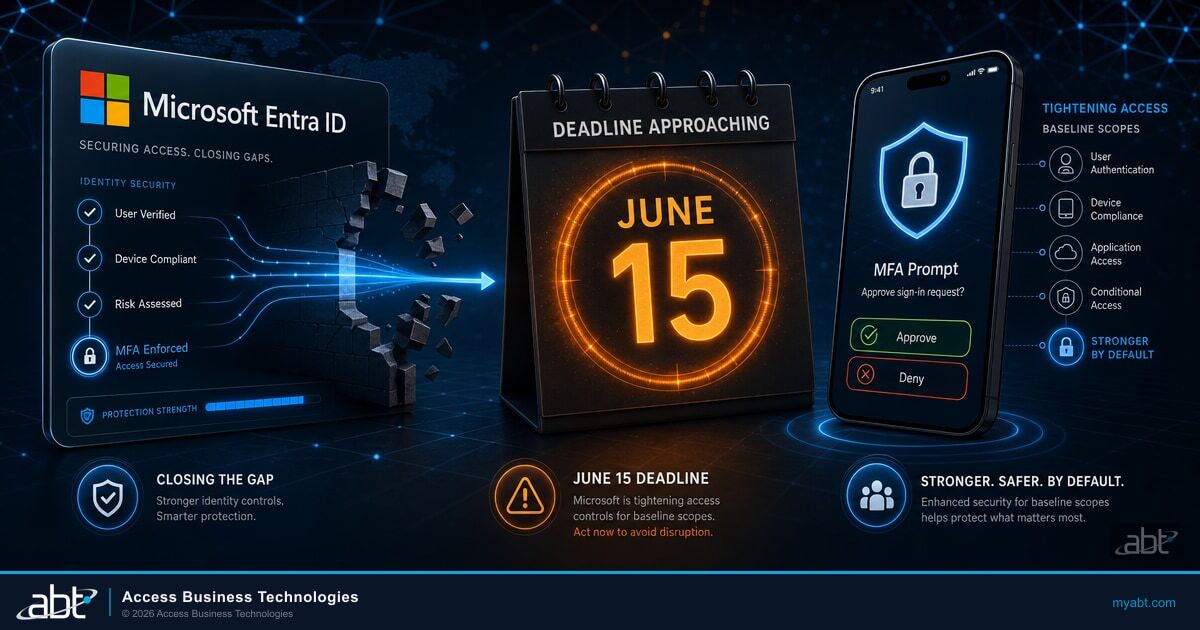
Microsoft Entra is improving how Conditional Access is enforced for policies that target "All resources" (the option formerly labeled "All cloud apps") and include one or more resource exclusions. Until now, when such a policy had an exclusion, sign-ins that requested only a small set of low-privilege permissions were automatically left out of enforcement. After this change, those sign-ins are evaluated as directory access and become subject to the policy, exclusions and all.
The rollout begins June 15, 2026 and moves out progressively over several weeks, tenant by tenant. It is not a hard cutover at midnight. If you do nothing, enforcement enables itself across your tenant over the weeks following that date. If you want to move sooner, or hold specific scenarios back, Microsoft gives you a settings page to control exactly how it lands.
Microsoft is doing this deliberately, and frames it as closing a gap rather than fixing a flaw. The company ties the change to its Secure Future Initiative and to defense in depth. The logic is simple: a sign-in that reaches your directory should get the same Conditional Access scrutiny as any other access, even when it only asks for basic information. For years, a narrow category of sign-ins did not. That is the gap this closes.
Why are most tenants fine? Because the only sign-ins affected are the ones that request nothing beyond "baseline scopes." The moment an app asks for anything more, reading mail, opening a file, touching SharePoint, it was already being enforced and nothing about it changes. Most real applications ask for more than the basics, which is why Microsoft can say, accurately, that the majority of customers have no action to take. For a deeper look at how Conditional Access fits the broader identity picture, our overview of phishing-resistant MFA for financial institutions covers the authentication strengths that pair with these policies.
That number is not abstract for a financial institution. Identity is where the attacks land, and access controls are what stand between an attacker with a stolen credential and the data behind it. Verizon's 2024 Data Breach Investigations Report found that 68 percent of breaches involved a non-malicious human element and that nearly a third of breaches over the past decade leaned on stolen credentials, which is the exact attack path an unenforced sign-in leaves open. Closing an enforcement gap, even a small one, is squarely in the direction every regulator and every threat report is pointing.
What "All Resources," Resource Exclusions, and Baseline Scopes Mean
Three pieces of vocabulary make this change make sense. None of them is complicated once you see what they refer to in a real tenant.
"All resources" policies. When you build a Conditional Access policy, you choose what it applies to. "All resources" is the broadest target, the option Microsoft used to call "All cloud apps." A policy scoped this way is meant to cover everything in the tenant. Many institutions run at least one All-resources policy, often the one that requires MFA for everyone, or blocks access from outside approved locations.
Resource exclusions. Sometimes a broad policy needs a carve-out. An administrator excludes a specific application from an All-resources policy because that app cannot handle the control the policy enforces, or because it needs to keep working in a scenario the policy would otherwise block. That carve-out is a resource exclusion. The exclusion is exactly the condition that, until now, caused certain sign-ins to skip enforcement entirely.
Baseline scopes. This is Microsoft's umbrella term for a defined set of low-privilege permissions that most apps request simply to show basic account information during sign-in. It covers the OpenID Connect sign-in scopes (email, offline_access, openid, profile) and a short list of directory-read scopes (User.Read, User.Read.All, User.ReadBasic.All, People.Read, People.Read.All, GroupMember.Read.All, Member.Read.Hidden). An app that asks for only these is asking to read a profile and basic directory data, nothing more. Consent was always required for these permissions. The gap was never about consent. It was about enforcement.
Who This Change Actually Affects
Microsoft is precise about the conditions. All three have to be true for the change to touch your tenant. First, you have one or more Conditional Access policies that target All resources. Second, those policies have one or more resource exclusions. Third, users in your tenant sign in through applications that request only baseline scopes. If your All-resources policies have no resource exclusions, this change does not affect you at all.
For a non-technical reader, the mental model is this. Picture a building with a security checkpoint at every door (the All-resources policy). One door was propped open for a specific delivery vehicle (the resource exclusion). Anyone showing only a basic badge could walk through that propped door without being checked (baseline-scope sign-ins). Starting June 15, the basic-badge crowd gets checked at that door too. People carrying more than a basic badge were always being checked, so nothing changes for them.
Before and After: The Same Sign-In, Two Different Outcomes
The cleanest way to see the change is to follow one sign-in through both behaviors. After the rollout, baseline scopes are evaluated as directory access, mapped to the resource Microsoft calls Windows Azure Active Directory (also known as Azure AD Graph). A policy that targets All resources with an exclusion, or one that explicitly targets that resource, now applies to the sign-in. The result is that a user reaching an app through a minimal-scope flow can be prompted for MFA or a device-compliance check where they were not before.
A user signs in through Azure CLI, which requests only User.Read. The tenant has an All-resources policy with a resource exclusion. The sign-in requests only baseline scopes, so Conditional Access leaves it alone. No MFA prompt. The same holds for the Visual Studio Code desktop client, which requests only openid and profile.
The identical Azure CLI sign-in is now evaluated against that same Windows Azure Active Directory resource. The All-resources policy with its exclusion applies. The user is prompted for MFA, or a device-compliance check, depending on the policy's grant controls. The Visual Studio Code sign-in behaves the same way. The user gets challenged where they previously sailed through.
Azure CLI and Visual Studio Code are Microsoft's own published examples, which makes them safe to reason from. The important nuance is that this is a sign-in challenge, not a block. The user is asked to prove something (a second factor, a compliant device), and exactly what they are asked for depends on the controls in the policy. A human at a keyboard can usually answer that challenge. An unattended process cannot, which is where the financial-institution risk concentrates.
One more boundary worth stating plainly, because it is what keeps the blast radius small. There is no change in behavior the moment an application requests any scope beyond baseline. Microsoft gives a concrete example: a OneDrive sync client that requests offline_access and Mail.Read stays unenforced because Exchange Online is the excluded resource and the app reaches beyond baseline. The change is surgical. It targets only the sign-ins that ask for the bare minimum.
The change is surgical. It touches only sign-ins that request the bare minimum, which is why most applications never notice, and why the few that do tend to be the ones built on purpose to ask for as little as possible.

The Integrations a Financial Institution Has to Inventory First
This is the part Microsoft's documentation does not write, because Microsoft is describing the change for every customer. For a credit union, a community bank, or a mortgage company, the apps most likely to request only baseline scopes are not random. They are the ones an integrator or a vendor deliberately scoped to the minimum, and they are frequently the ones doing the most consequential work.
Walk the list of what tends to live in that category at a regulated institution. Loan-origination-system connectors that move data between the LOS and downstream systems. Core-banking and data-warehouse service accounts that authenticate to pull or push records on a schedule. Document-management and e-signature ISV connectors that sign in to read directory information. Reporting and business-intelligence service principals that authenticate to assemble dashboards. PowerShell automation and scripts that run unattended overnight. Legacy line-of-business applications that were wired up years ago against minimal permissions and never revisited.
If any of those were intentionally excluded from an All-resources Conditional Access policy and rely only on baseline scopes, their sign-ins could begin hitting an MFA or device-compliance challenge on June 15. An interactive user can answer a prompt. A service account running a 2 a.m. batch job cannot, and the job fails silently. That is the failure mode worth getting ahead of: not a dramatic outage, but a quiet break in unattended automation that nobody notices until a report does not arrive or a sync falls behind.
The applications most likely to break on a Conditional Access enforcement change are rarely the ones a lean IT team is watching. They are the quiet integrations: the LOS connector, the reporting service principal, the overnight PowerShell job. Across the Microsoft 365 tenants we manage for financial institutions, the single most valuable pre-deadline step is an inventory that maps every All-resources policy with an exclusion against the apps signing in with only baseline scopes. That list is short, and it is exactly the list that matters.
There is a reason this lands differently for institutions with a managed Microsoft 365 partner than for those without one. A lean credit union IT team is not reading Microsoft Entra change notices line by line, and they should not have to. ABT manages Microsoft 365 tenants, including Entra ID and Conditional Access, for 750+ financial institutions via delegated admin. Microsoft hosts the infrastructure; ABT manages the tenant. That distinction is the whole value here: the inventory, the per-app decision, and the settings change are work ABT already does as part of the relationship. Device-code and consent attacks exploit the same identity surface, which is why our breakdown of M365 device-code phishing for financial institutions sits alongside this one in the access-controls conversation.
What to Do Before June 15: The Four-Step Check
The work is bounded and concrete. Four steps, in order, and you are done. The goal is to know which apps are affected, decide what each one should do, and set the controls so the rollout lands the way you want rather than the way it happens to.

A note on the controls themselves, because the names matter. Microsoft gives you three choices. Enable enforcement turns the new behavior on immediately, which is the recommended path and is genuinely useful to preview impact in a test tenant before production catches up. Customize behavior lets you retain the old behavior for specific policies only, the right tool for a real exception such as a require-compliant-device policy that must still let a minimal-scope app through on an unmanaged device. Disable enforcement turns it off for the entire tenant, which Microsoft does not recommend because it reopens the Conditional Access gap everywhere. The change overview lives at aka.ms/CAAllResourcesWithExclusionsChange, and the full technical detail is on Microsoft Learn.
For any app that genuinely cannot handle a Conditional Access challenge, the durable fix is to update it to follow Microsoft's Conditional Access developer guidance, or to move unattended automation off user-style sign-ins entirely. Retaining legacy behavior is a temporary safety valve, not a destination. The point of the exercise is to come out the other side with every integration either enforced or knowingly, deliberately exempt, with a plan to close the exemption.
See which of your integrations the June 15 change will touch
The fastest way to know whether any of your custom connectors, service accounts, or scripts are at risk is to inventory your Conditional Access policies and baseline-scope sign-ins against the deadline. ABT runs that review for the Microsoft 365 tenants we manage. You get the short list of affected apps and a decision for each one before the rollout reaches you.
The Deadline Doubles as a Free Access-Controls Health Check
There is a second reason to run this inventory beyond keeping automation alive, and it is the one your examiner cares about. The work you do to get ahead of June 15 is, almost line for line, the evidence regulators expect to see on access controls and multi-factor authentication. The deadline gives you a no-cost reason to confirm your posture is where it should be.
The supervisory direction is consistent across the agencies that examine financial institutions. The FFIEC's 2021 interagency guidance, "Authentication and Access to Financial Institution Services and Systems," promotes layered security, identifies single-factor authentication as a weakness, and states that multi-factor authentication or controls of equivalent strength can effectively mitigate the risk of unauthorized access. For credit unions, the NCUA's 2023 Information Security Examination program evaluates access and authentication controls against that same FFIEC framework. And for institutions under the FTC, the Safeguards Rule (16 CFR 314.4(c)(5)) is explicit: it requires multi-factor authentication for any individual accessing any information system, unless a qualified individual has approved equivalent or more secure controls in writing.
Read those expectations together and the June 15 change reads less like a chore and more like a prompt. Closing an enforcement gap so that more sign-ins are evaluated by your Conditional Access policies is exactly the layered-security posture the FFIEC describes. The artifacts the inventory produces (a list of All-resources policies, a record of which apps were challenged, and a documented decision for each exception) are the kind of evidence an examiner wants to see when they ask how you govern access. The same governance discipline extends to the newer surfaces examiners are starting to ask about, which is why our look at Agent 365 governance for financial institutions applies the same access-control thinking to AI agents.
This is where a managed Microsoft 365 relationship turns a deadline into durable value. For the institutions ABT manages, the June 15 review is not a one-time scramble. It is part of how ABT inventories and hardens Microsoft Entra Conditional Access on an ongoing basis, detecting drift against a known baseline and producing examiner-ready evidence as a byproduct. The change is the occasion. The operating model is what makes the institution ready for the next one before it is announced.
Make access governance a standing capability, not a fire drill
ABT manages Microsoft 365 and Conditional Access for more than 750 credit unions, banks, and mortgage companies. The June 15 enforcement review is one of the standard checks in the M365 Guardian operating model, alongside continuous monitoring through Guardian MxDR. Talk to our team to scope what this change means for your tenant and how ongoing access governance fits your examination cycle.
Frequently Asked Questions
Microsoft Entra is improving how Conditional Access is enforced for policies that target All resources (formerly All cloud apps) and include one or more resource exclusions. Previously, sign-ins that requested only baseline scopes were automatically excluded from enforcement when an exclusion was present. After the change, those sign-ins are evaluated as directory access and become subject to the policy. The rollout begins June 15, 2026 and proceeds progressively over several weeks per tenant. Microsoft frames it as closing an enforcement gap in line with its Secure Future Initiative, and states that most customers need no action because most applications already request scopes beyond the baseline and are already enforced.
Baseline scopes is Microsoft's umbrella term for a defined set of low-privilege permissions that most applications request simply to display basic account information during sign-in. It includes the OpenID Connect scopes email, offline_access, openid, and profile, plus the baseline directory scopes User.Read, User.Read.All, User.ReadBasic.All, People.Read, People.Read.All, GroupMember.Read.All, and Member.Read.Hidden. An application that requests only these scopes is asking to read a user profile and basic directory data. Consent was always required for these permissions; the gap the June 15 change closes was about enforcement, not consent. Any application that requests a scope beyond this set was already enforced and is unaffected.
Three conditions all have to be true. First, you have one or more Conditional Access policies that target All resources. Second, those policies have one or more resource exclusions. Third, users in your tenant sign in through applications that request only baseline scopes. If your All-resources policies have no resource exclusions, the change does not affect you. At a credit union, community bank, or mortgage company, the applications most likely to request only baseline scopes are custom integrations such as loan-origination-system connectors, core-banking and data-warehouse service accounts, document-management and e-signature ISV connectors, reporting service principals, and unattended PowerShell automation. Microsoft publishes a sign-in-logs query you can run through Microsoft Graph to list the applications in your tenant that request only baseline scopes.
It can, but only for a specific pattern. If an unattended integration or service account signs in using a user-style identity, requests only baseline scopes, and is reached through an All-resources Conditional Access policy that has a resource exclusion, then after the change that sign-in can receive an MFA or device-compliance challenge. A non-interactive process cannot answer that challenge, so the job would fail. The fix is to identify these integrations before June 15 using Microsoft's sign-in-logs query, then either update them to handle a Conditional Access challenge, move the automation off user-style sign-ins, or temporarily retain legacy behavior for that policy through the Baseline scopes settings while you update the app. Interactive users are simply prompted and can complete the challenge normally.
Microsoft provides a Baseline scopes settings page at aka.ms/BaselineScopesSettingsUX, reached in the Microsoft Entra admin center with the Conditional Access Administrator role. It offers three options. Enable enforcement turns the new behavior on immediately, which is recommended and useful for previewing impact in a test tenant. Customize behavior retains the legacy behavior for specific policies only, intended for genuine business-critical exceptions. Disable enforcement turns it off for the entire tenant, which Microsoft does not recommend because it reopens the Conditional Access gap everywhere. If you take no action, enforcement enables automatically as part of the rollout beginning June 15, 2026, over a period of several weeks. The public change overview is at aka.ms/CAAllResourcesWithExclusionsChange.
The change aligns with the access-control direction US financial-institution regulators already expect. The FFIEC's 2021 interagency guidance, Authentication and Access to Financial Institution Services and Systems, promotes layered security and states that multi-factor authentication or controls of equivalent strength can effectively mitigate unauthorized access. The NCUA's 2023 Information Security Examination program evaluates credit unions' access and authentication controls against that FFIEC framework. The FTC Safeguards Rule at 16 CFR 314.4(c)(5) requires multi-factor authentication for any individual accessing any information system, unless a qualified individual approves equivalent or more secure controls in writing. Closing the enforcement gap so more sign-ins are evaluated by Conditional Access supports that layered-security posture, and the inventory the change requires (policies, affected apps, and per-exception decisions) produces examiner-ready evidence of how the institution governs access.