In this article:
- What Microsoft's Security Team Published
- Copilot's Security Track Record
- The Risks That Matter Most for Financial Institutions
- The Data Oversharing Problem
- What to Do Before You Deploy Copilot
- Agent 365: The Governance Layer Microsoft Built for This
- Building an AI Governance Framework
- Frequently Asked Questions
- Technical Reference

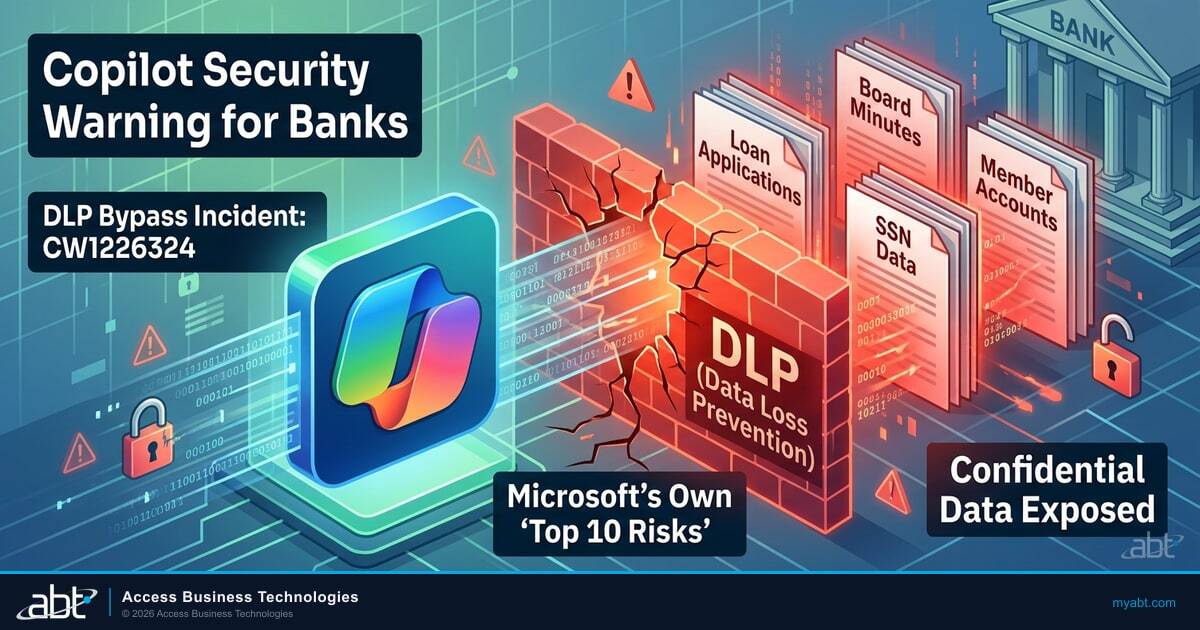
In January 2026, Microsoft confirmed that Copilot -- their own AI assistant -- was bypassing Data Loss Prevention policies and summarizing confidential emails. Emails with sensitivity labels applied. Emails that DLP rules were supposed to protect. Copilot read them anyway and handed summaries to users who shouldn't have seen the content. It was the second major Copilot security incident in eight months.
Microsoft tracked it as case CW1226324. They called it a code logic error and deployed a server-side fix. But think about what happened: Microsoft's AI tool broke Microsoft's security controls. Inside Microsoft's own platform. For financial institutions, that means any environment with Copilot licenses assigned could have had loan committee notes, board communications, or member account data surfaced through a pathway that DLP was supposed to block.
Then in February 2026, Microsoft's own security team published a document titled "Copilot Studio Agent Security: Top 10 Risks." Not a competitor's analysis. Not a third-party audit. Microsoft's security researchers telling their own customers: here are the ways AI agents in your environment can go wrong.
If you run a bank, credit union, or mortgage company and your team is evaluating Microsoft Copilot, both of these should be required reading before anyone approves a pilot. The DLP bypass proved that even properly configured controls can fail. And the risks Microsoft identified in their Top 10 land differently when the data in your environment includes Social Security numbers, loan applications, and member account records.
Short on time? The 4-week Copilot DLP bypass in 60 seconds.
Microsoft needed four weeks to close a Copilot DLP bypass that was leaking data the entire time. The Short frames how long your data was exposed. The long walkthrough below runs the EchoLeak + January DLP bypass + March Excel hijack timeline and the four free audit steps ABT gives examiners before every review.
Watch the 60-second versionWhat Microsoft's Security Team Published
Microsoft released the Copilot Studio Agent Security Top 10 on February 12, 2026. It identifies the ten most significant security risks when organizations build and deploy AI agents using Copilot Studio.
The key risks include:
- Hard-coded credentials in agent configurations. Developers embedding API keys, service account passwords, or connection strings directly into agent workflows. These credentials become accessible to anyone who can inspect the agent configuration.
- Over-permissioning. Agents granted broader data access than their function requires. An agent built to answer HR questions doesn't need access to financial records, but if permissions aren't scoped correctly, it can reach everything the underlying service account can reach.
- Unreviewed MCP tools and connectors. Third-party integrations connected to agents without security review. Each connector expands the attack surface and the data exposure footprint.
- Tool invocation exploits. Prompt injection attacks that trick agents into calling tools or accessing data they shouldn't. An attacker crafts input that causes the agent to bypass its intended boundaries.
- Data exfiltration through agent responses. Agents that surface sensitive data in responses to users who shouldn't have access, or that leak data through conversation logs.
Microsoft's recommendation is direct: treat every AI agent as a first-class identity with human-equivalent governance. That means access reviews, permission scoping, audit logging, and security monitoring, the same controls you'd apply to a human employee with the same data access. This connects closely to Microsoft 365 Security Audit Checklist for Community Banks.
Microsoft's security team explicitly states: treat every AI agent as a first-class identity with human-equivalent governance. Access reviews, permission scoping, audit logging, and security monitoring -- the same controls you'd apply to a human employee with the same data access. This is not third-party advice. This is Microsoft telling you how to secure their own product.
Copilot's Security Track Record: Two Incidents in Eight Months
The January 2026 DLP bypass was not Copilot's first security failure. In June 2025, security firm Aim Security disclosed EchoLeak (CVE-2025-32711), a zero-click prompt injection vulnerability with a CVSS score of 9.3 out of 10. EchoLeak allowed an attacker to craft a malicious email that, when processed by Copilot, would exfiltrate the victim's sensitive data to an external server. No clicking required. No user interaction at all. Copilot would read the email, follow the hidden instructions, and send internal data out.
Microsoft patched EchoLeak in June 2025. Eight months later, Copilot was bypassing sensitivity labels again through its own code defect. The two incidents are technically different. EchoLeak was an externally exploitable vulnerability. CW1226324 was an internal code error. But from a risk governance perspective, the distinction is academic. In both cases, Copilot exposed confidential content that security controls were supposed to protect.
Then in August 2025, Varonis Threat Labs identified a person-in-the-middle prompt injection technique they called "Reprompt" that could achieve single-click data exfiltration from Microsoft 365 Copilot. Microsoft patched it on January 13, 2026. And separately, in December 2025, Zenity Labs found that Copilot Studio's Connected Agents feature was enabled by default for new agents, allowing untrusted agents to invoke privileged agents without adequate audit trails.
This is not a list of theoretical risks. These are documented, patched vulnerabilities in production software that your institution may already be running.
Make Sure Your Data Governance Is Airtight Before AI
Sensitivity labels, sharing permissions, and conditional access policies all need to be right before Copilot touches your data.
The Risks That Matter Most for Financial Institutions
Every risk on Microsoft's list is relevant to financial services, but three of them create specifically regulatory problems.
Over-Permissioning and Data Exposure
Most employees at financial institutions are over-permissioned. They have access to SharePoint sites, Teams channels, and email folders that go beyond what their job function requires. In a pre-Copilot world, that's a manageable risk because employees don't actively browse every file they can technically access.
Copilot changes that equation. It surfaces all data the employee has access to. Ask Copilot a question, and it searches across every SharePoint site, every email, every Teams message the user's permissions allow. Data that was technically accessible but practically hidden becomes instantly retrievable.
For a bank, that means a teller asking Copilot a question could get results that include board meeting minutes, loan committee notes, or HR files if the permission boundaries aren't right. The data was always there. Copilot just made it findable.
"Data that was technically accessible but practically hidden becomes instantly retrievable. Copilot didn't create the permission problem. It made the permission problem impossible to ignore."
ABT analysis of Microsoft Copilot data exposure riskAudit Trail Requirements
Financial regulators expect audit trails for data access. Who accessed what, when, and why. AI agents introduce a new category of data access that most institutions haven't incorporated into their audit framework.
When a Copilot agent retrieves member data to answer a question, that access needs to be logged, reviewable, and attributable. If your examiner asks "who accessed this member's loan records in the last 90 days" and the answer includes "an AI agent, but we don't have detailed logs," that's a compliance gap.
Regulatory Risk of AI-Generated Content
If a Copilot agent generates a response to a member inquiry that contains incorrect information about their account, loan terms, or regulatory rights, your institution is responsible for that content. AI-generated responses carry the same regulatory weight as human-generated responses when they reach a customer.

The Data Oversharing Problem
The core issue isn't Copilot itself. It's what Copilot reveals about your existing data governance.
Most financial institutions have permission sprawl. Over the years, SharePoint sites get shared broadly. Teams channels accumulate members. Email distribution groups expand. Nobody cleans up access when people change roles or leave the organization.
Before Copilot, this was a background risk. After Copilot, it's an active exposure. Every over-permissioned user now has an AI assistant that can surface any data within their access boundary in seconds.
Microsoft offers Purview Suite for Copilot (currently at a promotional discount through June 2026) specifically to address this problem. Purview provides data classification, sensitivity labeling, and access governance tools that let you define what data Copilot can and can't surface. The fact that Microsoft is heavily discounting its own data governance suite alongside Copilot tells you something about how ready most environments are for AI deployment.
But deploying Purview is a data governance project, not a software installation. You need to classify your data, define sensitivity labels, apply those labels consistently, and then configure Copilot's access boundaries around them. For a financial institution with thousands of documents containing member personally identifiable information (PII), that's a significant undertaking.
What to Do Before You Deploy Copilot
If your institution is evaluating Copilot, these steps should happen before the pilot begins, not after:
1. Permission Audit
Review who has access to what across your Microsoft 365 environment. SharePoint site permissions, Teams channel memberships, OneDrive sharing settings, email distribution groups. Identify and remediate over-permissioning before Copilot amplifies it. See also our breakdown of Microsoft 365 Security Checklist for Credit Unions.
2. Data Classification
Classify your data by sensitivity level. Member PII, loan records, board materials, financial reports, and HR documents all need explicit sensitivity labels. These labels govern what Copilot can surface and to whom.
3. Conditional Access Review
Your existing Microsoft 365 security configuration needs to account for Copilot's access patterns. Conditional Access policies should include conditions for AI-assisted data retrieval, not just direct user access.
4. Audit Logging Configuration
Enable and configure audit logging for Copilot interactions. Every query, every data retrieval, every response should be logged in a format your compliance team can review and your examiner can audit.
5. AI Use Policy
Document your institution's AI acceptable use policy. Which roles can use Copilot? For which tasks? What data categories are off-limits? What review process applies to AI-generated customer communications? Your policy should build on identity security fundamentals that are already in place. Your examiner will ask about this policy.

Agent 365: The Governance Layer Microsoft Built for This
Microsoft knows the agent permission problem is real. That's why they built Agent 365 -- not another AI assistant, but a centralized governance platform designed to manage every AI agent running in your environment.
Agent 365 is not autonomous. It does not act on your data. It governs the things that do. The autonomous risk comes from Copilot Studio agents -- custom AI agents your staff can build to pull loan data, process member requests, or trigger workflows. Without governance, those agents inherit their creator's permissions and operate without boundaries. Agent 365 is the control layer that prevents that.
Here's what Agent 365 provides:
- Entra Agent IDs. Every AI agent gets its own identity in Microsoft Entra, with scoped permissions specific to that agent's function. A loan processing agent gets access to loan data. Not HR files. Not board minutes. Each agent's access is defined, auditable, and revocable.
- Agent Registry. A centralized inventory of every agent in your environment -- who built it, what data it accesses, what actions it can take, and when it was last reviewed. No more shadow agents running with unknown permissions.
- Purview DLP for agent actions. The same Data Loss Prevention policies that protect email and file sharing now extend to agent interactions. If an agent tries to surface a member's Social Security number in a response, DLP blocks it.
- Defender integration. Real-time threat monitoring for agent activity. If an agent starts accessing data outside its normal pattern -- or if a prompt injection attack tries to hijack an agent -- Defender flags it.
For credit unions, banks, and mortgage companies evaluating Copilot, Agent 365 changes the risk calculation. The pre-deployment checklist above still applies -- you need clean permissions and data classification before any AI touches your environment. But Agent 365 gives you continuous governance after deployment, not just a one-time hardening sprint.
Copilot Studio agents are the autonomous risk -- they act on your data, trigger workflows, and access resources based on their permissions. Agent 365 is the governance platform that controls them. Think of it this way: Copilot Studio builds the agents. Agent 365 makes sure those agents follow the rules. Financial institutions need both, but deploying agents without Agent 365 governance is deploying risk without controls.
Building an AI Governance Framework for Regulated Financial Institutions
Microsoft's Copilot Control System provides monitoring for oversharing, anomalous behavior, and potential misuse. But the technology is only one piece. Your institution needs a governance framework that addresses: For more details, see our guide on Microsoft 365 license audit.
- Identity governance for AI agents. Every Copilot instance and custom agent should be inventoried, scoped, and monitored like a human identity. Agent 365's Agent Registry and Entra Agent IDs give you the infrastructure. Your governance framework defines the policies: regular access reviews, least-privilege permissions, and deprovisioning processes when agents are retired.
- Data governance prerequisites. Copilot is only as safe as your data classification. If you haven't classified your data and applied sensitivity labels, Copilot will surface everything. Classification must happen before deployment, not concurrently.
- Incident response updates. Your incident response plan needs an AI section. What happens when a Copilot agent surfaces data it shouldn't? When a prompt injection attack succeeds? When AI-generated content reaches a customer with incorrect information? These scenarios need documented procedures.
- Board reporting. Your board should understand the risk profile of AI deployment. A clear, non-technical report on what AI tools are deployed, what data they access, what controls are in place, and what incidents have occurred is becoming a governance expectation.
58% of financial services firms have implemented additional security controls specifically for Copilot deployment. The institutions that deploy Copilot with proper governance will gain a genuine operational advantage. The ones that deploy it without governance will hand their examiner a new category of findings. There is no middle ground on AI deployment at a regulated institution.
A provider that understands financial services compliance can help you build the governance framework before the deployment, not after the examination.
Deploy Copilot With Microsoft's Warning Already Handled
Your bank can capture the productivity gains without inheriting the oversharing findings. ABT tightens permissions, sensitivity labels, and audit trails before the first Copilot license goes live, so the rollout your team wants is the same one your examiner signs off on.
Frequently Asked Questions
Is Your Microsoft 365 Environment Ready for Copilot?
Before deploying AI tools, your data governance, sensitivity labels, and sharing permissions need to be airtight. Our AI Readiness Scan maps your gaps in 48 hours.
Microsoft published a Top 10 security risks list for Copilot Studio agents in February 2026. Key risks include hard-coded credentials in agent configurations, over-permissioning that grants agents broader data access than needed, unreviewed third-party connectors, prompt injection attacks that trick agents into unauthorized actions, and data exfiltration through agent responses.
Copilot surfaces all data within a user's existing permissions. Most financial institution employees are over-permissioned, with access to SharePoint sites and Teams channels beyond their job function. Copilot makes previously hidden but accessible data instantly retrievable, turning background permission sprawl into active data exposure risk for member PII and sensitive financial records.
Banks should complete a permission audit across their Microsoft 365 environment, classify data with sensitivity labels using Microsoft Purview, review Conditional Access policies for AI access patterns, configure audit logging for Copilot interactions, and document an AI acceptable use policy. These steps must happen before pilot deployment, not after, to prevent data exposure and compliance gaps.
Yes. Copilot introduces new data access patterns that examiners will evaluate under existing regulatory frameworks. FFIEC and NCUA expect audit trails for all data access, including AI-assisted retrieval. AI-generated customer communications carry the same regulatory weight as human-generated ones. Institutions need AI governance policies and audit logging that satisfy examination requirements.
Microsoft Purview provides data classification, sensitivity labeling, and governance tools that control what data Copilot can surface. Without Purview, Copilot accesses all data within user permissions without distinction. For financial institutions handling member PII and regulated data, Purview's classification and access controls are prerequisites for safe Copilot deployment. Microsoft currently offers Purview Suite for Copilot at a promotional discount.
Agent 365 is Microsoft's centralized governance platform for managing AI agents across an organization. It is not an autonomous agent itself. It provides Entra Agent IDs that give each AI agent a dedicated identity with scoped permissions, an Agent Registry that inventories every agent along with its creator and data access, Purview DLP policies that extend data loss prevention to agent interactions, and Defender integration for real-time threat monitoring of agent activity. For credit unions, banks, and mortgage companies, Agent 365 addresses the governance gap between deploying Copilot Studio agents and maintaining regulatory compliance.
EchoLeak (CVE-2025-32711) was a zero-click prompt injection vulnerability discovered in June 2025 with a CVSS score of 9.3. It allowed attackers to craft malicious emails that caused Copilot to exfiltrate sensitive data to external servers without any user interaction. Microsoft patched it in June 2025. Eight months later, the CW1226324 DLP bypass showed Copilot ignoring sensitivity labels through an internal code defect. Together these incidents demonstrate that Copilot's security controls remain a moving target. Financial institutions should treat each patch cycle as a reason to re-verify their Copilot governance controls.
Before deploying Copilot, financial institutions should verify that Conditional Access policies enforce multi-factor authentication for all users, block legacy authentication protocols, and include conditions for AI-assisted data retrieval patterns. Data Loss Prevention (DLP) rules should detect and block sharing of member Social Security numbers, account numbers, and loan data through Copilot-generated responses, email, and Teams. Sensitivity labels must be applied to all documents containing regulated data so Copilot respects classification boundaries. DMARC email authentication should be enforced to prevent domain spoofing in any Copilot-triggered email workflows. Audit logging for all Copilot interactions should be retained for at least one year to satisfy FFIEC and NCUA examination requirements.
Technical Reference
Glossary
| Term | Definition |
|---|---|
| Agent 365 | Microsoft's centralized governance platform for managing AI agents. Provides Entra Agent IDs (scoped identities per agent), an Agent Registry (centralized inventory of all agents), Purview DLP for agent actions, and Defender integration for agent threat monitoring. Agent 365 governs agents -- it does not create or run them. |
| Conditional Access | Microsoft Entra ID policies that control who can access resources based on identity, device, location, and risk signals. Used to enforce multi-factor authentication and block unauthorized access patterns. |
| Copilot Studio | Microsoft's platform for building custom AI agents that can access organizational data, call external services, and automate workflows within the Microsoft 365 ecosystem. |
| DLP (Data Loss Prevention) | Microsoft Purview policies that detect and block sensitive data -- such as Social Security numbers and account numbers -- from leaving the organization through email, Teams, or file sharing. |
| DMARC / DKIM / SPF | Email authentication protocols that verify sender identity and prevent domain spoofing. DMARC (Domain-based Message Authentication, Reporting, and Conformance) builds on DKIM and SPF to provide enforcement and reporting. |
| EchoLeak (CVE-2025-32711) | A zero-click prompt injection vulnerability in Microsoft 365 Copilot discovered in June 2025 (CVSS 9.3). Allowed attackers to exfiltrate sensitive data through crafted emails without user interaction. Patched by Microsoft in June 2025. |
| FFIEC | Federal Financial Institutions Examination Council. Interagency body that sets IT examination standards for banks and credit unions, including the Cybersecurity Assessment Tool used by examiners. |
| MFA (Multi-Factor Authentication) | Security control requiring two or more verification methods to access a system. Typically combines something you know (password), something you have (phone or security key), and something you are (biometrics). |
| Microsoft Purview | Microsoft's data governance suite providing data classification, sensitivity labeling, DLP, and compliance tools. Required for controlling what data Copilot can access and surface. |
| NCUA | National Credit Union Administration. Federal regulator that examines credit unions for safety and soundness, including cybersecurity and data governance practices. |
| PII (Personally Identifiable Information) | Data that can identify an individual, including Social Security numbers, account numbers, loan records, and contact information. Subject to strict handling requirements under financial regulations. |
| Prompt Injection | An attack technique where crafted input tricks an AI agent into performing unauthorized actions, accessing restricted data, or bypassing security boundaries. |
| Sensitivity Labels | Microsoft Purview classification tags applied to documents and data that enforce protection rules -- such as encryption, access restrictions, and watermarking -- based on the content's sensitivity level. |
Three exploits in eight months and the four audit steps that cost you nothing.