In This Article
- What Happened: 72 Hours, 35,000 Users, 13,000 Organizations
- Why a Code of Conduct Lure Works on Financial Institution Users
- The Ten-Stage Attack Chain: From PDF to Session Token
- Why Your Standard MFA Did Not Help
- What Financial Institutions Must Configure Now
- The Phishing-Resistant MFA Mandate Is Now the Direction of Travel
- A Seven-Day Verification Plan for Your Tenant
- How ABT Operates the AiTM Control Stack for 750+ Financial Institutions
- Frequently Asked Questions
Your compliance officer gets an email at 7:14 AM on a Tuesday. The subject line reads, "Acceptable Use Policy 2026: Awareness Case Log Review Required by EOD." A PDF is attached, formatted to look like an internal HR communication. Inside the PDF is a button: "Review Case Materials." She clicks. A Cloudflare CAPTCHA loads, the kind she has cleared a hundred times this year on legitimate sites. She solves it. A page asks for her email so it can pull up "your specific case file." She enters it. A second CAPTCHA appears, then a verification success message. The page redirects to a clean Microsoft sign-in screen. She enters her password, approves the push prompt on her phone, and the page resolves to a generic policy document. She closes the tab and moves on with her morning. Forty seconds after she entered her password, an attacker on a server in another country opens her mailbox.
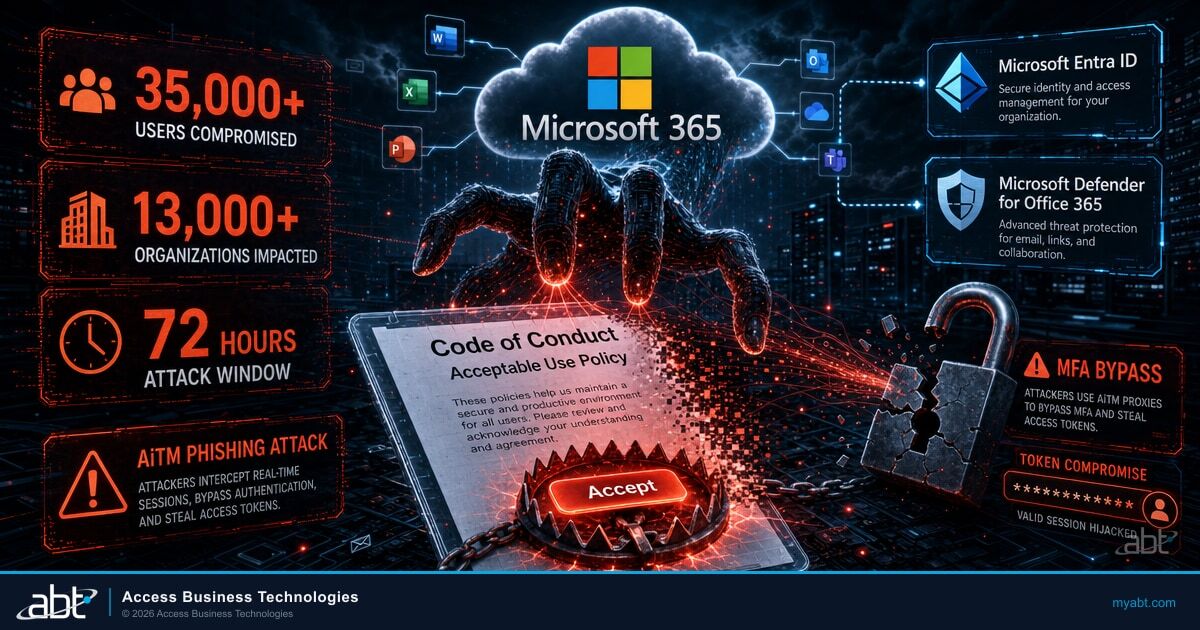
Microsoft Defender Research published the post-mortem on May 4, 2026. Between April 14 at 06:51 UTC and April 16 at 03:54 UTC, attackers ran a multi-stage adversary-in-the-middle phishing campaign against more than 35,000 individual users across more than 13,000 organizations in 26 countries. Ninety-two percent of the affected organizations were in the United States. Microsoft did not publish a full sector breakdown, but the lure design, an HR-policy compliance review, was selected for exactly the audiences that financial institutions employ in the largest numbers: compliance officers, internal auditors, BSA analysts, training coordinators, and any employee subject to annual code-of-conduct attestation.
The attack chain is documented. The indicators of compromise are public. The Microsoft control stack that would have stopped it is named, available in licenses you already own, and configurable through the same admin centers your team uses every week. This article walks through what happened, why standard multi-factor authentication did not stop it, and the specific controls every credit union, bank, and mortgage company should verify on their tenant before the next 72-hour blitz arrives. Access Business Technologies manages the Microsoft 365 tenants for more than 750 financial institutions as a Tier-1 Cloud Solution Provider, and the configuration patterns in this article are the ones we apply across that footprint.
What Happened: 72 Hours, 35,000 Users, 13,000 Organizations
Microsoft Defender Research designates this campaign by its lure framing: a multi-stage adversary-in-the-middle (AiTM) phishing operation that used "Code of Conduct" and "Acceptable Use Policy" themed emails to bait victims into a credential-harvesting flow. The window was tight. Three distinct waves of phishing email went out over 45 hours. Each wave used freshly registered domains, new sender addresses, and slightly different PDF lure variants, suggesting a campaign-management infrastructure that allowed the operators to swap artifacts on the fly as detections caught up.
The infrastructure was not novel. AiTM kits have been documented in active use since 2022, and the tradecraft, captive proxy plus session-token theft, is now a commodity capability inside the phishing-as-a-service ecosystem. What set this campaign apart was the volume and the precision. The lure framing was selected to slip past not just the email gateway but the user's own threat model. A "Code of Conduct" email from what looks like an internal compliance address is something every financial institution employee is trained to read, click through, and acknowledge. The attackers chose the one type of email people are already pre-conditioned to engage with.
Why This Matters for Financial Institutions
Financial institutions run more compliance training, more annual attestations, and more policy acknowledgement workflows than almost any other sector. Bank Secrecy Act training, anti-money-laundering refreshers, fair lending acknowledgements, GLBA privacy attestations, vendor risk acknowledgements, and information security policy reviews all arrive in employee inboxes as routine, expected, time-bound emails. A "Code of Conduct" lure framed as a compliance review is not a stretch for a financial institution employee. It is exactly what they expect to see. That expectation is the asset the attacker is exploiting.
Why a Code of Conduct Lure Works on Financial Institution Users
Every regulated financial institution publishes a code of conduct. It is required documentation under examiner expectations, board governance practices, and most state-chartered fiduciary duties. Every year, employees attest that they have read it. Every quarter, compliance officers audit attestation completion rates. The phrase "code of conduct" carries no suspicion in a financial institution employee's mental model. It is administrative, mandatory, and ignored at one's professional peril.
The campaign's PDF attachments were named to fit this expectation precisely. Microsoft Defender Research published three observed file names: "Awareness Case Log File - Monday 13th, April 2026.pdf," "Awareness Case Log File - Tuesday 14th, April 2026.pdf," and "Awareness Case Log File - Wednesday 15th, April 2026.pdf." The dating pattern signaled urgency. The "Awareness Case Log" framing implied a specific employee was named in the case and had to respond. The user opens the PDF expecting to see a HR ticket. The PDF instead presents a single button: Review Case Materials.
"Unlike traditional credential harvesting, AiTM attacks intercept authentication traffic in real time, bypassing non-phishing-resistant multifactor authentication (MFA). Messages were distributed in multiple distinct waves between 06:51 UTC on April 14 and 03:54 UTC on April 16."
The sender addresses observed by Microsoft are particularly important to understand. Microsoft Defender Research published five sender artifacts: cocpostmaster@cocinternal.com, nationaladmin@gadellinet.com, nationalintegrity@harteprn.com, m365premiumcommunications@cocinternal.com, and documentviewer@na.businesshellosign.de. None of these are random. Each pattern is engineered to read, at a glance, as an internal or trusted-vendor address. "cocpostmaster" reads as a code-of-conduct administrative inbox. "nationaladmin" and "nationalintegrity" read as a corporate-headquarters compliance address. "m365premiumcommunications" reads as a Microsoft 365 service notification. "documentviewer" reads as a routine workflow alert. A user skimming subject lines on a Tuesday morning is statistically likely to read these as legitimate.
The Ten-Stage Attack Chain: From PDF to Session Token
The attack flow Microsoft documented runs through ten distinct stages, each engineered to slip past a different layer of defense or user suspicion. Understanding the sequence matters because the controls that block this campaign are placed at specific stages, not at every stage uniformly.
HR-themed message with PDF attachment posing as internal compliance communication.
User opens the PDF and clicks the Review Case Materials link to access "case files."
Landing page displays a Cloudflare CAPTCHA gate to filter out automated security scanners.
A second domain claims documentation requires authentication before the case can be reviewed.
User is asked to enter their work email so the staging site can "match the case file."
An image-selection CAPTCHA further filters automated researchers and screening sandboxes.
The user sees a "verification successful" confirmation, building trust before the credential ask.
The site fingerprints the device. Mobile and desktop visitors are routed to different downstream pages.
The final page presents a Microsoft sign-in prompt. The page is the real Microsoft login, served through an attacker-controlled proxy.
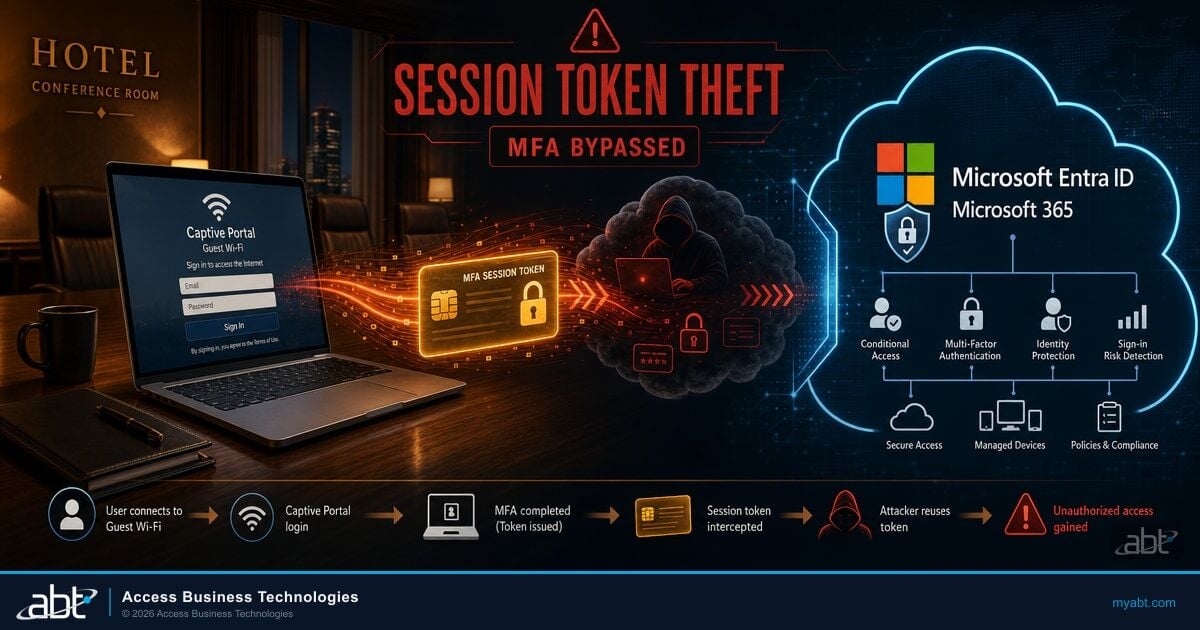
The user enters credentials and approves MFA. The attacker proxy captures the post-MFA session token and immediately replays it to access the mailbox.
Stages 3 through 8 exist for a single purpose: to keep automated security scanners from ever reaching the credential prompt. Most secure email gateways and URL reputation scanners are not configured to solve CAPTCHAs, enter email addresses, and complete multi-step verification flows. They follow links, take a snapshot of the destination, and rate the destination by the content of that single page. By gating the credential prompt behind a five-step interactive flow, the attackers ensured that almost every automated security tool gave up before reaching the malicious page. Only a real human, the intended victim, would have the patience and motivation to push through.
The Critical Insight: Standard MFA Was Approved at the Real Microsoft
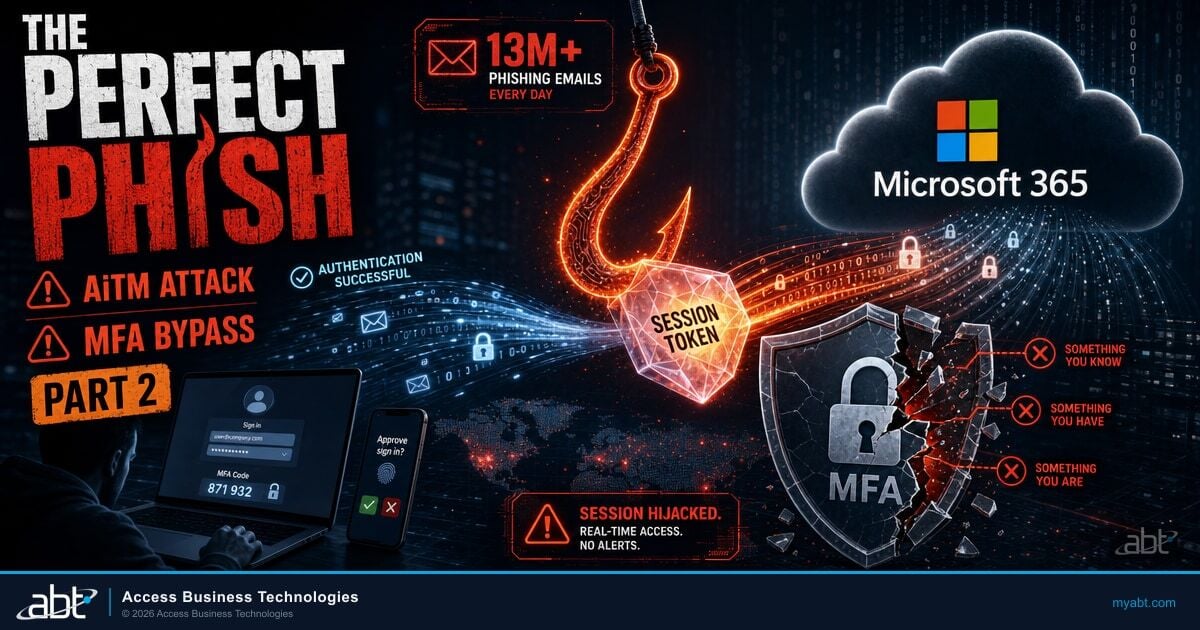
At stage 9, the user is not seeing a fake Microsoft login. The proxy is forwarding the user's request to the actual Microsoft sign-in service in real time. The push notification on the user's phone comes from Microsoft. The number-match prompt comes from Microsoft. The user approves Microsoft's prompt because Microsoft is who is asking. Once approved, the session token Microsoft issues is captured by the proxy and replayed on the attacker's machine. The user has done nothing wrong from their training perspective. Their MFA worked exactly as designed. It just was not the kind of MFA that resists this attack.

Why Your Standard MFA Did Not Help
The single most important fact about this campaign, and every AiTM campaign before it, is this: non-phishing-resistant multi-factor authentication does not stop adversary-in-the-middle attacks. The Cybersecurity and Infrastructure Security Agency (CISA) has been saying this in writing since October 2022. NIST formalized it in SP 800-63-4 on July 31, 2025. The Federal Financial Institutions Examination Council (FFIEC) named "man-in-the-middle (MIM) attacks, credential abuses, and phishing attacks" as common threats in its August 2021 Authentication Guidance. None of this is new. What is new is that the attackers have industrialized exploitation at a scale that should make every chief information security officer at a financial institution recheck their authentication methods policy this week.
The cryptographic property that defeats AiTM is called origin binding. When a user authenticates with a FIDO2 security key, a passkey stored on their device, or a Windows Hello credential, the authenticator signs a challenge that includes the origin URL of the requesting site. The signature is only valid for the specific origin. If an attacker proxy tries to relay the authentication challenge to login.microsoftonline.com, the FIDO2 authenticator refuses to sign. The proxy gets nothing. The attack chain breaks at stage 9, before any token is ever issued.
Not Phishing-Resistant
- SMS one-time passwords
- Voice call one-time passwords
- Push notifications without number match
- Push notifications with number match
- Authenticator app one-time passwords (TOTP)
- Hardware token one-time passwords
Why they fail against AiTM: Each of these is a code or approval the user transmits to the proxied login page. The proxy captures the code or the approved session and replays it.
Phishing-Resistant
- FIDO2 security keys (YubiKey, Token2, Feitian)
- Passkeys synced via Microsoft Authenticator
- Device-bound passkeys via Windows Hello
- Smart cards and PIV/CAC (PKI-based)
- Certificate-based authentication
Why they work against AiTM: The authenticator cryptographically binds the response to the origin URL. A proxy at the wrong origin cannot relay a valid response.
If your authentication methods policy still permits SMS, voice, push, or TOTP for any account that can read regulated information, you have an exposure to this campaign. Phishing-resistant MFA is no longer a "next year" item. It is a "this quarter" item, and for privileged accounts and remote access, it is a "this week" item.
Find out where your tenant stands.
Get Your Security Grade scores your Microsoft 365 tenant against the CISA, NIST 800-63-4, and FFIEC controls that block AiTM token theft. Five minutes, one tenant, one report.
What Financial Institutions Must Configure Now
Microsoft's published recommendations for the Code of Conduct campaign cite specific Microsoft 365 surfaces by name. Each control is available in licenses your institution likely already holds. The work is configuration, not procurement.
The control stack that breaks the Code of Conduct attack chain at the right stages combines three Microsoft surfaces working in sequence. Microsoft Defender for Office 365 handles email-side detection at stages 1 and 2, with Safe Links rewriting URLs in PDF attachments, Safe Attachments detonating PDFs in a sandbox, and Zero-hour Auto Purge retroactively pulling malicious messages from inboxes once a verdict changes. Microsoft Entra ID Conditional Access handles the identity-side block at stage 9, where Grant Mode policies require phishing-resistant authentication strength for privileged roles and remote access, and where Microsoft Entra ID Protection's anomalous-token and unfamiliar-sign-in detections elevate risk on suspicious sign-ins. The phishing-resistant authenticators themselves, FIDO2 security keys, passkeys synced via Microsoft Authenticator, and device-bound passkeys via Windows Hello, are the cryptographic surface that refuses to sign for the wrong origin. The three layers stack: Defender for Office 365 reduces how many of these messages reach the inbox, Conditional Access blocks the sign-in at the policy layer, and phishing-resistant MFA refuses to authenticate at the protocol layer.
Across the 750+ financial institutions Access Business Technologies manages on Microsoft 365, the most common gap we see in AiTM defense is not a missing license. It is an unenforced Conditional Access policy. Many tenants own Microsoft Defender for Office 365 Plan 2, Microsoft Entra ID P1, and even Microsoft Entra ID P2, but they run policies in Report-Only mode rather than Grant Mode for Privileged Role Administrators, Helpdesk Administrators, Security Administrators, and remote-access scenarios. Reading a Conditional Access policy in audit mode does not block a token replay. The policy has to be in Grant Mode, with phishing-resistant authentication required, for the protection to actually fire.
Microsoft's named control stack falls into four functional groups. We map each to a recommended FI configuration below.
| Functional Group | Microsoft Control | Recommended FI Configuration |
|---|---|---|
| Email Security | Microsoft Defender for Office 365 Safe Links | Enabled in real-time URL detonation mode for all internal and external mail. No bypass for "trusted senders." Re-write URLs in PDF attachments. |
| Microsoft Defender for Office 365 Safe Attachments | Dynamic Delivery enabled. Attachments detonated in a sandbox. PDF macros and embedded scripts flagged before delivery. | |
| Zero-hour Auto Purge (ZAP) | Enabled for malware, phishing, and high-confidence spam. ZAP retroactively pulls malicious mail from inboxes once a verdict changes. | |
| Identity Protection | Microsoft Entra ID Conditional Access with phishing-resistant MFA | Grant Mode (not Report-Only). Required for: all Privileged Roles, all remote access, all access to mail, all access to financial reporting systems. |
| Microsoft Entra ID Protection | Anomalous-token and unfamiliar-sign-in-properties detections enabled. High-risk sign-ins blocked or required to step up to phishing-resistant authenticator. | |
| Authentication Methods policy | SMS and voice OTP disabled or restricted to non-privileged accounts. Push notifications restricted. FIDO2 keys, passkeys, and Windows Hello promoted as primary methods. | |
| Endpoint and Network | Microsoft Defender for Endpoint network protection | Enabled in block mode for known malicious URLs. SmartScreen reputation database updated. |
| Microsoft Defender XDR automatic attack disruption | Enabled. Disrupts in-progress AiTM token replays and BEC sessions automatically without analyst intervention. | |
| Detection and Response | Microsoft Defender SmartScreen in Microsoft Edge | Enabled in browser policy. Flags newly registered malicious domains before the user can complete the credential entry. |
| Attack Simulation Training | Quarterly, with code-of-conduct, acceptable-use, and HR-policy themed lures. Targeted at compliance, audit, and HR staff specifically. |
The list is not theoretical. Microsoft's May 4 post identifies each of these by name in its Recommendations section. Two of them, Microsoft Defender for Office 365 ZAP and Microsoft Defender XDR automatic attack disruption, are reactive controls that catch the attack after the credential has already been entered. The other six are preventive. The full layered stack is what makes the difference between a campaign that fails at stage 9 and a campaign that succeeds at stage 10.
The Verifiable Outcome
If a financial institution had Microsoft Entra ID Conditional Access in Grant Mode, requiring FIDO2 or Windows Hello passkey authentication for all privileged roles and all remote access, the attack chain in the Code of Conduct campaign would have failed at stage 9. The Microsoft sign-in proxy would have presented the legitimate Microsoft authentication challenge. The user's FIDO2 authenticator would have refused to sign because the origin did not match. No token would have been issued. No mailbox would have been accessed.

The Phishing-Resistant MFA Mandate Is Now the Direction of Travel
The federal regulatory direction is now unambiguous. Phishing-resistant MFA is no longer the "best practice" you are supposed to aspire to. It is the standard you are supposed to be deploying.
The Regulatory Stack as of May 2026
NIST SP 800-63-4 (final, July 31, 2025) requires phishing-resistant authenticators at AAL3 and requires verifiers to offer a phishing-resistant option at AAL2. CISA's "Implementing Phishing-Resistant MFA" fact sheet names FIDO2/WebAuthn and PKI as the gold standard. OMB M-22-09 mandates phishing-resistant MFA for federal workforce access. The FFIEC's August 2021 Authentication Guidance, which applies to community banks under OCC Bulletin 2021-36 and to credit unions under NCUA's adoption of the same, names phishing as a common threat and directs FIs to use stronger, phishing-resistant authentication for high-risk users. State-level direction is moving even faster. Texas Department of Banking Industry Notice 2025-01 explicitly directs state-chartered banks to "implement and properly configure phishing-resistant multi-factor authentication" for privileged access, cloud-based services including email, external applications hosting nonpublic information, VPN and remote desktop access, third-party vendor network access, internal service accounts, and customer access to nonpublic information.
What this means in practice: an examiner walking into a financial institution's information security review in late 2026 or 2027 has every authority to ask, "Show me your authentication methods policy. Show me which methods are permitted for which users. Show me your Conditional Access policies in Grant Mode. Show me your inventory of FIDO2 keys, passkeys, and certificate-based authentication." If the answer is "we still permit SMS and push for everyone, including privileged roles, including remote access, including third-party vendor access," the institution is now demonstrably out of step with both NIST and the federal financial agencies' direction.
Your authentication methods policy still permits SMS, voice, or push notifications for at least some classes of users. Conditional Access policies are deployed but several are in Report-Only mode. You have not yet built an inventory of which users have FIDO2 or passkey credentials enrolled.
Federal and state examiners increasingly expect to see phishing-resistant MFA enforced via Conditional Access in Grant Mode for all privileged roles, all remote access, and all access to nonpublic information. Report-Only is acceptable as a deployment stage, not as a permanent state.
This is not a prediction. It is the explicit text of the federal and state guidance, read together. The Texas notice is the leading edge of a direction every federal financial agency has signaled. The institutions that move first are setting the standard against which the rest will be measured.
A Seven-Day Verification Plan for Your Tenant
Most credit unions, banks, and mortgage companies that ABT manages can complete the following in seven calendar days. The work is configuration and policy, not procurement.
The institutions that close the AiTM gap this quarter will be the ones that walk into next year's examination cycle with a defensible authentication posture. Everyone else will be answering hard questions about why they did not.
The broader cluster of recent Microsoft 365 phishing campaigns provides important context for sizing the AiTM exposure. We have published deep dives on M365 device-code phishing, the Microsoft Teams helpdesk impersonation chain, and the VENOM phishing-as-a-service platform, all of which exploit similar gaps in non-phishing-resistant authentication. The technical detail differs across each campaign, but the regulatory and remediation throughline is the same: phishing-resistant MFA, properly enforced through Conditional Access, is the load-bearing control. Strong email authentication via SPF, DKIM, and DMARC enforcement is the secondary control that limits how many of these emails arrive in employee inboxes in the first place.
How ABT Operates the AiTM Control Stack for 750+ Financial Institutions
Access Business Technologies is a Tier-1 Microsoft Cloud Solution Provider that manages Microsoft 365 tenants for more than 750 financial institutions. The firm's footprint covers credit unions, community banks, and mortgage companies operating under federal and state regulatory oversight. For each of those institutions, ABT applies the Microsoft control stack described in this article and layers it with the broker-specific, branch-specific, and remote-access-specific configuration work that examiners actually grade.
That layered model has a name: M365 Guardian. The Microsoft control stack, Defender for Office 365, Microsoft Entra ID Conditional Access, Microsoft Entra ID Protection, Defender for Endpoint, Defender XDR, and Microsoft Sentinel, is the baseline that every Microsoft 365 tenant ABT manages runs on. Guardian is ABT's operating model on top of that baseline: financial-services-specific Conditional Access policies tuned to branch geography and registered-representative behavior, phishing-resistant authenticator rollout sequenced for privileged roles first and remote access second, Authentication Methods policy templates calibrated to the FFIEC Authentication Guidance and the NIST 800-63-4 AAL2 and AAL3 thresholds, Microsoft Defender for Office 365 baselines tuned against the lure patterns that actually hit financial institution inboxes (HR policy attestations, vendor portal logins, regulatory deadline notices), and a 24/7 security operations center that watches the Defender XDR and Sentinel signals every minute of the day. The financial institution keeps its Microsoft 365 licensing and retains its tenant ownership. The Guardian layer is added through the partner relationship under Granular Delegated Administrative Privileges with least-privilege role grants.
Verify your tenant against the Code of Conduct AiTM control stack.
Get Your Security Grade scores your Microsoft 365 tenant against the specific Microsoft, NIST, CISA, and FFIEC controls that block adversary-in-the-middle token theft. The result is a prioritized list of the configuration changes that close the gap, mapped to the licenses you already own. Five minutes to start. One report you can take to your board.
Frequently Asked Questions
Microsoft did not publish a sector-specific breakdown. The campaign hit 13,000+ organizations in 26 countries with 92% in the United States. The lure framing, an HR Code of Conduct or Acceptable Use Policy compliance review, was selected to work against any sector that runs annual policy attestation programs. Financial institutions run more of these than almost any other sector, which makes the lure unusually effective for credit unions, banks, and mortgage companies. Whether your institution was specifically targeted is a question for your sign-in logs and Microsoft Defender Threat Intelligence, but the campaign profile suggests financial institution employees were a primary intended audience.
No. Number matching defends against MFA fatigue and prompt bombing, where an attacker spams push notifications hoping the user will eventually approve one. Number matching does nothing to defend against AiTM. In an AiTM flow, the user is approving a real Microsoft sign-in that the attacker has proxied. The number on the user's phone matches the number on the proxied sign-in screen because Microsoft generated both. The user enters the number, MFA succeeds, and the proxy captures the post-MFA session token. Number matching is a useful interim mitigation that CISA still recommends for organizations not yet able to deploy phishing-resistant MFA, but it is not phishing-resistant on its own.
Microsoft Defender for Office 365 Plan 2 covers Safe Links, Safe Attachments, Zero-hour Auto Purge, and Attack Simulation Training. Microsoft Entra ID P1 covers Conditional Access in Grant Mode and authentication strength enforcement. Microsoft Entra ID P2 adds Microsoft Entra ID Protection's risk-based detections for anomalous tokens and unfamiliar sign-in properties. Microsoft 365 E5 includes all of the above. Microsoft 365 Business Premium covers most of it for organizations with fewer than 300 seats. Most institutions ABT manages already hold the relevant licenses; the gap is configuration, not procurement.
Microsoft Defender Research published five malicious sender domains and five sender email addresses in its May 4 blog. Hunt your mail flow for the domains and sender addresses listed in the Microsoft Security Blog post linked from this article. Microsoft also published three SHA-256 file hashes for the PDF lures, which can be loaded into Microsoft Defender for Endpoint as custom indicators. The full list is in the official Microsoft Security Blog post, "Breaking the Code: Multi-Stage Code of Conduct Phishing Campaign Leads to AiTM Token Compromise," May 4, 2026.
No. CISA names FIDO2/WebAuthn and PKI-based authentication, including PIV and CAC smart cards, as the gold standard. NIST SP 800-63-4 also recognizes synced and device-bound passkeys, certificate-based authentication, and Windows Hello passkeys as phishing-resistant. Microsoft supports all of these in Microsoft Entra ID. The choice between FIDO2 hardware keys and passkeys often comes down to user experience and device fleet composition. Many financial institutions deploy a mix: FIDO2 keys for highly privileged accounts and shared workstations, Windows Hello passkeys for individual employee devices, and synced passkeys via Microsoft Authenticator for users with both managed and personal devices.
Most institutions ABT manages can complete the seven-day plan in calendar weeks rather than months when the work is scoped to privileged accounts and remote access. The compressed timeline assumes you already hold Microsoft Entra ID P1 or higher and Microsoft Defender for Office 365 Plan 2. The most common bottleneck is FIDO2 hardware key procurement and physical distribution to remote staff, which typically takes one to two weeks for institutions with a distributed workforce. Conditional Access policy build and rollout, when staged through Report-Only first and then promoted to Grant Mode, takes one to three days of admin time. Tenant-wide rollout to non-privileged users follows a longer timeline because it requires user training and a help desk ramp.
Examiners are unlikely to issue a finding solely for permitting SMS or push, because the FFIEC's 2021 Authentication Guidance does not yet mandate phishing-resistant MFA by name. What examiners will do is read the institution's authentication policy alongside its risk assessment for privileged access, remote access, and access to nonpublic information. If the risk assessment names phishing and adversary-in-the-middle attacks as material threats but the institution's authentication policy still permits methods that demonstrably do not stop those threats, examiners can and do cite the institution for inadequate risk mitigation. The Texas Department of Banking's January 2025 industry notice is the clearest signal that state examiners are already moving in this direction. Federal examiners are not far behind.
M365 Guardian is ABT's operating model layered on top of the customer's Microsoft 365 tenant. It does not replace Microsoft 365. It is the financial-services-specific configuration, monitoring, and response work that goes on top of the customer's Microsoft licensing. The customer keeps its Microsoft 365 licensing and retains its tenant ownership. ABT manages the tenant under Granular Delegated Administrative Privileges with least-privilege role grants and an executed vendor oversight agreement that satisfies the third-party service provider expectations in amended SEC Regulation S-P and the parallel federal banking-agency guidance. The Guardian layer covers Microsoft Defender for Office 365 baseline tuning, Microsoft Entra ID Conditional Access policy authoring and rollout, phishing-resistant authenticator distribution and tracking, Authentication Methods policy templates calibrated to FFIEC and NIST guidance, and the 24/7 SOC that watches the Defender XDR and Microsoft Sentinel signal stream.