


Microsoft 365 E3 Security Add-Ons. Get the controls that actually enforce, without moving to E5.
Three security upgrades sit one step above the Microsoft 365 E3 you already run, and all three are purchasable through the Cloud Solution Provider channel today. Two of them have been available since January 2026. Most E3 customers have never been shown any of them. There is no migration and no new suite to roll out. What a license buys you is the entitlement; configuring and scoping it is what turns a control on, and some of those controls will be visible to your people once they are.
- No migration and no new suite. The add-ons attach to the Microsoft 365 E3 you already run
- Microsoft Entra ID P2 is the license Microsoft requires behind risk-based Conditional Access
- Sized by a Tier 1 Microsoft Cloud Solution Provider that manages Microsoft 365 for 750+ financial institutions
What are the Microsoft 365 E3 security add-ons?
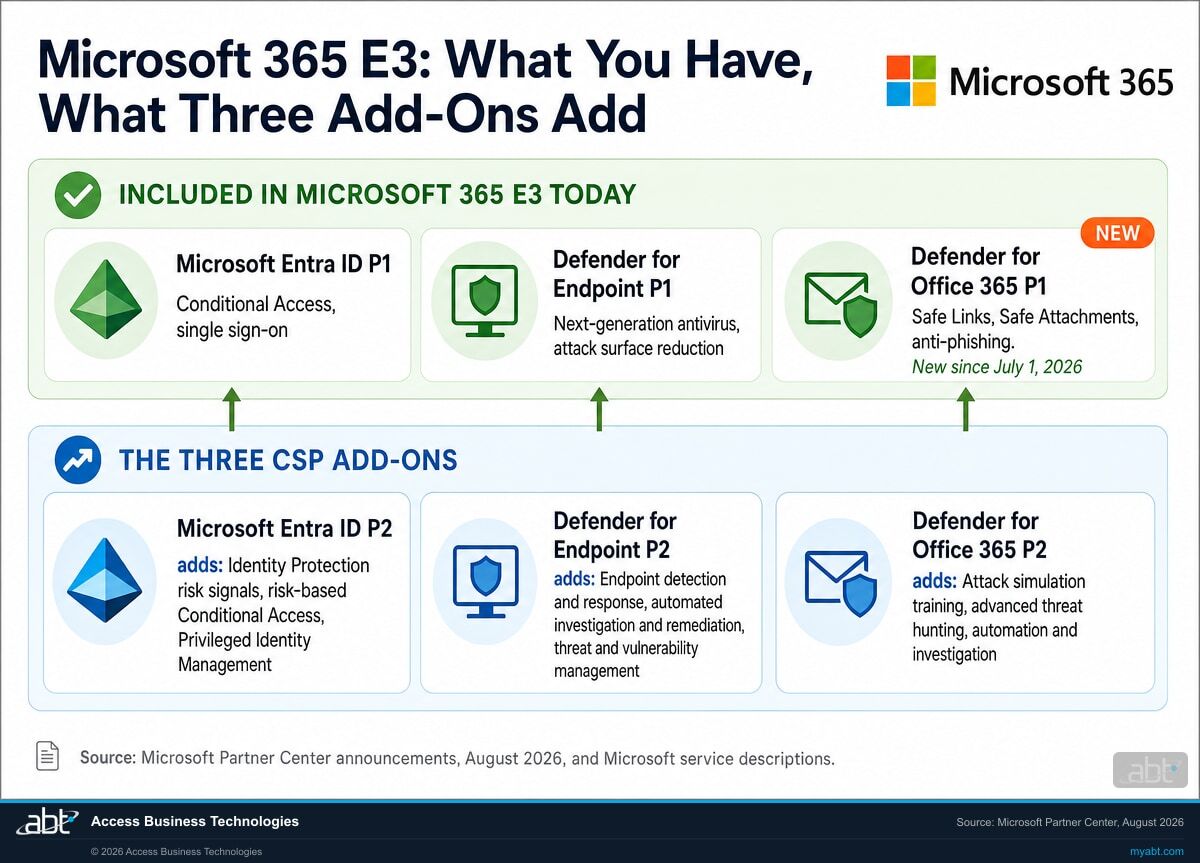
They are three Microsoft security upgrades that E3 customers can buy individually through a Cloud Solution Provider: Microsoft Entra ID P2, the Defender for Endpoint P2 add-on, and the Defender for Office 365 P2 add-on. Each one lifts a capability your E3 subscription already carries at the Plan 1 level up to the Plan 2 level. None of them requires moving your organization to a different Microsoft 365 plan.
This did not all land at once, and the timeline is worth knowing because it explains why your partner may never have raised it. In January 2026 Microsoft made Entra ID P2 and Defender for Endpoint P2 available to existing Microsoft 365 E3 customers through CSP, with what it called "incremental, programmatic step up pricing; the same pricing model previously available through EA and MCA E motions." In August 2026 it listed the set including the Defender for Office 365 P2 add-on and described "consistent pricing across Enterprise Agreements (EA) and CSP."
Microsoft describes the buyer plainly: "customers who want to upgrade to advanced security, but aren't ready to commit to" the full enterprise suite. Closing the gap between the two purchasing models means the conversation can be about which capability you need rather than which paperwork you signed. The reason the ladder now reads cleanly, though, is a change to E3 itself that most customers have not noticed.
What does Microsoft 365 E3 actually include today?
E3 changed on July 1, 2026, and a lot of internal documentation has not caught up. Here is the current picture, with the add-on delta beside it.
Microsoft 365 E3 now includes Defender for Office 365 Plan 1, which it did not before July 1, 2026. Microsoft's own service description is direct: "Beginning July 1, 2026, Microsoft Defender for Office 365 Plan 1 is included with Office 365 E3 and Microsoft 365 E3. This adds Plan 1 protection (Safe Links, Safe Attachments, anti-phishing, real-time detections); it doesn't include Plan 2 capabilities."
If your last licensing review predates this summer, your notes are wrong on this point, and the mistake runs in your favor for once. Safe Links and Safe Attachments are not something you need to go buy. Check whether they are switched on and tuned, because an entitlement nobody configured protects nobody.
On the endpoint side, E3 has carried Defender for Endpoint Plan 1 for a while. Microsoft's Defender service description states that Plan 1 "is available as a standalone user subscription license and as part of Microsoft 365 E3/A3/G3." Plan 1 covers next-generation antivirus, attack surface reduction, device control, and manual response actions taken by hand. Plan 2 is where detection and response becomes automatic. On identity, E3 ships Microsoft Entra ID P1, which gives you Conditional Access. The catch there is narrow, specific, and the whole point of the section after this table.
| Capability | Microsoft 365 E3 today | With the P2 add-on attached |
|---|---|---|
| Identity | Microsoft Entra ID P1. Conditional Access, single sign-on, self-service password reset | Entra ID P2 adds Identity Protection risk detection, risk-based Conditional Access, and Privileged Identity Management |
| Admin privilege | No native Privileged Identity Management. Just-in-time admin access needs a third-party tool or a manual process | Privileged Identity Management becomes available natively, so admin roles can be made eligible rather than standing, activated when needed and time-boxed |
| Endpoint | Defender for Endpoint Plan 1. Next-generation antivirus, attack surface reduction, manual response actions | Plan 2 adds capabilities such as endpoint detection and response, automated investigation and remediation, threat and vulnerability management, threat analytics, and deep file analysis |
| Email and collaboration | Defender for Office 365 Plan 1, new since July 1, 2026. Safe Links, Safe Attachments, anti-phishing, real-time detections | Plan 2 adds attack simulation training, advanced threat hunting, and automated investigation and response |
| How you buy it | Bundled in the plan, nothing to decide | Three separate add-ons. Microsoft lists them with consistent pricing across Enterprise Agreement and CSP purchasing |
| What your users notice | No migration and no new apps. These attach to the tenant you already run. Some controls are visible once configured: an administrator activating a role, a challenge on a risky sign-in, a simulated phishing message. | |
Find out which of the three you actually need
Twenty minutes with ABT's licensing team gets you a written assessment: what your E3 tenant is entitled to right now, which controls are configured versus merely licensed, and which add-on closes a real gap rather than a theoretical one. No obligation, and the assessment is yours either way.
Does your Conditional Access risk policy cover the people you think it does?
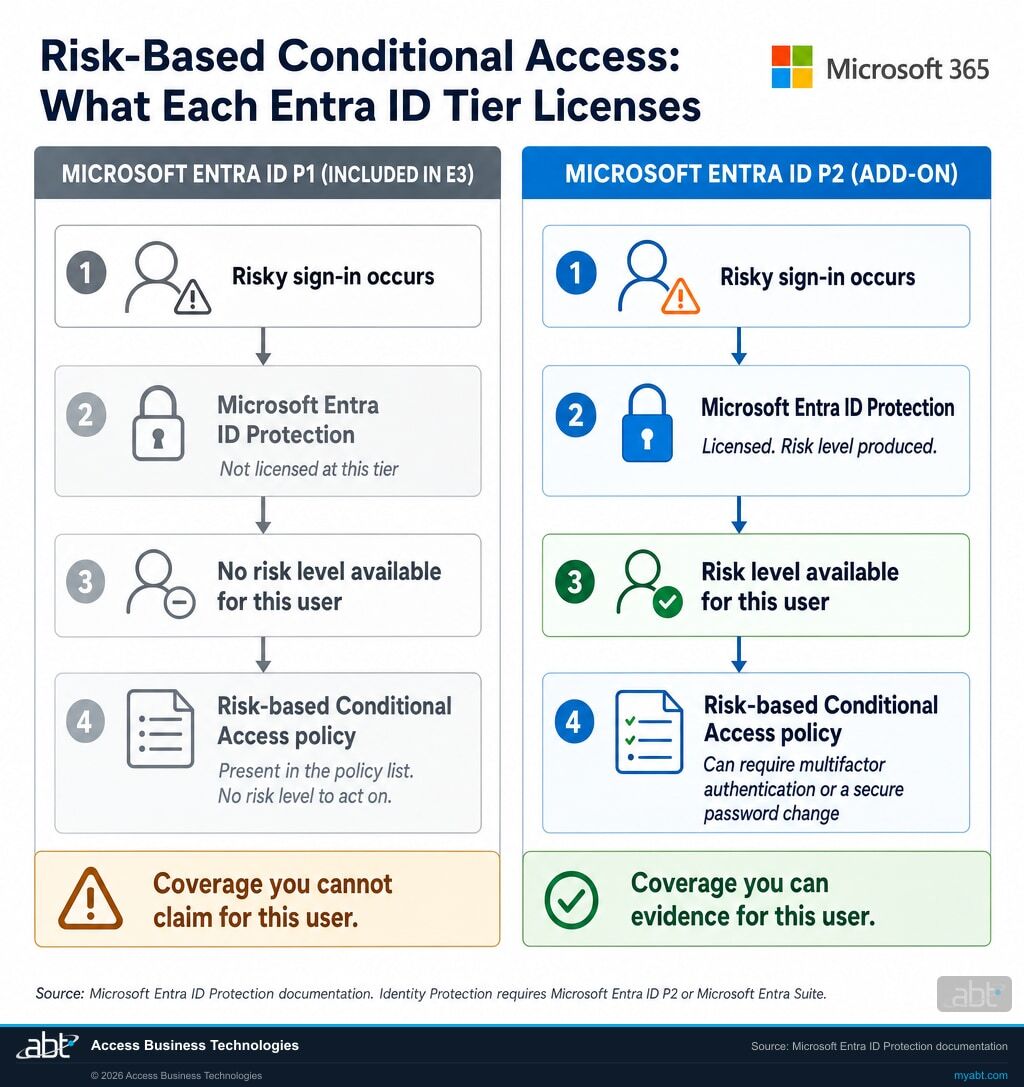
Because the policy and the risk signal it depends on are licensed separately. A risk-based Conditional Access policy acts on a risk level, and that risk level is produced by Microsoft Entra ID Protection, which Microsoft licenses at the P2 tier. Microsoft 365 E3 includes P1. So the coverage a risk-based policy can give you is bounded by how many of the users it targets hold a P2 entitlement, and a policy list on its own does not show you that number.
Microsoft says both halves plainly. On what those policies do: risk-based Conditional Access policies "can be enabled to require access controls such as providing a strong authentication method, perform multifactor authentication, or perform a secure password reset based on the detected risk level." On what produces the detected risk level: "Using this feature requires Microsoft Entra ID P2 licenses." Microsoft's configuration guide for risk policies repeats it: "The Microsoft Entra ID P2 or Microsoft Entra Suite license is required for full access to Microsoft Entra ID Protection features."
Read those two together and coverage becomes a licensing question as much as a configuration one, which is not how most teams think about Conditional Access. A screenshot of the policy list is weak evidence of coverage on its own, because it shows what is configured and not who is entitled. This is why ABT's security assessments report what a control can do for a named population rather than whether it appears in a list, and it is a finding that surprises IT directors more often than it should.
The mixed-tenant version is the harder one to spot, because it sits inside a tenant that is otherwise fine. If some of your people hold P2 and some do not, one policy scoped to all users covers two populations with different entitlements behind them. Microsoft documents the licensing requirement; what it cannot tell you is how many of your users fall on each side of it. That number is worth establishing in your own tenant rather than inferring from the policy list.
We did exactly that in our own tenant. ABT's corporate tenant is itself mixed-license: 43 of its 483 enabled users hold no Entra ID P2, and all 43 sit inside the targeting of two enabled risk-based Conditional Access policies. We pulled thirty days of interactive sign-in records and compared the two populations. Wherever those policies show up in a sign-in's evaluation record they look exactly the same for both groups, present and marked not applied on routine sign-ins, and nothing on any row says which users the risk signal actually protects. The one record that shows the mechanism working belongs to a licensed user: a sign-in Microsoft scored as medium risk, closed with Microsoft's own annotation that the user satisfied multifactor authentication driven by a risk-based policy. The unlicensed population produced no such record, and across those thirty days none of them tripped a risky sign-in for the policies to act on, so what the records establish is the quiet-day picture: nothing in the logs distinguishes the two groups. The only place their situation is visible at all is the license roster itself.
List every risk-based policy in the tenant
Anything keyed on user risk or sign-in risk. These are the policies that depend on Identity Protection, so they are the ones where the licensing question actually changes the answer. Audit them first.
Count how many of your people hold Entra ID P2
Not how many the policy targets. How many are licensed for the signal behind it. The gap between those two numbers is the population whose coverage you cannot claim.
Open the policy and read the grant control
A policy can also carry a name that promises something its configuration does not deliver. The name is a label somebody typed. The grant control is the part that acts.
Decide deliberately, then document it
Licensing P2 across the board is the simplest answer to defend. Any narrower scope is a conversation to have with your partner against current Microsoft Product Terms, because who benefits from a control affects how it must be licensed. If you stay narrower, scope the risk policies to the licensed population and record the residual risk for everyone outside it, so nobody is reading coverage off a policy list the license roster does not back.
Standing admin access is the other thing P2 unlocks
Privileged Identity Management comes with Entra ID P2, and also with Entra ID Governance. Emergency access accounts are a separate control that sits alongside it, and the two get confused constantly. Ninety seconds on how Microsoft runs its own.
Which Microsoft 365 E3 security add-on should you buy first?
Three add-ons, three different problems. Buying all three at once is fine if the budget is there. If it is not, the order below is how ABT sequences them, and the reasoning is stated so you can disagree with it.
First: Microsoft Entra ID P2
Identity is where intrusions start, and P2 is the only one of the three that turns on a control you may already believe is running. It also brings Privileged Identity Management, which is the cleanest answer to the standing-admin-access question an examiner will ask. If you buy one, buy this one.
Second: Defender for Endpoint P2
Plan 1 blocks and lets your team respond by hand. Plan 2 adds automated investigation and remediation, so defined actions can run without waiting for a person. Be precise about what that is: automation of specific responses, not someone monitoring your tenant. If nobody is watching overnight, automation narrows that gap, it does not close it, and closing it is a staffing or managed-service decision rather than a licensing one. Plan 2 also brings vulnerability management.
Third: Defender for Office 365 P2
Third only because E3 just gained Plan 1, so the floor moved up on its own. Plan 2 earns its place through attack simulation training and threat hunting. If your last phishing test was a spreadsheet exercise, this is how it becomes a running program with evidence attached.
One caution before anyone signs anything. For detection and response, partial coverage produces partial visibility, and the gaps are exactly where an attacker has room to work. Make the scope a decision rather than a rounding of the budget, and write down which you chose. There is also a point where the arithmetic stops favoring add-ons: attach enough of them and the packaged Defender and Purview suites, or Microsoft 365 E5 itself, become the cheaper answer. A partner who will not run that comparison for you is not doing the job.
A free licensing assessment, before you buy anything
We are a Microsoft partner and we do sell these licenses, so read the next part with that in mind. The assessment is free because the fastest way to earn a licensing relationship is to tell you the truth about what you already own.
What your E3 tenant is entitled to, what is actually configured, and which add-on closes a real gap.
- Entitlement versus configuration. Most tenants we assess are paying for something nobody switched on. We list those first, because turning on what you already own costs nothing and often matters more than the next purchase.
- The license join on your Conditional Access policies. We match every risk-based policy against how many of your people are licensed for the signal it depends on, and report the covered and uncovered counts for each one.
- Add-ons against the full suite, priced both ways. Your seat count, your current plan, both paths costed, and a recommendation with the reasoning attached rather than a preference presented as a conclusion.
- A written summary you can hand to someone else. Your board, your auditor, or your examiner. It is a licensing and coverage document, not a control test, and it says so on the page. Written to be read by a person who was not on the call.
The assessment is free and carries no purchase obligation. Microsoft asks partners to confirm current eligibility and terms before quoting, so your assessment carries live pricing for your seat count and term rather than a number copied off a web page. If the honest recommendation turns out to be that you buy nothing this year, that is what the document will say.
Regulated? This is our home field.
ABT manages Microsoft 365 tenants for 750+ credit unions, banks, and mortgage companies, so the assessment is written for a regulated reader: documented entitlements, coverage counts per policy rather than a list of policy names, and vendor due-diligence paperwork on request. It supports your examination preparation, and it does not substitute for your own control testing. Plenty of the E3 tenants we assess belong to ordinary businesses with no regulator at all. The method is the same. The documentation is just deeper when somebody official will read it. ABT also operates M365 Guardian, its managed security service for credit unions, banks, and mortgage companies.
Related reading
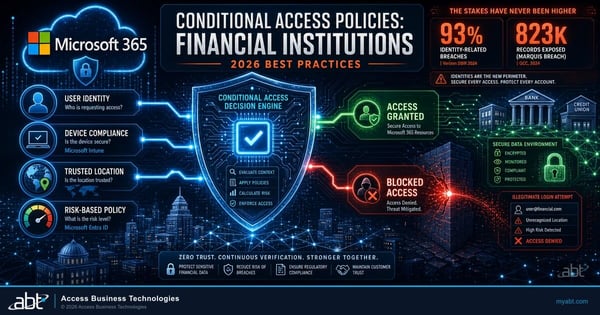
Conditional Access Policies for Financial Institutions
The 2026 baseline: which policies to run, how to scope them, and the exclusions that quietly undo the whole set.
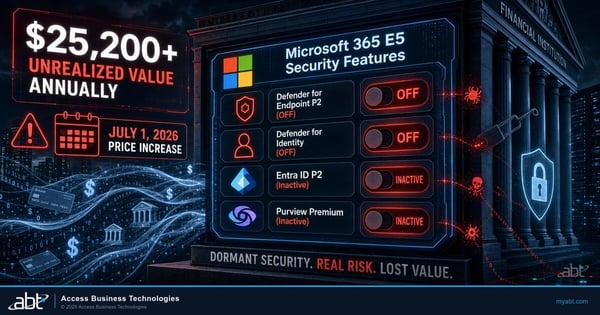
E5 Security Features Banks Pay For But Do Not Use
The other half of this problem. Buying the higher tier changes nothing until somebody configures what it unlocked.
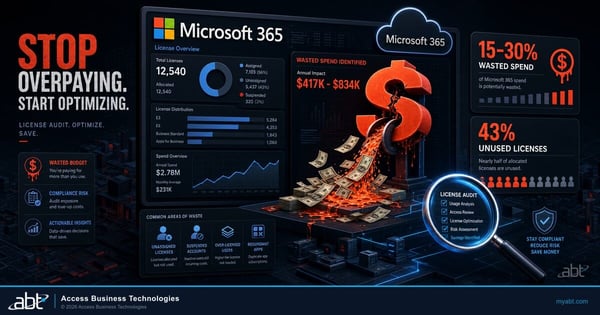
Microsoft 365 License Audit: Are You Overpaying?
How to find the idle seats and oversized plans in your monthly bill, and what a right-sizing pass typically recovers.
Microsoft 365 E3 security add-ons, answered
Ready to
Close the Gap?
Tell us about your tenant and ABT's licensing team will build your free assessment: what your Microsoft 365 E3 subscription already entitles you to, which controls are configured rather than merely licensed, and which add-on closes a real gap.
