In This Article
- Why Interface Design Drives Lending Speed
- The LOS Landscape: Banks, Credit Unions, and Mortgage Companies
- Custom vs Default Interfaces: What Actually Changes
- The Seven-Step Interface Customization Playbook
- The SDK-to-API Transition and Parallel Pressure on Bank LOS Stacks
- The Microsoft 365 and Microsoft Azure Integration Plane Above Your LOS
- Regulatory and Audit Considerations: FFIEC, OCC, NCUA Expectations
- High-Impact Integrations to Prioritize First
- Frequently Asked Questions
Every loan a financial institution closes passes through the loan origination system interface dozens of times. Loan officers move records through pipeline stages, processors clear conditions, underwriters approve or counter, closers handle final disclosures, and quality control reviewers double-check before delivery. When that interface is cluttered with irrelevant fields, generic layouts, and manual steps that should be automated, processing slows down at every stage. The math compounds across hundreds or thousands of loans a year.
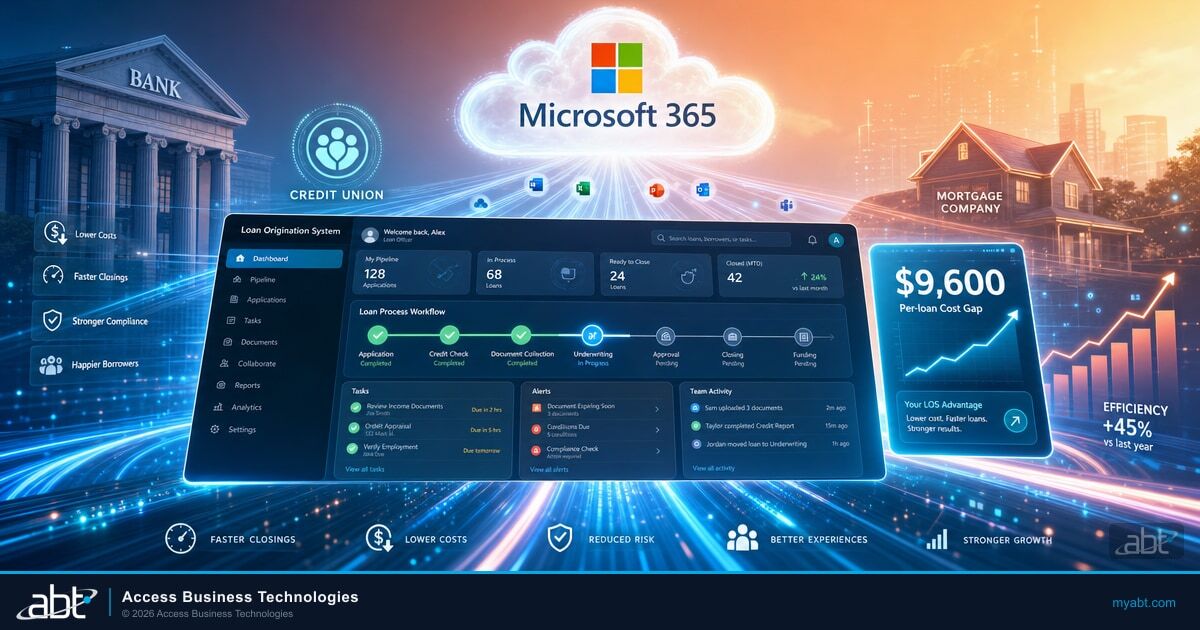
The opportunity is real. Freddie Mac's 2024 Cost to Originate Study, which benchmarks against the Mortgage Bankers Association Quarterly Performance Report, found a $9,600 spread between the most efficient quartile of retail originators (about $6,900 per loan) and the least efficient quartile (about $16,500 per loan). The mid-market average sits around $11,600 per loan. Banks, credit unions, and mortgage companies all face the same arithmetic: interface design choices either compound that cost or compress it.
This guide walks through how banks, credit unions, and mortgage companies customize their loan origination system interface to build a faster, more compliant lending operation. It covers the multi-LOS landscape, the seven-step customization playbook, the Microsoft 365 and Microsoft Azure integration plane that works across vendor boundaries, and the FFIEC examiner expectations that govern every interface change.
Why Interface Design Drives Lending Speed
The LOS interface is what your team interacts with on every single application, every business day, for the life of the loan. When that interface is generic, processing slows down at every touchpoint. When it is tailored to each role and workflow, the same staff handles more volume with fewer errors.
Three dimensions of interface design shape lending speed across banks, credit unions, and mortgage companies:
- Staff cognitive load. An intuitive interface reduces decision fatigue. Loan officers find what they need faster, make fewer navigation errors, and spend less time hunting through screens. Credit union member service reps move applications through pre-qualification without breaking eye contact.
- Workflow efficiency. Custom interfaces remove unnecessary steps from the lending pipeline. When underwriters only see fields relevant to their decisions, they reach those decisions faster. When processors only see open conditions, they clear them in order.
- Training and turnover costs. A clean, role-appropriate interface means new hires reach full productivity sooner. Smaller community banks and credit unions feel this most: they cannot afford months of ramp-up on every new loan officer or processor.
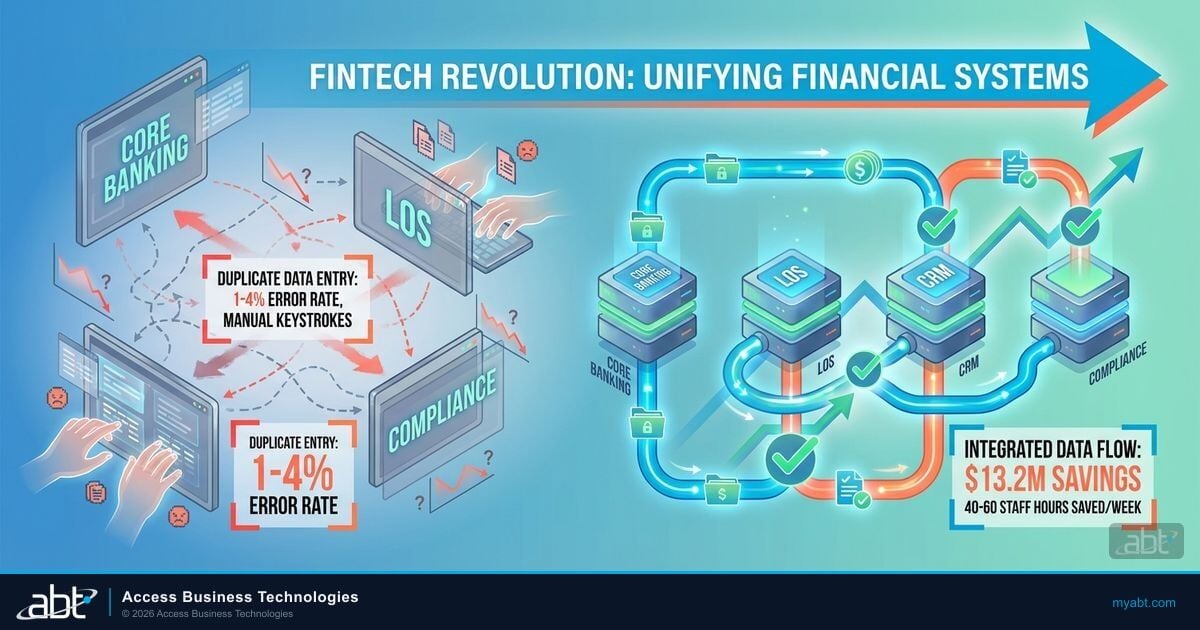
A typical residential loan touches 12 to 20 different data sources before it closes: credit bureaus, employment verification, asset verification, property valuation, title, hazard insurance, AUS, custodian, investor delivery, document custodian, e-sign vendor, and the institution's own core. Every manual entry across those touchpoints is a chance for a typo or a missed field. Interface customization either compresses those touchpoints into automated calls or leaves them as friction.
Why This Matters for Financial Institutions
Banks, credit unions, and mortgage companies measure success on the same axes: cycle time, pull-through rate, cost per loan, and exam readiness. Interface design touches all four. A community bank that runs MeridianLink Consumer alongside a Symitar or Episys core has the same customization opportunity as a mortgage company on ICE Encompass. The LOS vendor changes; the playbook does not.
The LOS Landscape: Banks, Credit Unions, and Mortgage Companies
The first reframe most financial institutions need is recognizing that there is no single LOS market. Banks, credit unions, and mortgage companies have different histories, different vendor ecosystems, and different integration challenges. A faster lending interface looks different in each context, but the underlying customization disciplines are the same.
| Institution Type | Common LOS Platforms | Typical Integration Pressure |
|---|---|---|
| Community banks | MeridianLink Consumer + MeridianLink Mortgage, nCino Bank Operating System (retail + commercial), Mortgage Cadence, Black Knight Empower (now under ICE) | LOS-to-core integration (FIS Horizon, Jack Henry SilverLake, Fiserv Premier); commercial vs consumer system separation; branch-channel consolidation |
| Credit unions | MeridianLink Consumer + Mortgage, nCino, Q2 Lending, Sageworks (Abrigo) for commercial, occasional Calyx for smaller shops | LOS-to-core integration (Symitar Episys, Fiserv DNA, Corelation KeyStone); member-facing portal integration; cross-product lending (consumer + auto + HELOC + mortgage) |
| Mortgage companies | ICE Encompass (dominant), Calyx PointCentral (smaller shops), occasional Mortgage Cadence at larger banks; front-end layers from Blend, Tavant VELOX, Roostify | SDK-to-API migration before December 31, 2026 deadline; secondary market delivery; AUS integration (DU, LPA); broker-portal modernization |
What the three groups share: every interface customization decision rolls up to cycle time, pull-through, cost per loan, and examiner readiness. What they do not share: the specific vendor mechanics, the integration surface, and the regulatory framework that governs each system.
That is why a customization strategy that only thinks about the LOS layer leaves money on the table. The Microsoft 365 and Microsoft Azure plane sits above any LOS and gives every institution the same set of integration, identity, governance, and analytics primitives, regardless of which LOS vendor they use. We will get to that in the integration plane section.
Custom vs Default Interfaces: What Actually Changes
Every LOS ships with a default layout that works generically. It was designed to serve every institution out of the box. That means your team sees fields they never use, navigates menus that do not match their workflow, and follows a one-size-fits-all pipeline view that was built for an average institution that does not exist.
Here is how customization changes the daily experience across the most common LOS platforms used by banks, credit unions, and mortgage companies:
Default LOS Interface
- Generic layout shows every field the platform supports, including products your institution never originates
- Every user sees the same view, regardless of role
- Pipeline columns and filters are vendor defaults, not tied to your portfolio mix
- Workflow rules use vendor defaults; exceptions go through manual approval
- Integrations rely on out-of-the-box connectors with whatever credit bureau, AUS, or document vendor the LOS partners with
Customized LOS Interface
- Only fields relevant to the institution's product mix appear, with custom field labels and groupings
- Each role (loan officer, processor, underwriter, closer, branch lender, credit analyst) sees a tailored view
- Pipeline dashboards filter by branch, channel, loan type, and aging, with role-appropriate sorting
- Workflow rules trigger on real institution events: condition cleared, milestone reached, exception threshold exceeded
- Integrations are configured for the institution's preferred vendors, with consistent data formatting and error handling
The difference is not cosmetic. A customized LOS interface removes friction at every stage of the lending cycle, which compounds into measurable savings across monthly volume. A community bank closing 60 loans per month, with five minutes of friction removed per file, recovers 25 staff hours every month. A mortgage company closing 400 loans per month recovers 167 hours. A credit union that originates across consumer, auto, HELOC, and mortgage on the same platform multiplies the savings across every product.
Cycle time is not just a productivity metric. It is the difference between an examiner finding a stack of stale conditions on Friday afternoon and an examiner finding a clean pipeline.
The Seven-Step Interface Customization Playbook
The customization sequence below works for ICE Encompass, MeridianLink Consumer, MeridianLink Mortgage, nCino, Mortgage Cadence, Black Knight Empower, and Calyx PointCentral. The vendor mechanics differ, but the discipline does not. Banks, credit unions, and mortgage companies should follow the same order: identify, configure, clean, automate, customize the pipeline, integrate, then test and iterate.
-
Identify your bottlenecks.
Before changing anything, audit your current workflows. Sit with loan officers, processors, underwriters, branch lenders, and credit analysts. Document where they lose time today: scrolling past irrelevant fields, re-entering data that should auto-populate, waiting for manual handoffs between departments, or chasing conditions across email and the LOS. Quantify the top three friction points in minutes per loan.
-
Configure role-based access and permissions.
Not everyone needs access to everything. Set up role-based permissions so processors see processing-relevant fields, underwriters see underwriting conditions, loan officers see pipeline and member or borrower communication tools, and credit analysts see commercial structuring views. Reducing visibility cuts confusion, limits security exposure, and supports the segregation-of-duties expectations FFIEC examiners look for during audits.
-
Clean up forms and fields.
Use admin tools or the LOS API framework to rename labels, hide unused fields, and add company-specific data points. If your team never uses a field, remove it from the view. Every unnecessary element on screen is a distraction that slows processing. Credit unions running multiple product lines on one LOS need product-conditional field visibility so a consumer auto loan does not surface mortgage-specific fields.
-
Automate repetitive tasks.
Use LOS workflow rules to automate recurring actions: sending initial disclosures, updating loan statuses when milestones complete, triggering notifications when conditions are satisfied, and assigning users to roles based on loan attributes. Automation removes manual steps that eat real time per file. Where the LOS workflow engine cannot reach (cross-system orchestration), Microsoft Power Automate fills the gap. We cover that in the integration plane section.
-
Customize the pipeline view.
Configure your loan pipeline dashboard to show the columns, filters, and sorting that matter to each team. Lock desk staff need different views than processors. Branch managers need different views than closers. Commercial credit analysts need different views than consumer underwriters. Customized pipeline views give everyone instant visibility into their workload without manual filtering. Microsoft Power BI extends this when the LOS dashboard alone cannot show the cross-product portfolio view.
-
Integrate third-party services.
Connect your LOS to credit bureaus, income and employment verification (The Work Number), appraisal management companies, document imaging systems, AUS (Desktop Underwriter, Loan Product Advisor), e-sign providers, and investor delivery platforms through API-based interfaces. Each integration eliminates a manual data transfer point. Focus on high-volume connections first for maximum impact. The next section covers which integrations deliver the biggest return.
-
Test, train, and iterate.
Roll out customizations to a pilot group before the full team. Collect feedback on what works and what creates new friction. Train users on the actual loan scenarios they handle daily, not abstract feature demos. Schedule quarterly reviews to adjust the interface as your volume, product mix, and team composition change. Document every change for the audit trail FFIEC and NCUA examiners will request.
Key Takeaway
The seven-step playbook works across LOS vendors because the discipline is universal. The institution that follows it on Encompass gets the same compounding return as the institution that follows it on MeridianLink or nCino. What matters is the sequence, not the brand.
The SDK-to-API Transition and Parallel Pressure on Bank LOS Stacks
For mortgage companies running ICE Encompass, the December 31, 2026 deadline to migrate off the legacy Software Development Kit and onto the Encompass Partner Connect API framework is the dominant integration deadline of the year. ICE Mortgage Technology has confirmed that date across its EPC Workflow Simplified guidance and its Developer Connect release notes. SDK-based plugins, custom service orders, and SDK-dependent automations all need to land on the API framework or move to native Encompass functionality before the deadline.
What this transition means for interface customizations on Encompass:
- Catalog SDK dependencies now. Identify every custom plugin, automation, and integration that relies on SDK calls. That inventory becomes the migration backlog. Mortgage companies that wait until late 2026 will be queuing behind every other institution on the same deadline.
- API calls outperform SDK calls. ICE reported in customer communications, summarized by Scotsman Guide in May 2025, that clients who have transitioned to API-based solutions are seeing an average financial benefit of $149 per loan. The benefit comes from faster response times, lower CPU and server maintenance burden, and easier upgrade compatibility.
- Native Encompass features have expanded. The task framework, workflow engine, and Encompass Partner Connect now handle many functions that previously required SDK customization. Check native capabilities before building custom API solutions. The cheapest API is the one you do not have to write.
- Custom forms are not affected. Custom forms built for the Smart Client interface will continue to work. Only SDK-dependent logic and plugins require migration.
The Encompass deadline is loud, but it is not the only modernization pressure in the LOS market. Banks and credit unions running MeridianLink, nCino, Black Knight Empower, Mortgage Cadence, or any other modern LOS face equivalent migration cycles on their own timelines. Older banks still maintaining screen-scraping or file-based integrations with Symitar, Fiserv, or FIS cores are under continuous pressure from FFIEC examiners to move to RESTful APIs with proper authentication, logging, and error handling.
The pattern is the same regardless of LOS vendor: legacy integrations that worked for years now look fragile to examiners, vendor changes break the integration unpredictably, and operational risk reports keep flagging them as residual control gaps. The opportunity is to modernize the integration layer with the same discipline regardless of which LOS vendor sits underneath. That is where the Microsoft 365 and Microsoft Azure integration plane changes the conversation.
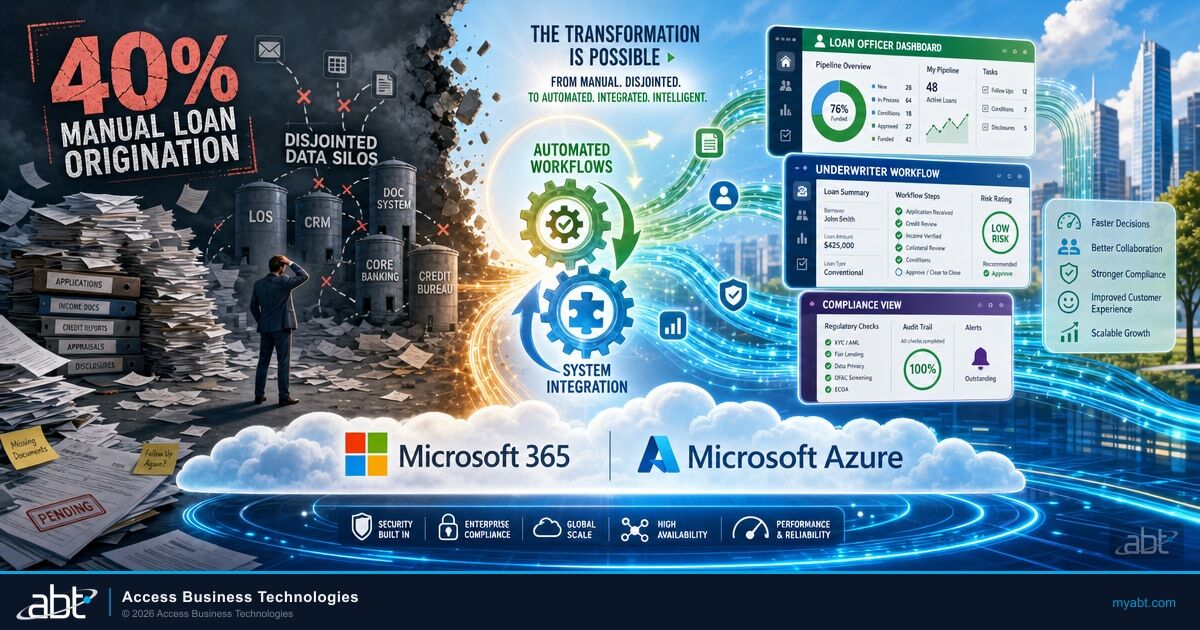
Access Business Technologies manages Microsoft 365 tenants and hosts Microsoft Azure environments for 750 financial institutions including community banks, credit unions, and mortgage companies. The pattern we see across that footprint: the institutions that get the most value from their LOS customization investment are the ones that pair LOS-level changes with a Microsoft 365 and Microsoft Azure integration plane sitting above the LOS. That plane gives every institution the same Microsoft Power Automate workflows, the same Microsoft Azure API Management gateway, the same Microsoft Entra ID identity controls, and the same Microsoft Purview governance posture, regardless of LOS vendor.
Source: ABT field deployment data across the M365 Guardian operating model, 2024-2026.
The Microsoft 365 and Microsoft Azure Integration Plane Above Your LOS
The most underused asset in most financial institution lending operations is the Microsoft 365 and Microsoft Azure environment the institution already pays for. Banks, credit unions, and mortgage companies that already license Microsoft 365 Business Premium, Microsoft 365 E3, or Microsoft 365 E5 already own most of the integration plane components they need. The work is configuring those components to interoperate with whichever LOS the institution runs.
Five Microsoft components do most of the work:
- Microsoft Power Automate orchestrates LOS workflows across customer relationship management, the core banking system, document management, and compliance tooling. A new application triggers a flow. A condition cleared triggers a notification. An exception threshold triggers an approval routing. Power Automate connects to legacy on-premise systems through the on-premises data gateway, which means banks and credit unions with hosted-Symitar or FIS-hosted cores can still automate around their LOS.
- Microsoft Azure API Management wraps legacy LOS and core banking services with modern REST APIs for internal and partner use. A community bank with a broker-facing portal can expose Encompass or MeridianLink endpoints through Azure API Management with throttling, IP filtering, OAuth 2.0 authentication via Microsoft Entra ID, and consistent logging. The same gateway covers third-party integrations: credit bureaus, AUS, e-sign vendors.
- Microsoft Entra ID is the central identity provider for the LOS, the CRM, customer portals, and internal lending applications. Role-based access for loan officers, underwriters, processors, branch lenders, and credit analysts is configured once and enforced everywhere. Conditional Access policies require multifactor authentication and device compliance for sensitive LOS functions: pricing exceptions, policy overrides, manual file boarding. Single sign-on across the LOS, the CRM, and document management cuts password fatigue and reduces help desk volume.
- Microsoft Purview catalogs LOS, CRM, data warehouse, and data lake assets with lineage from origination through servicing and risk. Sensitive data classifications apply automatically to credit scores, Social Security numbers, and income data. Data loss prevention policies stop unauthorized exfiltration of borrower or member records. Data residency and retention rules align with FFIEC and NCUA examiner expectations.
- Microsoft Power BI builds the pipeline and performance dashboards that institutions use for cycle time, pull-through rate, application volume by channel, SLA adherence, and concentration risk. Row-level security aligned with Microsoft Entra ID roles means branch managers see only their branch, regional managers see only their region, and executives see the institution-wide rollup. The same dashboard surface works across products: consumer, auto, HELOC, mortgage, commercial.
The integration plane works because Microsoft built each component with the others in mind. Microsoft Power Automate authenticates against Microsoft Entra ID. Microsoft Azure API Management uses Microsoft Entra ID for OAuth 2.0. Microsoft Purview classifies data that flows through any Microsoft 365 surface. Microsoft Power BI inherits Microsoft Entra ID identity and Microsoft Purview classifications. The institution that already runs Microsoft 365 has the integration plane installed. The work is configuring it.
See how your Microsoft 365 integration plane is configured today.
Get Your Security Grade scans your Microsoft 365 tenant for the Microsoft Entra ID Conditional Access posture, Microsoft Purview data classification coverage, and Microsoft Defender control coverage that examiners look at first. Five minutes, no credit card, results in plain English.
Regulatory and Audit Considerations: FFIEC, OCC, NCUA Expectations
Every interface customization touches a control surface that financial institution examiners care about. The FFIEC IT Examination Handbook does not name LOS platforms specifically, but the Outsourcing Technology Services booklet, the Architecture, Infrastructure, and Operations booklet, the Business Continuity Management booklet, and the Information Security booklet all set expectations that apply directly to any LOS deployment and any integration above it.
What examiners look for when they audit your LOS interface and its integration plane:
- Risk assessment and due diligence. The LOS is treated as a critical third-party service. The institution must demonstrate that it understands how the LOS integrates with the core, what the recovery time and recovery point objectives are, and what security controls protect the LOS and its interfaces.
- Contracts and service level agreements. Contracts must address data ownership, service uptime, recovery commitments, security controls, testing rights, and audit rights. For LOS-to-core integration, contracts must specify who supports the integration layer and how changes in one system get coordinated with the other.
- Segregation of duties. Role-based access in the LOS interface should support FFIEC examiner expectations. Loan officers should not approve their own files. Processors should not change underwriting decisions. Closers should not edit pricing. Microsoft Entra ID groups make this enforceable across the LOS, the CRM, and downstream systems.
- Change management documentation. Every interface customization should leave an audit trail. FFIEC IT Examination Handbook expectations for change management apply equally to LOS form changes, workflow rule changes, and integration changes.
- Business continuity planning. The institution must map dependencies between the LOS, the core, document management, e-sign, and the integration plane. BCM testing must include LOS unavailability scenarios, integration failure scenarios, and partial outage scenarios.
- Ongoing monitoring. Vendor performance, integration health, incident response, and remediation must be continuously monitored. Microsoft Sentinel and Microsoft Defender XDR can ingest LOS log feeds and integration plane telemetry into a unified monitoring view.
- Exit and transition planning. Institutions need documented exit strategies for the LOS vendor, including data extraction, integrity preservation, and migration planning. This is particularly relevant during LOS migrations or LOS vendor consolidations.
Credit unions face an additional layer through NCUA Letter 07-CU-13 on Evaluating Third Party Relationships and the more recent ongoing emphasis on operational resilience. Community banks face equivalent OCC Bulletin 2024-26 expectations on third-party risk management. Mortgage companies face FHA and Fannie Mae lender quality requirements that touch the LOS configuration directly. Our companion guide on FFIEC IT examination readiness for financial institutions walks through the specific control framework examiners verify, and pairs naturally with the LOS interface customization work covered here.
High-Impact Integrations to Prioritize First
Not all LOS integrations deliver equal return. Banks, credit unions, and mortgage companies should focus customization effort on the connection points that get touched on every loan. Six connections deliver the biggest combined improvement:
- Credit bureau interfaces. Automatically pull and refresh credit reports throughout the application lifecycle. Advanced configurations trigger alerts when scores change beyond a threshold. Equifax, Experian, and TransUnion all expose REST APIs that route through Microsoft Azure API Management for consistent authentication and logging.
- Income and employment verification. Connect with The Work Number, Equifax I-9 Anywhere, or Truv to streamline verification without manual data entry. Microsoft Power Automate orchestrates the request, the wait, the receipt, and the LOS field update.
- Property valuation systems. Interface with appraisal management companies (Mercury Network, ServiceLink, Class Valuation) and automated valuation models to receive property data directly in the LOS. Mortgage companies on Encompass benefit most; community banks and credit unions originating HELOC or jumbo products gain equivalent value.
- Document management integration. Files uploaded in one system appear automatically in the other, with consistent indexing and classification. Microsoft SharePoint and Microsoft Purview classify documents on upload, applying retention and access policies that align with examiner expectations.
- Investor delivery and secondary market. Streamline loan delivery to Fannie Mae, Freddie Mac, FHA, VA, and private investors with interfaces that format and transmit data according to each investor's specifications. Encompass investor delivery, MeridianLink Mortgage exports, and nCino retail mortgage all support API-based delivery.
- Closing and settlement connections. Share loan details with title companies, settlement providers, and e-sign vendors electronically. DocuSign, Notarize, and Pavaso integrations cut closing delays. Microsoft Power Automate triggers the closing package routing when the LOS marks a file clear to close.
Start with the connections your team touches most frequently. A single well-built credit bureau integration can save more time per month than three lower-volume integrations combined. A community bank that runs MeridianLink Consumer with five product lines should prioritize credit and document integration before investor delivery. A mortgage company running Encompass should prioritize investor delivery alongside credit and AUS. The right sequence depends on volume mix, not vendor identity. The duplicate data entry elimination guide covers the operational mechanics of these integrations in depth, and our Encompass API integration overview covers the specific Encompass Developer Connect and Encompass Partner Connect endpoints that most institutions configure first.
Institutions that pair role-based interface customization with Microsoft 365 productivity tooling get an additional compounding effect. Our guide to Microsoft Copilot Business for lending roles documents how loan officers, processors, and underwriters use Microsoft 365 Copilot Business to draft borrower communications, summarize underwriting conditions, and produce decline narratives that meet ECOA fair lending guardrails. The interface customization makes the LOS faster. The Microsoft Copilot Business layer makes the people working in the interface faster.
And institutions running LOS selection or LOS consolidation analysis should pair this customization guide with our comparison of Encompass and Calyx, which covers the IT and hosting differences that drive total cost of ownership across vendors.
Frequently Asked Questions
Yes. Most LOS interface changes can be made through admin settings, the configuration console, and native workflow rules without writing code. Role-based permissions, pipeline views, and basic form customizations are admin-level tasks across ICE Encompass, MeridianLink, nCino, Mortgage Cadence, and Calyx PointCentral. Complex configurations involving API integrations, custom business logic, or cross-system orchestration may require development expertise or partner support.
ICE Mortgage Technology has set December 31, 2026 as the deadline to transition off the legacy SDK and legacy service ordering to the Encompass Partner Connect API framework. SDK-based plugins and automations must migrate to API-driven solutions or native Encompass functionality by that date. Custom forms built for Smart Client are not affected. API calls run faster than SDK calls, with ICE reporting an average $149 per loan benefit for clients that have already transitioned, summarized in Scotsman Guide reporting from May 2025.
Basic customizations such as role-based views and pipeline configurations can be completed in one to two weeks. Single third-party integrations typically take two to six weeks from planning to go-live. Comprehensive customization projects involving multiple integrations and workflow automation may require eight to twelve weeks for full implementation. The timeline scales with institution complexity: a single-branch community bank with one product line moves faster than a multi-branch credit union running consumer, auto, HELOC, and mortgage on the same LOS.
Freddie Mac's 2024 Cost to Originate Study found a $9,600 per-loan spread between the most efficient retail originators ($6,900 per loan) and the least efficient ($16,500 per loan), with a mid-market average of $11,600 per loan. Interface customization, role-based access, and Microsoft 365 integration plane work shift institutions toward the efficient quartile by removing per-file friction. Even a community bank closing 50 loans per month recovers significant staff time when five minutes per file get removed. For mortgage companies on Encompass, ICE has reported an average $149 per loan benefit from API-based integration, summarized by Scotsman Guide in May 2025.
Prioritize high-volume connection points that get touched on every loan: credit bureau interfaces, income and employment verification, and document management. These three connections eliminate the most manual data entry and deliver the fastest return on investment for most lending operations. Mortgage companies should add investor delivery and AUS integration alongside credit and document. Credit unions and community banks running multiple product lines on one LOS should sequence by product volume, not by integration glamour.
Microsoft 365 and Microsoft Azure provide the integration plane that sits above the LOS. Microsoft Power Automate orchestrates LOS workflows across CRM, core banking, and document management. Microsoft Azure API Management wraps legacy LOS endpoints as modern REST APIs. Microsoft Entra ID centralizes role-based access and Conditional Access. Microsoft Purview governs data flowing through the LOS, CRM, and downstream analytics. Microsoft Power BI builds pipeline and performance dashboards with row-level security. Institutions already licensing Microsoft 365 Business Premium, Microsoft 365 E3, or Microsoft 365 E5 own most of these components. The work is configuring them to interoperate with the LOS the institution already runs.