


Your team is already using Copilot. Do you know which one?
Microsoft is adding labels to the Copilot app so people can tell their work account from their personal one, because right now a lot of them genuinely cannot. The labels will help. They will not stop anyone. Here is the difference between the two accounts, and the four controls that decide whether that difference costs you anything.
- Two Copilots, two URLs, and almost identical screens
- Microsoft Purview files the personal one next to ChatGPT, not next to yours
- Four Microsoft controls, and which two of them actually stop it
What is changing in the Copilot app?
On August 18, 2026, Microsoft begins rolling out an updated Copilot experience across web, desktop, and mobile. The stated purpose is simple and worth reading twice: to make it easier for users to distinguish between their work and personal accounts.
Three things arrive together. Account indicators appear in the interface, including account labels, a green shield for Microsoft Entra work accounts, and different backgrounds for each account type. The app name and icon get simplified. And the web address moves, from m365.cloud.microsoft to copilot.cloud.microsoft, with users redirected automatically unless the new address happens to be blocked inside their organization.
The date is a start rather than a switch. Microsoft describes the updated Windows and Mac desktop app as an early preview on August 18, with broad deployment beginning in mid-September. If your people see it at different times over several weeks, that is the plan working, not a problem.
If the network side of that URL move is what brought you here, that is a different job with a different answer, and we have written it up separately in the network fix for the cloud.microsoft migration. This page is about the account question underneath it.
"Security, compliance, and governance controls remain unchanged."
Microsoft Partner Center, August 2026 announcements, section "Microsoft Copilot app update", dated August 14, 2026A label tells people. It does not stop them.
That one sentence from Microsoft is the most important thing in the announcement, and it is the easiest to skim past.
Read it plainly. Everything an employee could do with a personal Microsoft account on August 17 is still possible on August 19. The green shield is a helpful piece of interface design that reduces honest mistakes. It is not a boundary, it is not a policy, and it does not report anything to your administrators.
This matters because Microsoft has effectively confirmed the underlying problem by shipping a fix for it. You do not build account labels, colored backgrounds, and a shield icon into a product used by hundreds of millions of people unless a meaningful number of them are losing track of which account they are in. The confusion is real enough to justify engineering effort.
Now put that in a credit union, a bank, or a mortgage company. Somebody drafting a hardship letter, summarizing a loan file, or cleaning up notes from a member call has two Copilots within one click of each other. One of them sits inside your tenant, under your data protection. The other is a consumer product signed in with an account you do not own, do not administer, and cannot search.
The employee is not doing anything malicious in this story. That is the point. They are trying to get work done faster, which is exactly what you bought Copilot for. The failure mode is a productive person in the wrong window.
The uncomfortable version
If your answer to "has anyone here put member data into a personal Copilot account?" is "probably not", that is not an answer. It is the absence of one. The controls further down this page turn that into something you can actually check.
Find out what your tenant can actually see
ABT runs a free security assessment against your Microsoft 365 tenant. Part of it is this exact question: which AI accounts your people can reach, what your tooling records when they do, and which of the four controls below you already have.
Two URLs. Two completely different governance worlds.
The clearest evidence of how differently Microsoft treats these two accounts is buried in a Microsoft Purview documentation page most people never open.
Signed in with a Microsoft Entra ID work account. Governed natively as a Microsoft 365 Copilot experience inside your tenant, with your data protection, your retention, and your administrators.
Signed in with a personal Microsoft account. Treated by Microsoft Purview as a third-party generative AI site, in the same list and the same category as ChatGPT, Claude, and Gemini.
Microsoft Purview publishes a list of generative AI sites it can monitor for data security and compliance. It runs to more than 1,200 domains, and it is the list your Purview policies draw on when you want to know who is pasting what into an AI tool.
The consumer Copilot address is on that list. It sits alphabetically among the other AI destinations an organization might want to watch, categorized by Purview as an "Other AI app" rather than as a Copilot experience. Meanwhile cloud.microsoft, the work Copilot, does not appear on the list at all, because it does not need to. It is governed from the inside.
Read those two facts next to each other and the picture is unambiguous. Microsoft's own data security tooling does not consider personal-account Copilot to be your Copilot. It considers it somebody else's AI product that your staff happen to be using, which is precisely what it is.
And there is a second catch
Seeing any of those third-party AI sites is not automatic. Microsoft's own documentation lists two prerequisites for third-party AI site visibility in Data Security Posture Management for AI: install the Microsoft Purview browser extension, and onboard devices to Microsoft Purview. A tenant that switched on the AI dashboards without doing both has clear visibility into the Copilot that was never the risk, and none into the one that is. The dashboard looks healthy exactly where it is blind.
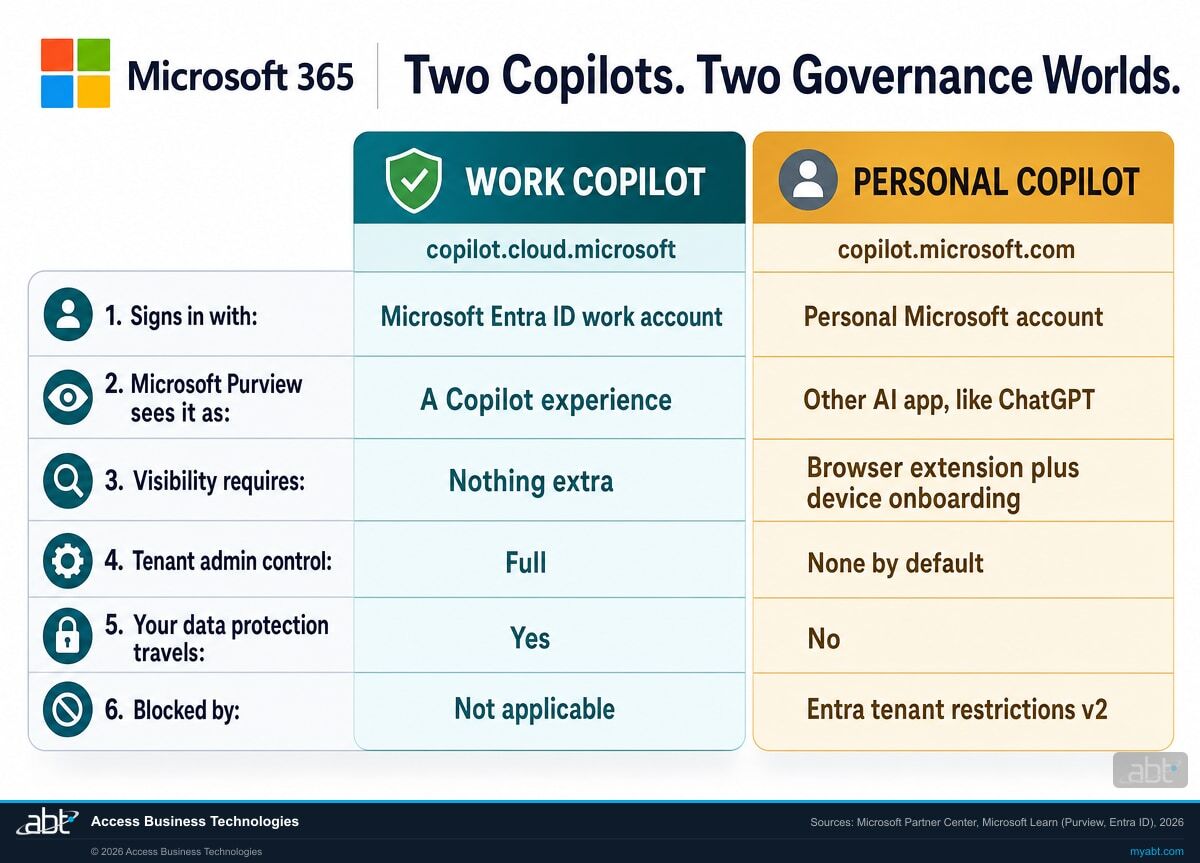
What actually differs between the two accounts
Same brand, same assistant, same general shape on screen. Everything that matters to a regulated institution is on this table.
| Work account | Personal account | |
|---|---|---|
| Signs in with | A Microsoft Entra ID account your organization owns and administers | A personal Microsoft account the individual owns, created outside your tenant |
| Web address | copilot.cloud.microsoft, moving there from m365.cloud.microsoft | copilot.microsoft.com |
| New visual indicator | Green shield plus a work account label, arriving from August 18, 2026 | Personal account label and a different background, same rollout |
| How Microsoft Purview categorizes it | A Copilot experience, governed natively | An "Other AI app", one of more than 1,200 third-party generative AI sites |
| What it takes to see it at all | Nothing extra beyond auditing being on | The Microsoft Purview browser extension and onboarded devices, both listed as prerequisites |
| Who administers the account | Your administrators | The employee |
| Where it lives when they leave | In your tenant, under your control, after the account is disabled | With them, in an account you never had access to |
| What constrains it | Not applicable, this is the one you want them in | Microsoft Entra ID tenant restrictions v2, plus Microsoft Purview Endpoint DLP on the paste |
Every row is sourced to Microsoft's own documentation, verified in August 2026. Check them yourself: the Partner Center August 2026 announcements for the rollout and the controls-unchanged statement, the Microsoft Purview supported AI sites list for the categorization, Data Security Posture Management for AI for the visibility prerequisites, and Microsoft Entra ID tenant restrictions v2 for the enforcement options. Categorization reflects Microsoft's published supported-sites list at the time of writing; Microsoft states that the list grows over time.
Four controls, and only two of them actually stop anything
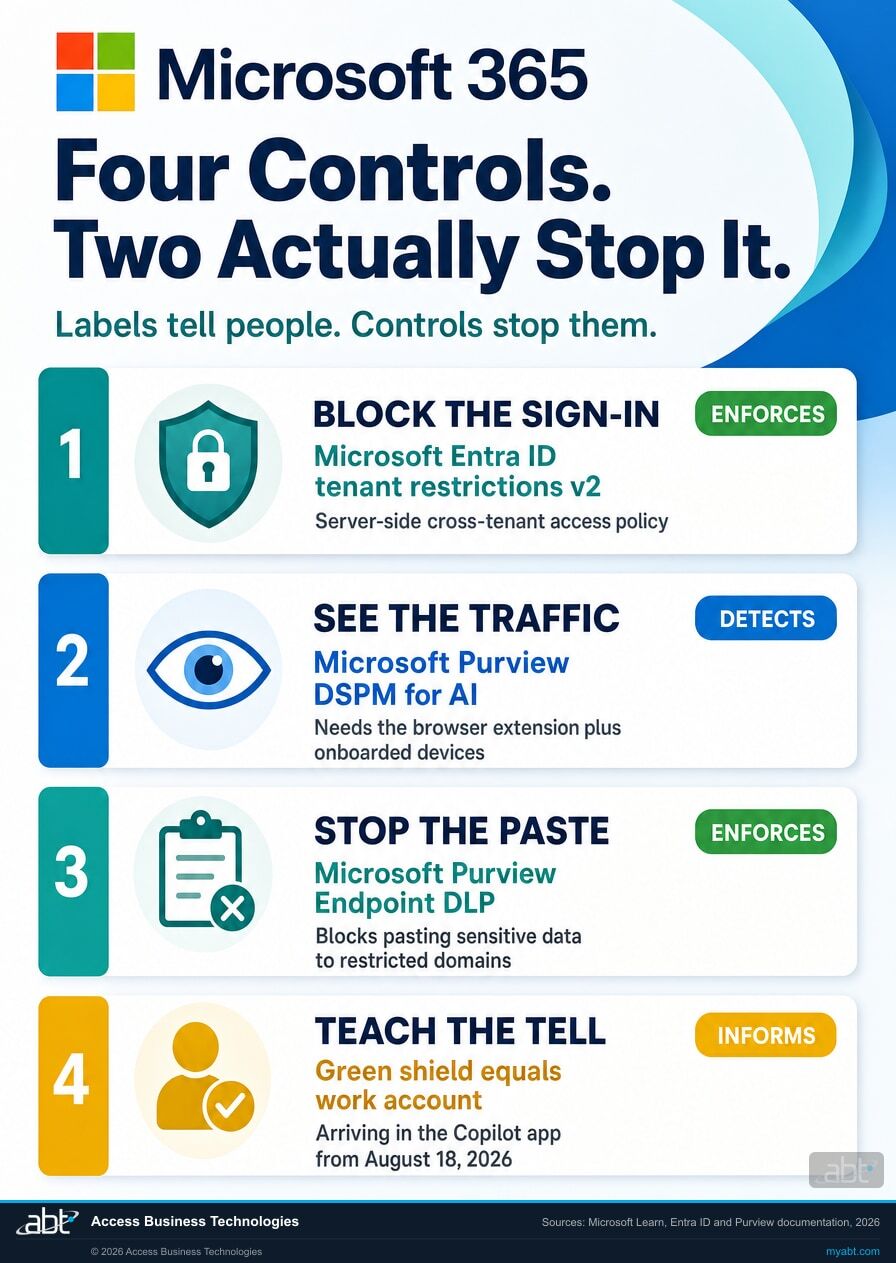
It would be easy to call all four of these controls and move on. They are not the same thing, and the difference is the whole argument of this page, so each one below is labeled for what it genuinely does: enforce, detect, or inform. You need all four. Only two of them will stop a person mid-action.
Block the sign-in with tenant restrictions v2
This is the only one of the four that stops the sign-in itself. Microsoft Entra ID tenant restrictions v2 governs Microsoft account authentication on both the identity and the data plane. The important architectural point, and the one most write-ups get wrong, is that version 2 is configured as a server-side cross-tenant access policy in Microsoft Entra ID rather than as a header injected by a proxy. You create a partner tenant policy for the Microsoft account tenant, and Microsoft's guidance is explicit that if you are still running the legacy version 1 mechanism you should remove its sec-Restrict-Tenant-Access-Policy header from your corporate proxy once version 2 is in place, because the two will otherwise conflict.
There are three ways to apply the policy: universal tenant restrictions through Global Secure Access, which needs no corporate proxy and covers all browsers and platforms; signaling through a corporate proxy, which covers the authentication plane only; or Windows Group Policy on corporate-owned devices, which covers both planes with no proxy required and reaches Microsoft Edge and every website in it.
Turn on the visibility, including the parts that are not automatic
Microsoft Purview Data Security Posture Management for AI gives you one place to see interactions across Copilot experiences, enterprise AI apps, and other AI apps. For the third category, which is where personal Copilot sits, Microsoft names two prerequisites explicitly: install the Microsoft Purview browser extension, and onboard devices to Microsoft Purview. Do both, then give it time, because reports take at least a day to populate.
This is also the step where most institutions find out what they did not know. We wrote about the wider version of that problem in how financial institutions fix Copilot data access before rollout.
Stop the paste itself with Endpoint DLP
Microsoft Purview Endpoint DLP can detect when a user attempts to paste content to a restricted service domain. The detail that makes it useful here is that the evaluation runs on the content being pasted, independent of how the source item it came from was classified. That means it can reach text somebody typed out or copied off a screen, not only content lifted from a labeled document. Endpoint DLP can also block uploads to a restricted cloud service domain and redirect the user to Microsoft Edge.
It is not a blanket block on pasting, and it should not be sold internally as one. Three things all have to be true: the device has to be onboarded to Microsoft Purview, the destination has to sit in a restricted service domain group you have defined, and the pasted content still has to match the sensitive information types or classifiers your policy is looking for. Point it at the data you actually care about, such as account numbers and loan file identifiers, and it earns its place. Leave the conditions vague and it will quietly catch nothing.
If you are configuring Purview data loss prevention for AI more broadly, the three configurations to set before your first Copilot prompt covers the wider policy set.
Teach the tell, now that there is one
This is the softest control and the cheapest, and it is the one the August 18 update finally makes possible. Until now there was no reliable visual answer to "which Copilot am I in?" From this rollout there is: a green shield and an account label mean the Microsoft Entra work account. That is a genuinely teachable thing, it fits on one slide, and it gives your staff a way to catch themselves.
Pair it with the plain-language version of why it matters. People follow a rule they understand far more reliably than one they were handed. The examiner-facing side of this is covered in the five Microsoft 365 controls examiners ask about before a Copilot rollout.
A free security assessment that answers this specific question
We look at your tenant and tell you what it can see, what it blocks, and what it misses.
- Whether personal Microsoft accounts can currently be used from your managed devices, and by which route
- Whether tenant restrictions are configured, and which of the three enforcement paths fits your device estate
- Whether the Microsoft Purview prerequisites for third-party AI visibility are actually in place, or only assumed
- What your existing data loss prevention policies do and do not cover on a paste into a browser
- A written summary you can hand to an examiner, an auditor, or a board committee without translating it first
ABT manages your Microsoft 365 tenant as a Tier 1 Microsoft Cloud Solution Provider. The assessment is read-only and carries no cost or obligation. Note that not every control described on this page is available in every Microsoft 365 plan: tenant restrictions v2, the fuller Microsoft Purview data loss prevention capabilities, and Data Security Posture Management for AI depend on which plan or add-on you hold. Telling you which controls your current licensing actually gives you, before you buy anything, is part of what the assessment is for.
ABT also operates M365 Guardian, its managed security service for credit unions, banks, and mortgage companies.
Why this lands differently in a regulated institution
ABT is a Tier 1 Microsoft Cloud Solution Provider serving more than 750 financial institutions. Credit unions, banks, and mortgage companies carry supervision and recordkeeping duties that assume you can produce what your people wrote and where they wrote it. An account outside your tenant is an account outside that story. We work on this problem inside regulated environments every week, which is why the caveats above are on the page instead of in a footnote after the project starts. More on what a Tier 1 CSP actually does.
Related reading
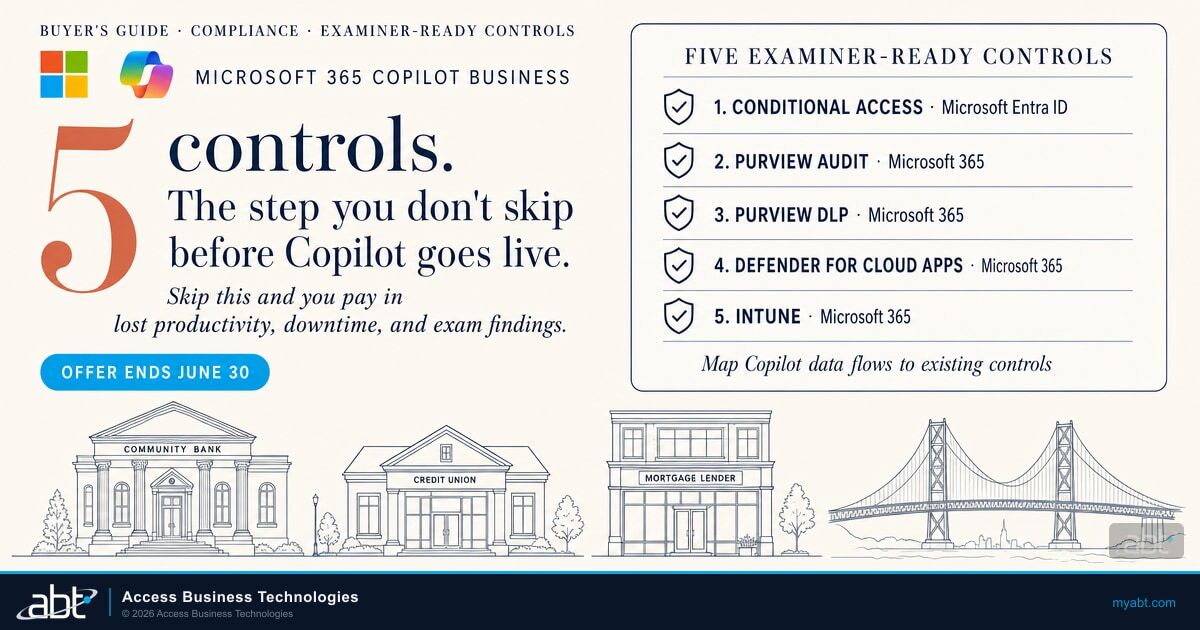
Five Microsoft 365 Controls Examiners Will Ask About Before You Roll Out Copilot
The controls that come up in an examination, and how to have the evidence ready before you are asked.
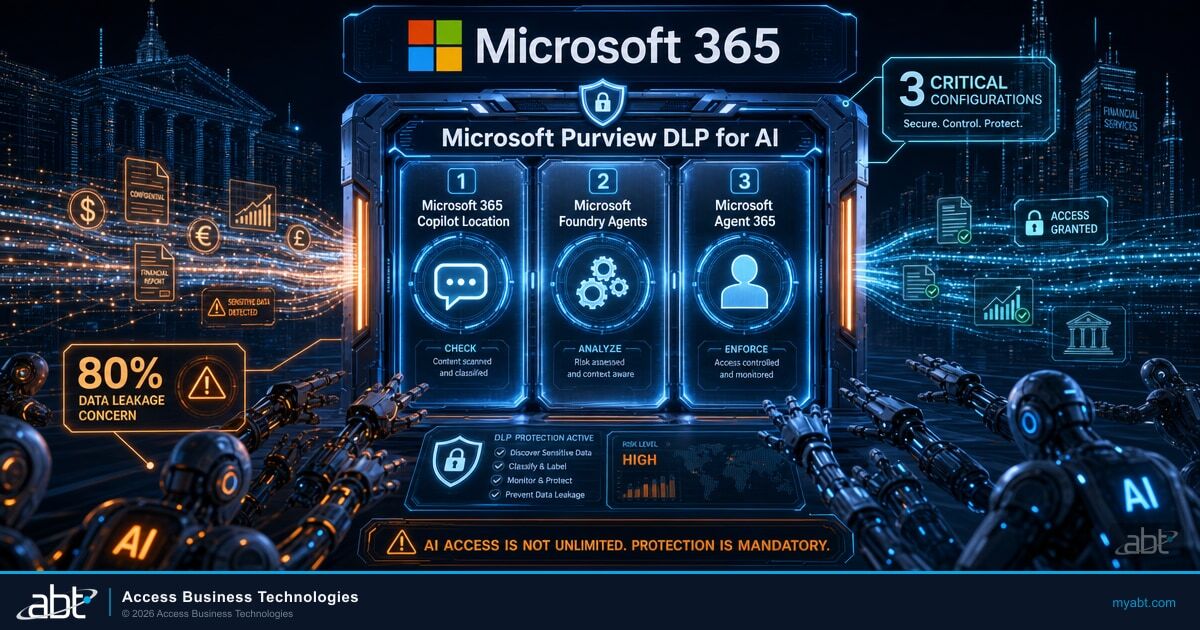
Microsoft Purview DLP for AI: Three Configurations to Set Before Your First Copilot Prompt
The data loss prevention policies to put in place before anyone starts prompting, not after.
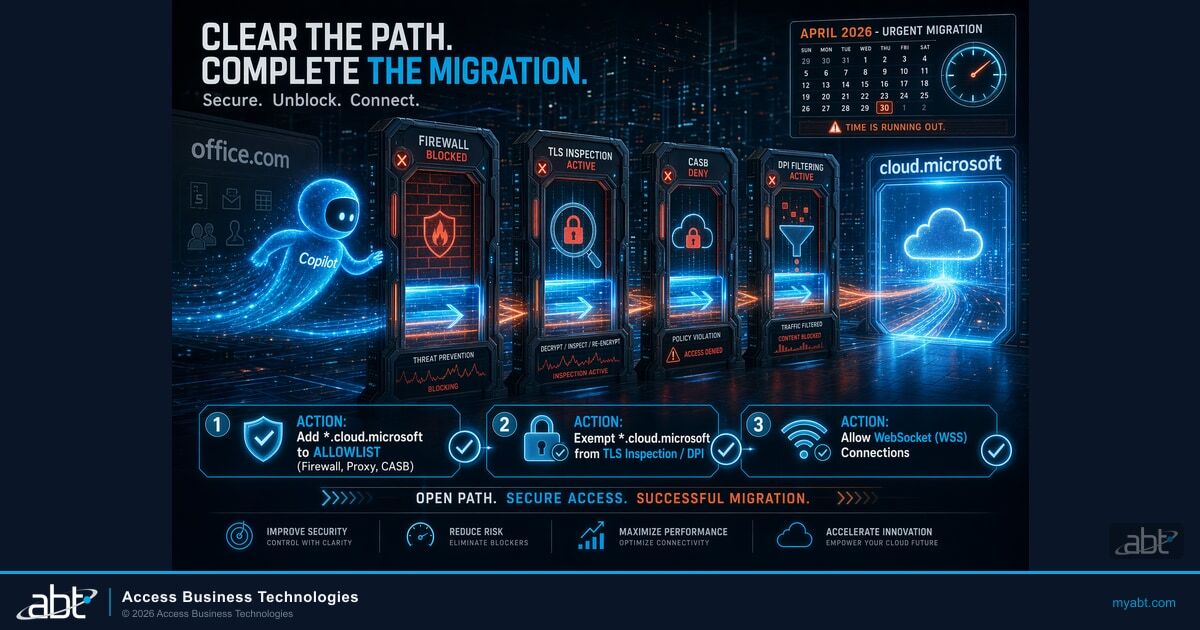
Microsoft Copilot cloud.microsoft Migration: The Network Fix Every Financial Institution Needs
The allow-list side of the same URL change, and why a blocked address looks like a broken product.
Work and personal Copilot accounts, answered
Which Copilot
are your people in?
Tell us about your tenant and ABT's team will run a free security assessment: what your people can currently reach, what your tooling records when they do, and which of the four controls you already have in place.
