


Teams admin center · Meeting policies · Calling policies
Two Teams recording changes arrive in December. Decide who can press record, and who has to agree.
Microsoft is adding a meeting policy setting called Who can record and transcribe, which lets an administrator decide whether presenters can start a recording or only organizers and co-organizers can. Separately, phone callers in one-to-one Teams calls will be asked to press 1 or 2 when a recording starts, if your calling policy requires consent. This page covers what each change does, when it arrives, and six steps a credit union, bank, or mortgage company can take to set both in policy.
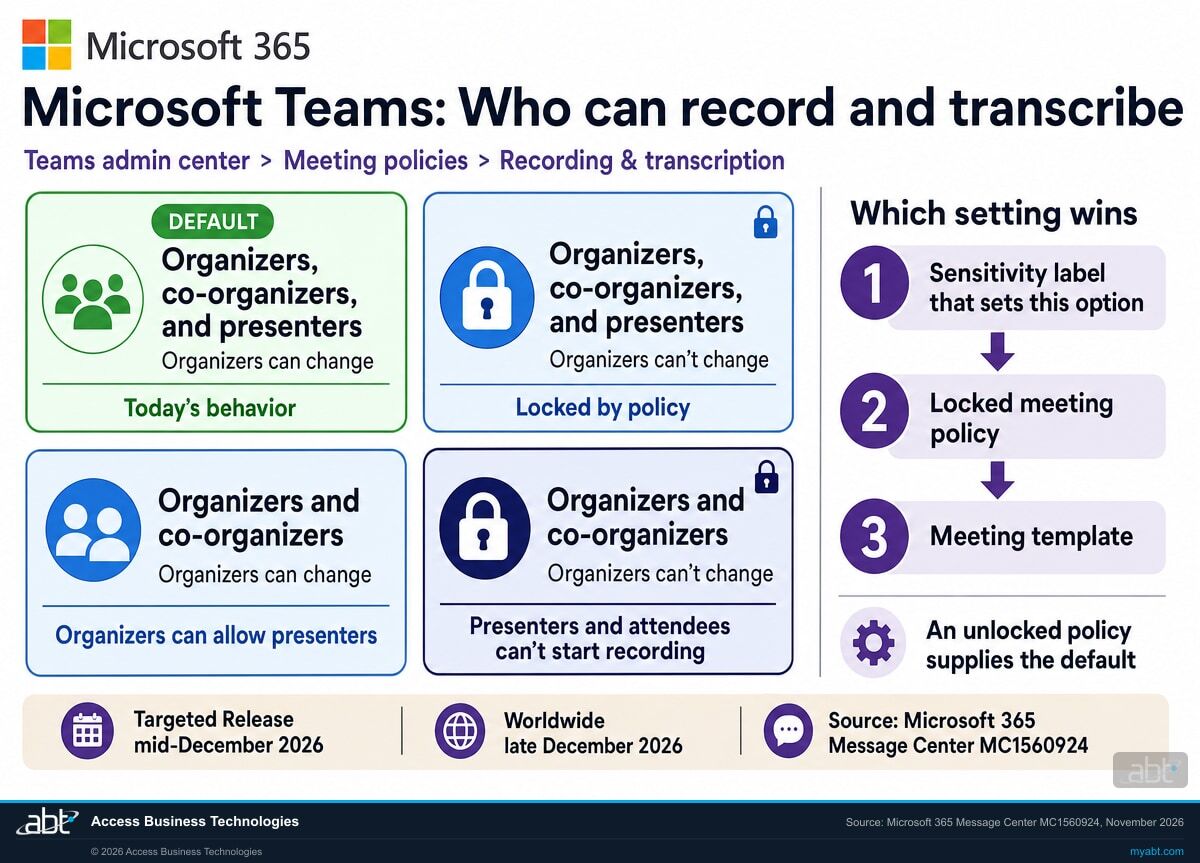
- Four options in one dropdown for who can start recording and transcription, per Microsoft
- Keypad consent for phone callers in one-to-one calls from early December 2026
- Meeting recording permissions stay as configured until you set the new control
The change
What is Microsoft changing about Teams recording in December 2026?
Two things, announced in two Message Center posts. One adds a meeting policy control for who can start a recording or transcript. The other extends recording consent to phone callers in one-to-one calls. Here they are in one place.
The two changes in brief
- Meetings
- A new Who can record and transcribe control in the Recording and transcription section of the Teams meeting policy (MC1560924). It applies to meetings organized by users assigned the policy.
- Calls
- Phone (PSTN) participants in one-to-one Teams calls hear a consent prompt when recording or transcription starts, if explicit consent is required (MC1530950).
- Default
- Meeting recording permissions stay as configured until an administrator sets the new control. Call consent stays off unless a calling policy turns it on; where a policy already requires it, phone callers in one-to-one calls start hearing the keypad prompt in early December.
- Where
- Teams admin center: Meetings, Meeting policies for the first; Voice, Calling policies for the second.
- When
- Phone consent from early December 2026. The meeting control reaches Targeted Release in mid-December and Worldwide in late December 2026.
Phone callers get a consent prompt
In one-to-one calls that require consent, PSTN callers press 1 or 2 when recording or transcription starts.
The meeting control reaches Targeted Release
Tenants on Targeted Release see Who can record and transcribe in their meeting policies first.
General Availability, Worldwide
Worldwide tenants can set who can record in each meeting policy.
GCC completes; GCC High and DoD follow
GCC finishes by late January 2027, and GCC High and DoD finish between late February and early March.
"If you do not configure the new policy, existing recording and transcription behavior remains unchanged."
Microsoft 365 Message Center, MC1560924, November 2026Today, the Teams default lets presenters start a recording, and the meeting policy has offered recording on or off for the organizers it covers. An organizer with a Teams Premium or Microsoft 365 Copilot license could narrow who records from Meeting options, one meeting at a time. The new policy control moves that decision to the administrator: set it once in the meeting policy, and either let organizers adjust it or lock it so they cannot.
The call change builds on an existing setting in Teams calling policies. Require participant agreement for recording and transcription sits in each Teams calling policy and is off by default. When it is on and someone starts recording a one-to-one Teams call, Microsoft Learn says the other participant is muted until they agree to be included. From early December, a caller on an ordinary phone line gets the same choice by keypad. For the people your institution meets with online, our page on blocking AI note-takers in Teams meetings covers the outside bots that try to record a meeting from another tenant.
Side by side
Which Teams policy controls recording in meetings and in calls?
Meetings and one-to-one calls use different policies. Each row reflects Microsoft Learn or the two Message Center posts, except the last row, which is our recommendation.
| Question | Teams meetings (meeting policy) | One-to-one Teams and phone calls |
|---|---|---|
| Which policy holds the setting? | Meeting policy: Meetings, Meeting policies | Calling policy: Voice, Calling policies |
| Where is recording turned on or off? | Meeting recording toggle (-AllowCloudRecording) | Cloud recording for calling (-AllowCloudRecordingForCalls) |
| Who can start a recording? | From late December: Who can record and transcribe, four options | Set by whether the user's calling policy allows call recording |
| How is consent required? | Explicit recording consent in the meeting policy (-ExplicitRecordingConsent) | Require participant agreement for recording and transcription, off by default; call queue calls are not supported |
| What do phone participants get? | Audio conferencing consent follows the meeting policy | From early December: a keypad prompt, 1 to consent or 2 to decline |
| Where to start (ABT recommendation) | Lock recording to organizers and co-organizers for board, committee and HR meetings | Decide whether recorded calls with members and borrowers require consent, then test one call |
Line up the meeting and calling policies
Microsoft Learn gives an example worth reading twice. An organization turns off recording and transcription in the calling policy for its finance team, but leaves those users on the global meeting and events policies. The finance team can still record and transcribe meetings, group calls and events. Only their one-to-one calls are covered. For a credit union, bank, or mortgage company, set recording, transcription and consent the same way in all three policy types for each group, and assign them together.
Review who can record your meetings and calls now, then configure and test the new control when it reaches your tenant
ABT works with your team to read every meeting, events and calling policy, map who gets which recording and consent settings, and plan the change, as part of a free security assessment.
Request the free assessmentThe work
How do you set who can record Teams meetings and calls?
ABT's recommended sequence, built on the settings Microsoft documents. Steps 1 and 2 find out where you stand. Steps 3 to 6 make the change and keep the record.
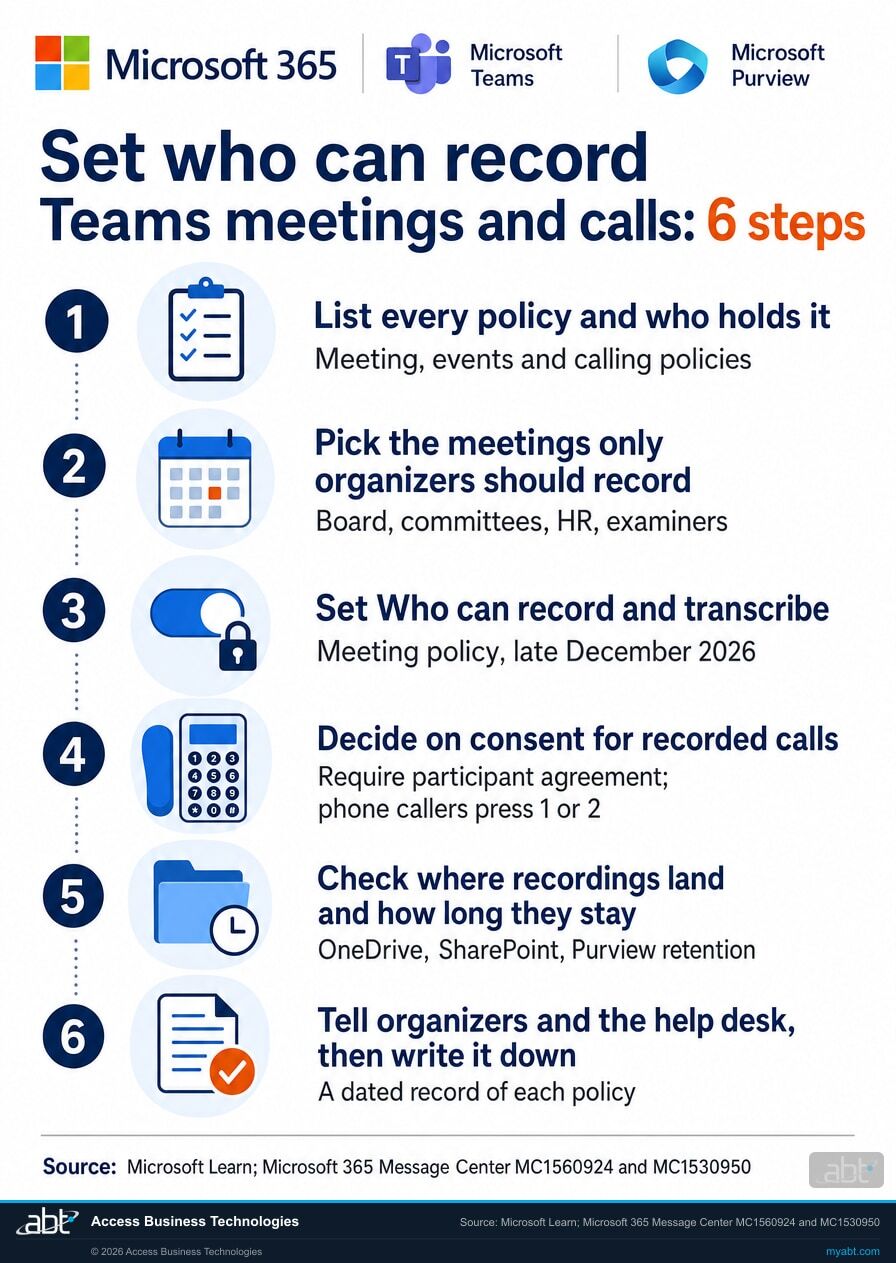
List every policy and who holds it
For each meeting policy, events policy and calling policy, note whether recording, transcription and consent are on, and which users and groups are assigned to it. Microsoft says changes to the Global policy apply to everyone in the organization except users with an assigned custom policy, so the custom assignments are where the surprises are.
Pick the meetings where only organizers should record
Board meetings, loan or credit committees, HR conversations and meetings with examiners are good candidates. The new control follows the organizer, so the question becomes who organizes those meetings and which meeting policy each of those people holds.
Set the new control when it reaches your tenant
Choose organizers and co-organizers for the policy held by those organizers, and decide whether they can change it. If you use Teams Premium sensitivity labels or meeting templates, check them too: a label that sets this option wins over the policy, and a locked policy wins over a template.
Decide on consent for recorded calls
If staff record one-to-one calls with members or borrowers, decide in writing whether those calls require consent, and turn the setting on in the calling policies that need it. After early December, test one recorded call to an outside phone line and listen for the keypad prompt. Microsoft Learn notes that explicit consent is not supported for call queue calls.
Check where recordings land and how long they stay
Meeting recordings go to the organizer's OneDrive or the channel's SharePoint site, at about 400 MB for a one-hour recording. Decide whether a Purview retention label should apply to recordings and transcripts, and confirm your team can find them with eDiscovery. Our article on Microsoft 365 data retention covers the retention side.
Tell people, then write it down
Microsoft recommends telling meeting organizers and help desk teams about any change and updating internal guidance. Then keep a dated record of each policy, who holds it, what it allows, and why, so the answer to "who can record our meetings" is a dated document.
Check first
What will staff notice after the change?
Each card describes behavior Microsoft documents, and names who to tell before the setting goes on.
Presenters who cannot start a recording
With the policy locked to organizers and co-organizers, presenters and attendees cannot start recording or transcription. Tell anyone who presents in meetings someone else organizes, such as trainers and team leads.
A Meeting option that will not move
When organizer changes are blocked, Meeting options shows the value as read-only, with a notice that it is locked by meeting policy. Tell executive assistants and anyone who sets up meetings for others.
Phone callers who stay muted
When consent is required, a phone caller who presses 2 can stay in the call but remains muted. Tell staff who record calls with members and borrowers what the caller hears.
Call queue calls
Microsoft Learn says explicit consent is not supported for call queue calls. Tell whoever owns the call queues that answer member or borrower lines.
Another organization's compliance recording
Within Teams, external participants cannot start a recording of your meetings; the exception is Teams third-party compliance recording. When that happens, organizers, co-organizers and presenters are notified and can remove the external participant.
Recording announcements
Audio announcements when recording or transcription starts are off by default and play only for users whose meeting or calling policy enables them. Decide whether your institution wants them alongside the new controls.
For financial institutions
Why do Teams recording settings matter at a credit union, bank, or mortgage company?
Because every recording becomes a file, and the policy decides who can create one.
Recordings that people use. A recorded meeting with a transcript lets staff play it back with captions and review the important discussion items in the transcript. Setting who records, in policy, keeps that working for the meetings that benefit from it.
A file in someone's OneDrive. A Teams meeting recording is uploaded to the organizer's OneDrive or the channel's SharePoint site. The people invited can view it, guests and external attendees can view it once someone shares it with them, and Microsoft 365 Search indexes it. A committee discussion about a member's account or a borrower's file becomes a file that can be opened and shared. The new control decides whether a presenter can create that file. For calls, the calling policy decides whether Teams asks for agreement, and the caller supplies the answer.
A record you can show. Microsoft Learn says the consent choice for each call participant is included in the Microsoft Purview audit log, and Purview retention and eDiscovery apply to recordings like other files. A dated list of which policy allows what, and why, gives examiners and auditors a clear answer to how the institution controls recording. Our article on Teams AI meeting archives covers the related question of what Teams keeps after a meeting with Copilot.
Hiring interviews are Teams meetings too.
In our 20-second Short, we describe North Korean operatives applying to US companies as remote workers, using AI-generated deepfakes in video interviews and synthetic identities that pass standard background checks.
A video interview held in Teams is a meeting like any other, so the meeting policy assigned to the organizer decides whether it can be recorded and, from late December, who can start the recording. For hiring interviews, check who is permitted to start recording or transcription, and remember the recording lands in the organizer's OneDrive under the same Purview and permission rules as any other file. Verifying a candidate's identity is its own hiring step.
How ABT helps
A free security assessment
ABT is a Tier 1 Microsoft Cloud Solution Provider serving more than 750 financial institutions. It manages Microsoft 365 tenants and hosts Azure environments for credit unions, banks, and mortgage companies. Who can record a meeting or a call is a security question with a short answer, once someone has read every policy.
With your team, we read every Teams recording and consent setting, and plan the change
The assessment is free and ends with written findings you keep. We work through it with an administrator on your team, and your team decides which settings change and when.
- The policy map. Every meeting, events and calling policy, what it allows, and who holds it.
- The mismatches. Groups whose calls and meetings follow different recording or consent rules.
- The meeting list. The organizers whose meetings should be locked to organizers and co-organizers.
- The call decision. Where Require participant agreement should be on, and a test call plan.
- The storage check. Where recordings land, retention labels, and eDiscovery access.
- The record. A dated summary of each policy and its reason for your information security program.
ABT also operates M365 Guardian, its managed security service for credit unions, banks, and mortgage companies. Learn about M365 Guardian
Related reading
If this opened a bigger question
Recording settings sit next to the larger questions of what Teams keeps, how long Microsoft 365 holds it, and how Teams is governed.
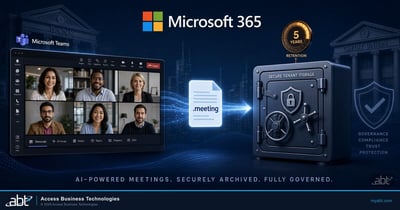
Teams AI Meeting Archives Go Default-On
What Teams keeps after a meeting with Copilot, and what banks, credit unions, and mortgage companies should decide first.
Read the article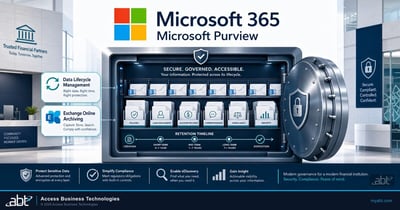
Microsoft 365 Data Retention for Financial Institutions
How to set retention and archiving in Microsoft Purview to match a financial institution's recordkeeping rules.
Read the article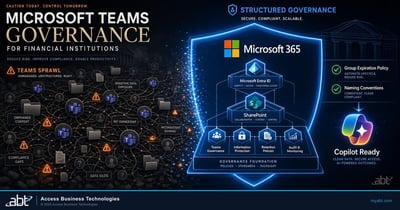
Microsoft Teams Governance for Financial Institutions
Teams sprawl, guests that outlive the deal, and the retention gaps examiners ask about.
Read the articleAnswered
Teams recording and consent settings, answered
Verify it yourself
Where the facts on this page come from
The Microsoft dates, setting names, defaults, numbers and quotation above come from these sources, each listed with the claims it supports.
- Microsoft 365 Message Center, MC1560924, "Microsoft Teams: Tenant policy controls who can record and transcribe," November 2026 (Microsoft 365 Roadmap ID 579860), in the Microsoft 365 admin center Message Center. Source for the new control and where it sits, the two scopes and four options, the default, the rollout dates for each cloud, the read-only locked display and enforcement, the precedence of sensitivity labels, locked policies and templates, the Teams Premium or Microsoft 365 Copilot meeting option, the recommendations, and the quotation.
- Microsoft 365 Message Center, MC1530950, "Microsoft Teams: Explicit consent for PSTN participants in one-to-one calls," October 29, 2026 (Microsoft 365 Roadmap ID 577543). Source for the early December 2026 rollout, the audio prompt, the 1 and 2 keypad choice, exclusion of audio before consent, muting on decline, the existing calling policy setting and its default, and the scope.
- Microsoft Learn, Manage Teams recording policies for meetings and events, updated November 2026. Source for where recordings are stored and who can view them, Purview and Search, external participants and compliance recording, the organizer and initiator permission rule, the 21-day temporary storage, the meeting recording and consent parameters, and eDiscovery.
- Microsoft Learn, Configure call recording, transcription, and captions in Teams. Source for the calling policy recording and transcription settings, the consent behavior in Teams calls, the Purview audit log, call queues, and the calling policy consent parameter.
- Microsoft Learn, Overview: Recording and transcription for Teams meetings, events, and calls, updated November 2026. Source for the three policy types, the finance team example, the Global policy rule, and audio announcements.
- Microsoft Learn, Teams meeting recording and transcript storage and permissions in OneDrive and SharePoint, updated November 2026. Source for the 400 MB one-hour recording size and retention labels.
- Microsoft 365 Message Center, MC1532253, "Enhanced Copilot and AI controls for meetings," updated November 2026. Source for the MeetingAI and TranscriptionWithMeetingAI policies and their rollout.
- The callout's final sentence, the six steps and their order, the last table row, and the people named in the cards are ABT's recommendations; everything else on this list is from Microsoft.
Who can start a recording in your next board meeting?
Decide it now. Set it when the control reaches your tenant.
The work starts with your Teams meeting, events and calling policies and who holds each one. The assessment ends with a written review you keep: what each policy allows, where meetings and calls disagree, which meetings to lock to organizers, and whether recorded calls should require consent.
Tell us a little about your environment and we will come back with what we would check first.
What should we look at? Optional.
Encrypted. Private.
Thank you. That is with us.
An ABT specialist will be in touch shortly. If a particular meeting, team or call line is what you are thinking about, say so in your reply and we will start there.
