

BYOD and AI: the security hole in your mobile policy
How personal phones, AI apps and app protection policies fit together for a bank, credit union, or mortgage company.
Read the articleMicrosoft Outlook · Microsoft Teams · Microsoft Intune
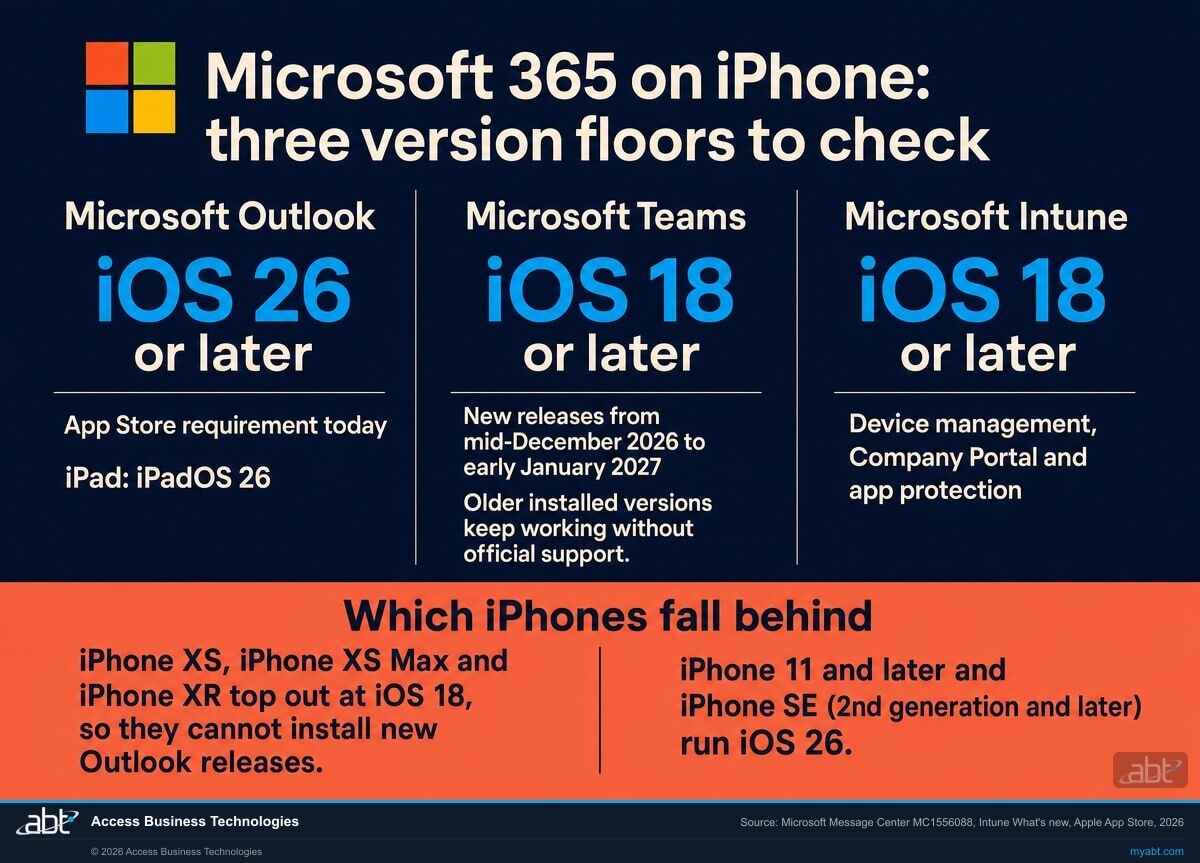
Three Microsoft 365 version floors now apply to iPhones and iPads. The Outlook App Store listing requires iOS 26.0 or later. New Teams releases require iOS 18 from mid-December 2026. Intune requires iOS 18 or later for device management, Company Portal and app protection. This page shows which iPhones fall behind and six steps a credit union, bank, or mortgage company can take before January.
The floors
New Outlook for iPhone releases require iOS 26.0 or later. Intune requires iOS 18 or later today. New Teams releases will require iOS 18 starting in mid-December 2026. Each floor comes from a different place, so each one needs its own check.
The version floors in brief
Now
The App Store offers new Outlook releases only to iOS 26 and iPadOS 26. iPhone XS, XS Max and XR cannot get there.
Week of Sept 28, 2026
Device management, Company Portal and app protection require iOS 18 or iPadOS 18 or later.
Mid-Dec 2026 to early Jan 2027
New releases require iOS 18. Installed copies on iOS 17 keep working without official support.
Early Feb 2027
Older versions are prompted to update. Devices that block App Store installs may need a manual push.
"Microsoft Intune now requires iOS/iPadOS 18 or later"
Microsoft Learn, What's new in Microsoft Intune, week of September 28, 2026
Microsoft gives each mobile app its own support window. Teams documents that it supports the two most recent major versions of iOS. Outlook sets its floor in the App Store listing, which read iOS 26.0 or later on November 23, 2026. Intune moved its own floor to iOS 18 with the service release for the week of September 28 and says Microsoft 365 mobile apps are supported on iOS 18 and higher.
For most staff, the effect is quiet. Their phone keeps the app it has, and the App Store stops offering updates. That is the risk for an institution: mail and meetings keep running on a version that gets no new fixes, and nobody notices until a feature breaks or a help desk call comes in. The fix is a written minimum, enforced in the place that reaches every phone that touches institution data: the app protection policy.
Side by side
Each floor has a different effect on an older device, so each one gets its own row here and its own decision in your policy.
| App or service | Minimum | From when | On an older device | Source |
|---|---|---|---|---|
| Microsoft Outlook | iOS 26.0, iPadOS 26.0 | Current App Store listing | New Outlook releases install only on iOS 26 and later | Apple App Store |
| Microsoft Teams | iOS 18, iPadOS 18 | Mid-December 2026 to early January 2027 | Installed Teams keeps working without official support; users can still open it and sign in | MC1556088 |
| Intune management and app protection | iOS 18, iPadOS 18 | Service release, week of September 28, 2026 | Outside Microsoft's supported range for management, Company Portal and app protection | Intune What's new |
| Company Portal | Version 5.2608.0 | Early February 2027 | User is prompted to update; App Store install restrictions may need a manual push | MC1547994 |
| Userless Automated Device Enrollment | iOS 18 supported; iOS 16 and later allowed | Service release, week of September 28, 2026 | Shared devices on iOS 16 and iPadOS 16 and later are still allowed | Intune What's new |
In an iOS app protection policy, Conditional launch has a Min OS version row. Set a version and an action: Warn shows a message and lets the user continue, Block access stops the protected app from opening work data, and Wipe data removes institution data from the app.
App protection runs inside Outlook and Teams, so the setting reaches unenrolled personal phones for users the policy targets. Pair it with Conditional Access that requires a protected app, so work mail reaches phones through those apps. Warn still lets the user in; Block access is what enforces the floor. See Microsoft's iOS app protection policy settings.
ABT counts devices by version with your team, reads every app protection policy, and gives you a written floor with a date. The assessment is free.
Request the free assessmentSix steps
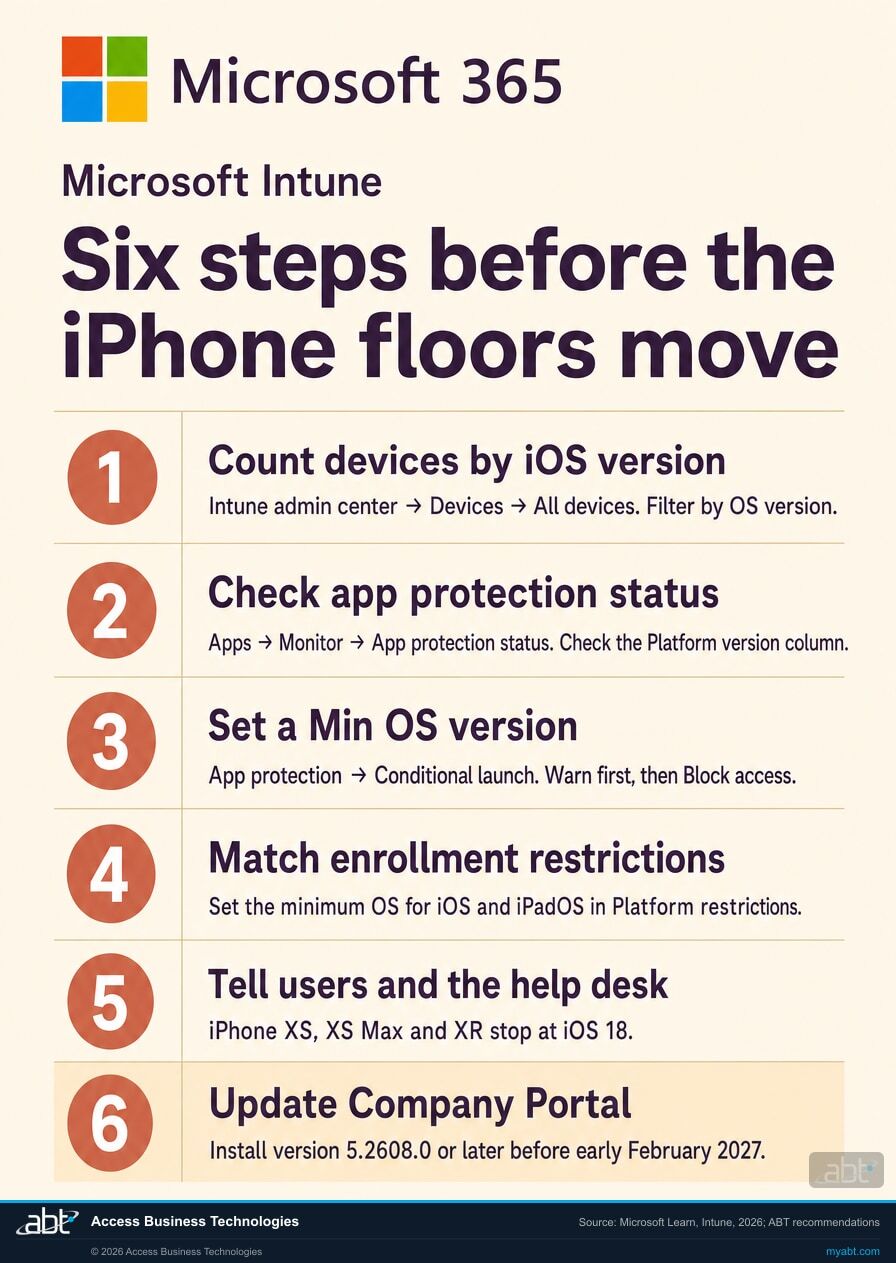
Count devices by version, set a Min OS version in app protection with Warn, match enrollment restrictions, tell users, then move to Block access on a set date. The steps below follow that order.
In the Intune admin center, filter All devices by OS and OS version. Write down how many iPhones and iPads sit on iOS 17, iOS 18 and iOS 26, and which of them are iPhone XS, XS Max or XR. That count tells you how big the job is.
Personal phones that use Outlook or Teams under an app protection policy show up here. Add the Platform and Platform version columns. This is usually where the oldest phones are, because nobody issued them.
Open each iOS app protection policy and set Min OS version to the floor you choose, with the action set to Warn. Choose the floor per app: iOS 18 matches Intune and Teams support, and Outlook updates need iOS 26. Users on older versions see the message at launch and keep working while they upgrade or replace the phone.
Set the minimum OS version for iOS and iPadOS enrollment so a new device below the floor cannot enroll. Check userless Automated Device Enrollment devices separately: Microsoft still allows iOS 16 and iPadOS 16 for those.
Send one notice with the date, the minimum version and what to do on an iPhone XS, XS Max or XR. Give the help desk the same wording, including what a user sees when Teams stops updating on iOS 17.
If your devices block installs from the App Store, push the Company Portal update yourself. Then move the app protection action from Warn to Block access on the date you announced, record any exceptions, and rerun the reports to confirm the result.
Where to look first
Mostly in personal phones that read work mail through app protection without enrolling. These six places show them.
Filter by OS version and export it. This covers every phone and tablet Intune manages, including institution-owned iPhones and enrolled personal devices.
Add the Platform version column. This is where most institutions see the iOS version of personal phones that read work mail through protected apps without enrolling.
Open Conditional launch and read the Min OS version row. Many policies were built years ago with a blank minimum or a version that is now far below what Microsoft supports.
Read the iOS and iPadOS minimum. Set it to iOS 18 or later so every new device enrolls on a version Microsoft supports for management.
Userless Automated Device Enrollment devices have their own floor. List them separately so a lobby iPad on iOS 16 does not get swept into a staff phone deadline.
Check what the script says about Outlook and Teams on older phones. A user who stops getting updates will call; the answer should already be written down.
Why it matters
Productivity. Loan officers, branch managers and executives answer mail and join Teams meetings from their phones. A phone that stops getting Outlook and Teams releases slowly loses features and fixes, and the user only finds out when something fails in front of a borrower or member.
Security. App protection policies are what keep institution data inside managed apps on a personal phone. A stated Min OS version gives that policy a floor that matches what Microsoft supports, so every phone reading work data runs a version Microsoft still builds for.
Governance. A written mobile standard with a minimum version, a date and a record of who was told is easy to show to a board, an auditor or an examiner. The Intune reports above show the version of every device in scope, and the results after Block access show the floor holding.
Watch
Phishing that uses QR codes ends on a phone: the user scans the code and opens the page there. In this short video, ABT explains how one QR phishing kit draws the code from text characters so email scanners see plain text and let it through. A managed, current phone with app protection is part of the answer.
Free security assessment
ABT is a Tier 1 Microsoft Cloud Solution Provider serving more than 750 financial institutions. It manages Microsoft 365 tenants and hosts Azure environments for credit unions, banks, and mortgage companies.
We work through your tenant with your team and hand back a written floor, a date and the evidence behind it.
ABT also operates M365 Guardian, its managed security service for credit unions, banks, and mortgage companies. Learn about M365 Guardian
Keep reading
How personal phones, AI apps and app protection policies fit together for a bank, credit union, or mortgage company.
Read the article
Why identity controls depend on the state of the device, and what to check on phones staff bring from home.
Read the article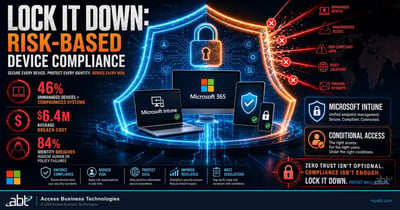
A walkthrough of Intune compliance policies, including minimum OS versions, and how they connect to Conditional Access.
Read the articleFAQ
Verify it yourself
Each version, date and setting above comes from these sources, listed with the claims each one supports.
The work starts with a count of devices by iOS version, including personal phones under app protection. The assessment ends with a written review you keep: the floor, the date, the policy settings and the user notice.
Tell us a little about your environment and we will come back with what we would check first.
What should we look at? Optional.
Encrypted. Private.
An ABT specialist will be in touch shortly. If a particular group of phones, policy or deadline is what you are thinking about, say so in your reply and we will start there.
