


Defender Threat Intelligence ended. The intelligence did not.
Microsoft retired the standalone Defender Threat Intelligence product on August 1, 2026. The capabilities it used to sit behind did not go away. They moved into the Microsoft Defender portal, where Microsoft says they are available at no extra cost to customers with Microsoft Defender or Microsoft Sentinel. How much of it you actually see depends on which of those products you hold, and most teams have not opened any of it.
- Threat actor profiles, indicator search, and entity enrichment, inside the portal your analysts already use
- No migration to run. Microsoft states the features are already available
- If a Defender Threat Intelligence line item is still on your bill, that is worth a look
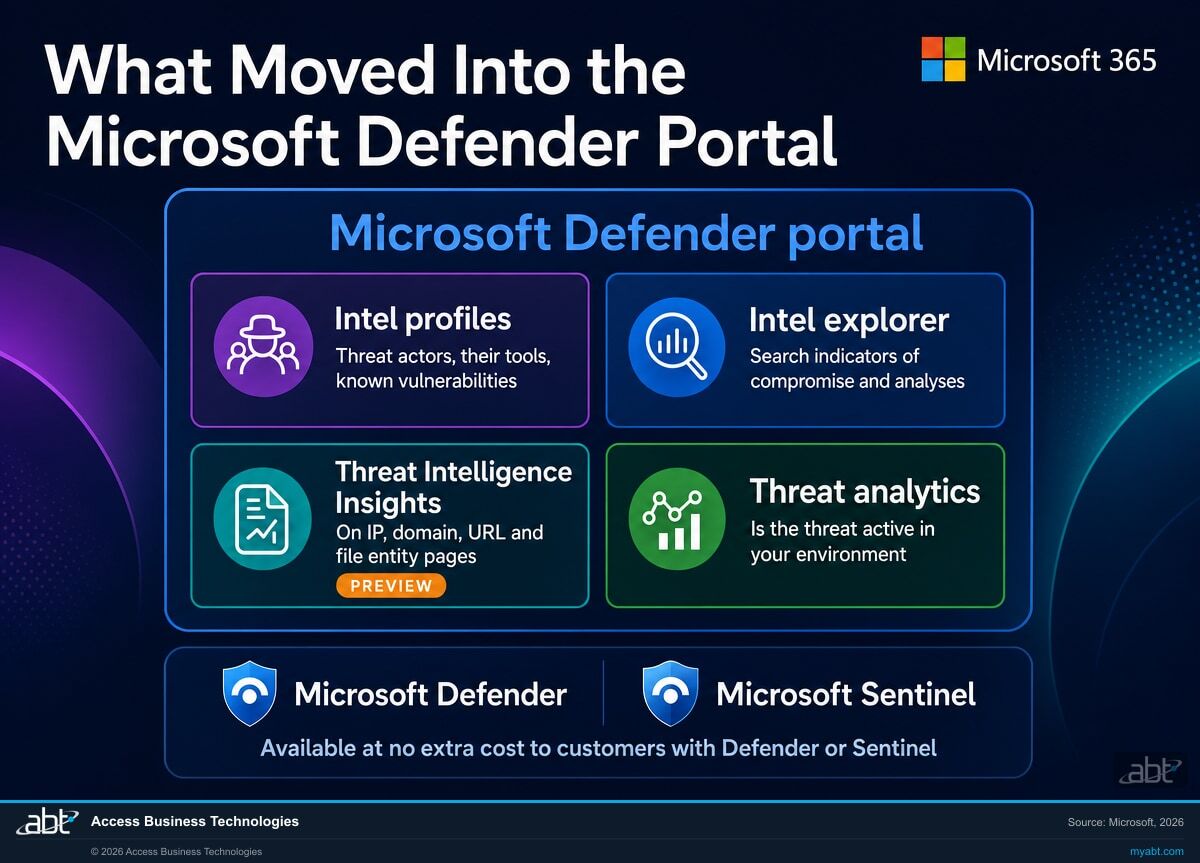
- Intel profiles on tracked actors and their tools
- Intel explorer for indicators of compromise
- Threat Intelligence Insights on entity pages (Preview)
- Threat analytics reports scoped to your environment
Microsoft retired the product, not the capability
This is the unusual kind of retirement. Normally a product ends and you go shopping. Here the product ended and the thing it did moved somewhere you already have a licence for.
"Microsoft is retiring the MDTI standalone SKU. All MDTI capabilities are now available at no extra cost through the Microsoft Defender portal to any customer with Microsoft Defender or Microsoft Sentinel."
Defender Threat Intelligence was a paid add-on. Organizations that wanted Microsoft's threat research as a working tool, rather than as occasional blog posts, licensed it separately. It carried its own portal, its own login, and its own line on the invoice. Plenty of security teams looked at it, agreed it was good, and did not buy it, because the value was hard to defend against a renewal that already felt expensive.
On August 1, 2026 that product ended. Microsoft's own product documentation puts it plainly: the legacy standalone threat intelligence portal and the Intel Explorer experience were retired on that date, and the capabilities are now in the Microsoft Defender portal. Two Microsoft surfaces, the partner channel announcement and the Defender XDR documentation, give the same date.
So there are two readers of this page, and they need different things.
The first reader was paying for it. That subscription has ended. Microsoft's key dates are specific: the product left the price list preview on August 1, 2025, and deprecation took effect on August 1, 2026, when all subscriptions end. If a Defender Threat Intelligence charge is still appearing on your bill, that is a billing question worth raising with whoever handles your Microsoft licensing. It is a small line item for most organizations. It is also the kind of thing that quietly renews for years because nobody owns the invoice line by line.
The second reader never bought it, and is the reason this page exists. If your organization has Microsoft Defender or Microsoft Sentinel, Microsoft's position is that the capability is now available to you without an additional purchase. You did not get a migration email, because there was nothing for you to migrate. You got a capability, silently, in a portal you already sign into. That is the most common way for something valuable to go unused.
Four things your analysts can use this week
These are Microsoft's descriptions of what now sits in the Defender portal, not a vendor summary of them. Where Microsoft labels something Preview, so do we.
Intel profiles
Microsoft describes these as curated content organized by threat actors, the tools they use, and known vulnerabilities. When an alert or an industry warning names an actor, this is where you find out what that actor actually does, rather than piecing it together from news coverage.
Who uses it: whoever writes the incident summary that goes to your board or your examiner. Attribution stated with a source behind it reads very differently from attribution stated as a guess.
Intel explorer
Search and investigate threat intelligence artifacts, indicators of compromise, and the analyses connected to them. This is the answer to the question an analyst asks twenty times a week: I am looking at this address, this domain, this file, has anyone seen it before and in what context.
Who uses it: the person triaging the queue. It shortens the gap between an alert firing and somebody deciding whether it matters.
Threat Intelligence Insights on entity pages
Entity pages for IP addresses, domains, URLs, and files carry a Threat Intelligence Insights tab. Microsoft describes it as surfacing reputation data, attributed threat reports, sandbox analysis results, and infrastructure relationship data directly on the entity page, so the investigation happens without switching tools.
Read the label. Microsoft marks this experience as Preview. Preview features can change before general release, so treat it as genuinely useful today and not yet as something to write a control procedure around.
Threat analytics
Microsoft calls this the in-product threat intelligence solution from its security researchers. Each report analyses a tracked threat, gives defensive guidance, and, the part that matters most, includes data from your own network indicating whether that threat is active in your environment.
Why that last clause is the whole point: a threat report about the wider world is reading. A threat report that tells you whether it is in your building is work.
Do you know whether anyone has opened it?
Most institutions cannot answer that, because nobody was told there was anything to open. A free security assessment from ABT includes checking what your Microsoft Defender and Microsoft Sentinel licensing actually entitles you to, what is switched on, and what is sitting there unused. In writing, no commitment.
Does free threat intelligence actually help a bank?
Yes, in three specific ways, and no in one important way. A page that only gave you the first half would not be worth reading.
It shortens triage. A credit union with two people covering security is not short of alerts. It is short of context. The difference between an address that belongs to a hosting provider and one that belongs to infrastructure a tracked actor has used before is the difference between closing a ticket in four minutes and escalating it. That context used to require a separate subscription and a separate window. It is now on the entity page.
It improves what you write down. Post-incident reporting is where thin evidence shows. Naming the technique, linking the actor profile, and attaching the report Microsoft published about it turns a paragraph of narrative into something a reviewer can follow. This matters long after the incident closes, because the write-up is what gets read.
It gives an examiner question a real answer. Examiners ask what your threat intelligence sources are and how they inform your controls. "We read the news" is a weak answer that many institutions genuinely give. "Microsoft threat intelligence surfaced in our Defender portal, reviewed on a set cadence, with threat analytics checked against our own environment" is a real one, and it is now available without a purchase order.
Now the honest limit. None of this makes you a threat intelligence function. Intelligence you do not read is not intelligence, it is a tab. The institutions that get value out of this will be the ones that put a name and a recurring calendar entry against it. That is a management decision, not a licensing one, and no vendor can make it for you.
The ten minute check
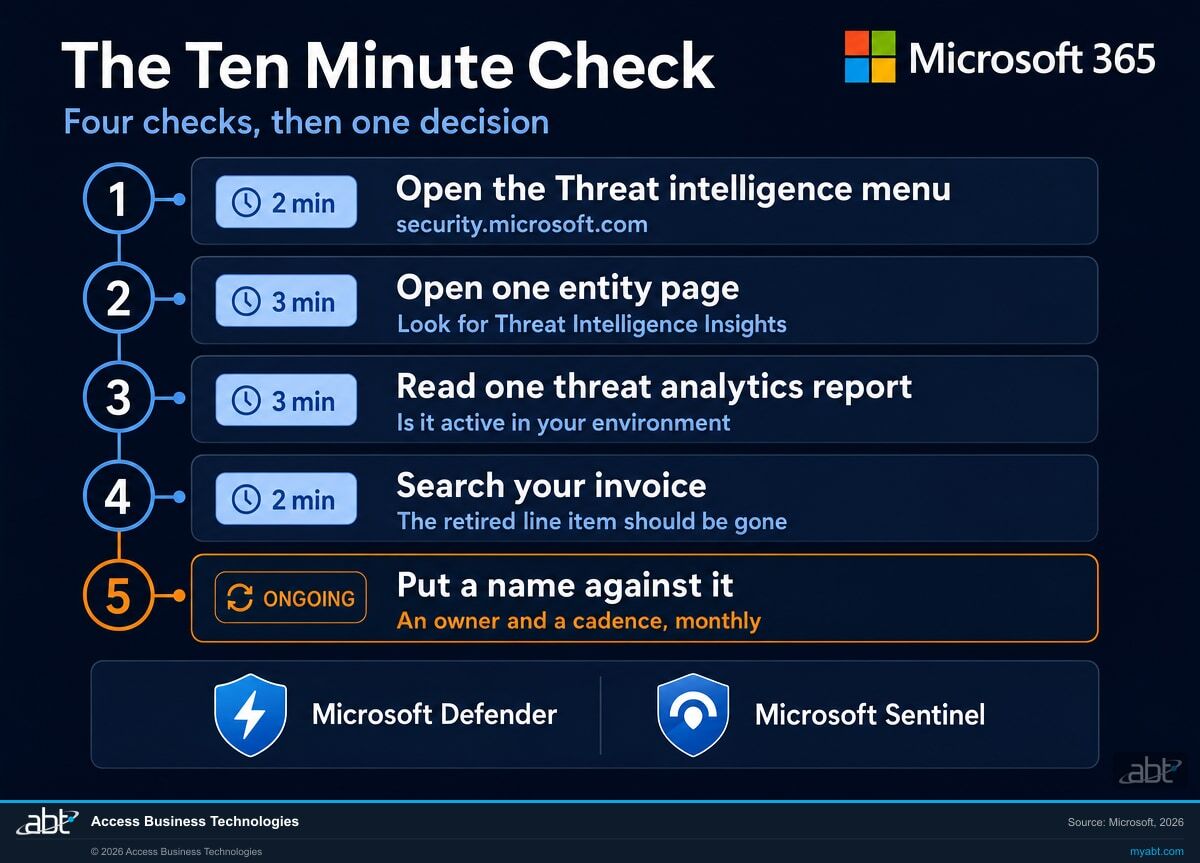
Four checks that add up to about ten minutes for someone with the right access, and then a fifth step that is not a check at all. The fifth is a decision, it takes longer than the other four combined, and it is the one that determines whether any of this changes anything.
Open the Threat intelligence menu
Sign in to the Microsoft Defender portal at security.microsoft.com and look for the Threat intelligence navigation menu. Microsoft's documented path puts Intelligence explorer and Intel profiles there. If you can see them, the capability is surfacing for your tenant, which is the fastest thing to establish and the right place to start.
What this does not settle: how much of the intelligence you can see, which follows from the Defender and Sentinel products you hold. Seeing the menu proves the door is there. It does not tell you which rooms are open. That is the licensing question, and it is the one the assessment below answers properly.
Open one entity page and look for the insights tab
Pick any recent alert, click through to an IP address, domain, URL, or file, and look for the Threat Intelligence Insights tab. This is the Preview experience, so its presence and its contents may vary. Seeing it once tells your analysts it exists, which is most of the battle.
Read one threat analytics report against your own environment
Open Threat analytics and pick any active report. The section to read is the one showing whether the threat has been seen in your environment. If it has, you have found work. If it has not, you have found the format you will want in front of you the day it does.
Search your invoice for the retired line item
Ask whoever reconciles your Microsoft billing to search for a Defender Threat Intelligence charge. Microsoft's stated position is that all subscriptions end with the August 1, 2026 deprecation. If a charge is still there, raise it with your licensing provider.
If ABT manages your Microsoft 365 tenant, you do not need to run this step. We can check it against your subscriptions directly and tell you what we find.
Put a name against it
Decide who looks at threat analytics, and how often. Monthly is a defensible cadence for an institution of most sizes. Written down, with an owner, it becomes something you can show. Left unassigned, this whole change is a menu item nobody clicks, and in six months nothing will have improved.
What this change does not mean
Three claims are floating around about this retirement that go further than Microsoft's own wording. Here is where the line actually sits.
| The claim | What Microsoft actually says | How to treat it |
|---|---|---|
| Every premium threat intelligence capability is now free for every tenant | The partner announcement says all capabilities are available at no extra cost to customers with Microsoft Defender or Microsoft Sentinel. The product documentation scopes its equivalent sentence to publicly available threat intelligence data, including entity enrichments, for Microsoft Defender XDR customers. | Confirm in your own portal. What you see is governed by which Defender and Sentinel products you hold. |
| No extra cost for the intelligence means no cost anywhere downstream of it | Microsoft's statement is about the cost of the threat intelligence capabilities themselves. Microsoft Sentinel is billed on data ingestion and retention, which is a separate meter from the intelligence surfaced in the Defender portal. | If your plans involve pulling intelligence into Sentinel, price the ingestion separately. The intelligence being free does not make the data movement free. |
| Entity page enrichment is a finished, generally available feature | Microsoft labels the entity enrichments experience as Preview and carries a prerelease notice on the documentation. | Use it. Do not yet build a documented control procedure on top of it. |
| There is something you have to migrate | Microsoft states that customers do not need to take migration action and that the features are already available to them. | Nothing to do. The work is adoption, not migration. |
| This replaces a security operations team | Microsoft describes these as intelligence and investigation experiences inside the Defender portal. They inform analysts. They do not staff a rota or make decisions. | Better inputs for the people you have. Not a substitute for having them. |
| Security Copilot is now free because of this | Microsoft describes Copilot in Defender as Security Copilot capability surfaced on the threat analytics, Intel profiles, and Intel explorer pages. That is a separate product with its own licensing. | Two different things. Check your Security Copilot position separately. |
The reason to be careful here is that this is a good news story, and good news stories get repeated with the qualifiers filed off. Somebody will tell your team that Microsoft made threat intelligence free. That is close enough to true to be useful and far enough from precise to be embarrassing in front of an examiner who asks a follow up question. The precise version is that a standalone product was retired, its capabilities now surface inside the Defender portal, Microsoft states there is no extra cost for customers with Defender or Sentinel, and part of the experience is still in Preview.
That version survives scrutiny. It is also still a genuinely good outcome, which is the point.
A free security assessment, starting with what you already pay for
Most security assessments open by describing what you should buy. This one opens by establishing what you already have and are not using, because that is usually the larger number.
We find the capability. You decide what to do with it.
- What your Microsoft security licensing actually entitles you to. Written out per product, so the threat intelligence question above gets a specific answer rather than a general one. Where ABT already manages your Microsoft 365 tenant we read it directly; where licensing sits elsewhere we build the same view from what you can export.
- What is switched on against what is merely licensed. The gap between those two is where most institutions are quietly exposed, and it is invisible from an invoice. This is the part that tends to surprise people.
- The retired line item checked. If a Defender Threat Intelligence charge is still running against your account, you will hear about it from us, with the subscription detail behind it.
- A cadence you can actually staff. A monthly threat analytics review is worth more than an ambitious weekly one that lapses in March. We will say what we think your team can sustain, including when the honest answer is less than you hoped.
- Written so an examiner can read it. Credit unions, banks, and mortgage companies get asked where their threat intelligence comes from. The output is shaped to answer that in the form the question is usually asked.
The assessment is free and carries no obligation. ABT is a Tier 1 Cloud Solution Provider (CSP) serving over 750 financial institutions; we manage Microsoft 365 tenants and host Azure environments for credit unions, banks, and mortgage companies. We did not make these capabilities free and we take no credit for it. What we can do is tell you precisely which of them your licensing reaches, which are switched on, and which have never been opened.
ABT also operates M365 Guardian, its managed security service for credit unions, banks, and mortgage companies.
Related reading
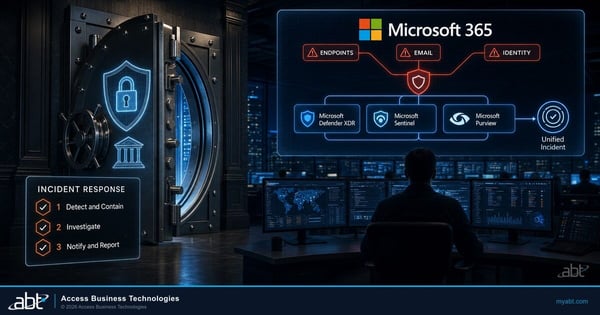
The Microsoft 365 Incident Response Plan
Where threat intelligence stops being reading and starts being the thing you reach for at 2am.
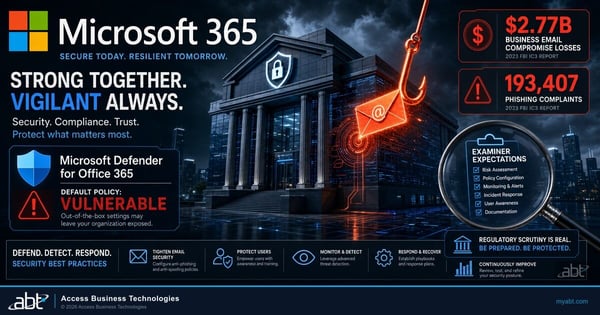
The Anti-Phishing Configuration Examiners Expect
The same discipline applied to a product you definitely own: licensed is not the same as configured.
Email Phishing Is Down. Teams Vishing Is Not.
Why tracking how attackers move matters more than tracking any single technique.
The retirement, answered
Find out what you already own.
Tell us a little about your institution and we will run a free security assessment: what your Microsoft security licensing entitles you to, what is switched on, and what has never been opened. No commitment, and no obligation to buy anything at the end of it.
Request your free security assessment
We will come back to you with what we find, in writing.
