


Before Copilot Touches Your Data, Your Tenant Must Be Hardened.
Microsoft 365 ships with over 10,000 security settings at default, and most of those defaults prioritize convenience over compliance. ABT Guardian replaces every one of them with a Zero Trust baseline before your first Copilot prompt. This is not optional configuration. It is the prerequisite for every AI capability that follows.
The Hardened
Tenant Protocol.
Microsoft 365 defaults leave critical gaps. Over 10,000 security settings remain unconfigured, exposing your organization to password spray, phishing, and ransomware. We engineer the Sovereign Perimeter: four pillars of Zero Trust protection achieving 90%+ Secure Score.
✓ Guardian Security Baseline included when you purchase Microsoft 365 licensing through ABT
The Sovereign Perimeter
Four Pillars of Zero Trust
👔 Executive View
Every Login Verified.
Password spray and phishing blocked by phishing-resistant MFA. Entra ID configured with Zero Trust baselines.
⚙️ Guardian Configures
- Phishing-resistant MFA (FIDO2)
- Block legacy authentication
- Privileged Identity Management
- Password spray protection
👔 Executive View
Only Trusted Conditions.
Evaluates identity, device, location, and risk. Impossible travel? Blocked. MFA fatigue attacks? Prevented with number matching.
⚙️ Guardian Configures
- Require compliant devices
- Risk-based challenges
- Location restrictions
- MFA fatigue prevention
👔 Executive View
Only YOUR Devices.
Personal laptops blocked. Only organization-enrolled, compliant devices get access to company data.
⚙️ Guardian Configures
- Intune enrollment required
- Block unmanaged devices
- BitLocker encryption required
- Defender for Business deployment
👔 Executive View
Control What Leaves.
DLP stops exfiltration. Bulk downloads flagged. Sensitivity labels auto-encrypt confidential files.
⚙️ Guardian Configures
- Purview DLP policies
- Bulk exfiltration detection
- Sensitivity labels
- Audit logging enabled
Your Sovereign Perimeter
HARDENING
Active Protections
Watch Guardian defend
Phishing-Proof Login
ACTIVESmart Access Rules
ACTIVEModern Auth Only
ACTIVEManaged Devices
ACTIVEVerified Push
ACTIVELocation Check
ACTIVEData Loss Prevention
ACTIVEBrute Force Block
ACTIVEGuardian Protection
Your Microsoft 365 environment protected by Zero Trust security across four critical pillars.
Blocks password attacks with phishing-resistant MFA using Entra ID and FIDO2 security keys.
Evaluates identity, device, location, and risk for every login with Conditional Access.
Personal laptops blocked. Only organization-enrolled devices through Intune allowed.
Stops bulk downloads and unauthorized file transfers with Purview DLP.
Attacks Blocked
SOC 2 Type II attested · 750+ institutions since 2001
Why Zero Trust Is the Prerequisite for Every AI Deployment
When Microsoft introduced Copilot Business at $10 per user per month, it made AI accessible to every financial institution running Business Premium. But Copilot inherits every permission, every sharing policy, and every security gap in your tenant. Our M365 security checklist for credit unions covers the 15 settings to verify first. If your tenant is configured with Microsoft defaults, Copilot can surface data that employees were never meant to see. Not because Copilot is flawed, but because the underlying permissions were never locked down.
ABT's Hardened Tenant Protocol addresses this by configuring four pillars of Zero Trust before Copilot deployment: Identity (verify every user explicitly through MFA and Conditional Access), Access Control (enforce least-privilege with role-based permissions), Devices (only allow compliant endpoints into your environment), and Data (protect information with sensitivity labels and DLP policies that travel with the content).
The result is measurable. Most financial institutions running Microsoft 365 with default settings score 30-40% on Microsoft Secure Score. After Guardian hardening, that number exceeds 90%. This is not a theoretical improvement. It is the difference between a tenant that is ready for AI and one that is a compliance liability.
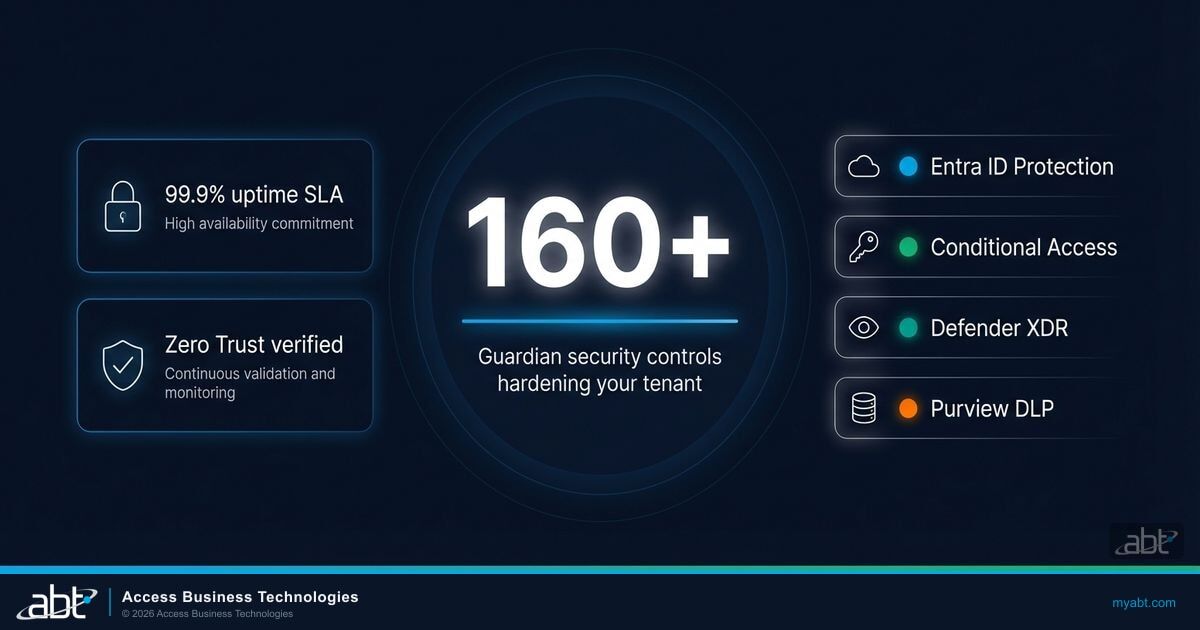
Infrastructure sovereignty means your institution owns the security posture of its Microsoft 365 environment. Not Microsoft's defaults, not your last IT vendor's assumptions, and not the configuration your team inherited three migrations ago. If your team manages mobile devices alongside AI tools, the BYOD + AI security gap is worth understanding before your next policy review. Guardian replaces all of it with a documented, auditable, continuously monitored Zero Trust baseline that satisfies FFIEC, NCUA, and GSE cybersecurity requirements simultaneously.
This is the foundation. Every capability in the sections that follow (secure integrations, operational intelligence, AI governance) depends on the tenant being hardened first. There is no shortcut.
Frequently Asked Questions
ABT's Hardened Tenant Protocol configures over 10,000 security settings across your Microsoft 365 environment using Zero Trust principles. It covers identity verification, access control, device compliance, and data protection, achieving 90%+ Microsoft Secure Score. This hardening is the prerequisite for safe Copilot deployment.
Copilot inherits every permission and security gap in your tenant. If your environment uses Microsoft defaults, Copilot can surface data across permission boundaries. Not because Copilot is flawed, but because the underlying access controls were never configured. Guardian hardening closes these gaps before Copilot is deployed.
Guardian implements Zero Trust through four pillars: Identity (MFA and Conditional Access), Access Control (least-privilege with role-based permissions), Devices (only compliant endpoints), and Data (sensitivity labels and DLP policies). These same controls become the Copilot governance layer when AI is deployed.
Microsoft Secure Score measures your security posture within Microsoft 365. Most financial institutions score 30-40% with defaults. ABT Guardian raises this to 90%+. Microsoft's Copilot deployment prerequisites (Conditional Access, sensitivity labels, DLP) are the same controls Guardian configures at baseline. A high Secure Score means Copilot-ready.
Yes. Guardian baseline hardening is included when you license Microsoft 365 through ABT as a Tier-1 CSP at $22/user/month for Business Premium. Add Copilot Business for $10 more ($32 total). There is no additional cost for the security configuration. It is part of the managed service.
Where Does Your Institution Stand?
Most financial institutions we assess score 30-40% on Microsoft Secure Score. Pick the assessment that matches your priority.
Request a security baseline hardening evaluation.
Quantify ROI from integrations and automation.
Identify oversharing risk before deploying Copilot.
Prepare for FFIEC, NCUA, GSE, SOC, and cyber insurance audits.
An ABT specialist will reach out within one business day to discuss your assessment.
